On Sale: GamesAssetsToolsTabletopComics
Indie game storeFree gamesFun gamesHorror games
Game developmentAssetsComics
SalesBundles
Jobs
TagsGame Engines

Lil Programming Questions Sticky

A topic by Internet Janitor created Oct 28, 2022 Views: 19,797 Replies: 362
Viewing posts 93 to 113 of 113 · Previous page · First page

Is there an easy way in Lil to round a fraction to an integer?

I’m trying to render text to a canvas, centered within a given area. That’s easy enough, I can just measure the text string, subtract it from the available width, divide by 2, and use that as the left edge:

# Measure the text, minus the extra space at the end
textsize:canvas.textsize[text] - (canvas.font.space,0)
 
# Render the text centered
canvas.text[text pos+(size-textsize)/2]

If I’m drawing an even-width string into an even-width box, or an odd-width string into an odd-width box, that works perfectly. Otherwise, the coordinates wind up with a fractional part, which Decker truncates to 0, meaning that text that can’t be mathematically centred is shifted to the left.

That’s just mathematics and there’s not much to do about it, except that the strings I’m rendering tend to be Title Case, so they’re already visually weighted to the left. I think it would look a little better if fractional coordinates were rounded up rather than down, balancing the Title Case rather than reinforcing it, while leaving the mathematically-centred text (no fractional part) alone. Again that’s pretty easy:

canvas.text[text pos+(0.5,0)+(size-textsize)/2]

That works perfectly… unless the box I’m rendering into is also centred, which means it already has a 0.5 offset. In that case, the even-string-in-even-box and odd-string-in-odd-box wind up worse - instead of being rounded away, the extra 0.5 adds up to extra offset. I figure if I can round pos before using it in calculations, I can prevent errors from accumulating, something like this:

# I wish this worked!
pos:makeint[pos]

Playing around, it looks like I can probably do this with:

pos:bits.or[pos 0]

…but that seems a bit hacky. Is there a cleaner way to do this?
Developer(+2)

You may be looking for the "floor" primitive? There's no corresponding "ceiling" primitive but you can take the negation of the floor of the negation:

 select value down:(floor value) up:(-floor-value) from .1*range 21
 
+-------+------+----+
| value | down | up |
+-------+------+----+
| 0     | 0    | 0  |
| 0.1   | 0    | 1  |
| 0.2   | 0    | 1  |
| 0.3   | 0    | 1  |
| 0.4   | 0    | 1  |
| 0.5   | 0    | 1  |
| 0.6   | 0    | 1  |
| 0.7   | 0    | 1  |
| 0.8   | 0    | 1  |
| 0.9   | 0    | 1  |
| 1     | 1    | 1  |
| 1.1   | 1    | 2  |
| 1.2   | 1    | 2  |
| 1.3   | 1    | 2  |
| 1.4   | 1    | 2  |
| 1.5   | 1    | 2  |
| 1.6   | 1    | 2  |
| 1.7   | 1    | 2  |
| 1.8   | 1    | 2  |
| 1.9   | 1    | 2  |
| 2     | 2    | 2  |
+-------+------+----+
(+2)

…oh! Well, I feel silly now. I searched the docs and this forum for “round” and “truncate”, but I never thought to search for “floor”. Thanks!

(+1)

Sorry if this has been answered already, but is there a way for a widget to automatically trigger on mouseover?

(+1)

This thread has some examples of how to make things happen on mouseover/hover.

It also has an important caution about how mouseover triggers can't work the same way on mobile and touchscreen devices since they don't have a mouse pointer. It's an extra thing to think about if you'd like your project to be playable on those platforms (and if the mouseover event isn't just a optional detail that won't be missed if it doesn't work).

(+2)

Any way to run lil language as independent file format , like edit and run in vs code? I like its simple and comprehensive way to manipulate table and list.

Developer(+1)(-1)

Yes. Lilt is a command-line wrapper for the Lil programming language with a few additions to its standard library like the ability to shell out to other programs and interact with the filesystem. It's easy to build from source on MacOS, Linux, or BSD. I also provide a multi-platform prebuilt binary here on itch.io alongside Decker releases.

If you just want to try something out quickly or share a snippet, TryLilis a browser-based sandbox for Lil.

The Decker repo includes basic syntax highlighting profiles for vim, emacs, Sublime Text, and CodeMirror; you can use those as a starting point for a syntax profile for other editors.

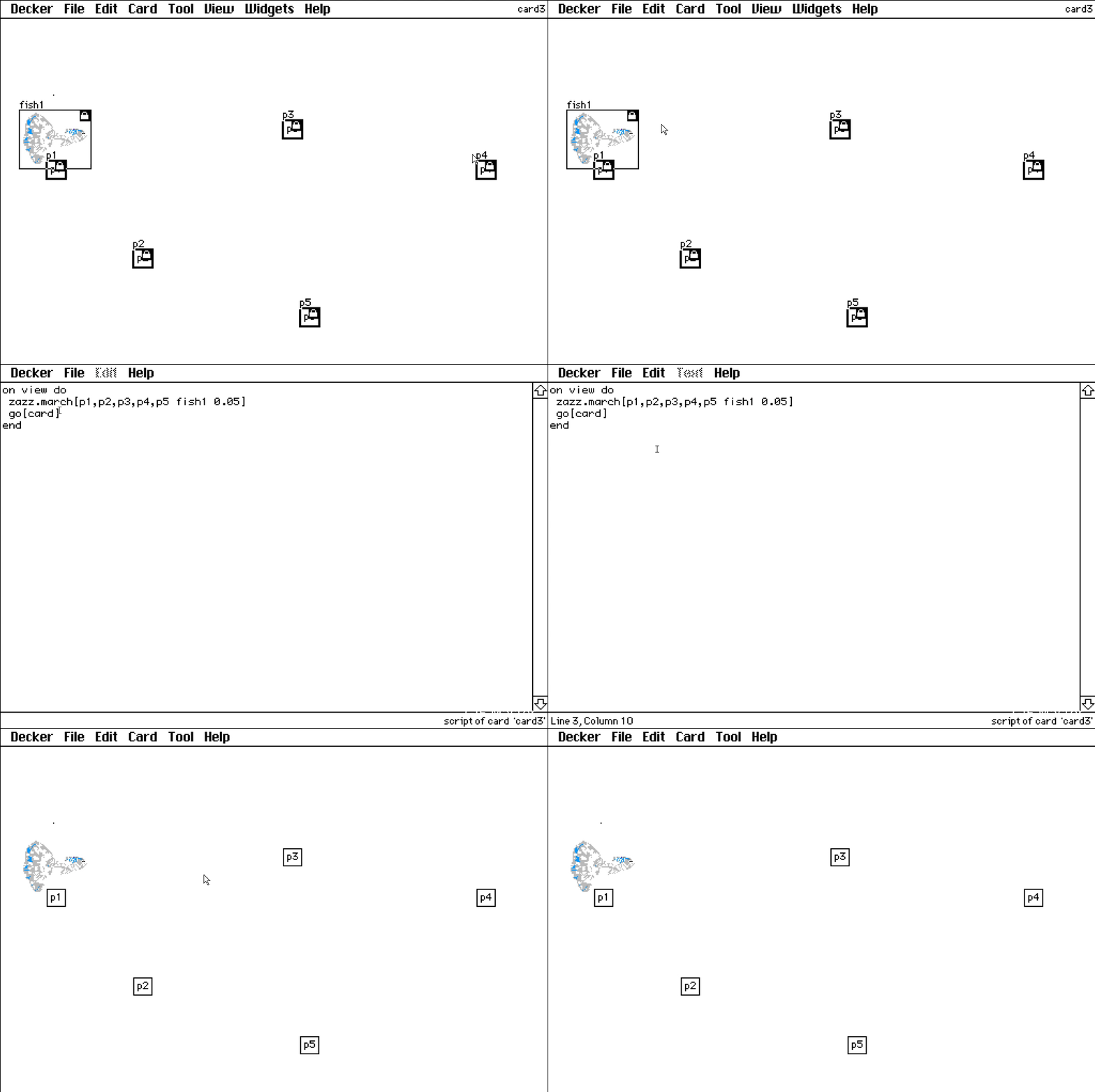
Recently, I encountered a problem when learning text dialogue and canvas bit movement painting: 1. DD follows the steps in the tutorial, and the dialog box cannot appear
2. Zazz can't exercise according to the steps in the tutorial

Even if you copy the card from the tutorial to your local computer, it has no effect.


Developer

Did you import the zazz and dd modules into your deck using the Font/DA Mover?

(3 edits) (+3)

Hi, I have a question about alert when it can prompt for a string. Probably the most basic use case imaginable, how can I write that input into a widget? E.g.

alert ["What's your name?" "string"]

And then write that name to a widget called "field1" or something? Sorry if folks have answered this before, I found a few cool threads on logging text from a field but I genuinely couldn't find anything on how to use this for alert specifically.

(+3)

You can just say something like:

field1.text:alert["What's your name?" "string"]

Here’s an Ask button that asks the question, and sticks the response into a field:

%%WGT0{"w":[{"name":"field1","type":"field","size":[100,20],"pos":[154,108],"value":"blorp"},{"name":"button1","type":"button","size":[60,20],"pos":[174,74],"script":"on click do\n  field1.text:alert[\"What's your name?\" \"string\"]\nend","text":"Ask"}],"d":{}}
(+3)

Thank you! Those are perfect. I really appreciate it.

(+3)

This is going to be such a stupid question but I just feel so lost....how do I import an image to a canvas to use with dialogizer? Do I have to create the images in the canvas and lock it in Decker? If I try to import an image as is, it just becomes a static object I can't interact with after I'm done changing its size. 

(+3)

All questions welcome!

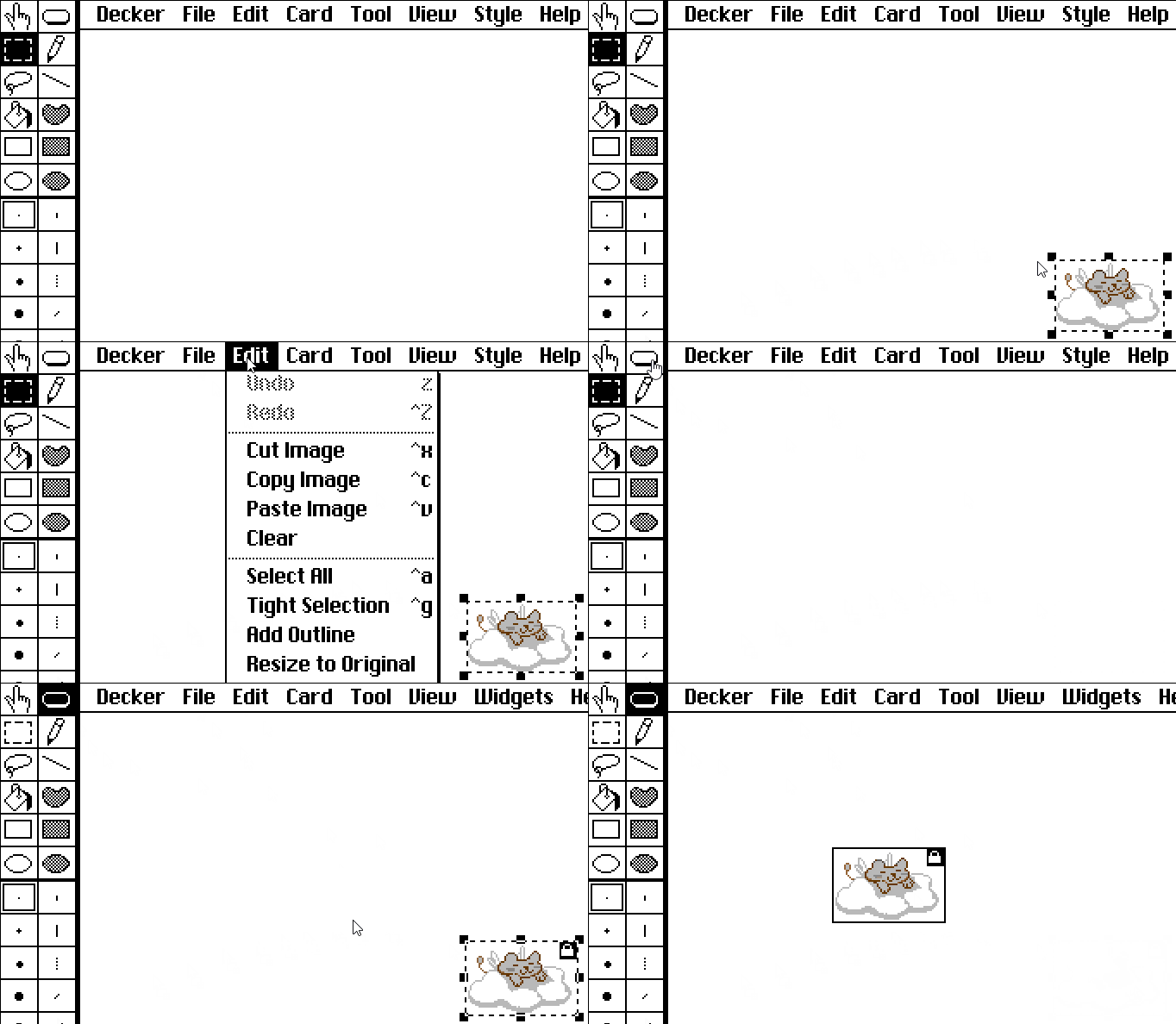
When you import an image into Decker, it has the selection box around it, right? And when you click outside the box, the image is placed on the back of the card.

But you can also copy (or cut) the image while it's still inside that selection box, switch to Widget Mode... and in the Edit menu select "Paste as new Canvas".

Personally I like to turn on the Toolbars (Decker > Toolbars) for this, to save a click while switching back and forth between importing/drawing and pasting my images into canvases.


Also, anytime your image is on the back of a card you can draw a selection box around it and then use the Edit menu option "Tight Selection" to shrink the selection to only contain your artwork.

(1 edit) (+2)

Hi! Probably basic question incoming, but I’m stuck…

I’m trying to track whether the player is wearing a cloak to display certain widgets or to send them to a specific card. I’ve created a checkbox for this, and when manually clicked on/off, the conditionals are tracked properly.

The issue I’m running into is that I can’t seem to change the value of that checkbox via Lil directly. As in, if the player click the Start button, the checkbox is enabled (because they wear the cloak at the start of the game), and if the player clicks the button “Hang Cloak”, the checkbox is disabled. Or it should be.

~~So far, I’ve tried:

Cloakroom.widgets.WearCloak.value:true

and

Cloakroom.widgets.WearCloak.value:true
Cloakroom.widgets.WearCloak.event["change" Cloakroom.widgets.WearCloak.value]

~~ I feel like I’m missing something but I don’t know what/how… EDIT: I FOUND THE ISSUE! I wrote true instead of 0/1….

Also, follow up question: if the display of the checkbox is “Invisible”, is the value of the Checkbox still accessible? (If not, I’ll just hide it behind some text :P )

Thanks in advance!

(3 edits) (+2)

As a follow up, I’ve tried creating variables too, but it didn’t work either.

I’m trying to make an invisible counter tracking the amount of time a player visited a card (and could be reset), so like a numerical variable…

EDIT AGAIN: Counters. That’s how it works. then add +1 to the text. Got it.

Developer(+1)

Just for the record, you can represent counters using a field widget via its .text or .data attributes, or alternatively you could use a slider widget via its .value attribute. Sliders are slightly more convenient than fields for representing numeric values within a known range, since their .value is always a number and is automatically "clamped".

Widgets set to "Show None" behave identically to visible widgets from a scripting perspective; they "remember" their contents across events and when the deck is saved. If there are any widgets whose contents you don't want preserved, you can mark them as Volatile. Sometimes volatile widgets are useful for "resetting" the state of a game.

Does that help clarify?

(+1)

It does! Thanks a lotT

(2 edits) (+2)

Not actually a question, but a thing that tripped me up and was confusing me. I wrote a bit of code to iterate over an array of strings and slow-print them to a canvas, terminal style. But I was finding some bizarre results when I went to test it: the first line would draw fine, but subsequent lines would go bananas, because somehow the Y coord was changing within the inner loop.

Some simplified code looks like this:

each line y in script
 each c x in line
  x*6,y*13
 end
end
> (((0,0),(6,0),(12,0),(18,0),(24,0),(30,0),(36,0),(42,0),(48,0),(54,0),(60,0),(66,0),(72,0),(78,0),(84,0),(90,0)),
   ((0,0),(6,13),(12,26),(18,39),(24,52),(30,65),(36,78),(42,91),(48,104),(54,117),(60,130),(66,143),(72,156),(78,169),(84,182),(90,195),(96,208),(102,221),(108,234),(114,247)),
   ((0,0),(6,26),(12,52)))

Notice how the Y coord keeps going up where it's not supposed to? 

At first I thought it was something weird with how canvas.text[] works, or that i had my offset or loop logic wrong, but then I realized after comparing this to a version without the multiplication:

each line y in script  
 each c x in line   
  x,y    
 end 
end  
> (((0,0),(1,0),(2,0),(3,0),(4,0),(5,0),(6,0),(7,0),(8,0),(9,0),(10,0),(11,0),(12,0),(13,0),(14,0),(15,0)),
   ((0,1),(1,1),(2,1),(3,1),(4,1),(5,1),(6,1),(7,1),(8,1),(9,1),(10,1),(11,1),(12,1),(13,1),(14,1),(15,1),(16,1),(17,1),(18,1),(19,1)),
   ((0,2),(1,2),(2,2)))

That looks like what you'd expect, right? 

Turns out the problem is operator precedence. Since Lil can do matrix math, what's happening is it's actually multiplying x by a vector of (6,y), then multiplying that by 13, so you get nonsense. Wrapping the two multiplication operations in parens fixes the problem. It didn't occur to me at first 'cause in most languages, `,` isn't an operator, it's just syntax.

This was enough of a weird surprise I thought I would share with folks, in case y'all run into similar.

(+2)

So I know that & and | work like a boolean AND and OR but is there anything that works like an XOR?

Developer(+1)

Depending on what you're trying to do, either a combination of ! and = (for a scalar boolean value, logical XOR is the same as "not equal to") or possibly bits.xor[].

(+1)

Aha, thank you!

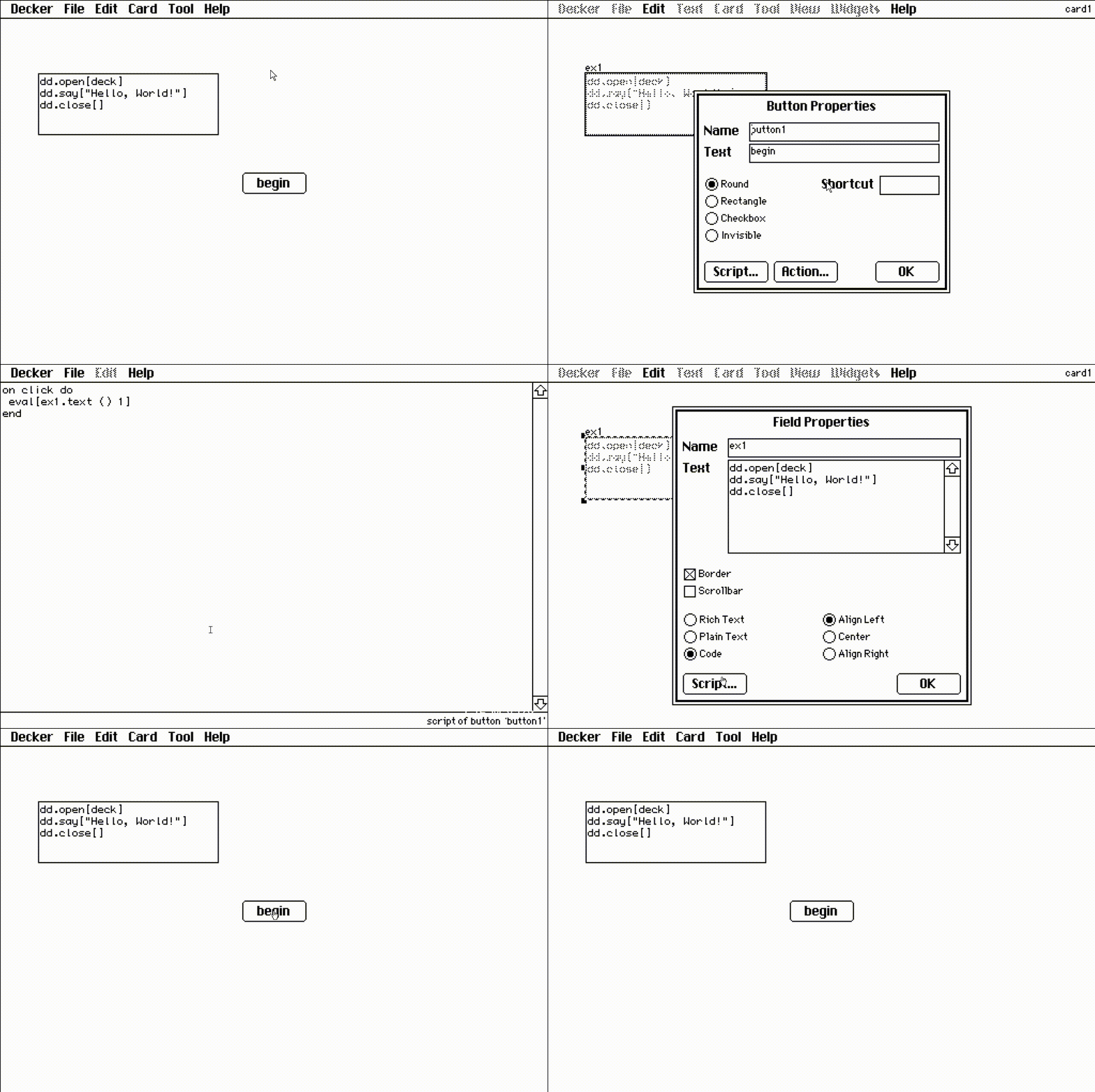
TLDR eval->dd.say isn’t passing rich-text into the dialogizer In your Dialogizer deck, on the rich-text card, you mention that it’s easier to style by throwing rich-text into a field and having it parse using the eval method. So I’ve got a field, i’ve got it set to invisible in the card script, I’ve got a button that does the eval method. Everything is working well except that it isn’t showing the styling I’ve set in the field.  I’ll mention, just as I typed this I tried to add a hyperlink in the same way (just manually add it to the field) and it also didn’t pass through the parsing operation.

Forgive me, I’m one of those dudes who got by in the 00s by just manually deleting html and css stuff and adding it back to “create my own myspace profile”. Like, that’s my level of coding know-how. I’m sure this question is voiced annoyingly; I’m trying to use words I’m not fluent with. Thank you for everything you do here IG.

Ok forgive me, I didn’t follow your operation faithfully, I now see. Your method was to use a button to point at one field that itself pointed at another field (which contained the rt formatted text).  I was skipping the middle-person field and apparently, by doing that, it doesn’t render the rt formatting.  I’m leaving this post because it may come up in the future; perhaps IG (or someone else) could simply verify that this was indeed my problem and if anything maybe propose how I might’ve skipped the middle-person step and kept the RT formatting.

(+2)

eval is a handy tool for making code snippets visible in the documentation, but it's not often needed while making projects with dialogizer. And it's probably working against you here.

This:

dd.open[deck]
dd.say[yourcoolfield.value]
dd.close[]

should be enough to play a scene written in a rich text field, with all of the formatting intact.

It's important that you point dd.say at the field's .value (which includes the rich text formatting) and not .text (which is plain text only)

If you strip it down and just put the above code snippet (with "yourcoolfield" renamed to be correct for your project) does it work?

(+2)

That did it. So it must’ve been that I was using text and not value

thank you

(+1)

I’ve got another, probably totally silly question,  (I promise I look through all the documentation, the problem is that I’m basically illiterate in basic coding). As you’ll see in this video (how do you folks get those cool embedded videos to happen without using youtube?) I’m running a card script which evals the field on the left (called cardscript; yes i know the text above the field has a space, trust me it’s labled without the space).  I’ve defined a (dunno what to call it) thing called “fields” which I want to use as a bucket to hold all of the fields i wish to make invisible at when I click “eval below”.  As you can see, when I just define the thing as ’source’ it works, but when I add a comma and include ‘cardscript’, not only does it fail to include cardscript, but now source remains visible.

Secondary issue: The !alert works, but does not retain the richtext formatting.

(+1)

to get ahead of “why are you doing this in fields”, the answer is, “I’m trying to teach myself how to code AND how to code in Decker and it’s a ton of friction having to click back and forth between widgets and interact, into the card script etc. and theoretically, it shouldn’t matter provided I do this correctly."

(+3)

It's totally fine to be new and have questions! Decker is a pretty friendly environment to try things and figure them out. And I think most of the things that look like videos in the thread are actually gifs. I know I use a screen-to-gif recorder when I need to make a small example of something.

Okay, I think these are your main questions:

1) How can I make Decker use the whole list of widgets I defined earlier?

You just need a tiny change to how you're referencing them. You need two periods, instead of just one in this case.

fields..show:"none"

2) How can I make my !alert use my rich text formatting?

In-line commands run by dialogizer don't carry over any of the rich text features. I'm pretty sure they're just run as code.

However, you can point to another field's value inside of your !alert[] in the same way you point to source.value inside of dd.say[].

!alert[problem.value]

I know it's another step, and another thing to have to manage while you're editing but it should be pretty straightforward. 

Another thing that I think might help you sometimes is the ScriptViewer contraption. You can have it display the card script and let your edit it from your card in interact mode instead of having to use a workaround with eval. And because the ScriptViewer only displays scripts that exist elsewhere you can safely delete the ScriptViewer contraption when you're done.

Just another possibility, in case it helps!

(+2)

I’m just super appreciative of the work you put into helping me. I hope I can repay you or you vicariously through this community some day.

(2 edits) (+1)

Hi, I noticed a discrepancy in behaviour between native decker and exported HTML decker  and was wondering if anyone knew why.

Basically wanted a looping sound to play “on view” of the very first card in the deck:

on view do

play[“sound1””loop”]

end

In native decker, this seems to work. I believe I also got it to work in web decker directly. But I am finding in a web decker protected export from native, it only plays the sound once (and weirdly, after clicking into the deck). However, if you do it as a second card you view through some other trigger, the same  code works in web / native.

Are there a special considerations for doing “view” actions on the very first card? 

Many thanks in advance if anyone knows…

Developer(+2)

As a general rule, web applications are not allowed to start playing sound without user interaction. Web-Decker attempts to start its audio subsystem when the user first clicks or types on the keyboard. It's possible there's some additional inconsistency in behavior, but what you're describing sounds to me like normal webapp sandboxing constraints.

(+2)

Ah thank you that would explain it!

(1 edit) (+1)

Hello! I'm discovering Lil and setting myself some little challenges. While I'm used to a lot of other languages, I'm wondering if there is a simple way to declare lists of lists. 

My intuition would be

(0,1), (2, 3)

but this actually is the same as (0, 1, 2, 3). I guess that while () is the empty list, parenthesis aren't lists delimiters as [] in other languages. I understand that comma is the concatenator for lists and that the correct solution to my problem would be

(list 0 1), (list 2,3)

but I'm wondering if there's a more elegant solution.

Thank you!

Developer (1 edit)

Lil doesn't have a per se list literal syntax. Your example is one straightforward way of making nested lists:

(list 0,1),(list 2,3)

Another fairly general way of declaring static data is to use "parse" on a string of JSON/LOVE:

"%J" parse "[[1,2,3],[4,5],[6,7,8,9]]"
# ((1,2,3),(4,5),(6,7,8,9))

Within Decker it's often a good idea to store lengthy static data in a Field widget (where it can be encoded/decoded to/from LOVE via the .data attribute), or as a table stored in a Grid widget, where it can be viewed and directly manipulated. Modules (Lil libraries for Decker) don't have direct access to a deck, so they have a dedicated mechanism called a KeyStore.

If the sublists are of equal size, you could turn a flat list into a nested one using a primitive like "window":

2 window range 6
# ((0,1),(2,3),(4,5))

You could also construct a nested list piecemeal by index in a named variable:

a[0]:1,2,3
a[1]:4,5
a
# ((1,2,3),(4,5))

This last approach is particularly handy for nested dictionaries; see the code examples in the reference manual entry for the Array Interface.

Does any of that help?

(+2)

Thank you! Yes all of these help and are very interesting. I had noticed the JSON parsing style too (with which I would feel at home) and SQL-like tables but was interested to learn more about the other native options. I really like window! The other tips are very welcome as well! 

Thanks again!

With the "Make Magnet" contraption in the "All About Draggables" deck, I'd like to make the draggable canvases made with it spawn with a script. How can I do this?

Also, how can I implement a "whitelist" for the "Overlaps", that draws off a canvases' name/textual content?

(+1)

Hi! This isn't an answer yet, just some clarifying questions:

Are you working on using the "Make Magnet" example to make magnets that are created with scripts in them that use things like rect.overlaps and rect.constrain from the same example deck?

And did you want to make it so that only some of them do something when they're overlapping, and others don't? (based on some condition, or your mention of a whitelist).

Actually if you could give a specific description of what you're trying to do then I think we could help make sure you have all of the pieces of it that you need.

Yes, the example contraption, and I more specifically want to apply a general script to all of the canvases made with it to make them work with the Overlaps mechanic. It's the mechanic with a script applied to a draggable canvas - 

on release do

 if rect.overlaps[me target]

  alert["You hit the target!"]

 end

end

It would then execute an action if placed on the specifically named widget.

To make a project as a beginner, I'd just like to collate different contraptions to make games and potentially study the code and provided documentation.

(+1)

The script on the “Make Magnet” button just creates a new Canvas widget and adds it to the card. You can set or retrieve the script of a widget with the .script attribute. So:

mycanvas.script:"on click do alert[\"boo\"] end"

Alternatively, when a widget doesn’t have a handler for a particular event, that event bubbles up to the card, then the deck. If you want a bunch of widgets that all have the same behaviour, you can put the on click ... end handler in the card, and not have to worry about adding it to each widget individually.

(+1)

Thanks, I'll try the provided code with information considered. But, I'd like to ask what "bubbling up" is, if that is okay?

(+2)

A deck contains cards, cards contain widgets.

When you click a button in the “interact” mode, or a script runs somebutton.event["click"], Decker looks inside the button’s script for an on click do ... handler.

If it can’t find one, the event “bubbles up” to the card, and Decker looks for an on click do ... handler there.

If it can’t find one, the event “bubbles up” to the deck, and Decker looks for an on click do ... handler there.

If it can’t find one, Decker has built-in default handlers for certain events (like dragging on a canvas to draw on it), but most events wind up being ignored.

Thanks for the explanation about "bubbling up", but I've tried the provided script, I'm not sure where to place it or if there is a value to be filling in. Could you explain, please?

Trying to make an audio loop whenever a checkbox is enabled, but no idea how to make the script actually know if the checkbox is enabled or disabled. Right now, all I have is

```

on click do      

  play["bg1" "loop"]      

end

```

How do I add some sort of "if true" function, I've looked in documentations and tutorials and there's still nothing.

(2 edits) (+3)

The usual place I double-check how to write things in Lil is the Lil: A Scripting Language page.

So, what you need is an If statement. 

on click do
    if checkbox.value
    play["sound" "loop"]
    end
end

(I called the audio tracking checkbox "checkbox" but please call it whatever your widget is called.)

If the button that's being clicked to play audio is the checkbox and you'd like music to turn off when it's unchecked you might write it like this:

on click do
    if me.value
    play["sound" "loop"]
    else
    play[0 "loop"]
    end
end

Does this work for what you needed? I'm happy to give a different example if you have it set up in a different way.

(+1)

I want to create a cipher of sorts. Be able to replace letters with other letters. If possible, I would also like to be able to replace sequences of letters with either individual letters or sequences.

So far, I was able to create a code that copies text from one field into another. I'd display it, but this is my first time replying to this forum and I don't know how to format text yet.

Developer(+3)

The simplest way to perform ciphering would be to use a dictionary. We can make a dictionary that maps characters to other characters like so:

rot13: "abcdefghijklmnopqrstuvwxyz" dict "nopqrstuvwxyzabcdefghijklm"

Given a string, we can use each character to index into our dictionary with the "@" operator:

rot13 @ "something else"
# ("f","b","z","r","g","u","v","a","t",nil,"r","y","f","r")

For characters like spaces, which aren't defined in the rot13 dictionary, we get a nil. As a catchall, we can use "fill" to substitute a generic replacement for all nils:

" " fill rot13 @ "something else"
# ("f","b","z","r","g","u","v","a","t"," ","r","y","f","r")

And if we wanted to collapse that sequence of characters into a flat string, we can use "fuse". Note that this step isn't necessary if we're stashing the result in a field's .text attribute; it implicitly fuses lists of strings as a convenience:

"" fuse " " fill rot13 @ "something else"
# "fbzrguvat ryfr"

Putting that all together, given fields "input" and "output", give "input" a change[] handler:

on change do
 rot13: "abcdefghijklmnopqrstuvwxyz" dict "nopqrstuvwxyzabcdefghijklm"
 output.text:" " fill rot13 @ input.text
end

And now we have a (crude) rot13 translator. It would probably be much more useful if we preserved all the non-alphabetic characters intact instead of turning them all into spaces. We can be a little fancier about how we construct the translation dictionary and address this:

on change do
 a1:"abcdefghijklmnopqrstuvwxyz"
 a2:"nopqrstuvwxyzabcdefghijklm"
 A1:"%u" format a1
 A2:"%u" format a2
 chars:"%a" format list range 256
 rot13:(chars dict chars),(a1 dict a2),(A1 dict A2)
 output.text:rot13 @ input.text
end

If you want to do a translation based on fixed-size bigrams or trigrams, or something along those lines, "window" might be useful:

2 window "SomeWords!"
#("So","me","Wo","rd","s!")

And you can use "drop" to exclude characters you wish to ignore (or conversely, "take" to retain only characters you care about):

(" ","!") drop "Some Words!"
# ("S","o","m","e","W","o","r","d","s")

For even fancier find-and-replace scenarios you could use RText.replace[]. Note that this returns a rich-text table and should be assigned to the .value attribute of a field, rather than .text, or converted into a string with rtext.string[].

rtext.replace["some text" ("me","ex") ("you","post")]
# +----------------+------+-----+-----+
# | text           | font | arg | pat |
# +----------------+------+-----+-----+
# | "soyou tpostt" | ""   | ""  | 1   |
# +----------------+------+-----+-----+
rtext.string[rtext.replace["some text" ("me","ex") ("you","post")]]
# "soyou tpostt"

Does any of that help?

(+2)

Oh yeah! This really helps with single letter replacements and gives me something to play with for a good while.

Some questions I have about grids:
1. What are some ways that I could "lock," for lack of a better term, a column of a grid? I mean, I suspect I can use a format function to make it so that whenever a cell in that column gets changed to something else that it would replace the original letter, but I'm only half aware on how to pull that off and curious as to whether their exists a lock function for parts of a grid. But I digress.

2. Follow-up question to the first one, how would I rearrange the order of values in a column via button pressing? For example, changing the arrangement of values in a column, letters specifically, from alphabetical to by frequency, etc.

3. Is it possible to extract the values from a column in a grid and turn it into a string that can be used in dictionary functions?

Developer

If you give columns in a grid widget a format character of "L", "I", or "T", the column will not be user-editable. L displays cells in a column as plain strings (preformatted), I interprets cells as an icon index, and T displays cells as non-editable Rich Text.

Grids are containers for tables. To rearrange the rows of a table you probably want a query with an orderby clause. For example, sorting the contents of a grid "myGrid" by the "price" column, ascending, might require a button with a script like

on click do
 myGrid.value:select orderby price asc from myGrid.value
end

Note that the default order[] event handler for grids offers something like this out of the box; you could overload this on a grid-by-grid basis if you wanted more elaborate behavior:

on order col do
 if !me.locked
  me.value:select orderby me.value[col] asc from me.value
 end
end

If you have a column in a table, you can index it by name to get a list. The "fuse" operator can convert any list into a flat string:

myGrid.value.fruit
# ("cherry","banana","elderberry","apple","durian")
"" fuse myGrid.value.fruit
# "cherrybananaelderberryappledurian"
"|" fuse myGrid.value.fruit
# cherry|banana|elderberry|apple|durian

How do I make a canvas move via arrow keys being pressed? Also, how do I go to another card when the canvas is in a certain position. Do I need a grid to be able to do both of these things?

Developer(+1)

When the arrow keys are pressed, a navigate[] event is sent to the current card with an argument of "up", "down", "left", or "right". If you wanted to make these events move a canvas, you might have an event handler in the card-level script something like

on navigate dir do
 deltas:("up","down","left","right") dict ((list 0,-1),(list 0,1),(list -1,0),(list 1,0))
 myCanvas.pos:myCanvas.pos+deltas[dir]*32
end

If you wanted that canvas to trigger "exits" when it matches certain positions, you could mark them with buttons (perhaps set to "Show None") and then send them a "click" event on an overlap; the buttons could in turn go[] to other cards, trigger alert boxes, etc.

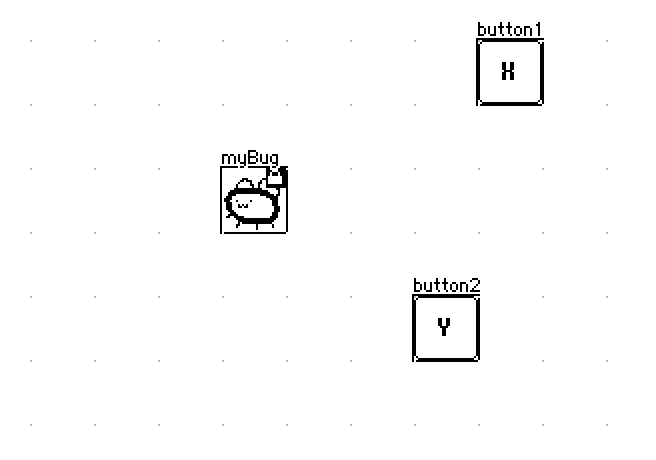
on navigate dir do
 deltas:("up","down","left","right") dict ((list 0,-1),(list 0,1),(list -1,0),(list 1,0))
 myBug.pos:myBug.pos+deltas[dir]*32
 each button in extract value where value..type="button" from card.widgets
  if button.pos~myBug.pos button.event["click"] end
 end
end


For a fully-worked example of a game that uses arrow keys for tile-based movement, you should take a look at Decker Sokoban.

Thank you!

Is this intended or a bug? Assigning get/set with the keystore appears to strip a level of list.

Or am I missing something?

lib: ()

lib.test: on _ do
  a: (list (list (list 1,2,3)))
  data.a: a
  show[data.a]
  data.a: data.a
  show[data.a]
  data.a: data.a
  show[data.a]
  data.a: data.a
  show[data.a]
  
  x: (list (list (list 4,5,6)))
  y: (list (list 7,8,9))
  z: (list 10,11,12)
  w: 13,14,15
  
  data.x: x
  show[data.x]
  data.y: y
  show[data.y]
  data.z: z
  show[data.z]
  data.w: w
  show[data.w]
  
  nil
end

will produce:

(((1,2,3)))
((1,2,3))
(1,2,3)
1
(((4,5,6)))
((7,8,9))
(10,11,12)
13
nil

This was run in v1.62 Decker

Developer(+1)

Confirmed; Keystores were not properly serializing raw lists. I've patched the issue in the source repo.

Dictionaries, tables, and strings do not exhibit this problem, so any can be used as a workaround.

Thanks!

Yeah, I have a slight workaround serializing first and then wrapping in a list:

data.key: "%J" format foo
foo: list "%J" parse data.key

How would one go about creating an inventory, or at least a tracker to ensure you've already clicked something? I tried going about it like this

on click do
t+1
if  t>1
alert["You already grabbed the pie tin!"]
alert[t]
else
 t+1
 alert["You found the pie tin! Weirdcat put it out for you already, it looks like!"]
 alert[t]
 end
end

, but I don't want all the clicks to set t:1, and it doesn't look like it's storing it in other widgets?
 
Developer

If you want to increment a local variable, like "t" in your example, you must use the assignment operator ":" (read aloud "becomes" or "gets") like so:

t:t+1

Local variables exist only within the lifespan of a single event.

Persistent state, like an inventory or a system for tracking a user's action, must reside in a widget somewhere. This has been discussed many times and places within this forum. I recommend starting with this thread: https://itch.io/t/2702720/how-to-have-interaction-between-cards

(1 edit) (+1)

Hello! I think this question is probably rooted in my coding experience being from Java, so I keep trying to apply incorrect formatting here. 

I have a field widget called "name"  on card "A" where I want the player to type their name, and I have a locked field widget called "hellotext" on card "B" where I want it to say "hello [name] how are you?" 

Ive been trying to do this with the following code in B's card script but I keep getting the output "0" in "hellotext"

hellotext.text: "Hi " + deck.cards.A.widgets.name.text + " how are you?"

I also tried 

hellotext.text: fuse "Hi ",deck.cards.A.widgets.name.text, " how are you?"

but that gave me the error " 'fuse' is a keyword, and cannot be used for a variable name."

Sorry for such a simple question but I'm really stumped!

Developer (1 edit) (+1)

The "+" operator in Lil is exclusively for addition. It will coerce strings into numbers in a best-effort fashion, which is why you're getting zero:

"5"+3               # 8
" 2.3" + "1Hello"   # 3.3
0+"Hello"           # 0

The "fuse" operator is binary; it expects a left string argument to intercalate between elements of a right list argument:

":" fuse "A","B","C"   # "A:B:C"
"" fuse "A","B","C"    # "ABC"

Assigning a list to a field's ".text" attribute will implicitly concatenate the elements of a list together, as a convenience. The following are equivalent:

hellotext.text:"" fuse "Hi","There"
hellotext.text:        "Hi","There"

Cards are normally in scope by name, so you don't typically need a fully-qualified path to reach a widget on another card. The following will be equivalent from a card/widget level script:

deck.cards.A.widgets.name.text
           A.widgets.name.text

Does that help?

If you aren't already, I strongly recommend using The Listener to try expressions out piece-by-piece as you develop.

(+1)

That does! Thank you so much :)

Viewing posts 93 to 113 of 113 · Previous page · First page