Indie game storeFree gamesFun gamesHorror games
Game developmentAssetsComics
SalesBundles
Jobs
TagsGame Engines

woodring

42
Posts
1
Topics
A member registered 95 days ago · View creator page →

Creator of

Recent community posts

(6 edits)

I was using it for frame timing for the bpm.

current time - last beat > bpm gap -> send a bang

so, i just hacked it by reoverflowing to positive by adding 2^31.

i just realized it’s still not 100% correct, because i’m not accounting for the timing gap (jitter) that is getting lost due to 60 Hz quantization.


update: oh, right. it wasn’t working because the “last frame” time was never initialized - so “current time” - “last frame” will always be negative, since it’s “current time” - nil (0). that’s the real reason.

so, anyways - i don’t know if negative sys.ms is supposed to be a thing, but it certainly wasn’t expected. it’s how i usually time gaps and don’t worry about initializing the first frame time for the possibility of negative time.

(1 edit)

Here’s a version that’s a little more robust that will regenerate the card and allows for interactive updates to it:

# paste this into a card's (slide's) script (menu Card->Script...)
on view do
  # boilerplate start
  if card.widgets.sentinel
    each k in keys card.widgets
      card.remove[card.widgets[k]]
    end
  end

  f: card.add["field" "sentinel"]
  f.show: "none"
  # boilerplate end
            
  # your slide commands go here for each card
  # this is different for each card (slide)
  f: card.add["field" "title"]
  f.pos: 30,30
  f.text: "here is a title"
  f.font: "menu"
    
  f: card.add["field" "info"]
  f.pos: 50,100
  f.size: 200,200
  f.text: "here is some information"
end
(4 edits)

As always, it depends.

If you want something simple or a DSL (domain specific language) like Adelie, not that I know of. Though, John has made a lot of different tools and modules that could stand in for parts of it.

But, the other way is that you can is using the built in Decker commands. If I add this to a card’s script, (go to the toolbar menu, Card->Script...) I can programmatically generate the card:

removed – see my next comment for an improved version

Again, maybe not 100% of what you’re looking for, but it’s there: https://beyondloom.com/decker/decker.html#cardinterface

Fixed.

(1 edit)

I’m not sure how sys.ms is represented, but I think it has overflowed and wrapped into negative. It’s currently returning a negative value.

updated: does appear to be signed 32-bit overflow, adding 2^31 hacks around it

It’s because the bpm node is broken - sys.ms is returning a negative value

(1 edit)

I’ll have to check into the metronome and synth, because it stopped working for me, too. I’m not sure 100% why - I’ll look into it.

Thanks!

Also, the reason that I didn’t (aside from running out of time) was the audio feedback for a biquad filter ended up being pretty computationally expensive.

So, it probably would have required reprocessing the entire playback prior to playing it to remove audio lag.

I just realized I’ve been misspelling your name. Sorry! I corrected it on the game page.

It’s immortalized in the deck - until I update it.

(3 edits)

I squeaked mine through just before the end, too.

I updated the description to the entry and game page.

Millie - I didn’t end up connecting it to your synth, but I did steal your Twinkle, Twinkle, Little Star csv from it to use in mine.

(10 edits)

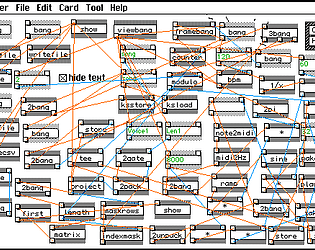
A visual data flow programming sandbox/toy/tool for Decker. Inspired by Pd (Pure Data).

Make programs by dropping boxes (nodes) and connecting them together with wires or pipes - very little to no typing.

A more “physical” way of programming that is akin to wiring diagrams or pipe flows - where you can see the results immediately and programs don’t crash.

The first card has a tutorial to explain how to use dP. Dialog boxes will pop up to explain how to use it. Click in the boxes to continue to the next.

Cards in the deck (use left-right arrows to navigate through the cards or the Decker menu):

  • tutorial card for using dP
    • Dialog boxes will pop up to explain - click in them to continue to the next
  • demo for tracking mouse position and clicks
  • demo for animating an object to move
  • audio demo for a metronome
  • audio demo for a tone generator with audio filters (2 cards)
  • a simple one voice synthesizer that plays Milly’s Janky Tunes csv format
  • the wiring for the tutorial card
  • an editor that shows the dp module that drives most of dP

Made in Decker for Dec(k) Month 3 jam. Thanks to John for making Decker in the first place and Millie for the Twinkle, Twinkle, Little Star csv that I stole from her Janky Tunes sequencer.

CHANGELOG:

  • 20260102 - release
  • 20260103 - initialized bpm to account for negative sys.ms and fixed jitter due to 60Hz quantization
(1 edit)

dP update. Now, comes the grunt work of adding more objects.

(1 edit)

For me, I think the most appropriate metaphor is that it is the “workbench.” Or, the supercharged REPL: a computational notebook or a literate programming environment.

I’ve always gravitated towards things where I can work incrementally: Lisp, Lua, Jupyter notebooks, R-Studio markdown, etc. I’ve even gone so as far as making an environments where I can incrementally program and test C code, to emulate a notebook-like interface.

The other thing that I like, and you even mention this in the workbook section: it gives me the capability to build it as I need. That’s the Forth and Lisp creed. Or roughly, Unix creed. Do one thing and do it well - which I’ve always interpreted as, build only the thing you need.

It’s the peeve I have with other computer scientists or software engineers. They try to solve everyone’s problem, but end up either solving no one’s or doing it really badly.

So - yeah - Decker scratches the itch just right for me.

Yeah, thanks for the heads up. I was looking at the Janky code already, and had thought about it, too.

So, it’s not going to be a 1-for-1 emulation of Pd - because of that. I’m not sure Decker could handle the amount of processing. Maybe, maybe not.

But, I think a sound queue should suffice and give the appearance of realtime.

Oh, I should mention - the above picture runs in real-time already. I can type in where the 5s are, a different number, and they will automatically add up in real-time. That’s why it shows 10.

It’s just that I don’t have a visualization for the connections/wires/inputs and outputs, yet, so you can’t see them connected together. Because the output of “frame” connects to the first 5 box, the 5 box connects to the second 5 box, so the number gets copied, and then they both feed into +, and then plus outputs into the final box to show you 5+5=10.

(13 edits)

Pd (Pure data) is a flow graph based programming environment, primarily, for real-time audio processing. It was made by Miller Puckette and also worked on Max/MSP <- (hence the name MSP).

Pd, along with Max/MSP/Jitter, are used for deejaying and veejaying, along with general audio and video processing. For instance, I have a Pd patch that I made for my computer to mix various audio sources, along with a custom equalizer, bs2b filter from scratch, etc. (I once used Max to do real-time special effects for a university play in collaboration with the theatre department and a computer graphics offshoot of the art and design college. Anyways.)

So, I want to see if I can do real-time audio processing on your sequencer. I hope I can squeeze enough cycles out of it to do something.

For the most part, dP is an experiment of mine for tinkering with data flow graph processing, because it can do more than audio - general programming. It could be something non-programmers could use for Decker. Audio engineers and deejays/veejays make their own Pd patches. Flow graph programming is frequently used in visualization tools, like VTK and ParaView, for instance.

It’s interesting to me because flow graph and graphics (my background) programming, in general, very much have a “feed-forward” view of programming - kind of like React or Unix pipes (hence, decker Pipes). It’s more procedural, event-loop, like a factory or process engineering view of programming - not a math based view of programming, which is more “call-back” or “inside-out,” in my opinion.

At least, it will be a neat toy that I hope to do some audio manipulation with your sequencer. (I’m not trying to oversell this as taking over the world, as flow graph programming has been around forever. It’s just an experiment of mine.)

I’m working on dP (decker Pipes) - a Pd-like in Decker.

Also, Milly - if I can get your permission - I’d like to use Janky Sequencer as an input demo for dP. (I hope it works and not over promising…)

(Also, I know ‘dp’ stands for other things… but that makes it amusing.)

Thanks!

Yeah, I have a slight workaround serializing first and then wrapping in a list:

data.key: "%J" format foo
foo: list "%J" parse data.key

Is this intended or a bug? Assigning get/set with the keystore appears to strip a level of list.

Or am I missing something?

lib: ()

lib.test: on _ do
  a: (list (list (list 1,2,3)))
  data.a: a
  show[data.a]
  data.a: data.a
  show[data.a]
  data.a: data.a
  show[data.a]
  data.a: data.a
  show[data.a]
  
  x: (list (list (list 4,5,6)))
  y: (list (list 7,8,9))
  z: (list 10,11,12)
  w: 13,14,15
  
  data.x: x
  show[data.x]
  data.y: y
  show[data.y]
  data.z: z
  show[data.z]
  data.w: w
  show[data.w]
  
  nil
end

will produce:

(((1,2,3)))
((1,2,3))
(1,2,3)
1
(((4,5,6)))
((7,8,9))
(10,11,12)
13
nil

This was run in v1.62 Decker

(1 edit)

I’ve updated a few things related to the WebXDC stuff:

I’ve diverged from https://codeberg.org/rtn/decker-xdc such that my stuff just uses vanilla Decker.

I didn’t want to rely on a modified version of Decker for using it in WebXDC. As such, my xdc module https://codeberg.org/woodring/decker.xdc has an xdc.save_deck method to compensate for that vanilla web Decker cannot reliably save decks when running in a WebXDC environment. (rtn modified web Decker to do this, and it was his main modification).

Two, I’ve made a slimmed down version of web Decker v1.61 that originally was a modification rtn’s version https://codeberg.org/rtn/decker-xdc to bring it up to v1.60 - but since, it’s now just a packer to make WebXDC packed Deckers: https://codeberg.org/woodring/decker.decker-xdc.

My other things that used WebXDC are updated with the newer module. Technically, starter and whiteboard have a more up to date version than what is in the xdc module and card. That’s because I haven’t gotten around to documenting the changes that are in the newest version. So, it’s a bit behind.

Also, there’s a couple of new things I have made that aren’t WebXDC enabled, like Cammy: https://codeberg.org/woodring to see all of my Decker junk.

(2 edits)

Cammy (or Leon if you prefer) - a rapid menu-less widget-making widget

Cut and paste for Cammy is here: https://codeberg.org/woodring/decker.cammy

(hit reload if the image isn’t playing, my apngs don’t loop)

Yes, you could do this through the listener, but I find this easier and faster – especially if you have a Cammy making button:

%%WGT0{"w":[{"name":"make_cammy","type":"button","size":[64,16],"pos":[432,32],"script":"on click do\n  w: card.add[\"contraption\" \"cammy\"] \n  w.pos: (card.size / 2) - (w.size / 2)\nend","text":"cammy"}],"d":{}}

Inspired by Pd https://puredata.info

More of my decker junk: https://codeberg.org/woodring

Also posted in the contraption bazaar

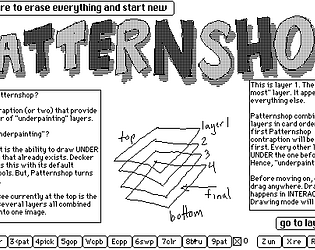
Layercake: a moveable cut & paste tool with line loop drawing

The cut & paste for the contraption is here, along with any updates in the future:

https://codeberg.org/woodring/decker.layercake

The APNG doesn’t seem to loop, so reload the page if the image doesn’t seem to do anything:

WARNING: THERE IS NO UNDO

Controls/Hotkeys:

    L: start loop/segment or end as loop
    S: start loop/segment or end as segment
    click: add a line segment in loop or segment mode
    T: toggle solid/transparent/invert
    W: wipe (clear)
    H: halt (stop drawing segment)
    R: reset (halt and set brush and pattern to 1)
    C: copy from card canvas
    V: paste to card canvas
    U: merge up (copy from card canvas treating white as transparent)
    D: merge down (paste to card canvas treating white as transparent)
    9/0: decrement/increment pattern (open listener to see current pattern number
    1/2: decrement/increment brush (open listener to see current pattern number)

Hint: to see the brush and pattern, without the listener

    start a line loop or segment with L or S
    stretch out your line
    use 9/0 and 1/2 to cycle through the patterns and brushes
    press H to halt without drawing anything
    the pattern and brush remains what it was set to
(4 edits)

Layercake: a moveable cut & paste tool with line loop drawing

The cut & paste for the contraption is here, along with any updates in the future:

https://codeberg.org/woodring/decker.layercake

The APNG doesn’t seem to loop, so reload the page if the image doesn’t seem to do anything:

WARNING: THERE IS NO UNDO

Controls/Hotkeys:

    L: start loop/segment or end as loop
    S: start loop/segment or end as segment
    click: add a line segment in loop or segment mode
    T: toggle solid/transparent/invert
    W: wipe (clear)
    H: halt (stop drawing segment)
    R: reset (halt and set brush and pattern to 1)
    C: copy from card canvas
    V: paste to card canvas
    U: merge up (copy from card canvas treating white as transparent)
    D: merge down (paste to card canvas treating white as transparent)
    9/0: decrement/increment pattern (open listener to see current pattern number
    1/2: decrement/increment brush (open listener to see current pattern number)

Hint: to see the brush and pattern, without the listener

    start a line loop or segment with L or S
    stretch out your line
    use 9/0 and 1/2 to cycle through the patterns and brushes
    press H to halt without drawing anything
    the pattern and brush remains what it was set to

Yep - it works now. It’s either a bug or limitation.

  • If the final target of the composite is the prototype/contraption card image, there are compositing errors and it (the image attached to the prototype/contraption card) will never resize.
  • If I use a “visible” canvas as the target, it does resize and all compositing errors go away.
(2 edits)

That’s exactly what I do, except the problem is the base image of the prototype/contraption will be fixed. If I resize the contraption, and the image started at (200,200) after instantiation, it remains at (200,200). It cannot be changed. I’ve tried on view or a subordinate widget that tries to resize it - it stays fixed.

Then, when I composite the subordinate canvases into it, and the contraption is resized, the image will wrap. The image will not resize itself and I can’t force it to resize.

The only way I have gotten around this is by maximizing the card on the prototype page so it starts with a very large image buffer, and then shrink it on view, when it’s actually instantiated. Except, that has problems, too.

So, I figure the only real fix is to not draw on the prototype’s/contraption’s base image, but on a canvas, and show the canvas.

(1 edit)

I figured it out. I don’t know if it’s a bug or a limitation, but it’s easy to reproduce:

A prototype/contraption background image will not resize itself. It is fixed, no matter what. For instance, if I make a prototype at (200,200) and then resize it, the image is fixed. It also causes strange compositing errors near the edge of the contraption if I am actively drawing into it.

To get around it, I will have to use another canvas as the background image, rather than the contraption’s image - because they should be resizing themselves, obeying the margins. The prototype’s/contraption’s card does not, and is permanently fixed size.

Also, maybe I am abusing the use of the prototype/contraption base image and it is not supposed to be drawn into during interaction.

(2 edits)

Yeah… I’m not too keen on (pure) mathematical abstractions, since I think of what’s happening at the electro-mechanical level. Like for example, Haskell did some important things in my opinion - but it wasn’t type systems (macros are better): the Just-Nothing pattern is one of the best ways to handle errors in my opinion.

So something like Guy Belloch and the CM-5 makes more sense to me, since it tries to model parallel vector primitives: scan, reduce, permute, etc. - there’s still an implicit for all. Actually, it’s very close in terms of the vector abstraction with APL, but APL and friends are like brainfuck to me. It’s too terse. That’s why I gravitate more towards something that is explicit, models the hardware, and maybe a bit more verbose. Readability is important to me and I don’t like terse code.

Though, that’s not to say I want everything as array notation, because it only gets you so far. The relational model for multi-sets is immensely useful, too. But, I try to wedge it around parallel vector primitives - because that’s where the performance is.

That said, this probably doesn’t work to do anything for the performance in lil at all, but it’s the mental model I find most useful to think about vector computations, since it maps really well to the hardware (not necessarily lil’s virtual machine, though). Like Iverson and APL, I don’t necessarily care for the modern math model either (I find right-to-left and inside-out unnatural), but I don’t like APL’s either.

Actually, no - that wasn’t it.

Anyways, I’ll have the contraption done soon, but I think I am running into a corner case where it doesn’t like resizing when a canvas is beyond the boundaries or something. The clipping gets to be incorrect and things start wrapping even though I explicitly set the sizes of the canvas and clip.

I figured out what the problem was. I didn’t realize you needed to call card.update[] when changing subordinate widget sizes.

(4 edits)

Yeah, going back and reviewing the vector section in the lil tutorial, coming from a vectorization background, none of the examples really clicked with me.

I think the possibility is that I know what is going on under the hood and so I think more mechanically. That’s kind of why vactur is more column-oriented, too, rather than row-oriented.

I hope you don’t take these things as too critical, as a lot of it is design-choice and background, and what we like. This is trying to give you a bit of perspective of my pedagogical style of how I think of these things, and why some abstractions in lil are hard for me to penetrate.

(3 edits)

Fixed intersection and difference with the cascading changes, understanding how “in” works now.

I think that’s what confuses me about lil’s design is certain concepts are overloaded. I get it’s a design choice to unify things to a smaller language, but it does take a bit of mind bending.

Like, “in” has many overloaded uses and I might have called it “isin” to be more apparent to me that it was a vector. Maybe that’s my observation, is that I might have tended towards vector verbiage that indicate that, and a scalar is a special case of a vector of size 1 that can be broadcast to the right shape.

It never occurred to me that x in y was the boolean vector. Was there an example of this that I missed?

I fixed constant, isin, allbut, and dropped partition. Any other suggestions are welcome for implementation improvements.

Other stuff are stylistic things for me, and I’ll tend to keep things like isin[x y] instead of x in y, because I find infix notation and right-to-left hard to read. I’ll always prefer stack/left-to-right/procedural looking code, personally.

(1 edit)

Also, as an aside, the reason that there’s things like partitioning was I started to re-implement things as vector parallel idioms, like doing an exclusive scan to do “where,” but then found it was slow. I probably don’t need it as a practical manner, as it was a left over artifact that might get culled.

(1 edit)

Thanks for the review. There were a few idioms that I was like, “huh, that didn’t work as I expected,” which is kind of why vactur was made.

It’s called vactur because it’s the vector library for dummies like me that don’t get all of the lil idioms.

That said, I love decker and lil, it’s just my brain is a bit weird and sometimes when an abstraction doesn’t make sense to me, it works better when I switch it to something that does.

(4 edits)

Couple of new things & updates (things that are WebXDC Decker only are marked)

I’ll publish a deck/repo with vactur, eventually - but the short version is that the interface is a bit closer to a numpy/matlab/fortran abstraction, and provides things like left (right) join, zip, etc., too. It just makes more sense to me on how to manipulate vectors/relational tables.

all of my decker stuff, so far: https://codeberg.org/woodring

Thanks for the offer, but I’ve decided on another route.

I’m doing what I wanted through modules, deck.add, etc. That does work for me and it’s clearer to me what’s happening.

It’s more work for me to avoid the prototype/contraption interface, but that’s how it goes.

(1 edit)

Thanks, I’ll try these.

As for the resizing widgets and what you’ve said, my gut is that it might be being overridden by the internal resizing logic, I’m not sure really.

What I have experienced is that I have them offscreen, since they are acting as compositing buffers. The “resize event” works fine, as it is triggered by some code that is being run in an animated widget - ONLY when it’s in the prototype view. As soon as an instance of the prototype becomes a contraption instance, all of that code stops working. The canvases will not resize anymore.

Also, thanks for the confirmation on the state. I kind of figured it was like Pd (Pure Data) and it would go in a widget, like how Pd does it.

Is there ANY way to resize an internal canvas(es) on a contraption resize? I cannot figure out how to do it for the life of me. I’ve put it in “on view” for the contraption card, I’ve put it on some internal widgets that have an animate property and are firing every 60Hz.

The ONLY way that it seems to work is in the prototype view, then yes, my canvases are resized to the size of the prototype when interact is turned on. But, as soon as I plop that contraption instance in a card, nope! My canvases refuse to resize. It’s like the size of the canvases are now static and refuse to take a resize parameter.

Is this some sort of limitation of decker or… what am I missing? I feel like I’ve tried everything and whatever it is going to be is probably not intuitive.

Alternatively, I suppose I could put them on an internal state image, which is what I am really using them for, for double buffering and compositing (though, I do need a draw line from a canvas). But, then that raises another question, I am uncertain where to initialize long term state on a card or contraption. I feel like if I put it in the card’s/contraption’s/prototype’s main script, it will get overridden when that script fires again. Does it go in an “on view” with an “initialized sentinel value”?

Also, is there a working example of get_ and set_ for prototypes? The examples don’t help me and everything I’ve tried doesn’t work either.