On Sale: GamesAssetsToolsTabletopComics
Indie game storeFree gamesFun gamesHorror games
Game developmentAssetsComics
SalesBundles
Jobs
TagsGame Engines

gardrek

59
Posts
3
Topics
61
Followers
10
Following
A member registered Mar 27, 2016 · View creator page →

Creator of
Recent community posts

Okay I realize where some of my confusion came from. I confused myself by looking at a guide for the V.20th, the 2019-ish remake, which has some big differences in how the baby stages are handled.

Thanks for your attention to this. The audio problems seemed to be caused by a script I use to connect to my laptop. The audio seems fine on the phone itself. As for the hunger and strength meters, I actually timed it today (Koromon evolved last night, but died this morning because I slept in a couple hours) so the new Botamon I created, I fed it five or six meats, and the same amount of pills, to fill up all eight of it's hearts, then set a timer, and pressed the home button to minimize the android app. After exactly ten minutes, the app sends a notificaton that says "your pet is hungry". Both bars are completely empty. This is way too fast to be the normal amount of time this should take. I don't think it should die only a couple hours after waking up.

I downloaded the android APK and I am having some issues. I created a V1 and have been playing it a bit using a guide. So far I've noticed that the sound is not really working right. But more annoyingly, Botamon's eating and toilet time seem to be very accelerated, the 4 hunger points seem to drain in about 5 or 10 minutes. (same with "strength" hearts) Also strangely, I've been running it at least half an hour and Botamon has not evolved to Koromon. Also, the Discord link on this itch page seems to have expired.

This a very cool concept. I want to say you can perhaps improve it by turning on grid snapping while arranging the LEDs. (Ctrl-G)

Interesting use of tri-state buffers. Good if you're going for absolute optimization of gate numbers. Actually, in the context of the rest of the circuit you could possibly take it even further, by using active-low inputs for the ripple signals. and maybe even removing the inverters on the display ROM.

I am planning to do a video showing all my most interesting circuits, but the scope of the video has increased a bit. I am actually writing a generic assembler that can be programmed to work for any hobby CPU architecture. Because I didn't want to hand assemble a longer MC1 program for the video. By reusing code I already wrote, the assembler is already not far from a usable state, at which point I'll start working on a video.

Ah, I see what you mean. I already redesigned this though. I do like to optimize for minimal NAND gates but I also like to aim for clarity too, so it's a balance.

the new layout: 

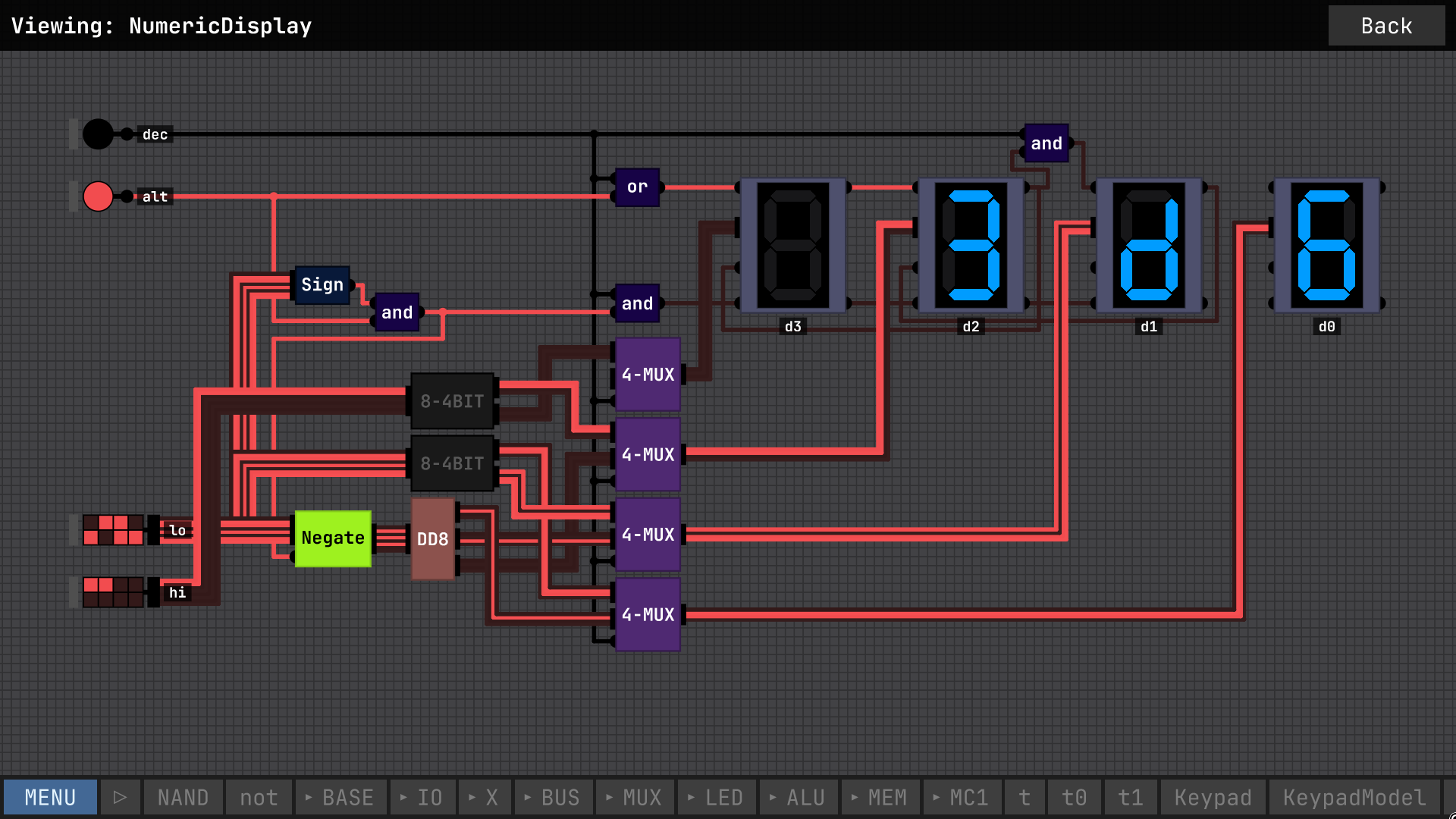
Oh yeah, so the chip named DD8 is pretty much exactly the same Double Dabble chip from the videos. Any questions, let me know

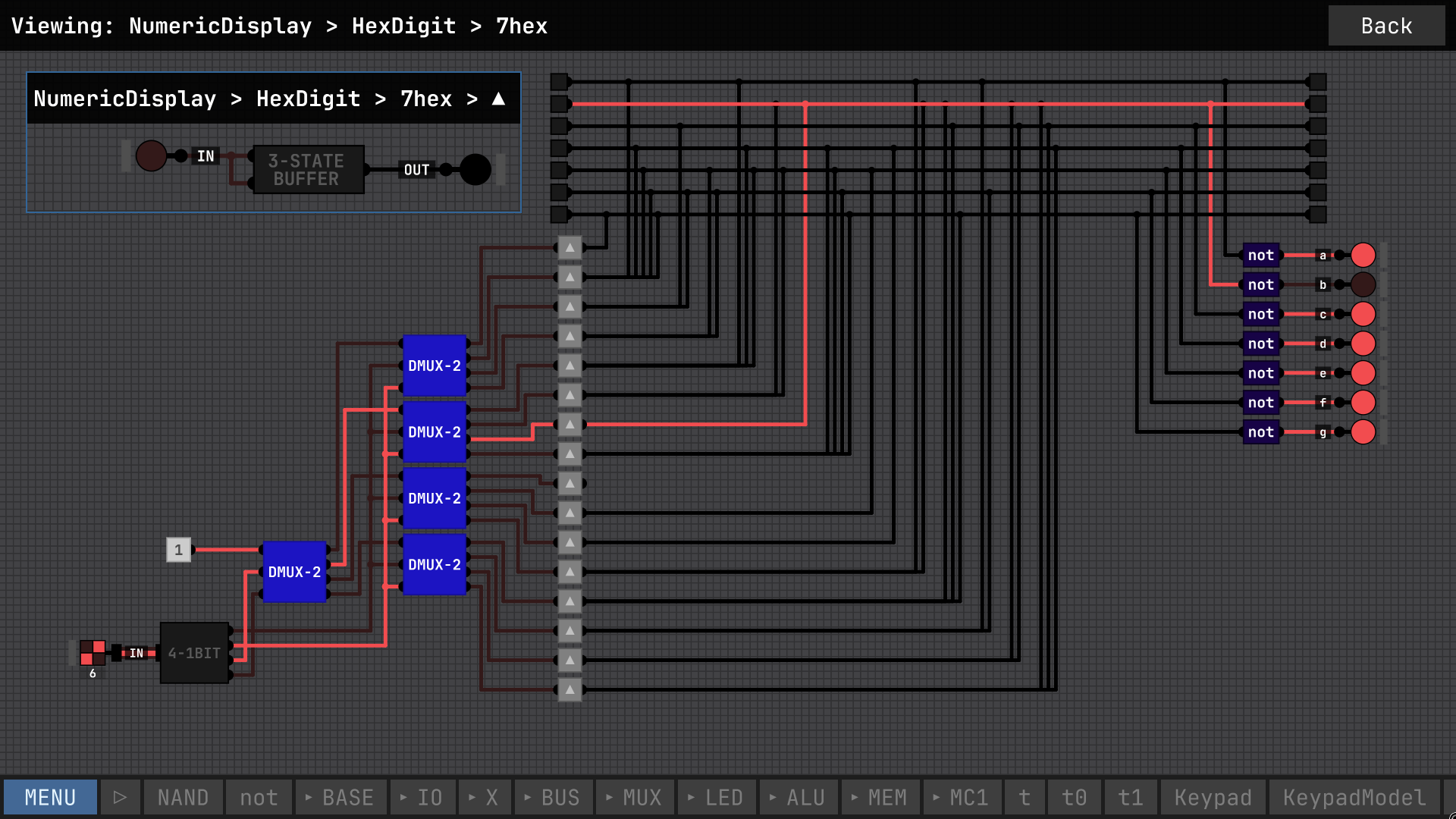
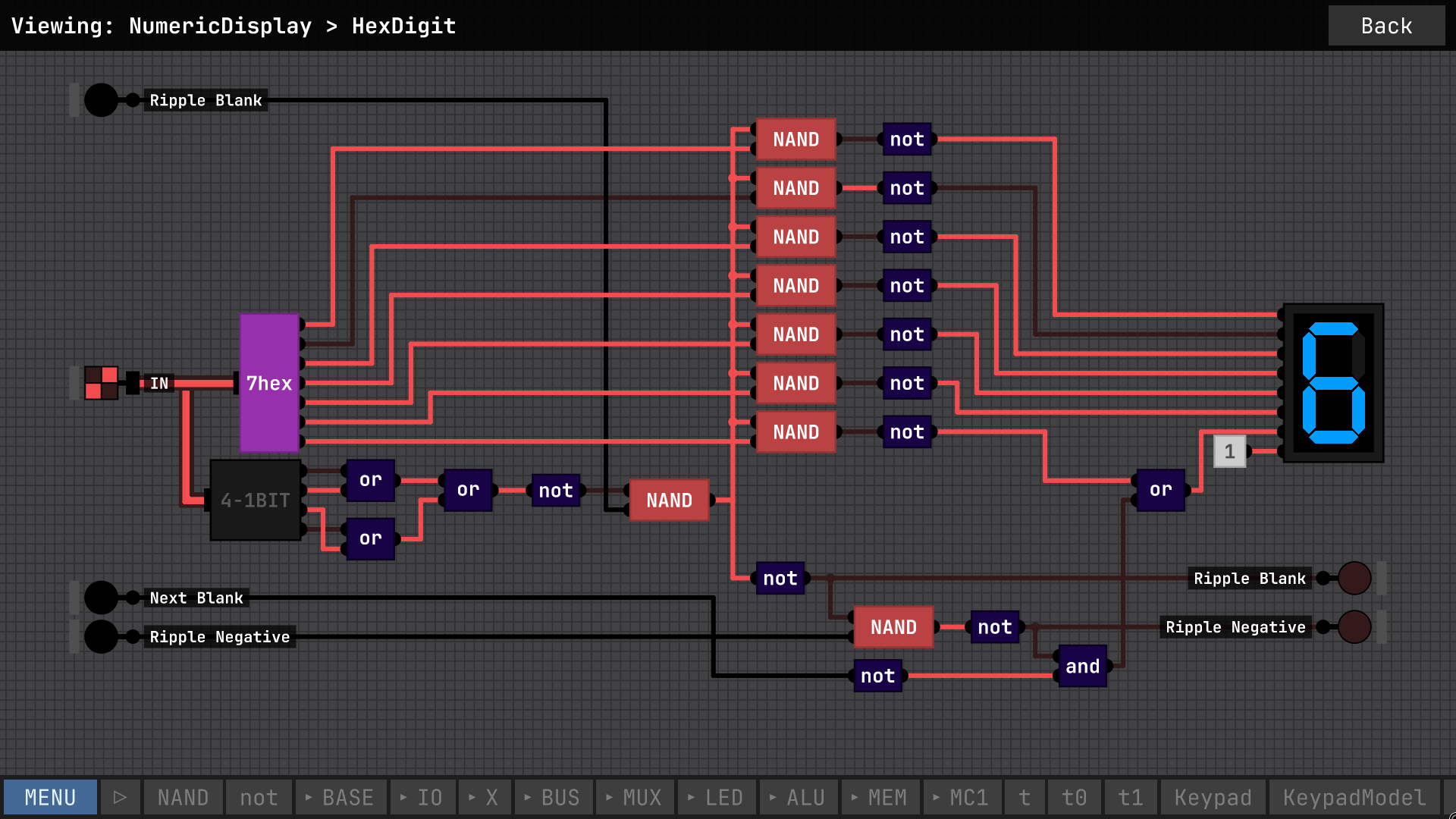
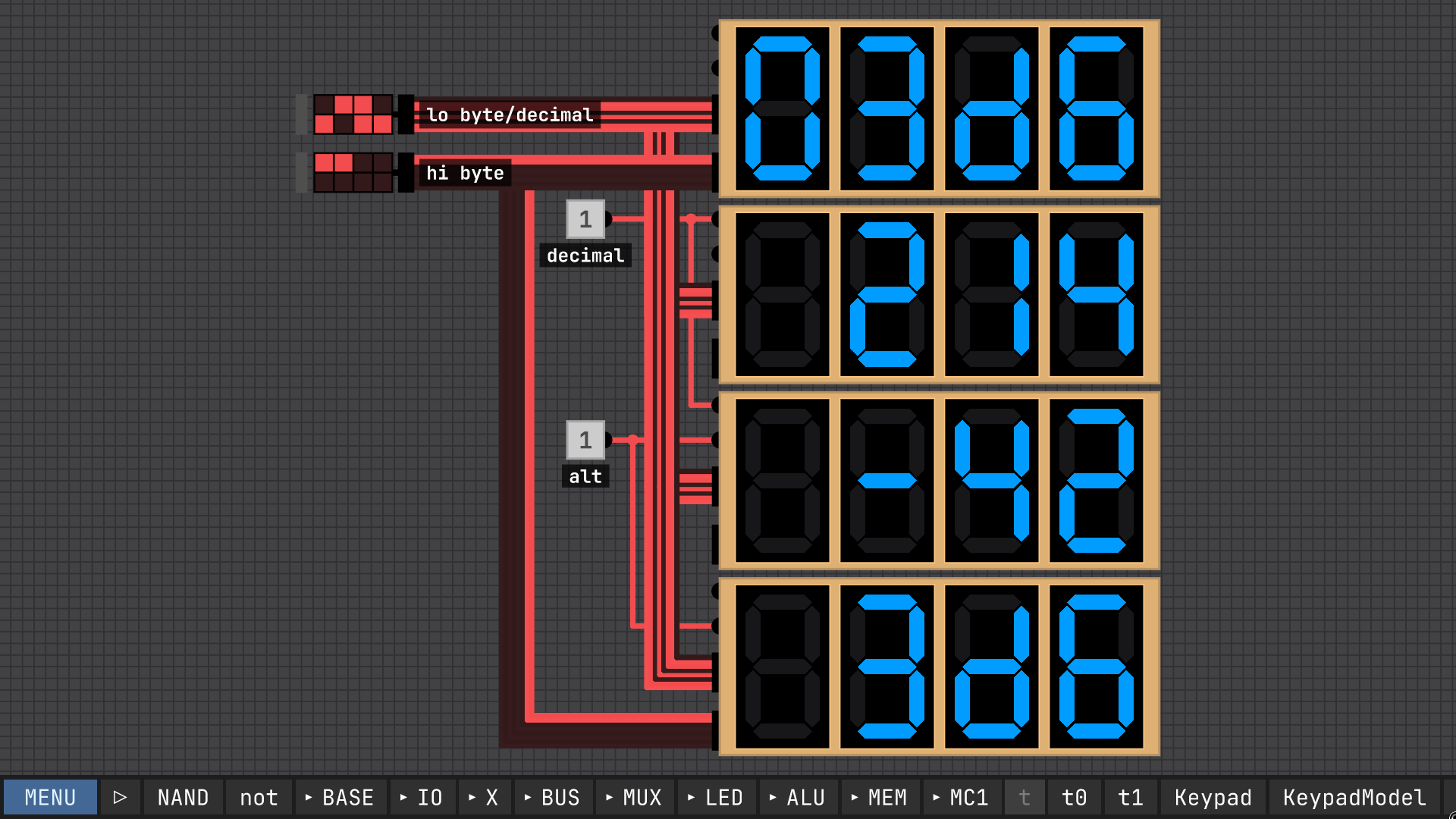
I'll try to explain my design and reasoning, working up from the seven-segment encoder. The "7hex" chip uses a demultiplexer with the input tied high simply because I did not  build a dedicated decoder at that point yet. Using such a decoder would save a lot of NANDs so I will probably switch to that. From there the signals go into a series of three-state buffers with the enable tied to the data, turning the signals into "three-state bits" if you will. These are tied to one bus per output line, making essentially an easy to program ROM by tying each input to the buses corresponding to a "one" in that position. The busses are then inverted, because inverting this output meant drawing less ROM lines (i.e. the average output pattern has more ones than zeroes).

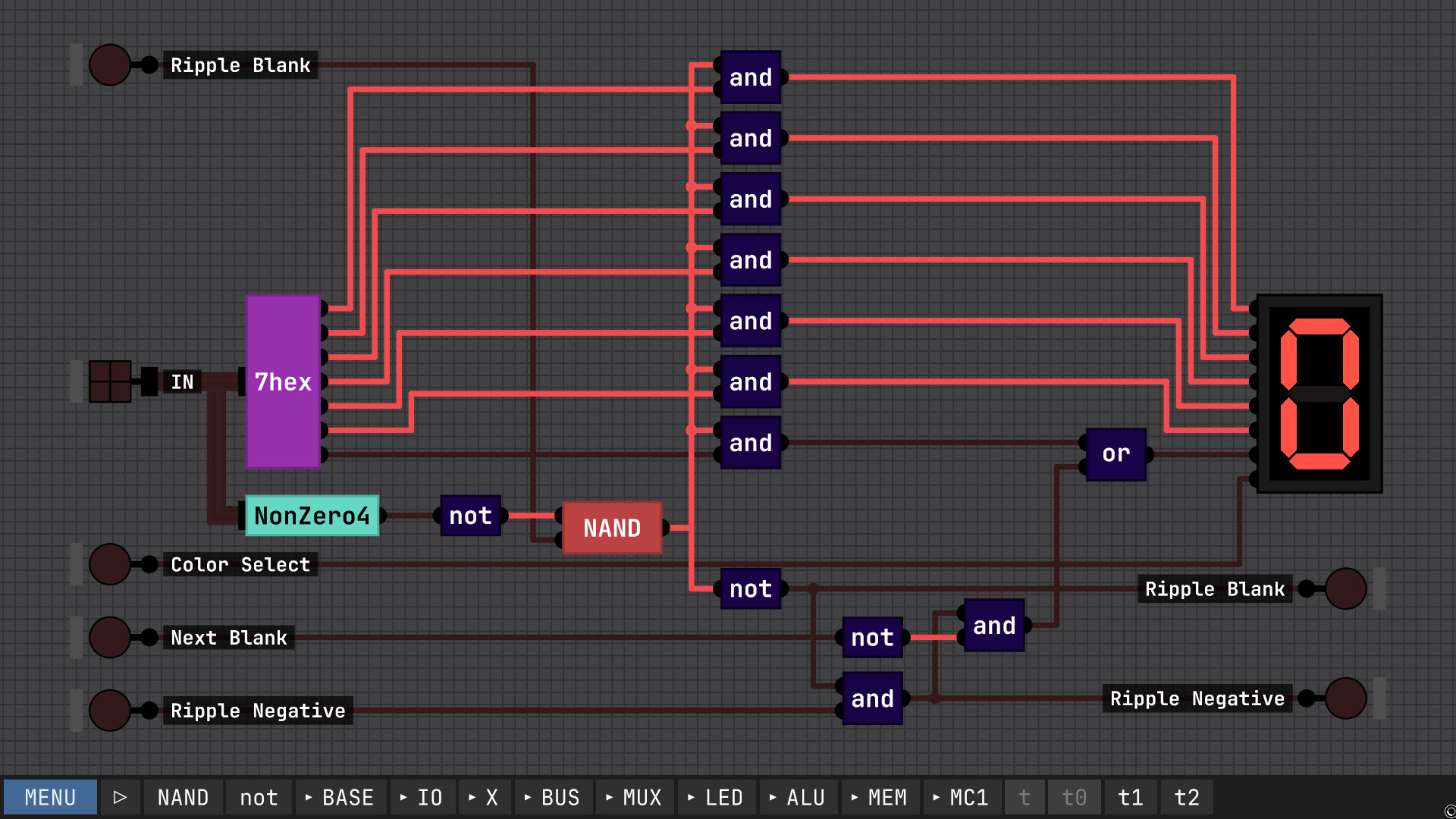
Moving on to the "Hex Digit" module, it is set up pretty similarly to the display in the videos, with the ripple blanking checking if the digit is zero AND if ripple blanking is in, then blanking this digit and sending ripple blank out. The ripple negative was more complicated tho. The only solution I could come up with was to tie the blanking *output* of the *next* digit back into this one, to "look ahead" to see if we're on the last blank digit, and if so, enable the negative sign.

Finally, the display itself, basically it uses a multiplexer to choose between the decimal and hex formats, and then there's a bit of logic for the hex blanking mode. Other than that it's wired up pretty much as you'd expect, with the blanking wrapping around to the previous digit for the ones that need ripple negative.

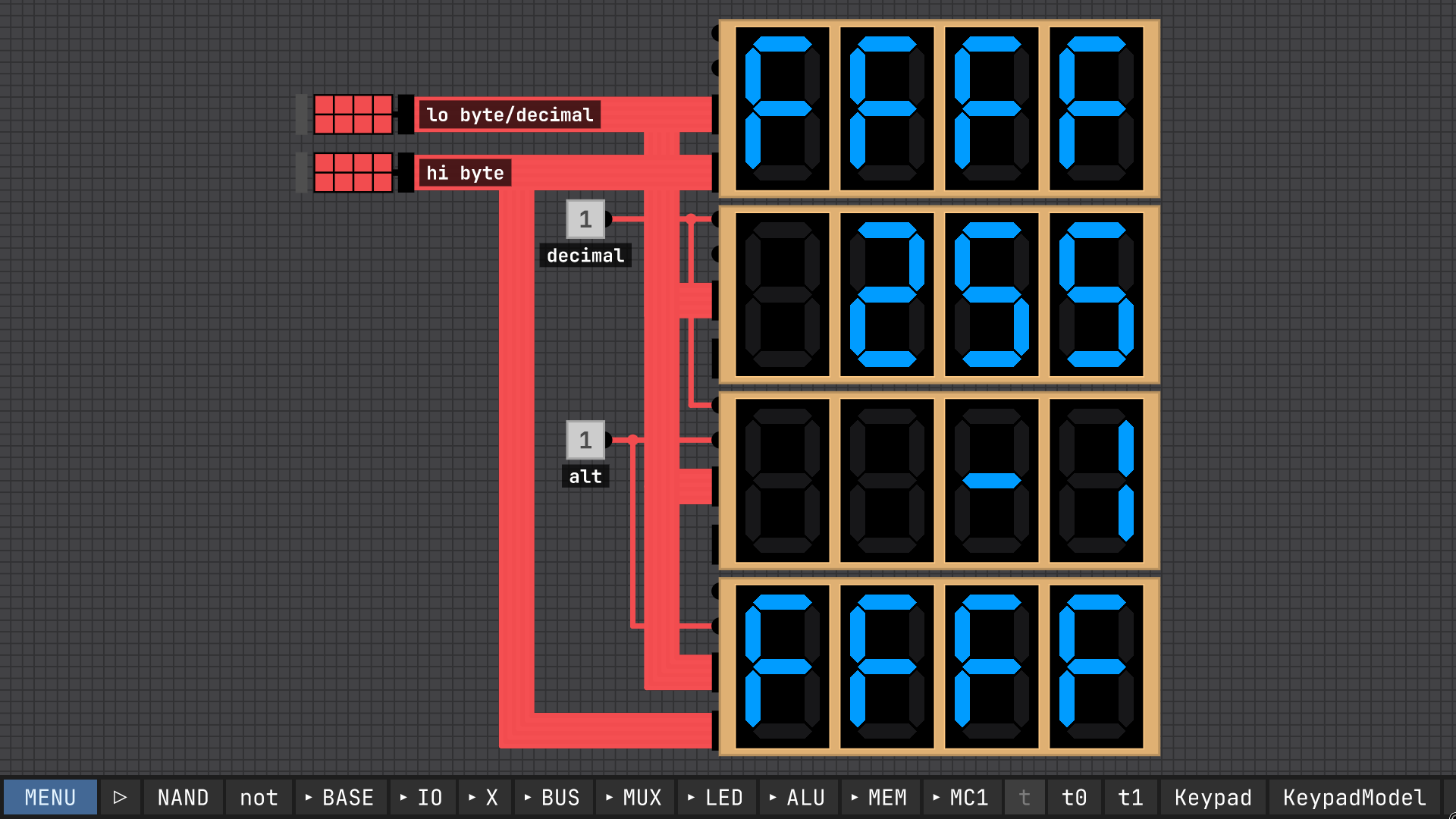
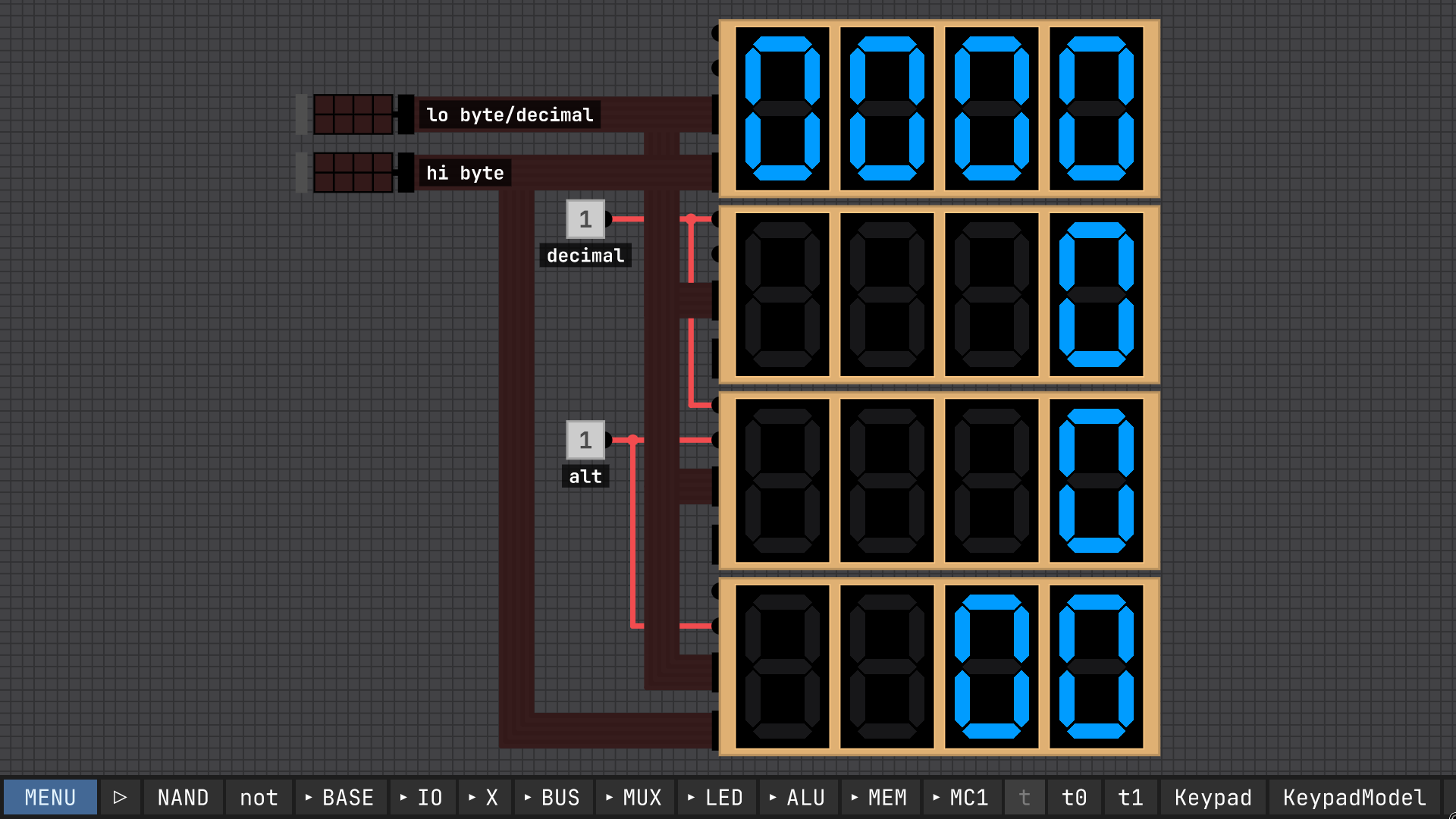
I created this numeric display following along with the videos and tweaking things, along with developing my own design for a bus-based seven-segment encoder. It has four modes: (top to bottom in the screenshots) four-digit hexadecimal, unsigned decimal, signed decimal, and the last mode being hexadecimal with zero blanking for the first 2 digits, so it will display a single byte padded with a leading zero, but display the upper byte with blanking. Note that all multi-bit inputs are LSB at the top, in other words little-endian in reading order, the opposite of the convention used in the videos the numeric display built in to IO pins.


I agree. Ideally, not just at the start but accessible any time, possibly mapped to keys users associate with "help" like F1 and/or "?"

I'll throw my implementation in the ring, too. Just a pair of D latches in series, looped back to a mux, much like in the videos, to make a "register". Then tie the inverted output back around to the input, optionally through a reset, and pulsing the clock while "store/enable" is high will toggle the output.

ngl I didn't tune the clock at all, the settings in the project file are all i tried (i think 10 steps per clock and 60 per second)

I'll look into making a video later, but for now here's a download link, and a bit of a programming cheat sheet.

https://cdn.discordapp.com/attachments/979914100068974672/1364165157374394368/mc...


[overview]

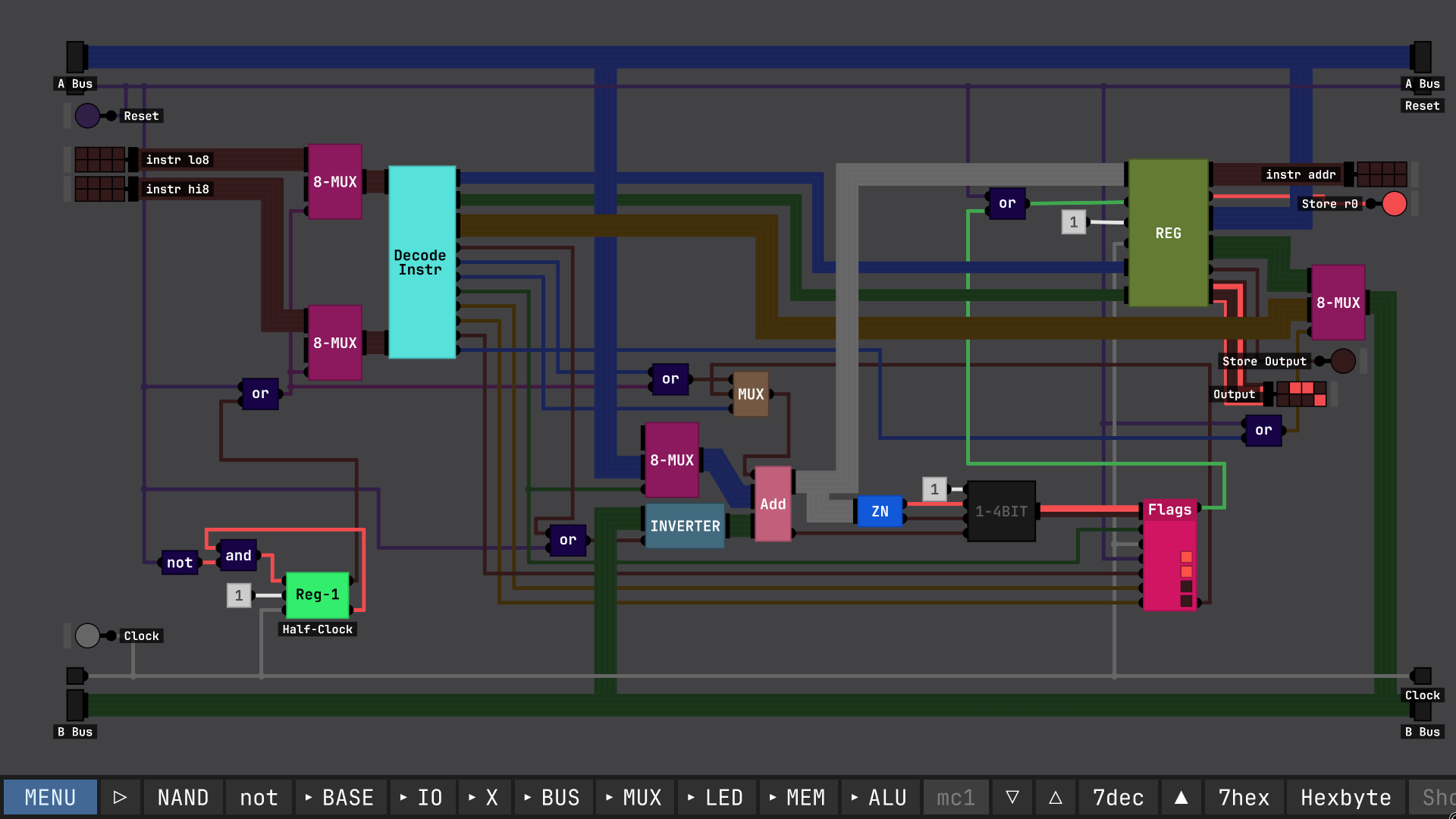
The MC1 architecture is fairly simple, consisting mainly of a simple ALU, a bank of 16 8-bit registers, and a read-only connection to an external ROM or RAM for reading in instructions, and a clock input. Each instruction takes two clock cycles to complete, writing on the rising edge. While most of the registers are general-purpose, the r0 register is the program counter. Note that to effect a jump to address N, one must write N-1 to r0, which is then incremented. Additionally, r15 is used as output.


[control word bits]

NOTE: this layout is implementation-dependent. this document describes the layout in the implementation for Sebastian Lague's Digital Logic Simulation program

there are two control word layouts, depending on if the high bit is set or not:

15 .. .. ...11 .. .. 08
07 .. .. 0403 .. .. 00
=0 cN c1 c0AL Cs Cf bN
b3 b2 b1 b0a3 a2 a1 a0
=1 cN c1 c0d7 d6 d5 d4d3 d2 d1 d0a3 a2 a1 a0

For each instruction, the contents of the A bus is added to the contents of the B bus and sent to the Q bus, which is conditionally written to the A register.

When writing to the flags register, if the result of the addition is zero, negative, or there was a carry, the appropriate flags are written.

The four flags selected by Condition Select are: 0b00=Always(A), 0b01=Zero(Z), 0b10=Negative(N), 0b11=Carry(C).

The ALU performs essentially one operation: add with carry. But by controlling the carry input and inverting B, you can also perform subtraction.

If "ALU Op" is low, then the A bus is pulled low, effecting a transfer/move from register A to B. However, you can still use the carry flag and invert B controls, giving access to an invert command and an increment / decrement command, using a zero register (NOTE: on some platforms, reading r0 to the B bus results in a read of 0).

a0-a3   A Select            Selects the register to be the A argument of the operation.

b0-b3   B Select            Selects the register to be the B argument of the operation.

d0-d7   Immediate Data      Immediate data sent to the B bus instead of selecting a B register.

bN      Invert B            The B bus contents are bitwise inverted before entering the ALU.

AL      ALU Op              Output the chosen A register onto the A bus, and write the flags register.

Cf      Force Carry         Carry in to the ALU is pulled high. NOTE: Setting both Force Carry and Carry Select high is implementation-dependent.

Cs      Carry Select        The carry flag is sent to carry in. NOTE: Setting both Force Carry and Carry Select high is implementation-dependent.

c0-c1   Condition Select    Selects a flag, and only writes to the A register if that flag is true. If ALU Op is high, flags are always written.

cN      Invert Condition    If this bit is high, the condition is inverted, so the write to the A register occurs only if the flag is low.


[example instructions]

0x0023 = 0b_0000_0000_0010_0011 = MOV r2 -> r3

0x0823 = 0b_0000_1000_0010_0011 = ADD r3 + r2 -> r3

0x0c23 = 0b_0000_1100_0010_0011 = ADD r3 + r2 + Carry -> r3

0x0b23 = 0b_0000_1011_0010_0011 = SUB r3 - r2 -> r3

0x0223 = 0b_0000_0010_0010_0011 = INC r2 + 1 -> r3

0x8ff3 = 0b_1000_1111_1111_0011 = IMM #0xff -> r3

0x8ff0 = 0b_1000_1111_1111_0011 = JMP #0xff

0x9ab0 = 0b_1001_1010_1011_0000 = JMP #0xab if Carry

You can delete all selected objects, but you have to use the keyboard delete key, not the right-click menu. It would be nice if the right click menu could also delete multiple objects, though.

(1 edit)

I would share the project file but first I have to figure out where it stores things on Linux lol
EDIT: ah yes it's made in Unity, so you can find it in ~/.config/unity3d/
pressing ctrl+shift+alt+O on the main menu also will open the location in your file browser

Here it is hooked up to a ROM with a program to generate Fibonacci numbers on it, along with a simple output queue. One notable thing about this design, I designed all the chips with the least-significant-bit at the *top*, so everything has to be swizzled about to work with the built-in ROM and output display. I didn't realize this would be a problem until I was about halfway done.
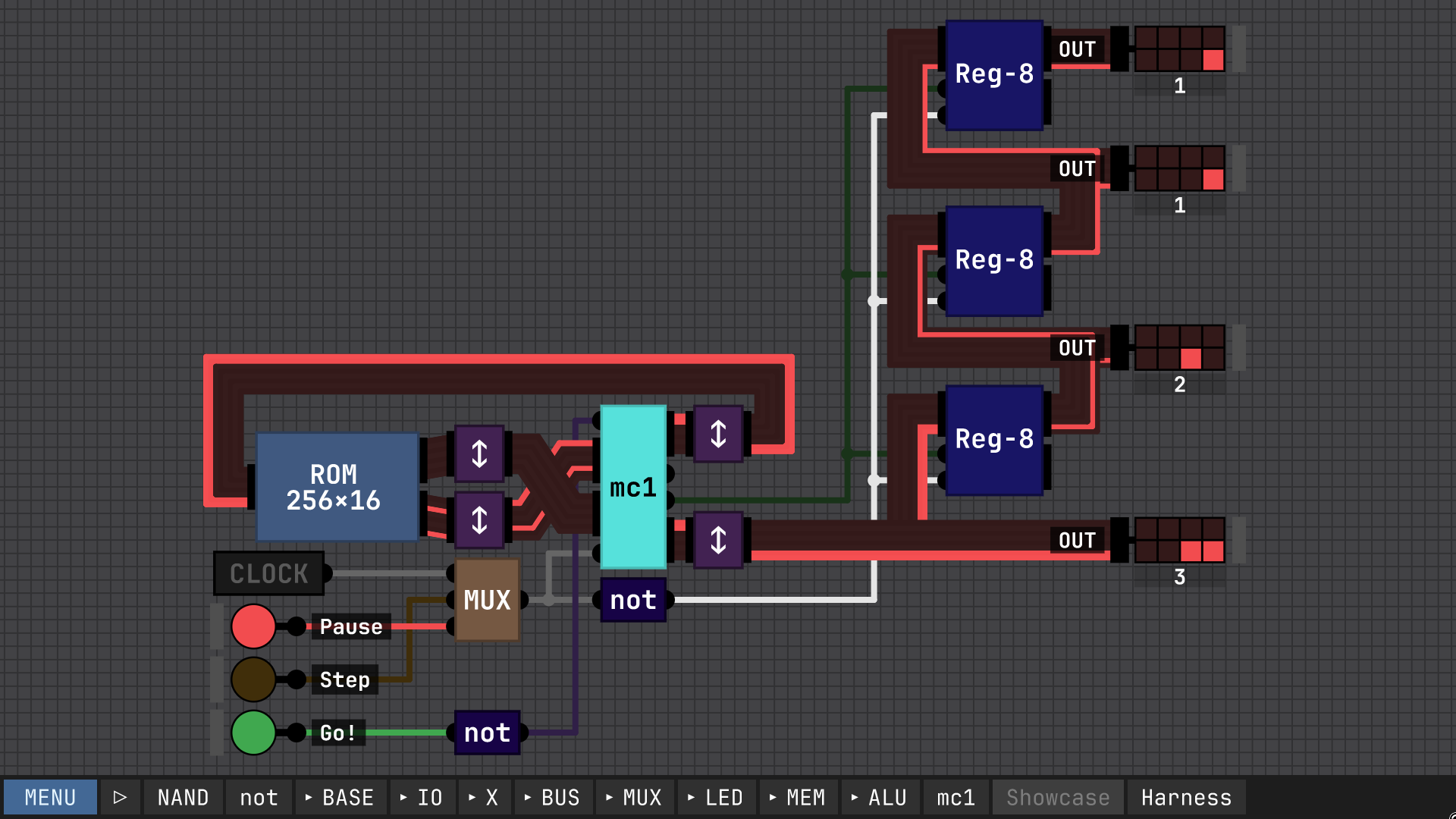
If there is any interest I'll upload the project file and explain how to program it. After I straighten out all the wires inside every chip, lol

My guess is, from a development standpoint, duplicate is mildly easier to implement than copy-and-paste. copy requires some sort of "buffer" to hold the data before it is pasted, whereas duplicate can simply place the duplicate right in your cursor. Also with copy and paste, people might expect things like the copy buffer to continue being live even as you close one chip and open another, or even a project, but that brings in more complications. Then you might think about copy and paste between different windows, should that be a thing? Should it use the OS system clipboard? That's another headache. Now you're dealing with a line format, something that needs to be consistent so different versions don't corrupt each other. So especially considering these other implications, duplicate can be a lot simpler.

I see what you mean. However, pulling the latches out into their own chip does seem to have fixed the problem.

Interesting. What do you mean "RS latches that exist as their own component"? Does this mean instancing each latch out into its own chip might solve this issue? I guess it's worth a try.

(1 edit)

No okay, the NAND latch should only be in a race condition if both inputs are *low*, right? It's a NOR latch where the race happens when both inputs are *high*. (not that it should matter in this case, because the two inputs are *different* in this screenshot)

Note that this is on v2.1.2

(1 edit)

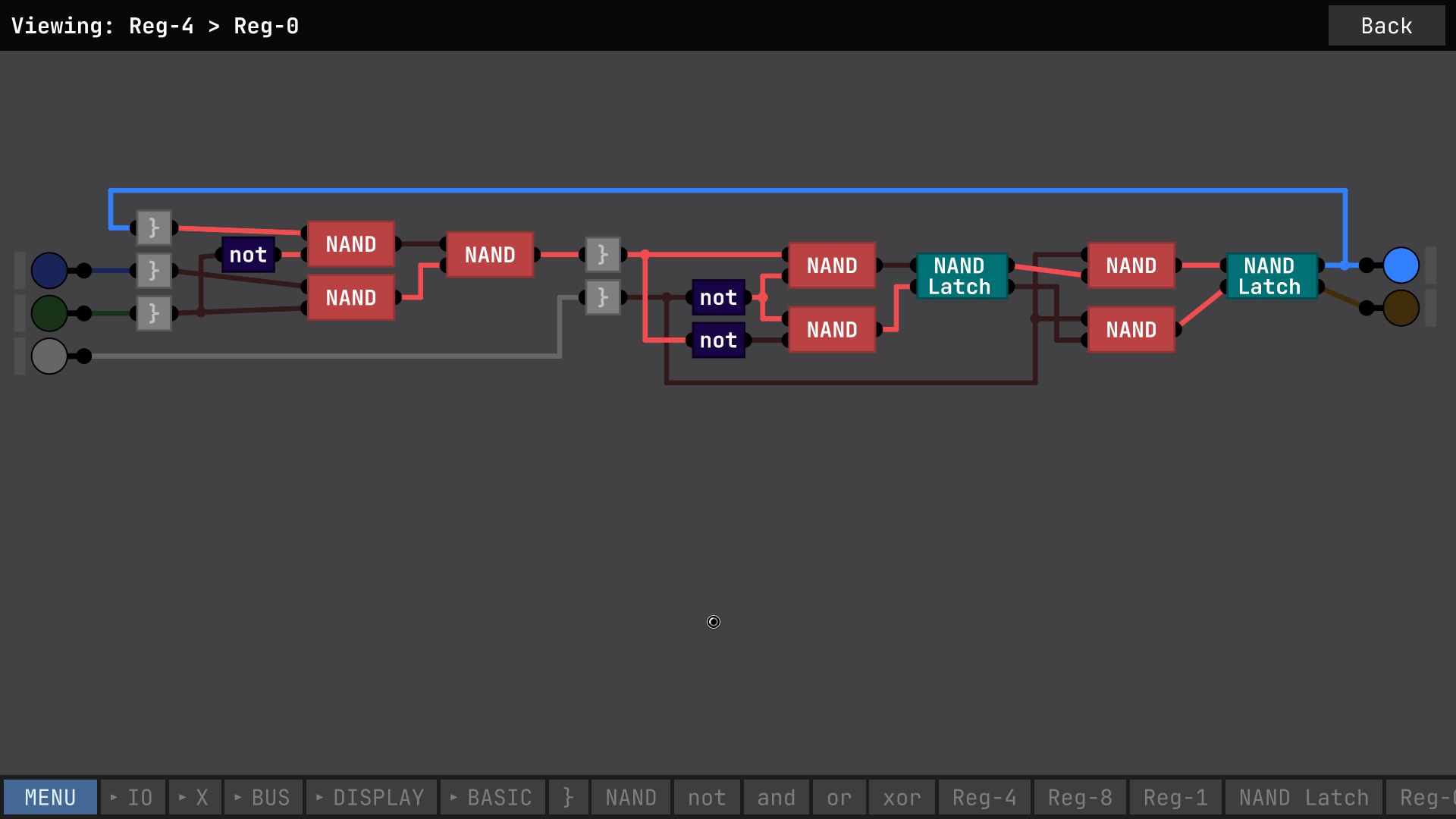
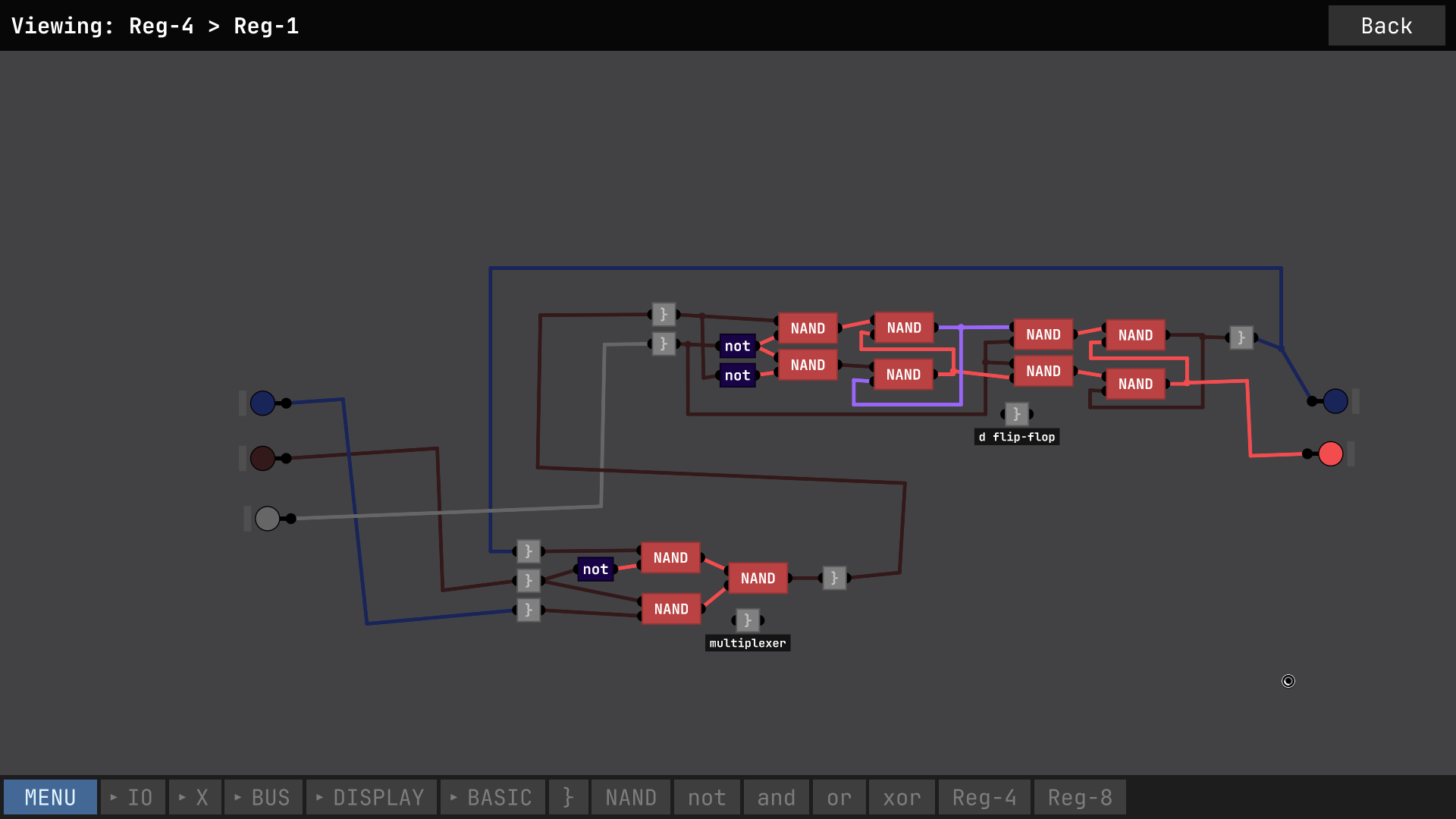
Please excuse my sloppy wiring. I have highlighted in Violet here the offending signal, which flickers in only some instances of this chip.
I don't really understand why this flickering signal is happening. My understanding is that the NAND SR latch should only have a race condition if both the inputs are *high*. Is there some obvious thing I'm doing wrong or some way to fix this? Note that the gray bracket chips just pass the data through, they're just an easy way to re-connect multiple things at once.
no problem

Sure, scroll down here and open up the little menu that says "Assets" and you should find an appropriate download for your operating system.
https://github.com/love2d/love/releases/tag/11.0

are you using LÖVE 11.0? the app has not been updated to work with any newer version, not even other 11.x versions

When I clicked the button for section 4-3, instead of telling me whether I had the condition it just said "New Text". Other than that, great. My Kojima Name is "OldScared Programmer".

Neat concept. I have some small complaints though. 

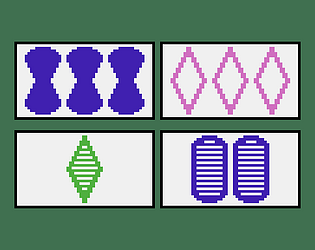
It was annoying after the first round when it turned out all my work was for nothing as I didn't know I'd lose so many points for stuff being outside the lines when it should be inside and vice-versa. Also kinda annoying that it doesn't offer to save or screenshot or anything and just deletes your island when you click again on anything after it's done.

I admit that the first complaint is sort of my own fault for skipping the rules, but I think the reason I skipped the rules is because it was a lot of text all at once. I like that the cards each tell you how they work, that's much better than a big wall of text up front that you have no idea how to parse yet because you don't actually know anything about how the game works. I think it would work much better if you didn't show the individual tile's info at the start and just showed the other info, like the explanation of what "near" means. And also, during the border-drawing mode, show the info about which features/tiles should be inside, and which should be outside the lines.

Also, here's my second try at an island.

interesting concept. are the effects procedurally generated or just a huge list? I got to the point where there's like five enemies at a time, but the game crashed. I put the crash report below.

Error: room.lua:62: attempt to index a nil value
stack traceback:
[string "boot.lua"]:637: in function '__index'
room.lua:62: in function 'func'
lib/closure.lua:4: in function 'delay'
room.lua:94: in function 'update'
game.lua:17: in function 'update'
main.lua:104: in function 'update'
[string "boot.lua"]:509: in function <[string "boot.lua"]:493>
[C]: in function 'xpcall'

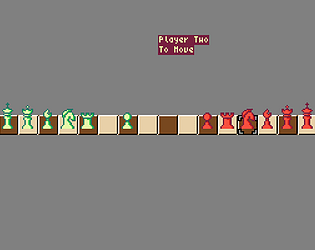
Nice game! It's interesting to find that someone else had a similar idea to mine, though yours is much more a full game at this point. Also I found a bug where pieces sometimes disappear when you move them. Makes cheating possible, but a lot of times it was the king so I just had to start over, heh.

IDK if anyone has suggested this before, but I think that along with the other platform logos (the Windows logo, the Apple logo, the Tux logo, and the Android logo) there should be one representing web-playable. I suggest the HTML 5 logo. This doesn't just apply too this page but should really be reflected anywhere the platform logos are shown.

I was unable to play the game on Linux. After choosing a resolution it simply showed nothing in the window.

I couldn't find a Linux binary in the download, just an exe (which I presumed was for Windows, but didn't check).

I'm having the same problem. Would it be alright if I poked around and tried to get it running on the latest LÖVE version?

Glad to hear it. I'll add a note to the game's description page.

To be clear, when you say "nothing happens" you mean like no window shows up or anything?