Indie game storeFree gamesFun gamesHorror games
Game developmentAssetsComics
SalesBundles
Jobs
TagsGame Engines

Pull Chain

Manipulate moths using a light source attached to your body · By Steven Miller

Hints Sticky

A topic by Steven Miller created 28 days ago Views: 2,411 Replies: 74
Viewing posts 1 to 18
Developer (2 edits) (+1)

Feel free to ask for help here! If you want to include spoilers, you can use this format to make it less likely that other players will accidently see them (if it isn’t working, make sure “Prefer Markdown input where available” is enabled in your profile settings):

<details>

<summary>Spoiler</summary>
Spoiler details

</details>

This will be the result:
Spoiler Spoiler details
(+1)

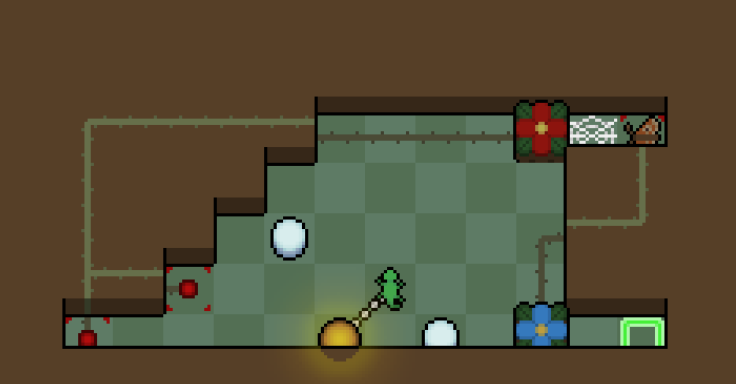
could I have a hint for this level? I assume you have to turn off your light and then set up the balls in a way that you can get them onto the buttons after you turn the light back on, but there doesn't seem to be enough space to position them so that you can get them onto the buttons without melting the other. What am I missing here?


Developer(+1)
Hint 1 You have the right idea. Take note of the geometry of the left side of the puzzle when looking for safe tiles to leave snow on, there's one that is easy to miss.
Hint 2 Revisiting Sort from the Snow area might help.
(+1)

Perfect hints! Thank you! Got this one after it. 

(3 edits) (+1)

** The details and summary tags are not working for me..

For those that are still struggling with this like I was:
The first hint led me down the wrong path because it made it seem like the left snowball is the problem and not the right one in OP's screenshot but it's the other way around actually. 

(1 edit) (+2)

The details and summary tags are not working for me..

Had this issue. You need to go to account settings on itch.io and check “Prefer Markdown input where available”.

(+3)
TestThanks for the tip!
(+1)

I'm currently stuck on glimpse and the wall, I completed every other snow level so I can only assume there's a trick/mechanic I still don't have figured out.

Developer

You should know everything you need to solve The Wall, though Glimpse has an interaction you likely haven’t seen yet. Here are some hints, let me know if you’d like additional ones!

Glimpse

Hint 1 As you've seen, a moth that sees your light will continue moving until they reach it. Is there anything you can do to make it stop seeing your light before it reaches you?

The Wall

Hint 1 Pushing rows of snow to the right slowly destroys snow in the neighboring rows. Is there anything you can do to split the rows up so that this isn't an issue?
Hint 2 There isn't enough room to push snow from the bottom half of the screen to the top half (or vice versa). In other words, trying to push up or down isn't helpful and only pushing right will melt too much snow before you reach the buttons. What options does that leave you with?

unfortunately the hint for glimpse doesnt tell me anything I didnt know already (the name helps figure that part out), my current theory is somehow to be able to get the snow on the button without the light already shining at the moth, then melt the snow (I know how to do the latter but not the former). as for wall I feel like I know half of it, but I always end with only 3/4 buttons pressed (I'm quite certain about melting the top row except the 1st snowball)

Deleted 21 days ago
(1 edit)

I think I was stuck the same way as you.

Glimpse The tunnel to the goal can help
The Wall The button snow is the first or the last of each row
(+2)

can you tell me more about the wall puzzle because im stuck here

(1 edit) (+1)
The Wall: Hint 1 four blocks is too tight to move, so you must create gaps of five.
The Wall: Hint 2 The snow that survive from top to bottom are right, right, left, right.
The Wall: Hint 3 To create de gap you must be in a diferent row of the ball

i still cant figured this level out

(+2)
The Wall: Hint 4 The secret is to chance the row and go backwards
The Wall: Partial Solution 1 up left up 5*right down right

I believe with the initial solution you will understand and replicate on the other rows.

Deleted 21 days ago
(+1)
Glimps

Ask yourself, what movement will bring snow onto the button without showing the light to the moth.

I figured turning the button on but can't seem to know what to do next because if I try to show the moth the light follows beyond the goal switch. How to make it stop on that goal button

is this even the right solution

Developer(+2)
Hint 1 Putting the snow on the right will always result in it melting when you try to reach the end of the puzzle. You can push the snow left, the only issue is that it gets too close to the snow at the bottom. Is there anything you use to manipulate how the light moves?
Hint 2 Normally, moving while the light is diagonal from the player will also pull it diagonally. What would happen if something is in the way, and how could that be used to your advantage?
(+2)

you really like to make games with ball and chains, huh? i need hints for access

Developer(+1)
Hint 1 This puzzle is mainly about getting the first moth out of the way. Regardless of how you are attract it, you'll end up pushing it back a bit, so try to get it to travel as far as you can with the light.
Hint 2 It might be worth revisiting Line of Sight (the first puzzle from this area). A similar method can be used to pull the moth further than you'd be able to otherwise. From there, you should be able to reach the second moth and can use a similar strategy to reach the exit.
(+1)

got it ty

(2 edits)

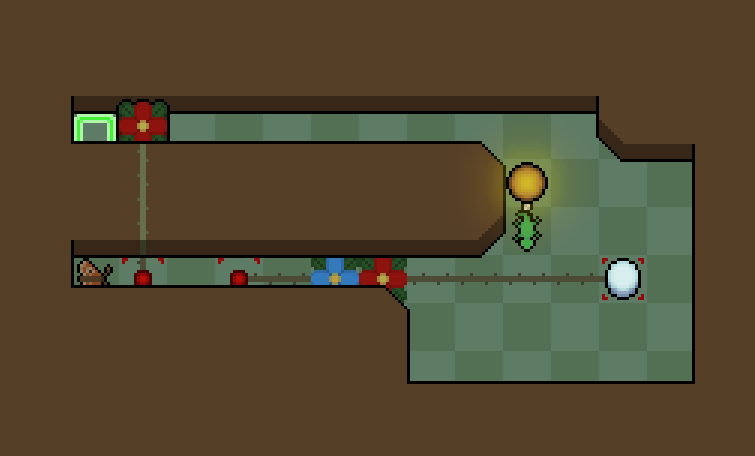
I need a hint for crossing

Developer(+2)

These hints are assuming you’re stuck near the end, but let if know if you (or anyone else seeing this) need help getting to the block on the left.

Hint 1 You need to get the moth stuck against the bottom row back up, but there is nowhere to toggle the light on the upper part of the level. Is there anywhere you could push it up from? Note that this can't be done in a single step!
Hint 2 The gap in the lower-middle portion of the level could let you push the moth upwards, though you'll need a way to get it to move into the tile directly above you.
Hint 3 After toggling your light on, be careful not to let the moth immediately see it! Once the moth is adjacent to the light, your only options will be to move into the row above (which attracts the moth in that row and gets it stuck) or retreat back into the gap. Note that the walls on the sides of the gap are different - how could you take advantage of that to avoid this issue?

I'm a little stuck here. I don't know how to use hint 2 and 3.
(2 edits)
For Hint 2 The bottom gap can be used to turn the light on and off. You might think that you could put the light in the same gap to push the moth up. But that isn't possible. What else could push the moth out?
For Hint 3 Think about how you pull the light out of the gap. Where could you position the moth so that it doesn't immediately see the light? Remember that you can always turn the light off to help position things.
(+1)

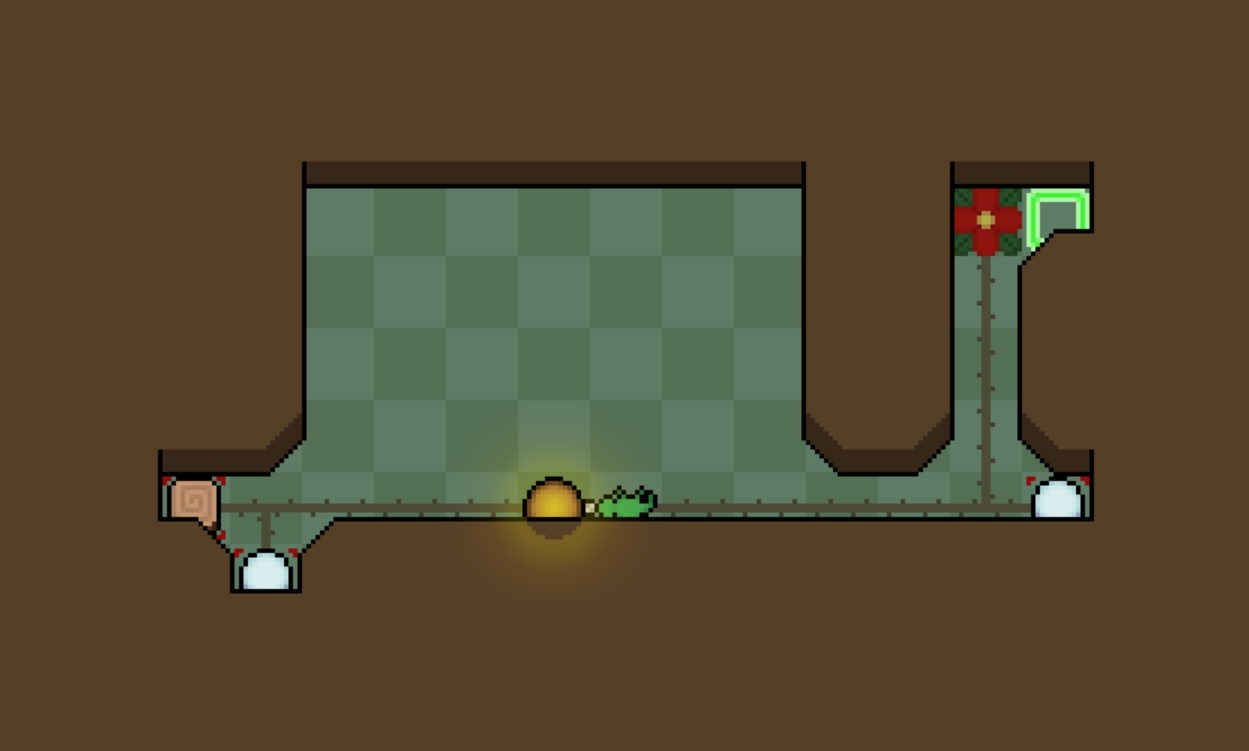
What can I do after this? Level - Glimpse

Developer (1 edit)
Hint 1 You're very close to the solution! Normally, the red flower gate blocks the moth from being able to see your light. Is there a way you could get the gate to close again right after the moth see your light?
Solution What happens if you melt the snow at the same time the moth starts moving? If you are having trouble getting the positioning right, try pulling the light diagonally.
(+1)

Thanks, Got It! I did know that I had to show the light and melt the snow at the same time but couldn't figure out how. Thanks for the suggestion.

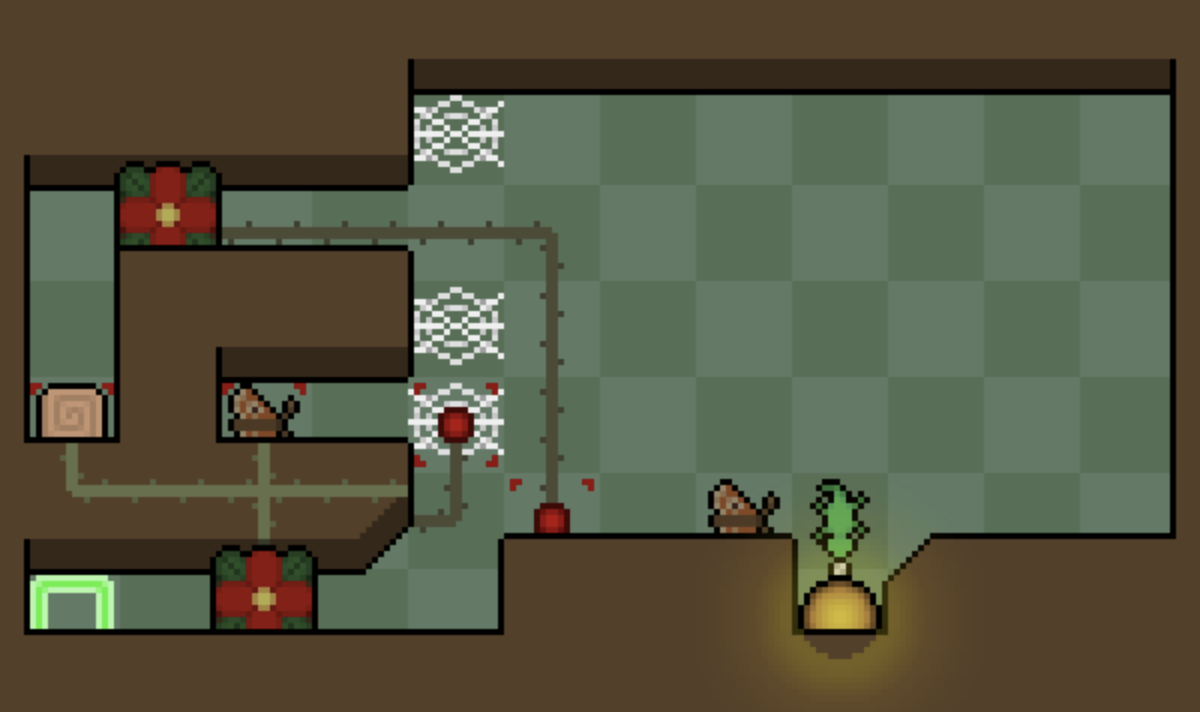
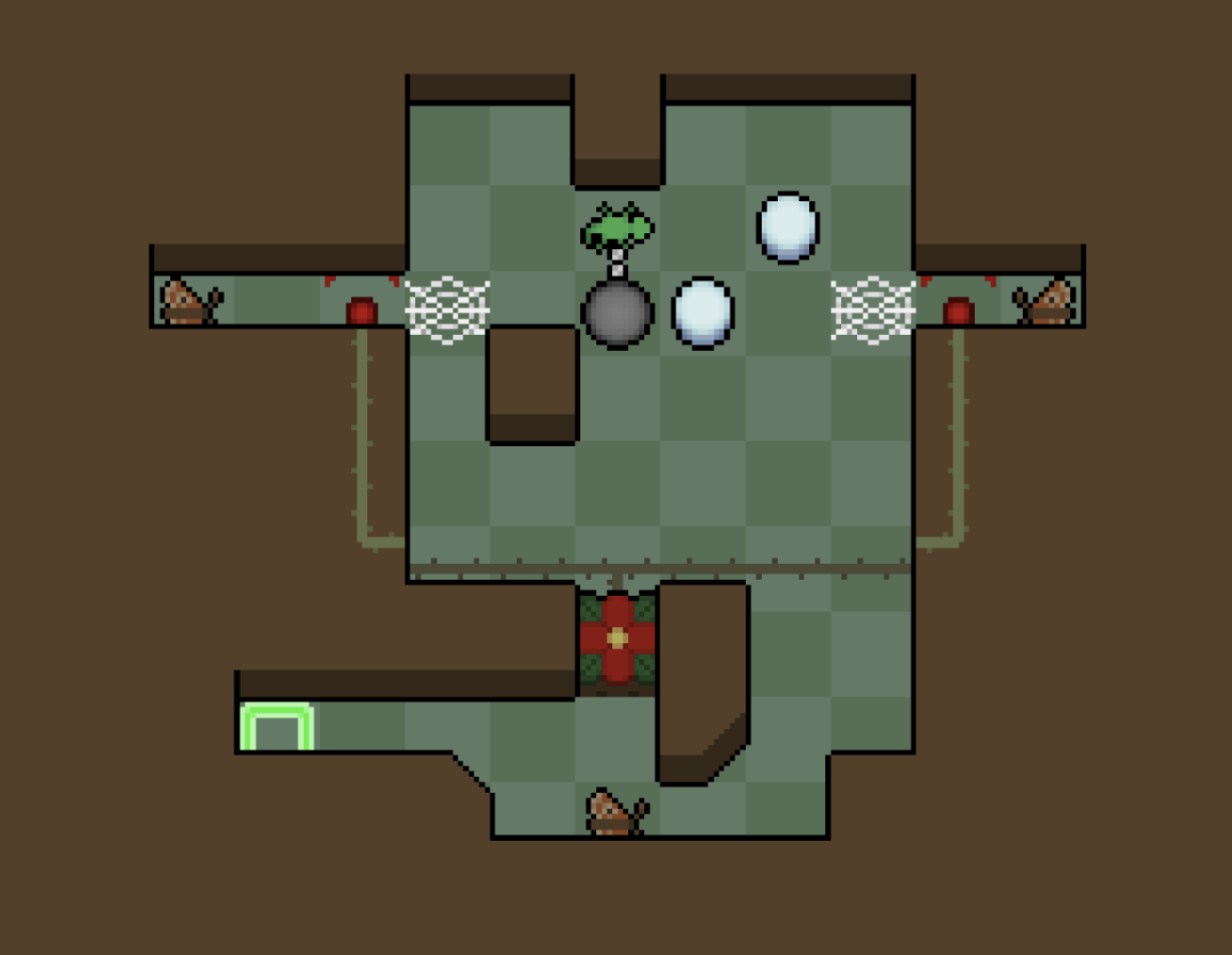
How to let the mosses to the specific position without getting them stuck in the web and how to use the two snow blocks? Level - Offset

Developer (1 edit)

Here are a few hints to get you started, these are mainly about getting the concept but let me know if you’d like help with the setup after:

Hint 1 Unlike in Glimpse, there aren't any gates that can be used to interrupt a moth after it starts moving. If you can't stop them from getting stuck, what other approach could you take?
Hint 2 Note that the two moths in the top portion of the level are directly across from each other, watching the same row of tiles. What does this let you do?
Hint 3 Do you need the gate at the bottom of the screen to stay open, or is there a way opening it for only a moment could still be useful? If you are having trouble getting it to open at all, the snow could be useful as a way to manipulate timing.
(+1)

Yeah, please help with the setup I can't really figure out the mechanism. Offset

Developer(+1)

First, I’ll just state the concept of the puzzle (if anyone is struggling with this part and wants less direct hints, let me know):

Concept You can get both moths to pass over their respective buttons at the same time, letting the gate open just long enough for the moth at the bottom to move out of the way.
Setup Hint 1 First we need to make sure we can get the gate open at all. The moth on the left needs to travel farther, so what could we use to slow the moth on the right down?
Setup Hint 2 We also need to make sure the third moth is able to see our light. No matter which direction we approach from, there will always be at least one moth that sees it too early. What could we do to make it so this isn't an issue?
Setup Hint 3 We have a lot more options if we set things up with the light off, but we still need a way to turn the light back on once we're in position. There's a wall sticking out above where the moths are, but it is a little too far away. How could the extra snow block help?
(1 edit)

not OP but excellent hints, I'd like to point out that conceptually this level is really diffcult lol

I've setup the first two parts, but I'm not sure how to use the last snowball right. 

Hint The light is already positioned to attract all 3 moths if it was on. How can you use the snowball to turn the light on?
(+1)

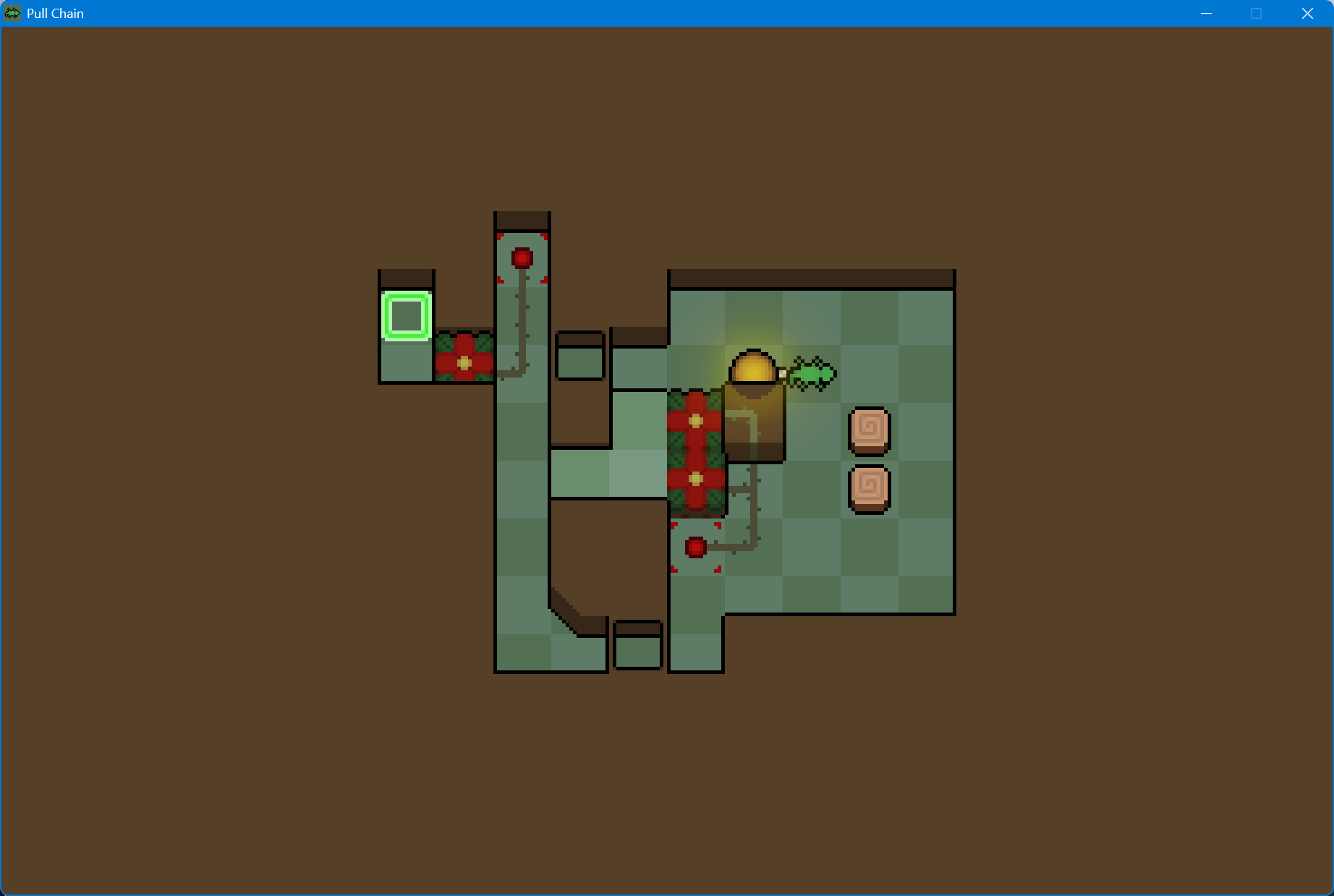
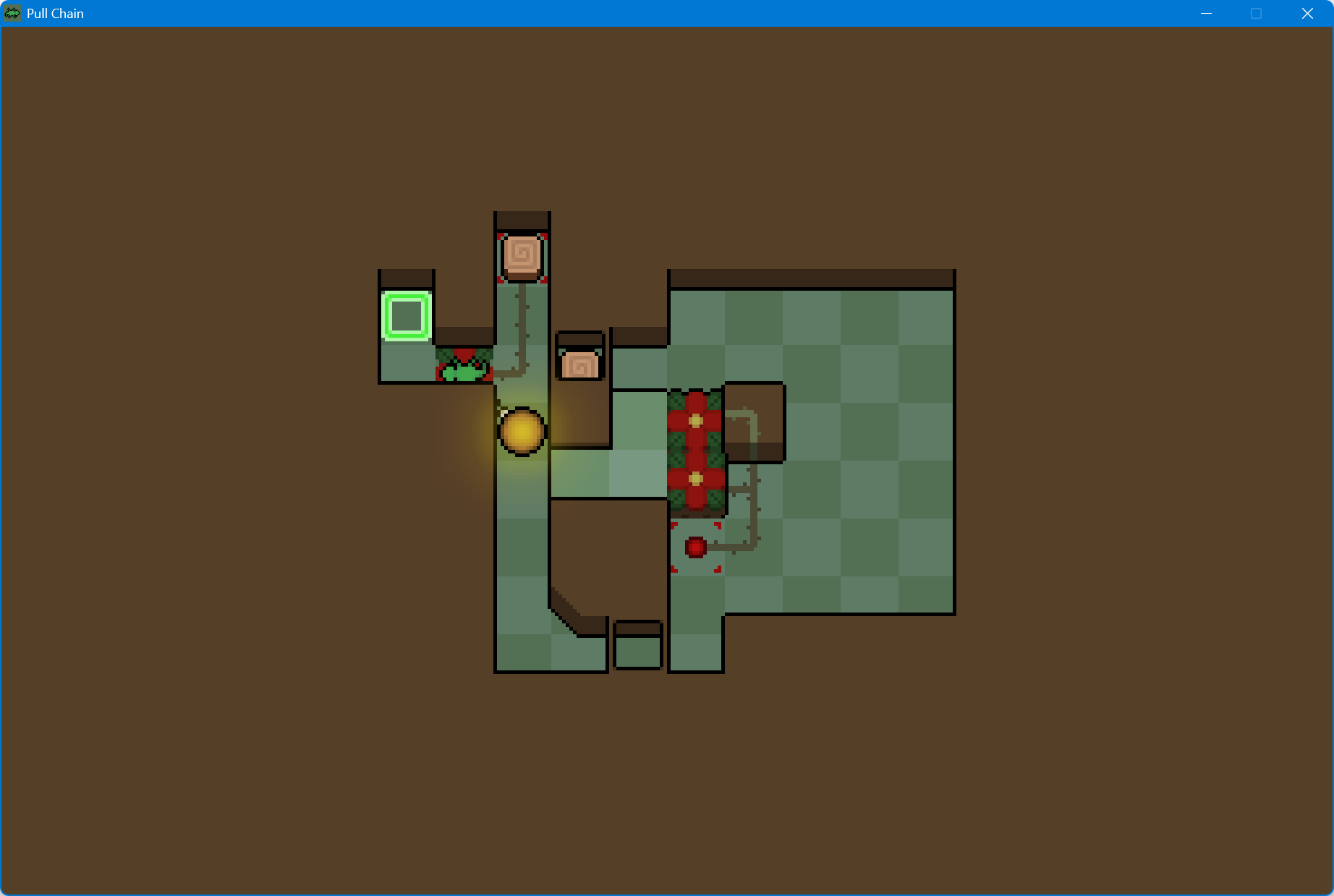
Help! The Ceiling chapter is toooo diiffffcult. Such as this level(Intersection), I have three ways to entry the left area, but I can't back to the right area, its means I shoud prepare well. Put the logs in right place before entry the left area. I think the bottom entrance is designed for player, because only the ball in player's back this entrance can play a role, but the player can't  reach the green grid. How to solve it? I also can't solve other levels in ceiling chapter expect the first level.

Developer(+1)(-1)
Hint 1 It sounds like you have the right idea above the bottom path, you could use it to get back to the right side if you approach it with the light behind you.
Hint 2 You'll need to find a way to turn yourself around on the platform in the middle of the level, but there isn't much space to work with. Normally, you get to the other side of your light by circling around it. Is there a different way you could accomplish this that requires less space?
Hint 3 You've likely seen that flowers can't lift a stack of objects. Is there a way you could use that to reorient yourself?
(+2)

I solve it, awesome design!

(+1)

Oh boy, I’m falling behind on the section Variety.

Hints for Corners - Tight Turn?

(+2)

Corners - Tight Turn:

Hint 1 Based on the previous level, you need to think on the two layers.
Hint 2 Why do you need a butterfly and a snowball? What are their purposes?

feel free to ask more hints. ^-^

Developer(+1)

I was having some trouble writing hints for this one, let me know if there is still a specific part you’d like help with.

Hint 1 Corners prevent you from pulling the light to get it directly behind you and pushing the light doesn't actually change where it is relative to your position. Is there another way you could change where you are relative to the light?
Hint 2 You need a way to trigger the flower rising from the other side of the web. There is only one object that allows this, though getting it to happen at the right time is tricky. How could you use the leftover object to control when the flower rises?
Deleted 15 days ago
(1 edit)

Thank you both for the hints.

Spoiler I forgot the possibility that standing on the bulb can reposition it.
(1 edit)

Any hints for Fill?

(1 edit) (+1)

Bloom: Fill

Hint 1 Observing the final state, you must fill the two gaps with the wood. So you must pile up them, to push de second on to the corner.
Hint 2 Which purple flower you can use to elevate the wood? Note that you must be on the top layer too.
Hint 3 If there's two flower, you can deduce that one will elevate you and the other will elevate the wood.

Feel free to ask more hints ^-^

Thank you, I got it!

(+1)

Why the variety levels more difficult than the bloom and Ceiling?

Developer(+1)

I did want a slight difficulty drop between Variety and Bloom for pacing reasons, though it seems it ended up a lot more drastic than I intended. I think some of the main factors are:

  • Variety having no new mechanics means there aren’t really any tutorial levels
  • The levels in the bottom row of Variety are intentionally placed early so you have the chance to try them before other levels where you are more likely to accidentally stumble into the interactions
  • Some of the later levels were just put there because they didn’t fit anywhere else
(4 edits) (+1)

Point 2 gives me hope that I may not have seen the interaction I need to solve Variety: Path. I've cleared all levels (besides a few Variety) up to Ceiling. Have I likely seen the key interaction or is it is still upcoming?

Developer(+1)

You most likely haven’t used the trick from Path in any solutions yet (interaction might’ve been too strong a word).

(+1)

I solved it! As usual, sleep can do wonders. Beautiful game my friend.

Help with Canyon?

Developer(+1)

Almost missed this but here are a few hints if you still need them!

Hint 1 The corners on the bottom floor of the level make it easy to get stuck. Is there anything you can do to allow your character more mobility? If you're stuck, it might help to revisit the first level of the previous area.
Hint 2 There aren't enough blocks to reach the button from above and space is pretty limited on the lower level. It might help to take note of which tiles you can drop blocks on and still have them be pushable afterwards.
Hint 3 If you're having trouble pushing a block to the button without getting yourself trapped, consider how having two blocks might allow you to extend your range.

Any hint for the machanic of turning on/off the light?

Developer

For a specific level or just generally how it works?

Something like all of the situations which will turn off/on the light.

Developer

It happens any time the lizard and light would otherwise end the move with a gap between them. For example, if you try to move while the light is stuck against a corner, the light can’t move so the lizard would end up stretching the chain an extra tile. This results in the light toggling and the player snapping back to the tile they started on. If you try the same setup where the light is stuck against the corner but something is blocking the player from moving (like a wall), that won’t cause a toggle because the lizard can’t travel far enough to form a gap. Let me know if there is a specific example where you’re curious why a toggle does/doesn’t work.

(+1)

thx I see how it works now.

Could I get hints for Layers: Slot?

Developer

These hints are pretty small and focused on the concept, so let me know if there is a specific part of the setup you’d like help with.

Hint 1 Note that despite there being an extra platform next to the button, there isn't actually enough space to push (or lure) an object onto it horizontally, so you will need an upwards push to get anything onto it.
Hint 2 Pushing something onto the button while on the upper floor would require getting a block away from the left platform, which doesn't seem feasible without dropping down. Is there anything you could do from the bottom floor instead?
(4 edits)

<details>
<summary>You said: </summary>
"getting a block away from the left platform, which doesn't seem feasible without dropping down." But I don't see how how I would do it from below either… I guess I need to place the moth south of the button, then push it north with a stack (maybe with the light or the lizard on top of a block) but I don't see how to get a block in that column.
</details>

It seems I'm as bad with details/summary formatting as solving the puzzle…

Developer

No worries, it seems you need to enable “Prefer Markdown input where available” in profile settings for it to actually work, I’ll edit my post to include that part.

Hint 1 As you probably already suspect, the small gap down and to the left of where the block starts is the key here. If you could get the block down one tile, you could use this space to push it to the right, though you'll still need to be on the upper floor to drop into this space. If the lizard needs to stay on the floor above, what could you use to move the block?
Hint 2 You also need to get the moth into the tile one below the button, but the lizard needs to drop on a specific tile to free the block. What else could you use that would keep the lizard on the upper floor? This will also leave you in the right configuration to get the block free.

I’ve enable markdown but it’s not available when I edit my previous comment, only for new comments.

Thanks for the hints. I think I just needed to reconsider Hint 1. I've been trying to push that block to the right since the beginning but for some reason, it seemed impossible to me because I couldn't follow it due to the corner. I didn't realize I could push it a bit and then go around the brown wall…

I have been stuck on variety: idea for a few days now, and I have no clue how the level is even possible.

Developer(-1)
Hint 1 It is hard to get past the right flower even with it lowered because of the corner, but what makes turning corners an issue in the first place? Is there something you could do to make corners a nonissue?
Hint 2 The light usually stops you from turning corners. In other levels, you sometimes balance the light on a flower or platform to get around this restriction, though the layout of the buttons prevents that here. What else could you do to get your light out of the way?
Hint 3 If you are having trouble with the setup, consider the different ways you could use the two moths. How could a flying moth help?
(+1)

I forgot stacks could push things. Thank you.

I still struggle a lot on this level, I tried almost everything and still have no idea how to do it.

Developer

If you haven’t already, I think the most helpful thing is to go through the next couple areas.

Catching:Gap seems impossible!  I must be missing something basic.

Developer(+1)
Hint 1 An important first step is to find a way to toggle the light off without the moth being stuck against a wall. Note that the snow is not actually needed for any buttons, so don't worry about making it unrecoverable.
Hint 2 Once you've found an answer to the first hint, you might encounter an issue where you accidently attract the moth too early. Is there another similar location you could use to toggle that would not have this issue? Note that the moth being stuck against a wall is a problem when you need to push it but could be fine if you just want to turn the light off briefly for an intermediate step.
(3 edits) (+1)

Thanks, finally figured it out.

Didn't even think about using the thing to fix the thing so you can use it to change the thing.  😁 

So it was a construct that I didn't need to use in any previous level that I didn't even think of.

(1 edit)

I cannot figure out the concept the first level of Layers is trying to introduce. I can get the moth on myself, or on the ball, but neither seems to help the moth get onto the button or get me to the exit. I don't even know how I could cross that gap.

(-1)
Hint You don't need to cross the gap and you don't need to put the moth on yourself or the ball. There is a point at which you might want to get on the ball yourself though.

Ah alright. Thanks for the tip! It was not as bad as I thought.