Indie game storeFree gamesFun gamesHorror games
Game developmentAssetsComics
SalesBundles
Jobs
TagsGame Engines

plusnet

27
Posts
2
Topics
3
Following
A member registered Jun 28, 2025

Recent community posts
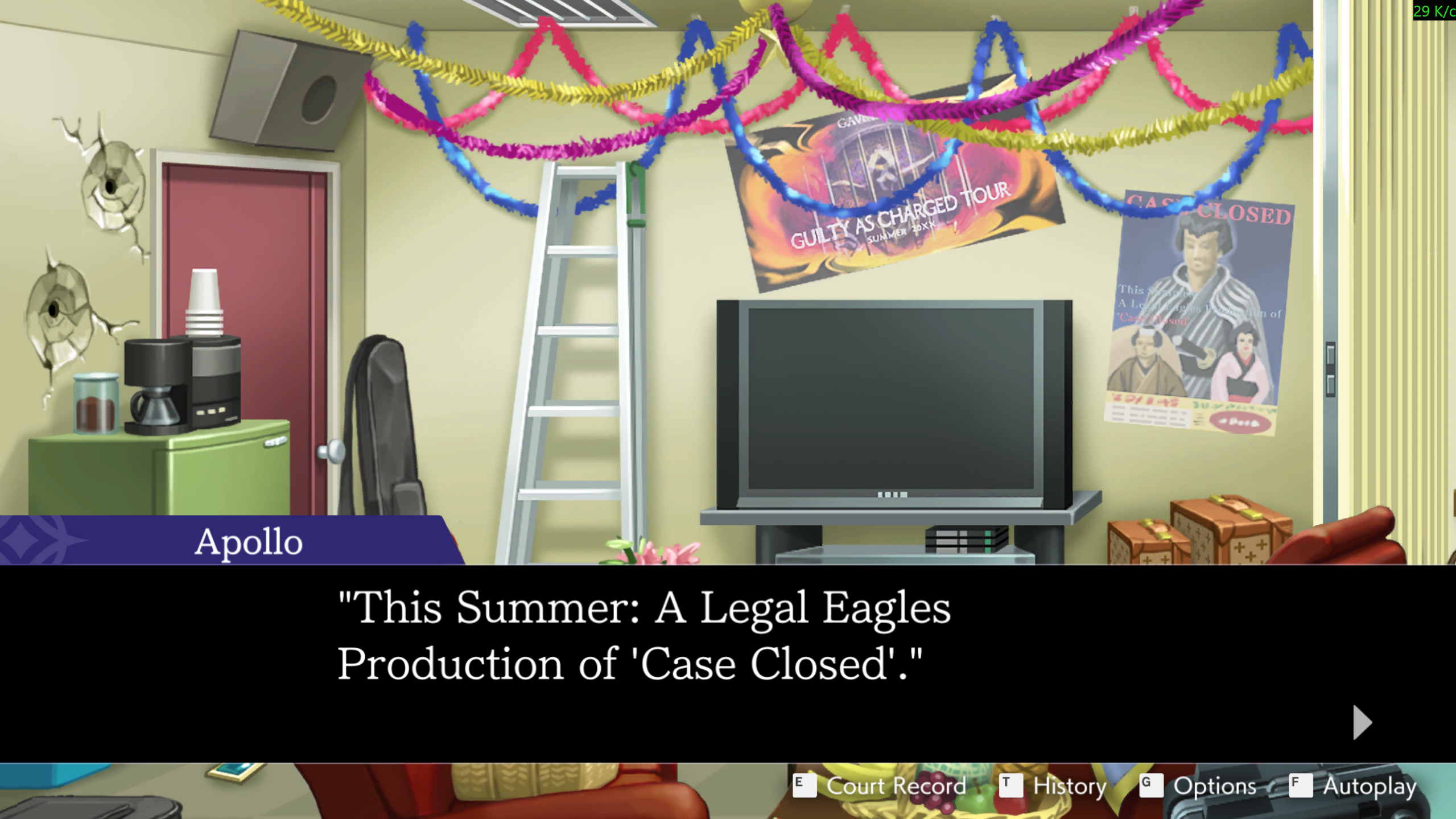
Thank you, everything is working properly now.

Attached mode is working again. But the problem with quotation marks still exists.

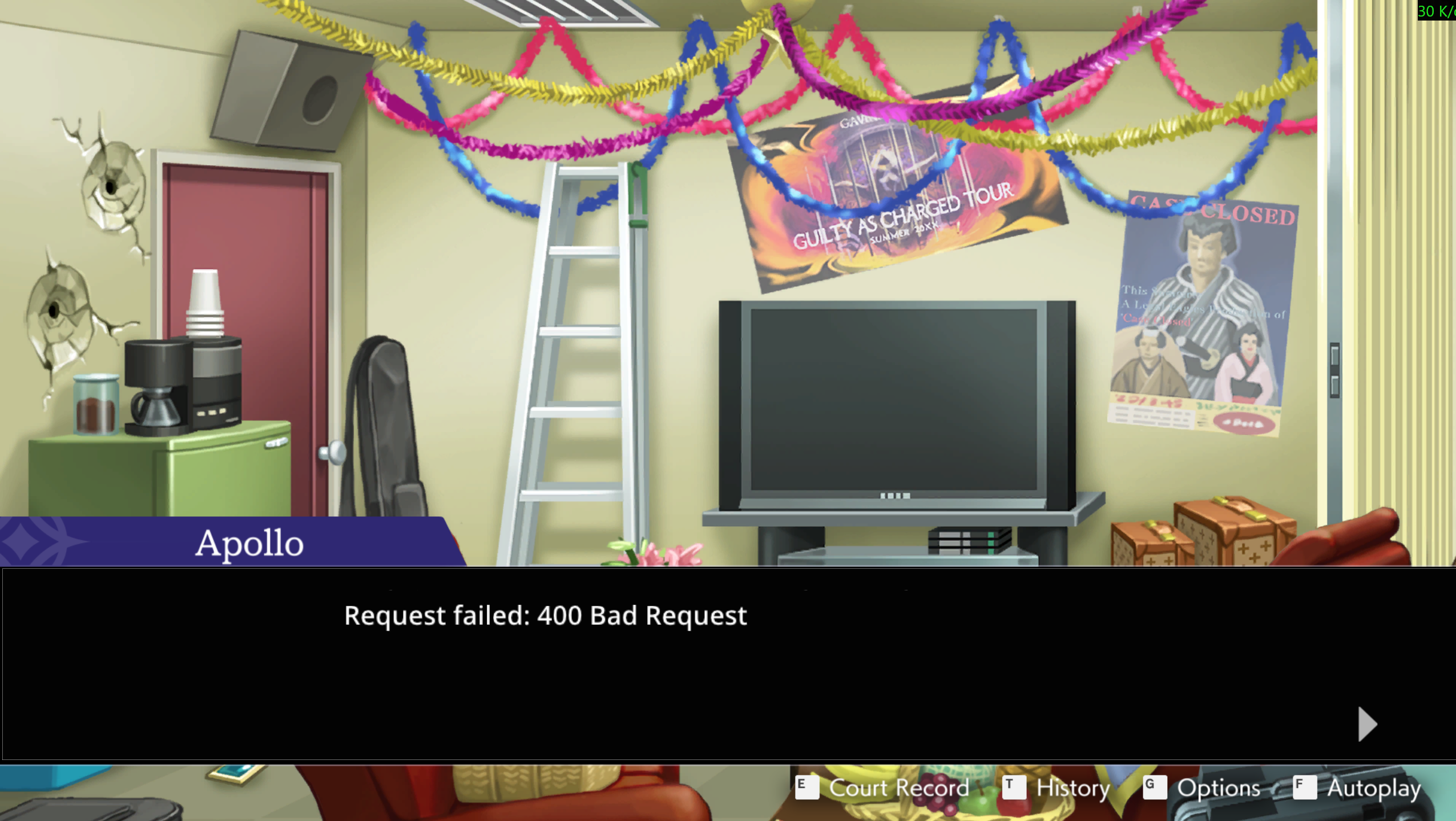
I also wanted to mention that when using the same Azure API, it does not want to translate text where quotation marks appear. It displays the message Request failed: 400 Bad request. Also, in the new version, Attached no longer works.

Thank you very much

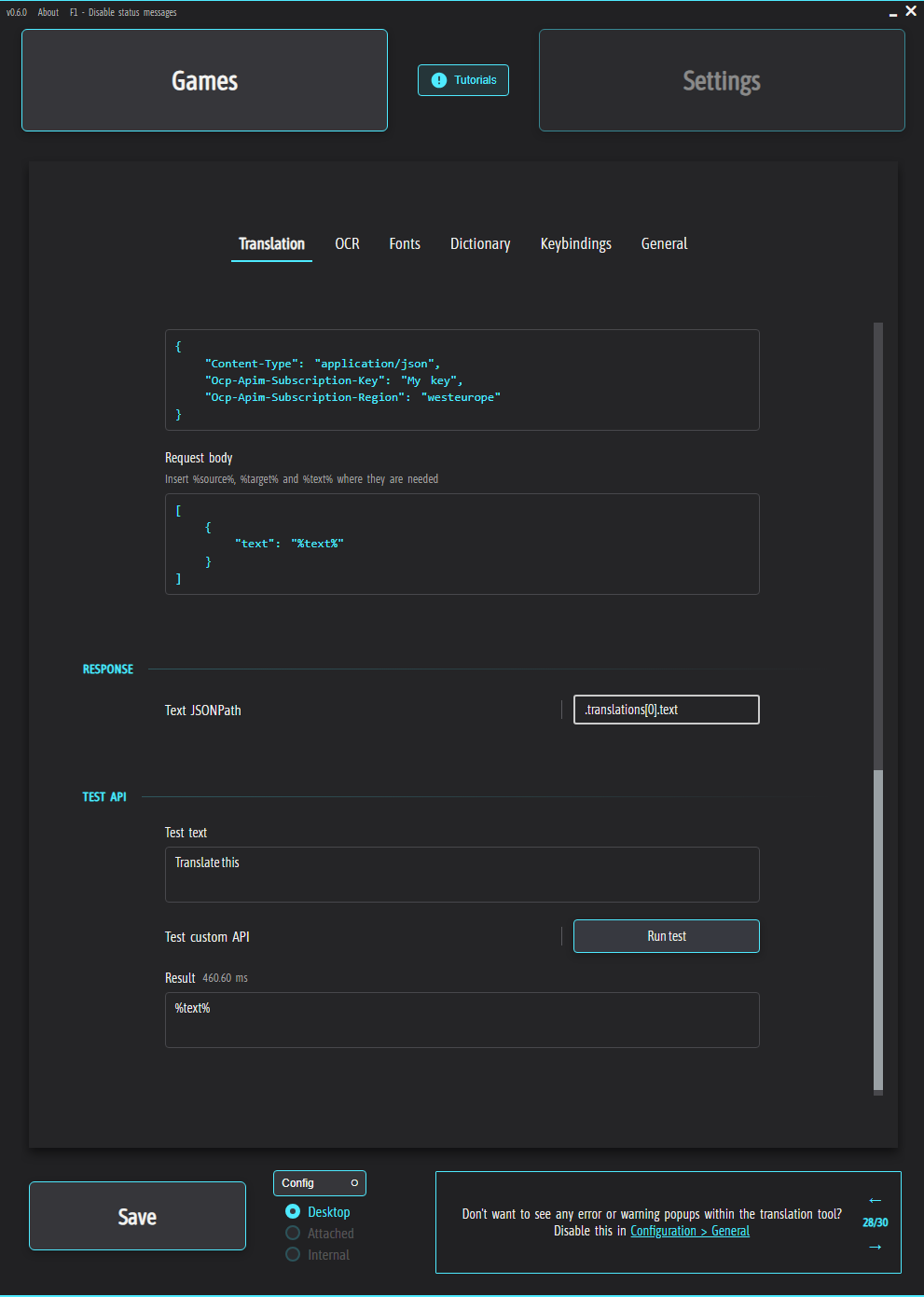
Hello, I made a rather silly mistake. After downloading the new version, I tried the community presets, but then decided to go back to my own, and it started translating everything to %text%. I used the Azure AI Translator API. Does anyone know how to solve this problem?
Sorry, again I didn't notice.Thank you.

From what I've seen, it's possible to add a Custom API (beta 0.4.9). Will there be a guide on how to do it? I've tried, but I don't know how to do it at all. Sorry for the inconvenience.

Thanks for the reply, hope it works out for you, we'll look forward to the update.

Yes, you're right, I forgot about the font. That solved the problem. Thank you.

About the scattered text, in 0.4.7 was more pleasant with it. But when I removed the transparency Text box, then scattered words almost was not. (in 0.4.8)

Maybe it was the transparency of the Text box or because of more columns in my new game (maybe recognising text will be more difficult).

And I hope that you manage to add a new translator, although it may not be easy. We will wait.

(1 edit)

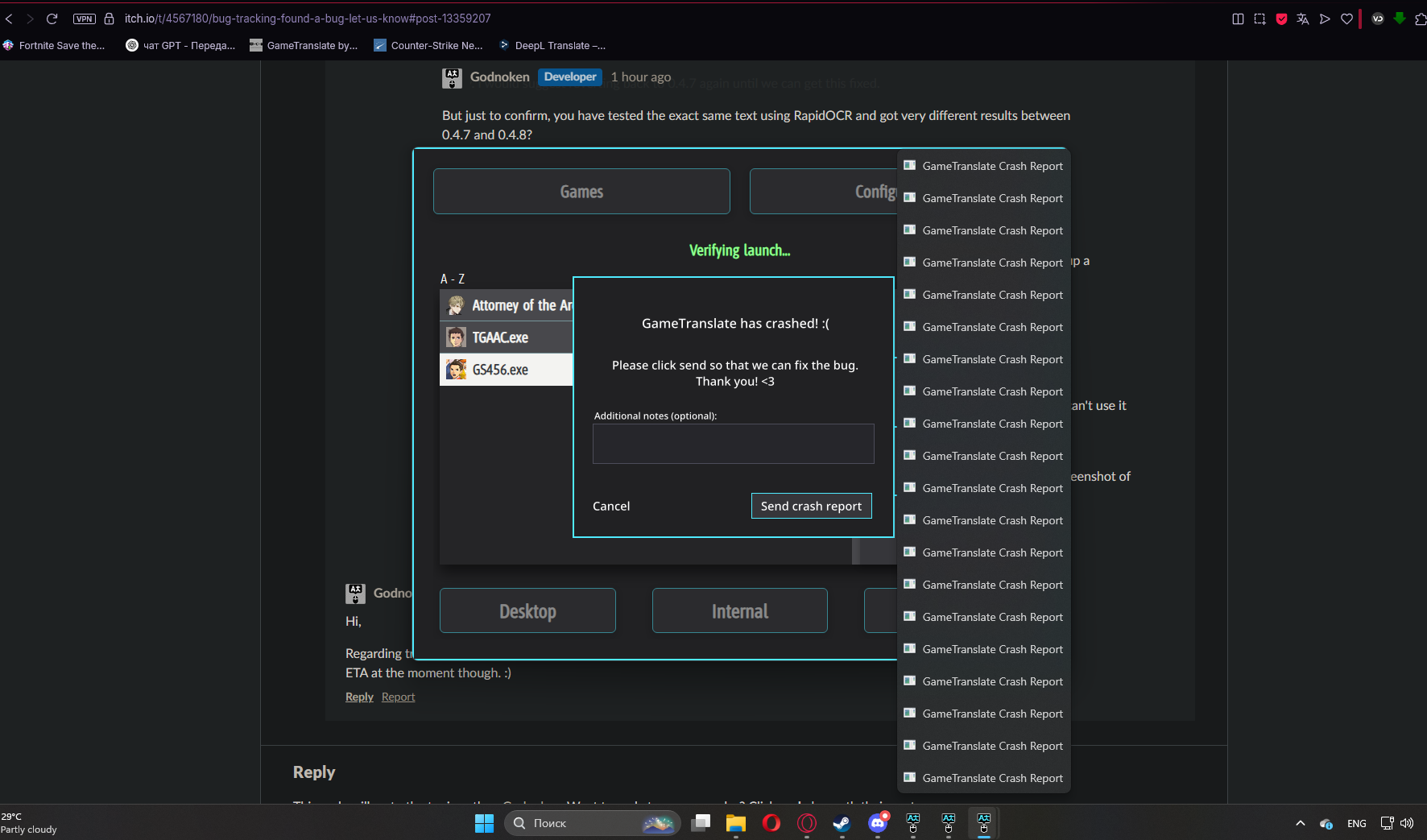
I can't click “Send report” because a new Crash Report window keeps popping up, but I tried to click.

That's what it looks like on the screenshot:


I wanted to install 0.4.7 and test, but after starting the translator and enabling any kind of translation pops up a bunch of Crash Reports.

And so I played in 1920x1080 Borderless.

RapidOCR

Yes I saw it, or I'm doing something wrong, but putting different values doesn't change anything, still scattered words.

Hello, in the last update there are more scattered words in automatic translation (Ukrainian or Russian).

Also, when using Internal Translator I noticed that in the translated text often appear words that do not exist or do not make sense in the context.I didn't see this when translating DeepL.Can I ask if there will be another translator?
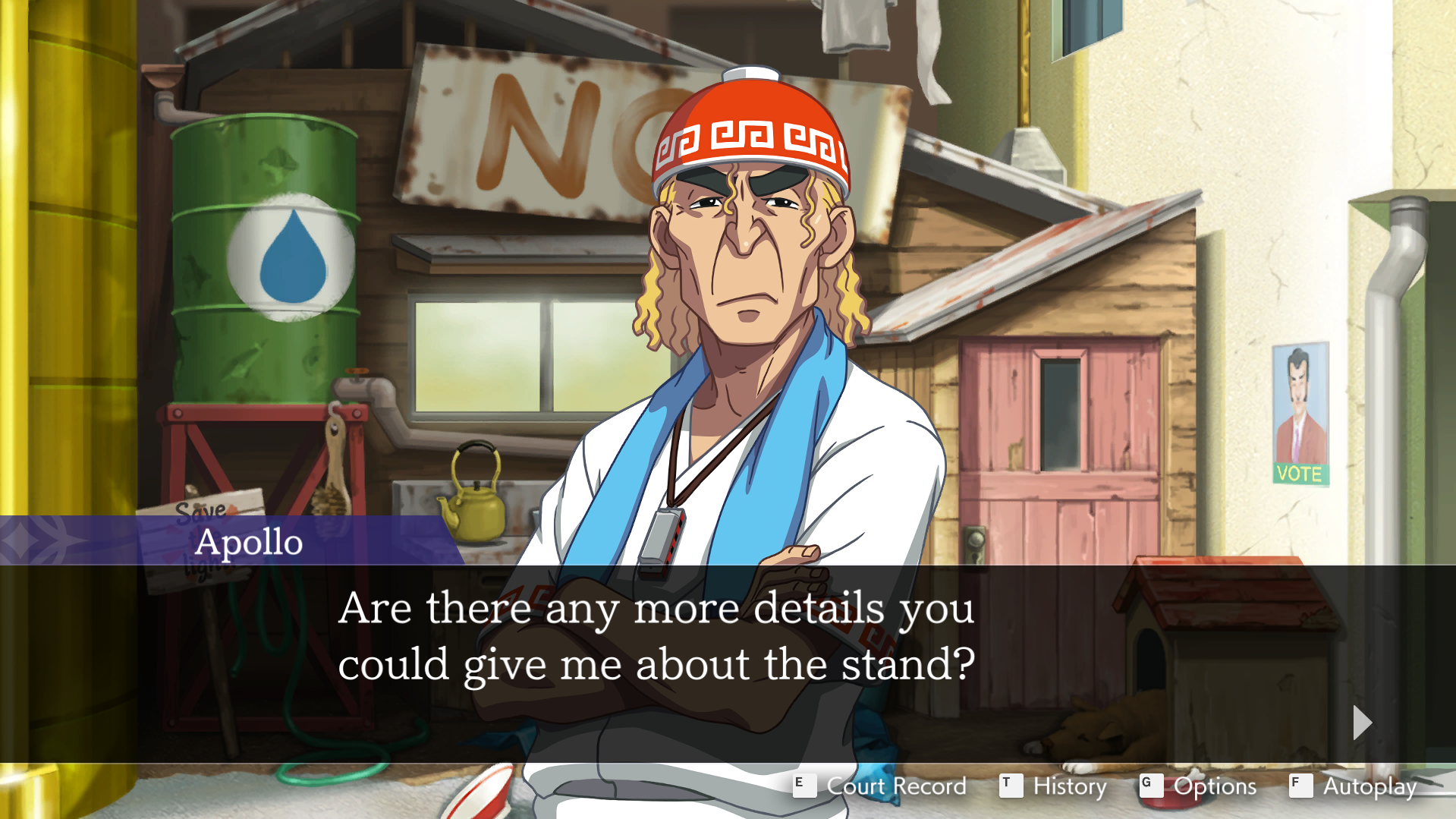
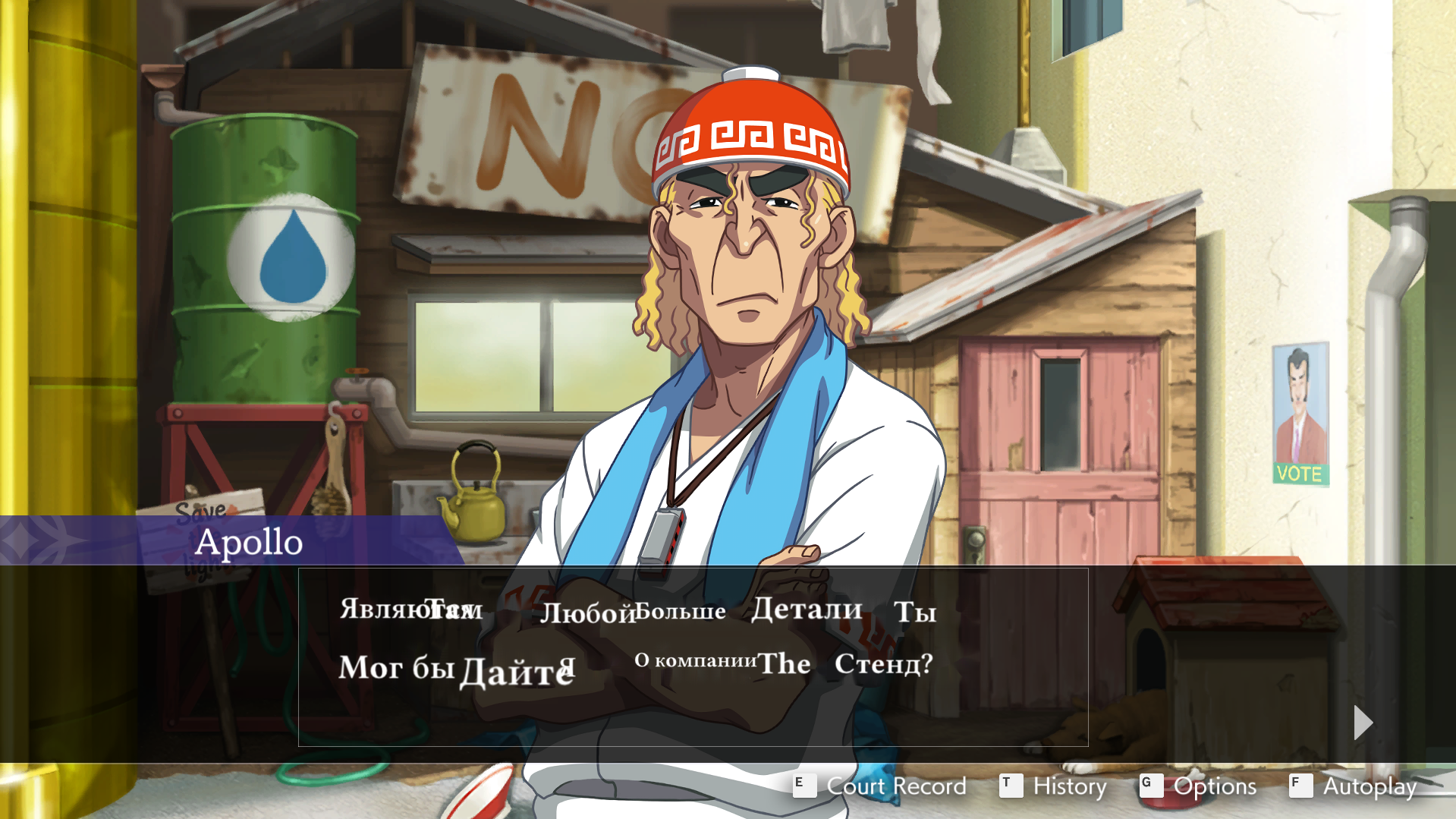
11

I tried it, it didn't work.

As you wrote, the Configuration tab doesn't work at all. But I will wait for a solution to this problem.

Perhaps it's just me, but gif version 0.4.8 do not open.

Hello, when I updated the application and when I run it it says Failed to load internal engine settings (os error 2) and also the Configuration tab does not work.How can I fix it?

It's out, but there's no changelog yet.

I would like to suggest. When automatic translation in the game, selecting the whole screen for translation, you can select a place where translation is not needed. For example, remove the translation on the edges of the screen where it says: ‘Settings’, “History”, ‘Auto’.

And I would also like to add, is it possible in the future to make it so that the translation was the same colour as the original text?

I see, thanks for the reply.

I wanted to ask, when I use deepl translation, the translation takes longer and often says Translation failed. Is there a way to fix this?

(2 edits)

Sorry for bothering you. I wrote the effect incorrectly, I just didn't want the automatic translation window to be darker when there is no text . I'll wait for a new option.

(1 edit)

Thank you, I will wait for news.I have a small request or suggestion. In my game, the text sometimes appears with a slight delay, and I noticed that in those moments when there is no text on the screen, the background of the translation window becomes dark (black). This causes a "flickering" effect, and is a bit distracting. It would be great if in such moments the background remained without darkening (or at least it could be turned off in the settings). Not necessarily

Yes, you are right, and I did not notice again. It's just that not all games support the internal mode for me, I just like to shoot memorable clips from games. Thanks for the quick reply.

Thanks, the first method helped. I still have a question, when I start the translation, Nvidia ShadowPlay stops working along with the translation, is there a way to solve this?

Hello, when using automatic translation, the frames at the edges of the screen start to blink, how can I fix this?