Indie game storeFree gamesFun gamesHorror games
Game developmentAssetsComics
SalesBundles
Jobs
TagsGame Engines

Release 1.7.0 - Bug Reports Sticky

A topic by Three Eyes Software created 29 days ago Views: 1,081 Replies: 44
Viewing posts 1 to 17
Developer

Report bugs here. Ideally, your report should include the steps necessary to reproduce the bug.

A continuation of the error.

 Linux Mint 22, 64GB DDR5, AMD RYZEN 9 7950X , AMD Radeon 6900 XT w/16gb VRAM.
Running LLM service locally via machine instead of third party.

Error: The LLM service has encountered an Error: An error occurred while sending the request. 

Tried a few things, rolling back to an older and the unstable branch of Kobold-CPP just to rule that out, no joy. Going back to the Qwent Legacy 16gb model still works just fine, so for now that's the model I'm using.

Developer

There's a log file at ~/.config/unity3d/Three Eyes Software/Silverpine/Kobold.log now.

Link to fresh Kobold.log on google drive since I can't upload the file specifically.
https://drive.google.com/file/d/1fdCcfvb74Jubq3LcpijvfoPXI2eS5gg5/

Hopefully this will shed some light on the situation. 

Developer

Your link requires a login. Use Pastebin or just post it here.

https://pastebin.com/GjXxt3Wt

Developer

The model itself is working completely fine. This seems to be a problem related to KoboldCPP's tokencount API. I'm sort of at a loss why this would be happening with specifically Gemma 4 series models.

The changelog for koboldcpp-1.112.2 says "Fix for /api/extra/tokencount". I see that you've manually updated to 1.113, but for sanity, try it again with 1.112.2 specifically. If this doesn't fix the issue I will add a fallback that simply guesses the token count if the API fails.

Yeah, it's still a no-go.

Developer (1 edit)

I've uploaded a patch that should fix it. Now I'm also curious where you got the log in your original post from, seeing as logging should be disabled and there is no user-facing way to copy errors that happen during dialog.

(4 edits)

I ran it via the Terminal and had it pipe into a txt file.

./Silverpine.x86_64 < /silverpine-adhoc-line.txt

Edit: Like so.


I don't show the game itself running, but I do show that the log does capture it from a new document. 
(1 edit)

Heads up, hotfix 1.7.0c, even with the token fallback, still doesn't resolve this particular issue.

Pastebin below.
https://pastebin.com/FjVVi1CE

In this log, I started a new game, attempted to talk to multiple NPCs. Second NPC I was informed that the fallback would be utilized for the token count.

Developer

The log shows that it fails during text completion too. This is some sort of mystery OS/driver/backend issue, since the only thing the game does differently between sending requests to Qwen and sending requests to Gemma is that it launches the backend with SWA enabled on Gemma.

You could try letting the game load the model, then killing the hidden Kobold process after it's done loading the model, and run this command in the StreamingAssets folder to "switch out" the backend process for one without SWA:

./koboldcpp-linux --model "Gemma-4-Sparse.gguf" --usevulkan --gpulayers -1 --quiet --multiuser 100 --contextsize 4096 --skiplauncher --port 5003 --nofastforward

If SWA isn't what causes the problem, I'm out of ideas. It's difficult for me to debug what's happening here because I don't have an AMD system to reproduce the bug with, if that's even the cause.

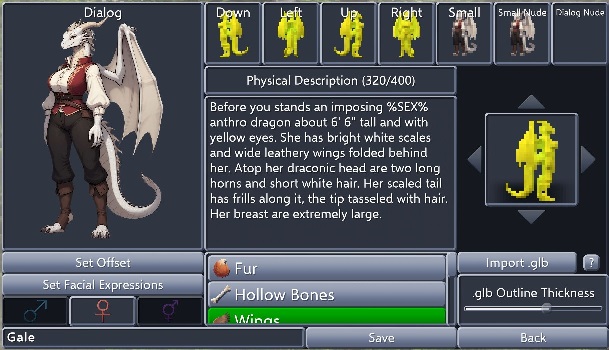
Not sure if this from the .glb or the game, but when the model is imported it kind of glitches and I can't use it to finish the character.

The .glb model, looks perfectly fine when viewed in a 3d viewer.


Developer

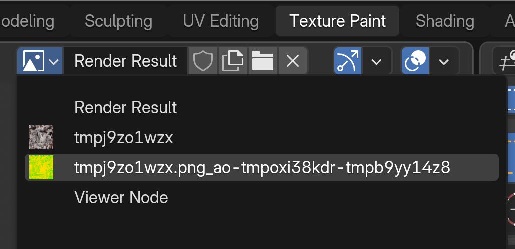
The game prefers textures of which the name contains "diffuse", "albedo", or "color", and refuses textures with "specular", "metal", "normal", "smooth", or "emission".

Import the model into Blender and check if the actual color texture somehow violates this rule.


It would appear that the textures were given random temp names, with the second one being the culprit the game focuses. I assume I just need to change the name of the first one to something like "character_diffuse" and the second one to something else the game will ignore? What name would you recommend?
Developer

Add diffuse to the first one, delete the second one, or copy the contents of the first one into the second one.

(2 edits)

Thanks that fixed the model on the custom character editor.

I don't know if it's just me, but it seems like I can not write %PLAYER_NAME% when I'm editing NPCs. It just ends up as %PLAYERNAME% without the _ instead. 

(2 edits)

Raising a Custom NPC’s affection to max or near max will have them give you a house key once clicked, but will not trigger a dialogue event. Further attempts to interact with the NPC from that point will not trigger text, only more keys. They’ll then follow you and keep giving you more keys to nowhere.

Dropping the keys in front of the NPC ended the loop and allowed text to proceed as normal

This sounds like a sort of creepypasta almost lol

Developer

This has been fixed now. Thanks for the report.

So I'm trying to get Celandine to follow me, and she's not, but I noticed the game was "thinking..." after her reply for a long time and I know that usually means it's doing a NPC action, yet I did not see any results, besides the relationship increase. So I checked the NPC Memories to be sure, and:
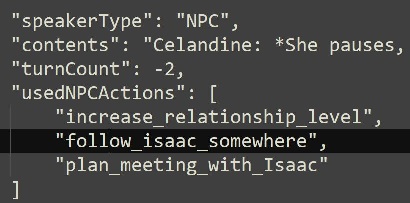
Apparently she tried, but it seems NPC actions aren't making it through to game play. I see she thought she did something, but I do not see the follow request in the dialog options or a meeting scheduled.

Developer

The AI can change its mind about invoking some NPC actions, and in most cases it results in better accuracy.

(1 edit)

It seems there is a slight chunking issue with the map of Orson's cabin.
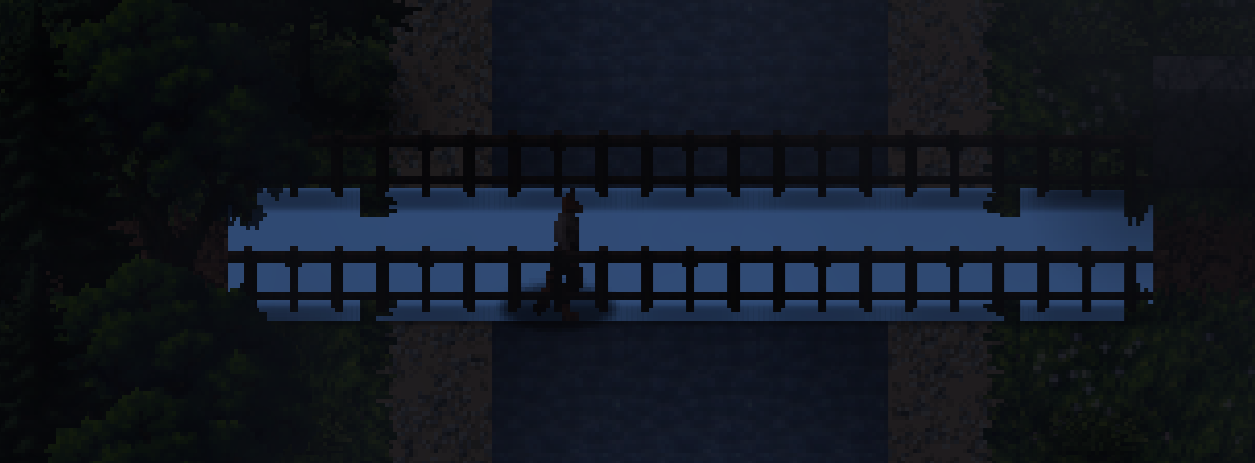
To be more specific; I suspect the trees and rocks generation (which I assume might be a WFC based solution, correct me if I'm wrong) seem to be conflicting with the semi-static road generation of that map, and the overlap causes the game to be confused, and creates a bunch of blue ground tiles under the trees where that one chunk of forest tries to spawn ontop of the dirt road path, where the crossroad leading north and toward Orson's cabin is.

Developer

Will investigate.

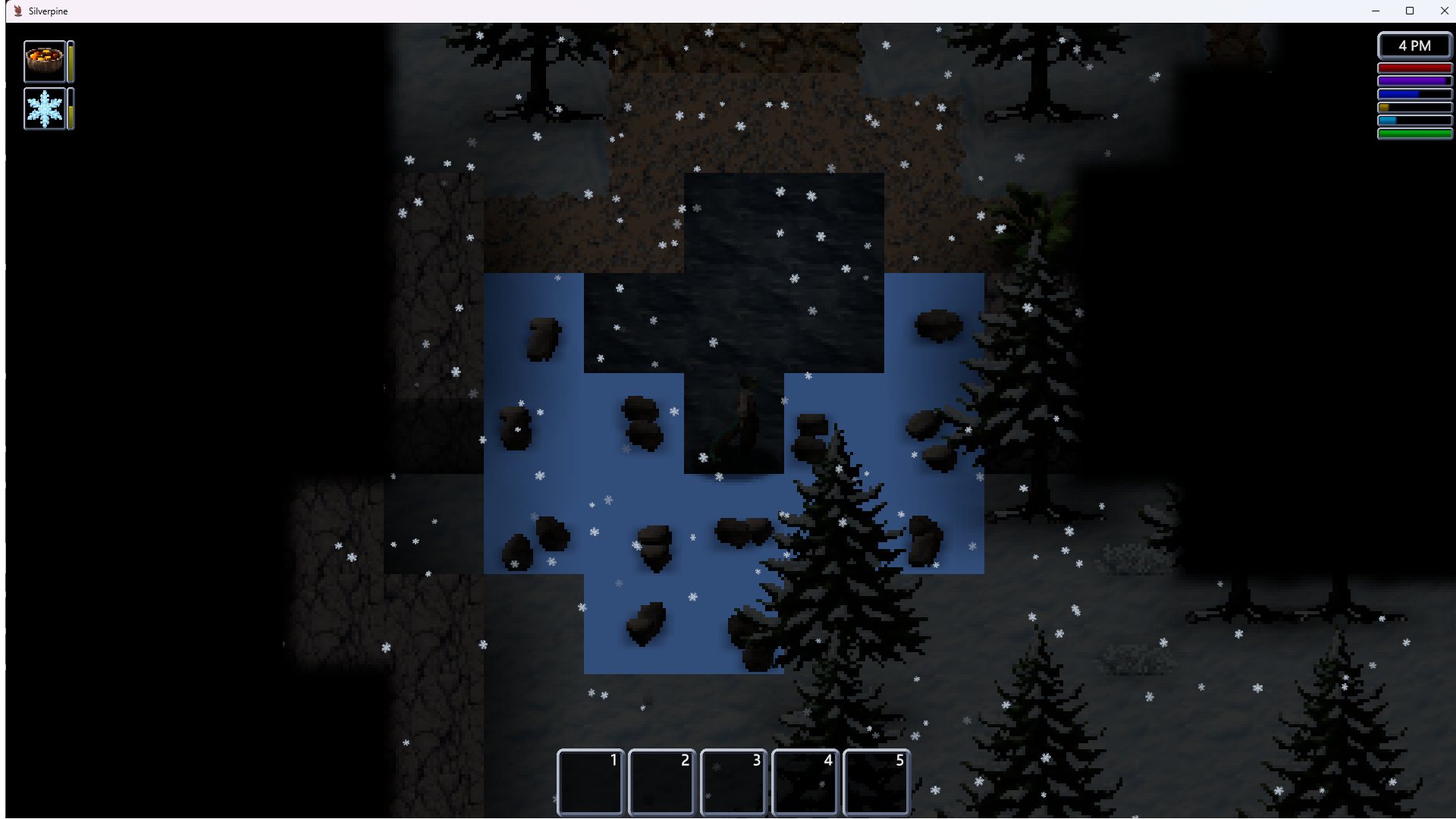
Oh, another place I just found more blue tiles, I blew up a few rocks that spawned near the pond in the Mountain Pond map, and got more of them. 
Not sure if the rocks are supposed to spawn around it like that, but this was the result;

Decided to add a screenshot of the issue, and mention the error is still present in 1.7.1 if anyone was wondering.

Developer

I wasn't really able to reproduce this issue, so my attempt at fixing it was a shot in the dark. It's certainly something very strange if you have objects not sticking to their normal grid positions.
This is inside the zone of persistence around Orson's cabin, not wilderness, so I can't easily retroactively fix it for old saves. The shape of it makes me think it's not related to what I've changed. Was this already present the first time you went to the cabin on this save? Does it occur on fresh 1.7.1 saves?

(3 edits)

I'll give it a go in a fresh 1.71 save and update you on this, this bug did start in 1.7 and I didn't retry in 1.71 from fresh,  all I truly recall is that a prior save in 1.7 didn't have that issue on day 1, but it seems that since day 7 it's always like this, and that's despite reloading a fresh chunk even in 1.71 (from the broken 1.7 save, right before entering the tile), I actually made the save right before the tile in question to generate it anew since I hadn't entered it until day 7 and the problem still persists, here's a few screenshots to demonstrate it;
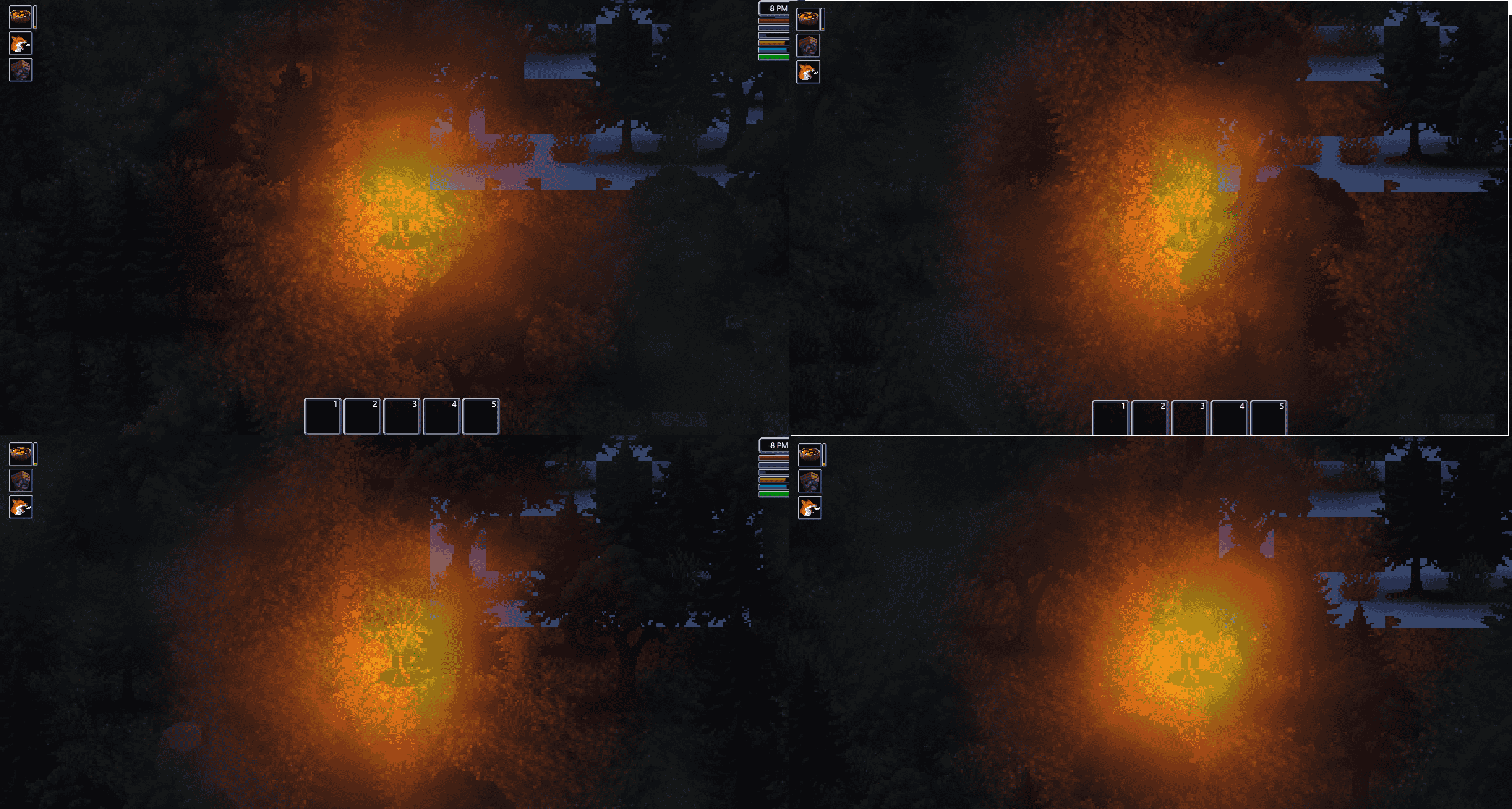

The same part seems to load with that error every time, the rest of the map is loaded differently every time on entrance.

This is pure speculation on my part, but perhaps this issue only occurs after a few days (about a week) passes ingame, if you tested it day 1 it might not reproduce the issue.

But that's pure conjecture on my part, it's more likely it's an issue with my save specifically, I'll try a fresh one with 1.71 and keep you updated if it happens again. It's either A. The save was broken from the get go, but somehow I didn't notice early with that Day 1 visit I made but then reloaded, before returning here during day 7, in which case I'm sad to say I have no idea what caused this. Or B. A problem that only occurs after a number of day passes, which might be the reason you couldn't reproduce it. 

Update;
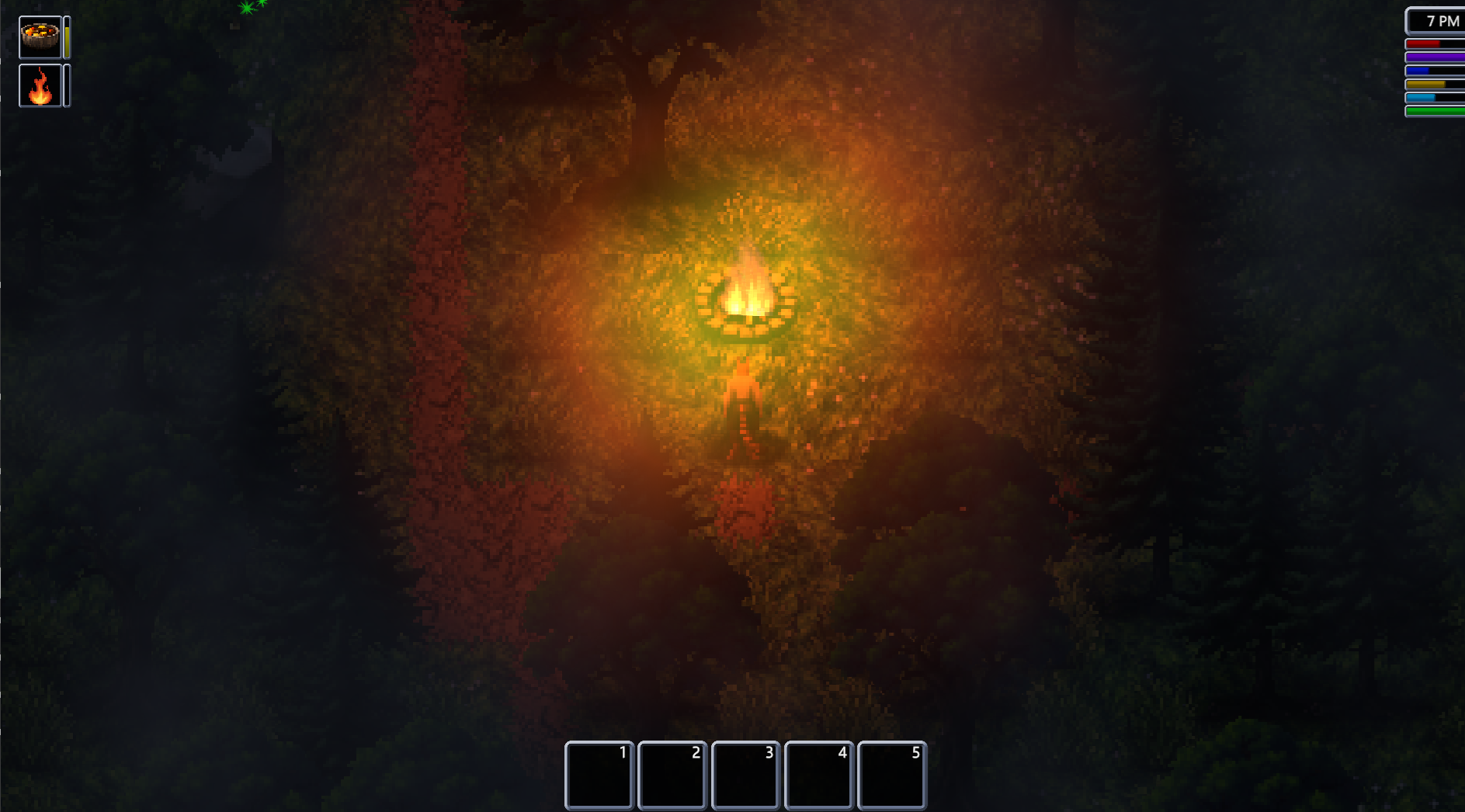
I reloaded the same save, same character, but back from day 3 instead, and I can confirm; the chunk issue is absent.

So either 1.71 miraculously fixed that old day 3 save, or something must've happened between day 3 and day 7 on that save that caused it to happen, here's the screenshot of that same spot at day 3 instead, again, from the exact same save but earlier;

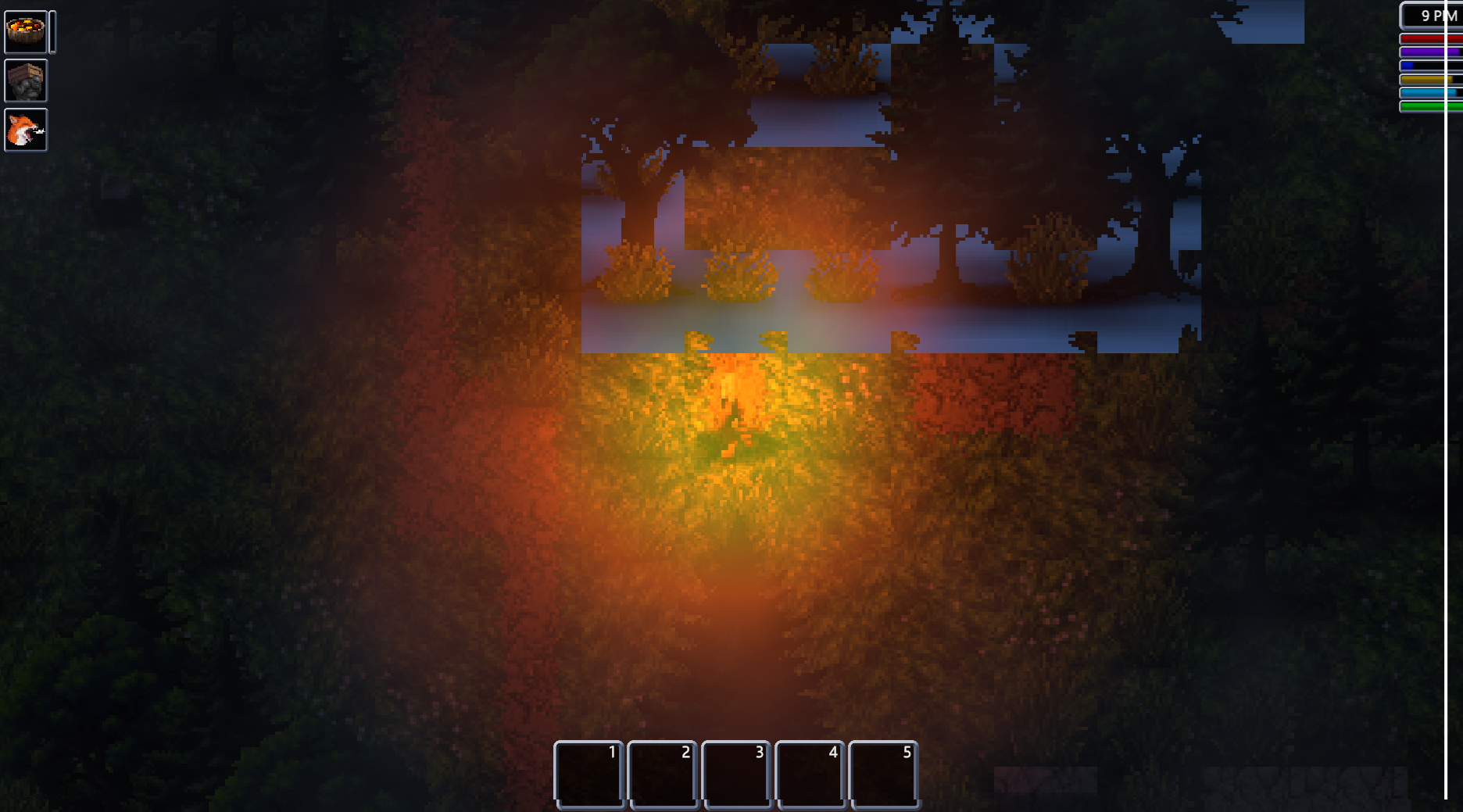
More blue squares in the latest release, although this time I suspects its due to the new wood texture, so it might just be normal when loading a previous save from 1.7.1, in which case disregard.

Developer

I've uploaded a patch. Thanks for the report.

(5 edits)

Molten gold?

Molten gold.

"Molten gold" -> "Mol[ten gold]"
If you purposefully leave this in. I wouldn't mind.
But I thought you should know.

DEAR GOD WHY IS IT SO HARD TO EMBED AN IMAGE.

(3 edits)

An old issue is popping up with dialog for me. The text is using first and third person randomly. For example, it will start off from Darian's POV, as if the reader were Darian using "you, you're and so on," then it would change to Oriana and refers to her in third person using, "she, her, the woman, the snake, and so on." When it comes to some of them, it will give my perspective AND theirs in one dialog, both in first person, which is confusing since the game will use "you" for both NPC and PC perspectives in one paragraph.


this would be for the condensed model.

Developer

This is a model issue, so there's nothing that can be done about it without destroying performance through extra API calls that check for and correct it.

I'm not sure if I've done anything wrong in setting up the AI, but the game seems stuck saying "Creating custom NPC knowledge cache" without progressing 

Developer

It's a process that requires querying the LLM. Does talking to NPCs work? Disable all custom NPC definitions so you can test this. What are your system specs and which model are you using?

(1 edit)

i was in the dungeon north east of Silverpine, hade low health, made a quicksave by the stares and was gonna rush to grab stuff. a giant frog killed me so i reloaded and tried to run past it, one of its bubbles gott me and i quickly loaded. when i loaded my character took damage from nowhere and reached 0 health, I didnt die and the game just stopped responding (not froze, everything was moving around like normal i just didnt have the ability to move or open inventory)
Edit: i should add that loading it again did fix it. but damage did carry over into a load for some reason

(1 edit)

Oh, that reminds me, I've had similar but not identical occurrences when a projectile was heading in my direction, generally from a slime, and I attempted to move to another tile.

It seems projectiles trying to follow you through tiles causes unplanned freezes, this is probably what happened here as well, loading must act like changing tiles.
Update regarding my previous issues with the LLM Service failing.
I was an idiot, I was using LMDE 7, not LInux Mint 22. Regardless, swapping back to Linux Mint 22 resolved my issues... I don't know why. I can't be arsed to dive too far into it yet because it was just me having issues and honestly I appreciate that the game is able to be run on Linux and Windows.

I'm having issues were the game keeps giving me this message when I'm typing in English, is there any way i can fix this?

What were you trying to type? I had that issue when I was playing a char that was a noble and I called someone as 'sire' instead of 'sir'

Deleted 6 days ago
Developer

This has been fixed a while ago. Are you on the newest version?

Playing on 1.7.2b, I have an issue with Night Vision seemingly not working. My character has the Night Vision trait, but when I use the action, I see no difference. Tried indoors and outdoors, with different levels of ambient light, with absolutely no visible change.