You're welcome. Feel free to share any questions or suggestions. I'm here to help you.👍
Success, and I hope you have fun using ACSG.
Hello and welcome! 😊
In the current state, no. The restriction is by class and level (both together).
Actually, making equipment restriction this way was a deliberate choice. For a maker tool like ACSG, this approach facilitates balancing and offers more exclusivity and personality to each class.
That said, I agree that restrictions based on attributes (stats) or level, as you suggested, offer more flexibility for creating builds, and the class restriction ends up being less flexible, yes.
The implementation of this feature is indeed a future possibility and will be thoroughly considered. For now, I have other priorities in the queue, but your suggestion is registered and will be carefully considered in the future. 👍
Thank you for this great insight and for contributing to ACSG! 💪
Hello. Thanks for your support. 👍 The name of the tool is ACSG. And yes, you are correct, it allows you to create Visual Novels and First-Person Dungeon Crawlers. In the context of JRPGs, I believe you are referring to visual novel JRPGs. Well... Visual Novels is essentially about telling stories, and that can be done smoothly. But if you expect something like RPG Maker, where the hero explores the world in the third person, it's not quite like that; that is not the tool's focus. However, ACSG is flexible, and if you truly understand the context of its pages and links, you can create various narrative games, adventure books, and visual novels. The main focus is on first-person Dungeon Crawlers, but the tool offers flexibility in several other aspects.
It took a while, but the good news is that our official Discord server is live!
See you there! :)
Changelog 1.0.9 : https://serpagames.itch.io/acsg/devlog/1086793/version-109-released-changelog
Hello, the new version is now available (1.0.8). ACSG is now also available on Game Jolt, and it has a card payment option there. Please let me know if this solves your payment issue. Thanks!
ACSG GameJolt:
https://gamejolt.com/games/ACSG/1019814
1.0.8 Release Article:
https://serpagames.itch.io/acsg/devlog/1036007/version-108-released-changelog
Hello, the new version is now available (1.0.8).
I gave you a small shout-out as a thank you for your help with the resolution issue. 👍
Check it out here: https://serpagames.itch.io/acsg/devlog/1036007/version-108-released-changelog
I really hope this has fixed it. If the problem still persists, please don't hesitate to let me know. Thanks!
Hey, my apologies for the misunderstanding.
Regarding your question about Steam, I'm currently focused on keeping my updates on a single platform. Releasing on Steam would be a time-consuming process for me at this point.
However, I have an idea that might work for you. I also have some games on Game Jolt, which offers different payment methods besides PayPal, including credit cards. It's very likely that this option is available in your region. I'd be happy to make the tool available on my Game Jolt page as an alternative for you, and for anyone else who might be having a similar issue.
Please let me know if this sounds like a good solution for you or your friend.
Thanks again for your patience and for your interest in ACSG.👍
Thanks for the confirmation, this is exactly what I needed to know.
The fact that the 3440x1440 resolution doesn't appear in the initial list validates the cause of the problem. The system wasn't correctly recognizing it, which is why the game couldn't revert to your original resolution.
The fix I implemented was made to handle this situation. Even if the resolution isn't listed, the game should now be able to identify and recover it.
As I said before, the fix will be in the next update. 👍
All the best!
Great! Thanks so much for sending me the exact error image; a picture makes all the difference in finding the root cause of the problem.
The fact that you were able to choose the 2560x1440 resolution is a good sign, as it means the game was able to identify it and list it as an available option. However, the failure occurred when the game tried to revert to your original resolution, as you correctly pointed out.
After looking into the situation, I believe I've solved the resolution recovery issue, especially for ultrawide monitors like yours! :)
This leads me to an important question: on the startup screen where you choose the resolution, does your default 3440x1440 resolution appear in the list of options?
Regardless of your answer, I've implemented a new security layer that now allows the game to identify and recover your default resolution, even if it wasn't initially listed.
I wanted to release this fix immediately, but it would disrupt my current workflow. So, I'll include this improvement in the next update. As always, I'll write a detailed changelog and let you know here so you can test it and give me your final verdict! Like I said, I believe I've solved it, but I'll only know for sure with your confirmation. :D
And, while I'm at it, one more question: how does the game look when running in 800x600 with the SCREEN option checked? Did it look good, filling the entire screen?
My idea is to replace the "800x600" option with the text "Fullscreen," as I believe most players prefer to run the game at the highest possible resolution and don't realize the fullscreen dynamic that the 800x600 setting offers.
Again, thank you so much for your help!
Hello!
Wow, thank you so much for your time and this comprehensive and detailed feedback! :)
Regarding Resolution:
You hit on a crucial point. A game made with ACSG was designed to be "pixel perfect" in more classic resolutions like 800x600 (even with the 3:4 aspect ratio). It's an alternative that still works really well and maintains the original aesthetic, but I agree 100% that the experience on 1440p and ultrawide monitors needs to be optimized. Because of that, your suggestion for a full-screen upscale is on my list.
The challenge is that, because the tool uses GDI, the solution for upscaling is not native and has to be done manually via code. This means it needs to be very carefully thought out. But rest assured, I'm researching the best way to do this so the game looks great on any monitor.
Regarding the Resolution Error:
This behavior is a bug, and I sincerely apologize for the inconvenience! The game should revert to your monitor's original resolution without any error message. To help me understand the exact cause, could you tell me if you used the "Compile and Run" button, "Just Run," or ran the executable directly from a distribution version? Also, if possible, what was the exact message? That information is key for me to investigate the root cause of the problem.
I'm currently working on update 1.0.8, which is focused on more customization options, but the points you've brought up are critical for me to calmly review and think about the best approach. Rest assured, I'll do my best. ;)
Just an observation:
If you leave the "SCREEN" option checked and select the 800x600 resolution, the game will be in full screen. :D
Your feedback is extremely important and will be taken into account. Thanks again ! :)
Hello! Welcome to the ACSG community! :)
It is with immense joy and gratitude that I receive your words of encouragement and, especially, your support in purchasing the Premium version of ACSG. You have no idea how important this is and how much it gives me more energy and motivation to continue improving the engine.
And you've arrived at a perfect time! Soon, I will be releasing the new version, which is packed with exciting new features and cool resources, some of them designed especially for Premium version users. I am sure you will enjoy it!
Once again, thank you very much for your support and trust. I sincerely hope you have a lot of fun creating your adventures with ACSG!
Best regards!
Hey there!
Just wanted to let you know that I've already implemented at least one of the features you requested in this update: ACSG 1.0.4
Hope you like it and have fun! :)
Hey there!
So, thinking about our chat regarding attributes, and how you brought up such great points about modularity, I thought it would be cool to explain a bit more about ACSG's initial concept and why things are the way they are right now. That's why I decided to write this quick article.
First off, I wanted to make it clear that your insights really resonate with me, and I totally agree with the vision for expansion you presented. In fact, as you'll see at the end of the text, I want to reinforce that my intention is indeed to evolve this attribute system, so it becomes even more complete and modular. The whole idea behind this material is just to shed some light on the existing foundation and the possibilities we already have, while I'm already thinking about the next steps to improve everything.
Cheers!
Here's the link to the article: https://serpagames.itch.io/acsg/devlog/966262/exploring-the-acsg-structure
Hello there! Welcome!👋
Thank you so much for your detailed and constructive feedback! Your observations are very valuable and a great help in improving the tool.
Let's go through each of your points:
Mouse Scroll Wheel in Menus [Low]
ACSG's interfaces are designed to fit entirely on the screen without scrolling. For internal lists that do have scroll bars (like item or enemy lists), the mouse wheel should work normally; in my tests, it operates as expected. If you could elaborate on which specific menu or list you noticed the issue in, that would be very helpful for my investigation. If possible, please attach a screenshot of the location and inform us which Windows version you are using.
I completely understand your desire for more character attributes with distinct functionalities, beyond the basic three. You can currently change the names of attributes to fit your game's lore. However, I recognize you're looking for the ability to add new types of attributes with distinct functionalities to allow for deeper RPG mechanics. This is definitely on my roadmap! I'm thinking about a data-driven approach to provide this flexibility in a future update, without the need for a complex scripting language.
You raise a very valid point about file sizes. Background and pseudo-3D images are already JPGs. Currently, BMPs are used for enemies, interfaces, animations etc... due to technical challenges with the underlying architecture's drawing functions for robust PNG manipulation and transparency. While a large game with many BMP assets compresses to 230 megabytes (a reasonable size for desktop), I understand the desire for maximum optimization. I will continue to investigate full PNG support to reduce the final game size.
Thanks for the suggestion! I wasn't familiar with Effekseer, but I'll certainly look into it. However, integrating advanced visual effects systems, like what Effekseer seems to offer, would be a significant technical undertaking and a low priority right now, considering ACSG's current structure and aesthetic focus.
You've touched on a critical point I'm very aware of! ACSG's development began some time ago when resolutions like 800x600 were more common. When the player chooses 800x600, the game is displayed full-screen at that resolution, maintaining sharpness. However, if the player opts for a higher resolution for the game window on a modern monitor (like 1920x1080 or 4K), the core game content will remain 800x600 in the center. This will make the game area appear relatively small on the large screen. This is a rendering challenge involving the tool's fundamental structure and requires careful consideration for the future to ensure game content can better utilize contemporary displays.
You'll be happy to know that a "Duplicate Page" option was included in the recent 1.0.3 update to copy page content. However, I understand you're referring to a more advanced feature – perhaps copying or drawing blocks of pages directly onto the map grid to significantly speed up the creation of repetitive dungeon sections. This is an excellent suggestion for optimizing the workflow, and I will certainly investigate possible solutions.
Thank you again! 😊
Cheers.
In this tutorial, you'll dive into the main new features of ACSG version 1.0.5! Learn how to use the Particle Generator (PartEffects) to create skill animations and real-time visual effects for your game. Discover the new Brush Map Editing Mode, which streamlines dungeon building, and see how Additional Attribute as Proficiency offers more flexibility for your classes. Plus, we'll explore skill animation improvements and much more.
Learn to build a classic first-person dungeon crawler using ACSG's pseudo-3D visuals and no-code development. This tutorial guides you through the initial steps of game creation.
Project Link: https://serpagames.itch.io/darkexp
So, that's likely what's happening! The amount your friend saw is the result of the exchange rate applied by PayPal, which generally includes a currency conversion fee.
When a payment needs to be converted to the selling currency, PayPal performs this conversion. This can cause the final amount in Canadian dollars, for example, to differ from the "pure" exchange rate you see on Google. This is a standard practice for payment platforms that handle currency conversions, and it's not a fee I added.
Because of this, even if he thinks "PayPal won't help," they are the only ones who can detail exactly how this conversion is calculated for his transaction. PayPal Support can clarify all the questions he has about the final amount.
I sincerely hope this helps resolve the issue.
Hello! Thank you very much for bringing this up. Your question is extremely valid, and I perfectly understand the confusion it might cause.
First, I want to clarify that I do not charge any extra or differentiated fees based on the payment method you or your friend choose. The game's price is the same, whether paid with a PayPal wallet balance, a credit/debit card, or a linked bank account.
The most common reason a buyer might see a different amount or an "extra fee" when using their PayPal wallet balance is currency conversion.
If the game's price is in one currency (e.g., USD or BRL) and your friend's PayPal wallet balance is in another currency (e.g., EUR), PayPal automatically performs a conversion. During this conversion, PayPal applies an exchange rate that includes a small margin. To the buyer, this might seem like a fee for using their wallet, but it's actually a currency conversion fee imposed by PayPal itself, not an additional charge from me.
I'm truly sorry this is causing difficulty with the purchase! I hope this information helps clarify the situation, and that your friend is able to get ACSG.
Hello again!
At this point, I can't guarantee HTML5 export. It will depend on a few factors down the line. My primary focus is to make ACSG as robust as possible within a single environment. And honestly, even Windows itself, with versions 11 and 12, is making cross-platform compatibility a bit more... interesting, let's say. :) However, it is a possibility I'm considering for the future, but I can't make any promises right now.
Thanks again, and stick around! ;)
Hello there!
Thank you so much for your kind words and for reaching out! It's fantastic to hear that ACSG seems to align well with what you've been looking for.
I'm glad you brought up customization! My goal with ACSG was to make it as customizable as possible. Practically every aspect of the interface can be modified to suit your vision. While some core elements had to be set in place to avoid over-complicating things, you absolutely have the freedom to create enemies, design intricate scenarios, and handle all graphical aspects as you wish. I'm constantly exploring ways to further expand customization options. As an artist, I'm sure you'll find plenty of room for your creativity to shine!
You've reached out at a great time! I'm currently dedicating a lot of effort to the official tutorial, which will give you a much clearer and more comprehensive understanding of the tool's capabilities. It's coming very soon!
Regarding Discord, I definitely haven't given up on it! You and other users have made a very valid point about the importance of a community for engine growth and marketing. It's something I absolutely agree with and plan to implement. However, my time is currently stretched thin. I'm focusing heavily on completing the tutorial and also preparing for the next update to incorporate improvements and refine functionalities, which I'll start implementing shortly. There are many other development-related tasks that need to be finalized, leaving me with almost no time to manage a Discord server right now.
But please know that creating a dedicated Discord community is high on my priority list and will be set up as soon as I can manage it. Your feedback is incredibly valuable, and I truly appreciate you taking the time to share your thoughts.
Thanks again for your support and enthusiasm!
Hello! You've probably noticed that the ACSG update I mentioned in my previous response was released today, right? And you've also noticed that the example project you asked for is not yet available. 😉
So, about that... I'm working on something that I believe could be even more useful for the ACSG community. I have an idea in development and I'm evaluating the best way to share it.
The possibility of making this project available still exists, but I ask for a little patience while I finalize this other initiative. News will be coming soon!
Hello!
I wanted to let you know to test this new version (HERE) and see if that issue with the screen only showing the title bar has been resolved.
Since I couldn't see exactly what was happening in your case, this fix was made based on the information you gave me. I can't guarantee it 100%, but I hope it worked out!
Please take a careful look and let me know if the problem is gone. As soon as you have any feedback, let me know!
Thank you for the detailed feedback! It's really great to hear your perspective coming from UI implementation in Unity. Your point about UI customization being a primary thought resonates, and I appreciate you recognizing the potential of the room/page system for creative workarounds and 'unintended' features – that's exactly the kind of flexibility I aim for.
Regarding your question about the background, yes, the background displayed in the game view at resolutions larger than the main game area is customizable (in this case, it's just a background image). From the perspective of the game area, you can set different background images or colors for each room/page to further enhance the visual atmosphere. This can affect some parts of the interface. However, for interface elements that use images, once an image is defined, it applies to the entire project. But you have the flexibility to enable or disable links/buttons as needed on each screen. However, preserving the tool's accessibility remains a constant consideration in my development process.
Thank you very much for your encouragement and your wishes for more feedback and sales. It's comments like yours motivate me to keep improving and expanding the tool. Don't hesitate to share any other thoughts as you continue to explore!
PS: Dungeon crawler is life 💪
Hello!
Thank you very much for getting back to me and for testing the new installation, even though the problem persists. I also appreciate you adding the ACSG installation folder to your antivirus exclusions (you are referring to the exclusions in your antivirus program, correct?).
I understand that the issue continues to occur when you click the 'Edit' button after opening the project. Thank you for confirming that you are able to create a new project and open the initial screen. This indicates that the problem is specifically when trying to access the central project editing screen. The information about the window initially appearing on your right monitor and then shifting to your main (middle) monitor when you try to edit is an interesting clue, but the main focus now is to understand what is preventing the editing screen from loading correctly.
Regarding Discord, as I mentioned in another topic (you can see more details about that HERE , we don't have a dedicated server at the moment. However, you can follow updates and interact with other users here on the forum.
To send me the image or video, you can use the following email: leandro.serpa.oliveira@gmail.com
PS: Although there is a standard support email, for this specific case, I prefer you send it directly to my personal email.
This way, I can closely monitor the situation.
It's also important that you add the folder where you save your ACSG projects to your antivirus exclusions, in addition to the program's installation folder. ACSG constantly reads and writes in both locations, and the antivirus might be blocking access.
A screenshot or video is still very important so I can visualize exactly what is happening on this editing screen. The information about the program's opening flow and the exact point of failure (when clicking 'Edit') has already given me many clues about where the problem might be. I will work to try and find a solution for this editing screen issue as quickly as possible.
Thank you again for your patience and collaboration! 🙏
Hello! 😊
Thank you very much for purchasing the program! I hope you enjoy exploring it.
Regarding your question, at the moment, we don't yet have a Discord server for the tool. Initially, I'm focusing entirely on support through the forum, in addition to prioritizing updates and initial support through a more centralized channel. I'll always be around here, answering your questions and helping in any way I can to ensure everyone has the best possible experience.
The idea of a Discord server is something I'm considering for the future, as the community grows and I have more time to manage it properly.
Thank you for the suggestion! The forum is the best place for support and interaction right now. Feel free to share your experiences and questions here! 😉
Hello! 😊
It's great that you found the tool interesting and are already thinking about how to use it in your future projects! I'm very happy to know that you see potential for both smaller projects and something more complex.
Regarding your questions:
Buttons: You correctly noticed the limitation of 4 fixed buttons per menu in this first version. This initial choice aims to simplify understanding and navigation. However, the ease of interconnection between pages allows for expanding the available options. For example, if you have 4 options in a dialogue and need more, it's possible to create another screen exactly the same with additional options, with a link on the first screen leading to this second screen. This structure allows you to work around the initial limitation of buttons per menu, offering flexibility in the interface design. The idea is that the direction buttons and the action buttons complement each other in the interface.
Yes, there's a small automatic visual effect when the mouse hovers over the buttons. At the moment, it's not yet possible to change the image for different states (like 'hover'), as I prioritized not making this part too complex in this first version. As you noticed, a single image serves both for the buttons and the direction interface, something that ACSG differentiates internally. However, adding more customization options for the button states is something I have in mind for future updates!
Resolution: The internal resolution of the tool, within the game's scope, was defined to optimize the functioning of the dungeons generated by the Design Scene and the movement effects when walking through the scenario. Furthermore, maintaining a smaller standard ensures good framing across many different screen resolutions.
However, it's important to know that the player will have the freedom to change the resolution when running the game! This option will be up to the player. When changing the resolution, the game screen will maintain the original resolution in the center, but the background will extend using a full-screen background image with the resolution chosen by the player.
Thank you very much for your feedback, your questions, and your support! It's great to know what you're thinking and how you intend to use the tool. Keep exploring and don't hesitate to ask if you have any more questions! 😊
Hello again!
I've released a small but important fix today (version 1.0.0) that resolves a memory leak I identified in ACSG.
I strongly recommend that you reinstall ACSG to ensure this fix is applied. It might help with the overall stability of the application.
However, as the issue you're experiencing seems to be different (only the window border is visible), this memory leak fix might not be the solution in your specific case. But it's worth trying!
For more details about this update and other technical information, you can check out the post HERE:https://serpagames.itch.io/acsg/devlog/945338/a-small-but-very-important-fix
Please let me know if the reinstallation makes any difference to your problem. Also, are you able to create a project normally? Does the issue of the content-less screen only occur when you click the 'Edit' button after creating a project?
Here are a few additional suggestions that might help:
ACSG.exe with administrator privileges (right-click and select "Run as administrator").
Screenshots of what you are seeing would be extremely helpful for me to understand the exact situation.
Let me know how it goes!
Hello!
First of all, thank you very much for supporting the project and for reporting this issue!
Your help is essential in making ACSG even better. 😊
I understand the situation: when trying to open your new project, only the window border appears, with no content or interactivity. That really sounds frustrating!
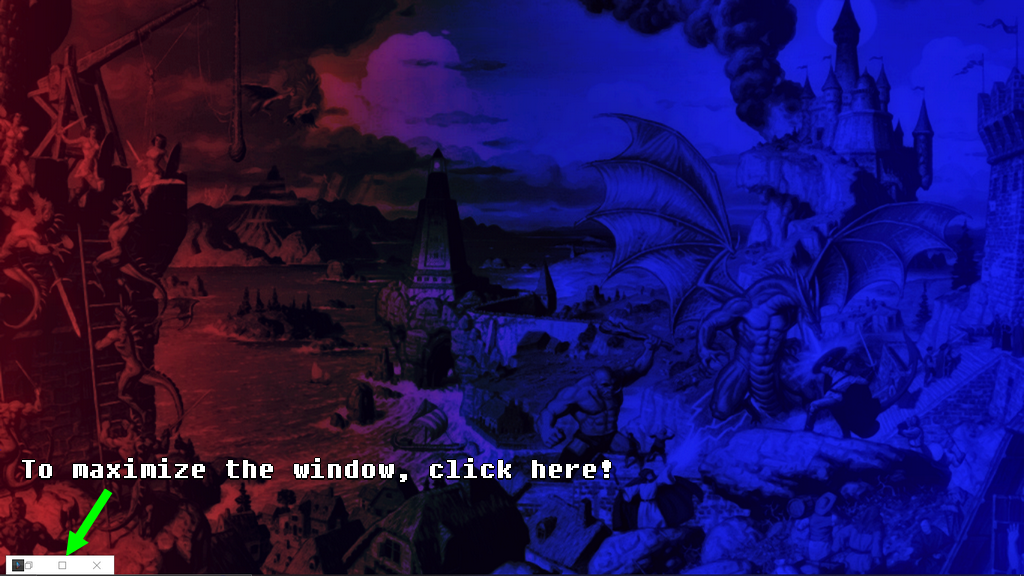
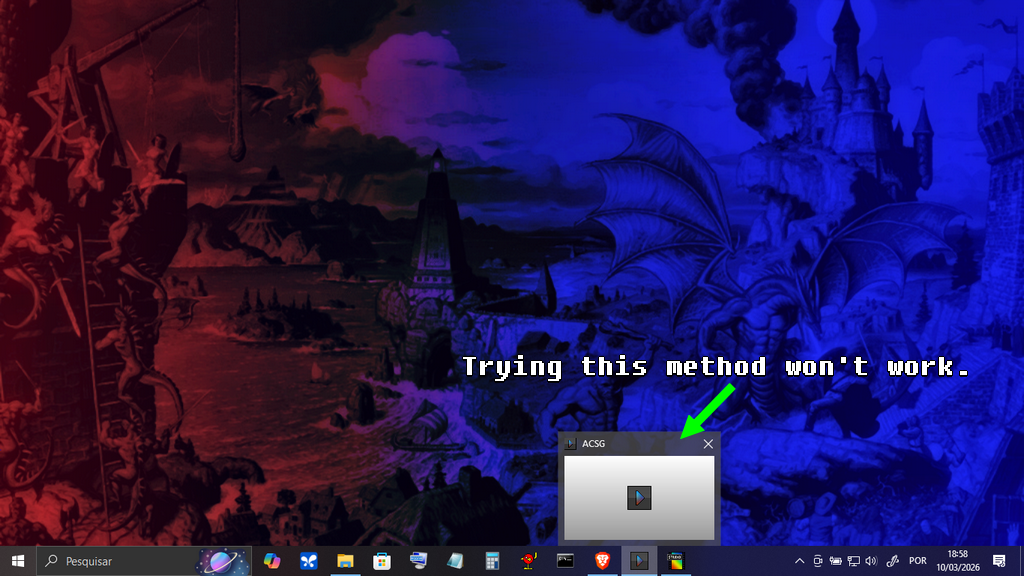
So that I can investigate this thoroughly, could you please confirm if you are trying to open the project directly through the .exe file located in your project folder? If this is the case, the project will indeed not open that way. The best way is to use the shortcut that the installer created for you on your computer.
If you are already using the shortcut correctly, would it be possible for you to send me a screenshot of the error that is appearing? This will help me visualize exactly what you are seeing and find the solution more quickly.
Also, could you please try a quick test for me? Would you mind opening the project with only one monitor active (by disconnecting or disabling the others temporarily) and let me know if the behavior persists? This will help rule out any multi-monitor specific issues.
Thank you in advance for your collaboration and patience! I am working to ensure the best possible experience with ACSG.
Best regards.
Hello. I swear I'm trying hard to translate it, but my time is really limited lately. You just have to notice how long it takes me to respond to someone here eh eh eh. :) There is another factor too, I am improving the engine on which the game was built, and this means that in addition to the translation, the game will have very significant improvements in its gameplay. But I thank you for your interest in the game and I will try to release this translation as soon as possible. (There are a lot of texts)... Best regards!