

1) The program is minimized and won't open at all. I think this is a mistake.

Easy no-code game maker: RPGs, Dungeon Crawlers, visual & text games. Built-in mechanics & resources. Windows export. · By
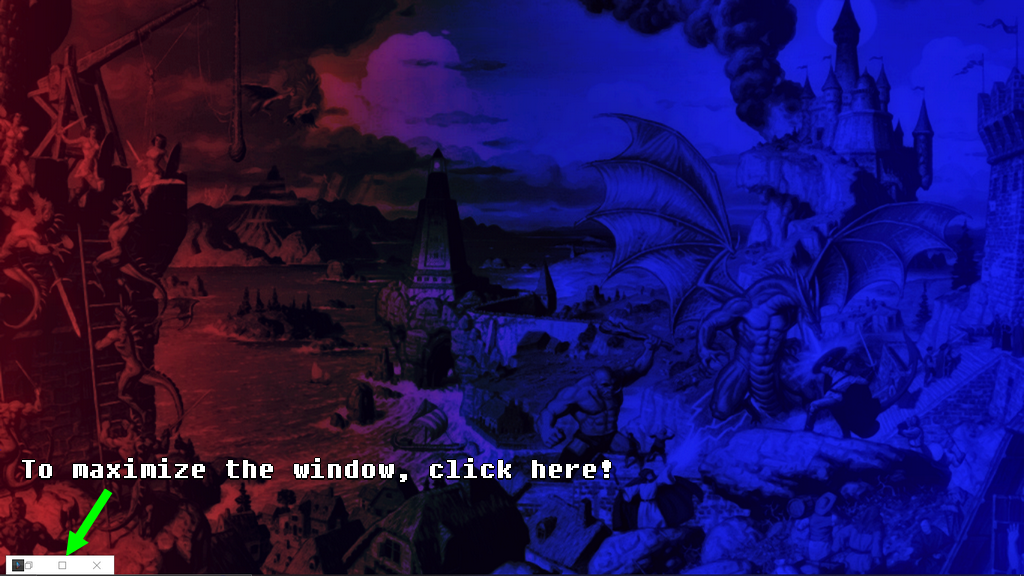
Hi Amatera! This happens because ACSG uses a custom window management system. When you minimize the tool, it turns into a small floating control bar (usually appearing near the bottom-left or above the taskbar).
To bring the program back to full size, clicking the Windows taskbar icon won't work by itself. Instead, you need to click the 'Maximize' button (the square icon) directly on that small floating window.
Check the image below to see exactly where to click: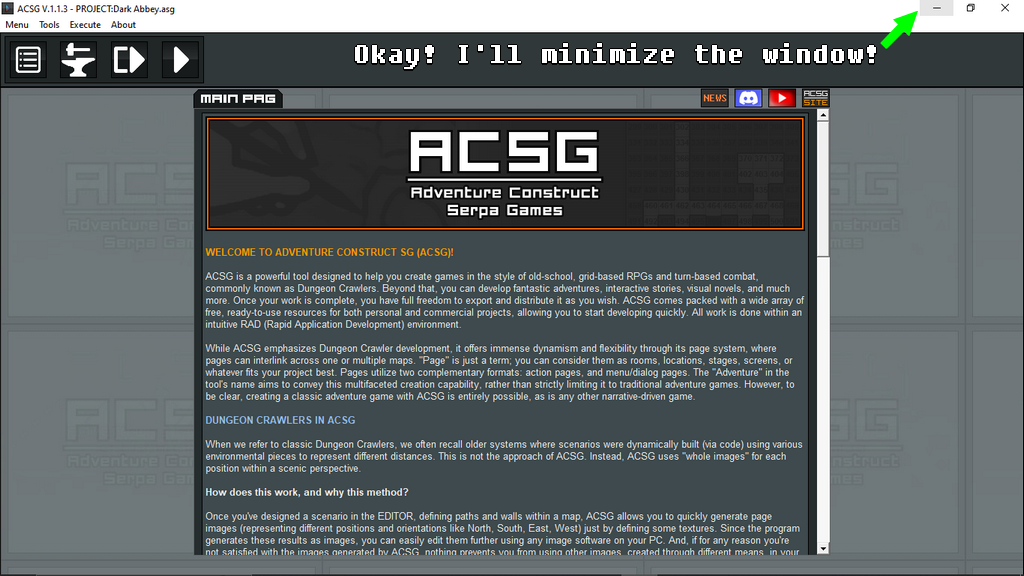
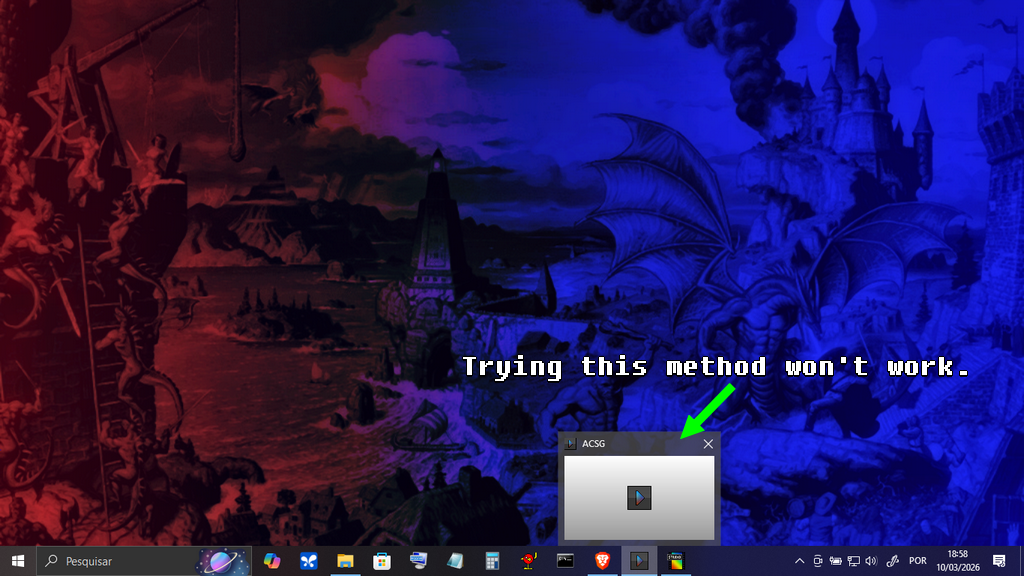
I understand! Let's try this: After minimizing and clicking on something else (taking the focus away from the tool), click on the ACSG icon in your Windows Taskbar. This won't maximize the program, but it should bring the mini-bar to the front.
If you still can't see it, please check if it's hidden behind your Windows Taskbar or, if you're using multiple monitors, if it 'escaped' to a corner or a secondary screen.
If none of this helps, don't worry! I have an idea of what might be happening and I'll work on a fix for the next update. Thanks for bringing this to my attention! OK?👍
PS: Which version of Windows are you using?