Indie game storeFree gamesFun gamesHorror games
Game developmentAssetsComics
SalesBundles
Jobs
TagsGame Engines

Bug reports Sticky

A topic by JessicoChan created Jan 28, 2022 Views: 25,171 Replies: 491
Viewing posts 121 to 151 of 151 · Previous page · First page

I report as the player from another game. The creator said that his game crash when play on window 11.Can you please investigate it?

Developer

If I can't reproduce the bug - I can't fix it. If it just crashes - it's something with the game files or scripts. I can't do anything here.

Sorry to waste your time, if there anybody could tell me how to get some text appear when player moving on a special floor?
I tried to use script and trigger but the text just appear again and again, so I gave up. I would appreciate it if you can give me a solution.
(by the way, I am not a English speaker, so I am sorry if there are something wrong with my express)

The best solution is to read a manual, you know. It says:
map return - return to map. Use only in triggers, terminals or active decorations with scripts.

It's my fault. Thanks a lot for your reply. It really helps me a lot!!! 

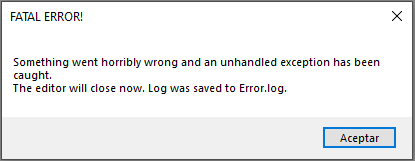
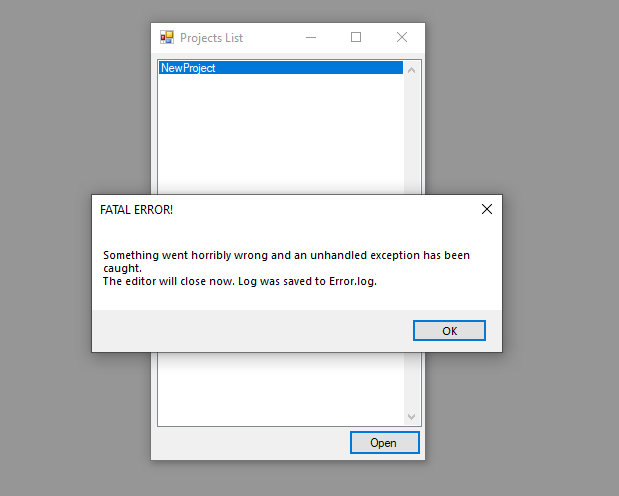
Hello, I have a problem that is when I open a project of mine that I already believe gives me a fatal error, I don't know why it is, if you want I'll send you the video, but I don't know how to send it, maybe by gmail

That error literally says you what you need to send.

I don't know if you're referring to this but I'll send it anyway.

Source: System.Drawing

Reason: El parámetro no es válido.

Stack trace:    en System.Drawing.Bitmap..ctor(String filename)

   en EasyFPSEditor15.ResourceTexture.Load(String path)

   en EasyFPSEditor15.Resources.LoadSinglelineResource(String path, Int32 type)

   en EasyFPSEditor15.Resources.LoadAllResources(String dataPath)

   en EasyFPSEditor15.Editor.OpenProject()

   en EasyFPSEditor15.MainForm.OpenProjectToolStripMenuItemClick(Object sender, EventArgs e)

   en System.Windows.Forms.ToolStripItem.RaiseEvent(Object key, EventArgs e)

   en System.Windows.Forms.ToolStripMenuItem.OnClick(EventArgs e)

   en System.Windows.Forms.ToolStripItem.HandleClick(EventArgs e)

   en System.Windows.Forms.ToolStripItem.HandleMouseUp(MouseEventArgs e)

   en System.Windows.Forms.ToolStripItem.FireEventInteractive(EventArgs e, ToolStripItemEventType met)

   en System.Windows.Forms.ToolStripItem.FireEvent(EventArgs e, ToolStripItemEventType met)

   en System.Windows.Forms.ToolStrip.OnMouseUp(MouseEventArgs mea)

   en System.Windows.Forms.ToolStripDropDown.OnMouseUp(MouseEventArgs mea)

   en System.Windows.Forms.Control.WmMouseUp(Message& m, MouseButtons button, Int32 clicks)

   en System.Windows.Forms.Control.WndProc(Message& m)

   en System.Windows.Forms.ScrollableControl.WndProc(Message& m)

   en System.Windows.Forms.ToolStrip.WndProc(Message& m)

   en System.Windows.Forms.ToolStripDropDown.WndProc(Message& m)

   en System.Windows.Forms.Control.ControlNativeWindow.OnMessage(Message& m)

   en System.Windows.Forms.Control.ControlNativeWindow.WndProc(Message& m)

   en System.Windows.Forms.NativeWindow.Callback(IntPtr hWnd, Int32 msg, IntPtr wparam, IntPtr lparam)


Where did you created a project?

I created it inside the projects folder and then in the projects folder I put another folder that belonged to my project, now I don't know how to open it because it closes

(1 edit)

Game freezes and crashes when i try to change audio volume  in settings what could be causing this

Music absence, that's what.

Hiya does this make executables? Sorry if I posted this in the wrong section but I couldnt find out how to ask this anywhere you see somehow.. ? Thank you

If you building your project, then yes.

(1 edit)

i cannot load the file game how do i fix this

the error :

ource: System.Drawing

Reason: Parameter is not valid.

Stack trace:    at System.Drawing.Bitmap..ctor(String filename)

   at EasyFPSEditor15.ResourceTexture.Load(String path)

   at EasyFPSEditor15.Resources.LoadSinglelineResource(String path, Int32 type)

   at EasyFPSEditor15.Resources.LoadAllResources(String dataPath)

   at EasyFPSEditor15.Editor.OpenProject()

   at EasyFPSEditor15.MainForm.OpenProjectToolStripMenuItemClick(Object sender, EventArgs e)

   at System.Windows.Forms.ToolStripItem.RaiseEvent(Object key, EventArgs e)

   at System.Windows.Forms.ToolStripMenuItem.OnClick(EventArgs e)

   at System.Windows.Forms.ToolStripItem.HandleClick(EventArgs e)

   at System.Windows.Forms.ToolStripItem.HandleMouseUp(MouseEventArgs e)

   at System.Windows.Forms.ToolStripItem.FireEventInteractive(EventArgs e, ToolStripItemEventType met)

   at System.Windows.Forms.ToolStripItem.FireEvent(EventArgs e, ToolStripItemEventType met)

   at System.Windows.Forms.ToolStrip.OnMouseUp(MouseEventArgs mea)

   at System.Windows.Forms.ToolStripDropDown.OnMouseUp(MouseEventArgs mea)

   at System.Windows.Forms.Control.WmMouseUp(Message& m, MouseButtons button, Int32 clicks)

   at System.Windows.Forms.Control.WndProc(Message& m)

   at System.Windows.Forms.ScrollableControl.WndProc(Message& m)

   at System.Windows.Forms.ToolStrip.WndProc(Message& m)

   at System.Windows.Forms.ToolStripDropDown.WndProc(Message& m)

   at System.Windows.Forms.Control.ControlNativeWindow.OnMessage(Message& m)

   at System.Windows.Forms.Control.ControlNativeWindow.WndProc(Message& m)

   at System.Windows.Forms.NativeWindow.Callback(IntPtr hWnd, Int32 msg, IntPtr wparam, IntPtr lparam)

its it possible to turn off the  camera swaying when move left and right in new update?since thats just another game feel

How to fix this?

Developer (1 edit)

At least send us the log file?

hi, i have problems un rgm Game maker V5.30 cuz i change mi Windows 10 to windows11, i cant shoot and enemies Sprites cant run.

Is your fps editor compatible with windows11?

Developer

Should be

I tried using the script:

vn 1

light create 5 20 0 256 255 0 0

there is this in the manual but it doesn't work

---------------------------------------------------------------------------------

light create [tileX] [tileY] [tileZ] [radius] [r] [g] [b] - creates a light source at tile coordinates (as shown in map editor) with your own preferences.

light move [tileX] [tileY] [tileZ] [offsetX] [offsetY] [offsetZ] - shifts any light source.

light status [on/off] [tileX] [tileY] [tileZ] - turns on/off any light source.

-------------------------------------------------------------------------------------

I also noticed that light move does not work, --- example: [offsetX] 1 to [offsetX] 2 (he makes almost no movement), but [offsetX] 64 (moves light about one block)

Developer

Y is not horizontal. Y is the number of floor

(1 edit)

when I use it on the light that is on given on the map editor, it stops shining

light status off 3 20 0 (photo)

----------

but i tried to create a light and it doesn't do anything (I tried multiple options)

light create 5 20 0 256 255 0 0

light create 5 0 20 256 255 0 0

light create 5 1 20 256 255 0 0

light create 5 20 1 256 255 0 0


Developer

I don't really remember it but it might be that coordinates are not in tiles but in proper coordinates and you'll have to multiply your values by 64

I found out that the light is created but only decorations and enemies light up

Developer

If radius of light is small, pixel shaders are disabled and lighting settings is set to 1, this might happen.

Deleted 1 year ago

And why the hell you're coming with CE in this thread?

i have an issue with where when i attempt to open my project it says "fatal error" when I look at the issue in the log, it says "

Reason: Input string was not in a correct format.

Stack trace:    at System.Number.StringToNumber(String str, NumberStyles options, NumberBuffer& number, NumberFormatInfo info, Boolean parseDecimal)

   at System.Number.ParseInt32(String s, NumberStyles style, NumberFormatInfo info)

   at System.Convert.ToInt32(String value)

   at EasyFPSEditor15.ResourceDecoration.FromStrings(ArrayList strings)

   at EasyFPSEditor15.Resources.LoadMultilineResource(String path, Int32 linesNumber, Int32 type)

   at EasyFPSEditor15.Resources.LoadAllResources(String dataPath)

   at EasyFPSEditor15.Editor.OpenProject(String name)

   at EasyFPSEditor15.ProjectsList.Button1Click(Object sender, EventArgs e)

   at System.Windows.Forms.Control.OnClick(EventArgs e)

   at System.Windows.Forms.Button.OnClick(EventArgs e)

   at System.Windows.Forms.Button.OnMouseUp(MouseEventArgs mevent)

   at System.Windows.Forms.Control.WmMouseUp(Message& m, MouseButtons button, Int32 clicks)

   at System.Windows.Forms.Control.WndProc(Message& m)

   at System.Windows.Forms.ButtonBase.WndProc(Message& m)

   at System.Windows.Forms.Button.WndProc(Message& m)

   at System.Windows.Forms.Control.ControlNativeWindow.OnMessage(Message& m)

   at System.Windows.Forms.Control.ControlNativeWindow.WndProc(Message& m)

   at System.Windows.Forms.NativeWindow.Callback(IntPtr hWnd, Int32 msg, IntPtr wparam, IntPtr lparam)"

can someone help me figure this out?

Developer

Probably entered some unsupported symbols or added a spacebar in you sprites names.

Use CE version, it's more stable in this regard. 1.6 is heavily outdated compared to CE.

thank you for responding, last night I ran the EFPSE unofficial bug fixer tool in the directory, and it solved the problem!

When i test the game and reach the exit for my first map, when it loads the second it's just a black screen with the health bar. Help

im not a developer, but i can give a small answer. oh wait this was 239 days ago.... oops.

When a level has both a sky and fog enabled, where the fog should be you instead see the sky, which just makes it look like the level hasn't finished loading yet, when fog should be masking and covering things up, rather loaded or unloaded.

Deleted 1 year ago

Ahem...

I changed the font in my game and in the settings, square brackets get on the text and spoil the all beauty.If this can be fixed, please help

\/_\/

I'm afraid there's nothing to be done about it. You'll have to try a different font.

Well thanks

I added a cutscene to the  level and when I get to it, there's an empty LVL

Hi, I would like to set weapon 1 as the primary weapon that the player will always have with him - when I wrote the script, the game crashes - so I tried to work around it a bit, that the player picks up bullets with a picture (36x36 .png). When I put bullets into the game engine, the game starts only in the menu and crashes again when playing a new game.

> when I wrote the script
Ok, where's your script?

hello, I have a question, I just started working in the efpse application and do not quite understand how to replace the shell explosion texture built into the application with my own. How to remove the default texture of a projectile explosion, please tell me.

Just replace it? Editor gives you such an opportunity.

tell me in which settings it can be done

Uh, how about you will lurk around the whole editor first?

hmm, I didn't think about it...

when i made my my map etc i tested the game it ran fine but when i added a weapon the game didnt open?

Developer

It's either wrong name of sprites or the project itself

Why if I do a game in the EasyfpSeditor and then turn it off and then turn it on again, the game doesn't work

Developer

Who knows? I sure can't tell anything without any info.

Check project's name. No whitespaces, latin only. It's in the manual

"Test game" crashes when I use a custom sprite, but works normally.

I made a simple level as a test, and it works perfectly without my custom gun sprite. It however did not work once I added it. The game starts up, and lets me start a new game, and it displays "ЗАКРИЖАЕМ КАРТУ" (Drawing the map), and then promptly crashes. What could cause this? Thanks in advance

Deleted 201 days ago
Developer

Check your names. No whitespaces or non-latin symbols supported.

so, basically, its recently been happening and becasue of it i had to scrap so many enemies. when i make an enemy that shoots any projectile, then try the enemy theres a problem. you know there are 2 sprites for the attack, right? well when the first starts and the second is about to the game crashes before the enemy shoots. no, this is not correlated to the sprites because i wouldve known earlier since i tried so many ways of trying to fix it... so, please help me. i beg anyone.. like, i have no idea what it is. im going genuinely crazy. there isnt even an error log showing up! outrageous!!! HELP ME PLEASE!!!!!!!!!!!!

when i switch levels i lose all of the items my player had

>

Easy FPS Editor v1.6 (Unsupported, read description)

I am making a game and have some enemies that shoot projectiles. However, I have one enemy that has a projectile sprite, "Is shooting" checked, and "Uses Projectiles" checked, with also speed and damage integers on them. When I put it in the game, it the projectiles do not shoot nor do I take any damage. I've tried creating a new creation of the enemy, new sprites, and even deleting the character in the Enemies.dat file. I am really confused on why it's not producing any projectiles.

Developer

Check the newest builds by Clark. The link is in the description.

I wrote about this a year ago, but no one answered me. When I add a cutscene as a PNG image, it just shows a black screen. Please help

1. Read the manual.

2. Show the script.

I have a problem, I added the weapon sprites to the game, but when I click on "set position and scale", they don't appear. However, there is a pickup sprite in the game, but again, there are no sprites when picking them up, but the weapons work as expected and fire

Developer

Please use the version by Clark. This one is not developed anymore and may be buggy in some places.

I'm using this version, but I didn't know where to report the issue. and I've already solved it

(1 edit)

H JessicoChan. Your Easy First Person Shooter Editor is becoming even more popular and unfortunately Clark is no longer developing it. Could you please give Clark permission to make it open source? Your legacy will be even greater and it will help a lot of developers who are running into strict limits with it. 
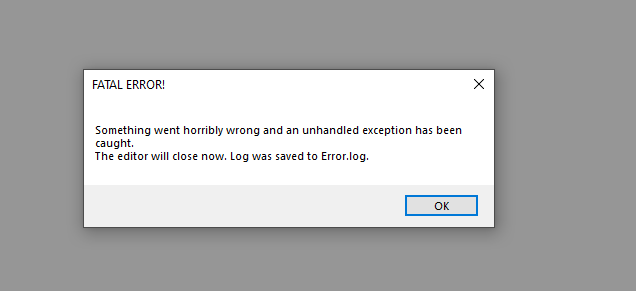
Who said that Clark is not developing it anymore?

Sorry I'm just going by how long it's been since the last update and what a user said in a youtube EFPSE video. This is how bullshit gets spread and I apologize. I still hope it becomes open source though with both Clark and JessicoChan planning on making new engines in the future. 

Why is my game created in EasyFPSEditor not showing up when searching for the name or keywords? And it can only be viewed via the direct link: https://doommode.itch.io/doom? Other games, including yours, can be found easily.

It's a bug?

Viewing posts 121 to 151 of 151 · Previous page · First page