

Hmm, that is a very strange error indeed, especially since I'm not using the Facepunch.Steamworks library. I've confirmed ISteamUGC is enabled and the cloud quota is set to max, so I'm not sure what's happening here. I might need to contact Steam to get the bottom of this, but I'll keep poking around!
Also, the game should automatically inject the tags corresponding to your mod if the files are just in the mods folder in the game's directory. It looks like the error it's throwing is caused by the path to the card image being incorrect, so maybe doing it that way instead of the (admittedly cool) console hack?
Sorry this is a pain, you should definitely be able to mod. I'll let you know when I work this out!
Thanks, I know you're focusing on your other game for release this year from what I saw.
When you say that the files are in the mods folder, do you mean the raw files or inside the folder for the specific mod? If it's the latter, that's what I currently have. Otherwise I can pull files out so that they're all in the main mods folder of the game.
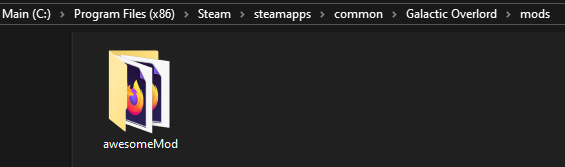
Cool thanks! Both of your sample mods show up in the game, and work! I see they get put into a different folder in the workshop instead of the game folder\mods now.
An odd thing happens if you try to load your own mod from the mods folder. It blanks out the subscribed mods and doesn't show the new one that is uploaded. When I delete my mod out of C:\Program Files (x86)\Steam\steamapps\common\Galactic Overlord\mods\ then reboot the game the 2 subscribed mods are back. I tried uploading from another folder and it says it uploaded, but nothing shows up in the game. So it seems like I'd have to add the mod on Steam itself and subscribe to it to get it to work.
p.s. I missed the line where you talked about local files, oops!