
Indie game storeFree gamesFun gamesHorror games
Game developmentAssetsComics
SalesBundles
Jobs
TagsGame Engines

Thanks, I know you're focusing on your other game for release this year from what I saw.

When you say that the files are in the mods folder, do you mean the raw files or inside the folder for the specific mod? If it's the latter, that's what I currently have. Otherwise I can pull files out so that they're all in the main mods folder of the game.
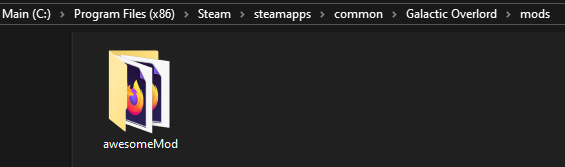
I mean the folder of your mod should be in the mods folder, like: mods/awesomeMod/(files).  Are they not showing up without the dom injection when you load in?

Correct, nothing happens unless I inject them. I have attached a screenshot of my mods folder. The aweseomeMod contents are an exact copy from the game folder one level up.

Ok then, that's definitely a bug.  I'll look into this and let you know when it's fixed!

Hey, I think I worked out the workshop issue with steam (still working on the local files issue).  If you get a chance, can you let me know if you can grab things from the workshop now?  Thanks!

(1 edit)

Cool thanks! Both of your sample mods show up in the game, and work! I see they get put into a different folder in the workshop instead of the game folder\mods now. 

An odd thing happens if you try to load your own mod from the mods folder. It blanks out the subscribed mods and doesn't show the new one that is uploaded. When I delete my mod out of C:\Program Files (x86)\Steam\steamapps\common\Galactic Overlord\mods\ then reboot the game the 2 subscribed mods are back. I tried uploading from another folder and it says it uploaded, but nothing shows up in the game. So it seems like I'd have to add the mod on Steam itself and subscribe to it to get it to work.

p.s. I missed the line where you talked about local files, oops!

Hey, I think I fixed the issue with local mods!  If you have the chance to try it again, let me know if it's working as expected.

When you say local mods, are we talking about me using the upload feature inside the game, or directly placing the mod inside the mods folder of the game?

Sorry, I meant directly placing the mod inside the mods folder

When I do that, the installed mods from the Steam side vanish and the game shows no mods installed. I've double-checked my script file and it's very simple and modeled after the awesomeMod one that we know works.

I worked on it and finally got it working! The first issue with no mods showing is due to this conflict (according to Gemini): "When you place a folder in the local mods/ directory, the game’s updateMods() function likely prioritizes the local path, but because local mods aren't "signed" by Steam, it fails to register them and essentially blanks out your entire mod list."

I had to add this line at the end of the main galactic overlord html file to run my mod script: 
<script src="mods/FactionStarterPack/scripts/script.js"></script>
In my mod script I added these lines to initialize the mod:

at the top is this:

    console.log("Checking for Galactic Overlord core engine...");

    // 1. Wait for Mods and Settings, but DON'T look for ImageFiles

    if (typeof Mods === 'undefined' || typeof Settings === 'undefined') {

        console.log("Engine not ready, retrying in 100ms...");

        setTimeout(initFactionStarterPack, 100);

        return;

    }

Then after the mods.FactionStarterPack section I added this:

    // 3. Force-Enable the Mod in local settings

    if (!Settings.mods.includes("FactionStarterPack")) {

        Settings.mods.push("FactionStarterPack");

        localStorage.setItem('settings', JSON.stringify(Settings));

    }

    // 4. Finalize the load

    updateMods();

    console.log("FactionStarterPack loaded successfully using core assets!");