

Hey, I think I worked out the workshop issue with steam (still working on the local files issue). If you get a chance, can you let me know if you can grab things from the workshop now? Thanks!
Cool thanks! Both of your sample mods show up in the game, and work! I see they get put into a different folder in the workshop instead of the game folder\mods now.
An odd thing happens if you try to load your own mod from the mods folder. It blanks out the subscribed mods and doesn't show the new one that is uploaded. When I delete my mod out of C:\Program Files (x86)\Steam\steamapps\common\Galactic Overlord\mods\ then reboot the game the 2 subscribed mods are back. I tried uploading from another folder and it says it uploaded, but nothing shows up in the game. So it seems like I'd have to add the mod on Steam itself and subscribe to it to get it to work.
p.s. I missed the line where you talked about local files, oops!
I worked on it and finally got it working! The first issue with no mods showing is due to this conflict (according to Gemini): "When you place a folder in the local mods/ directory, the game’s updateMods() function likely prioritizes the local path, but because local mods aren't "signed" by Steam, it fails to register them and essentially blanks out your entire mod list."
I had to add this line at the end of the main galactic overlord html file to run my mod script:
<script src="mods/FactionStarterPack/scripts/script.js"></script>
In my mod script I added these lines to initialize the mod:
at the top is this:
console.log("Checking for Galactic Overlord core engine...");
// 1. Wait for Mods and Settings, but DON'T look for ImageFiles
if (typeof Mods === 'undefined' || typeof Settings === 'undefined') {
console.log("Engine not ready, retrying in 100ms...");
setTimeout(initFactionStarterPack, 100);
return;
}
Then after the mods.FactionStarterPack section I added this:
// 3. Force-Enable the Mod in local settings
if (!Settings.mods.includes("FactionStarterPack")) {
Settings.mods.push("FactionStarterPack");
localStorage.setItem('settings', JSON.stringify(Settings));
}
// 4. Finalize the load
updateMods();
console.log("FactionStarterPack loaded successfully using core assets!");
The second issue then was getting width issues for the card images unless I used the built-in image ids. Again according to Gemini the issue is "The engine throws a TypeError: Cannot read properties of undefined (reading 'width') at Card.js:163:38.
Technical Root Cause: The Card.draw function relies on a global Images dictionary to calculate the scaling ratio for card art. Specifically, line 163 attempts to access the .width property of an image object using the card's img key: ctx.scale(me.width / Images[me.img].width, me.height / Images[me.img].height);
Because modded images are not automatically registered into this Images object by the core engine, the lookup returns undefined, leading to the crash."
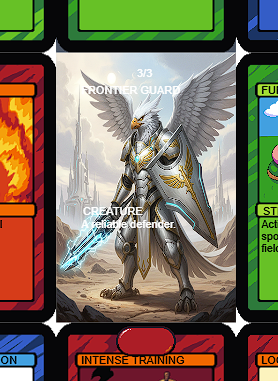
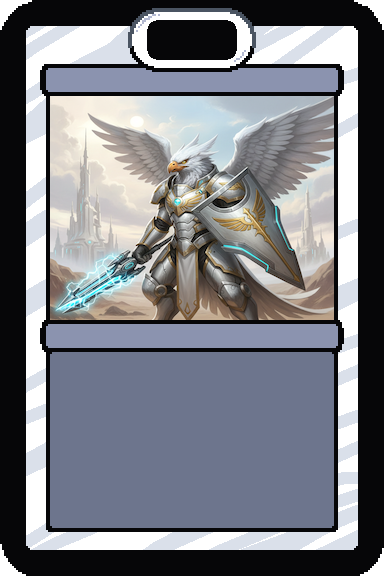
I eventually hit upon the following code to successfully inject the first custom card, while using the default cards while troubleshooting.
// 2. IMAGE INJECTION (The "Secret Sauce")
const path = 'mods/FactionStarterPack/images/';
const myArt = ['frontier_guard.png', 'card_blue.png', 'card_red.png', 'card_green.png'];
myArt.forEach(file => {
// We strip the '.png' so the ID is just 'frontier_guard3'
const id = file.replace('.png', '');
// Ensure the global Images object exists
if (typeof Images === 'undefined') {
window.Images = {};
}
if (!document.getElementById(id)) {
let img = document.createElement('img');
img.id = id;
img.src = path + file;
img.style.display = 'none';
// Forced dimensions to satisfy the engine
// We set these properties directly on the object.
// This satisfies the game's Card.draw() requirements immediately.
img.width = 384;
img.height = 576;
document.body.appendChild(img);
// This is the direct fix for the Card.js error
Images[id] = img;
console.log("Registered to Images object:", id);
Dude, I so appreciate all the effort you're putting into this. Would you mind sending me the mod you're working on? I think I'll need it to see the issues you're experiencing since things seem to be working on my end. It'll be really helpful to see if the bug is from the mod or the source code itself. You can send it to main@sapientgames.com. Thanks again for all your help!