Thanks for the reply! I am not positive about the Steam Workshop aspect, because I was using Google Gemini and that's what it said was the issue. Here's the explanation it gave me before switching to trying manually doing it locally.
The "Uncaught (in promise) Error: access denied" combined with a 0% hang is a very specific error from the Facepunch.Steamworks library. Since the game is so new that it doesn't have a public Workshop yet, this error actually confirms that the game's AppID is currently restricted by Steam.
🧩 Why this is happening
Even if a developer has added the "Upload" button to their game, Steam doesn't allow users to create Workshop items until the developer has:
- Fully Published the Steam store page.
- Enabled "ISteamUGC" for file transfers in the developer backend.
- Configured a Cloud Quota (the default is often 0 bytes, which causes an immediate "Access Denied" or 0% hang when you try to push files).
Because you are likely using a build where these "permissions" haven't been switched on by the developer yet, your account is being "denied access" to create a new item on Steam's servers.
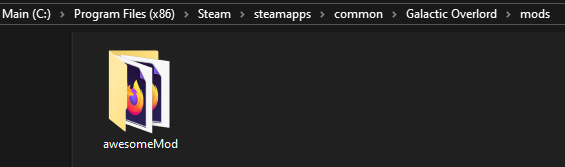
Once I started manually injecting the mode I made progress. I was just using the "awesomeMod" that comes with the game. The settings seemed to align with your written directions on how to make mods and of course was provided by you. Since the built-in mods feature wasn't working, I accessed the Console and used the following commands to load it in.
var script = document.createElement('script');
script.src = 'mods/awesomeMod/scripts/script.js';
document.head.appendChild(script);
Settings.mods.push("awesomeMod");
updateMods();
The game incorporates the mod, but when trying to open the Library or getting to a choice with one of those cards in the game it gives the error below.TypeError
Cannot read properties of undefined (reading 'width')
TypeError: Cannot read properties of undefined (reading 'width')
at Card.draw (file:///C:/Program%20Files%20(x86)/Steam/steamapps/common/Galactic%20Overlord/js/Card.js:162:38)
at file:///C:/Program%20Files%20(x86)/Steam/steamapps/common/Galactic%20Overlord/js/CardViewer.js:96:30
at Array.forEach ()
at CardViewer.draw (file:///C:/Program%20Files%20(x86)/Steam/steamapps/common/Galactic%20Overlord/js/CardViewer.js:96:12)
at Object.draw (file:///C:/Program%20Files%20(x86)/Steam/steamapps/common/Galactic%20Overlord/js/states/Title.js:91:37)
at update (file:///C:/Program%20Files%20(x86)/Steam/steamapps/common/Galactic%20Overlord/