Indie game storeFree gamesFun gamesHorror games
Game developmentAssetsComics
SalesBundles
Jobs
TagsGame Engines
(5 edits)

I went ahead and made a video of the whole process. 

You can find the video here: "Stream Friendly". I couldn't upload it directly since it only allows a maximum of 3MB. I've also included some screenshots below to help explain what's happening.

Stream Friendly: Here are the bugs I spotted in the video: 

1. Some bubbles are translated well. But sometimes the original text peeks out a little at the edges, or there's a small gray spot.
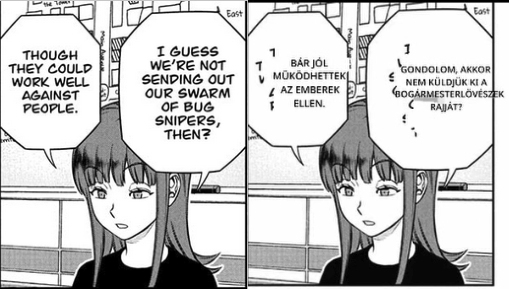
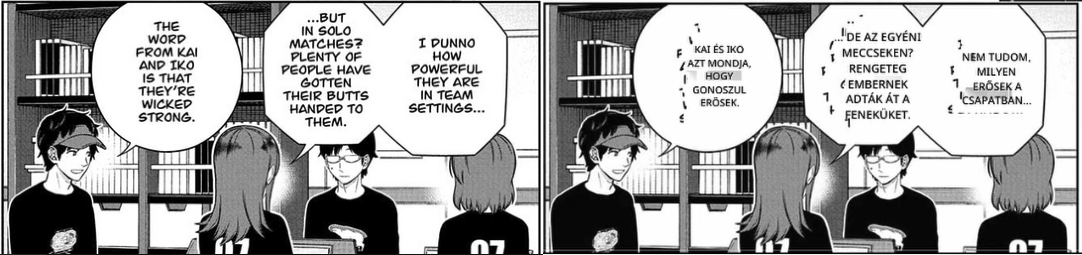


2. Similar to the first point, the text translates nicely and the sentence makes sense, but unfortunately, one or more original words pop up underneath the translated text, making it really hard to read. The original text peeks out at the edges here too.
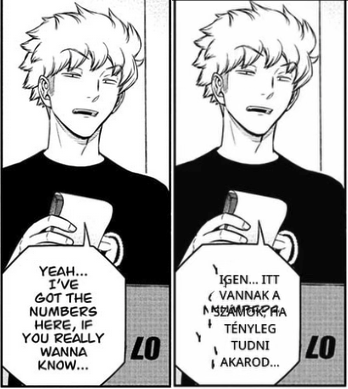
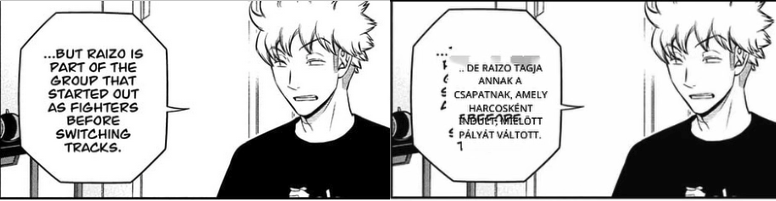
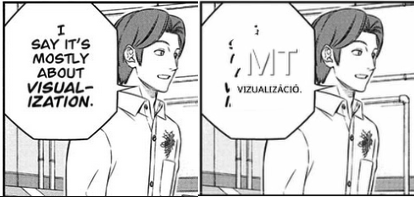
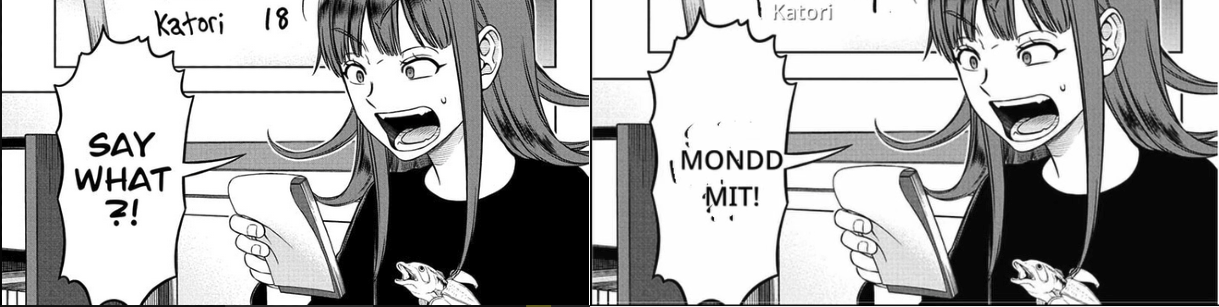
3. There's a word recognition bug where it can't figure out some words, so it gives a nonsense translation and the original word or text is still visible. I wonder if the manga's font is the issue?
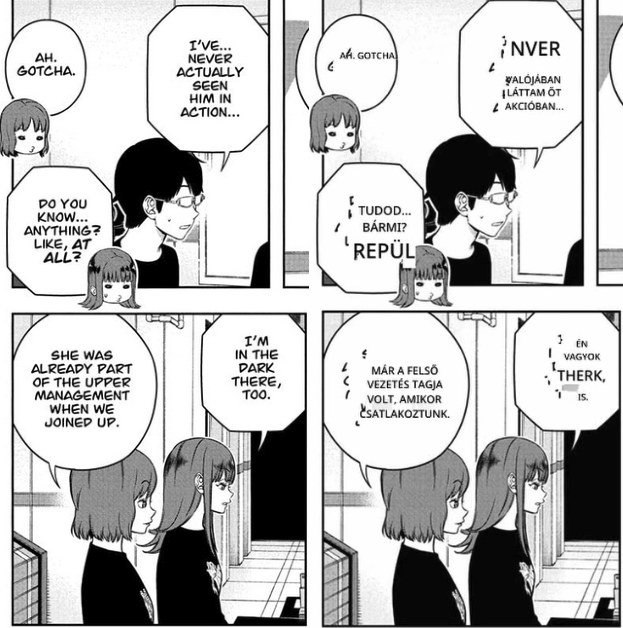
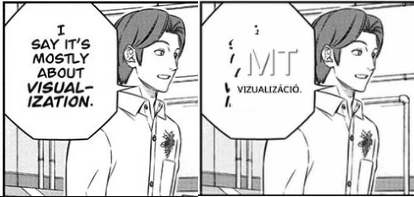
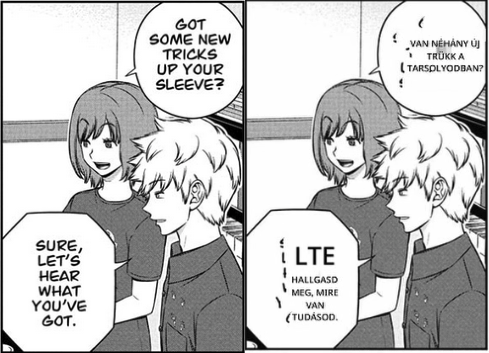
4. It's like the first, but the sentence doesn't make sense because it used the English word itself instead of its Hungarian equivalent.
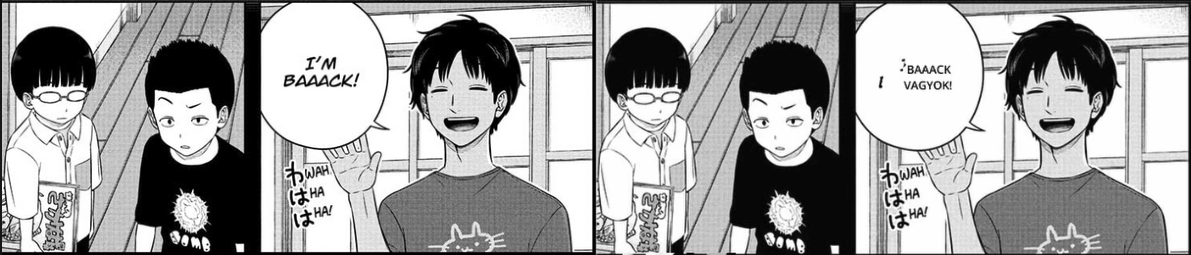
It contains the letter "i," but essentially, it is the English word "mean."
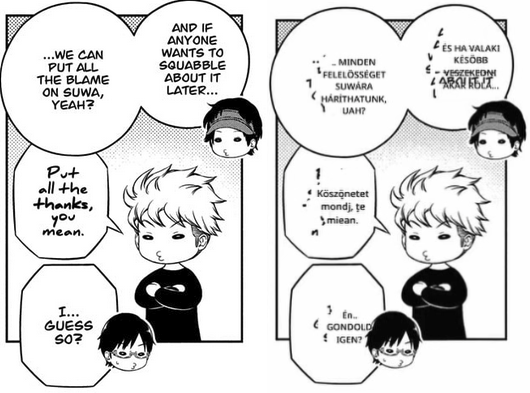
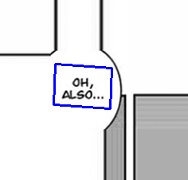
5. The app can't properly translate text that's on background images inside the manga panel, outside of the bubbles.
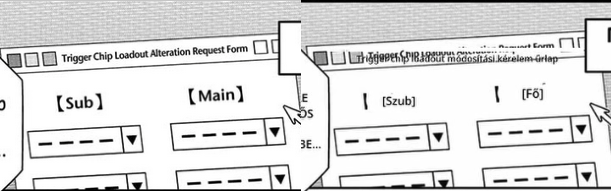
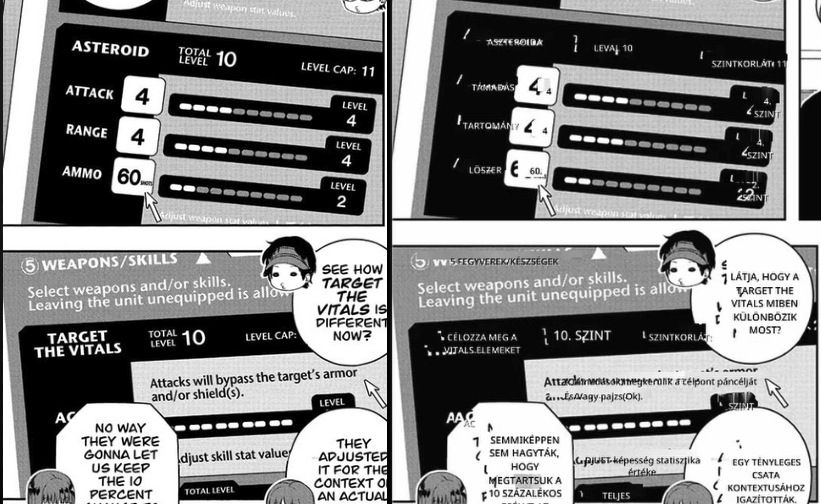
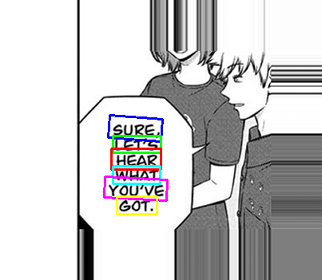
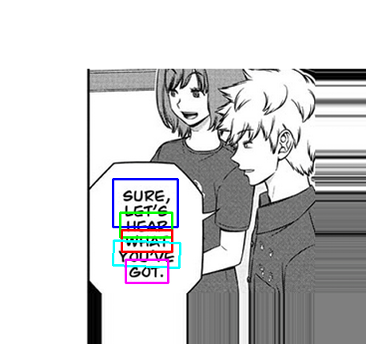
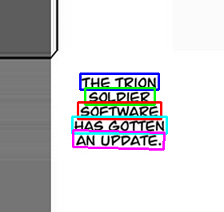
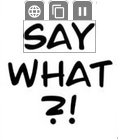
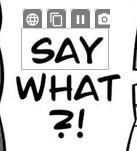
6. In some places where there are two words one under another, short one-word sentences, it translates nonsensical sentences. To be more accurate, this was a really literal translation. Maybe because they're too short?
I first tried the Gemini API, but manga translation just didn't work. It gave me a '429 too many requests' error. So I used Azure AI for the translation instead because I didn't want to burn through my DeepL character count, even though it resets in a week. Despite that, I decided to redo the video with Deepl this time lol because I realized that even if DXGI doesn't work, I can record with WGC. So I made a video using that method too.

WGC: "Video link"

The translation in the video is flashing and flickering because of that yellow border, but you can still read it if you pause it. I'm not sure why it's doing that in the video, because everything looked completely normal on my screen while I was recording.

Bugs in the video: From what I could tell, the bugs are about the same as the ones with Stream Friendly, except for the issue with the original text peeking out at the edges that wasn't happening here. I also noticed a new bug here: Sometimes it doesn't translate the whole sentence, just shows a single word.

1. Some bubbles are translated well. But there's a small gray spot.
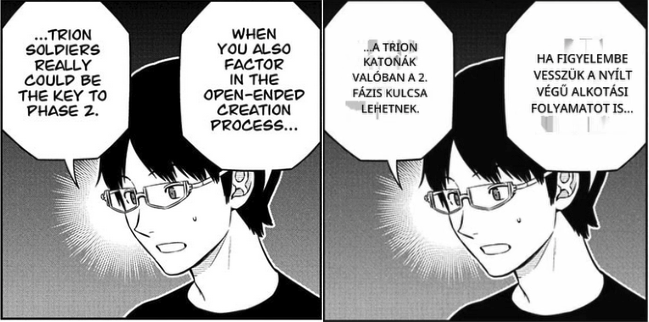
2. Similar to the first point, the text translates nicely and the sentence makes sense, but unfortunately, one or more original words pop up underneath the translated text, making it really hard to read.
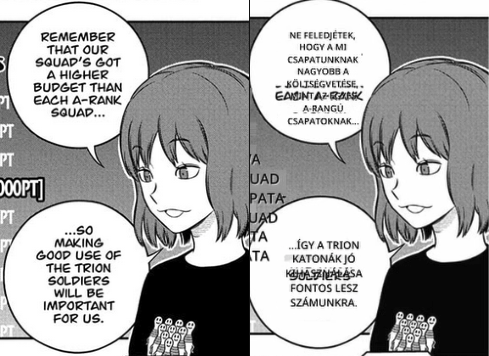
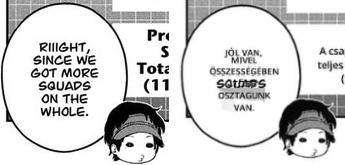

3. There's a word recognition bug where it can't figure out some words, so it gives a nonsense translation and the original word or text is still visible. I wonder if the manga's font is the issue?
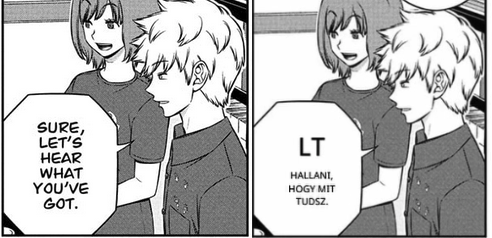
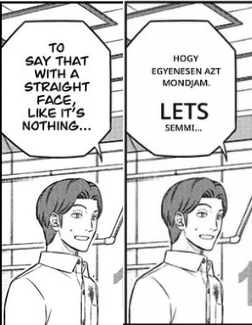
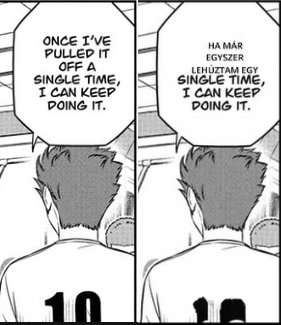
4. It's like the first, but the sentence doesn't make sense because it used the English word itself instead of its Hungarian equivalent.
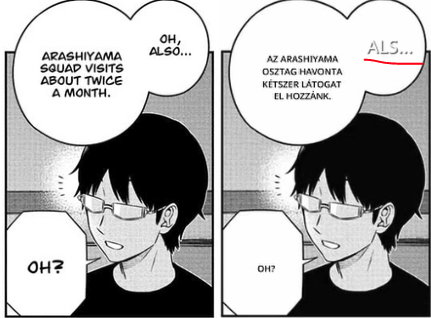
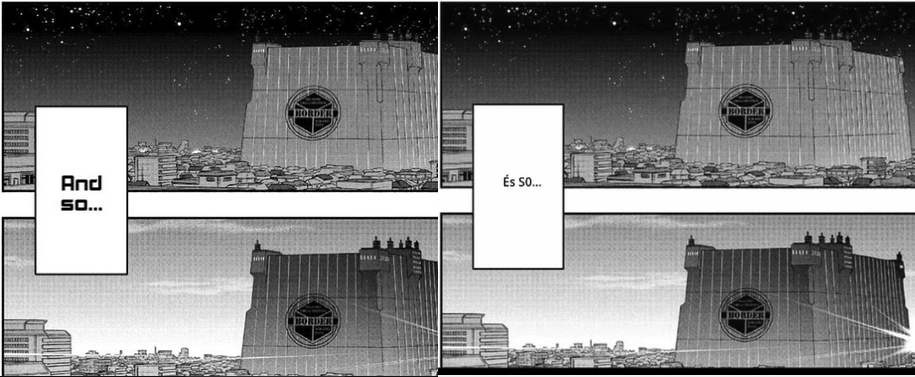
5. The app can't properly translate text that's on background images inside the manga panel, outside of the bubbles.
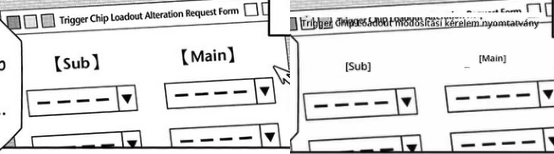
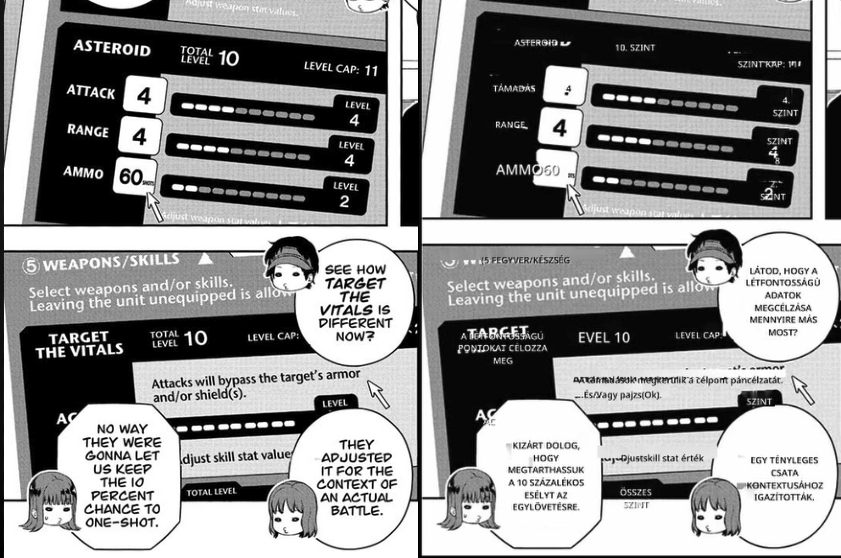
6. In some places where there are two words one under another, short one-word sentences, it translates nonsensical sentences. To be more accurate, this was a really literal translation. This was a little better, but it's still not quite right. Maybe because they're too short?
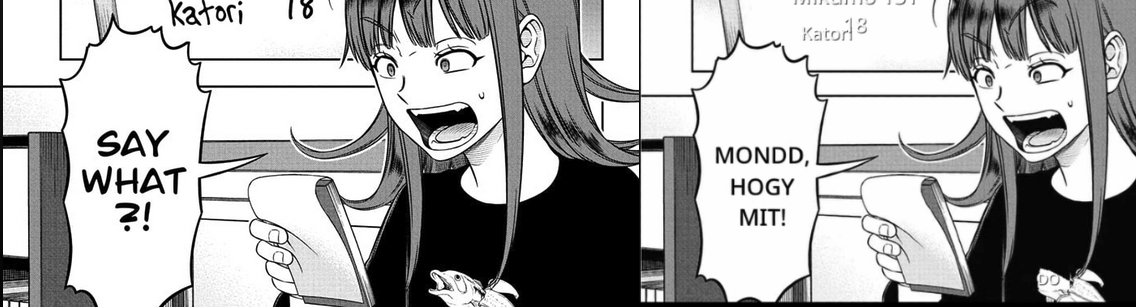
7. Sometimes it doesn't translate the whole sentence, just shows a single word.
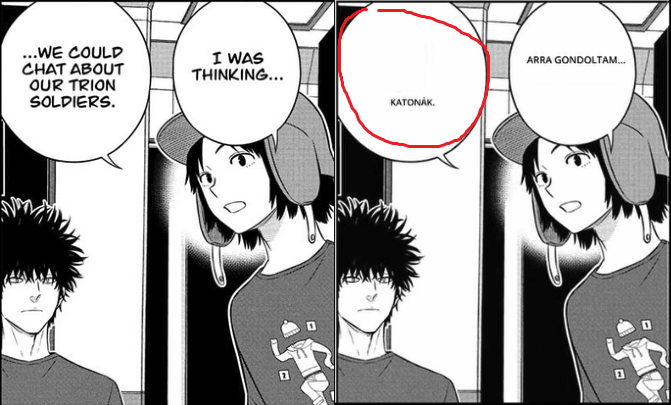
Oh, I almost forgot, but I also gave MangaOCR a try. The Japanese-to-Hungarian translation with DeepL wasn't the best, but it was acceptable. At least with MangaOCR, everything looked pretty okay. The translation was really slow, though. I had to wait at least a minute for it to finish. I edited the video to cut out all those waiting periods. Since I was already making videos, I made a short one for this too, but only with WGC because it doesn't have the text poking out at the edges issue, though it did have the flashing. You can find that one here: "Link".

I did find one bug with MangaOCR: it doesn't work with a Custom API. When I switch to a Custom API and then try to select MangaOCR, the app just freezes. It works fine with all the other translation engines.

So that's all the feedback I have for now.
(3 edits)

Dude, thank you! I appreciate all this effort so much. It really is helping me a lot to narrow down bugs & you're showing me some I have not even encountered myself.

I'll respond in the same format as you've put it down;

1. I have not seen this before. It would seem like the Stream Friendly mode has alignment issues for some reason. Do you use really high windows scaling by any chance? I upped mine to my max (175%) but I still couldn't reproduce the bug, so I'm not sure what's happening here.. It could be that I've set up the screenshot window with the wrong sizes somehow.

2. This is a text removal bug. I'm going to try to fix this very soon.

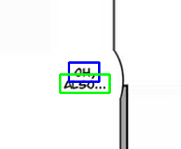
3. Yes, the font might look easy to OCR, but the RapidOCR model is unfortunately really struggling with the separation of spaces here. I have just updated the model to the newest English model, it will be used by default in the next version. I also noticed that 'AH. GOTCHA.' failed to translate - if you use the classic DeepL model here, you will get the exact same result. So in that case, it is a DeepL model issue. The 'next-gen' model works just fine. For the next version, I have added an argument to the DeepL translation request that will prefer the next-gen models by default. This should improve translations by quite a margin for DeepL!

4. This would be some sort of OCR issue. Not entirely sure what's going wrong here. The second pic below here is misplaced I assume..?

5. In these specific images, the issue is angled text. It is not supported at all at the moment, not for OCR and not for rendering. It is an addition that requires quite a bit more thought than I initially had in mind.. so it may take a while before I introduce support for that.

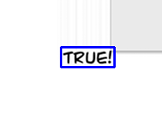
6. This is again a DeepL model issue. It translates to 'MI VAN!?' with the next-gen model. Hopefully that's correct, and as stated above, the next-gen model will be used in the next version! :)

Yep, the 'Too many requests' error is a bit of a headache and something I need to figure out for other API's that are used through Custom API.

The reason it is flashing like that on your recording is because it is impossible to use the Automatic mode with WGC if I do not constantly hide/unhide it to a recording device (in this case, new screenshots!). That solution does not work at all for DXGI, that's why it is always hidden from recordings. Hence why I added the 'Stream Friendly' mode.

1. Yep, this is a text removal issue. I will be improving/adding new algos, and likely add some user-configurable values to fix edge cases.

2. ^ ditto

3. These are all OCR model issues. As stated above, the new English model will be included in the new version, however, it is not perfect and will also cause translation errors.

4. The first pick is the same as above. The second pic is also the same, but the font is specifically an issue here, the SO is picked up as 5O, 50, S0 instead of just alphabetical characters 'SO'.

5. Again, angled text.

6. Same as previous 6.

7. OCR issue. This specific example is massively improved with the new model. There is also a box detection issue here that I will expand upon below.


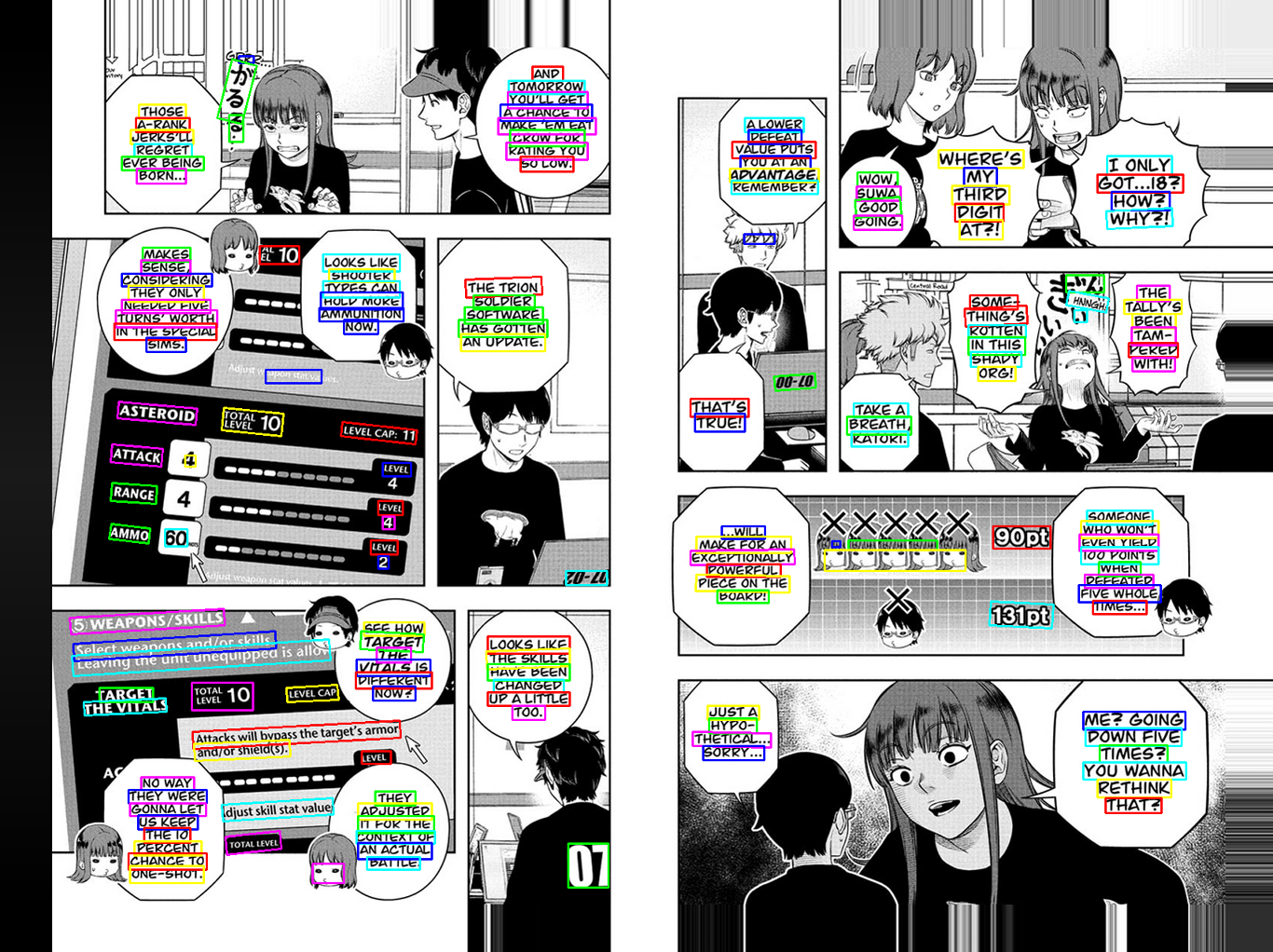
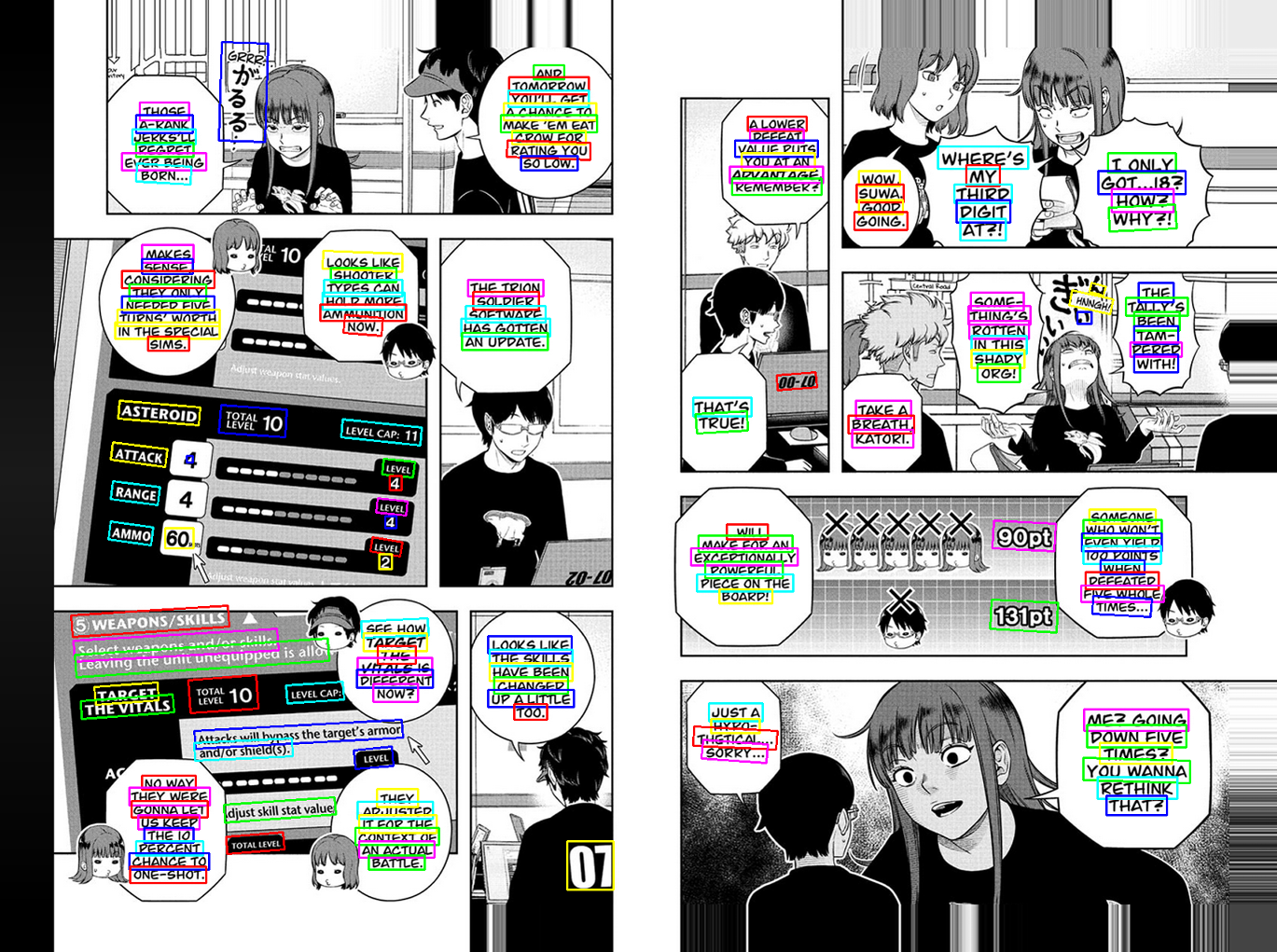
In these two examples, we have a box detection issue that happens sometimes. All independent text lines should be in their own box for best possible recognition. In these cases, we have some boxes that expand over several lines, which is very problematic.
I will try the specific English box detection model later to see if this isn't a problem with that model. If so, I will add it. The reason it is not already added is that the current model being used thus far has worked very well for all languages, and it would just take up unnecessary space.

MangaOCR is much slower than RapidOCR mainly due to the sheer size of the Manga model. It is not optimized for speed (but I did all I could to trim it down, without losing quality..). In the future, if I ever get enough money, I will create my own models that have a good balance of speed and quality for this app's purpose.

I have not been able to reproduce the last bug you mentioned.. Could you please make a short video of the process?

Fyi, if you weren't aware. When you do debugging like this - try to use the LanguageSwap hotkey so you can see if the OCR is recognising the text correctly or not. It helps a lot to figure out if it is an OCR or a translation issue.

Again, thank you very very much for all of this. You're a hero! :)

*Edit* Forgot to say - Use the CPU for MangaOCR. I think I should disable the GPU selection completely for this, because it is excruciatingly slow on my old 980 Ti.

*Edit 2* Again, forgot to say.. To temporarily fix the text removal issues, try zooming in! Should fix the problems (apart from the Stream Friendly one). You can hold CTRL + scroll up and down in the browser to zoom in/out.

*Edit 3* I tried the older model that is specifically made for English box detection. In this case it works really well, but I am not prepared to set it as default just yet. It may very well be so that it does a lot worse in other scenarios. You can download it from here. Just go to RapidOCR and then import it into the 'Detection' section and select it for use.

(1 edit)

Hi,

You're welcome :)

-

1. No, my Windows scaling is at 100%, but here's something interesting: if I start in Desktop mode with a 100-125-150-175 scaling and I make sure to exit and restart the mode with each change, the problem is still there. It doesn't matter what I start with, but if I start in Desktop mode with 100% and then switch the scaling to something like 125 while it's running, the issue is completely gone. At that point, I can set it to anything, even 175, and it works. I can even switch back to 100 and it's still fine.

2. Thanks :)

3. Okay, thank you for that. AH. GOTCHA: Yeah, this really is DeepL's fault.

4. I don't know either, but yeah, it's most likely an OCR issue. It looks like it just put "baaack" there instead of translating it, and the same thing happened with "mean," where it just added an extra "i." The funny thing is, I've tried translating it a few more times, and the results are inconsistent. Sometimes it works perfectly, and other times it doesn't. Just like the picture showed it struggling with "mean," now it's having trouble with the word "you". lol

5. Okay, no worries.

6. Thanks.

Good to know. Thanks for the information.

WGC:

1-2-3-4-5-6-7: Sounds good, I'll be looking forward to the solutions :)

Thanks for the examples and the explanation. That was pretty helpful, and I hope those issues get resolved in the future.

Understood, but it's not too bad. It's still really good and useful for now. "if I ever get enough money, I will create my own models that have a good balance of speed and quality for this app's purpose." - Let's hope that day comes! :)

Okay, here's the video: Video Link

I had no idea about that, thanks for letting me know. I'll try to remember for next time :)

MangaOCR was actually faster using the CPU! :)

Overall, I got the impression that maybe this older model gave me a slightly better result, though naturally, the bugs I mentioned before were still present. The first bug (the gray spot) and the second bug were the most common. On the bright side, the third bug luckily didn't show up at all, which is great! This one:


This was just a quick test, though.

That's all for today :)

Hey!

1. Oh! That is super interesting. It does sound like the method I use to get your monitor size is the improper one (in some cases). I will look into this now, but obviously won't know if I have fixed it or not since it isn't an issue on my monitor..

3. Haha

4. Ah, yeah, just one incorrect letter could really throw machine learning translation models. This is where LLM models shine - they can usually distinguish which word it is even if it is 'spelt' wrong.

Huh. That MangaOCR lock bug is so peculiar. Literally can not reproduce it myself. Some sort of infinite loop is happening, but I don't understand how or where.

Thanks again for testing so rapidly!

0.5.07 will be out soon. I'll let you know what was improved tomorrow, but it should be a substantial difference! 'Strean friendly' will still be broken though.

Thank you. I'll test it tomorrow if I don't forget. :)

(6 edits)

Hi,

I gave the newest version a try, using several different settings, and I made some videos with WGC, since you mentioned that Stream Friendly is still broken.

Here are the test results for the RapidOCR configurations:

  1. PP-OCRv5+Confidence Threshold 60+Box Threshold 0.3+Text Removal Algorithm 1+Deepl free+WGC
  2. PP-OCRv5+Confidence Threshold 60+Box Threshold 0.3+Text Removal Algorithm 2+Deepl free+WGC
  3. PP-OCRv5+Confidence Threshold 10+Box Threshold 0.1+Text Removal Algorithm 1+Deepl free+WGC
  4. PP-OCRv5+Confidence Threshold 10+Box Threshold 0.1+Text Removal Algorithm 2+Deepl free+WGC
  5. en_PP-OCRv3+Confidence Threshold 60+Box Threshold 0.3+Text Removal Algorithm 1+Deepl free+WGC
  6. en_PP-OCRv3+Confidence Threshold 60+Box Threshold 0.3+Text Removal Algorithm 2+Deepl free+WGC
  7. en_PP-OCRv3+Confidence Threshold 10+Box Threshold 0.1+Text Removal Algorithm 1+Deepl free+WGC
  8. en_PP-OCRv3+Confidence Threshold 10+Box Threshold 0.1+Text Removal Algorithm 2+Deepl free+WGC

I also ran a quick test with Tesseract OCR, but it was really bad.

  1. TesseractOCR+Confidence Threshold 50 +Text Removal Algorithm 1+Deepl free+WGC
  2. TesseractOCR +Confidence Threshold 10+Text Removal Algorithm 2+Deepl free+WGC

There are still some bugs, but some of the combinations are already pretty good and enjoyable. As for the translation quality, whenever there's no bug in the bubble, the translation itself is totally fine, aside from a couple of minor DeepL mistakes.

Hey man,

That's awesome! Looks like the en_PP_OCRv3 detection model + all these changes changed things from barely usable to almost flawless. There are still a tiny bit of spacing issues here and there with the new recognition model, and the detection model struggles to capture the lone "I" with this font, but other than that - it looks really really good. The text removal algorithm was improved a lot in 0.5.07. I've only had any issue with it when the font is extremely large (due to the text box detection not being good enough).

I'm very happy with these results. There's not a whole lot more adjusting I can do from this point, in this specific case. Pray for better open source models, maybe..

Thank you so much for your rigorous testing mate, it is good to see the application improving fast with good feedback! ๐Ÿš€๐Ÿš€

I have a few questions about the Stream Friendly mode;

  1. Do you have multiple monitors connected? If so, how many, and which one does GameTranslate run on?
  2. Does the same bug happen in Attached mode?
  3. Could you please go to General - Scroll Down - Click 'Crashdump folder' - Go one folder up to 'GameTranslate' - Click 'Data' folder - And at this point, run the app with Stream Friendly mode, select a very specific area (like one word), and see if the screenshot image in the 'Data' folder lines up perfectly with the area you selected.

Thanks! :)

Yep, that en_PP_OCRv3 detection model was really good.

I'm satisfied with it overall. Thanks for that.

It's working well now, but I'm still praying for some even better open-source models ๐Ÿ˜‚

Thanks ๐Ÿ˜Š

  1. No, there's just one.
  2. Yes.
  3. Yes, I think they line up well for a single word, a whole bubble, and even a full two-page image. I hope I tested that right!

Results:

One word:

A whole bubble:

A full two-page image:

en_PP_OCRv3:

PP_OCRv5:


Haha, yes, we'll cross our fingers for that ๐Ÿคž

Alright, thank you! And sorry, about 3. - I meant the screenshot.png specifically in that folder. Let's say you select a word almost pixel perfect - does the screenshot.png resemble the exact area you selected?

By the way - are you on Windows 11 or 10?

(2 edits)

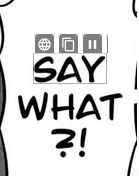
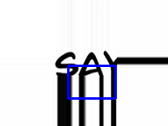
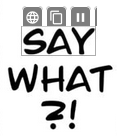
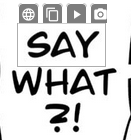
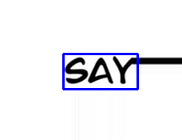
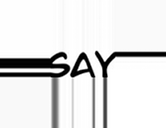
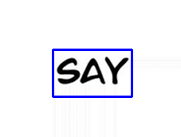
Oh, okay, I think I get it now. And the answer is no. Even after carefully selecting the word "SAY" with a tight frame, the resulting screenshot is misaligned with the area I selected. I got the exact same result with both of the detection models. (My bad if I'm still not getting it lol.)


I'm using Windows 10.

Okay, nice! That's what I wanted to see.

In this case it doesn't matter which model you use, it's not a model issue, only a screen capture misalignment issue.

However, I am now extremely confused as to why the last screenshot with the box is completely misaligned when the previous screenshots you showed me had pixel perfect detection boxes..? This doesn't make any sense, haha. Just to confirm, the last picture is the individual_boxes_before_merge.png image?

Thanks! This gives me a bit more to go on. I might upload a specific version for you to see if any changes I make work. Probably won't be today though.

(1 edit)

Hi,

I finally managed to understand lol.

The last three images I uploaded were from the very end of my test run. Before those, I did a bunch of other tests and never once saw that blue box. I didn't even notice it in the final images until you pointed it out lol. If I make a really tight selection on "SAY," the blue box never appears. I just re-tested that, and it was gone again.

I also tried making a slightly wider selection, and in that case, the blue box always shows up, although the image is still a bit cropped.


Yes, the individual_boxes_before_merge.png image was the last one.

But then, as I mentioned before, if I use the Windows scaling workaround: "1. No, my Windows scaling is at 100%, but here's something interesting: if I start in Desktop mode with a 100-125-150-175 scaling and I make sure to exit and restart the mode with each change, the problem is still there. It doesn't matter what I start with, but if I start in Desktop mode with 100% and then switch the scaling to something like 125 while it's running, the issue is completely gone. At that point, I can set it to anything, even 175, and it works. I can even switch back to 100 and it's still fine."

I got these results with that method:

Tight selection:


Slightly wider selection:


Could there be some Windows bug on my end?

Oh, okay thank you. 

(1 edit)

Hey pal, hope you had a good weekend!

Ahaha, no worries!

Thank you very much for these screenshots. There is clearly a misalignment issue happening here, and while it may seem like the changing of windows scaling completely fixes the bug, it is only masking the problem better. There's still some cropping on both the left, bottom and right.. Giving me a bit of headache this, haha. I'll have to dive deep into it and see what I can do with this information.

I mean, there COULD be an issue on your end, but I would honestly not have any clue what it could be. Until I know if anyone else has the same issue, it'll be impossible for me to figure out if that's the case.

Oh and about the Custom API/MangaOCR lock bug. Could you try doing that again? I've added telemetry to the app now, so any errors that do not cause crashes can also be sent to my backend. It doesn't collect any personal information at all and can be disabled in General configuration if you don't want that to run.