Indie game storeFree gamesFun gamesHorror games
Game developmentAssetsComics
SalesBundles
Jobs
TagsGame Engines

OverBern

48
Posts
1
Topics
9
Followers
9
Following
A member registered Jun 10, 2021 · View creator page →

Creator of

Recent community posts

Presentation: Text and visuals scale independently. You're supposed to set the text to something that's comfortable to read, then adjust the frame so that the board is comfortable to handle. I have a few ideas for how to prompt the player to do that and like. Maybe have letterboxing by default.

Tutorial: 

It's good to have someone say they're stuck. The tutorial has been a problem for a long time. I've had a few playtesters who got it, so I thought it wasn't a problem anymore. But they were mostly people who have tried earlier versions of the game. And someone who's developing a grid-based tactics game of his own.

I have a few simple ideas to make it better. 
- Disable health regeneration for the enemy (or maybe everyone) in the first section of the tutorial. Less to think about. 
- Separate out the explanation of reaction attacks from the explanation of stats, so it can be a bit more thorough without overwhelming the player. Explain that next turn or when a reaction attack triggers.

I think the main thing you're stuck on is how to make reaction attacks on the enemy and prevent them from healing.
To do this, you need to understand
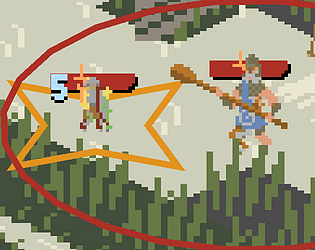
- The red and orange areas are called threats. (you can hover the character to get white marks on the exact spaces their threat covers) 
- Reaction attacks trigger on enemies in the character's threat, when they do something specific. The reaction attack's text says what it triggers from.
- Reaction attacks have to spend a reaction (orange lower-case r) from the character's health bar to trigger. [Brace!] also spends the reaction, so if you brace every turn, you won't deal damage.
- The enemy will heal quickly at the start of their turn, unless they start within your threat. So after you've dealt the first blow, you need to stick close to them.

Played a bit more.
The backgrounds are pretty and varied. The blocks are a bit boring, but fine (the high-effort way to make these look good would be to go out and take photographs of tiles to use). The menus don't really have a lot of personality. The Liquid Glass aesthetic can be a little hard to see against some backgrounds.

Sound:
The response to doing removing multiple lines at once is always the same, kinda long sound clip for removing the same amount of lines, which can feel a bit grating. 

I like some of the music, but some of it feels too intense for what the game is. Maybe you can measure somehow how dramatic the board is and decide the music based on that.

When you move to a new stage, a new track starts. This can feel a bit jarring, particularly when it jumps from a calm part of one track to a dramatic part of another track, or vice versa. E.g. the track that starts with very loud violin-like sound. Maybe look at how other games do stage or phase transitions that affect the music. It's not something I've thought hard about. 

Comedy: Spinning wildly is inherently comical. Jumping around on one leg in combat is inherently comical. Any attempt to be serious in other aspects of the game will exist in dialogue with that comedy. The programmer art and dumb AI and bare minimum RPG mechanics doesn't help, but I don't think the game can ever be something you take completely seriously and that like. Has Immersion.

Computer: Windows 10. Cheap gaming laptop from like 8 years ago, not really something to put in an effort to make it work on. Firefox, with. Notably another browser and also Godot open in the background. So might have performed a little better without those.

Played on the other computer. Seemed to work ok regardless of quality.

Couldn't find save data in the normal place for Godot, so started new save.


General opinion on the game after playing a few hours on that save: 
Neutral. Felt kinda mind-numbing to play. The most fun gear I used was halberd+free hand. Did not use mercenaries, only pet.
Hardest things I fought were. A group of 12 orks, Like 15 levels of arena (the last fight I had was one where a new group of enemies kept getting teleported in multiple times.). Centipede (cheesed with the explosive spells). Did not fight balrog. Did not play any multiplayer. Didn't use magic much.

The core mechanics are very simple, and I don't really see a surefire way to add enough depth to like. Justify playing it for a long time. And justify spending a lot of effort making it.

STUFF THAT COULD HELP:
- smarter enemies / aware of each other? E.g. counter stabby tactics by spreading out and not charging right into the spear, counter spinny tactics with stabbing or ranged attacks if they have good gear for it.
- Spells are combined in more interesting ways? It's not just 3 different colors of the same ability. 
- For future ability additions, maybe think about abilities that care about and manipulate your weapon and like. The physics in general. The big draw of the game is the physics-based combat, so focus on things that complement it. That are either fun to use alongside it, or fun to fight against using it.
- Focus on multiplayer? Maybe especially PVP? You kinda inherently get smarter enemies, but it's very dependent on a player base. I guess part of focusing on PVP would be. A way to seamlessly change the game between PVP and PVE when there is an opportunity, similar to Dark Souls. Except, you can't guarantee the game will be popular, so you can't really have people sit around waiting queued for PVP with nothing to do.

PHYSICS BASED ABILITIES IDEAS:
- Pull your weapon back as part of stabbing or to cut closer enemies
- Make it automatically orbit you so you can run at someone at full speed
- Pull an enemy towards you
- Summon gravity well that pulls in everything
- Weapon size manipulation
- Shoot out an object and then when you activate the spell again, pull it back to you through enemies
- Make your weapon sticky and simultaneously make your feet sticky (increase your weight for physics purposes without reducing agility much) so you can stick to an opponent's weapon and fling them around
- Create obstacles to make it harder to swing things around.
- Lingering AOE to deny area, e.g. slows characters in it.
- Ways to attack enemy stamina.


BUGS AND ANNOYANCES:
When you do the pet magic upgrade, you can't cancel out of the screen where you select which element. That causes an empty textbox to appear at the top instead. 

When the trainer summons elementals, they're aligned to you and attack him.

On my first playthrough, the mercenary offered in the tutorial was way too expensive. Like I think 3000 up front, and at least a hundred per battle, maybe more than a thousand. Second playthrough it was 100 up front, 10 per battle. Is it randomly generated or is it supposed to be scaled to level?

Name tags for short names aren't centered. I named my second character Guy and his pet Lizard, and their names are off to the left instead of right over them.. Also, the character name text is hard to read on some backgrounds, particularly I had issues with an enemy (red) name on the map with the. Black around the sides, very few objects, light source in the middle, speckled beige pattern on a lot of the ground. Maybe have an outline on  the name tags.

Enemies tend to face in random directions when they aim? They don't really aim at me, they just stand there for a bit pointing in whichever direction they started aiming in.

The background music on the map is very annoying.

This is a Godot thing I recently learned: Z-index doesn't affect what control the mouse is pointing at, it just affects how things display. If you want the big tooltips (e.g. when you hover equipment) to be in front of other textboxes for the purpose of the mouse, you need to do that with canvaslayers or by messing with the node order. The way it is now. Visually it's in front, but if you try to hover text on that tooltip, if that text overlaps other UI boxes, it won't work. 

Tooltips don't appear anymore except when I'm on the map screen. When I change screen, sometimes a tooltip seems to flash for a moment. Maybe it has something to do with my character having regeneration, which is shown as a status effect I always have? And like. Tooltips show in front of your character? So the status causes the character display to take priority? Regeneration doesn't really need to be shown as a status.

At one point (having gone back and forth to write and had the game running for a while) I lost control of the character. Any time I enter a level, I can't control him, and pressing esc causes the mouse to briefly appear and then disappear again. Opening menus works like normal and I can control the mouse, but when I close them again, I still don't have control. Closing and opening the tab fixes it.

Playing on a bad, old computer, so it wasn't very fun and I don't have a lot of good things to say. Might track down the save and move it to my other (significantly younger) computer. Played like 4 fights.

I got the egg and hatched it before the quest got to that point. It later finished, but the tutorial was stuck waiting for me to hatch it for a bit.

I did a delivery quest and had to return to where I got the quest to turn it in, with the time limit still active. Feels counterproductive from a game design standpoint and illogical from a worldbuilding standpoint.

Small towns have flashing borders like they're important, but when you go to them nothing happens

Maybe you should get to know how many days away a quest's objective is before you accept it?

Updating stats top to bottom when you enter the party menu feels more annoying than stylish. And it warps the size of the UI it's on when you change to allies since they have behavior stats.

Got in a big and very laggy fight (bounty hunting. The level had a strong light in it with harsh shadows. And like 5 or 6 enemies.). Died and tried again with very turned down settings. Won, but it took a long time due to being a level 2 character and wasn't very fun and it was still a little laggy. I definitely give up on using this computer for this game.

Also, I'd occasionally run out of the unmarked borders of the map and get a popup for whether I want to leave, which does not pause anything. Since it's meant to be multiplayer drop-in, it makes sense that there's no pausing, but maybe use some other UI element than popups. E.g. a timer starts for leaving the battle, and you can cancel it by going back into the main area.

Needing to visit different parts of the city to do things feels very awkward. Part of the problem is that there's a crash zoom and then a lagspike every time I enter somewhere. Might be more comfortable if it it was smoother.

I kinda think [feeling like a cohesive RPG] is a trap. The core mechanics are deeply silly, so the rest of the world kinda feels like it's. Supposed to exist in juxtaposition to it as a joke. Or. Supposed to be a parody of other games. Maybe it would have been funnier or felt more worthwhile if I had played with other people.

CLASSROOM AND BOOKS
Remember that these aren't meant to be a real test of the player's like. Searching Skills.
It's just meant to make the player spend more time in a place and make them put themselves in compromising positions that make them paranoid.

Which means you can have multiple solutions / multiple duplicates of the object they need to find. Potentially remove ones they haven't found once they've found enough, or let them pick them up for no effect.
Breaking the window was something I thought about, but like. There are chairs, and desks, and the drawer of the teacher's desk. You don't need a hammer to break a window.

That said, I might have stuck around long enough to find the hammer if it hadn't been a playtest build (I.e. if I was certain the solution hadn't glitched or something. I thought maybe I was supposed to have the flashlight and the candles in the distance were a hint to use that.)

I checked and it looks like it's saved immediately after the accident. I won't play through it now since there's no suspense and it'll just feel like busywork. I'll play through it some other time it updates instead.

CYCLING
I think the tapping is fine if they don't need to press that quickly. Maybe. For the first section it gives somewhat more speed per cap (not as much as the last section), and you don't need to tap faster than like once per one or two seconds. Feels like a middling gear and you're taking it slow and safe. And then in the last section it's a high gear and you're incautious. (you may have a better impression of how cycling feels / what rate you pedal. I used to bike to high school, but that was an e-bike and like 8 years ago.)

For turning.
Maybe the protagonist is distracted before the first turn and almost overshoots the route home? And then they stop, comment on that, and turn really sharply. Now the player knows they're not in control of turning.
The second time they need to turn, they do it in an arc like they do now, with no popup about turning. Maybe while there's a distracting text popup going so the player may get startled that they've left the pavement. Maybe a car stops for them as they're crossing the road.

Basically I don't think it's a problem that they don't control the cycling direction, but it is a problem that the game says "turn left" and makes them check. 

If you're doing a power-up piece, one idea I had was a piece that removes instead of adding.
There's a lot of games that have like bombs, but this game has the square 3x3 blocks, so blowing up a square area would be a little too strong.

So my first idea was it's a random L or S tetris piece (so it's consistently 4 blocks in a weird shape), and it's holes instead of blocks. No limits on where you can place it. It turns the area you place it on into empty space.

But I think that's a little too simple. Too good at cleaning up messy areas with many small holes. So maybe it's better to have a piece that replaces blocks with holes and holes with blocks. At worst you just play it somewhere with no pieces and it works like a normal piece.
An inversion piece like that should probably have very simple shapes, though. Boxes and lines. So you don't need to think super hard about how to use it.

(1 edit)

Ended up with a score of 19500ish (before getting stuck) in regular mode, 50000 (before getting bored) in turbo mode. Reasonably fun, but can't see myself playing more of it.
Games praising me constantly gets on my nerves, so changed from English to a language I don't understand. Changing language in the menu while the game is running doesn't seem to work, so had to restart to do that.

The way passing multiples of 5000 points resets your pieces (I ended up referring to the block shapes as "pieces". It's not really a good name for them.) is theoretically neat. One time I was in a bad position and placed pieces hoping to get enough points to get rid of my last piece. But often it just trips me up / is annoying because I have plans for the rest of my pieces. 
Maybe it should give you something else instead of clearing your pieces , e.g. give you a piece with special powers. You just placed a piece, so it's guaranteed that one of your three slots for a piece will be empty. 

Great atmosphere, I like the way it plays with space and repetition. The repeating hallway (and the way the classroom numbers communicate whether you're making progress). Skipping the walk to the corpse, and then the way back gets longer and shorter.

Get the mop from the bathroom (and then there are like three bathrooms)

And I like the way it makes me feel like something is going to happen. E.g. skipping to classroom 1 from like 6. Needing to walk around your house instead of through it, and knowing the police are on the way. Cars zooming by as you're cycling.


I'm stuck in the classroom with no door after you go to sleep. I've noticed the window with candles in the distance and the large corpse standing nearby, but I can't find anything to click aside from the windows.

In the house, I interacted with the book about cleaning blood (in case that does something), but did not see the flashlight before I was about to go to sleep (at which point I was not allowed to pick it up). I also showered twice.


ISSUES
FIRST SECTION

The initial sensitivity feels very high to me, good that there's a sensitivity adjustment.

The screen is scaled to fill whatever the shape of the window is, so it'll pretty much always end up stretched a bit. Not necessarily a problem - it fits the vibe. But I do think some players could end up overthinking the window size or being distracted by it.

Gathering books is a bit game-y? It feels like you need to understand that. This is a game where you walk around and click everything that can be clicked and that's how you make progress. I feel like that might trip some people up. It also primes you to check out all books, so maybe more of the books in your house should have names.

CYCLING

The cycling feels awkward. The instructions to turn (and then the turning just happens on its own)
The rate at which you need to tap to move forwards in the first portion (It feels a bit like you're in low gear and you change to high gear later? It also feels like you selected the pace to like. Make your fingers tired? It doesn't feel like slowly cycling to be safe / to not wear yourself out. It maybe feels a bit like cycling uphill?)
The way it freezes to have text popups? And then you can't click through the text popups (I read pretty fast). I feel like it might feel better but also feel right for the player character being distracted, if you can keep cycling while the text shows?
Lampposts flicker a bit distractingly when you're cycling since they're so thin. Flickering feels right, but again it feels game-y because the flickering is clearly because of the screen filter.

HOUSE

Grabbing a plastic bag felt a bit weird since it looks like a full plastic bag. I looked around for unused ones.

I kinda expected showering to be a more complicated task than it actually was. E.g. need to get a change of clothes and/or a towel first. Not necessarily a problem.

The large house with multiple beds feels like the protagonist should be making reference to other people living with them or having lived with them in the past. E.g. when you try to sleep in the wrong bed, maybe give the reason why they don't want to sleep in that bed (e.g. "that was _'s bed", instead of just saying "I don't want to sleep there.")

(1 edit)

Tested now. You're right that it's a little more complicated than I hoped it would be.
When I was playing it locally, it worked flawlessly. Now that it's uploaded to browser, it shows
/userfs/godot/app_userdata/Companhita

And I think I need to replace /userfs/ with something that's different per platform (https://docs.godotengine.org/en/stable/tutorials/io/data_paths.html). But the game is aware what platform it's on, so that should be doable.
Just replacing it with %APPDATA% seems to work on windows at least. It automatically finds the right folder.

The right click menu issue meant I couldn't use the browser I had been using. Moving to a different browser would mean I need to restart, I think. I could probably have found the place the saves are if I really dug for it, but I'm not familiar enough that it's trivial for me or invested enough to spend time on it.
For my own browser game project the plan is. Instead of a button you can press to delete your save or back it up or whatever, there's a path you can copy and open to find where the save is supposed to be. That was very easy to do in Godot (but isn't tested in browser yet). Not sure if it'll be as easy in your engine.

1: got to stage 2, finished buying assault rifles quest. Then encountered a bug and lost my progress and didn't want to restart.

2: nothing that fully stops things, but the game has a big issue in Vivaldi. Whether or not I'm in full screen, spamming right click would sometimes go to the previous page. I think right clicking opens the standard right click menu, except it's invisible. It's is still clickable and includes "go back".

3: Nothing is showing how many units you're allowed to choose to deploy. It's also a little hard to see which unit which health total belongs to (so you can move low health units to the back)
Placing buildings is a little weird, feels like you're going to be defending them or something, and then it doesn't seem like their position matters at all.

Small other bug in Vivaldi and Firefox: The recruitment menu (and maybe other menus) doesn't open in full screen.

5: I don't get what the point of waiting for things to construct is, since there's no in-game time pressure. I hate when games want me to be thinking about timers I have running while I'm not playing them. But in particular, this game has timers that are like a minute. And you just end up staring at them or tabbing back and forth. If you're doing timers like this, I think they should say how long they are + be either less than 10 seconds or more than 5 minutes.

(1 edit)

Both winning and losing:

Making a note to delay winning until the start of your turn or something. And add more boolean toggles to events/popups. e.g. by default they shouldn’t be able to trigger if you’ve lost (and probably not if you’ve won)

Polearm popup: Maybe if they don’t turn her the first turn they have her, there’ll be a popup next turn.

9 turns on first fight is pretty normal. But if it still took multiple attempts for you who knows the mechanics from playing before, it’s probably still too hard.

Buttons: Adding a close button to the pause menu was something another playtester suggested late in the jam. I’m going to have a consistent position and look for close/resume button. Good to know they need to be more visible, though.

Mechanics reference: I’m kinda leery about adding too much stuff to any header, or adding too many headers, or having multiple headers that could plausibly contain the same info. I have an idea for how to do that, though.

Get Ready on someone with Trip: that should absolutely work. The only thing that prevents Get Ready is being out of range (which would also prevent it from popping up at all), or if you have too few Commands left. I’ll add a system for indicating why an action can’t be taken. Put a red highlight around the costs you can’t pay on the ability and/or the status effect that is preventing it. Should be pretty straightforward to do.

Extra damage before Endgame starts: I’m fine with people dealing damage before the limit appears, that’s kinda why I made the Endgame phase start at full health now instead of 5, so that I don’t need to specially give the boss invincibility, or begin Endgame immediately. Spending 1 Command to deal 1 damage usually isn’t really worth it when the boss starts at full health, but I want people to come to their own conclusions about how to play the game once they understand the mechanics.

Difficulty in the Endgame: I'm probably going to change Endgame a bit. There’s a some ludonarrative dissonance in how Endgame affects people even outside the map at the same strength (it’s not like a magic aura or something, it’s just meant to represent the fighting getting too frantic for people to rest and defend properly.) 

Also probably have people cure Hurt if they stay in reserves for a while. I want to avoid situations where. Whenever someone gets Hurt, you spend effort to evacuate them, thus neglecting to defend your other characters. You end up in the Endgame with nobody dead, everyone Hurt and at low health, and now it's kinda hopeless. 

That said, character death is an expected part of the story in Hardcore mode, and this first fight (though it’s a nonlethal spar) is meant to give the player the expectation that they can’t always save everyone.

I released a version making the tutorial easier yesterday. First section slightly easier, second section significantly easier and there's a full heal in between.

The threat area of the new character being red instead of orange feels really unlikely, that's never happened before. (If you try the game again and see it, maybe send me a picture. And tell me if you otherwise have difficulty telling apart the colors.) The colors change a bit when characters have no reactions left, but they're still very different to my eyes.

You right click (or click outside the board) to deselect. The tutorial says to right click, but I can see why you'd miss it, since it's at the end of a kinda long textbox that you have to close to keep playing. I got a few ideas for how to make that harder to miss + make it work on platforms that don't have a right click key.

Checkpoint system is on my radar and I think I can do some neat things with it for the second level. It's just something that can easily end up pretty fragile / with a lot of stuff I have to manually check, so it'll take a bit of work.

(1 edit)

I completed it. I like the idea of dark section with very narrow flashlight, though there's probably not that much more you can do with it. Aside from maybe a section with strong directional light and no circular light, so you have to memorize the path and then platform through it without seeing everything.

I died once in the dark section and had to restart, which was a bit tedious. I probably would have quit if it happened again. I think the game would benefit from checkpoints if there aren't any. This also made me not want to grab the light and then jump off the cliff in the far left. I jumped off once with no light and died, but there might be a secret down there that I didn't see.
 
Falling through the ground when you die made me think there was a hole after some spikes at one point. When actually I probably just landed on the spikes. That was a bit confusing and someone might think it was a mean trick and quit for that reason. 

After you get stronger light, it's not really that interesting. 

The fully upgraded light is kinda painful to look at when it's not dark. (This is me being more sensitive to light than most people, but also there's no reason not to turn the light down when you're higher up.)

I like the music, but I'm not sure it fits the game that well. The game (especially the early bit) involves a lot of waiting on platforms and taking it slow in caves, while that music feels like it wants you to go fast.

You're not the only one to have problems with it. From my side, I kinda expected people to die in the tutorial and restart it, but it seems like it's hard enough to make multiple people quit, so I've already started making a few changes. Such as a full heal at the start of the second phase.

It sounds like you pretty much understand how to beat the first phase. The full heal would probably have helped a lot.

Did you catch the bit of the tutorial where it says status effects have tooltips? If not, I can make it a bit more obvious that you're supposed to check the status effect on the card.

Also, the new character is friendly, maybe I can make that a bit clearer too.

(1 edit)

I've played it in earlier jams, so can't really comment on the tutorial.
The gameplay works, but isn't really my kind of thing.

Issues:

The second trinket is possible to activate with a full hand, which causes a screen to come  up and ask you to select a card, but there are no cards to select and you can't leave that screen except by quitting to menu.


As a Norwegian speaker, some of the Norwegian is a bit weird. I can go through again and look at it properly if you want. For now. "Utlagt Brød" just feels very nonsensical. Utlagt is a word we basically only use to refer to colostomies and that kind of thing. And brød is bread. So it sounds like you mean something to do with leaving bread outside and it going dry? It makes no sense and sounds slightly funny.

Also, "Fordømte Synder" is grammatically weird. I can't explain the grammar off the top of my head, but it should be "Fordømt". "That damned sinner" is "Den fordømte synderen". But "A damned sinner" is "En fordømt synder"

Score: 491 (second or third try)

How is the updated game overall?

I didn't really feel anything strongly when playing it. I don't really know what direction you want to go with it? Like. Do you see it as a serious project you'll work on for a long time, or a small silly thing? What emotions are it meant to evoke? 
 
I feels like usually runs will end up playing pretty similar, which is a common gripe for me with games like this. If you're adding more upgrades, maybe focus on making runs more varied.
Like maybe stacking the same weapon gives you new powers or stat increases that synergize with it? Melee thing: + movement and fruit picking speed. Bouncy circle: weak damage over time on all your attacks, that lasts forever. Orbiting circles: each new circle orbits farther away from you (with the same speed, not the same orbit rate, so they'll move relative to each other). Something:  the ability to pick fruit when it goes through trees (unless your storage is full). More stacks -> can pick more fruit in one attack.


Important bug: When I played the game after leaving it open for a while, I was unable to go to the top half of the map. It felt like something big was in the way.


A few issues with controlling by clicking:
- The score and HP bar (and probably the bar at the bottom) intercept clicks before they get to the board. I don't know how you disable mouse input on things like that in Unity. In Godot it's really easy.
- Sometimes the upgrade UI pops up right as I'm about to click, and I just get whatever is under my mouse. Maybe when it opens it can't be clicked for a quarter second or so.

Maybe make it a bit easier to notice when important things are happening? Health bar: pulse the border big and then small again when the clover gets attacked. Circles meter: look different somehow when it's full.

Did a lot of your UI suggestions immediately, and will do the rest later.

Endgame popup: 
It's kinda hard to decide when tooltips + feedback/animations are enough and when a tutorial popup is needed. 
I think I'm going to try and make non-diegetic tutorial popups feel less like dialogue popups (place textbox near what they're about, text appears instantly, different look)
And then try and teach the player to look at tooltips when stuff gets framed, so that some of the tutorials can be dialogue + framing the UI elements that dialogue is talking about.
So definitely going to add something for Endgame, but it might not be a full explanation.

Enemies disappearing: Yeah it's that it's happening to humans + 
Killing is a natural assumption when nothing is stated, but the characters  don't seem like people who would just ignore killing a bunch of people, so it feels eerie.

Like going in, you're expecting that the slime society will be weird and alien in some sort of interesting way. When the slimes fought some humans and then decided to go try to trade with those people's "companions", I theorized (briefly) that slimes don't really view violence in the same way as people. That they can't really be killed with violence, so they think fighting isn't a big deal.

My perspective might be the weird one, though. It's been on my mind since I started thinking up games, that when humans (or creatures with human-like behavior) are enemies, I want to try and make them feel more human than they often do. That means giving them good enough AI that they don't look completely stupid, but it also means that violence has a certain gravity and says a lot about the person who does it.

(1 edit)

Items feel more manageable than when I've played it in previous IMGjams.

Tense moments: mostly came down to not thinking enough about healing. On the Knight fight, I had very low-tier healing item on Tanko, and then he got focused and I used a healing scroll. In one of the steps of the last fight, I used a minor healing scroll because I'd mixed them up with the other healing scrolls, so Tanko got taken out. Other than that it never felt harder than easy-medium, but it sounds like that's the intent for now.

The tutorial was a lot at once. The main thing I feel like I should know, but don't, is how affinity affects incoming attacks of that element (I can’t remember if there is an effect at all), and how attacks with multiple affinities work.

Story

Tavern interactions show a little about the world, but they felt forgettable / I kinda ended up clicking everything but skimming. And then deliberately started paying attention again around halfway through.

the early game dialogue is a lot of the same stuff. Like we’re immediately prompted to talk to a bunch of people in a row, but a lot of the interactions are very short and uninteresting.

If I expect the slimes to act as just very nice fantasy humans, I rarely get surprised or intrigued by anything that happens.

The main interesting thing in the story is the tonal dissonance between the niceness + cheerfulness together with the fighting + presumably bad things happening where there are humans and not the hero slimes + a lot of humans dying (?) on screen. Characters sometimes express hope that there can be diplomacy, but the invaders are usually treated nuisances and dangers. They disappear as soon as they're defeated, with no explanation, no discussion of captives. Feels like the idea is to depict white imperialists as standard game enemies we don't need to care about. But for me, the way they're not acknowledged after they're defeated undercuts the niceness and makes the game feel eerie.

Core gameplay

I think the game kinda dragged on towards the end, and I started thinking less hard about decisions. Part of that is just playing all of it in one day.

I’m not sure if it would be more fun or less fun if it was actually hard. I think it could easily get very stressful if it was hard enough for the attrition to matter. If it became beneficial to replay fights and try to lose less resources.

But I guess items keep getting stronger, so any lower-tier items you wasted matter less and less as time goes on. That might be enough to quell that impulse.

It’s very opposite from my design philosophy, but some consequences are neat, e.g. healing scrolls feel like they’re an emergency tool at the start, but I can see how they fit in as an alternative to Guardian in the late game, a normal response when enemies make many spread-out attacks.

UI:

In the start, I put a lot of items in the bags, and they weren’t transferred to the belt even though there was space in the belt. It seems like items are only moved from bag to belt when the belt runs out of an item? Or something like that.

I keep clicking an item and then clicking another item, expecting to select the second item, and then they swap instead.

Clicking sort by level while already in sort by level mode results in level 3 (probably just highest level?) items staying the same, and the rest of the items reversing order internally in the levels – e.g. if I sort and then Small Earth Strike is first of the level 2 items, and I sort it again, it will end up last of the level 2 items. 

When sorting by a criterion, maybe show dividers where it changes? E.g. when sorting by level, there would be a mark of some sort between the last level 1 and first level 2 item.

Sorting by inventory slot is kinda worthless for slimes.

The inventory opens every time you loot. When looting the chests at the human camp, you first loot some enemies and then loot the chests immediately afterwards.

Cooldowns on the slimes’ abilities could be visible without hovering the button

Using a cookie in the menu puts it into the character's inventory instead (but you can use it in the inventory)

Hm, all of those ideas for changes would be mostly after the section you're stuck on. Maybe the issue is you missed some info in the tutorial popups because of the small text.
The intended solution for that fight is.
- you need to stand next to the boss (put your threat on them) every turn to prevent them from healing.
- you need to Brace! some turns, try to keep some block for next turn. Then not Brace! next turn. Because it costs your reaction, so you won't deal any damage.

Do you feel like you're doing that and it's just too hard? If not, which of those things is new to you? 

Thank you! How far did you get?

Overwhelming: I can think of a few ways to spread the tutorials out more. 

Might add another phase to the first fight, and make the first phase slightly quicker if you know what you're doing.

But also I'm realizing. The player is kinda expected to lose the second fight the first time they try it, but the way that happens is probably quite discouraging and drawn-out. I can make it a bit more snappy and make it clear that it's expected.

  • Have the characters acknowledge the loss and call for a restart
  • Restart from the start of phase 2 instead of from the very start of the fight
  • Keep the failure condition from the first phase (any ally falls) instead of changing it to Captain falls, to make the loss more snappy. And if the first try is almost always a loss, that means I can delay some of the tutorials until the second try.

Resolution: Scalable and higher resolution UI is already next on my list for after the jam. Used to want the game to be pixel-consistent, but there's so much text it's not really worth the restrictions.

It's good. I do agree hitboxes feel a bit big.

I got 60 seconds. No real complaints or bugs aside from. You can shoot through the wall if you're very close to it. I used that to get rid of the autofire and/or shoot enemies before they can get close sometimes. It Feels like a bug, but I'm not sure it should be changed.

Tactics I used

At first, I tried standing up against a wall and then shooting 9 shots in the exact same direction, so they'd be a predictable and then avoidable threat that still clears the first few shields. I think there's potential in that, but it felt more effective to never bounce bullets deliberately, shoot the first few enemies through the wall before they enter the dodecagon.

I think trying to deliberately hit something by bouncing off the dodecagon is too risky. Instead I'd shoot slightly right/left of the shields and then quickly move in the same direction so they follow and point their shield away from the bullet. Still hard, but likely to clear the bullet if you miss. Also just, they all move at the same speed, so they'll collect into one predictable threat if ignored. If you're making levels, maybe have one with mostly shields / with shields added to other enemies, but in a square/pentagon/hexagon instead of a dodecagon, to emphasise bouncing more.

Also, tried to stick to the middle of the screen in terms of up/down, since it's easier to see enemies coming from the side. And did not play in full screen. That's potentially an improvement you could make! Allow adjusting how zoomed in the level is. Having the level smaller on the screen means it's easier to see every part of it at once, but doing that with browser means you'll accidentally click outside the game sometimes. I do like that it's hard to see enemies coming from certain directions, though.

The noise gets quite grating. Maybe have a little randomness in pitch and length, and. Have a milder noise when doing unimpressive things, and a slightly longer and more jubilant noise/animation when doing more impressive things.

Whether a move will make the puzzle unsolveable feels very random, and it's very punishing for how random it feels. Maybe instead of resetting, you add multiple new numbers? So it's a setback but not a setback to the start of the level.

Zen mode: disable hints. Track something other than time, e.g. they should try to combine numbers as few times as possible? Maybe like. They have a counter that starts at 1. When they combine 2 exactly equal numbers, if those numbers aren't prime, the counter is multiplied by that number. You want the number on the counter to be as high as possible.

The only real complaint I have is, it feels a little awkward to select and submit answers without using a mouse, since it's. Type name, press down (and sometimes up) to pick an answer (even if you wrote the name perfectly correct), press enter, press tab to go to guess, press enter.
And if you press tab at the wrong time, it loses focus on the game.
I feel like it should be possible to move to "guess" while you have a name on the list highlighted, without first clicking enter. Or to directly guess from there without moving to a button. That increases the risk of misclick, though.

I think I'd add something like:
left arrow moves focus to the text field, right arrow to move focus to the guess button.
If you press right while the list is showing, it automatically selects the currently highlighted result from the list, or the top result if you haven't selected one.


Also, in the City mode. Country isn't really that useful since it seems like there aren't many cities in the dataset per country. I wonder about mentioning country somewhere else, and having language as a thing you get info about instead. Might become more useful if you include more cities, though.

By board I just mean the map. I'll need a tutorial for that, then.

By collisions, I mean when a character is affected by Push, but doesn't have space to move, so they suffer another effect instead.

Glad it was easier to comprehend this time!

I'll need to emphasize more that Brace spends a reaction. The main reason for that cost is that it would be guaranteed damage in a lot of circumstances if it didn't. It's supposed to be a real decision whether you use that (to keep them very safe and have a lot of block next turn if they get ignored) or Get Ready! (if you want reactions)

Commit greys out if you have fewer than two characters who are on the board and not on exits. There's a tooltip that explains, but I can add something more obvious. And a lose condition if you ever have only one usable character. And maybe grey out Undo when there's nothing to undo to.

You're about halfway - there's two more phases.


Just to check if there's something you missed.

Did you feel like the boss healed a lot, or were you usually able to prevent it?

Did you understand how to summon characters onto the board, and how to move them off the board?

Please tell me how you think collisions work (without checking)

I find some of this a bit condescending, but you are right that it's easier to grasp a game if it properly shows you when e.g. reaction attacks happen and when you hover something that's clickable. I was sorta planning to try and put together the tutorial properly over the course of today and tomorrow, but yeah it's hard to judge how good a tutorial it is when things like that are missing. So yeah I'll begin with that (and maybe have it in a good place in a few days), and try to finish the second portion of the tutorial by next jam.

I had a few more thoughts after posting:

I ended up with quite a lot of ammo as I got further in. Like 80ish pistol shots and 60ish laser shots, 12ish grenades before they got reset for the boss. Maybe it could be interesting to have some hazard that's hard to avoid and reduces your ammo based on how much ammo you have. e.g.  Tesla coil: if you damage this with a weapon, lose all ammo on that weapon.
Though, that kinda encourages people to leave ammo and pick it up later, which I don't think would be fun. Hm. Maybe it mostly appears on a specific map that has an anti-backtracking feature. E.g. a barricaded map where there's no ammo pickups lying around before the end, and all crates and stuff specifically spawn in 1-wide hallways so you can't walk around their pickups. That might be a bit much to add for just this idea, though.

Creating occasional situations where the player has to engage enemies from multiple directions rather than baiting from a hallway

A very simple idea is just. Hallways are sometimes 2 spaces wide. Might be hard to program for the generation, though.

Level with an anti-backtracking enemy??? An enemy that spawns in the same room as you, can't be killed, but is stunned for several turns when you shoot it. Might work together with tesla coil.

Mimic explosive creates? Look like explosive crates, but when the player goes to the next room after them, they grow legs and start following after a few turns. They still function like explosive crates, before and after they start moving.

Animations
The pistol feels feels much less snappy than everything else, particularly when you use it from a distance. I got used to it, but it stood out at the beginning.
Revealing a room animation is slightly delayed, if feels like players are supposed to walk 1 step further than they have to, then eventually figure out they don't need to. If it's intentional, that's fine.
Player damage animation is maybe a little too easy to miss.


Played one more run to be sure of these feelings. 
I experienced another off-screen explosion, but this one didn't kill me and happened when I was a few steps away from the hallway to that room.

Bug: I got a water level where the key is unavailable. There's just a closed door. Not sure if I actually moved up to the door or not. But yeah I didn't notice any key even though I killed everything. And the mushroom exit was really close to the entrance.

Bug: if you're standing in the area a spike can move into, and you shoot, you hit something in your own position?? Which is probably the spike's hitbox which doesn't retract with its hurtbox?

Bug: floaty boss was shown behind an explosive crate he'd dropped. (during phase 1)

Triggered a few eggs and let them hatch. Didn't let the spawned enemy get close to me, though. I like that they can trigger both from damage and walking close.

Didn't encounter any witches or flamers.

Ended up dying to second phase of the boss because I was playing too fast and lost count of how long it was since the last attack. But it was looking easy up until then, that's why I was playing fast. 

Potential bug: I feel like I saw the boss spawning 2 troopers in the same corner and they ended up inside each other. May have been part of why it felt easy, they never really came near me.

Maybe the boss would be more interesting with a smaller room, so the troopers spawn closer to the player.

This is generally a neat idea well executed. 

I finished one run. I didn't let the egg hatch, or encounter any secrets.

Bugs:

I died out of nowhere to a fanatic when revealing a dark room. I'm aware that the trigger for revealing rooms is 1 step further away (it triggers when you're adjacent to the invisible thing that the weapon detects as a target?) I may have pressed forward one time too many, not sure. Or maybe the fanatic exploded early because they were stuck, and that detonated an explosive barrel or killed me directly somehow???? 

Sometimes the dark room revealing wave doesn't spread to certain places? Like it's blocked by objects or enemies or something.

Criticism:

The water level is a bit unpleasant to look for loot on. Might be intentional that it's hard, since it's cluttered and similar color to loot. But it wasn't really hard, just unpleasant.

The floaty guy boss seems pretty cheeseable, I easily stayed in the first phase long enough to get a decent amount of ammo.

I didn't really find much use for the syringe.

I think the new buried laser enemy mostly makes the game easier since you can run them out of ammo and you can bait them into shooting each other for loot. 

I only encountered like one witch and maybe three flamethrowers. I like the idea of the witch pulling you into difficult situations, could be neat to have an enemy type or object that does something similar in a more predictable way. Like consumable booster arrows that launch you in a direction when you step on them, that are often positioned to launch you into a room. Or a weaker enemy similar to the witch that just has the pull ability and maybe a melee attack that it can't use immediately after pulling.  Or an object that causes you to spawn fire behind you when you walk as long as you're within a certain range of it.

I encountered the witch in a room that didn't have very many enemies, and I initially got pulled up against a wall. So it was a tense encounter because I didn't know what to expect, but ultimately it didn't amount to much. I don't think I took damage. They might be cooler usually.

Ah, yeah. I've started drawing the sprite that's supposed to be there.

I did remove the number, yes.

They're functional, just placeholder art and how they function isn't explained. I'm going to replace them with arrows.

You're right that I tell them about reactions at the wrong time. I'll walk them through reaction attacks on the next turn instead.

"The player's unit/subordinate seems to be missing. The lines show where they are, but there does not seem to be a sprite there." - At what point did this happen? Orange lines, or black lines?

The health is intentionally hidden because I want people to think of health amounts pretty roughly rather than thinking about exact values, to prevent overthinking. I'm not super committed to it, but I do like it.

The black grid isn't movement, it's to make it easier to see the threat of the selected/hovered character when there's a lot of overlapping ones.

The godot heads and red things are placeholders. They're spawn locations and exits.

I agree that the phase transition where people move around is confusing. I'm trying to make the tutorial part of the story, but that means it's a bit extra confusing while it's unfinished.

It doesn't have to scale well, the enemy's action economy doesn't scale either. It's a boss rush.

I want number of units you deploy to be mostly a matter of taste. More units are useful because of their reaction attacks, but they get in the way of each others' movements, trigger the protagonista's "Necessary Distance" flaw, and it's hard to protect all of them at once. I figure 4-7 will be best for most bosses.

I did just notice I have to make the triangles more visible on action popups, yeah. Not sure about swapping to semicircles, I feel like the tutorial saying what they are will suffice. They used to be semicircles, I changed them to triangles because it was hard to space out the semicircles in a way that's readable at a glance + looks good.

The orange lines are pretty much the most important piece of UI in the game. I'm still working on exactly how to present them, but no, they can't be subtle. And a sorta soft goal for the game is to have a limited palette, so I'd like to avoid transparency. 

The action economy is also a really important part of the design. I want the player to think about actions as ways to manipulate the situation, usually not ways to directly make progress. There's a reason your attacks all deal 1 damage and your reactions deal 3-5.

There's three phases to the boss.  

(1 edit)

I just patched to try and make the board + the resources that determine what actions characters can take clearer.

Actions cost white triangles from the top right (command), and sometime orange inverted "r" shapes on the acting characer's health bars (reactions). 

Color coding on the ranges is yeah what kind of thing they target, including like dark blue (don't care, it's aiming or something), and orange (any character). It's kind of a holdover from a previous UI that showed multiple ranges at once, which sucked. I've cut them down to 3 (move, aim threat, affect character), and might cut them further. Maybe instead have a couple different shapes on the symbols that show which positions you can click.

Not going to have time to move the tutorial into the game this jam, though.

Conclusion: I need a tutorial.

I'm glad you think so!
Definitely going to have a bit of a tutorial introducing mechanics more slowly with fewer characters. The plan is 5 bosses, so there's time for that.

Not gonna change commit button to instant. It's the one thing you can do that can't be rewinded, so it should be hard to press by accident.
I can probably make it clearer though, circular bar that fills up or something. Maybe it starts partly filled and filling quickly. Not sure about End turn. Commit feels more right for the themes of the game. If there's a tutorial section where it tells the player what to do for like a turn, it'll tell them to press and hold it, and then they'll know.

Do you have any concrete thoughts of how to simplify the UI? Other than like. Making the cards smaller, and probably reducing the number of colors used to show the ranges of different abilities.

(1 edit)

I did play through the tutorial again.

My Q and E swap was wrong - the ship was upside down at the time. I was supposed to swap W and S instead.

I know about the thrust and agility bars, they're just very off to the side and easy to miss.

Played first level and died to a big thing. A few last issues.

At the end of the tutorial, I ended up with a very low-damage laser that clears armor effectively and has very short range, together with a long-ranged, slow-firing missile with tracer. Killing enemies was painfully slow. Like I needed to pass the weakest enemies around 3 times to kill them. I feel like it shouldn't be possible to screw yourself like that with equipment choices you make in the tutorial.

Couldn't pick up equipment after the first warp. Even if my ship physically goes through them.
a shield and an engine. Then later some more equipment in the same area that I didn't see the first time.
The area was the overlapping area between two beacons. The first two items appeared before I had killed many enemies. Maybe they started spawned, or spawned when I interacted with the beacons. Killing all enemies near the beacons didn't let me pick them up.

Indirect control feels much more agile than direct. That might just be that it switches thrust strength to make large turns, though.

Able to target weapons onto an enemy (the big thing) from very far away (850ish) in overview mode but not in normal mode. Part of that might be because it has really high signature.


When you remove the keyboard control in indirect mode, maybe it should switch to direct mode when you do those keyboard inputs? And vise versa maybe - clicking automatically switches to indirect mode with movement towards that position. That bit might need a setting toggle, though.

Saw it in your discord bio, so I played it before the jam. That time, I quit at the end of the tutorial because I thought the green cube that appears on the overview mode was the one I'm supposed to interact with. This time I found the white one.

Last time I didn't notice the control modes and the 1-2-3 to set movement (maybe they weren’t tutorialized or weren't in the game? They help a lot. I haven't used the other camera mode, though.

Posting this as I'm at the end of the tutorial. I'll play a bit more


Pressing the buttons in indirect control mode works weirdly. 
A and D turn you relative to ship. I have no idea what W and S turn you relative to the ship. Q and E do nothing.
I feel like the speed they move your targeting point should be based on like degrees relative to the ship? Not movement in space. If they don't already work like that.

I swapped Q and E with each other, so e.g. E brings the nose of the ship right.

I don’t intuitively know whether I’m thrusting or not. I figure that’s the job of the particles in space, but maybe there should also be some difference to the trail or something. Like trail color and width. Or the trail has a little velocity away from you, so if you turn thrust low, the trail disappears and what there was will fly away from you. I can imagine that being kinda difficult, though. Depending on how you model the trail.

I frequently end up on the wrong side of the ship so my controls become reversed. Maybe it should be clearer which side of the ship is up.

Locking onto an enemy is disorienting, partly because I can't see my own ship.

I feel like it’s intuitive to use indirect control for large-scale maneuvers and turns, and direct control for dodging and precisely moving to positions. This is hampered greatly by the way the indirect control waypoint persists when you deactivate it and then activate it again.

Pressing space while there’s a tutorial popup will unpause. It will also sometimes fill the screen with grey. Not sure exactly how this plays out.

Firstly, excellent that you got that far. I was uncertain whether anyone would in this build.

Endgame isn’t quite a win – it’s the last phase, which has a few special rules that can be read on its tooltip. I’ll have to add some more fanfare to phase transitions so that’s clear. And explain the mechanic in a popup the first time it happens.

You’re right that those symbols are reactions. I’ll try to place those so they’re more on top of the HP bar, so it’s easier to see them regardless of the background. And mention them in the tutorial.

(The rest is noted)