

What's happening when you try to open it?
A member registered Oct 04, 2018 · View creator page →
Creator of
Let the curtain rise on a new story. This is the beginning of the Interlude.
Adventure

Recent community posts
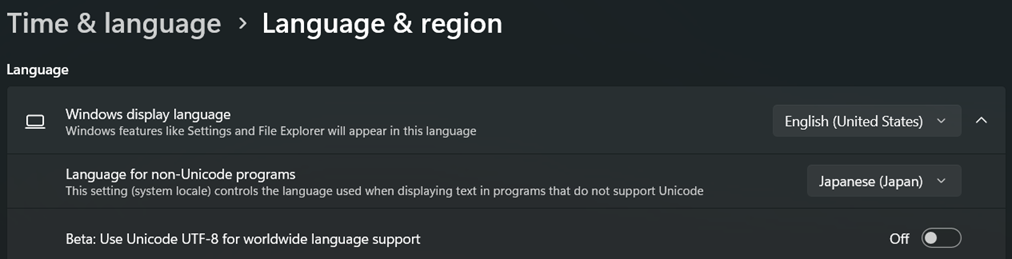
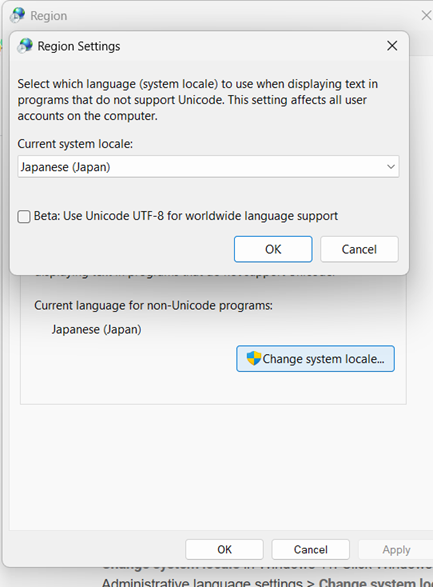
Japanese Locale is the 'language for non-unicode programs', and you need to have it when extracting your game. (make sure you have utf-8 off). If you don't have it, the names of files in your game may become distorted and cause issues when playing. It is separate from Locale Emulator, which you need to avoid the issue with all the @ @ @ @ symbols during gameplay.
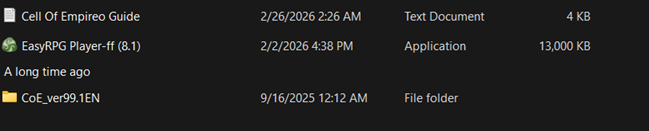
Hm...the only difference I can see is that I don't have 'run as administrator' checked: I assume you're already clicking on the option to run it in the start menu from the cell of empireo button, since it doesn't run on its own, but you don't 'need' to run as administrator.
I don't actually know if that's it, but it's the only difference I see, since our folders look identical otherwise.
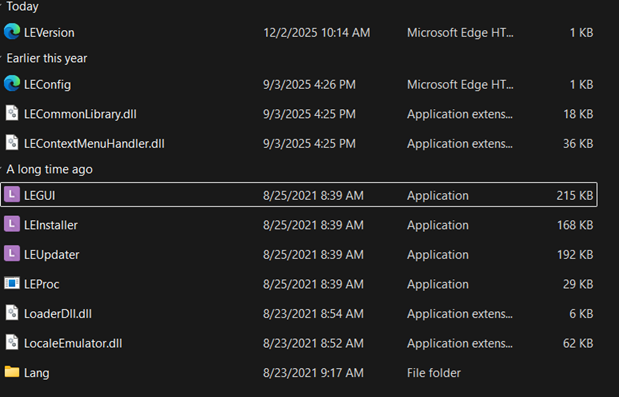
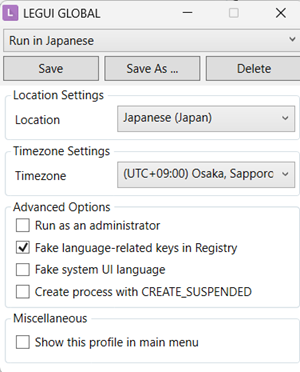
I'm not sure if this is the problem you're having, but, when playing the game, do your text boxes look like this?
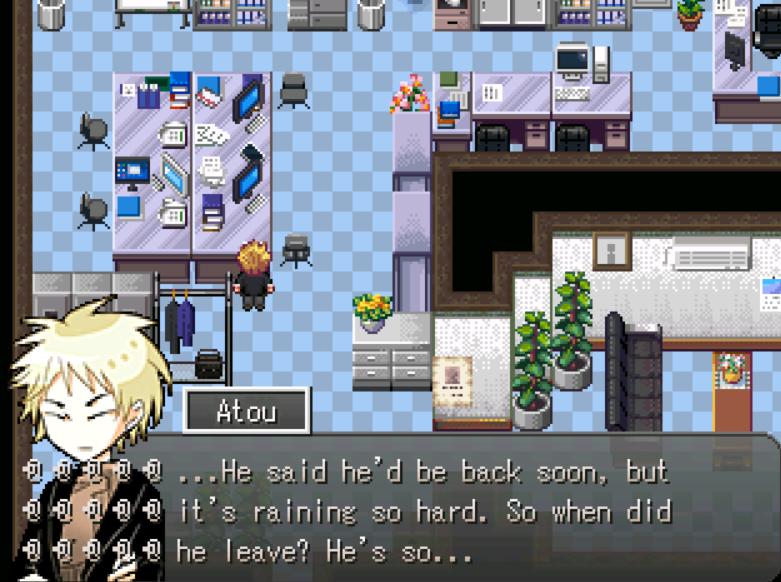
If so, you may need to download Locale Emulator from here and open the game in it.
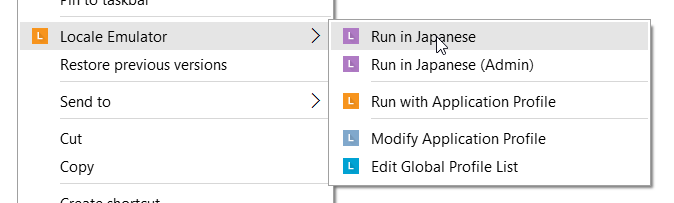 (different from changing your locale/you don't need to extract or redownload all over again), as Japanese text tends to end up garbled if not opened in Locale Emulator, and the password entry form is the only instance of Japanese text being displayed in the game.
Let me know if that doesn't work, and send me a screenshot of your game if possible.