On Sale: GamesAssetsToolsTabletopComics
Indie game storeFree gamesFun gamesHorror games
Game developmentAssetsComics
SalesBundles
Jobs
TagsGame Engines
(1 edit) (+1)

I'm not sure if this is the problem you're having, but, when playing the game, do your text boxes look like this? 
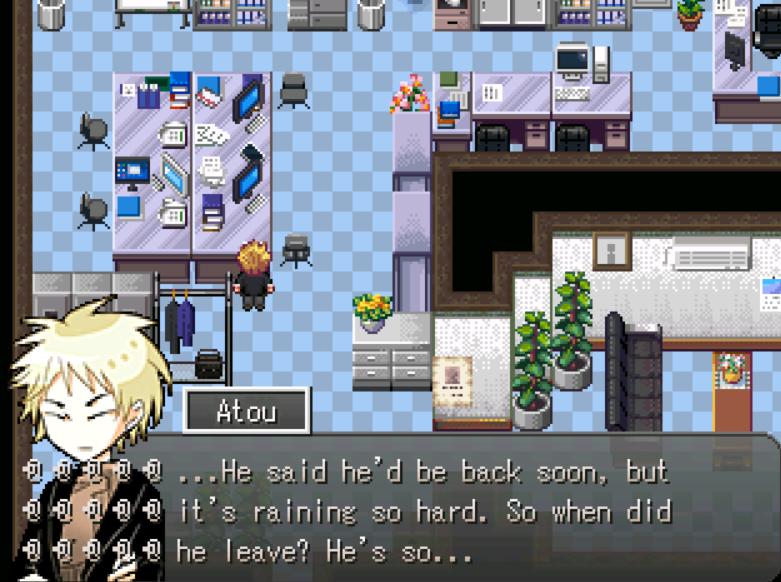

If so, you may need to download Locale Emulator from here and open the game in it.
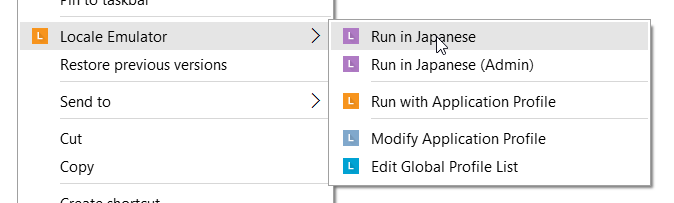
 (different from changing your locale/you don't need to extract or redownload all over again), as Japanese text tends to end up garbled if not opened in Locale Emulator, and the password entry form is the only instance of Japanese text being displayed in the game. 

Let me know if that doesn't work, and send me a screenshot of your game if possible. 
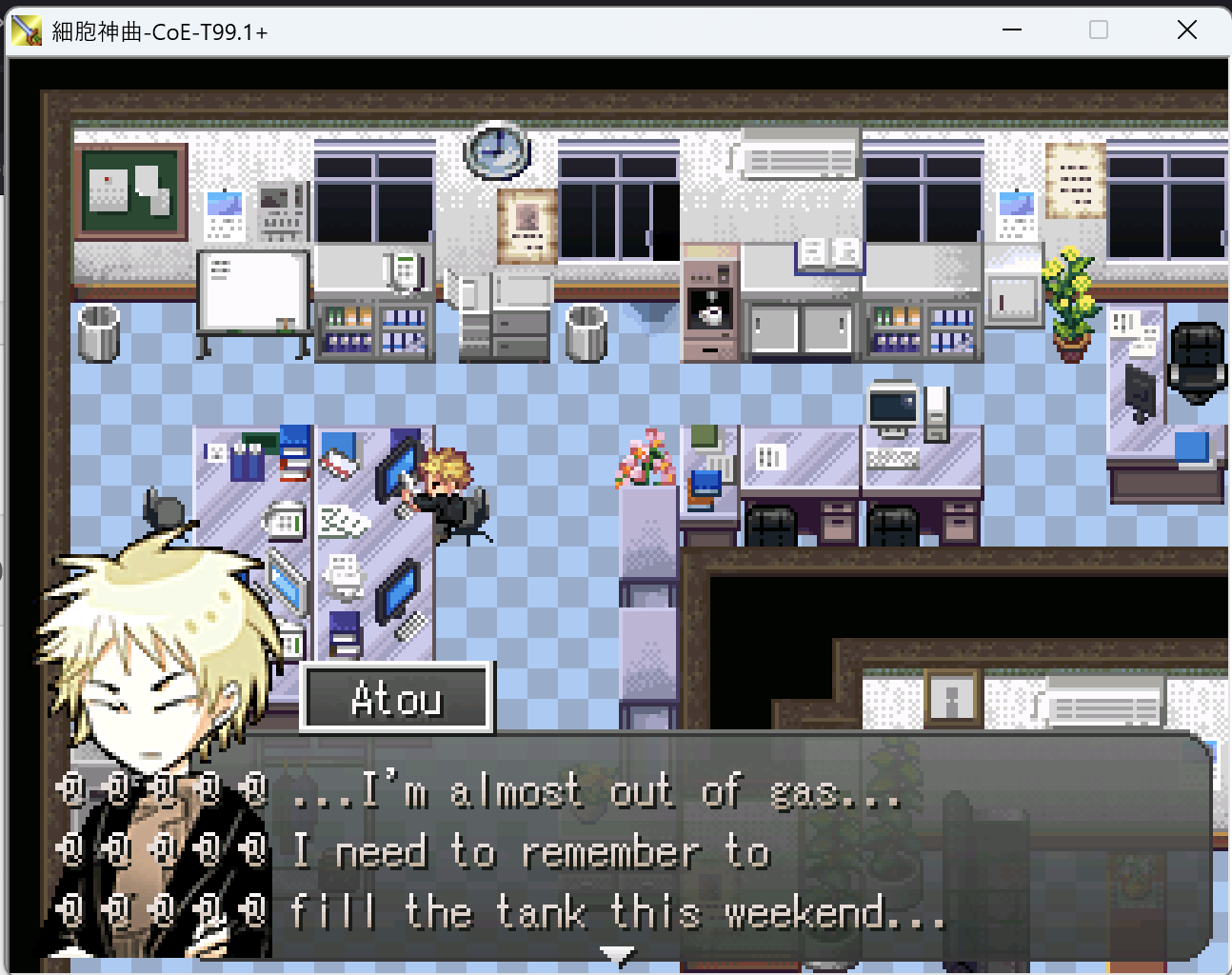
Ahh thank you so much, this was the issue! It's solved now

Hi, I'm still getting this error even changing my locale and running the game using the Locale Emulator. The error for dialogue boxes looks exactly the same as the image above, but all other text is normal. I'm trying to play on Windows 11, but I don't know if that's the issue. Thank you for any help you can provide! 

That's odd. Is there no difference at all when you use Locale Emulator vs not using it, or does it change some text (like the text in the menu) but not others?

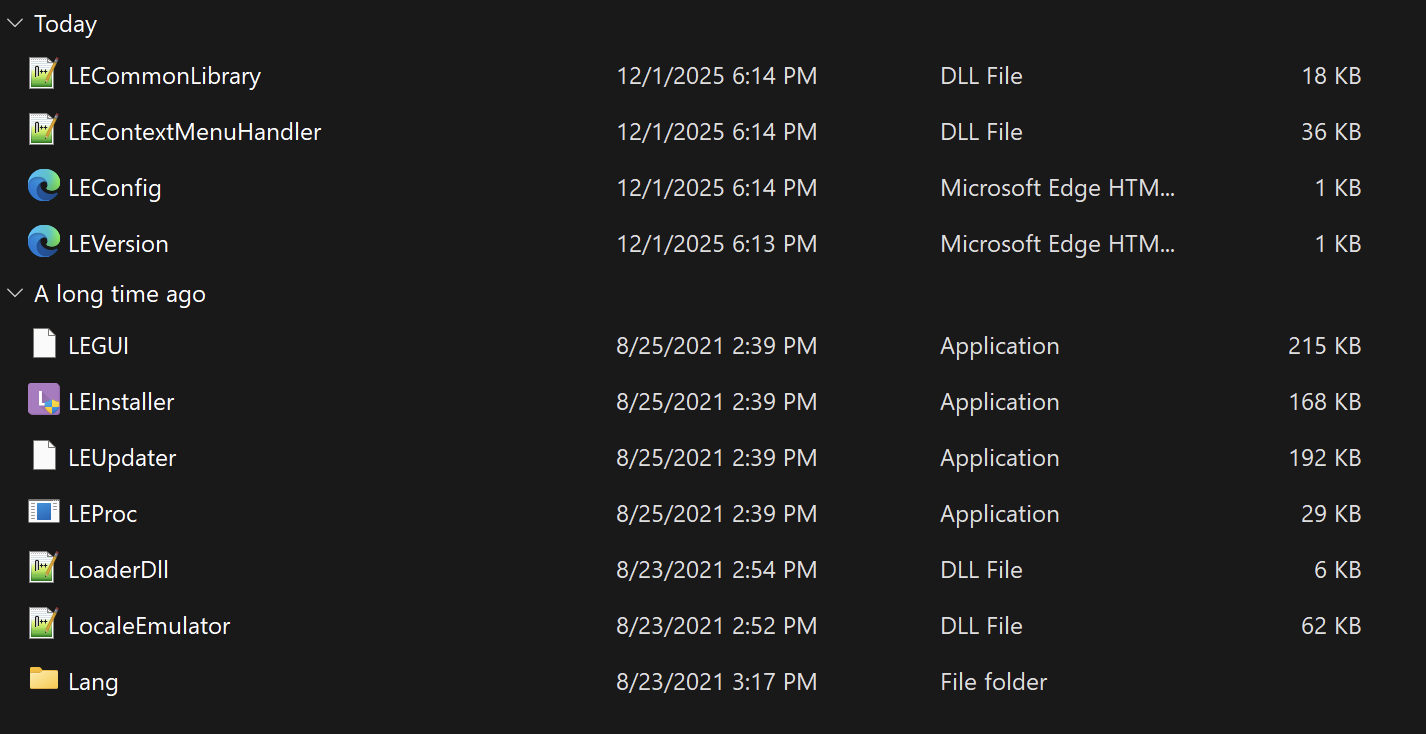
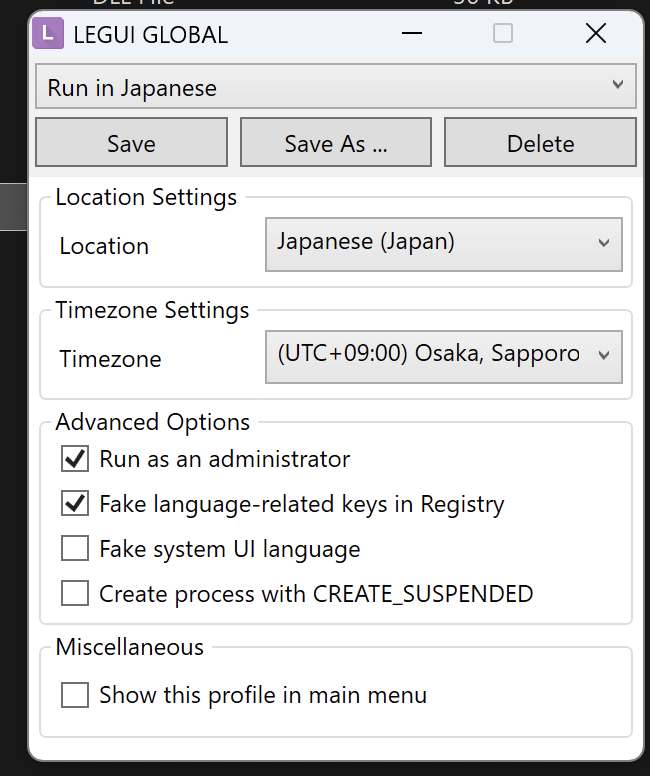
There is no difference between with Locale Emulator and without it! There must be something wrong with my installation somehow. Here's what I see when after unzipping the file and installing. If this can't be fixed I can just watch a playthrough, but I appreciate your help! 


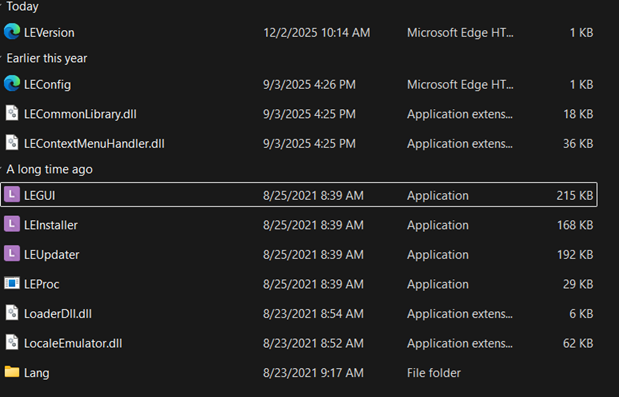
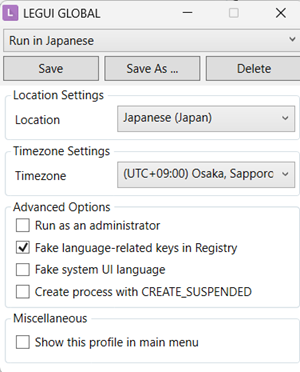
Hm...the only difference I can see is that I don't have 'run as administrator' checked: I assume you're already clicking on the option to run it in the start menu from the cell of empireo button, since it doesn't run on its own, but you don't 'need' to run as administrator. 

I don't actually know if that's it, but it's the only difference I see, since our folders look identical otherwise.