

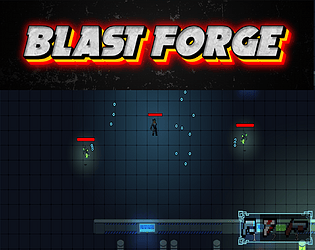
Play Forge
Blast Forge's itch.io pageResults
| Criteria | Rank | Score* | Raw Score |
| Audio | #13 | 3.000 | 3.000 |
| Overall | #15 | 3.091 | 3.091 |
| Graphics | #17 | 3.364 | 3.364 |
| Innovation | #19 | 3.273 | 3.273 |
| Progress | #23 | 3.273 | 3.273 |
| Fun | #27 | 2.909 | 2.909 |
| Polish | #29 | 2.727 | 2.727 |
Ranked from 11 ratings. Score is adjusted from raw score by the median number of ratings per game in the jam.
pre-jam devlog (optional)
https://docs.google.com/document/d/1mIo25AO6ypA8eTO1NnyctX-6CS1VZSj582lDQ39unH4/edit?usp=sharing
Post-Jam Devlog | Post-Mortem (optional)
https://www.twitch.tv/transcoderjen
Leave a comment
Log in with itch.io to leave a comment.
Comments
Played it through and it was fun! Controls are very smooth and intuitive. Even without the tutorial I figured out the controls within seconds.
Things you might improve:
Game looks cool and the level generator looks and feels very polished! love the effect of the pipes on the floor even if they can get a little distracting sometimes. Maybe replace them by another solution, but I would definetly keep the effect in the game in some form. I left a nice rating after playing and will follow the game during its developing proces!
it felt pretty smooth to play and also had feedback effects for most actions which was cool. but somehow for me the aim was off. it wasnt aiming exactly where my mouse was pointing to. roughly 20deg off. and i think i read in comments the overlay is the map. first i thought its walls which i need to avoid. i think making that clear somehow could be improved. but im also not familiar with games which have a map overlay during gameplay like PoE. thank you for sharing! :)
Spent the whole last day fixing an aiming issue with my custom cursor. Turns out, Unity defaults to aiming from the top-left of the graphic, so I adjusted my code accordingly. Now it works perfectly in the editor, but once I upload it, something seems off again—likely a scaling issue in the browser.
Has anyone dealt with this before? Any tips on handling cursor positioning across different resolutions or WebGL builds? Let me know!
Not sure for webgl. I am working in unity as well on a native game. This is what solved it for my game. You can find the setting where you set your custom pointer through projectsettings. Hope that solves your issue!
https://discussions.unity.com/t/custom-cursor-targeting-is-slightly-off/803281/5
I really like this genre of game, but maybe it misses some polishing (more juice with visual and sound fx, adjust sound fx like the loud footstep…). The game has a good potential and I already feel the fun when playing. Keep the good work!
Nice shooter! It's not the type of game I typically play but I did enjoy playing through it. You have a nice variety of enemy attacks and the game looks good overall. Two points id like to make though, as NeatGames mentioned, holding right click the entire time does get a bit tiresome, maybe the gun could always aim towards the mouse cursors global position eliminating the need to aim all together, unless that is a mechanic which you designed for a purpose, in which case do nothing about it. Additionally, I felt that there were a few areas that were empty aside from props, these locations could use some enemies for more constant action. All in All very nice work!
Very cool top down shooter!
Great job completing a full and fun game loop! Please check out my game if you like Metroidvanias or platformers :D
Thanks for the feedback! I will be live playing game submissions 3/8 at 2:30 PST - I'll make sure to play your game! https://www.twitch.tv/transcoderjen