
Oh right I always forget itch doesn’t let you upload stuff. You can email me the logs at olive@wick.works or submit a bug report with them attached here.
Olive
Creator of
Recent community posts
That’s concerning. Two things to try:
-
Does it work in Compatibility mode? If you’re on windows, there should be a second shortcut in the game folder that launches it with different graphics drivers settings.
-
After a crash, could you send me your logs folder so I can see if they have any hints as to what might be going on? For windows, it should be in “C:\Users\USERNAME\AppData\Roaming\LancerTactics\logs”
Thanks for letting me know & sorry for the difficulty!
Logged! We’ve been dragging our feet on this for a while because I think the ideal version would be to have a modal that allows you to check/uncheck all maps and sitreps that you want it to pull from (in case you don’t like specific maps, etc) but haven’t had the time to design such a modal. Adding a simple “random from all” to the dropdown would make a good stopgap until we get to that ideal though.
Hi! Thanks for your post. Our objective with LT is to make a new-straight port of the TTRPG ruleset (which we did not design), and needing to be adjacent to the objective for moving it (as well as the equal-to-your-speed limit on spaces it can move per turn) is important for game balance.
Generally, the design of the TTRPG is “Lancer is not a simulationist game” ie a lot of things that might make intuitive sense don’t work for the somewhat frustrating reason “because of game balance”. I think you’ve correctly identified the one system in the game that most breaks from that philosophy; the Cable Winch is a pile of one-off rules to have it be a quasi-roleplaying human-judgement sort of system, which makes it a big headache to implement on the computer. If anything, we may in the future be forced to prune it back/simplify it for Lancer Tactics so it doesn’t raise these sorts of questions.
Hope that makes sense!
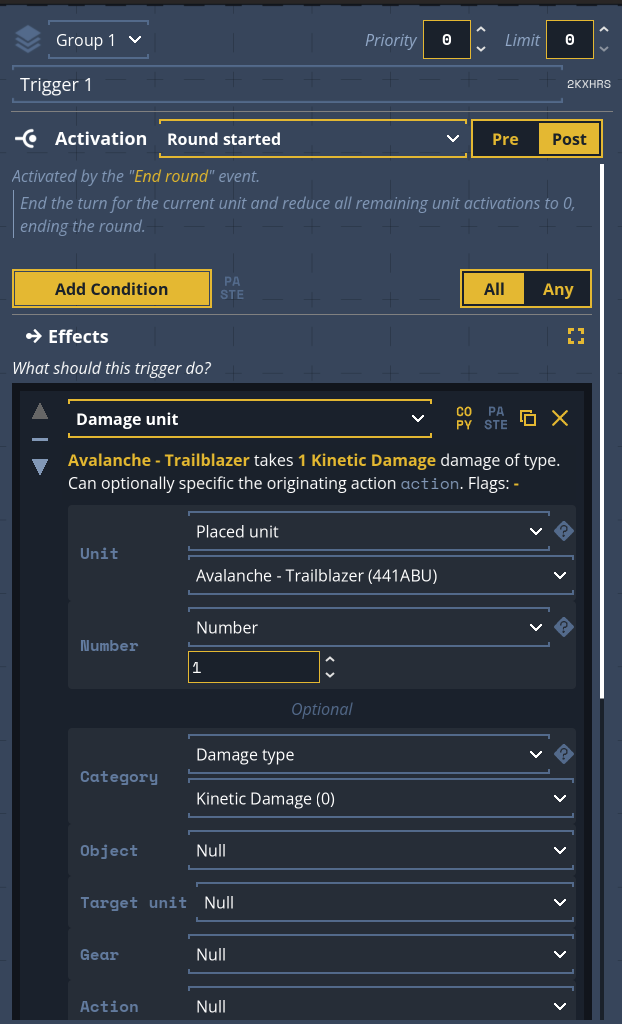
“Manual” means it doesn’t expire naturally, as you may have discovered, so you’ll likely need to add a second trigger to clear the status yourself… which I am surprised to see we don’t already have an event for. Just added it to my to-do list.
I’m also modifying the “until start of next turn” timing to work for Shutdown like it does Exiled (e.g. fold space), which shared the same problem.
I don’t see a good alternative solution until the next monthly update drops; thanks for your patience til then.
Oops, we meant to put the link up on the main itch page once the Kickstarter work wrapped. Here’s the discord invite link, I’ll try getting the front-facing signage in place after I get back from vacation next week.
Yes! We haven’t made any agreements with Massif to adapt their first-party modules, but we have two in the works that should be ready later this year. Generally our approach is going to be a modular “anthology-style” where you can bring a pilot through various shorter modules, to allow for easy incorporation of player-made content.
Hi! I believe that form is actually broken in the current build; it’ll be fixed in the update scheduled for next week.
Once it is fixed, there’s an “export” button in the COMP/CON pilot menu, which will bring up a panel that says “copy pilot data to clipboard”. Press that, then paste that text into that textbox in Lancer Tactics.

Yeah, Atlas is from Long Rim. From the FAQ:
Are there plans to add Kobold/Lich/Orchis/Worldkiller/other non-corebook mechs?
We’re focusing on getting everything done from the core rulebook solid before looking at expansion content. We have about a year’s worth of gameplay features in the backlog first (e.g. local multiplayer, campaign modules, mod support) that we should do before tackling adding more mechanical content.
Once that’s done with, I think adding stuff from other Lancer modules would be a very very natural progression, but we’d have to clear it with Massif & see what makes sense at that point.
But lancers wait for no dev team, and unofficial mods have already made a lot of progress in hacking in new mechs. If you’re hungry for Long Rim mechs & aren’t afraid of a little technical work getting them set up, check them out!
Downtimes are essentially text-based scenes (though there can be “dioramas” with all your mechs and pilots in a static scene as a background) where you can go through conversations, narrative sections, and do repairs and build changes.

We don’t currently have dice rolls/pilot triggers because most of their juice in tabletop comes from human flexibility and ability to make them interesting — straight percentage-based choices with shallow mechanical juice to back them up isn’t a good addition to a visual novel engine, according to my game designer eyes. Especially with such a ready save/load system available.
But there is support for player choices ticking clocks, and triggering various Twine-y narrative tracks based on persistent module state. So narrative choices and stuff happening on the combat layer can be checked and reacted to by the module creator in whatever way they’d like. I’d like to also add easy support for discrete mechanical Reserves to gain and expend, but haven’t had the opportunity yet.
NPC capability is what you already see in the combat editor, which is to say there’s limited control the mapmaker has to tell them what to do (“stay in this zone”) but the AI controlling all the different abilities is too unwieldy to give predictable personalities beyond those defined by the gear they hold.
Hi! I think it’s very unlikely we’ll ever fully include pilot mechanics in the combat layer in LT. I know the Titanfall fantasy is strong, but Lancer as-written does not support it well (ie running it RAW with a computerized OPFOR would not be a good experience) & running it at the table requires a lot of human judgement calls and flexibility from the GM, which is why we decided to not take a swing at it.
As seen in the tutorial, there’s basic support for scripted interactions with pilots which map/mod makers can utilize on a case-by-case basis, but that’s the creator taking the player experience into their own hands.
Hi – it sounds like your computer may need to run the game in Compatibility mode. Frustratingly, Godot made some updates that I’ve been unable to track down that cause problems on some video cards.
Questions/tips:
- Does the game run if you launch it from the compatibility shortcut (if you’re on PC) or when you download the compatibility .app (if you’re on mac)?
- Does it also crash if you open the map editor?
- Deleting instant_action_setup.json in your saves folder would have been another thing to possibly try, but it sounds like you already covered that.
Oh yikes! That’s very strange… I’m trying to think what might be going wrong. It sounds like it might not be able to save characters in the first place? If that’s what’s happening, it should show some errors in the logs after it happens. Could you send a copy of you logs to me?
- go to the settings menu.
- press this button to open your data folder:

- attach all the files in logs/ to an email to olive@wick.works
As discussed here, it may actually get more expensive once we release on Steam to cover their increased storefront cut. (That’s not to say we won’t later have sales)
But also: Steam does regional pricing and itch.io does not, so that may also affect the relative price once we get there depending on your currency.