It seems like you might have installed the dlc incorrectly. You’re supposed to unzip the “14nightswithyou-free” folder and then put that folder into the base game folder.
Are you actually having downloading issues? The DLC is fine for Macs so no issue with that. Did you double check your Downloads to see if it’s in there? It should be titled ‘14nightswithyou-free’ if you need to search for it.
If you do have this file, are your issues actually with getting the DLC to work? In that case, you have to manually install the DLC to the game in order to play it.
You placed the wrong folder inside. You need to take the DLC folder that you put in there out, unzip it, and then place the folder you get from unzipping it back inside. The DLC will be installed after that.
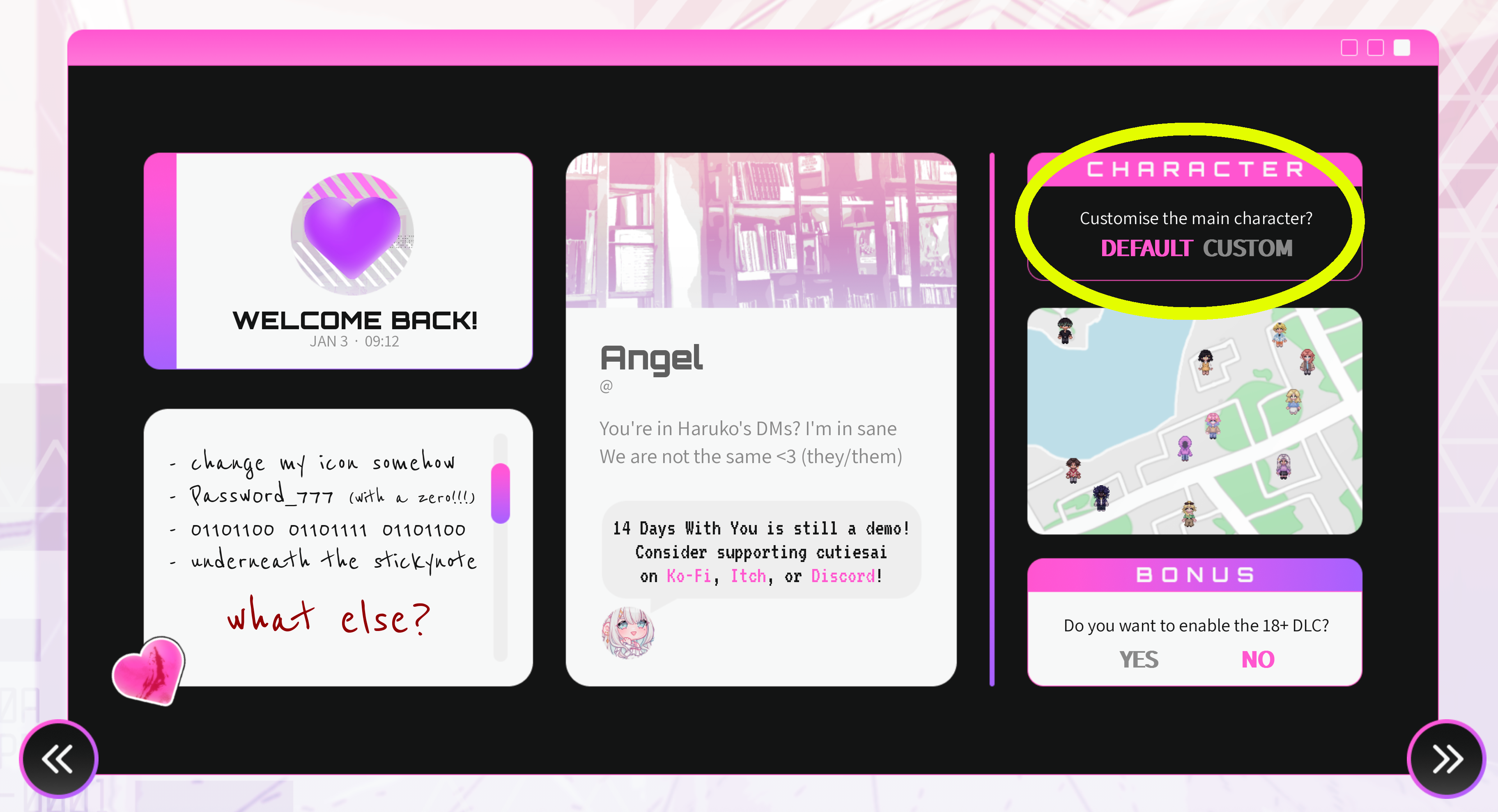
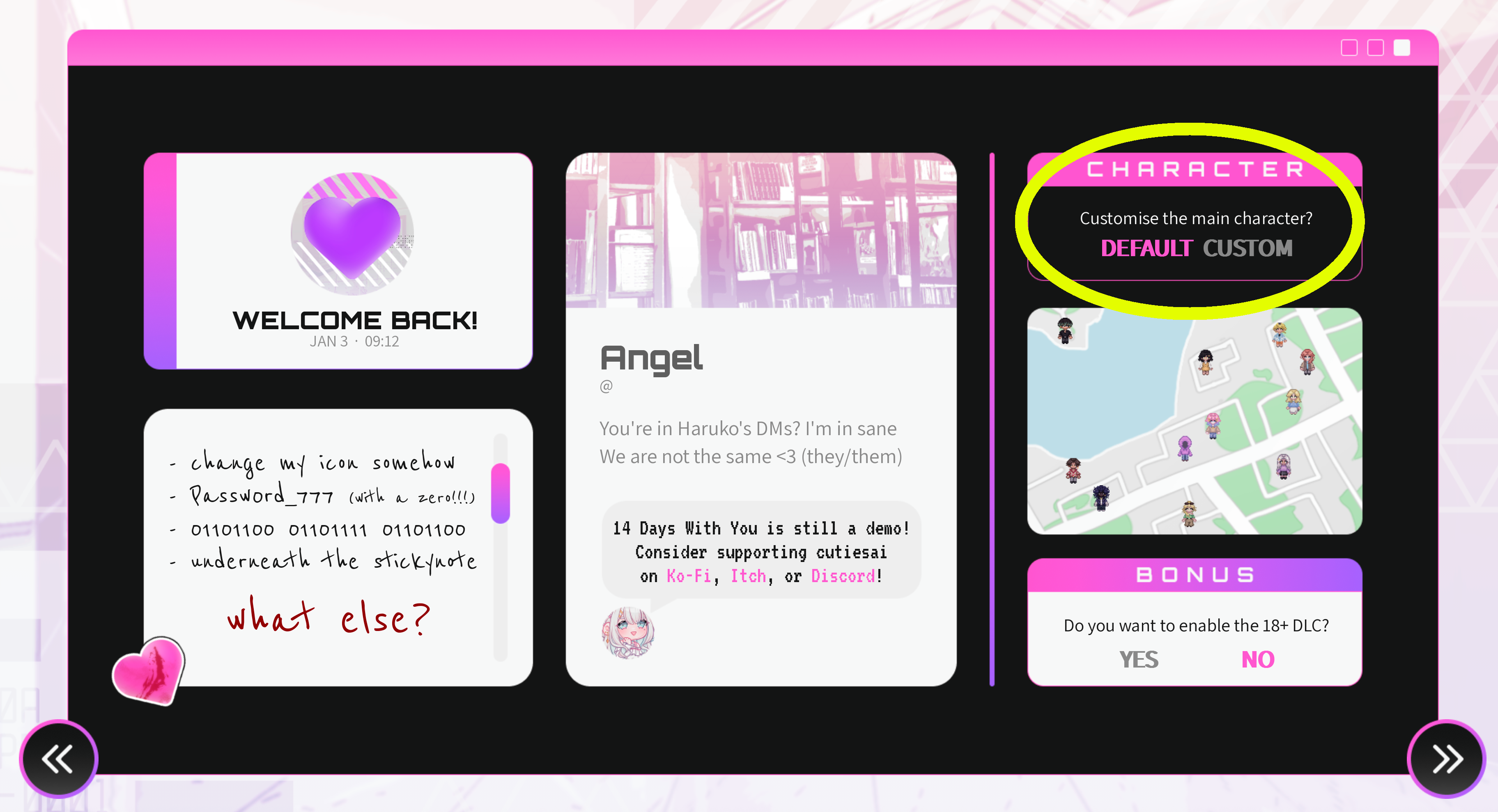
When you download version 5.5, you need to start a brand new game to get this screen to pop up. Clicking on 'Custom' will then allow you to personalize your MC instead of going with the default.
You need to insert the entire DLC folder you get from extracting the DLC zip file, not just the things you find inside it and then you should be fine to go.
Alright. I’ll go step by step on how to get the game and DLC running and see if that changes anything before thinking of other possibilities.
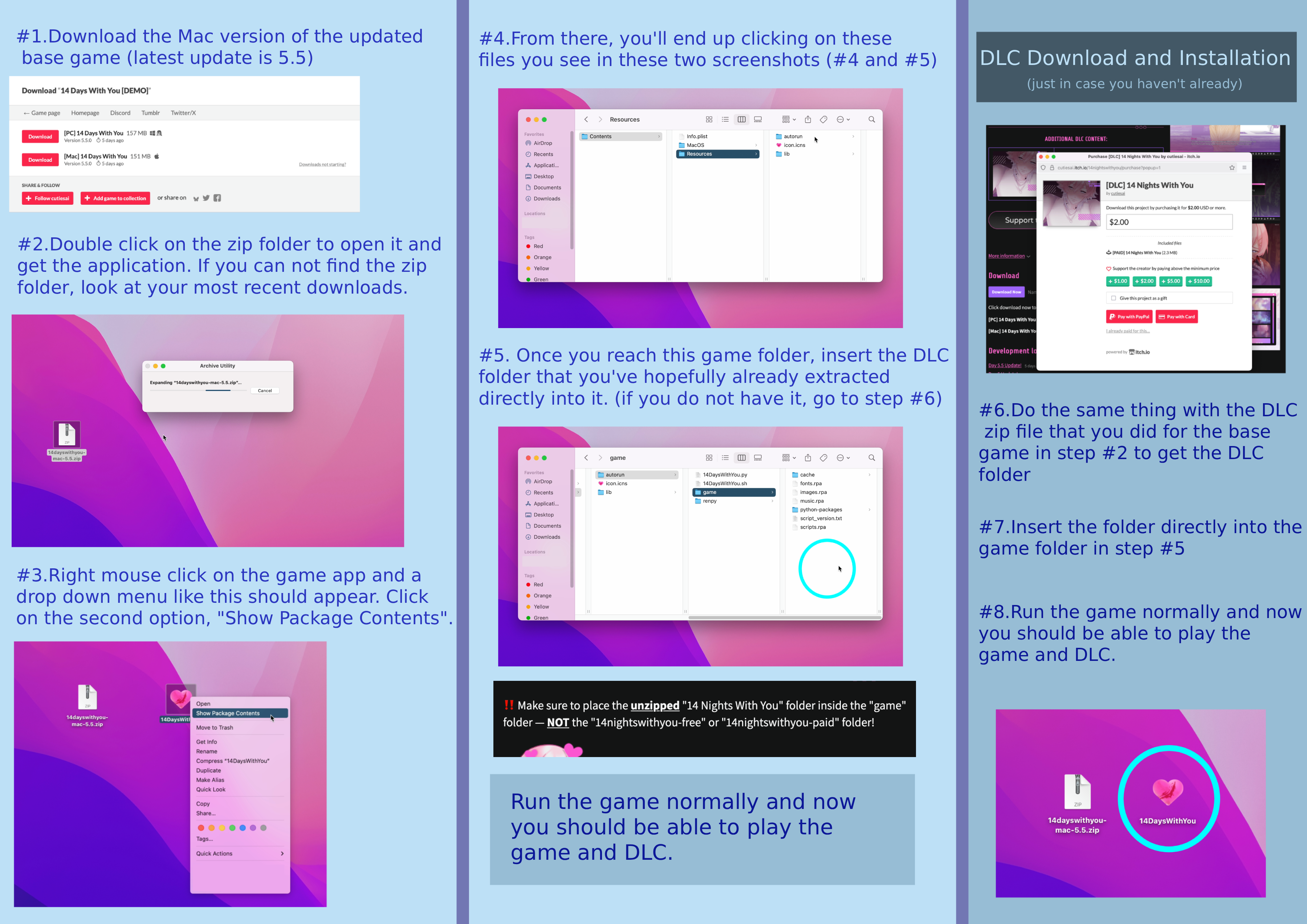
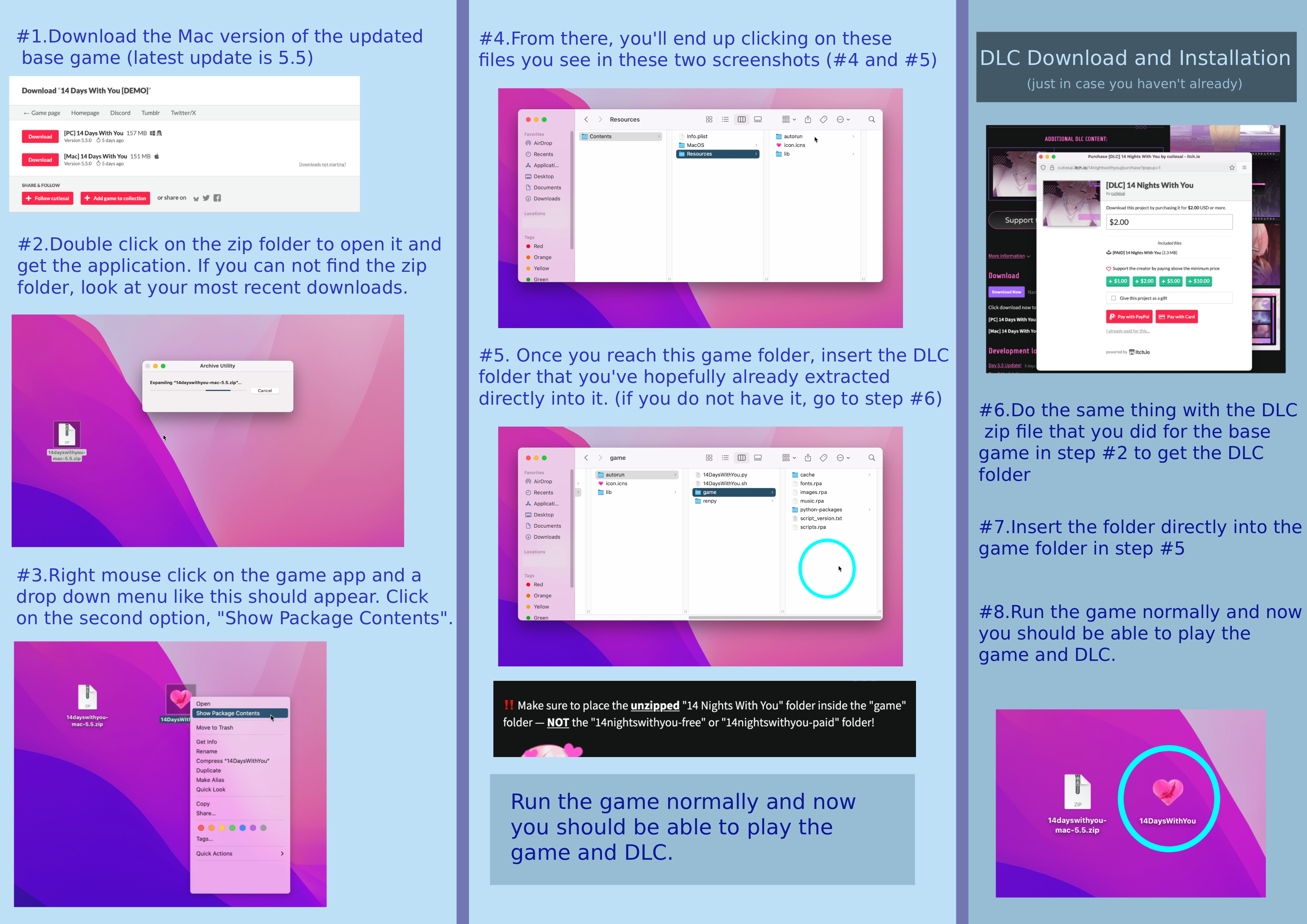
1. Download the most recently updated version of the base game (v5.5) and then unzip the file.
2. Download the DLC file and then unzip it in order to get the folder you will need for later.
3. Open the base game’s folder and inside you will come across a folder labeled “game”.
4. Inside this “game” folder, insert the folder you got from step #2.
5. Exit and open the game like normal. If everything went correctly, you should see a message at the top, right corner of the main menu that shows that the DLC was installed.
Note: If you have downloaded both DLCs, only install the paid version.
Estou usando o Google Tradutor, então me desculpe se estiver difícil de ler. ^^'
Todos estão te chamando de Angel porque seu nome padrão é Angel. Para mudar seu nome, clique no "!" no canto superior esquerdo, clique no ícone do rosto roxo, pressione o "+" e a tela que aparecerá terá as informações do seu personagem, incluindo seu nome. Clique no seu nome na caixa inferior e você poderá digitar um novo.
It seems your issue is that you have inserted the wrong DLC folder into the game folder. You need to unzip the DLC file you download and that will give you the actual folder you need to put into the game folder.
1. Download and unzip the current base game (version 5.5)
2. Download and unzip the DLC file. This will give you the necessary folder you’ll need for later
3. Open the base game’s folder and inside you will find a folder called “game”
4. Inside that folder, add the “14 Nights with You” folder that you should have extracted at the end of step #2
5. Exit out and start playing the game like normal. If you were successful at installing the DLC, you will be able to immediately tell by looking at the top right corner of the main menu. It will display a tiny message saying the DLC is installed.
Note 1: If you have both DLCs, only install the paid version
Note 2: If you have done everything correctly and still have an issue with playing the game, try redownloading and reinstalling the base game and DLC again. Some people have reported that working.
It shouldn’t be an issue of downloading the zip file. If you have done all of the downloading and installing correctly, then what does your main menu look like. Is there a message at the top right corner that says “DLC not installed”?
It says here that everything in the free DLC is also included in the paid DLC so you should only install that version if you have purchased it. Sorry if I am misunderstanding the issue.
You will not have to pay again for any updates the DLC gets when you buy it on your account. You'll only have to redownload and reinstall the DLC with the most up to date version of the base game.
I have not gotten the ending myself, but from what I’ve read, there are other choices you need to make to actually get this ending.
You have to choose all the negative options for the characters in the game, go to Ren’s apartment on day 4 and say you enjoy seeing it, and then on day 5 tell Ren to leave after you see his text.
I don’t know how much better I can explain through text but I’ll try to be as specific as I can.
Part 1. When you download the DLC (Mac) you’ll need to un-zip the file by double clicking on it. You’ll get the DLC folder you’ll need for later in part 2.
Part 2. With your mouse, hover over the 14DWY base game app you should have already installed onto you computer and right click on it. A menu will pop down with a bunch of different options. The second option from the top should be called “show package contents”. Click on that one.
From there you’ll be brought to a new folder called Contents. Click on it and go to the folder Resources and then to the folder auto-run and then, finally, the game folder.
I finished everything this version has to offer and I just wanted to say I absolutely loved Yuta's and Haru's route most; thank you for their existence <3. I'm looking forward to visiting them again in the updated version whenever that comes out ^^