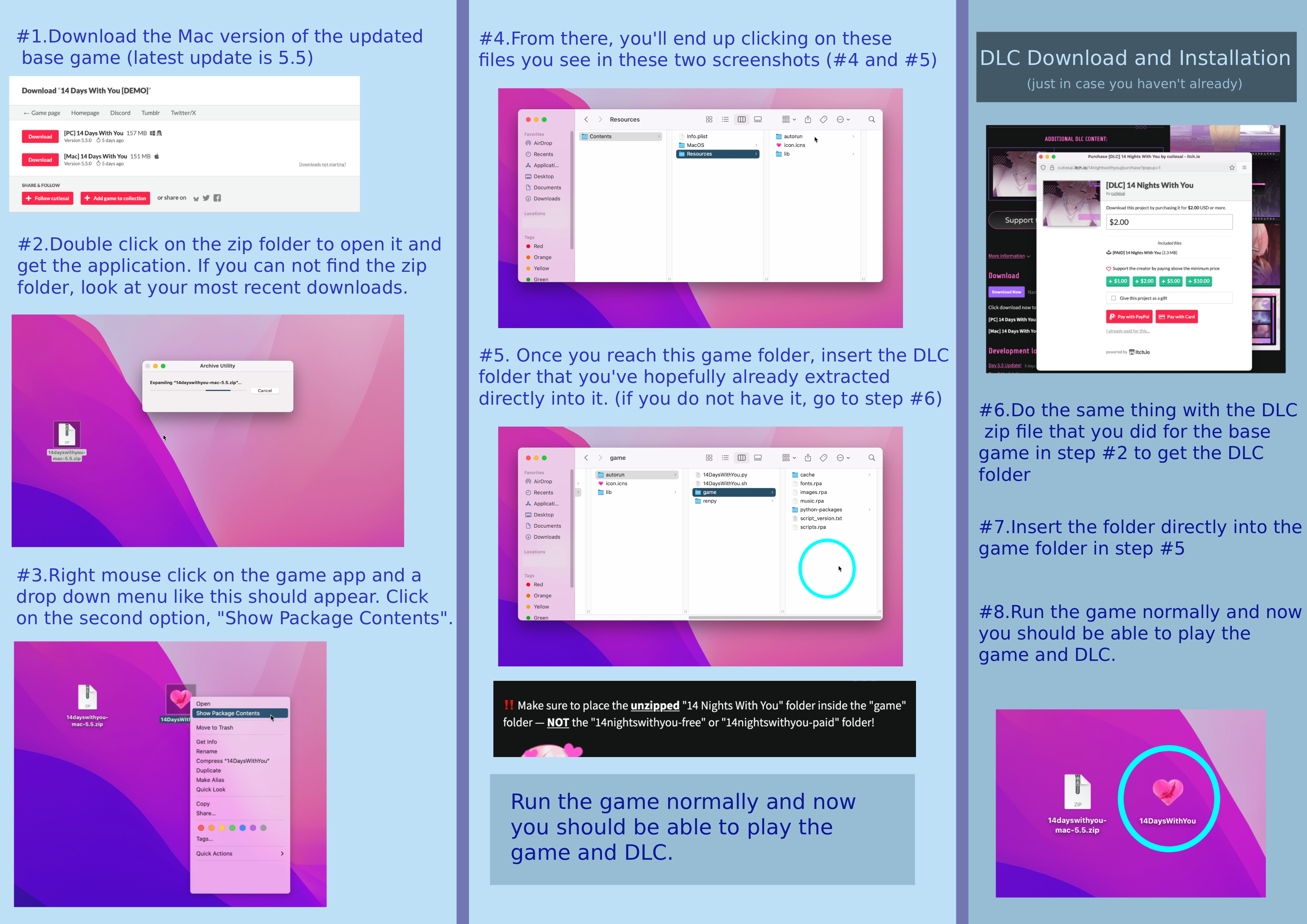
I don’t know how much better I can explain through text but I’ll try to be as specific as I can.
Part 1. When you download the DLC (Mac) you’ll need to un-zip the file by double clicking on it. You’ll get the DLC folder you’ll need for later in part 2.
Part 2. With your mouse, hover over the 14DWY base game app you should have already installed onto you computer and right click on it. A menu will pop down with a bunch of different options. The second option from the top should be called “show package contents”. Click on that one.
From there you’ll be brought to a new folder called Contents. Click on it and go to the folder Resources and then to the folder auto-run and then, finally, the game folder.
(click folders in order: contents > resources > auto-run > game)
Once you get to the game folder, take the folder you got from un-zipping the DLC and place it directly inside the game folder.
After that, you should be able to play the game with the DLC installed.