Indie game storeFree gamesFun gamesHorror games
Game developmentAssetsComics
SalesBundles
Jobs
TagsGame Engines

Kadajah

60
Posts
70
Followers
A member registered Aug 18, 2025 · View creator page →

Creator of

Recent community posts

That's a really cool idea, actually. There's a Discord server, but it's currently unused, and I have plans for it. 

However, I'm relatively new here, and the community is still small. I'd like to fully structure a Discord server and have a larger number of people before actively using Discord. 

I greatly appreciate your interest and suggestion. Just let me know if you need anything.

I think I understand, when you say group, approximately how many units?

RPG Maker has a problem with the playback of Effekser animations; a certain number of animations running on the screen result in FPS drops in almost all scenarios, depending on the type of enemies. It can be adjusted so that their attacks and collisions don't play Effekser animations. I performed a complete test of the demo after your alert, including recording and uploading the video to the page, and I didn't experience any lag. 

But the plugin should work the same for everyone. If you're still experiencing lag, there's still room for improvement. 

Thank you very much for the feedback, I'll perform some more tests and modifications! I'll let you know soon.

Sorry, my mistake, it's fixed!

Hey, I considered your feedback and made general performance and processing improvements to the plugin. Could you download version 1.1 and check if the lag has improved?

Thank you very much for your feedback, please let me know the result and if you need anything.

Dude, your idea is really good and necessary, I'm sure it would sell, but it's a hell of a development process; everything to make it work is potentially problematic.

In other words, I'll try to create it, but it's going to be a challenge. I've published apps on the Play Store before, but never games, and it's extremely bureaucratic to meet all the rules and permissions required to publish an app there, I imagine it's the same for games.

I can only promise that it's going into an idea box that I usually rummage through on rainy Fridays. If I manage to get a prototype out of it, I'll let you know immediately.

Thanks for the suggestion and support!

Thank you very much for the suggestion and for all the support. If you need anything, please let me know.

Bro, it's not a RTWP Mode, but I made some modifications that might make the plugin system more interesting. 

I added a tactical pause system that interrupts the flow of time in the match and allows you to change actions in the character menus, and I created a programmable attack system.

Check out the video and the description of the new features.

Thank you for all the support!

Hey, how's it going? I finally upgraded with the implementation you suggested. Sorry for the delay. 

Now there's the option to choose a sprite for each type of action and death. Of course, there are a lot of new implementations too, check it out, you might like it.

Unfortunately, every time I change my payment settings, PayPal has some kind of problem. I'm sorry, but the only payment method I can make work is international payment through PayPal.

Eu sou falante de português, dá uma olhada aqui por favor: https://discord.gg/uskC3ERS

Hey Bro, I've added some new conditions to the plugin.

- Sensitive controls based on whether a switch is on or off before activating a skill.

- The option to automatically activate a switch when the skill is activated.

- And finally, what I believe will meet your needs, the option to activate bullet time directly from a switch. The plugin listens, for example, to switch 02; when it's on, the bullet time skill is automatically activated.

The new JS file and documentation are already available. I posted more clarifications in this version's devlog. Thank you for all your support and interest!

Hey Bro, how's it going?

Yes, with your question I realized I hadn't activated the script calls in this plugin.

I updated the file, so please download the js file again and replace it in your project (I didn't make any configuration changes, I just added the script calls).

The scripts are:

window.Kadajah_BulletTime_Start() 

- Force start (respects cooldown).

window.Kadajah_BulletTime_Stop() 

- Force stop.

window.Kadajah_BulletTime_Toggle() 

- Toggles on/off based on state.

The scripts can be called directly from events, common events, or any js structure that runs within your project.

Thank you for your support, feel free to ask if you need anything!

That's great, bro! As long as you keep the version free, I personally don't see any problems. I think the community benefits, and this could set a precedent for other developers to collaborate.

I would appreciate it if you could mention my original plugin.

This plugin will still be updated, so I suggest using this version as a base for your work.

This plugin has a standard license. Legally, you can modify my plugin to use in your own projects, but you cannot sell modified versions of the plugin.

If you would like to collaborate to improve the tool for free, we can explore a way to do that.

Of course, you can use my plugin as inspiration to create your own, but it wouldn't be good practice to copy the code, in whole or in part, so the answer would be no. Thank you for your interest, feel free to ask anything!

I'm glad it worked! Thank you always for your support!

Hey Shat, how are you?

I uploaded an update today, please check if you have the latest file, this is important.

To run the tests, I downloaded this exact file, created a new project, didn't change any settings, only the plugin's defaults, and it worked normally.

I also tested it in my test project and it worked normally as well. Please update the files, both the plugin and the editor, and test again. Let's start from there to identify what might be happening.

If the error persists, could you copy the entire console error and post it here? A complete description of the error in the console might offer some clues as to what might be happening.

Thank you for your support, I'm available for anything you need!

I really liked your suggestion; it's not something so easy to implement and it profoundly changes the way the plugin works, because the plugin is divided into two instances, the editing tool and the plugin itself, which also means double the work.

But I will look for a way to implement something along the lines of what we discussed. Perhaps it won't completely replace an overlay image, or it won't maintain an independent layer system, but I will design something that works in that direction.

Thank you again for the suggestions for improvement. I will continue to polish this tool to make it more efficient and complete.

Thank you for being part of this process and for all your support.

I'll let you know soon.

Bro, you're ambitious, but I like that, lol.

Let's try to find an implementation that's both comprehensive and flexible.

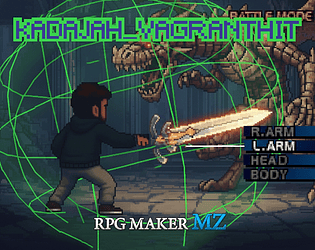
Adding multiple layers makes me think you'd need a layer for each designated body part in the editor.

Positioning the layer on top of each part in the editor for each enemy, and removing it with a collapse effect when that part breaks, something like that?

Hi Blade, sure bro,

First, you must set the option in the parameters to false: [Show in menu]

Then you must create the menu in your plugin and trigger the command via script. 

The Script:

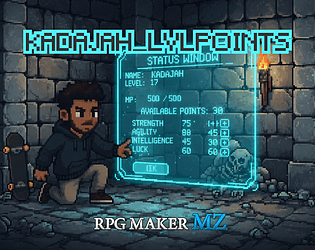
Scene_Menu.prototype.commandLvlPoints();

If you need anything, please let me know.

Hi Blade, sure, here are the ways to do it:

First, you must set the option in the parameters to false: [Show in menu]

Then you must create the menu in your plugin and trigger the command via script. We have two options:

1. To open for the Party Leader
Use this code (Script Call):

// Sets the menu actor as the current leader
$gameParty.setMenuActor($gameParty.leader());
// Opens the Skill Tree sceneSceneManager.push(Kadajah_SkillTree.Scene);
SceneManager.push(Kadajah_SkillTree.Scene);

2. To open for a specific Actor (by ID) If you want to force the opening for a specific character (for example, Actor 1), use:
Use this code (Script Call):

// Replace 1 with the ID of the desired character
var actor = $gameActors.actor(1);
$gameParty.setMenuActor(actor); SceneManager.push(Kadajah_SkillTree.Scene);

Does this work for you?

That's a good idea, how do you plan to demonstrate it?

For example, I could set up an animation from your database to play during the break, to represent that the armor has been broken. Another option is a custom shake on the enemy sprite. What do you think?

Hey Shat, how's it going?

So, I finally found some time to analyze the problem you reported. The function that drew the menus was being called on confirmation of a node acquisition (to draw the confirmation popup). The problem was that it was drawing the background on top.

It's fixed now. It was a very subtle change, so I won't release a devlog.

Please download the JS file again. Thanks again for the diagnostics and all the suggestions. Let me know if you need anything else.

Thanks again, feel free to let me know if you need anything!

I updated the file; it was just a detail in the restoration that wasn't being called.

Could you please download it again? I believe the code is now all correct.

Thank you very much for the feedback and all the support.

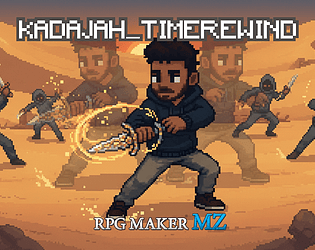
Hey man, you're absolutely right, when you tried to rewind time right after a battle, it couldn't go back from a certain point (the exact moment the battle ended) and generated the error you were experiencing. 

I updated the JS file with two fixes: a safety check that prevents crashes if you're going back to point 0 after the battle, and a cleanup function at the battle exit so that the battle time doesn't overwrite the map time. I did some tests and everything seems to be in order. 

Please download Kadajah_TimeRewind.js again and try to reproduce the behavior that caused the error. 

Thank you for your time and for the accurate log. I apologize for the inconvenience, and feel free to ask if you need anything else!

Hi,
No, in this version I don't yet have support for sprite changes; it's a planned implementation, but it's not yet available.

My plugin works a little differently. Different animations rendered with CSS and Pixi are configured for each weapon type, and the colors are related to the elements. If your character has a fire sword, the attack animation is a red blade; if they have a water staff, it fires a blue spell. There's a predefined animation for each weapon type. If you have some CSS knowledge or can edit the code parameters, it's possible to edit these animations.

The demo file is free; it might give you a clearer idea of what I tried to illustrate above.

Thank you very much for your interest. Feel free to ask any questions!

I found the suggestion brilliant. There are some gameplay design choices I'll have to make, for example: if a switch is needed for a node, do I need the switch activated to unlock the node, or can I unlock it without the switch activated but the ability only becomes available after the switch is activated?

Personally, the first scenario makes more technical sense to me, and I think it's easier to implement as well.

But where your idea really shines is in the possibility of building a skill tree with invisible nodes that only appear when you have a switch activated. This allows access to special abilities related to the story.

As I said, I found the idea brilliant; it's noted down, along with your previous suggestions, to be put into development.

Thank you so much, you're amazing!

Okay, I got it now. I'll address this issue and release an update with the fix in the next few days. I apologize for the problem persisting. I'll run some tests to reproduce the behavior you described, and I believe it will be something simple.

But once again, thank you very much for your time testing and suggesting improvements to the tool. I'm very grateful!

Thank you very much. I performed tests with the Dot Movement System v2.2.4 and my 8D plugin with pixel-by-pixel motion correction, and it worked normally. The gravity plugin doesn't fundamentally alter the "Movement" of the events, so it's compatible with most systems that specifically modify those classes.

Thank you for your interest. Feel free to ask any questions.

Hey Bro, you're absolutely right, the function that updated the stats was being called twice due to redundancy (my mistake for leaving a function from when I was testing). The function has been adjusted and the problem solved. Thanks for pointing out the flaw and for the tests that helped with the accurate diagnosis.

Regarding the confirmation window, I moved its code to the end of the creation list, so it's created last, and I set the z-index over 8000, so it should be on top of everything.

I also adjusted the parameter configuration to use the names from your database. Unfortunately, it's not possible to use icons by changing them with \I[46], but I'll study how to implement it. However, due to the space in the HUD, it might not be feasible. I wanted to, but that forces us to abbreviate the status parameter names even further.

The only thing I'll have to add is a window with descriptions and supplementary text for the nodes:

- I need to configure the display of this to work on an already loaded screen. With a lot of information.

- I need to modify the Skilltree Editor Tool to correctly create all the JSON logic with this information.

This improvement will be included in the next major update I make to the plugin, and unfortunately I don't have a date or a near-term timeframe for that.

In any case, I greatly appreciate all the suggestions, thank you for dedicating your time to improving the functionality of this plugin, I am truly grateful.

If you need anything, you can count on me!

Hey Shat, how are you?
Absolutely no problem!

I needed to consolidate the compatibility version, so I took the opportunity to add a separate control for MP regeneration. I released it in version 3.4 (Kadajah_DamagePopup.js ~ file) , with the compatibility improvements from the patch version I released previously and the new MP control. I hope it meets your needs well. Thank you for your observation and for contributing to the development., just let me know if you need anything else.

Hey CrypticSky, Could you please share the list of plugins you use and report if you see any errors in the console (F8)?

I will do my best to identify which plugin is causing the conflict and, if possible, modify the classes or handling to work around it.

Perhaps I don't have the plugin or can't access the plugin's documentation; in that case, I'll ask for some time to study an alternative or create a compatibility mode with code overriding.

I apologize for the inconvenience, but it's possible we'll need to perform some tests for an accurate diagnosis and solution.

Thank you so much for the feedback! You helped improve the tool, and I'm grateful for that! I'm also very happy that you're enjoying my plugins; I hope they're useful and help you tell incredible stories!

Let's continue developing cool things and having fun! Just let me know if you need anything. TY Shat!

Hey Shat, how are you?

Unfortunately, your image wasn't attached, so I made some assumptions.

I don't know exactly which plugin suite you're using, but if you have any other that handles damage calculation classes and popup display, it's possible we'll have conflicts and other similar behaviors.

I added a file (Kadajah_DamagePopup(comp).zip)

It's a version with a debug mode and a parameter to try to prevent NaN. Basically, it intercepts the standard RPG Maker calculation if the plugin or variable calculation returns NaN.

Could you download and test this version?

If the error continues to occur, could you please copy the console content (F8) to offer some clues?

Thank you again for all the support, I will do my best to solve this issue.

Hey again bro,

Thank you again for the accurate feedback.

It was my mistake not noticing that behavior.

The error occurred because the command reset all nodes, including the root node, if it had a value of 1 in the JSON, and by default this happens... it refunded that node point and then automatically activated the node, generating an extra point. It's resolved, thank you again!

Regarding the command to reset a specific node, I decided to keep it as is, for a situation where the gameplay forces the player to forget a key spell or ability for a moment and then reactivate it with the unlock node.

But I added a new command [ResetBranch] that allows resetting and refunding an entire branch of the skill tree.

The new version 4.6 is now available!

No, this plugin only handles one actor. There are plans for future updates to add main character rotation and AI support for other party members.

The first rotation function is already ready and in testing; with a button you can switch who is the party leader and use different skills and resources for each actor.

But the second function is still in its early stages, and I'm encountering some behavioral errors that require rewriting an entire AI for each type of event.

I definitely want to release these improvements, but I don't have a release date yet.

(1 edit)

Hey Shat, Thank you so much for your support and feedback, I'm very happy you liked the plugin. 

You pointed out an interesting area for improvement and I'll implement it! I'll release a devlog today to explain what's changed, thanks again! 

Edit:  It's ready, please download the new version of the js file. Feel free to ask if you have any questions!

I'll consider adding it; I have to do some testing to see if it would work, but I think it's a great suggestion. Noted and thank you!

In this version it's not possible, but that's a great idea. I'll implement it soon; it's not complicated and brings a significant visual improvement. Thank you for the suggestion, I'll post updates soon!

Just let me know if you need anything, and please let me know when you release your game.