On Sale: GamesAssetsToolsTabletopComics
Indie game storeFree gamesFun gamesHorror games
Game developmentAssetsComics
SalesBundles
Jobs
TagsGame Engines

FELES MACHINA

64
Posts
189
Followers
12
Following
A member registered Apr 18, 2022 · View creator page →

Creator of

Recent community posts

(1 edit)

Thanks! It needs a rewrite, it's clunky and could be more convenient to use.

Your welcome, be warned of the lastest 2.2.0 release. A lot of changes compared to former rigs, could mess with compatibility with older rigs But it was the tradeoff to add Unreal/Unity compatibility too, and make it the semi-official rig of the Quaternius models. (check out his stuff if you haven't already. Great great free assets, models, animations, clothes, etc.

OH MY GOD. Thank you so much for not giving up! I've correct the mistake!

Sheesh, i keep former versions as I work and did not realize that I had re-uploaded a former v1 version on Itch, even though the Github had the latest. This explains so many questions i've had from users lately. Thanks so much for getting to the bottom of it for me.

I've fixed it, it should be good now, and i'll be more careful in the future!

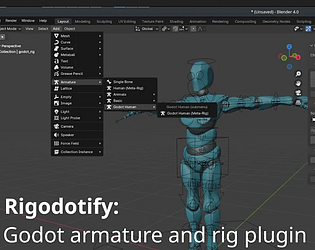
The one in the description above is the lastest. But note, that is the name of the deform bones only. Not the control or other auxiliary bones that Rigify uses while in blender. 

So when you export, with deform bones only, and import your model into Godot, you will see the bones listed above. But in blender, you will only see those bones if you really dig into the rig, because they're SUPER nested in their hierarchy, and even if you enable deform bones to be visible (because they are hidden in blender by default) the control bones are on top of them nearly exactly and will make them hard to click. So there is a little bit of "trust me they're there". Or just use the search bar in the scene viewer and type a bone name in question, you should see it pop up.

Are you getting any sort of errors at all when you hit the "prepare for Godot" button? if not, then it's likely everything is working correctly. 

Are you using the lastest Rigodotify? There was a big change recently former versions of the plugin used a different final skeleton, but the past one (or two?) versions use a new naming scheme that makes it more compatible with Unreal and Unity and not just Godot.


So if you're using s former version than v2, youl'll likely see a different bone structure and names.

That is like, exactly the issue i thought i solved on github the other day. Ugh. I'll go fight with it again.

Noticed some differences in the zip file's name were giving some folks trouble. I've updated the github release's name to hopefully solve that for folks. It should just be named 'Rigodotify.zip', and should avoid any errors or headaches like that.

Just saw this on the asset library and WOW, very impressive and excited to give it a try!

Whoa, just wow! Thanks for these!

Surprisingly handy when you're out of ideas to draw or design, and you just need some loose inspiration.

That said if you just want a gemeric camera system, just grab a different camera system from the asset library rather grab this full template/demo.


Any bigger template or demo has to make decisions for the dev making it less and less flexible for reuse. I'll do my best on a rewrite to make it properly modular, but still, it has to make decisions for the dev especially if it has any type of targeting going on.

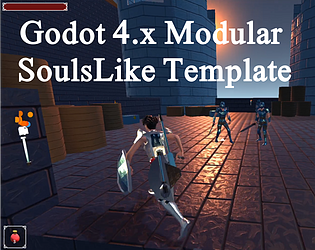
I'm busy on a large project currently but I'll swing back around to fixing this template in a bit. The whole thing needs some rebuilding.

The whole thing needs a redo. When I go through it I'm annoyed how most of it is not easily reusable. Some snippets are handy but generally it's not as useful as I hoped it would be.

So, the answer to most of your question are kind of linked to each other, even though you made it 3 different questions.

So your goal essentially is to be able to share animations and be able to tweak animations, while also doing as little full animating as possible. You want to mix and match across lots of places, and use root motion.

Cool cool. So, with Godot's retargeting, you can mix and match animations from Mixamo, from Rigodotify, from Stinty, from really anywhere that uses a standard skeleton that you can map into Godot. You can bring in as many animations as you like, save them into libraries, and share them across all your models. So whether to use Rigodotify, Mixamo, or some other skeleton as your base, depends on your needs.

If you just want to reuse animations, just rig a model in Mixamo, map it into Godot. You're done.

If you want create your own animations and have more control. Use Rigodotify for convenient control Rig, make the animations in there, you can always add Mixamo animations to it as libraries later in Godot. If you want some premade libraries, i have a few hundred animatins on my github i give away, some aren't great, but still, it's a massive free library so, have at it: https://github.com/catprisbrey/Godot4-OpenAnimationLibraries

Root bone should be on the floor, yes. And it should animate any velocity movement you want in your game. So forward and backward for walking, left and right for strafing. Etc etc. If a mixamo one is flying all over, it's probably thinking the hips are the root or something, and that's not what you want. Root is generally pretty steady. Some mixamo animations i believe are setup for root, they'll have a checkbox "in place" or not, and you want to have it NOT be in place, so that root drives it forward.

If you need videos on retargeting, and using libarries, my youtube channel is full of them. You'll probably want these ones relating to animation here:
https://youtube.com/playlist?list=PL35yqmsJzxjvuYNgoxrxpOFxu5ZzwhbZ5&si=4WrdbQAo...


I cover a lot on animation retargeting, using libaries, making your own, etc. Hope this answers your questions, and gives you places to find answers.

It depends entirely on the type of game you want to make, and how accurate you want the movements to line up with the ground, or be in sync with other actions. But for the most part, root motion only makes life eaiser for almost all attacks and movement code, and for the small percent where you want full control..  just code as you would as if it weren't root motion. At any time you can forcfully move your character somewhere anytime you want. if you choose to include the root motion information, then you just fetch it from the animation tree, but if you don't want it, then just don't do that, and code it as if it weren't root motion.

For a soulslike, you 100% want to have root motion, it'll look a hell of a lot better and make adding most actions a lot easier, and for the actions where you don't want root motion, you just code it like a regular dev. Imagine a big ax swing where the player takes 2 steps forward to swing the big thing. It'll look MUCH better to animate that with a root bone, controlling how far the player moves with each swing during the animation. Blender is easier to animate that with, no doubt. But imagine trying to do that in code. Telling him to wait a half second, then move forward .25 a meter, then wait, for the next step, and another .36 of a meter, and then another .15m to straight out his feet again... That is hell (and what the non-root version uses... and it's like honestly double the code)!

So for souls-likes, yes, root motion is better. Period. I'm making a Metal Gear style game now, and using root motion is a million times easiser there as well. But if I were to do a RTS, starcraft, age of empires, etc etc style point and click. It'd be easier and preferable to ignore root motion since i'll be moving enemies around on a grid... but if i didn't have a grid system... i may even still there use root motion so their feet match perfectly their speed as they walk.

For me, swapping to root motion solved most of my movement code woes. Game dev got a lot easier after that point. I don't use root motion for rotation, i prefer to control that myself based off camera, and for vertical motion like jumping etc, i also leave it out. Easier to do that in pure code or based off math rather than an animation. But for regularly directional movement, root motion is a massive massive time saver, and headache reliever.

Do you have specific questions?

If you use the root version of the project, then yes, it'll need a root bone. You can pop your character into Blender, parent the skeleton to a new bone called root, and be good from there. You just need a root at the base of the whole skeleton.

Otherwise, download the older version of the project, it's non-root.
I strongly recommend using and learning root motion though. It's not difficult to pickup and makes life a million times easier. I was reluctant for a good year or so of game dev to try it out. Kept telling myself "i don't need it, i don't mind, non-root is good enough". And yeah, you can get by, but honestly it's like using a spoon when you could be using a knife. It's just so much easier to do just about everything when you use root motion instead.

Sermon over. Good luck!

My YouTube is packed with Godot Animation videos if that helps get you rolling there as well.

Yup, exclusively works in 4 and up. Does not work on older pre-4 versions.

(1 edit)

I think that's fair for sure. Even if this were something more generic too its be handy on my end. I already use your village generator this way, but if it were adjusted it'd be evnn more handy. Like, rather than similar shaped/sizes of homes, along curving roads-- having a few key/large buildings, that smaller buildings or props procedutally arrange around, and perhaps not on curves or a circle but on more square grid based rows?

Somewhat emulating a town square w/Town Hall buildings, or a school/gym/library that then smaller buildings, trees, parking or parks would arrange around. University campuses tend to imitate small urban layouts already. Like mini neighborhoods

All your generators are amazing and I've used them for inspiration of several game layouts. Which brought another idea to mind. Sorry to play the idea guy right now, but a 'facility generator' would be handy. Something that produces layouts of schools, universities, military bases, airports, hospitals, etc.

Examples of things it's shuffle would be parking, maintenance area, supplies area, administrative/public facing areas, scattered buildings, commissary/cafeteria, field grassy areas, fenced areas, etc.

The games areas I've worked on lately have needs for complete facility areas and your generators immediately came to mind.

Glad you dig it!

I check back here pretty regularly hoping to see more details on the 1.4 roadmap. Fill us in on how things are going when you get a chance! :)

I've been using your app for a while now and was inspired to make one similar for character design. Thanks for all the inspiration!
Character Idea Generator

(1 edit)

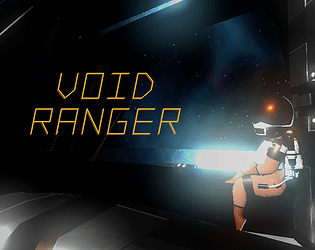
Thanks, Controls were posted on the itch game page, and the current objective is on a label above where to go all the time. (The big "OBJECTIVE: REPAIR SATTELITE" label)

Thanks for playing! Agreed on the oxygen meter, i probably could have turned it off in the pre-crisis scene. I consider the pre-crisis scene to be the tutorial area. It gives you about 500 seconds to figure out controls and get to the satellite. Once you're there, it refills to 100% after the crisis once the true level starts to give you a full chance of survival back to the ship. I hoped that was enough tutorial time for folks, while also keeping them from meandering around too long and testing the limits of the level's bounding box. But also... easy to stop it from ticking pre-crisis.

Curious and funny. Made me nostalgic for old point and clicks

Really a unique take on the theme. Well done, funny, interesting, unexpected. The music, art and play style were very cohesive and had a lot of charm.

Surprisingly entertaining! I really enjoyed it. Great music and audio too!

Interesting game to play, felt very original and loved the audio.

Some tutorial or explanation would have been VERY helpful. At the start of a new mechanic it's good to handhold the first use of it. I wandered around throwing watermelon at nothing for a long time before realizing there were animals to be fed. It wasn't clear to even be on the lookout for it.

Something as simple as once the watermelon / pineapple, etc is picked up the first time, the camera is forced to look at a creature pop up, Maybe even show a label for a moment like "It looks hungry"

As simple as that and you'd be golden. Level two was very pretty, i'd almost say lead with that one too rather than the library. Much more engaging environment to be in.

This game was a blast! It thought i wasn't going to win there for a minute (that last level with the BIG black hole is really great). I've played a bunch of submissions this week and this one was at the top for fun value. Great backgrounds, appropriate audio, on theme. I think the only thing it was missing was a powerup! Rapid fire, a AoE missile/bomb, or a stead stream laser or something.

Really great work though, very fun!

Thanks! I used MaterialMaker to create all the textures (fun fact, almost all are only 128x128 pixels haha, UV scaling for the win), and the shaders are mostly simple clamped noise, moving over time with emission.


Worked real well for making a space sky for very cheap and keeping file size small on all models.

Haha yeah, the gyro and thrusters are best done it short bursts, and then pause to gauge your new velocities. The draining Oxygen adds a sense of urgency but the trick is to stay calm and make careful moves. Our game can be quite boring and short if you just remain chill.

I'll still check your game out still during the jam. Everybody deserves a chance to have their game voted and played.

The challenge is purposely the the Newtonian style controls. It's unforgivingly accurate when in space you can't over-do rotation or acceleration. Otherwise the game would be quite boring and quick.

I'll check out/rate your game for sure

Short but well done! I didn't realize it was a reflex based game at first and got my butt kicked the first time. Wish i were longer but what was there was top quality.

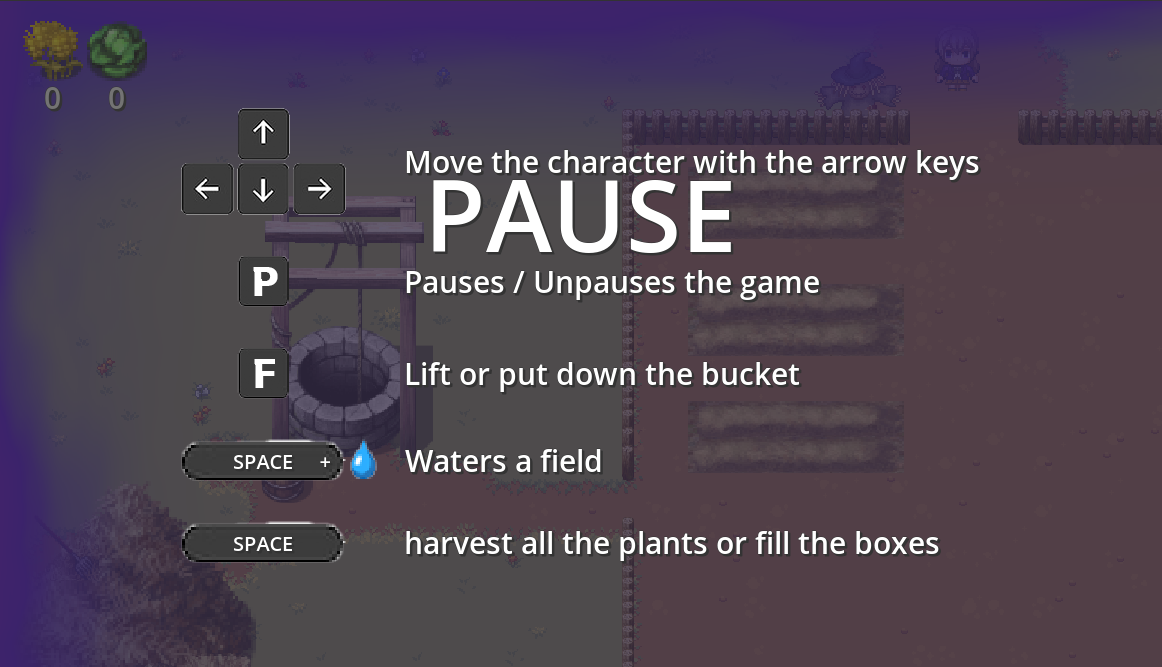
 I tried P, as well as left the game up for the whole time i was typing the replay, taking the screenshot, etc. It didn't go away unfortunately. Could just be Firefox, it can be wacky i've found. I'll try on another.

Hmm, having an issue making it unplayable? The game loads, but immediately shows the pause menu, and doesn't let me leave it? I hear music, the screen scales if i change the size, but it's just none of the keys shown, or mouse clicks or ESC or anything are responsive. Playing on Pop_OS Linux, in FireFox, 1080x1920 resolution. Music sounds nice though :)

Mixed feelings about this one. I loved the look of it and the feel. Great models, great textures with the hand painted look which went well with the music. Great looking shaders on the item picked up, etc. Visually great all around, and immediate world-building that worked! But then the other aspects didn't hold up,:
Animations with no blending, the jump action out of sync with the animation for it. The entire level restarting at each death rather than checkpoints before obstacles. Obstacles you can't beat without losing to them first because they didn't seem like obstacles in the first place (looking at you sinking bridge! what a bait and switch!)

It just felt aesthetic and mood were great but the programming didn't match it in quality. Lot of potential here though! Whoever is doing the art, and world building, you're stuff is on point! :)

This game jam had folks asking about cinemas too. Maybe i should do a few move videos... ugh (i'm no youtuber. I like helping folks out, but one video always ends up being 3 more. Takes away from dev and hobby time, haha).