Indie game storeFree gamesFun gamesHorror games
Game developmentAssetsComics
SalesBundles
Jobs
TagsGame Engines

Estudio528

10
Posts
1
Topics
2
Followers
29
Following
A member registered Mar 26, 2025 · View creator page →

Creator of

Recent community posts

The Delivery Boy

The Delivery Boy - El Repartidor

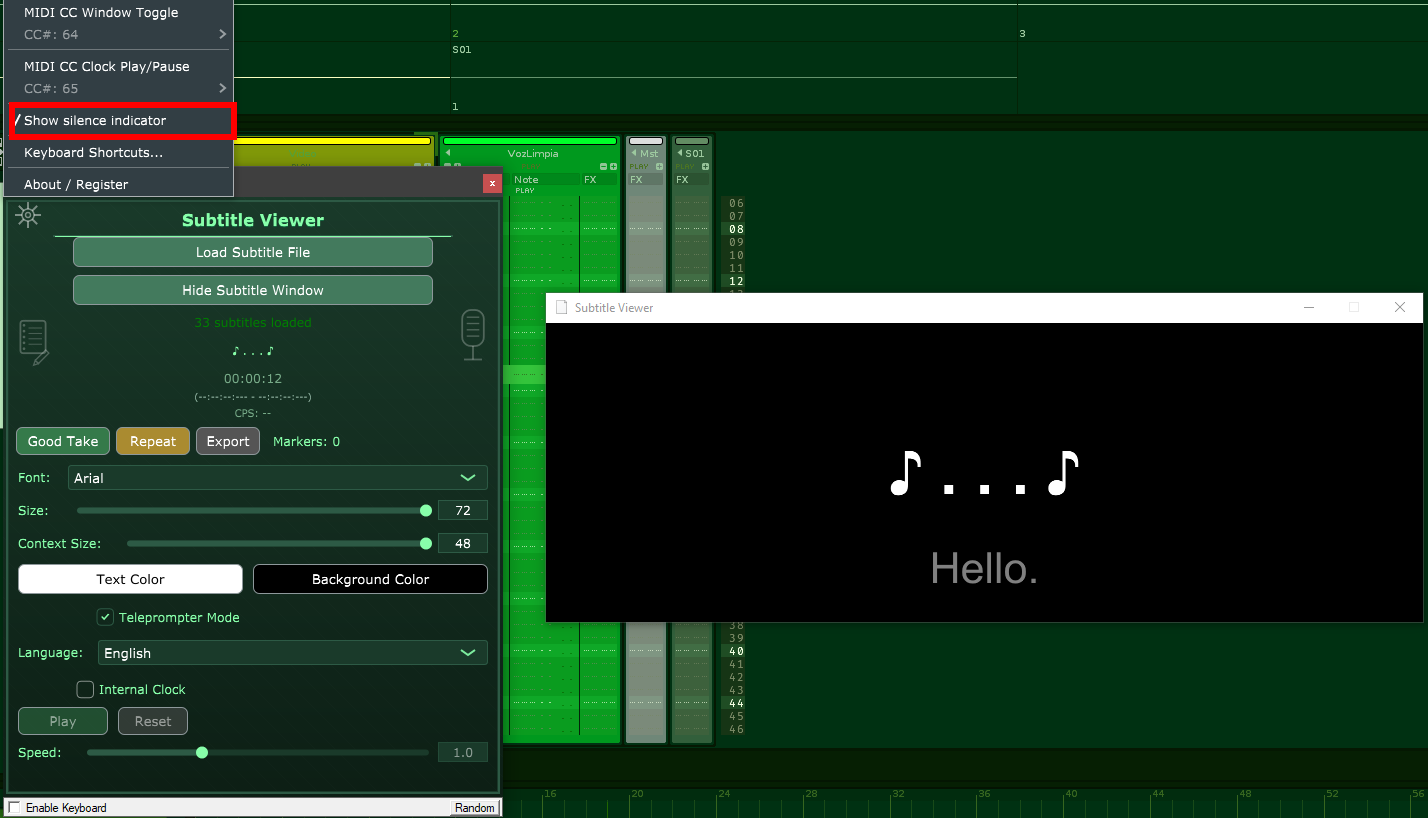
Thanks for the quick answer and helping me to polish this plugin. Please, select the "Show silence indicator" option. You should see something like this:


 I tested it in Renoise and it works, but let me know if it works in your DAW. And I'll review the wishes and implement them ASAP. 

Thanks again!

Hey Stoffel1!

Just uploaded version 1.3 of Subtitle Viewer VST. Please, check it out when possible, specially the features you suggested.

Thanks in advance!

(1 edit)

Thank you Stoffel1 for testing the plugin so thoroughly. I'm going to start working on fixing the bugs and then implementing the features you mentioned. I just added a text editor, to quickly edit subtitles and make corrections without leaving the DAW, this will be very useful for voice talents dealing with bad written scripts. 

The truth is that I started this plugin project for personal use, but I realised it could be useful to others. Now, it's growing, thanks in large part to your help.

I'll keep you posted.

Hi Stoffel1,

Thanks for the detailed report and for testing Subtitle Viewer VST, really appreciate it!
Glad to hear MIDI is working smoothly and the loaded file persists in both hosts.

I've already fixed the issues you mentioned:

  • Demo timeout with external clock → fixed, but I only tested in Renoise
  • No MIDI controller response when the main window is in the background → fixed but not tested, as I don't have a controler to test this. Please, let me know if it works now.
  • Demo limit increased → bumped from 3 minutes to 9 minutes so you have plenty of time to test everything thoroughly

Regarding your wishes:

  • Window too big for 1360×768 screen → removed the decorations below, now the window is a bit smaller
  • Plain .txt file import → great suggestion, and easy to implement. I tested it and it should be working [mm.ss]

Thanks again for the super helpful feedback and the kind words — it really helps push the plugin forward!

Sorry, it seems I messed up with the compiler and uploading the files! 

I've just uploaded the updated demo and full version again, please check it when you can.

Thanks for your help!

Thanks Stoffel1! You're very kind. I hope forum users like it and find it as useful as I do. I've just started with this, so everything is a bit upside down.

I've just uploaded version 1.1 of the plugin with the features you asked for so you can test it. If everything works well, I'll start compiling a version for Mac as soon as possible.

NEW IN VERSION 1.1.0

--------------------

- Internal Clock: Scroll subtitles without DAW transport

  - Play/Pause/Reset controls

  - Adjustable speed (0.5x to 2.0x)

- MIDI CC Window Toggle: Show/hide subtitle window via MIDI controller

  - Configurable CC number (0-127)

  - Works with sustain pedal, buttons, or any CC source

Ok Stoffel1, I'll implement these two features and start working on a Mac version. Thanks for the report and for the tips to get it better!
I'll keep you updated...

Yes, I can do it, but I don't have a Mac around to compile it. So, I'll have to do it online using Github. Anyway, I'll need someone to test it's properly working. Would you be so kind as to test it for me after compilation?

(1 edit)

Hey folks! 🚀

After some polishing and testing, I'm thrilled to finally release Subtitle Viewer VST3 v1.0.0!

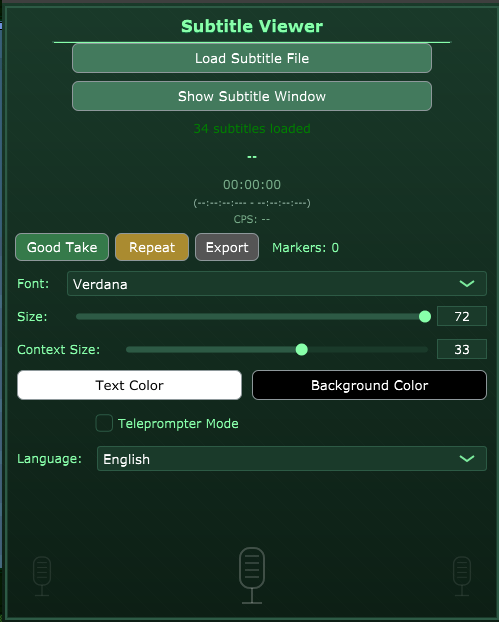
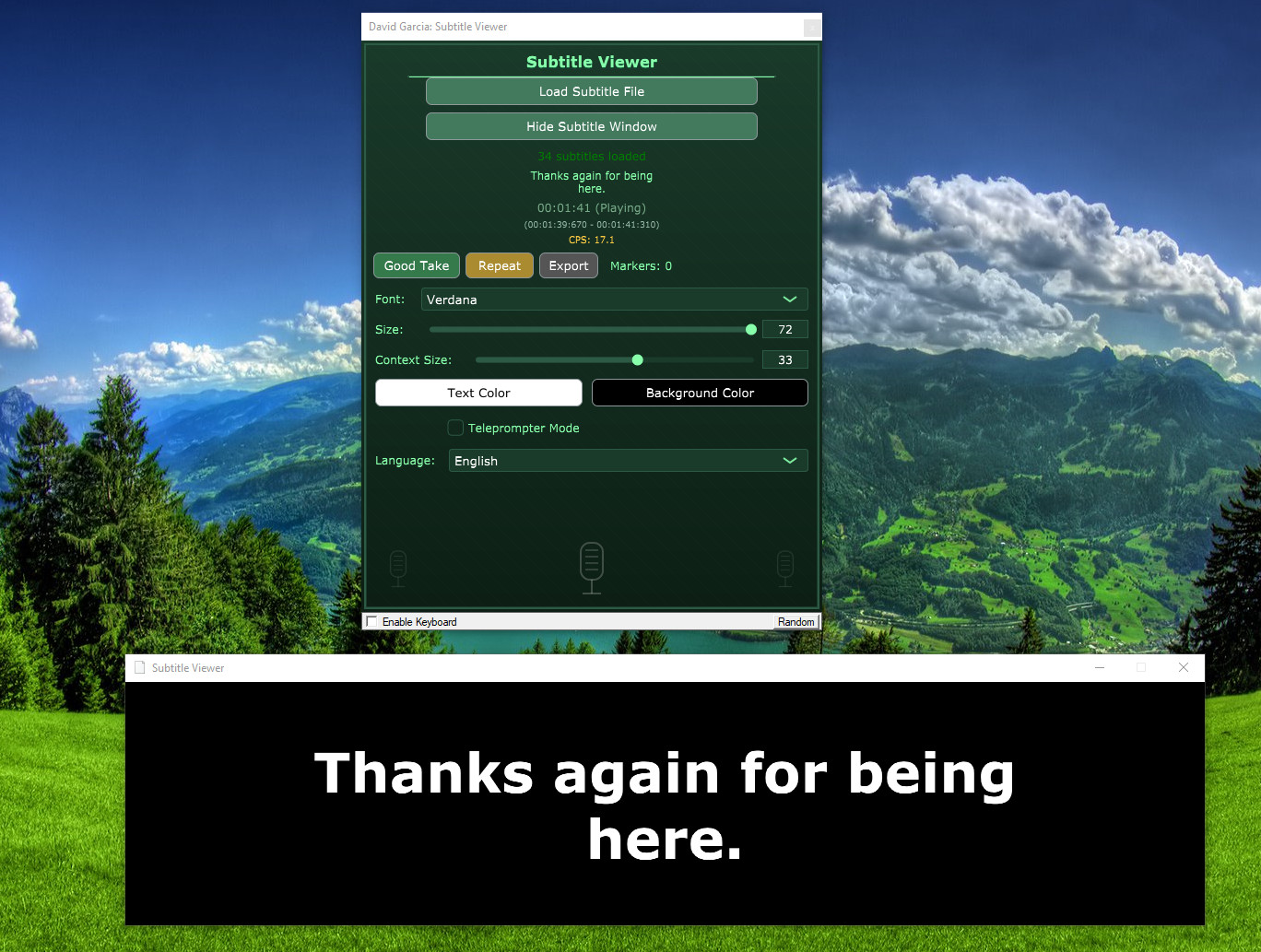
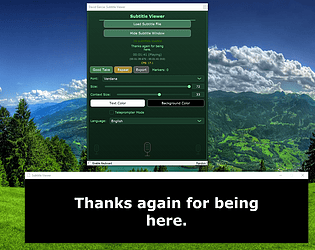
Subtitle Viewer VST GUI

Subtitle Viewer VST main graphical user interface

This is a dedicated teleprompter plugin built for voice-over artists, dubbing directors, narrators, audiobook creators, podcasters, and anyone who needs to read scripts in perfect sync while recording in their DAW. No more alt-tabbing to external players or clunky workarounds!

What's inside v1.0.0:

  • Load SRT or VTT files and sync subtitles to your DAW playhead
  • Floating, always-on-top teleprompter window (perfect for a second monitor)
  • Show previous/next lines for smooth context while speaking
  • Mark takes ("Good Take" / "Repeat") and export them to CSV for easy organization
  • CPS (characters per second) meter to control pacing
  • Fully customizable: fonts, sizes, colors, background.
  • Interface in 6 languages: English, Español, Deutsch, Français, Italiano, Português

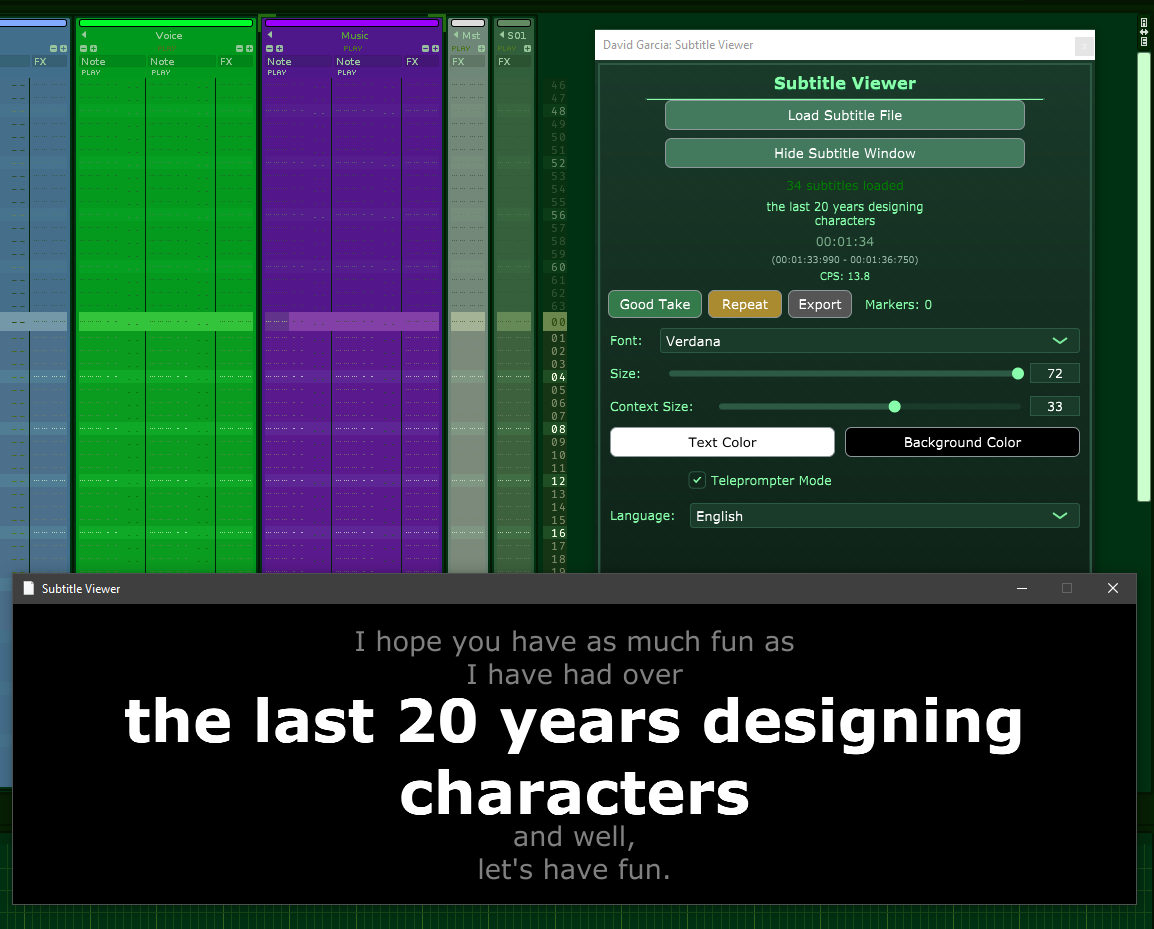
Subtitle Viewer VST in Renoise with prompter mode on

Subtitle Viewer VST in Renoise with prompter mode on

Demo available for free — all features unlocked, but limited to the first 3 minutes of subtitles (ideal for quick tests and short projects!).

Full version just 9.99€ — lifetime access to remove the limit + free updates through the 1.x series.

It shines especially in DAWs without native video/subtitle support (like Renoise or tracker-style setups). Pair it with VidPlayVST for video reference, and you get a complete synced audio + visuals workflow without leaving your DAW!

Download here: https://estudio528.itch.io/subtitle-viewer-vst

Includes Windows VST3 installer

Huge thanks to everyone who's been following or testing! 🙏 Feedback, bug reports, feature wishes, or just "hey it works great" — drop a comment below. I'd love to hear how you're using it. (Voice recording? Audio edition? Educational stuff?).

Subtitle Viewer VST 1.0

Subtitle Viewer VST 1.0

Let's make script recording easier and more fun! 🎙️✨