
Indie game storeFree gamesFun gamesHorror games
Game developmentAssetsComics
SalesBundles
Jobs
TagsGame Engines

Chillax

27
Posts
2
Topics
3
Following
A member registered Jan 18, 2017

Recent community posts

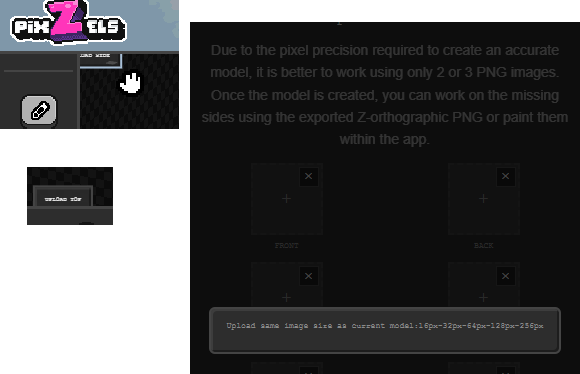
To keep things simple, keep the predetermined sizes for the grid (users don't really care about this), but add an option to align the images uploaded? Then also do that filling in the space with empty pixels internal change I mentioned and the app should accept them just fine.

So, that way you keep everything the same (internally) and the user just has to tweak the images positions to have the right results when creating the mesh from multiple images?
(2 edits)

Appreciated! I mainly come from using Blender and Aseprite (and many other tools over the years), so you can imagine my muscle memory going HUH when things didn't felt quite right or I lacked certain tools. lol

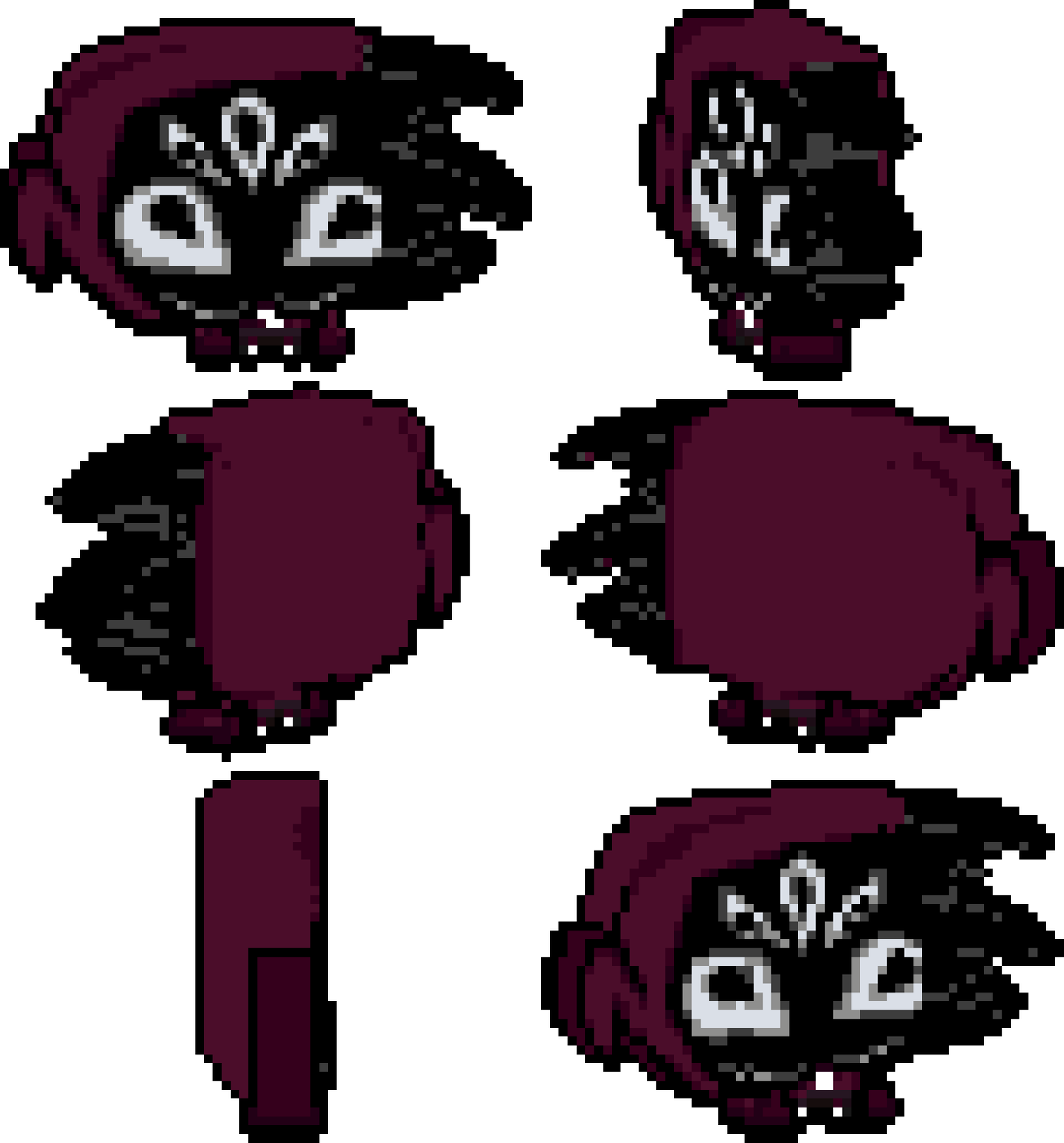
Oh, I also wanted to mention one more thing and its how awkward it is to make more organic shapes on models, like for example I was trying to make a hoodie, like the back of the head shape, on my model but it was so hard to make a simple bumpy area that I just gave up (partially why I suggested a "smooth" tool but maybe an alternative now with context given might give you an idea).

My little test render, bit flat, but again, hard to make round stuff. :)

Also I plan to use this tool for my game, so do excuse me if I sound ultra picky, haha, but sincerely, I do it out of  passion, this is a really neat tool and I'm getting the hang of it. I feel it's gonna make development time on my game a lot faster for designing vehicles (it was hard to find artists that could work on a very specific angle without often looking wrong, and the ones that did do it didn't like doing it, so the easier it is for my team, the better).

I will admit that when I first picked the tool due to all of the issues I almost gave up on it, but I am a very patient person, so I kept trying and the tool does shine when it works.


Also two more things, sorry, one is that I feel that the camera and the mouse don't feel... correct? often times you try to paint a pixel in 2d mode and it doesn't paint or it paints a wrong place? it has to do with projection.

Second thing is that, pressing the button to expand the window to full size... expands BEYOND the desktop bar? Like it fills the ENTIRE screen, which it should not -- it hides all my stuff if I hit it so I can't change apps by clicking on them, so I have to manually resize it instead. I'm on Windows 10 btw.

And again, sincerely, thank you for making this tool! I'm excited to see it improve overtime. :)

(17 edits)

Really neat app in concept but...

1. PLEASE add some automation for image uploading, say, a image is 50x48 then it should just add empty pixels around it to fit the 64x64 size it wants.

2. Also for some reason ALL fonts are ULTRA tiny? At least the custom small ones render super duper tiny.

3. I noticed drawing is super slow, maybe consider adding some chunk optimization of sorts perhaps? Since it is weird how laggy it is.

4. Is it intentional that the view snaps to the top and bottom but not to the sides? Maybe add a setting to also toggle this? It also seems to snap in a very specific view... which means the model FLIPS while you are trying to paint. It kinda felt weird too when it just SNAP JUMPSCARE. lol

5. Could it start on a new project instead of opening on the default model? because it can be a bit confusing to then want to upload images and it complaining about it, as in, its not intuitive that I had to go out of my way to click clear, then pick size, and THEN finally have my model.

6. Maybe the upload image buttons on the sides of the box should also render on the screen instead of being kinda hidden away when they don't fit the screen? It's a bit confusing also because I can barely read them to start with.

7. On the topic of lag, even the UI is laggy when you are selecting around a model?

8. Custom keybinds would be nice.

9. Can you make line mode always render the pixels it will draw? Since I noticed atm it only renders them if you move your mouse around.

10. Line mode currently doesn't go down steps if a mesh is curvy, which kinda makes line mode for that kind of editing be useless.

11.  Maybe add a symmetry mode too? So say, if I erase on one side, it should also erase on X, Y or Z too. So I can shape the model more nicely by just editing from one side.

12. Bucket tool doesn't really seem to fill as visually intended. As in, if there's a ton of black cubes, then it should paint them all as long as they are visually connected, but it doesn't do that, it just paints over the ones adjacent to it.

13. A bind for using a key and then using mouse wheel to increase and decrease brush size would be nice.

14. A smooth boxes mode? Basically say, I want to add a bump, but it looked wrong, so then I wanted to smooth out the connection between the bump top and the bottom, so a smooth tool would handle that by just click it a few times to smooth the surface.

15. Sizes beyond 128 would be nice, since I have vehicle sprites that are bigger than that. In general, odd sizes would be very welcome too.

My screen size is 1920x1080.

If you could look into these issues/suggestions I would appreciate it. Thanks in advance. c:

Just wondering but how much would it cost to have a custom emote animation done by you?

I tested a bit and it seems that the perfect size is 32x32.

I tried square images, 16x16, even 20x20, and I also tried 64x64, and it seems that they all get SCALED to be 32x32 on screenshots/recordings...

Looking into it more, it seems that this is rather an "issue" with the recording software themselves, since apparently what they mostly do is grab your cursor position, then grab the image it uses, and lastly, just draw it on top of the recording/screenshot. I read there are other methods to get your cursor on your recording/screenshot but it seems to be a very generic way that just works "fine" on multiple platforms and it's easy to do, so, that's something to consider when making the mouse sprites.

The Marauders/Bandits at the end of the road on Campaign mode despawn if you walk off too far to the left and then never respawn again for some reason?

Also the bullet resistant one should have some blood maybe to show off that he is getting damaged? Because right now it looks like he takes no damage at all because of the sparkles. He does die from bullets but the lack of proper visual cues on him getting damaged makes it kinda confusing.

Maybe it would be nice to also be able to hold a button to skip the intro cutscene.

Possibly having a way to resume the campaign from where you left would be nice too.

The GUI does not seem to be properly scaled when playing on the normal resolution given on the website. This made the "Money +25" and such text be shown offscreen.

This also caused the inventory slots to be offset from where they really are. So for example, if I equip a weapon, I have to aim a little bit to the right from where it really is to equip it on the right slot.

Also clicking on the X button on the inventory does not work.

When using a door, could the game be paused or enemy AI be disabled? because right now when using a door the world does not pause, meaning that enemies can kill you while going through a door, or even camp the door, so the moment you go back you might instantly die from a lot of enemies being right at the door.

If the enemies stopped chasing, or the game paused while going through a door it would solve those issues.

Could the hazmat enemies have a blue trace when they are attacking?

This could be done so you can tell that their attack poisons you, since for example the spitter enemy has blue bullets, which easily indicate it uses poison.

Maybe a different hit sound, or custom hit impact effect could be used when getting hit by a poison attack?

When killing enemies their coins can go through walls or props, which means that they can die and drop their coin out of bounds, making that money they dropped be impossible to collect.

For example on the school? there are a few of the spitter enemies that are nearby walls, and when they die their coin drops inside the tables or behind the walls.

If you go from the main menu to "Settings", then press on "Reset to default" and then click on "Back", the settings menu won't go away and you can't use it properly anymore.

(1 edit)

On the "Controls" menu "Attack" is mispelled as "Atack".

Maybe the kick button should also be changed to K since that way it's easier to hit as it is closer to the attack button which is J.

It would also be nice if their order could be changed to something like this:

  • Move Up
  • Move Down
  • Move Left
  • Move Right
  • Roll
  • Action
  • Attack
  • Kick
  • Reload
  • Change Ammo Type
  • Open Inventory
  • Equip Weapon 1
  • Equip Weapon 2
  • Equip Weapon 3
  • Use Item 1
  • Use Item 2
  • Use Item 3
  • Equip Throwable 1
  • Equip Throwable 2
  • Equip Throwable 3

Some things here were renamed to make them easier to understand and more clear overall.

Could the buttons at the main menu have a little SFX when clicking them? It just would be a nice little addition.

Maybe they could also have a mouse hover over sound too. Make sure the sounds are also not too loud.

Could the game over sound be a little less loud?

It's a bit too loud in comparison to the rest of the sounds of the game at the moment, so the mixing isn't the best.


Also, if you die while poisoned, the poisoned icon stays on the game over screen.

Could the crit animation have a shine at the top of the sword swing with a little shiny noise indicating it is a crit attack?

It just would be nice to have a better way to tell if you ended up doing a crit attack more easily than just watching the animation being different.

The credits have a few typos on the Special Thanks section.

"Dareapaaa" should be "DaReapaaa" - There it should be a capital R on Reapaaa.

"Wolt Jolt" should be "Volt Jolt" - His name is with V not W.

"Witherhusk" should be "Wither Husk" - His name goes separated and with a capital letter on Husk.

Some enemy animations hit WAY earlier than they should.

Sometimes the enemy attacks, clearly hits you but does not because the impact itself is not in sync with the animation.

Sometimes there are enemies that attack and hit INSTANTLY despite that the animation shows that they landed their hit a bit later.

Enemy stunning with a kick has no visual cue, which means you can't really tell that the kick you did indeed stunned the enemy. Maybe little stars over their head and forcing them to play the idle animation (or a new stunned animation, but that would require more work, so an easier workaround might be better for now) and cancel their attack animation would help. Currently when kicking enemies they get stunned but keep playing their attack animation (despite doing  no damage) and everything which sadly makes it quite hard to tell the kicking even works, visually speaking.

Also if you kick while having no weapon equipped... on the earlier version it had no animation, but now it has an animation... but for some reason it shows that you have a gun on your offhand instead of no weapon at all. It would be nice if instead there it was a new animation for kicking with no weapon.

There's currently a bug in where going to the door at the end of the store on the first store, and then going back up the ladder, will reset all items from the store and entire of the road level, which means you can dupe all items in there.

By doing this however, it also respawns enemies... and if you kill a few of the respawned enemies the game will just crash (after like 2-3 enemies?).

Could the opening of boxes be more automatic?

So instead of pressing E twice to get an item, it could automatically pickup it up with only pressing E once? (so press E and it will open the box and give you the item instead of opening it, and then pressing E again to pick it up)

It's just kinda tedious to want to pick up an item and having to press it twice. Maybe the item obtained could also use a different animation to show you what item you got from it, since if you spam E to pick up items you don't really know what item you got until you open your inventory.

(1 edit)

Oh, pain, but that actually makes sense. So, all it really takes is to make sure that on game_restart all of Gameframe's global stuff is set again but that's just a bandaid to an issue Gamemaker is making from their misleading name function honestly.

At this point, I can see why some people hijacked game_restart to do things their own way instead of relying on it.

(3 edits)

This probably is not important but I didn't see it mentioned anywhere in the documentation, so I might as well point it out.

While the usage of the game_restart function is usually only for debugging (so normally this won't be an issue), I noticed that the buttons duplicate, so you end up having a stack of buttons after restarting the game a few times. I assume it has to do with the gameframe_init function being repeated on each game start without a proper cleanup when the game restarts.

How the buttons look after restarting the game twice:

Oh, that was fast, and nice catch, I wouldn't have figured it was that in the end. lol

Thank you!

(1 edit)

Hello! I hope you are doing well.

I tried it out and it seems like neither windows_progress nor windows_flash (tested them by assigning them to buttons and even timers) are working.

There's no error or anything they simply don't do anything.

I can only assume that the 2022 updates broke it for some reason as there's no extra setup or anything mentioned so they should have been working fine.

(5 edits)

Holy shit that was quick, and you know what you deserve it, you replied super quickly and delivered for what is a FREE extension, you could have just gone "I'm busy, sorry, bye check up on this later", so I'll send you 5$, and that makes it 20$ total (I actually plan on buying another one but running kinda low on money atm, since my main currency isn't in USD so I gotta do some tricky stuff to get said currency).

And seriously, I know it's a tiny extension but only getting 15$ in a 2-year span is just underrated considering that GM built-in stuff is limited and this extension solves all of that. I guess it is kinda the faith of Pay What You Want stuff on this site; not many people would pay if they can just get it for free.

Edit: I had some weird issues with the icons not showing up but I figured it was just due to exporting them with the wrong size,  so don't mind the many edits/extra deleted message. lol

(1 edit)

Hello!
Do you have any plans on updating the GameMaker version to work properly with the newer versions of the engine?