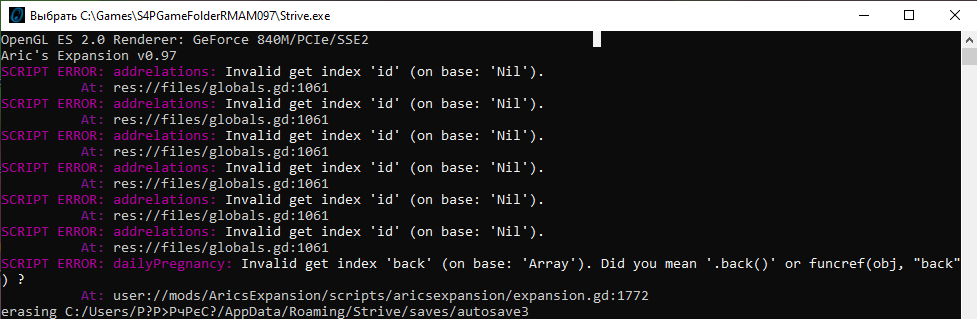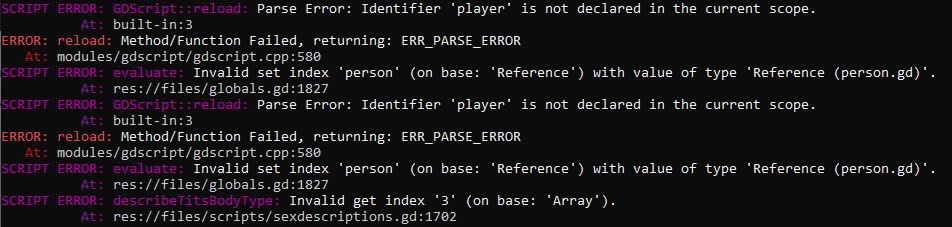
No idea what's going on here.
Received the following error sometimes when a slave has a child. In this case, the child was the spawn of a a taurus and a halfkin (wolf/taurus) in the farm. Not sure if this is an error in character gen, but I'm currently scouring through the save files to see if I can fix it directly without restarting from my last hard save. (Which was apparently over 100 days. I really don't wanna restart from there lol.) Compared the character's details with a working character's, and it looks fine, so I have no idea what happened.

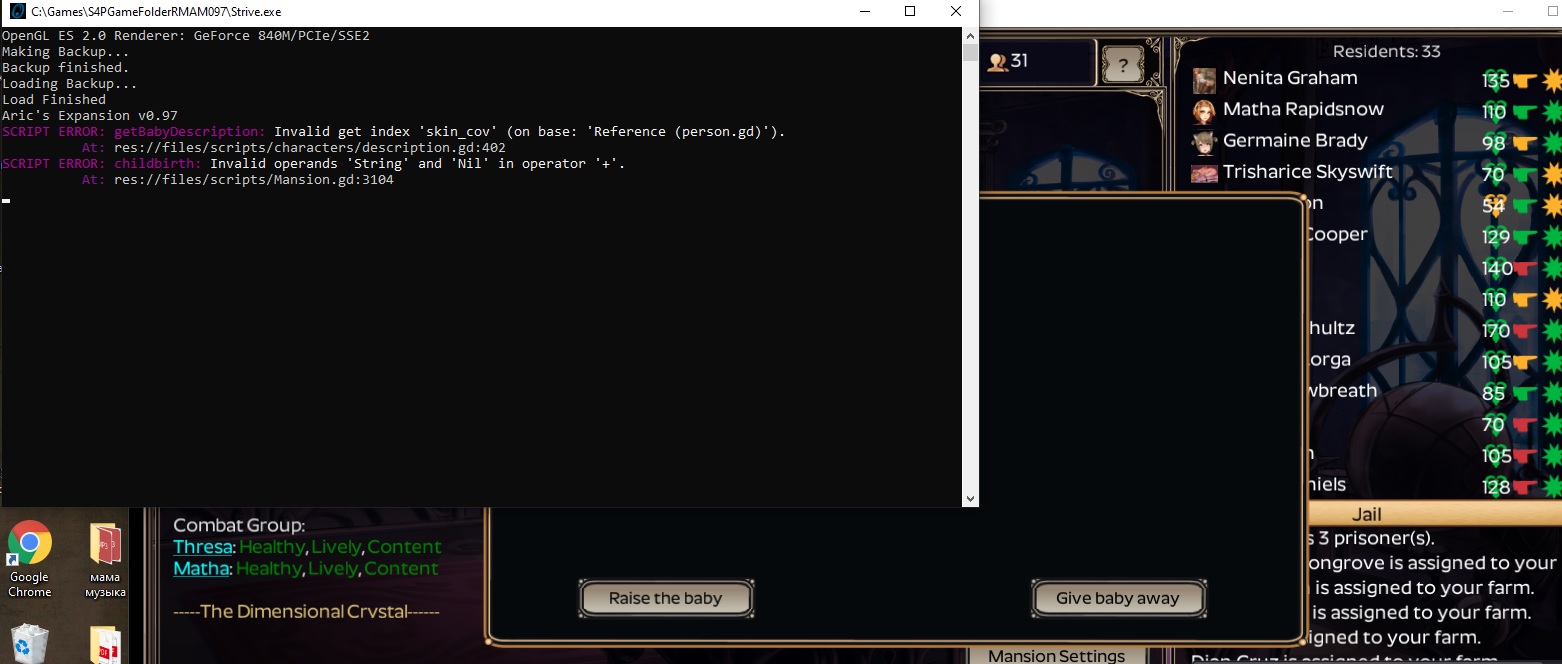
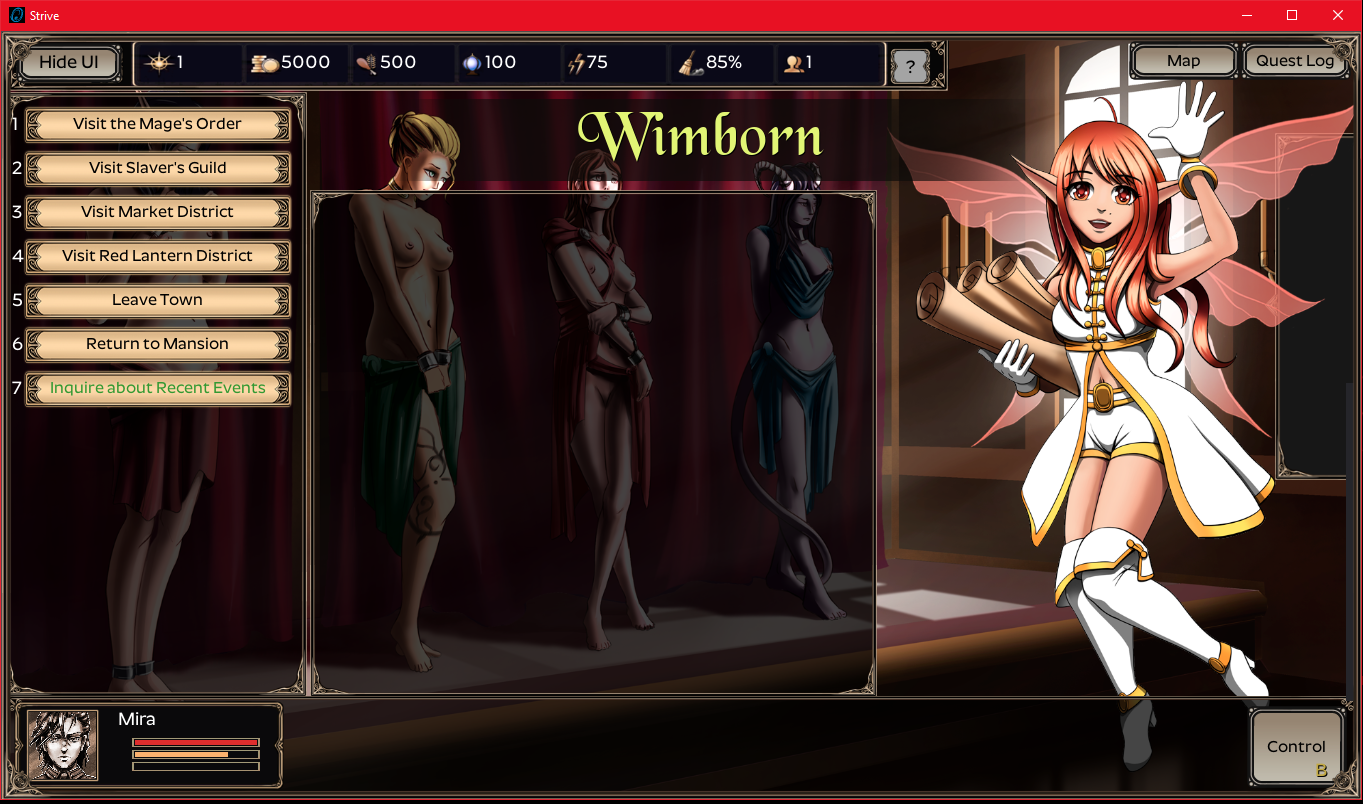
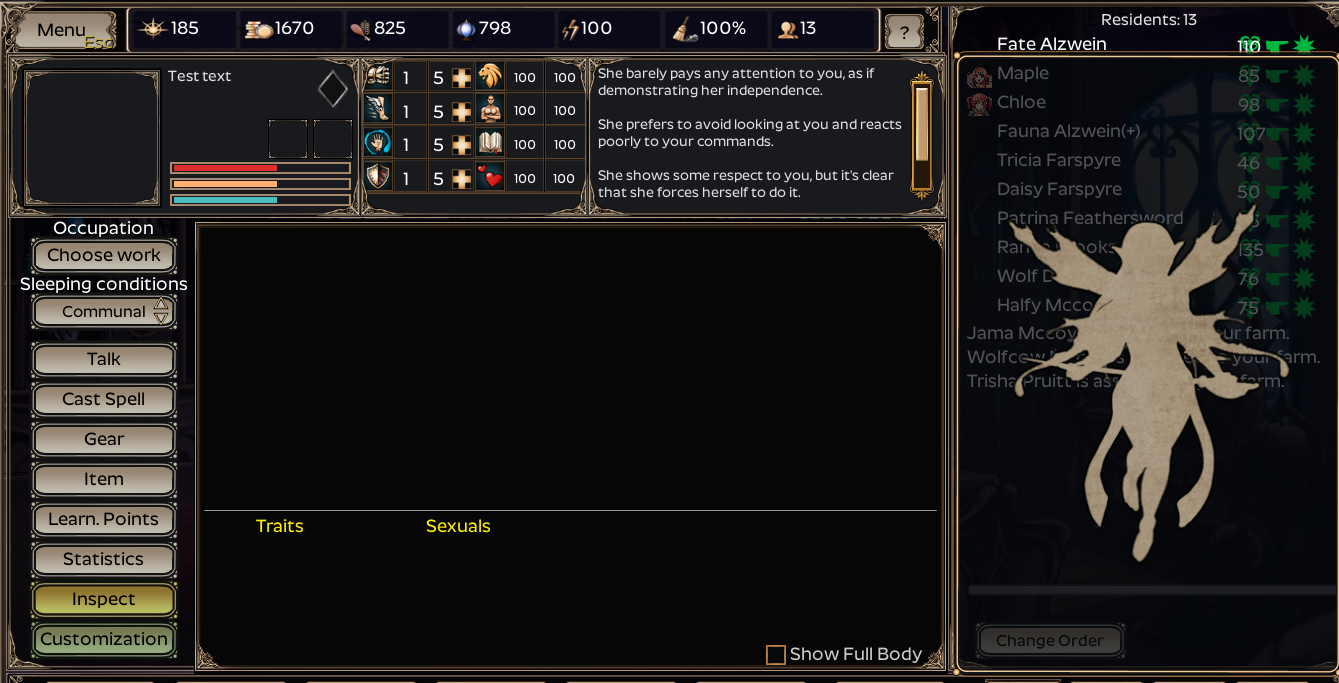
This is the result of the error, after I reloaded several times from the autosaves. (The first time, the name was listed but clicking on it drags me to another slave's page. The second time, it showed up but the price at the slave guild remained Null.)
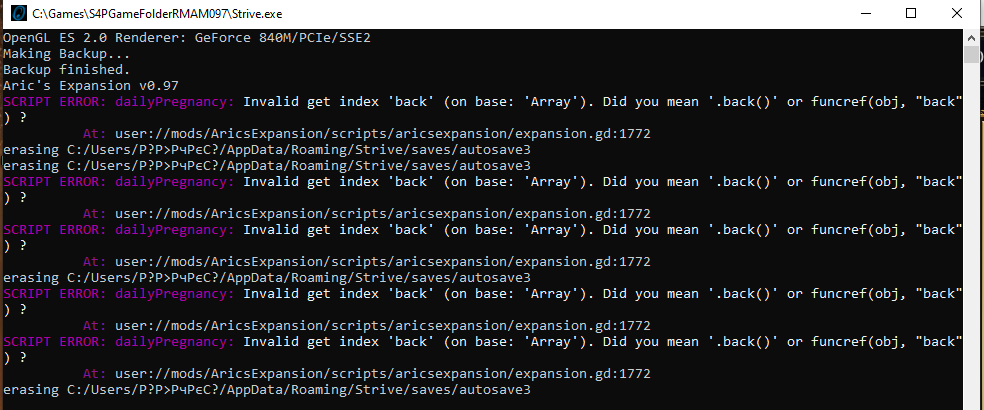
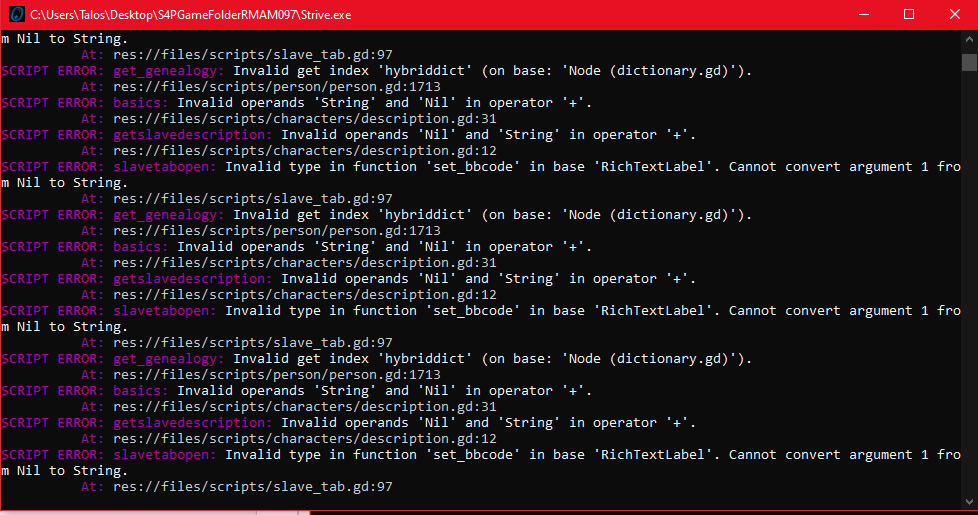
All the errors received since the last restart from autosave:
Aric's Expansion v0.97
SCRIPT ERROR: get_genealogy: Invalid get index of type 'String' (on base: 'Dictionary').
          At: res://files/scripts/person/person.gd:1715
SCRIPT ERROR: basics: Invalid operands 'String' and 'Nil' in operator '+'.
          At: res://files/scripts/characters/description.gd:31
SCRIPT ERROR: getslavedescription: Invalid operands 'Nil' and 'String' in operator '+'.
          At: res://files/scripts/characters/description.gd:12
SCRIPT ERROR: slavetabopen: Invalid type in function 'set_bbcode' in base 'RichTextLabel'. Cannot convert argument 1 from Nil to String.
          At: res://files/scripts/slave_tab.gd:97
SCRIPT ERROR: get_genealogy: Invalid get index of type 'String' (on base: 'Dictionary').
          At: res://files/scripts/person/person.gd:1715
SCRIPT ERROR: basics: Invalid operands 'String' and 'Nil' in operator '+'.
          At: res://files/scripts/characters/description.gd:31
SCRIPT ERROR: getslavedescription: Invalid operands 'Nil' and 'String' in operator '+'.
          At: res://files/scripts/characters/description.gd:12
SCRIPT ERROR: slavetabopen: Invalid type in function 'set_bbcode' in base 'RichTextLabel'. Cannot convert argument 1 from Nil to String.
          At: res://files/scripts/slave_tab.gd:97
SCRIPT ERROR: get_genealogy: Invalid get index of type 'String' (on base: 'Dictionary').
          At: res://files/scripts/person/person.gd:1715
SCRIPT ERROR: basics: Invalid operands 'String' and 'Nil' in operator '+'.
          At: res://files/scripts/characters/description.gd:31
SCRIPT ERROR: getslavedescription: Invalid operands 'Nil' and 'String' in operator '+'.
          At: res://files/scripts/characters/description.gd:12
SCRIPT ERROR: slavetabopen: Invalid type in function 'set_bbcode' in base 'RichTextLabel'. Cannot convert argument 1 from Nil to String.
          At: res://files/scripts/slave_tab.gd:97
SCRIPT ERROR: get_genealogy: Invalid get index of type 'String' (on base: 'Dictionary').
          At: res://files/scripts/person/person.gd:1715
SCRIPT ERROR: basics: Invalid operands 'String' and 'Nil' in operator '+'.
          At: res://files/scripts/characters/description.gd:31
SCRIPT ERROR: getslavedescription: Invalid operands 'Nil' and 'String' in operator '+'.
          At: res://files/scripts/characters/description.gd:12
SCRIPT ERROR: slavetabopen: Invalid type in function 'set_bbcode' in base 'RichTextLabel'. Cannot convert argument 1 from Nil to String.
          At: res://files/scripts/slave_tab.gd:97
SCRIPT ERROR: get_genealogy: Invalid get index of type 'String' (on base: 'Dictionary').
          At: res://files/scripts/person/person.gd:1715
SCRIPT ERROR: basics: Invalid operands 'String' and 'Nil' in operator '+'.
          At: res://files/scripts/characters/description.gd:31
SCRIPT ERROR: getslavedescription: Invalid operands 'Nil' and 'String' in operator '+'.
          At: res://files/scripts/characters/description.gd:12
SCRIPT ERROR: slavetabopen: Invalid type in function 'set_bbcode' in base 'RichTextLabel'. Cannot convert argument 1 from Nil to String.
          At: res://files/scripts/slave_tab.gd:97
SCRIPT ERROR: getRaceDescription: Invalid get index 'Beastkin ' (on base: 'Dictionary').
          At: res://files/scripts/dictionary.gd:37
SCRIPT ERROR: dictionary: Invalid call. Nonexistent function 'replace' in base 'Nil'.
          At: res://files/scripts/person/person.gd:752
SCRIPT ERROR: dialogue: Invalid type in function 'set_bbcode' in base 'RichTextLabel'. Cannot convert argument 1 from Nil to String.
          At: res://files/scripts/Mansion.gd:1863
Need to add a few lines to func calculateprice() in person.gd. Right now each race has a modifier. We could add one for each subspecies easily enough using race_display or other methods.
I have added repeatable quests (slave guild) looking for certain subspecies that pay well and give upgrade points (also to reveal tough recipes). It'd be easy to add more of those too.
Didn't know about the recipes, but I found that when you play as breeder, farming cash and upgrade points by selling all the kids you have with your slaves (especially the Noble grade, beautiful slaves) gets you cash and upgrade points so much faster and easier (since you're not aiming for any particular species). In all my breeder games, I've only done the slave guild quests to get reputation with the city or to get some quick cash when I spent all my money on the farm.
Ah, I fixed this one without telling everybody. It caused the birth pop-up window to display no text. The files have been reuploaded, so if you apply the latest patch (choosing the one that applies to the base or optional installation), then this should go away and work normally so you can read about your babies being fuzzballs if they are. :]
I know with Aric's Mod it's good to delete the backup before applying the mod because you actually have to directly overwrite some of the main game files directly as part of the installation process. So if you don't delete the backup, it will just overwrite your changes with the original files you had before. My understanding is that if a mod has no such manually installed files for you to deal with, you shouldn't need to delete the backup, but it doesn't hurt to do so anyway.
Could you try a fresh install and tell me if this still happens?
For a fresh install: Just unzip the S4PGameFolderRMAM097 folder to a new location fresh from the .7z file and rename it S4PGameFolderRMAM097-test or similar. Then, rename your existing AricsExpansion folder in appdata/roaming/etc. to AricsExpansion-backup and copy AricsExpansion from the .7z file to your appdata/roaming/etc. in place of the one you renamed.
If you do that and open the game directly from the Strive.exe in the new S4PGameFolderRMAM097-test folder, and you still have these errors, then it's got to be a problem in my version. If the error doesn't occur anymore, then you can try copying your save over from AricsExpansion-backup to AricsExpansion and load it to see if the error reappears. If not, you're all set.
Hello,
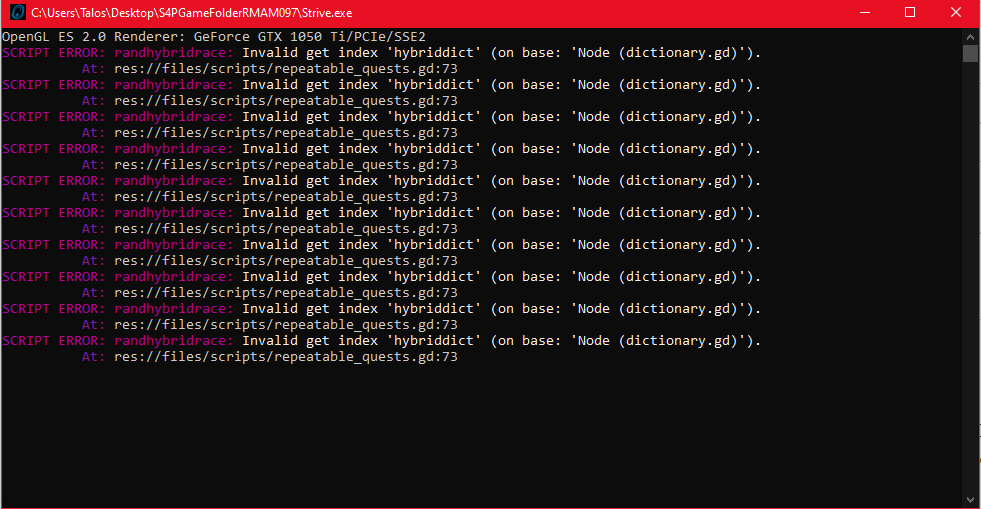
I'm having some issues when at the slave market. When trying to select a slave at the market, nothing pops up and I get the following errors:
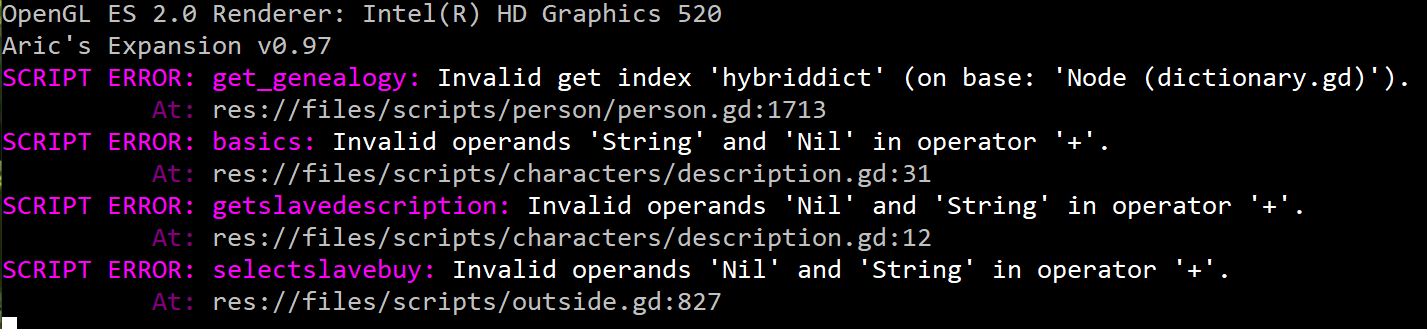
The mods installed on my game are the ones for this thread (the base + Ralph's Tweaks) and the Random Portrait.
Am I missing something, or are we not able to buy slaves with Aric's expansion?
No, this is definitely a Ralph's version issue - the hybriddict is my addition. It contains all the subspecies keys and descriptions. I haven't seen this issue with the slave guild though.
Is this a fresh install, patched, or just happened in the middle of your playthrough? How certain are you that you've installed the tweaks per the instructions? Could you try installing the tweaks and then the tweaks patch and tell me if the problem persists?
another user had a very similar issue and it turned out he had accidentally overwritten the person.gd file with one from plain Aric's Mod.
if you open person.gd, you might check if you have this code @line1697 or so:
if race_display in globals.dictionary.hybriddict:
var temp1 = "[color=yellow]Subspecies: "
var temp2 = "[/color]"
rvar = ' (' + temp1 + race_display + temp2 + ')'
else:
rvar = ' (' + race_display + ')'
I'm working on a portrait pack too with a couple others, want to collaborate? Join the discord, I'm active there lately: https://discord.gg/G76Zt84Aux
Also, I just added a little content - this is really Aric's Mod, so I can't take much credit. Glad you like it though!
hey, there's bug when entering slave guild (any of them). it won't show any slave guild options even thou it show that I enter the guild
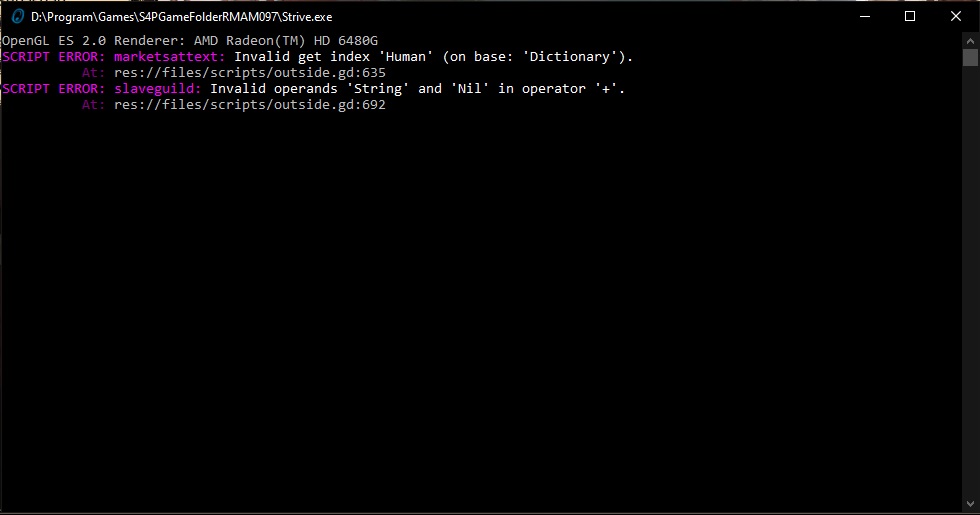
need some info:
person,gd, mansion,gd, outside,gd, and globals,gd should have been updated for the variable slave prices to work correctly, and that appears to be the part that is affecting you. Most of the time this kind of error stems from an installation problem.
I use the standalone one on here so I think it's count as fresh one, I think? and i didn't download the tweak patch, so I don't think it's tweaked.
I found the bug on the saved one first (I use story mode here), and then I tried on new game (with sandbox mode) and still it show same error.
later on , I found out that it affect the slave merchant too (the one that met for melisa(?) youthful potion quest). I could still open his item shop and sell slaves options, but when I sell a slave, they didn't get removed but I'm still get the money from selling them.
aaand...idk but, I see there's some file with "_ALT" on the file name and as far as I learned, it should be a replacer for the original file? (welp, I saw some post somewhere said something about that). I haven't try to change them because I don't want to get more error for now.
I've tested all versions independently for the latest changes. I used to get an error like this while I was testing the new features, but I believe it is fixed. Could you please try downloading the latest main game files and doing a fresh install?
1) Download S4P-RalphsModdedAricsMod097.zip
2) extract "S4PGameFolderRMAM097" folder to a new location on your hard drive
3) backup your current "AricsExpansion" folder
4) extract "AricsExpansion" folder to .../Roaming/Strive/mods
5) run Strive.exe from the S4PGameFolderRMAM097 folder specifically
6) test and see if the bug still happens, and let me know
The _ALT files are there so you can replace the modded base game files with the full tweaked version (by deleting globals.gd for example and then renaming globals_ALT.gd to globals.gd) if you only wanted some of the tweaks.
They should all be the latest and working. I'll try relinking RalphsTweaks.zip and test them all.
Edit: all the Mega links seem fine. I guess you should just try again.
Edit2: I see now, I had a 2nd link for RalphsTweaks.zip that I forgot to update. I'm just unlinking it. Thanks for pointing that out.
I think this occurs when not all the files get copied to the right spots. Did you copy/paste the AricsExpansion and main folders separately as entirely new folders (not copying over an existing folder)? Also need to make sure you're running the Strive.exe in the new main game folder you copy/pasted (vs a pre-existing copy).
It looks like you don't have the right dictionary.gd file in ...\S4PGameFolderRMAM097\files\scripts\ This has so far always been a sign of an installation problem.
If you open dictionary.gd, the last chunk of code should be as follows at the end of this reply (I skipped lines with ... in this copy/paste). If you don't find it, you've been doing something to overwrite it. It could be the backup applying itself too if you tried to reset or apply any mods from within the game. To be 100% sure you install cleanly, you need to unzip the main game file to it's own folder (no overwriting any existing game/folder) and install the AricsExpansion folder in the proper location, again without overwriting anything or changing the folder name. Please try a fresh install without applying any mods or doing anything aside from copy/pasting the folders; just follow the instructions and be careful not to take any additional steps and you should be fine. There's a 1st time for everything, though so please let me know if it doesn't work for you. Thanks!
var hybriddict = {
Imp = "$He looks like a very small demon except $he is oversexed and has unnaturally colored skin.\n\n",
Undine = "$He appears not too unlike a typical drow except $he has some distinctly aquatic physical features.\n\n",
Huldrekall = "$His appearance is twisted and ungainly compared to $his nymphly counterparts.\n\n",
...
Dog = "While similar generally to a Wolfkin, $his features are clearly more aligned with those of a domesticated dog.\n\n",
Werewolf = "$His limbs appear unnaturally long and at first glance some mistake $him for a monster.\n\n",
Werebear = "When observed $his resembalance to a Tanuki typically goes unnoticed due to $his alarmingly massive shaggy bulk.\n\n",
Mousekin = "$He looks entirely different than a Gnome in all but stature, with a small furry body, ears, and a thin mousy tail.\n\n",
}
Thanks Blaze and no problem, I get some personal satisfaction from the idea that folks enjoy the work, so I end up actually creating more content and it's a win-win. Onto your problem - I know what part of the code is hiccuping here and I have some ideas as to why.
Please check your races.gd file for the lines between #ralph5 and #/ralph5 under each race (you don't need to check all of them, I expect it's there for all or none):
var races = {
Human = {
skin = ['pale', 'fair', 'olive', 'tan'],
...
pricemod = 1,
#ralph5
marketup = ["Demand for [color=aqua]humans[/color] rises inexplicably.\n"],
marketdown = ["It seems [color=aqua]humans[/color] aren't being purchased very quickly. Prices fall.\n"],
single = "human",
plural = "humans",
singlepos = "human's",
pluralpos = "humans'",
#/ralph5
In constructor.gd, you should also have:
func changerace(person, race = null):
...
if i in ['marketup', 'marketdown']: #ralph5
continue #ralph5
If either is missing, you can apply the latest patch that applies to your setup (base or tweaked) per the instructions (just drag&drops again) and that will hopefully fix it by replacing the races.gd and/or constructor.gd files. Please let me know whether it works or not. If not, we'll go to the next step.
So the races.gd file seemed to be fine, or at least each of the races had the text you asked me to look at. The constructor.gd file however didn't have the script lines anywhere in the file that I could see and Ctrl+f didn't show ralph in it at all:
if i in ['marketup', 'marketdown']: #ralph5
continue #ralph5
So I went ahead and ahead and applied the latest patch per the instructions. That seemed to have fixed the major issues as I am able to use the slave guild without the prior errors and while there are no slave to buy the first day, they generate for the second day and forward. Thank you for that!
I do still get the following script errors when I first load up the mansion. Oddly I am still unable to choose a head girl, unless the mods changed it so that some sequence of events must be played before you can chose one?
**SCRIPT ERROR**: Invalid operands 'float' and 'String' in operator '=='.
At: res://files/scripts/outside.gd:599:newslaveinguild() - Invalid operands 'float' and 'String' in operator '=='.
**SCRIPT ERROR**: Invalid operands 'float' and 'String' in operator '=='.
At: res://files/scripts/outside.gd:599:newslaveinguild() - Invalid operands 'float' and 'String' in operator '=='.
**SCRIPT ERROR**: Invalid operands 'float' and 'String' in operator '=='.
At: res://files/scripts/outside.gd:599:newslaveinguild() - Invalid operands 'float' and 'String' in operator '=='.
**SCRIPT ERROR**: Invalid operands 'float' and 'String' in operator '=='.
At: res://files/scripts/outside.gd:599:newslaveinguild() - Invalid operands 'float' and 'String' in operator '=='.
ok, since the patch worked to fix the missing lines in constructor.gd it means you had the wrong constructor.gd file. I always worry when I'm updating files/links that someone is going to download in the middle and get a main file and patch that don't match or similar, so I suppose it is remotely possible that happened to you. The easiest fix if that's the case would be to redownload the main files and do that clean install once again. I assume you're not resetting/applying mods in game or anything else not in the instructions from what you've said, but somehow or another you had mismatched scripts (constructor.gd was out of date, but races.gd was current).
That said the errors you're getting now could be a legit bug. It hasn't affected my gameplay and I couldn't replicate it, but I can see a spot in my added code that could possibly end up trying to pass a float as a string and screw things up. So, I'm updating the files. Wait until you see "EDIT9: ..." on the original post and then try downloading again. You can apply the patch again (it's updated now) and see if these last errors go away for fun, but I'd still recommend a clean install since there were mismatched files just in case there are other outdated scripts in your current install.
Ok, it appears that the AricsExpansion folder you provided is missing most of the files. Try deleting it and replacing with the AricsExpansion one in the main set of files in the original post. That fixed it for me. I loaded one of my test saves rather than yours, but zero errors on startup, so hopefully that's all it takes. Give it a go, and let me know if you encounter more errors (or if you're all set).
Oh..... I see.... So I see where my issue came from. In the how to guide it says to: drag and drop the "AricsExpansion" folder over the one you got from S4P-RalphsModdedAricsMod097.zip and click yes when it prompts you to overwrite. It replaces two files: expansionsetup.gd and expansion.gd.
"Move the folder "AricsExpansion" from RalphsStandaloneAM097.zip to C:\Users\YOURNAME\AppData\Roaming\Strive\mods\"
But if I do exactly that it deletes 22 odd files. Or at least it did for me. However if I go to C:\Users\YOURNAME\AppData\Roaming\Strive\mods\aricsexpansion\scripts\aricsexpansion\ and only replace the three files that are provided with the patch file then all is good. Is that what you intended?
Well there are no more script errors popping up. YAY!
Lastly... I STILL cant choose a head girl. Kinda annoying since that feature goes a long way to keeping slaves happy/obedient.
A headgirl needs to be rich or noble I think. You probably don't have one of those yet.
The AricExpansion folder in the main download needs to go under mods directly. The one in the patch should only overwrite those few files, but should not delete the rest. There's a step in the installation instructions that says to rename any existing "AricsExpansion" folder before copy/pasting the one in the main download there so it doesn't get overwritten. You don't want to mix those or overwrite, but yeah, losing all the rest of the files would be worse. Just let me know if you run into any more problems. Your main game files looked A-ok, so you should be all set now.
Ah... I see. I misunderstood. Usually when I read to change the name of a folder to whatever I assume that folder isn't needed anymore or is just a back up. You know what they say about assuming... Ugh. Except for that slave market thing I do believe I wasted a bit of you time. Well you handled it like a champ and I really apricate it!
P.S. And you are right. The head girl requires Rich or higher and that the player has at least 8 slaves.
I think you'd have to get familiar with the code for it and figure out Aric's variables for it, run a search through the scripts (search the whole directory using Notepad++ or the Godot engine) for all instances of those, and disable all the checks/uses for them. It wouldn't be that hard if you're at least a little familiar with programming in general, but I expect it would take a few hours to figure out and maybe a few more for testing and fixing any errors introduced through being unfamiliar with the scripts. Of course, if you only care about sex or combat consent it would be easier to just hard code all the checks to 'true' or similar.
I don't want to get rid of them b/c it's an Aric's mod feature, and I want my stuff to generally dovetail in. Plus, I think it's a good content add personally. Feel free to do so for yourself though. If you want any help, there are lots of helpful folks on the discord who'll be happy to answer questions, figure out bugs, and correct syntax if you say please. :]
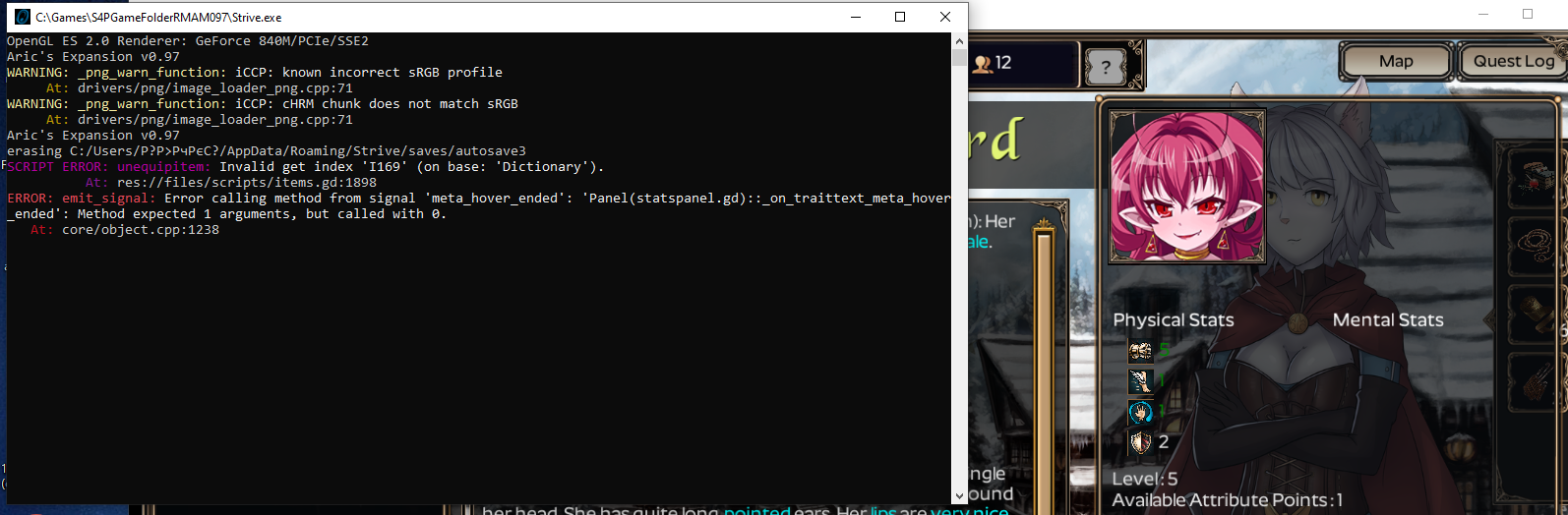
Okay, so this is the error I'm getting when I first boot up the game using your tweaks. Line 125 specifically reads: if i in ['description', 'details']: I'm assuming there's something in there that shouldn't be there (or something that should be there but is not) and that's what's throwing this error. Any idea what I should change this line to in order to get it to go away? Whatever this is, its preventing me from distributing my attribute points (specifically, the little + symbol next to the attribute I want to put points in is missing) and this seems to be the only thing it effects. Its been pretty annoying, so I'll wait for your reply.
EDIT: Noticed that someone above me had this same error; my issue is that downloading the most recent patch has no effect, nor did redownloading the entire main installation, which should already have been patched anyway.
EDIT2: Fresh install of mods folder did absolutely jack, while we're at it. So, I dunno. I'm stumped on this one.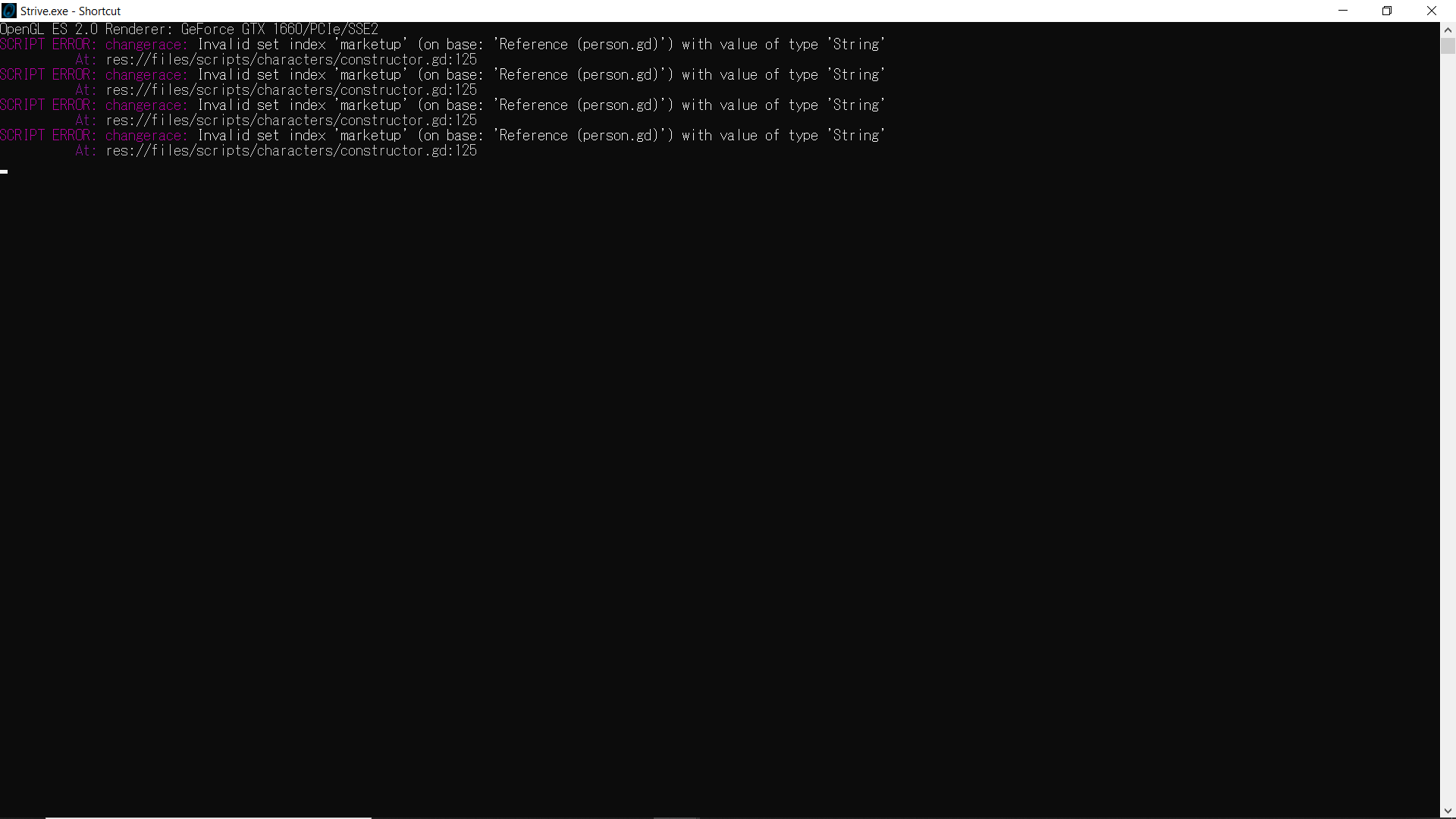
upload your main game folder and strive folder from appdata/roaming here, and I'll give it a look over for you:
https://mega.nz/megadrop/G7jJDTHqj_c
I didn't see your files show up in Mega, but it does look like an error that occurs when one of the scripts is out of date. If you've mixed files with another version of Ralph's or plain Arics' this can happen. It can also happen from cherry picking scripts for whatever reason (including trying any of the manual installation required to for Aric's which is already done on my premerged version, the only version I have up). I can narrow it down if I go through your main game files (the mod folder files shouldn't be involved), but in any case, that's the prime suspect. Let me know if I can help or you upload those files.
Apologies for the delay. Work has been hell with the holidays, so I've not been doing much outside work and sleep. See, I had thought that the issue was because of an old script as well, but I grabbed your latest version from your link, and have both your folder (S4PGameFolderRMAM097) and Aric's folder (Strive v5.25 with AricsExpansion v0.9.7) completely separated. And in terms of the mod folder, normal Aric's I renamed to AricsExpansionbackup to specifically be used as a backup just in case, and I renamed it before adding your version of AricsExpansion to the mods folder. When it first came up with that error and I couldn't figure out where it was coming from, I even deleted my mod folder and started over with a fresh one, but the error still persisted. Deleting the entire mod folder and both versions of the game also did absolutely nothing. I'm at a loss.
Yeah, that should have worked. If you can get me a copy of your folders I can replicate the error and hunt it down though. If you can't upload to my Mega, perhaps you could let me download from you by another means? Google drive, Mega, a torrent, another file sharing site, whatever. You can also reach me on the Strive for Power discord.
ok, I didn't track down the exact problem, but I tested and your main game folder is the source of the problem. I went ahead and reuploaded the main game file on Mega in case it had somehow become corrupted (though that's unlikely). In any case, please download the main game file again, unzip to an entirely new folder and don't bother with the Aric's Expansion folder (yours is fine as is). Then double click the Strive.exe in the new folder you freshly copied by itself. You should not get any errors. From there you can try making any modifications you want.
Okay, so the problem is kind of gone. Basically, as long as I don't disable and then re-enable Aric's from in game, the errors wont pop up. Since I was doing a fresh installation each time I deleted the main game folder and redownloaded it, I figured that I had to go ahead and re-enable the mod from the mod menu, close the game, and then open it again. Turns out though, I don't have to go through that effort. I noticed that the error wasn't showing up the first time I opened the game (before I disabled then re-enabled the mod). And when I was still under the assumption the mod wasn't working until I had turned it off then back on, the errors would pop up as soon as I opened the game after messing with the mod from within the game menu. But I discovered that the mod is actually working after a "fresh install". I load a save and the cmd box comes up saying Aric's Expansion v0.97, and the library entries about breeding are there (which is the easiest way for me to find out if your tweaks are working). And best of all, after acquiring Emily on a brand new save I can go ahead and distribute her attribute points-- which is why these errors were annoying me to begin with.
Either way, I am now going to never touch the mod menu from within the game ever again. Because whatever is causing this, it only happens after I've turned Aric's off and then back on.
you aren't the only person who struggled with that. When you apply Aric's Mod in-game to the premerged Ralph's version, it overwrites some of my changes but not others and then the scripts don't work together anymore. It's b/c Ralph's changes are n't part of the mod, they're just made directly to the scripts with no mod to apply them.
haven't seen this error, but it's having trouble with the "collect bounty" option I added. Usually something like this happens because not all of the scripts I changed are in your main game folder. When/how did you install? You can try a fresh install and I think it will probably fix if you follow the instructions carefully and don't take any additional steps or mix with a current install. Your saves should all still work too.
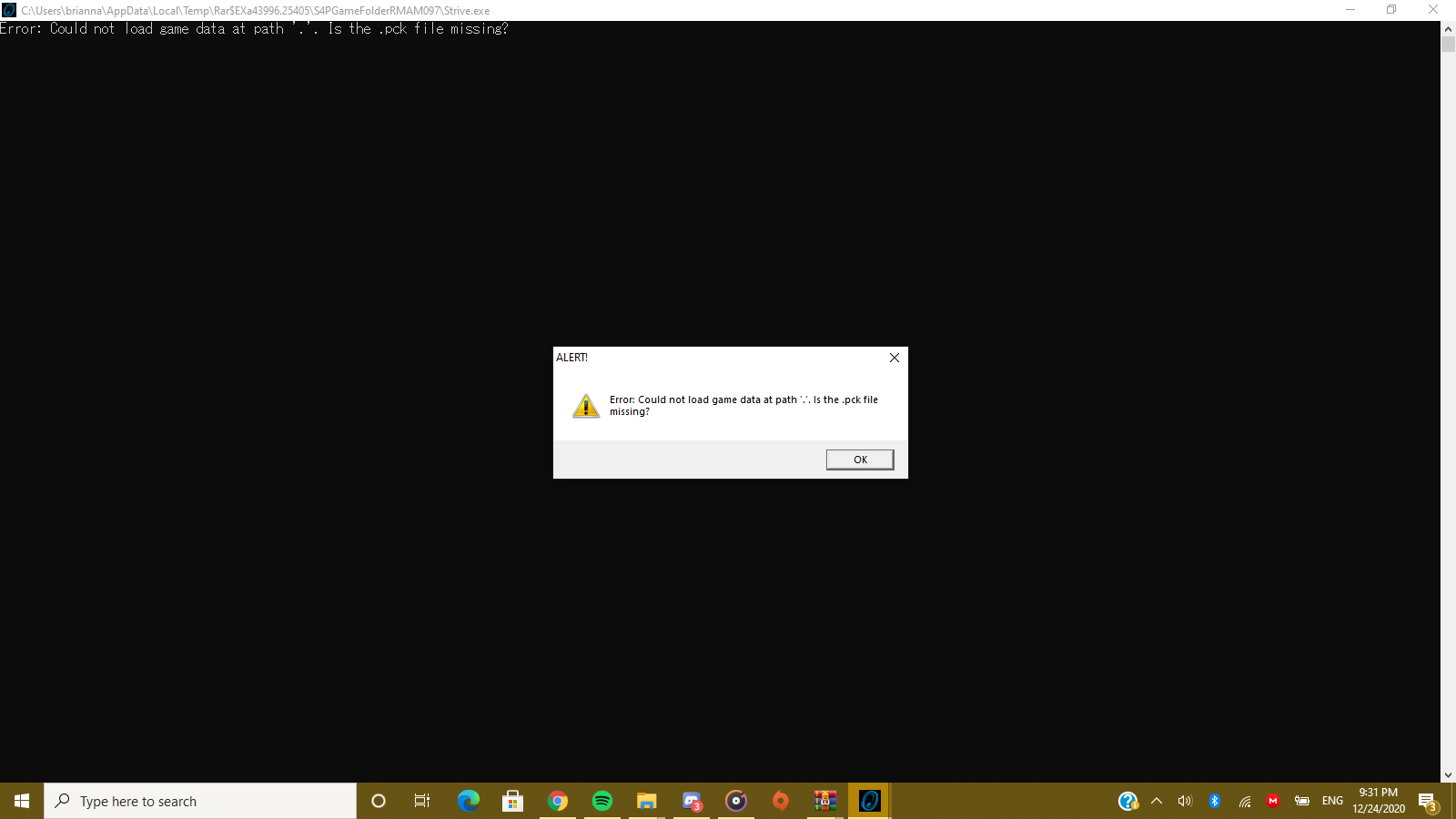
Generally, people get that error if they try to play the game without extracting all of the files. Unlike simple programs, the Godot executable that runs Strive is rather generic and has almost none of the data and code specific to the game. The executable will try to run the game using the rest of the files and a .pck file is one way of storing those files.
Try to extract all of the files from the archive to a new folder. If the error persists, then download the current version of Winrar or an appropriate archive extracting utility. At some point the format of the archives changed and are not backwards compatible with older utilities.
It's not elegant, but I've at least found a hack to fix it.
In globals.gd I added:
var modstatdict = {sstr = 'str_mod', sagi = 'agi_mod', smaf = 'maf_mod', send = 'end_mod', cour = 'cour_racial', conf = 'conf_racial', wit = 'wit_racial', charm = 'charm_racial'}
Then, in slave_tab.gd, I modified the first line of both func mentalup(mental) and func mentalup5(mental), to read:
person[mental] += 1 - person.stats[globals.modstatdict[mental]]
and
person[mental] += 5 - person.stats[globals.modstatdict[mental]]
This is basically subtracting the racial bonus when improving the mental stats, so not exactly ideal, but I couldn't find where it was being added so this is the best solution I could come up with. It shouldn't effect anything elsewhere either, since it's contained within the function.
I don't think you need that workaround (honestly not sure what other effects it might have)
the only place it gets added is in expansionsetup.gd (last function):
func setRaceBonus(person, increasestats) (don't look unless you want spoilers on the hybrid recipes)
the function is only called in a few very specific places though. Should just be when an npc is conceived, generated (plus special cases for player and starting slave), or created through Slime breeding. The code for the races is in there. Pure Nereid gets: bonus_courage -= 10 so negative courage starting out is possible. If she had -10 and you added 1 point that would give you -9 courage. Also, there is a known bug in Aric's that causes jumps in the displayed vs actual mental stats that are fixed once you start adding to my understanding (and I've seen it lots of times in gameplay). I think that's what you're seeing in that Demon/Orc hybrid.
The Nereid actually went from 48 to 39 to 30 to 21, etc. It was dropping by 9 every time I pressed the button. I tested over several characters (on multiple saves/games), and all of them increased or decreased in the stat by the racial modifier +1. It may just be an issue with my install or something, but it's working fine now.
The cause of the undue increases in mental stats that he is seeing is the result of changes in person.gd. cour_get, conf_get, wit_get, and charm_get were all altered by Aric's mod to return the base amount plus the racial amount. mentalup and mentalup5 both use += on the getset stats rather than the raw stats, which results in the hidden addition of the racial bonuses. This problem should not be exclusive to the manual increases in mental stats and will likely require a fair amount of work to fix.
I've see that behavior from the game when there was a major disagreement between scripts (usually when I made a mistake while tinkering with them). In your case, I know I sound like a broken record, but I'd try a clean install first b/c that's nearly always the problem when people experience game breaking bugs with my version. Follow the instructions on the original post above for the install to the letter and not a step more and let me know if you get errors or it works please.
I don't think my tweaks would cause that and I have played female/futa MC's with several births without noticing that (though I usually tend to keep them pregnant as often as I can, since they don't become unavailable after giving birth like npcs). It used to be in Aric's 9.6 with pregnancy accelerated that perpetual preg could happen to any female/futa b/c sperm life could exceed the pregnancy period, but I believe it was fixed (still possible to mess it up by playing with the constants though in the scripts). If you try to accelerate to have them give birth immediately, it will break the game easily (don't know if that's your issue), so I always accelerate to 3 days and things work fine for me. Does any of that help? I'd rather not try to mod a workaround if your issue can be solved without it.
So, I kinda ran into this, and I don't think the character's description should say that.
I did try to reinstall the mod previously, cause I couldn't make it work with other mod and later didn't allow me to raise the stats of the characters. So now I'm wondering if I screw it up and I should try to re-install again or try something different.
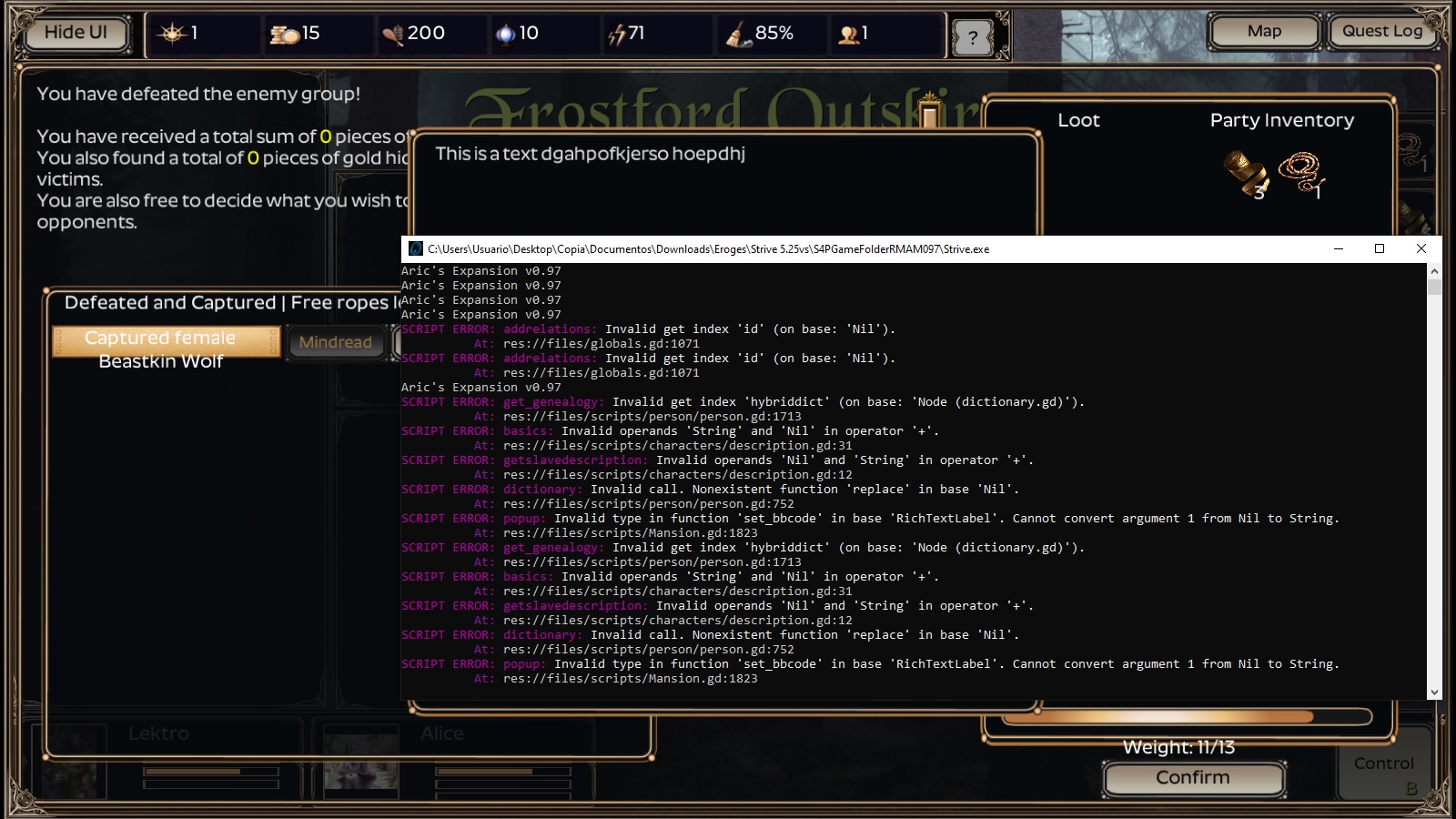
yeah, you need to reinstall. Start with Ralph's (follow the instructions in the OP religiously). I don't know for sure that any other mods are compatible aside from Improved Random Portraits (and it needs to be a version with Drow). Key to applying other mods is to make sure Aric's Mod is NOT selected when you apply it. Then close the game and run it again. See details on installing Improved Random Portraits on the OP as well.
Thanks and glad you got it working! My contribution was tiny compared to Aric and his compared to Maverick and co. though. :]
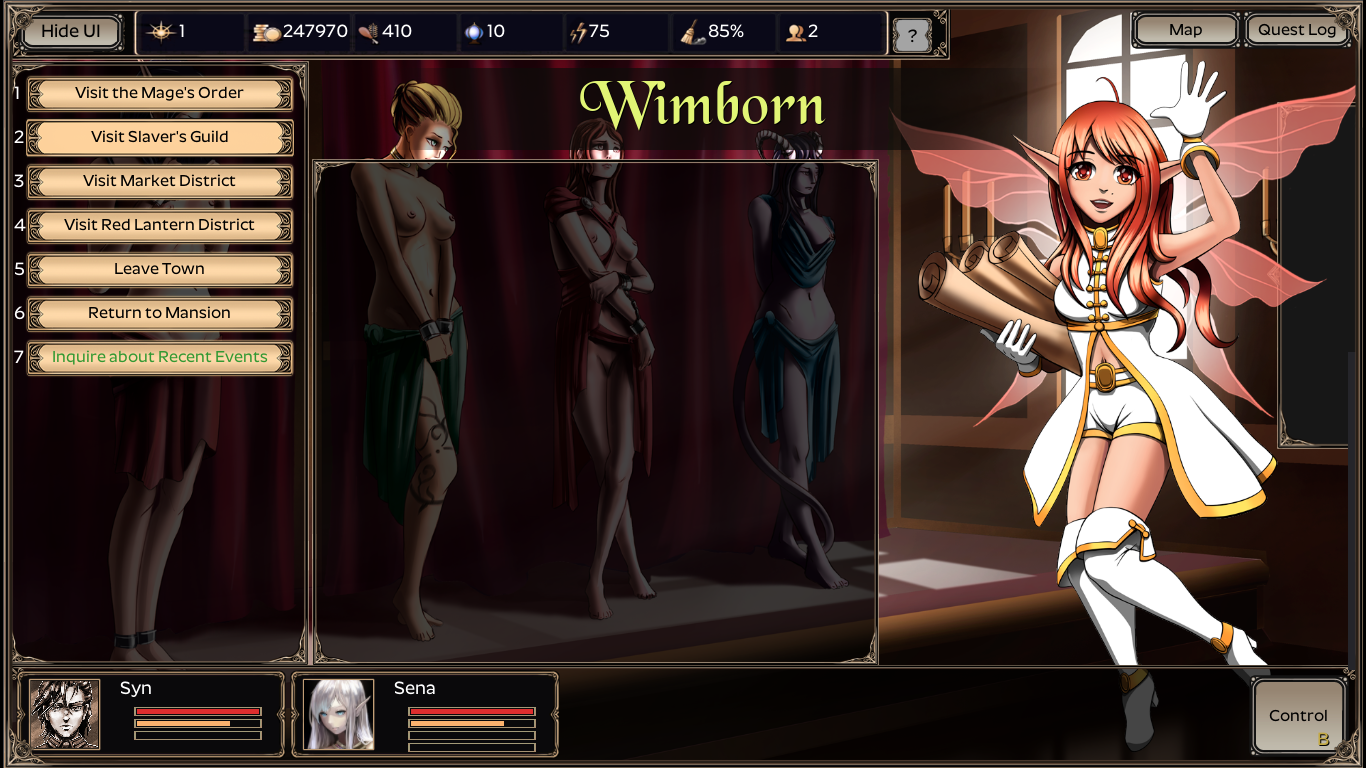
So I have the mod set up, tweaks added. Started up the game, great everything's working no errors etc. But If I go to the Slaver's Guild it changes the background Maple is there, but the options on the left remain the same as if I were just out in town. so "visit mages tower, visit slaver's guild etc with the slaver's guild background. Not sure if I've some how fucked this up, or what, but you have an answer I'm all ears. This is what pops up if I click on the slaver's guild. 
The most likely cause is that you applied the AricsExpansion mod through the mod system. This mod comes pre-installed and installing it again will break it. In the best case, all you need to do is deselect the mod and re-apply. In the worst case, you will need to extract a new copy of the modified Strive program folder.
Good questions:
- breed a 99% hybrid with a pureblood and get pure children?
Yes, 50/50 chance.
-can mutation give a character the grateful trait or be born with it without breeding with one who has it
No, I made it so the only way to get Grateful was on existing unique characters or by breeding them. Also when breeding for Mental traits, if the offspring is 'child' they won't inherit them, if growth is accelerated to 'teen' there's a chance, and if growth is accelerated to 'adult' they will usually inherit them. Lore-wise, this is a biproduct of how long the sentient mind has to develop during the accelerated growth employed by the dimensional crystal.
All that said, if you want to tweak it so that Grateful is a possibility in either case, you could without much effort. Heck, mutate isn't an implausible way for that to happen. If you'd like I can make that tweak happen and upload.
I believe it just takes half from each parent... maybe with 99% it rounds up so you never get a purebreed again. Let me check and try to randomize it a just a little more. In your example, if one parent is 98% Arachne, you'll definitely get max 49% Arachne from that parent though as is. I want the breeding to be fairly predictable so players can predict the %'s for the offspring in order to target certain hybrids, etc.
Also I've noticed the issue that lips always increase generation to generation and that quickly leads to lisps and muteness. It's honestly really annoying because I have to use a potion to shrink lips pretty much every generation. (I didn't reload the page so I didn't see you had already fixed the issue I stated earlier).
https://mega.nz/file/JkQATRrL#DgotHEC-on8IYMmPGwqbyIzlL3OWEjHsQF5gHWk-zSI
This will make it so it will be a 50/50 chance for that 1% race to be inherited when breeding (it was always rounding up from 0.5). Just replace your constructor.gd with this one (in your Ralph's main game folder under \files\scripts\character\ ). I tested through 1 conception and birth and it worked, but if you're up to it go ahead and try it and let me know if you have any issues.
Can you tell me which numbers of your edit I would need to change in order to get a 1% race out of the gene pool if there are three genes involved? the edit probably works for 99% 1% divide, but not 98% 1% 1%, I'll test it later. (edit I was wrong and put it in the wrong folder)
And what value do I change to stop the constant lip growth, I would prefer a average between the two, not a constantly growing part. do I change the range? remove the range? I am not super familiar with coding so forgive me for not being certain about this.
so here's what I did: the code has a for loop that goes through each race and baby gets 0.5 x (mom's% + dad's %). The problem was if one parent had for example 1%, then 0.5*(1+0)=0.5 which always got rounded up to 1%. I added an if statement so that 1/2 the time it would be the same [0.5 x (mom's% + dad's %)] and the other 1/2 of the time it would instead us 0.499999 x (mom's% + dad's %) which would round down so in the same example with one parent with 1%, then 0.499999*(1+0)=0.4999999 which rounds to zero.
how it should work: 50/50 chance of one of the 1%'s going away on breeding. 25% chance they both go away and you get your pure-blooded offspring.
Note it will also come into effect for any odd % (3, 5, 7, ... ,99). There's code afterward that already should deal with %'s over or under 100% btw.
I'll take a shot at fixing the ever-growing lips tomorrow.
Happens to everybody at some point. Here's a new constructor.gd to replace the last one to fix ever-plumping lips as well. I made it so males just got their dad's lips and females/futas got their mom's or +/- 1 level (so up or down one size or stay the same as mom).
https://mega.nz/file/JkQATRrL#DgotHEC-on8IYMmPGwqbyIzlL3OWEjHsQF5gHWk-zSI
Not really much useful information to go on, but chances are high that it's the usual problem. The most likely cause is that you applied the mod through the mod system(the mod comes completely pre-applied), which is what most of this mod thread is devoted to undoing. Otherwise, you did something unusual to your game.
It happens when using learning points to increase a stat. In my case a 92% human and 8% demon got 3 charm for +1. I tested it by starting a new game with a demon slave and learning charm, she got 11 points for every +1. I used a fresh installation I downloaded a week ago as well and it still happened.
The source of the problem is cour_get, conf_get, wit_get, and charm_get in person.gd combined with the +=. Whenever those 4 mental stats are retrieved via the setget variables rather than directly through the stats dictionary it returns the sum of the racial bonus and the base values. So the += in mentalup of slave_tab.gd, and any other similar code, will add the racial bonus to the values stored in the person. The mental stat getter functions were changed by Aric's mod in a dangerous way, and a lot of work would be needed to fix all cases.
Basically, when this code runs
person[mental] += 1
and mental is "cour", it is equivalent to
person.cour = floor(stats.cour_base + stats.cour_racial) + 1
Glad to hear it! Starts with rare species is disabled so that you have to search for them to breed the special combos/subspecies, but if you want to enable a specific one here's how:
1) Open your Strive main game folder and navigate to \files\scripts\characters\races.gd
2) Open races.gd in Notepad++ or whatever you have to open text files
3) Ctrl+f and search for the race you want (eg. Harpy)
4) After "Harpy = {" there'll be a line that says "startingrace = false," Just change that false to true and save races.gd
5) Start a new game and Harpy will now be available from the beginning
be extra careful not to add/delete any tabs or spaces while you're in races.gd or the whole game might crash instead when you try to play
I'd recommend reinstalling from scratch. You shouldn't have to do anything remotely like that if it's installed correctly. For Ralph's the premerged & preinstalled modded copy just needs its two folders moved (the one to appdata/roaming, and the main game folder it doesn't matter where you put it), then you run Strive.exe and start a new game (do not Apply mods or take any other actions). See the OP for instructions and follow them with zero additional steps until after you verify it works (there's a step for that).
huh... well you could be out of my experience for sure then so I don't know if this helps, but have you reinstalled all the various software needed to play a variety of games? Latest DirectX, etc., etc.? If it's related to your reboot and your installing correctly, that all that comes to mind for me, but I'm not certain what things might actually affect a game like Strive using Godot. I'll call over the experts to take a look.
Okay, so I guess the game just does not like my hard drive as I had the idea that maybe it's my hard drive that's the issue, so I plugged in a flash drive, copied the game to it and, low and behold, the game worked. I guess for now until I figure out what the issue it has with my hard drive is, I'll have to play off my flash drive.
I'm not exactly sure it has something to do with permissions as I even tried changing the folder permissions to allow full access to all users, but then again, I just remember my flash drive is formatted in FAT32 for some reason, so NTFS folder permissions are removed when a folder is transferred to a FAT32 drive, allowing anyone or any thing that interacts with the folder full access 100% of the time. If I get around to getting an external hard drive or at least an adapter, I'd try it out on a second HDD, but for now this is what I've got to work with.
I've had trouble with file sharing permissions settings before that felt like black magic to me (I never could figure out the inconsistencies after looking it up and trying over and over again). That was after wiping my HDD and reinstalling Windows as well - so same premise as you have. Thankfully my issue wasn't with Strive at least and I did get a workaround that's still "working" for me. Anyhow, I'm glad you got it working.
All of the files it is having trouble loading in that screenshot are located in the Strive program folder, so the presence of AppData\roaming\Strive will have no impact on those. In fact, it lists every single one of the starting game files, so none of the code specific to Strive is running, only the Godot Engine executable. The most likely cause is that your Strive program folder only has the files for the first level folder and is missing all of the folders that should be inside the first level folder. To my knowledge, the things most likely to cause that are user error when extracting or moving folders. Unlikely causes would be restrictive folder permissions or an outdated archive extraction utility.
Thanks for the love and bug reports! I'm up for adding more variety to coloration of various parts, etc. I did some already with hair and eyes, but I'm not sure if these changes will make it into updated Aric's just because I don't want to screw up Improved Random Portraits users. Maybe we can do an expanded color palette option as a toggle so the player can choose default or expanded color palettes for parts (on the whole or a la carte), hair, fur, scales, wings, etc.
So, suggestions lower are basically a guess game because I can not find where from in-game inspect button takes it's descriptions. not from characters/description.gd for sure. so I have no idea how complex it's supposed to be and based off assumptions how it works. I apologise in advance if the descriptions are too confusing.
I apologise for wall of text in advance I was just considering and thought to share the idea. Next bold line indicates end of wall of text and start of bug reports.
Hm, but how about adding existing parts to existing races? something that personally bugs me a bit is lack of fur coverage on halfkin (meaning the colors of the ears and tails are unspecified) and lack of coverage on centaurs and taurus. For that, creating another type of skincov might be beneficial to avoid these races of getting the same buff as full fur coverage but still using furcolor tags (aka partial coverage). Would be also nice to have furcolor description in ears and tail if possible and hidden default color assigned to none for lab compatible ears/tails(sickly pale white color[/color]. for example). Adding furcolor to feather coverage and possibly scales could be interesting and adding it to wings would expand their variation while actually cutting down on wing variants by only having them defined by shape - the color would be handled by skin coverage. (for demon wings adding red and black furcolor to demons as an example, humans, elves and other bald races would get a sickly pale unless they are a hybrid and inherited the hidden fur coverage).
so, I have two ideas regarding Improved Portraits compatibility:
1. basically an expansion of idea above, extra coverages(slime) and fur color being separated into pigment and pattern and being assigned to all. basically a rework of entire coverage system. Wouldn't touch Improved random portraits as long as it doesn't touch body coverage and fur color.
Improved random portraits so far only touches skin and hair colors, skin coverage should be fine. I'll go describing the idea off slime. By simply adding skincov for slime with it's description of being interior, we'll have a description of slime having a slimy skin layer and interior colored or colorless mass ("$his body is filled with mixes of semitransparent gooey [color=aqua]color of choice[/color] substances"), or maybe adding colors to slime as variant to avoid making too many different coverages for slime(as well as creepy people looking skinless and covered in slime). Slime has one thing why it won't work with fur coverage colors - common fox pattern and every color ending in pattern would cause a born hybrid slime be wierd. Slimes are liquid and and in that case skincov is used as an interior and " gooey [color=aqua]common fox pattern[/color] substances" would sound strange. Separating pattern from colors would solve the trick, but that's basically like implementing a completely separate part (as well as common fox pattern would end up as red common fox pattern due to need of specific color or color combination assigned before each pattern. aka, furcolor being separated in pigment and pattern sides, making pigment appliable to all coverage types and in case of none in pattern defaulting to 'tones'). this separation would allow to have for better inheritance and variation without implementing tons of different combinations . Slimes included, as it's still possible to create non 100% slimes and it's easy to work around them - just not including patterns and keeping only pigment. slime would have a hidden pattern value.
Upside: color variation without adding tons of different coat. ability to inherit a pigment and pattern and pass it down the line even if it's not visible. Slimes can also hold those patterns without having weird description. Possibly cutting down all wing variants by color, keeping only shape. (aka "demon wings of red tones" for demons with red pigment and flat pattern)
Downside: probably extremely hard to implement. needs to look at how inheritance work so it would detect pattern as well as mutation affecting patterns. also would need a change in master and strarting slave appearance by changing fur color to color and adding an extra option for pattern, meaning it would end up being pretty complex. also tons of description editing to fit new coat system.
2. add skin/hair tags into the mod and make a portraitpack to fill lack of the custom colors you added and leave people to manually add pics with tags for new colors. basically making a version of the mod with extra additions.
,Just in case, I'm like 0 at programming and mostly only squash small errors, and am probably overlooking something, but from what I can see, Improved Random Portraits only looks for existing parts in Portraits part of the mod. It looks for skin and hair color and if it's unspecified will roll back to basic. It doesn't seem too complex to add more
if file.findn('Skincolor_in_name_of_the_file') >= 0: skinColors.append('skincolor_in_game')
and similar with hair, while not removing original colors (for example, changing default slime to have description being completely transparent)
more so, it's already doesn't support Aric's maximum size increase from what I can tell, so massive breasts and butt would always go in unspecified category which can be modded to unclude it as well. The only thing it "breaks" is Portrait Pack Editor, and only in a way that there is no way to add tags to it so the user will have to edit every file to include the right tags manually.
Aric's, from what I have seen, uses pics with the same name for nude/exposed/preg as main body one, so as long as files have the same name, they'll be detected and set.
Upside: not a very brain-heavy work. but not really that hard on brain like option 1, doesn't change any existing mechanics, simply adding extra parts.
Downside: eventually may grow far bigger than option 1. needs packs to fit all new tags added.
Basically - any new colors of skin/hair would be treated by Improved Random Portraits as unspecified and basically not caring for that(hair and eyes can be changed to any word ingame so here is an example of it). Checked a dryad 'teen', 'red' skinned, 'leafy' hair, 'pog' eyes, it choses a random dryad fitting all other tags. Can't say the same for races without additional testing. it won't break, just make it rarer to find a fitting image due to lack of tags.
now for extra bug reports and possible small fixes and semi-fixes
nursery error while in library in log: in description in breeding category (after basic breeding) nursery should be replaced with mansionnursery, it looks for a different object that doesn't exist which causes an error. I didn't check but I think it hides this topic until building a nursery.
furry breasts are not detected to be furry due to error in sexdescriptions
return getRandStr(descTitsBodyType[3]) from 3 to 1 (there is not third body type, only 0 for jelly and 1 for furry)
majorus potion bug: pp and balls are not being enlarged properly and cap at small/tiny. (not sure about vag and tits but balls and penis were both broken for me). I only fixed those as I didn't see any issue with other parts so far.
It's a somewhat a fix based off how minorus work:
in Inventory cock and balls of majorus section globals.penissizearray.back line replace with if selectedslave.penis in ['massive'] and similar with balls. This would restrict max size for this function(as similar function in minorus restricts to smallest) and so far fixed my problem without breaking the game. I had not found anything other than that that would work.
in short as an example for pingas:
| func applypenis():
var text = '' globals.main.close_dialogue() ###---Added by Expansion---###Sizing Support var success = false var potionname = "" var sizedesc = "" if currentpotion == 'minoruspot': potionname = "Minorus Potion" if selectedslave.penis in ['none','micro']: success = false sizedesc = "small" else: selectedslave.penis = globals.penissizearray[globals.penissizearray.find(selectedslave.penis)-1] success = true sizedesc = "smaller" elif currentpotion == 'majoruspot': potionname = "Majorus Potion" if selectedslave.penis in ['massive']: success = false sizedesc = "big" else: selectedslave.penis = globals.penissizearray[globals.penissizearray.find(selectedslave.penis)+1] success = true sizedesc = "bigger" #Text |
same line goes for balls aka if selectedslave.balls in ['massive']:
And also, while it is not a fix for broken nereids and other -soul attribute races, putting them in farm and prodding causes their courage to go up. It seems to reverse entire point system.
Now for a bug that I do not know how to fix. First, weren't slimes supposed to convert unborn children to full slimes? so far I have a few harpy/slime hybrids from breeding a harpy stuck in my farm.
On other hand, 50/50 harpy hybrids(examples are slime and beastkin wolf) have a somewhat common chance to have harpy as their race and broken stats.
Examples - hyper-magical harpy/slime with mag over 100 and one-punch harpy/wolf dna with str, agi over 100. while funny on it's own, it kinda breaks the balance of the game. All slime/harpy have normal stats.
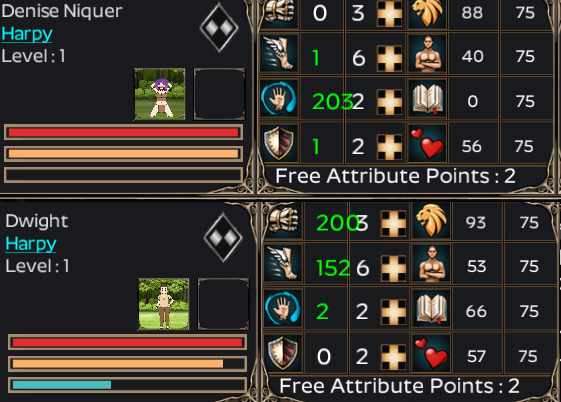
Also, is Hard Worker supposed to be able to be aquired randomly by newborns? isn't it a unique trait or am I mistaken?
Ok, that's a lot to unpack.
On fur/skin coverage, wing colors, etc., etc., one issue is that I (and I'm not the only one) wig out when my description doesn't match the body/portrait so I end up manually assigning them all. So adding even more specific descriptions isn't a clear win. Good news though, there're folks on the discord working up a really cool sprites-based approach to auto-generating bodies and portraits (the art is a good ways along anyhow) which would make detailed descriptions, adding patterns and part coloring, etc. work splendidly with some work. I will try working on some of the things you bring up at some point (like why display skin color if they have fullbody fur?).
Another thing to consider is slave guild quests that look for certain colors need work too if you monkey with them a lot, depending.
There's a neat little game called Niche I got on Steam a long while ago. Basically you control a pack of animals with genetics (including fur patterns) and breed them to suit different environments/predators as you travel from one island to another. I have half a mind to go full on dominant/recessive genetic traits on Strive with dominant race controlling what genes actually get expressed (fur pattern never gets expressed on fur-less npcs for example), but that idea will probably get a low priority on the ever-growing list to be honest.
I'm aware of most of those bugs. I thought I'd fixed the last one with stats that balloon a long time ago. When did you DL?
yet again sorry for wall of text.
that's good news to learn.
also a fair point, as there are not much points on beaskin to justify showing skin but at the same time parts like nose of the real dogs(even if it's often pigmented), pawpads/palms, corners of their mouth and intimate parts do exist.
yeah, didn't consider slave guild quest, just one more thing to make the idea I had even more troubling to implement.
that's a nice idea. I was thinking of a less complex approach (merely not showing in description but having it in files so next gen can get coverage color if you breed with furry race). The idea of dominant gene based on main race may cause all races having hard time developing traits of other races after breeding, making it much harder to express traits (for example A goes for gossamer wings, B - no wings, Aa full fairy Bb full arachne. offsprings would be either first gen would be either Ab fairies or Ba arachnas looking like their parents of their species. only on second gen can we can get full bb on wingless fairy and aa gossamer wing arachne at a 1/4 chance. and that would have to be for every type of wings just for wings. also, Niche has incomplete dominance, which is the main reason for fur patterns so unless you count fur patterns being equal to flat colors, it would require extra work so Ab and Ba cases would display as pattern of two colors as well as filling gaps for missing color combos and colors. basically it'll have to generate gene line for every part before generating pawns appearance and assigning it based off these lines. and, while I enjoy harder games, some wouldn't like harder inheritance due to it being no longer random. it would also eat up space in mansion for slaves. taking 2 gens to create white fur wolfkin is a bit much so it has to have colors and visual traits with less restriction.
I downloaded the pack on May 11 so it should be pretty recent unless I'm missing something. So far checked with harpy and arachna and dog 100% mothers with 100% slime father (and harpy 100% mother with dog 100% father to exclude it being specific to slimes) and all of them get bloated stats. I can provide a save for further inspection (all nicknamed Broken are examples with the issue on my side). I could try looking into if 25% 4 races has this issue as well.
https://mega.nz/file/AoIwWDjT#CP68WvPPIhFUhuArRcrFWoTVinfDLIakc5VOqO-tyGQ
also an error with relative screen for slime breeder/stud/offspring in relationships still detected as relatives (probably due to slimes not being intended to be a full on parent). in non-slime mother they are still shown as children but assigned their non-slime race (resulting them being shown as harpies, when in reality they are unbroken slimes, and actual harpies have broken stats).
| SCRIPT ERROR: _on_relativesbutton_pressed: Invalid get index 'slimesire' (on base: 'Dictionary'). At: res://files/scripts/slave_tab.gd:692 SCRIPT ERROR: relativeshover: Invalid get index '2' (on base: 'Array'). At: res://files/scripts/slave_tab.gd:831 |
I already did.
the mega link in above post is the link to the save. There are examples nicknamed broken as well as possible to reproduce the problem reliably by using harpy in the farm and slime as a stud (most offsprings so far). Sometimes it may take a few times as it's slightly rng. Had 1 time 5 with bloated harpies and 5 not bloated slimes shown as harpies in family tree. I didn't test the 25% yet.
Hope it helps to find the solution.
There are certain characters that never appear in folder names, some of those characters are delimiting characters such as forward-slash and backslash. The path "/folder1/folder2/" means that there is a folder named "folder1" and inside it is "folder2". A folder path can use either type of slash to delimit folders, but generally only one type within a path for consistency.
A colon is used near the beginning of a file path to indicate various special starting locations. Single letters like "C:" are used to indicate drive names. Godot uses "user:" and "res:" as shorthand for the user's appdata folder and the program folder respectively.
The instructions for this mod are provided for Windows and each OS organizes it's folders differently, so if you are using a different OS then you will need to use different paths and acquire the appropriate executable.
That all said, you shouldn't need to make the mod folder. The mod is simply designed to be extracted, moved into place, and played. If you still have trouble installing, I recommend the Strive Discord(https://itch.io/t/284398/discord) as a place to get fast help.
I am having a little issue after installing this and loading either old or new games, so I must have done something wrong.
I have generated characters that do not get their subrace, see below example. Whereas the subraces are recognized as her older sisters, Teodora & Linsey do still have their troll attributes.
This character also suffers from the fact that I can not upgrade their stats, despite having free atrribute points. For some new characters it works and for some it doesn't. It effects bandits, children and base NPCs (Tisha Hale).
I do not know if the information in the changerace issue is too blame but I always get this at startup and when entering bandit battles.
The lower screenshot is of an old save, but I tested it on a newgame and the same issue happens there - even with your first slave. It does not seem race specific as an issue.
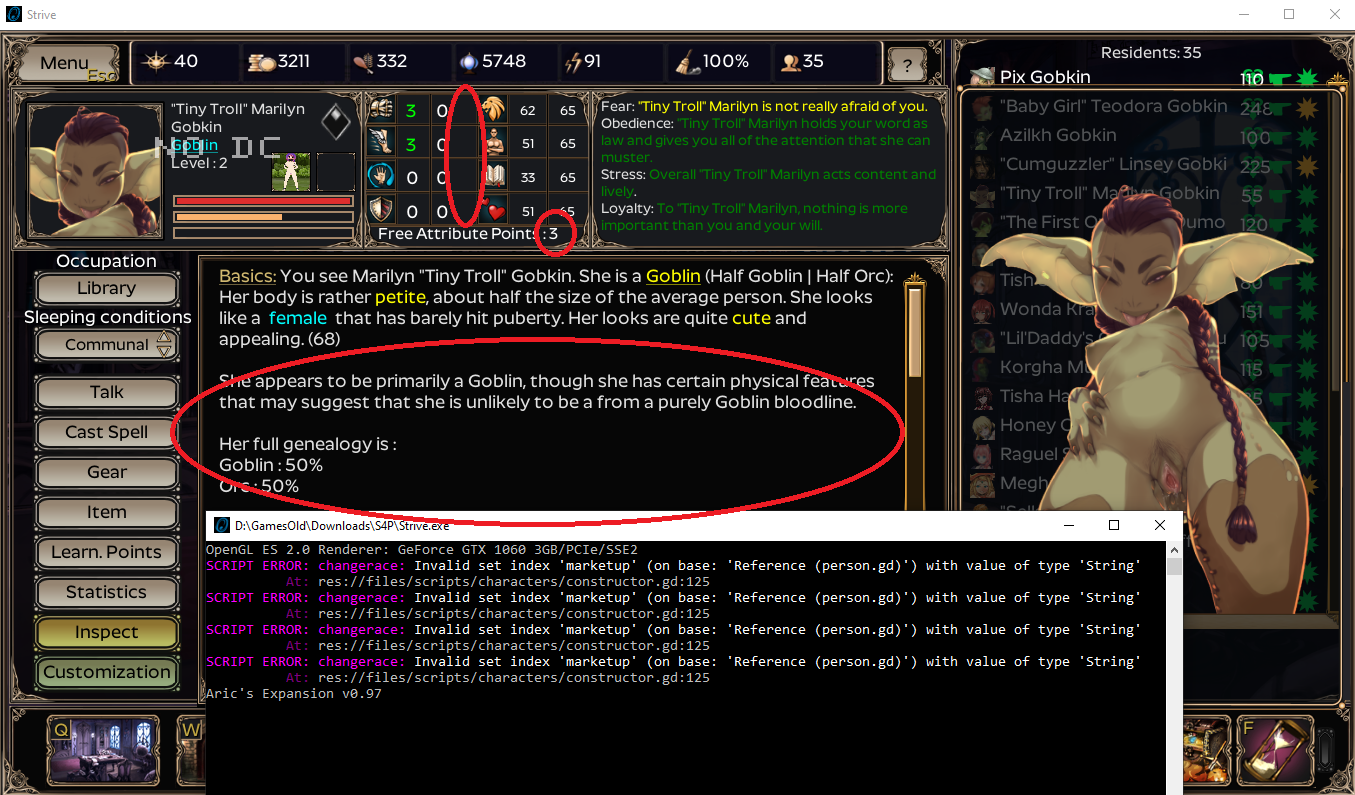
I also have the odd need to add the mods to the game via activating them as can be seen here, despite the installation guide saying you need not do it after installation. Perhaps that is causing an issue? If I do not do it. I do not get the "random portait" button of random portaits.
The Farm label mod was added after I already had these issues and do not cause it. I just though it wise to put the whole mod list here.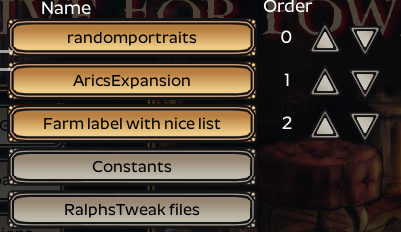
I would appreciate any help as I hate to lose/having break save games I worked on for quite some time (the above sample is not my longest game, but I fear for that one more and did not start it up).
Thank you for the mod and hopefully you can help me with where I goofed up.
So the problem is that Ralph's isn't really a mod. It's just a directly edited version of the game with Aric's mod already applied. What this means is that if you attempt to Apply Aric's mod, it breaks the game. The solution is to reinstall and then apply whatever mods you want, being careful not to activate and apply Aric's. Instead when you apply Improved Random Portraits mod, only have that one active. I'm not familiar with the Farm Label mod, but if it is compatible with Aric's mod in general, then I expect it probably will work the same. If in doubt, go back to the OP and follow the instructions there step by step and to the letter.
As for saves - if it's from another vanilla or modded game, I'm not sure it will be compatible with Ralph's.
The saves come from iirc the Ralph's modded Aric's Mod 0.9.5 standalone version.
I did a reinstall, but the issue remains unfortunately.When I advance the same old save as posted I do not get the old error message, but this new one:

I also notice that when I start a new game I can pick any race I want, I thought this was not possible in this version? I thought I gleamed that at another post.
Anyways, some of the slaves are inexplicably broken and like a Sims game I want to continue the story... It is a bit of shame not to get a troll when you get the exact genes (hard enough as you need pure breds to get it reliable). *sigh* I hate to ask but is there a way to modify save files to correct such mistakes? And how would I go about it?
Thanks for the help in advance.
Your error is caused by a mistake in the code not the save file, but that mistake does not exist in the current Ralph's mod. So it appears that you are either using an improper combination of Ralph's program folder with Aric's original mod folder, or you are using a very old version of Ralph's mod. Though the fact that you mention not getting trolls sounds more like your problem is the first one.
As far as fixing save files, that's not hard if you know what needs to be changed as they are simply text files. I have no idea what changes would be needed; that would require identifying a problem and then comparing the relevant code for the two versions. However, it can be tedious searching and changing everything without getting even a single character wrong.
Thank you for that answer ankmairdor. All I did though was download the main Ralph's Modded Arics' Mod 0.9.7 stand alone version, along with the random portraits and farm one. Is there any version number I can check to see if I have some mismatch somewhere?
I will have to admit that I did play the save with the previous, misinstalled version and saved it, as I noticed it too late. I do not have a pre-version anymore. So, I am certainly to blame for that.
I will see if can get any sense of the text files. Thanks.
[edit]. Okay I looked at them and I can find some characters names, but even in a new save game file there is so much information in it outside of the one slave that I own that I find it hard to find the end and a beginning of a character. Nor do I find the designation "troll" outside of "race_display":"Troll". Interessting though, I have this three times. Thus unless it is for an unborn fetus, the game does recognize my three troll daughters.... (unless the son I sold is still in this file).
[2nd edit] Something I have to say, as I forgot, was that when I booted the game it first saw my saves. Then after 1 day it could no longer untill I created three autosaves... not sure if that helps with detecting an issue.
[3rd edit] After testing the other old saves, I only get the problem now in the Orc save as posted. The other long save does not have a problem for the unassignable attribute points. I guess just the Orc one is broken, so that must be something in the save file I reckon.
I don't think Ralph did any version numbers, so the date of the files would be the best alternative. As Ralph lists the date in the first post.
Last Update 12-Apr-2021
If you have the most recent version, then I'd recommend renaming the current aricsexpansion mod folder and extracting a new one from Ralph's archive.
The 3 autosaves issue was known about since a long time ago, but Aric's expansion wasn't updated to the last bugfix patch nor 1.0 (though a user recently provided a 1.0d version of Aric's mod).
The unassignable attribute points are a result of corrupt data, specifically all the max stat values are 0. The only way to fix that is to edit the max stat values to something reasonable like whatever the game says their racial maxes should be. I recommend googling a JSON online editor as I've found those to be quite helpful.
Thank you, when placing a new Aric expansion folder, I did notice that I must have erred as the the "expansion" and "expansion_ALT" file indeed had an older date (03-11-2020) instead of the new one (12-04 -2021).
Can you recommend a JSON editor? I tried three now. 2 cannot read the file, the other one crashes....
Thank you for all the help, by the way.
I use https://jsoneditoronline.org/, copy the contents of the save file into the site in code mode, then convert to tree mode.
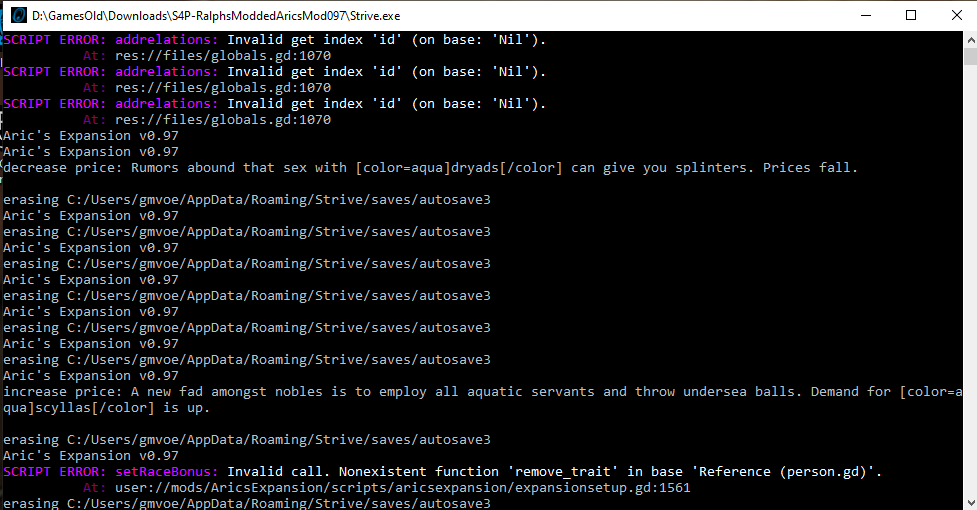
The 'id' error is harmless and not related to your problems. Easily fixed by adding null checks to the person arguments of the addrelations function in globals.gd. These lines can be added to the start of the function using a decent text editor. Note, godot is very sensitive to the type of whitespace characters used, so even if it looks right you may break stuff. Lines have to start with the correct number of tabs and use the correct combination of newline characters.
if person == null || person2 == null:
    return
The 'remove_trait' error is mildly problematic, but again not related to your problems. That file has reversed the name of the function call man times; it should be 'trait_remove' instead.
I'll have to go through and make sure they're compatible (I never actually even got around to checking them against the most recent version of Aric's), then I'll share 'em.
Also, which term would you prefer I use, shemale or dickgirl? I currently have it using the former just 'cause I think the word's hot, but it's a simple enough change if that would bother you (or you'd worry it would bother others)
It was a vanilla error that got left behind in this mod. That line should have a 1 instead of a 3.
This appears to be a regression by Ralph in dictionary.gd. "player.spec" should be "globals.player.spec".
This is an old bug and your "fix" is just a coincidence. Aric's mod had a bug as part of the revised sexual feature construction that resulted in data corruption by appending possible penis sizes for babies onto the penis size list for all uses. Your fix was simply waiting for a new male or futanari person to be created and further corrupt the list.
Line 75 of ".../files/scripts/assets.gd" should end with ".duplicate()". Which when fixed should look like:
temp = globals.penissizearray.duplicate()
The file can be edited with any text editor if you don't change any whitespace(spaces, tabs, or newlines), or a decent text editor like Notepad++ or Sublime Text 3.
Hell yes! I'd love to collaborate and see what you've done. New items and races are tricky, and I haven't even tried tackling them yet. If you've got 'em working and tied in with Aric's that's awesome. Come join the discord and hit me up. I'll fill you in on current plans and we can joint-coax Aric into updating (he's almost there, just needs more time and a little push :] )
It seems you posted the message here and the errors under Aric's mod, which is a separate mod though this one is derived from that one. Not exactly sure what's going on and which mods you actually have, but based on those errors you at least have Ralph's mod.
Either way neither of these two mods is compatible with the more body parts mod as it is based on version 1.0d Strive, whereas these mods were based on 0.5.25 with my patches. Even then they change the game in ways that are contradictory.
Neither of these two mods have a standard installations which causes most of the problems especially when accompanied by normal mods. For Ralph's mod, people often apply the aricsexpansion mod when they apply the normal mods, which breaks everything because Ralph's program folder contains changes that were not included in the aricsexpansion mod folder.
Based on the errors I found that your person.gd file is at least 3 lines shorter than expected. Also you are missing hybriddict from description.gd which should not happen unless you were moving files into the program folder as the mod system should not remove it. You may have corrupted the program folder and may need to extract a new copy from Ralph's mod archive.
Edit: your errors appear to be nearly identical to https://itch.io/post/2226559
Okay so from what I understand, installing more body part mod broke aric expansion ? And I posted it in the two mod topic because I tested ralph version, and the normal version, and I got different problem so I tho it would be better to do 2 different bug report for the 2 different version. I'm going to try to just, install Aric expansion, and try first with only it, with a fresh start of course and see what happen.
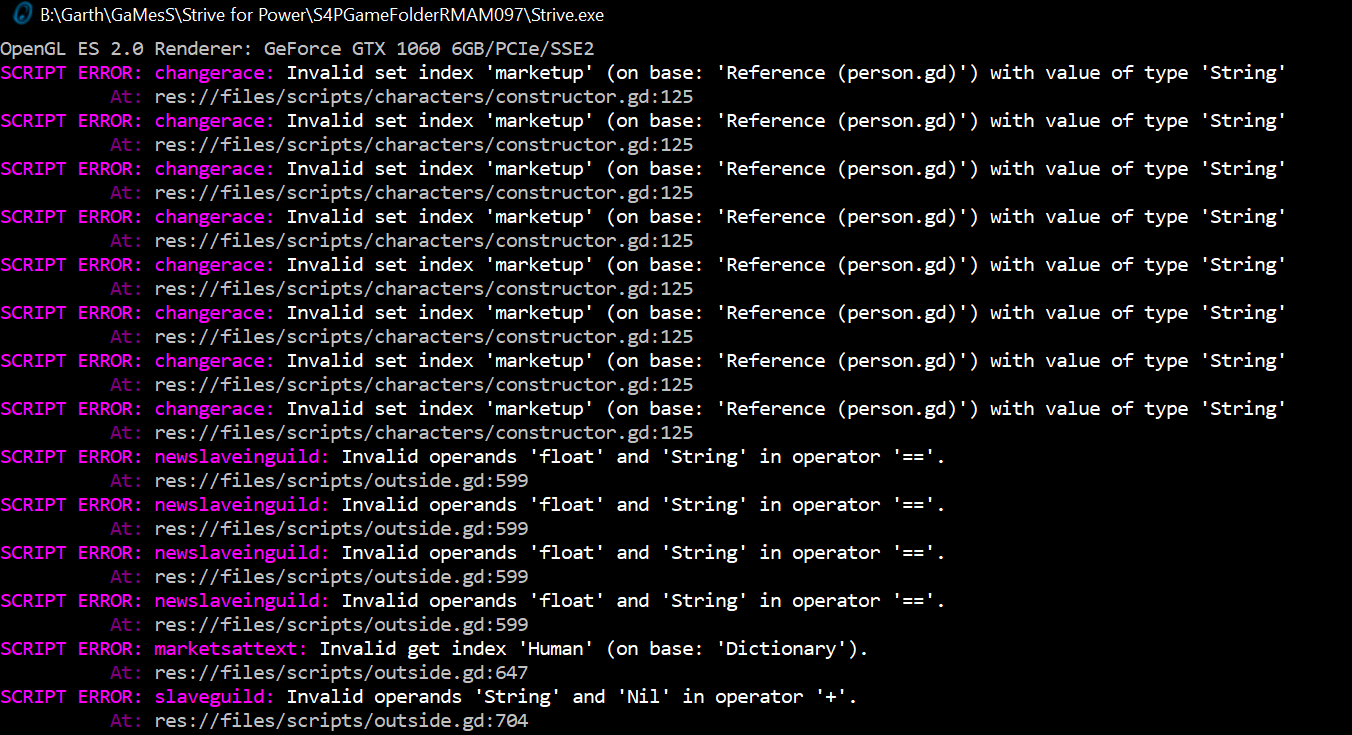
Now I get this:
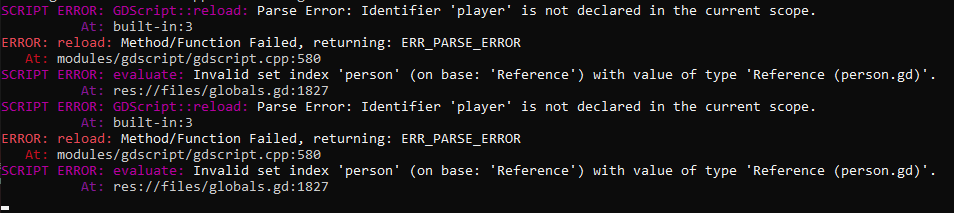
SCRIPT ERROR: changerace: Invalid set index 'marketup' (on base: 'Reference (person.gd)') with value of type 'String'
At: res://files/scripts/characters/constructor.gd:125
SCRIPT ERROR: changerace: Invalid set index 'marketup' (on base: 'Reference (person.gd)') with value of type 'String'
At: res://files/scripts/characters/constructor.gd:125
SCRIPT ERROR: changerace: Invalid set index 'marketup' (on base: 'Reference (person.gd)') with value of type 'String'
At: res://files/scripts/characters/constructor.gd:125
SCRIPT ERROR: changerace: Invalid set index 'marketup' (on base: 'Reference (person.gd)') with value of type 'String'
At: res://files/scripts/characters/constructor.gd:125
With only AricExpansion, not any other mod active or even installed, fresh restart (I think) where I extracted new files from both AricExpansion file, and the game provided by Ralph
Edit 2: I managed to fix the error (For now) with the normal version of the mod, with a complete fresh restart (Deleted every game file), i didn't try with ralph edit for now, maybe later.