

Well, gosh, thank you too! :D
I love to share bonus knowledge, even when I'm not sure how helpful it will be. I'm very glad it was helpful this time!
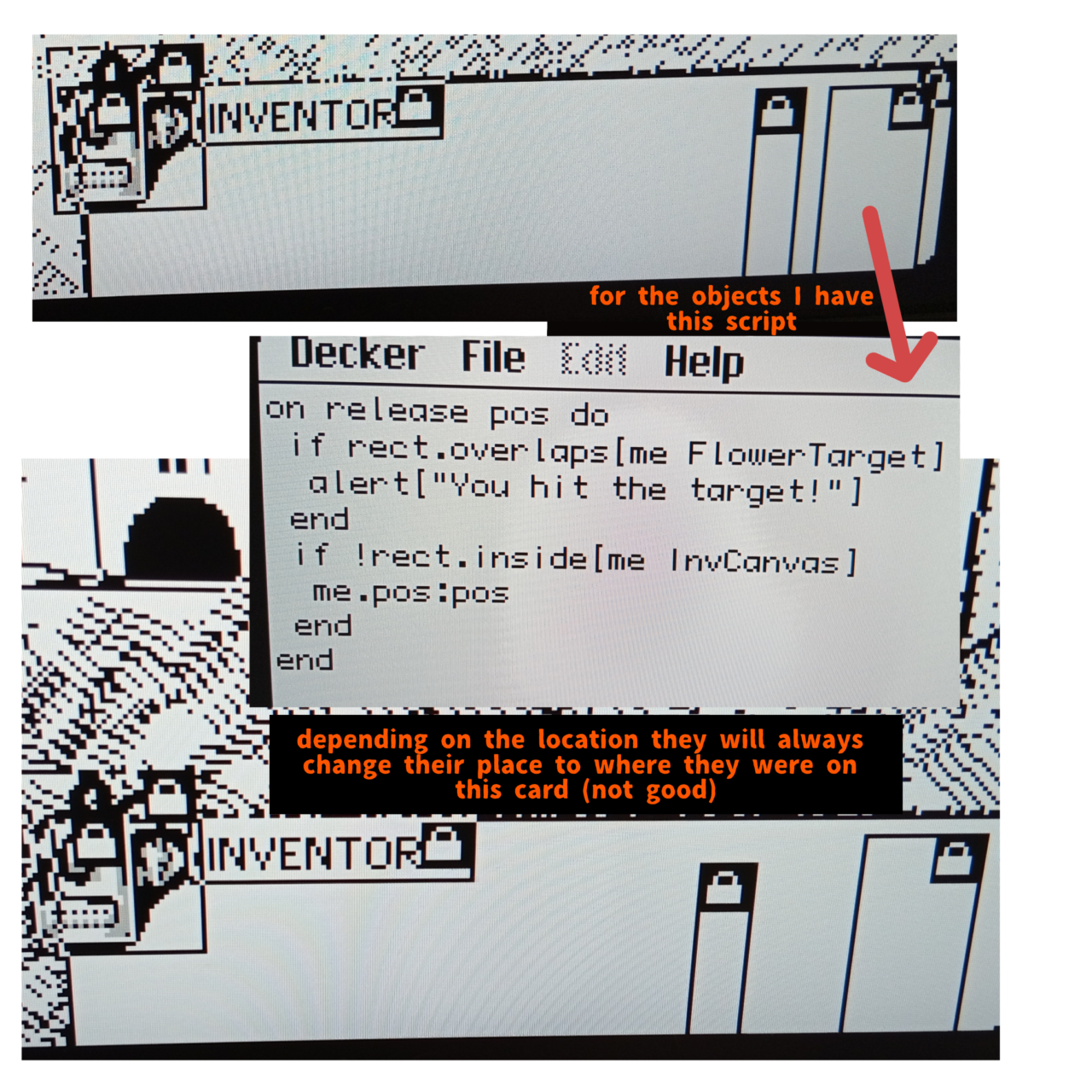
I have a new quite bad problem.
So I have an inventory on each card. And as I said on the picture, when the card change - the placement of the objects will change too! Also while the animation of the cards changing is playing the game will not rethink whether an object should be already there or not, so it takes a second for it to show up or to disappear if it was already used.
So I thought there might be a solution wich requires a some sort of group? Like a calendar in the example deck or a palette in wiggly paint... Maybe it will fix all of it? Or at least make the process easier for me cause I'd not have to copy each new object to each card again and again?..
Another solution might be easier and it's just to make the objects to somehow remember where they are on each card and when the card changes they will teleport into the previous card's position..? But I'm not sure how to make this either. I mean if both of these are super hard to do, I can just leave it like that, but my inner perfectionist will be a bit triggered ":D
Hi again! Sorry for the late response, it's been a busy week.
This is just a short reply for now, which may not fit everything you're doing.
I think the group idea you're thinking about is a Contraption.
Basically it's a custom widget made of the other basic types to become something new. Contraptions are things that are meant to be reusable, whether it's something that many kinds of projects like the Calendar example you mentioned or something that can be used many times within one. Like using a contraption to keep track of what items you have. :) So you had the right idea.
Internet-Janitor has just recently posted a contraption version of an Inventory Bar that does some of the things you might want it to do, but not everything.
For example, you can place an InventoryBar on every card and they'll all update each other. And it tracks whether or not something is stored in the inventory so you can write If statements that check it in your code.
But it doesn't use draggable canvases like your project is using doing now, so it would change your gameplay a little bit if you used it as it is.
Is this the kind of thing you were thinking about? (Even if it's not exactly this one.)
On the other hand, there are definitely ways to do this without contraptions. Like having a script that syncs up the locations of your canvases on different cards when you tell it to. But I'd have to come back to write an example.
Thank you for response anyway, But I would love if a game had draggable system, and the thing that InternetJanitor suggested is cool, I will try that, if I would be smart enough for that 😅. I would like to listen to your ways of doing it without contraptions for future though!
I thought about texting you again if you would not respond, just to see if you might've missed my response or itch maybe didn't tell you about it. I very glad you waste your time on lil old me! And it's for free too, so you're basically a hero! :)
Ahmwma's suggestions offer one possible approach; here's another idea.
Let's say you have a widget on every card of your deck in the same position named "inventory". It could be a button set to "Show None", for example. Draggable canvases on each card will be considered "items", and any of those items that overlap the "inventory" bounding box are treated as being in the inventory and moved automatically as you go from card to card.
In the deck-level script (File -> Properties... -> Script... from the menu), we'll define a function named "organize[]" which removes any items in the inventory area of a destination card (!) and then copies over the items in the inventory of the card we're currently on:
on organize there do
 on overlaps a b do min(a.pos<b.pos+b.size),b.pos<a.pos+a.size end
 on items card do
  extract value
  where each v in value overlaps[v card.widgets.inventory] end
  where value..draggable
  where value..type="canvas"
  from card.widgets
 end
 there.remove[items[there]]
 there.paste[deck.card.copy[items[deck.card]]]
end
Previously, when we moved from card to card in our game our scripts might look something like:
on click do
 go["SomeCard" "BoxOpen"]
end
Now we need to call organize[] on the destination card before we go[] to it, like so:
on click do
 organize[SomeCard]
 go["SomeCard" "BoxOpen"]
end
Normally, pressing the left and right arrow keys will flip Decker between cards; this could break our inventory system. To prevent that problem, we can define a navigate[] function in the deck-level script as well which does nothing, like so:
on navigate dir do
 # this space intentionally left blank
end
Here's what the whole thing looks like together:
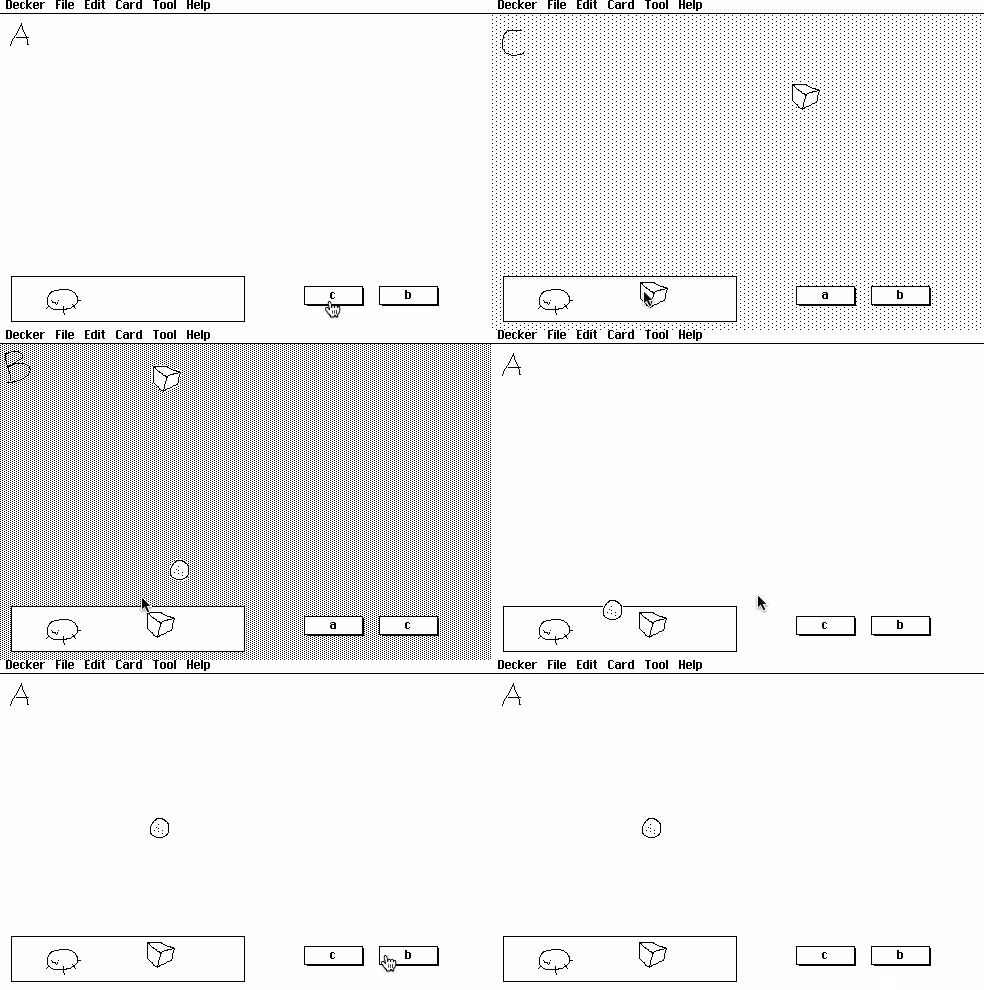
With a little extra animation for card transitions this could look a lot like the truck-bed inventory system of Horsey Game, for example.
Thank you so much for response! :3
Though it all seems a bit hard, I will try this and text you later!
I have a question though, if I have an icon of a backpack, will it copy automatically? It is halway there and might cause some problems with the code or it's okay?