
Indie game storeFree gamesFun gamesHorror games
Game developmentAssetsComics
SalesBundles
Jobs
TagsGame Engines

Really good point, Chillax.

I'll take some time to address these topics and answer all of these points—Your suggestions are really important. Some of them will take me a bit of time to implement, but I'm on track to improve this app and make it a professional tool. It's already very useful for me, but I see that it still needs a lot to improve.

When I spend too much time working on the same project, I get blind spots and it becomes hard to spot the bugs...

Thanks a lot for your feedback! 

I'll reply ASAP! :)
(1 edit)

I told you that requiring us to change all of our workflow with sprites to fit into 16,32,64 and 128 isn't very pratical..

Imagine if i had to rework and resize all sprites i make and clients send me just to fit those sizes?The first suggestion he said here totally will handle my issue with sprites size. 

Thanks! Wakawakamush :)

I haven't had many complaints about this before, but I'll definitely take it into consideration for the next update. Many thanks!

The current system relies on square images for simplicity because each pixel needs to align across the orthogonal views to generate a voxel. If the pixel positions don't match, the app can't determine where to place the geometry in 3D space.

Just to get a bit more context—what image dimensions do you usually work with?

I need to think through this carefully and do some testing. I imagine an extreme non-square aspect ratio (like 1:10) might cause issues. Similarly, if the side images have different dimensions from each other, it will be hard for the system to build the model accurately.
Do you also need to be able to use images with different dimensions for each side?

I'll test this out and let you know what I find!

Thanks again :)

To keep things simple, keep the predetermined sizes for the grid (users don't really care about this), but add an option to align the images uploaded? Then also do that filling in the space with empty pixels internal change I mentioned and the app should accept them just fine.

So, that way you keep everything the same (internally) and the user just has to tweak the images positions to have the right results when creating the mesh from multiple images?

(+1)

Working on it :) Thanks Chillax :)

(2 edits)

Appreciated! I mainly come from using Blender and Aseprite (and many other tools over the years), so you can imagine my muscle memory going HUH when things didn't felt quite right or I lacked certain tools. lol

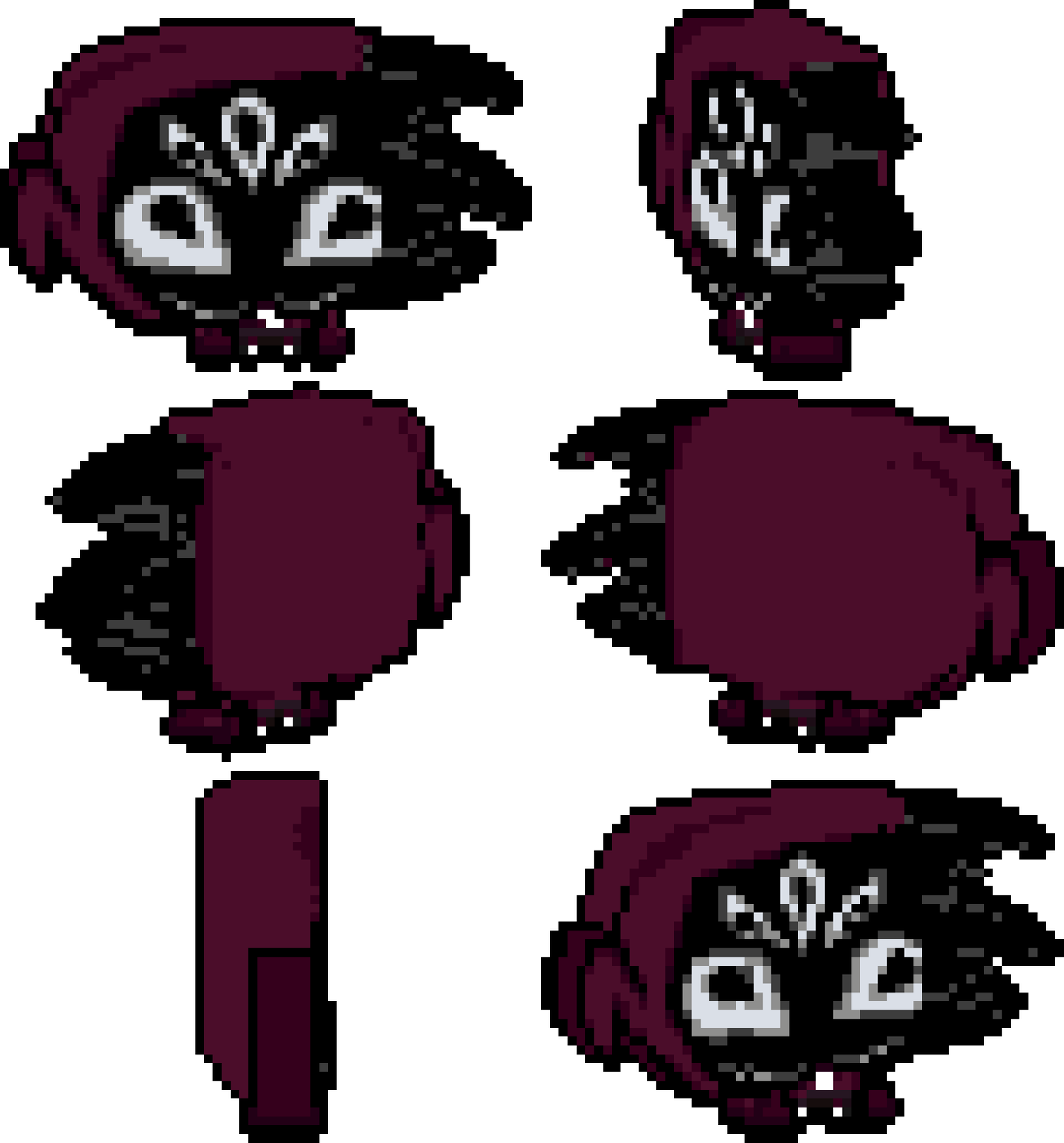
Oh, I also wanted to mention one more thing and its how awkward it is to make more organic shapes on models, like for example I was trying to make a hoodie, like the back of the head shape, on my model but it was so hard to make a simple bumpy area that I just gave up (partially why I suggested a "smooth" tool but maybe an alternative now with context given might give you an idea).

My little test render, bit flat, but again, hard to make round stuff. :)

Also I plan to use this tool for my game, so do excuse me if I sound ultra picky, haha, but sincerely, I do it out of  passion, this is a really neat tool and I'm getting the hang of it. I feel it's gonna make development time on my game a lot faster for designing vehicles (it was hard to find artists that could work on a very specific angle without often looking wrong, and the ones that did do it didn't like doing it, so the easier it is for my team, the better).

I will admit that when I first picked the tool due to all of the issues I almost gave up on it, but I am a very patient person, so I kept trying and the tool does shine when it works.


Also two more things, sorry, one is that I feel that the camera and the mouse don't feel... correct? often times you try to paint a pixel in 2d mode and it doesn't paint or it paints a wrong place? it has to do with projection.

Second thing is that, pressing the button to expand the window to full size... expands BEYOND the desktop bar? Like it fills the ENTIRE screen, which it should not -- it hides all my stuff if I hit it so I can't change apps by clicking on them, so I have to manually resize it instead. I'm on Windows 10 btw.

And again, sincerely, thank you for making this tool! I'm excited to see it improve overtime. :)

(+1)

Good Points Chillax..
It is on my roadmap to include a smooth tool... Especially in erase mode to avoid irregular chunks.
The pixel precision is an important issue that needs to be addressed. This app is very early in development and would not be easy to get to a professional level like Blender or Photoshop... My main concern is to create a tool very simple to work with, and all need to be very intuitive... I'm sorry that first encounter with Pixzels was hard... Need to investigate deeply...
My ultimate goal is to create the simplest tool to create pixelart 3d that feels as easy and natural as painting 2d pixelart.
Written down all the points and will keep working.. Many Thanks for your input :)
I would like to be able to see how people work with Pixzels and see where they get lost to understand the weak points.