Indie game storeFree gamesFun gamesHorror games
Game developmentAssetsComics
SalesBundles
Jobs
TagsGame Engines

Release 1.6.5 - Bug Reports Sticky

A topic by Three Eyes Software created 35 days ago Views: 945 Replies: 35
Viewing posts 1 to 9
Developer

Report bugs here. Ideally, your report should include the steps necessary to reproduce the bug.

(1 edit)

I downloaded the new version 1.6.5 and downloaded the Gemma model. I started my save, downloaded everything, the command prompt appears and after just crashing, the game crashes and does not start. I don't even have time to screen something, the game just crashes.

Developer

Specs?

Developer

I've uploaded a patch that might solve it, but it's a bit of a shot in the dark.

(1 edit)

I am currently unable to download Gemma sparce. I keep getting "HTTP/1.1 404 Not Found." This applies to all three versions. Gemma and Gwen.

Developer

It seems that the link the game uses to download the backend got removed just after uploading the patch. Replace v1.111.1 with v1.111.2 in AppData\LocalLow\Three Eyes Software\Silverpine\settings.json, or wait for me to rebuild the game and upload another patch.

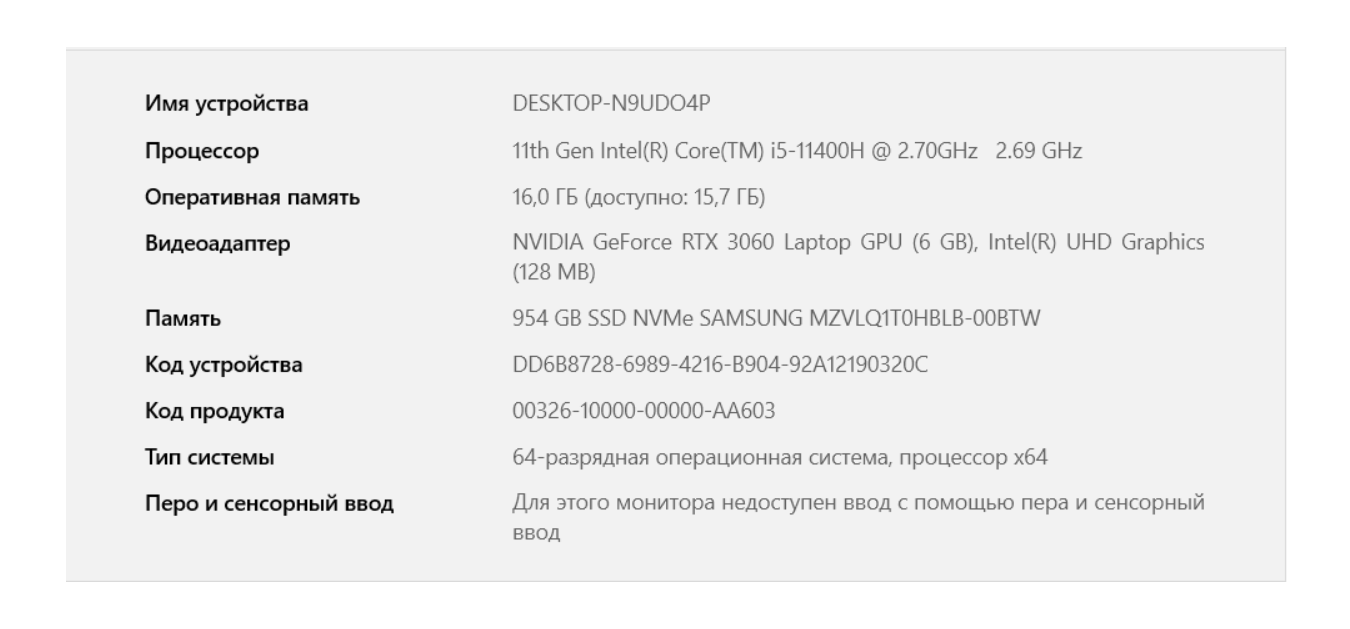
After installing the new version, everything is the same, crashing after trying to launch the Gemma sparce model.  Here are my specs.

Developer

Like I said, you need 8 GB of VRAM for this model. It might fit if you update to the "c" version I just uploaded, since it uses an updated backend that better squeezes the layers of the models into VRAM. Try closing your web browser too, and make sure the iGPU has as little VRAM as possible assigned to it in the BIOS, since it draws from your normal system RAM which most of the model spills into.

Okay, I'll try to install another version.

Developer

Basically, if I understand right the model uses 16.7 GB (gigabyte? gibibyte?), and it all has to fit into your VRAM + RAM. The backend uses an algorithm that's not transparent to me to fit a certain amount of that into your VRAM. 6 + 16 GB = 22 GB - the OS and other software using a certain amount - your laptop's iGPU using a certain amount, is making it a really tight fit, if it's even possible.
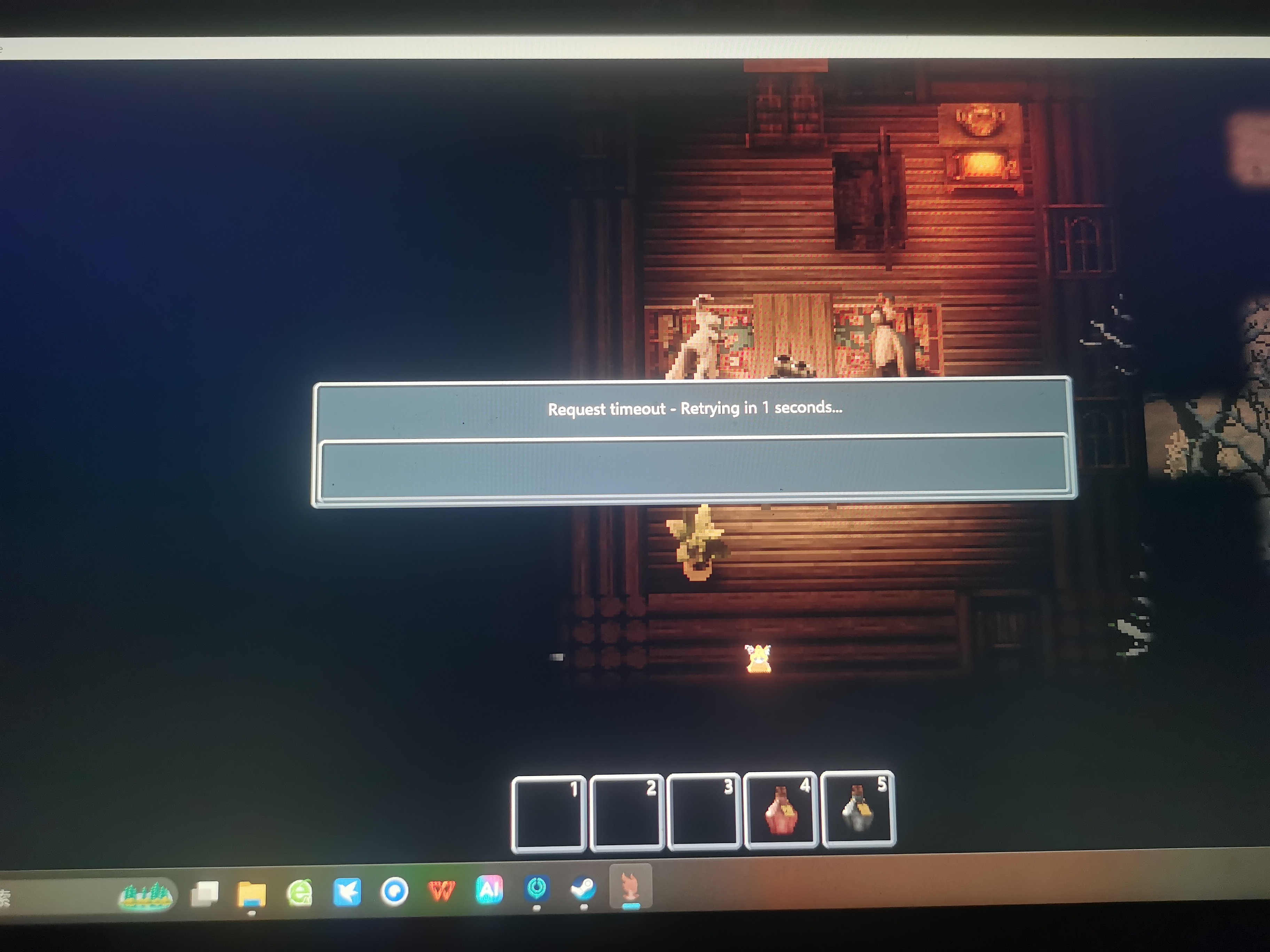
As sad as it is, I won't be able to play the game now because all models don't work. That's why I always played through the server, because it was the only option for my laptop. Now, apparently, I'll have to abandon the game until something appears in the future. It's sad.

cant you just use openrouter? that's been working fine for me

I've never used it and I don't know what it is.

Openrouter is an external platform that uses Ai to create NPC dialog.  it's easy to use, just select it when the game promts you on what to use and it will guide you through it :)

Okay, thanks, I'll try to figure it out later.

Developer

There's a smidge of a chance that it can load on your system with the new version now, but I have no way of testing this.

Thanks, when I have free time, I will definitely check it on my laptop.

I checked everything, yes, everything started working on my laptop, but OpenRouter will still be better in terms of dialog generation speed, so I'll use it.

I don't know if I'm the only one with this, but the longer I play the game, over time, small freezes start to appear for a couple of seconds. Everything is fine at first, but after two hours of the game, the freezes start for two or three seconds.

This is highly likely the game autosaving. I get this happening to me as well, but quickly realized it was the game saving. Next time it happens double-check your autosave file to see if it's updated, and you'll know it's just that. Otherwise, it's probably something else.

I've been having an issue where when I transition a screen, the game stays on a black screen, no sound is generated either. I've waited up to 20 minutes hoping it was the game doing things on the background but still nothing. 
I have an i5-9600k, 16gb of vram, and 16gb of ram

Dumb question but do you just mean walking off the map, or a change of scenery during a conversation? There’s a non-zero chance if it’s the later it moved you to a lightless room like inside the shed.

Developer

If you mean the RP scene transitions, it sounds like the game ran into an error during the processing it does during the black screen. What NPCs were involved, and where was the location supposed to change to?

It was while walking around, it happens mainly when leaving silverpine

Developer

Are you on Linux?

I'm on windows 11. I figured out how to recreate it. I need the autosave message to pop up then transition to another part of the map quickly, if I manage to do so. It gets stuck on the blankscreen.

(1 edit)

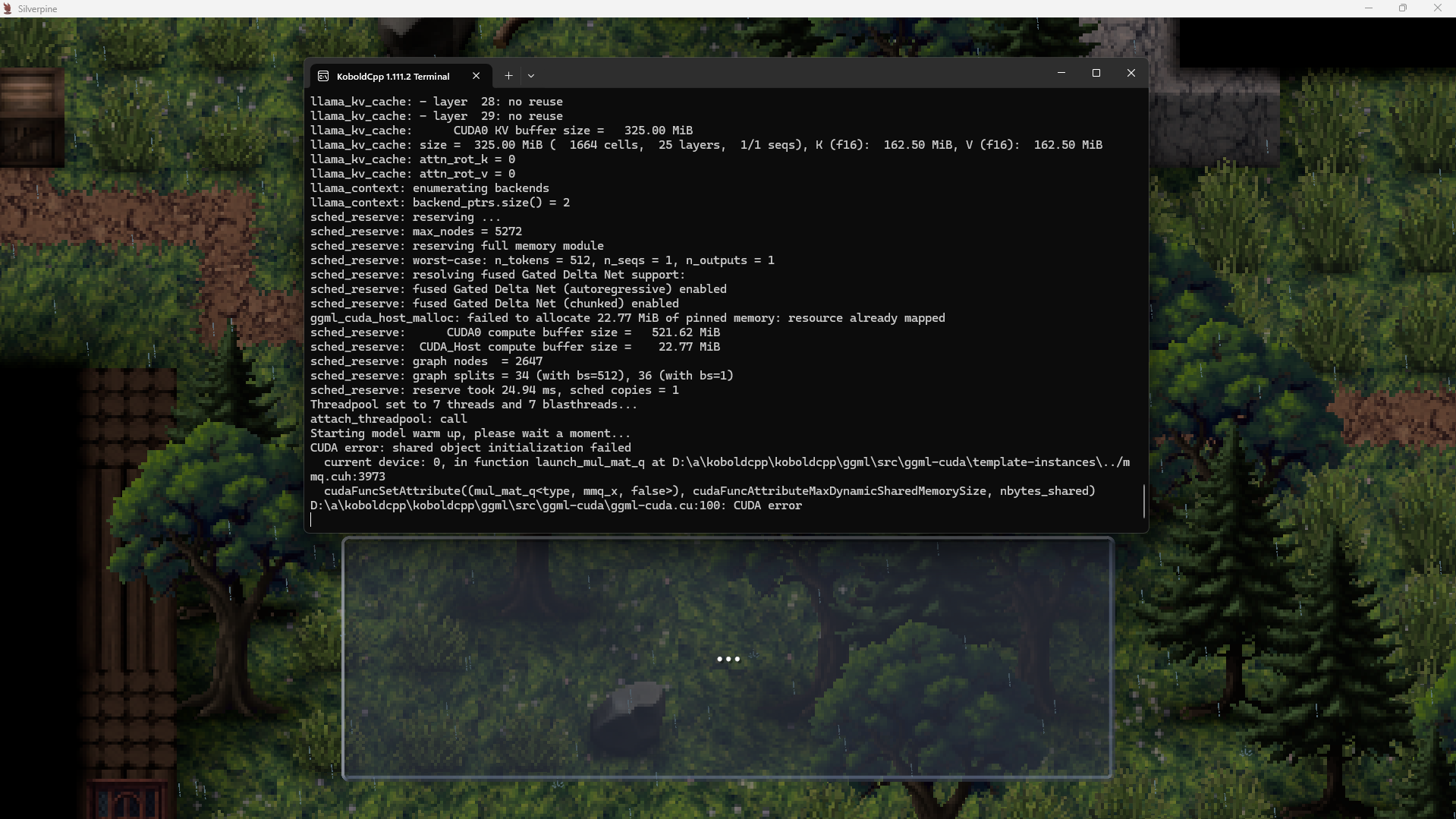
I try to start the smallest model (having ~10,9 dedicated VRAM free) and I get this nearly every time (on two tries I didn’t even get there).

The strange thing is I played just today. My last save is from a bit over 2h ago. I turned off my pc and after restarting it, the model didn’t start anymore.

[Edit:] I forgot to add that the folder “D:\a” does not exist on my pc.

It runs again after I deleted some files from my C\ drive… apparently I didn’t have enough free space on it.

(5 edits)

 Linux Mint 22, 64GB DDR5, AMD RYZEN 9 7950X , AMD Radeon 6900 XT w/16gb VRAM.

I know it's not my system because in older iterations 1.6.4 and 1.6.5 I was just fine.
Selected local GPU, but it seems like it attempts to connect to an external LLM service and errors out with:

The LLM service has encountered an Error: An error occurred while sending the request.


Below is what I pulled from the log as it ran.

I assume it's attempting to use a 3rd party LLM service instead of my local GPU because of the Tokens, but I'll eat humble pie if I'm wrong.

Tokens: 797

<CheckMemoryCompression>d__163:MoveNext()

System.Threading.ExecutionContext:RunInternal(ExecutionContext, ContextCallback, Object, Boolean)

System.Runtime.CompilerServices.MoveNextRunner:Run()

System.Threading.Tasks.AwaitTaskContinuation:RunCallback(ContextCallback, Object, Task&)

System.Threading.Tasks.Task:FinishContinuations()

System.Threading.Tasks.Task`1:TrySetResult(TResult)

System.Runtime.CompilerServices.AsyncTaskMethodBuilder`1:SetResult(TResult)

KoboldSharp.<GetTokenCount>d__7:MoveNext()

System.Threading.ExecutionContext:RunInternal(ExecutionContext, ContextCallback, Object, Boolean)

System.Runtime.CompilerServices.MoveNextRunner:Run()

UnityEngine.WorkRequest:Invoke()

UnityEngine.UnitySynchronizationContext:Exec()

System.Net.Http.HttpRequestException: An error occurred while sending the request ---> System.Net.WebException: Error getting response stream (ReadDoneAsync2): ReceiveFailure

I'm not trying to run it via 3rd Party Vendors, is there a setting I can change in the .config files to force it to utilize my GPU?

Steps to reproduce:
Download 1.6.6b without having run any other versions of Silverpine. Launch. After AI Model loads, attempt to talk to any NPC. Error should appear.

I'm pretty sure I'm not doing anything out of the ordinary for this.


Edit: Loading the Demo Server things behave as expected, but attempting to load via GPU using the Demo program ALSO triggers this LLM Warning.


Edit 02: Loading older QWEN-3.5 works. I Didn't both with Gemma-4-Dense-Large, I don't have the VRAM for it, but since the Sparse isn't behaving I doubt it's larger brother would either.

Developer

The game communicates with the locally hosted KoboldCPP server in the same way it would with the demo server or OpenRouter.

To me it seems like the backend is failing in some way without the game noticing, and then the request errors out.
KoboldCPP outputs are currently sent to /dev/null on Linux because I had some worries about compatibility with different distros, so there's no way to see why this is happening either. Since it's model specific, maybe the download got corrupted somehow. Try deleting the Gemma-4-Sparse .gguf and .meta files in Silverpine 1.6.6b\Silverpine_Data\StreamingAssets to redownload it.

Another thing it could be is that Gemma 4 uses SWA, which might be an issue with AMD somehow?
If anything, I will look into adding better logging for the outputs on Linux in 1.7.

(5 edits)

Oh! Okay, so we're literally talking to our own local server as if we would with a 3rd party provider. That makes sense why I was getting that error then. 

You could use the .config location that you use for saves to also record logs. I'd say defaulting to /dev/null with the option to enable using ~/.config/unity3d/Three Eyes Software/Silverpine/logs or allowing a user to specify a specific dir would be an option as well.

Linux generally has a number of dirs that are found regardless of distro. So, if we're not using the /home/user/.config/silverpine/logs we could utilize /var/log/silverpine or something else. 

Anyways, I'm going to try out your suggestion and repo0rt back! Thank you Three Eye!

Edit: Manually Downloaded Gemma-4-Sparse outside of the Game, looked into the .seal file and found the URL for it. Deleting and redownloading through the game didn't change behaviour. Did the same with Koboldcpp... We'll see what happens. 

Edit02: Right, so that didn't change the behavior either. Ah well, I'll just try it once we reach 1.7!
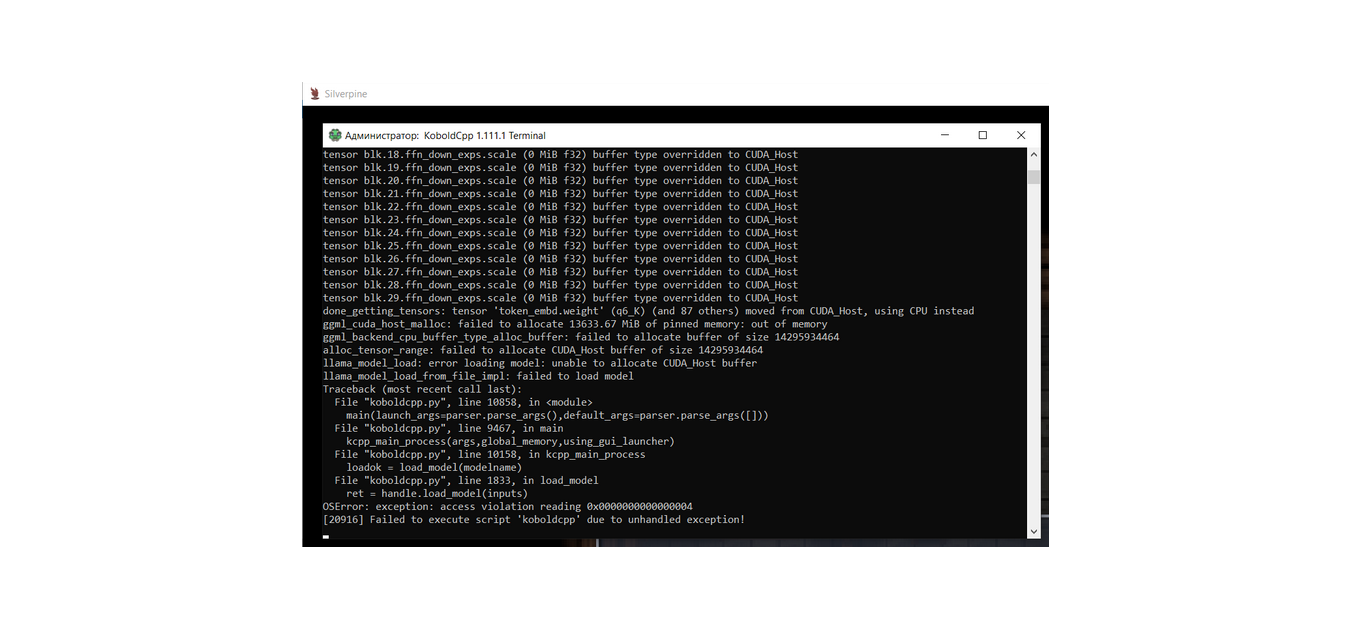
Why this file can't download.

Developer

Either Hugging Face is down, or GitHub is down, or your connection isn't working.

how can I fix them

Developer

Both servers are up for me. It's a problem with your internet connection.

oh,I got it,I need use the accelerator?