

Hi,
Thanks for your feedback. If you're referring to the application itself, it's normally set to English by default. Otherwise, you need to click the button to change the language in the menu at the top right.

If you're referring to the visual novel preview on the right, it's possible that the preview was displayed in French.
In that case, click on "Config." This will display the visual novel's start screen. There, click on "Options" in the preview screen and select English. This should fix the problem and save your preference locally in your browser. So, every time you log back in, it will be in English.
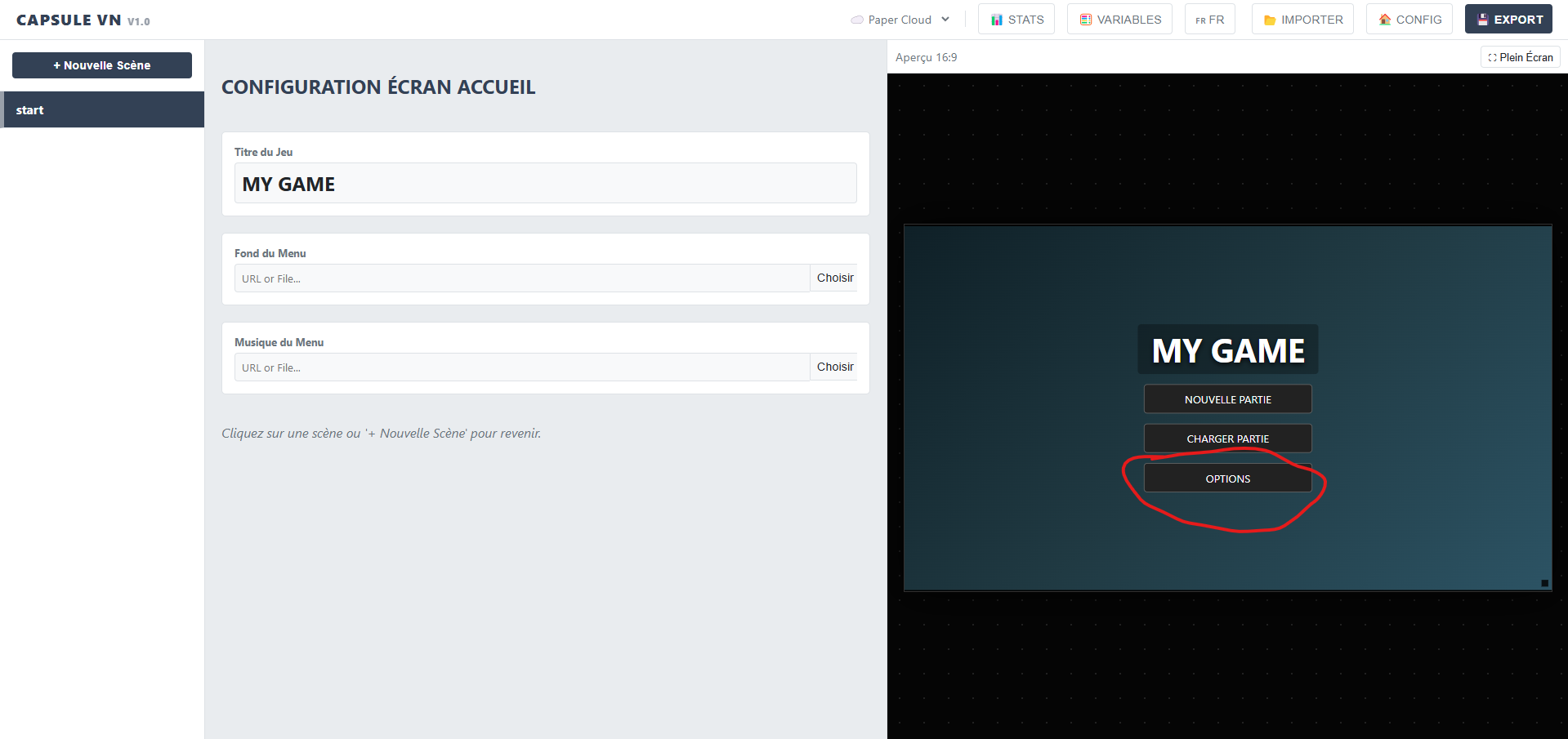
Let me know if this resolved the issue.
Thanks!