A downloadable guide.
Very helpful and insightful advice! I've been making VNs for about eight years now—and playing them for nearly twice as long—so I already had a good understanding of the basics and what works / doesn't work for me both as a dev and a player. Even so, accessibility is something I've been wanting to take into consideration for my own projects. So even though half the advice are things I've already done/been doing, I still found the accessibility info especially helpful.
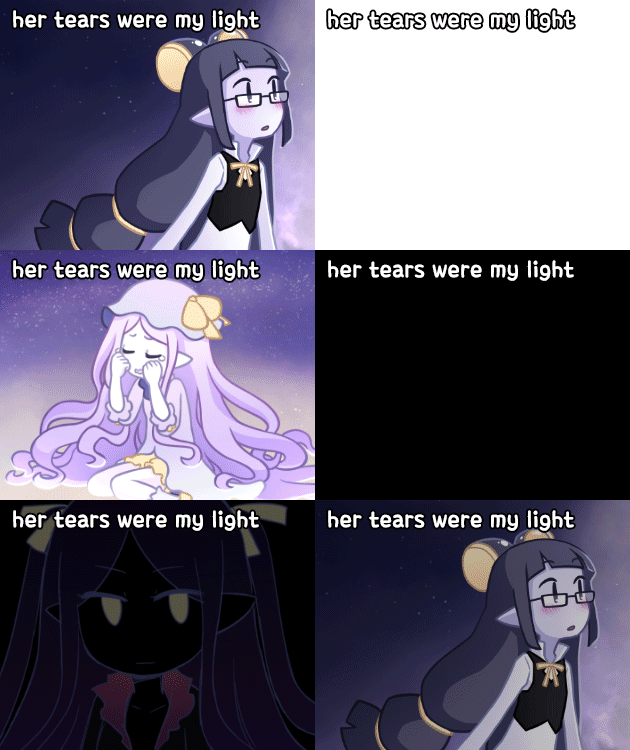
Personally, the only advice I'd disagree with or at least would like to hear more reasoning for is the part that suggests limiting adv text to 1-2 sentences and only using that first line in the textbox (based on the images provided). From my perspective as a player, it bothers me when devs are afraid to utilize their entire textbox. And they'll limit each and every "click" to one sentence regardless of how long or short that sentence is. Regardless of whether it's narration or dialogue.
For one, it feels like a waste of space. While it's true, you don't want to make it feel crowded all the time, on the flip side, why only utilize the top line and nothing else when you have space for 3-4? Of course, I'm someone who enjoys reading (that's why I enjoy visual novels) and am not disabled, so perhaps it's a matter of perspective, but personally I have nothing against reading a full paragraph on occasion in a vn. I don't think it should be considered something to avoid anyway.
Secondly, maybe I'm just getting old, but I find the less I have to click, the better. My hand gets tired after so much clicking. I know there's going to be a lot of clicking regardless in a vn, but if a dev could cut the amount of clicks in half by simply utilizing their text box more, I would be grateful for it.
If it were me giving the advice, I would suggest variety. Sometimes using only one line of the text box, sometimes using multiple lines. And—most importantly—choosing with purpose. Do whatever feels right in the moment. For examples, sometimes I will cut it after one sentence of dialogue if I need to change a sprite's facial expression in-between the lines. Or if I really want that one sentence to stand out on it's own.
However, say I'm narrating a scene. That's usually the most common time when I'm going to want to utilize the space of my textbox in full. Because I want the scene to be considered as one cohesive image, I will fill that textbox with descriptive imagery.
The rest of the time, if I don't have a specific reason for making a string of text specifically short or long, I'll aim for somewhere in the middle, usually 2-3 sentences or lines worth of space in the textbox (depending on how much space I have to work with of course).
That being said, I will definitely be referring to this and the links provided to further educate myself on how to make my GUI more accessible and would like to thank the creator for the advice.