




You did great :) !
A member registered May 21, 2016 · View creator page →
Creator of


Absolute Radiometer for Cosmology, Astrophysics, and Diffuse Emission
Action
Play in browser

Voilà qu’on vous sort de la poche et vous glisse dans la fente d’une machine : votre aventure démarre enfin !
Puzzle
Play in browser
Run in browser



Action

Recent community posts
itch.io Community » itch.io » Developer Updates · Replied to leafo in Experimental SharedArrayBuffer Support
itch.io Community » itch.io » Developer Updates · Replied to leafo in Experimental SharedArrayBuffer Support
VIDEO GAMES LAB : Game Jam 2021 community · Created a new topic [GUIDE] Import version web sur Itch.io
Tout en suivant ce guide https://itch.io/jam/vgl-game-jam-2021/topic/1726944/guide-soumettre-son-jeu-en-q...
Sélectionnez la version HTML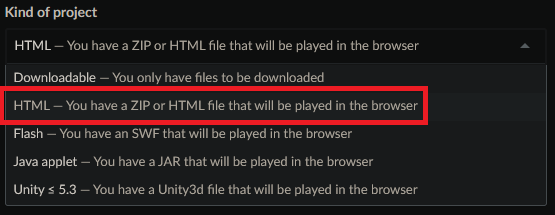
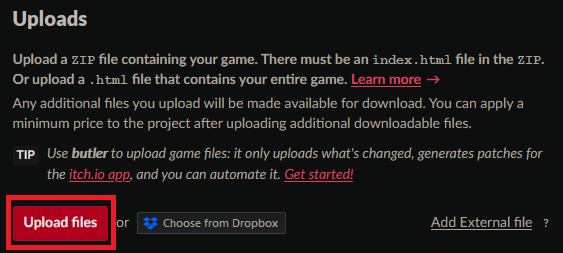
Double cliquez sur l'archive zip contenant tous les fichiers nécessaire, surtout "index.html" (ici un export Godot)
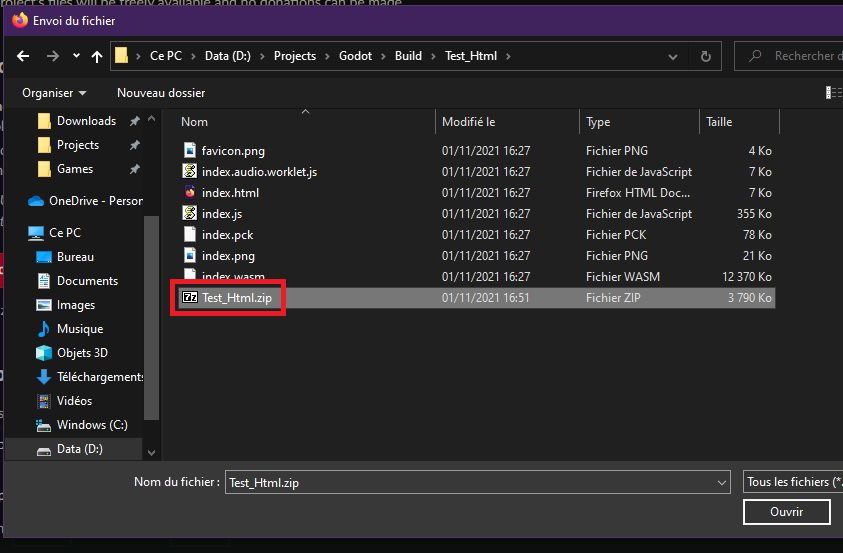
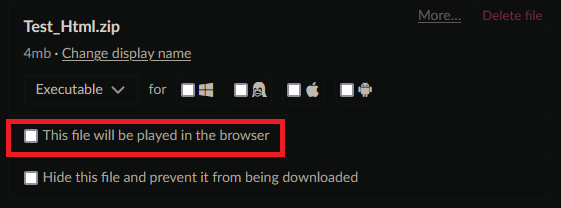
Cochez la case "This file will be played in browser" (Si vous avez plusieurs version jouable, la version html doit se trouver en premier, tout en haut)
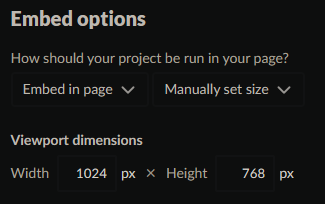
Excepté pour unity, il est nécessaire de définir la résolution pour le jeu (privilégier une résolution d'au maximum 1600*900, ou avec un bouton fullscreen)
VIDEO GAMES LAB : Game Jam 2021 community · Created a new topic [Godot] Projet Html5 et Export Html5 pour Publication sur Itch.io
Bonjour =) !
J'espère que vous lisez ces lignes avant la fin, sinon pas d’inquiétude tout va bien ce passer :) !
Création d'un projet pour le shteumeul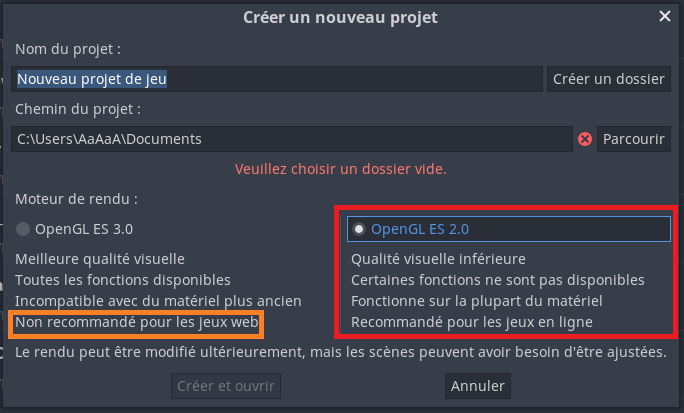
Si vous avez déjà créer votre projet en GLES 3.0 passez le en GLES 2.0 (Il se peut que vous ayez des retouches à faire, shaders, particles...)
Export du dit projet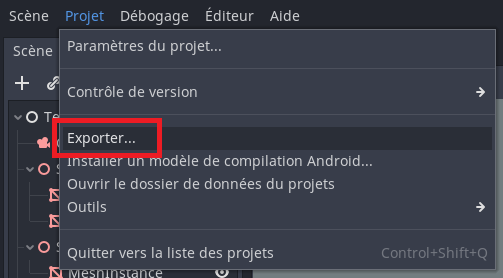
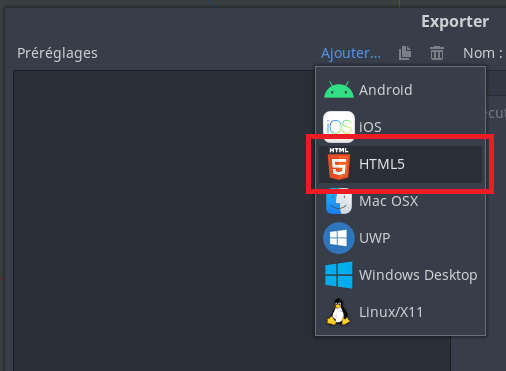
Télécharger les modèles d'exportation (passez cette étape si vous l'avez déjà fait)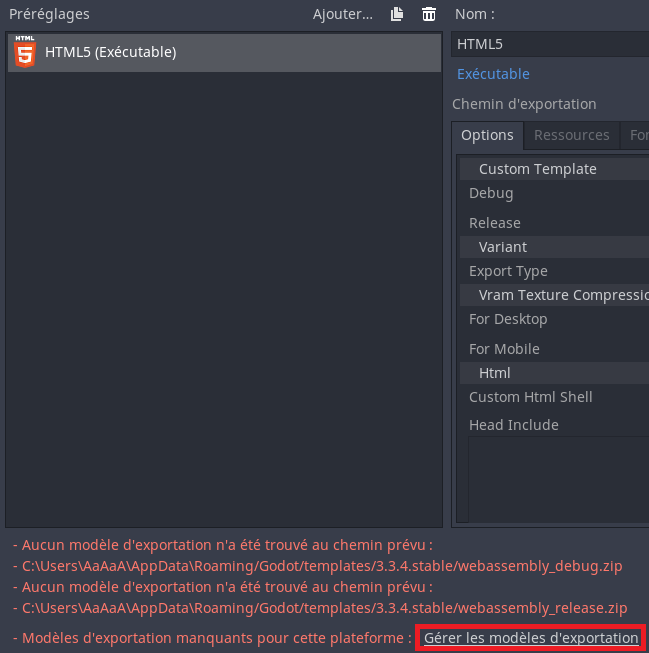
Cliquer sur le lien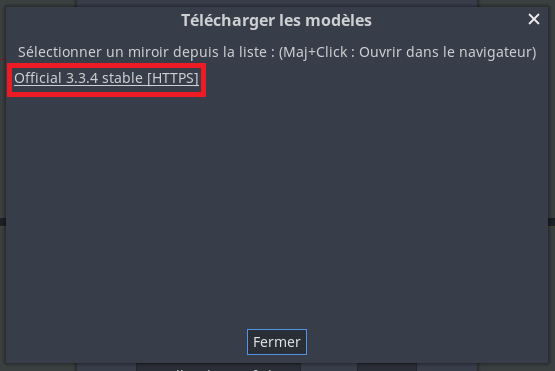
Patience à l'épreuve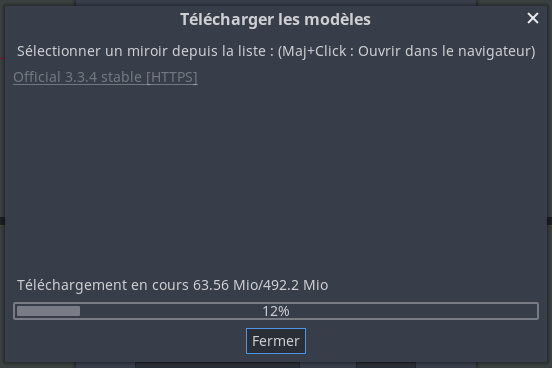
Export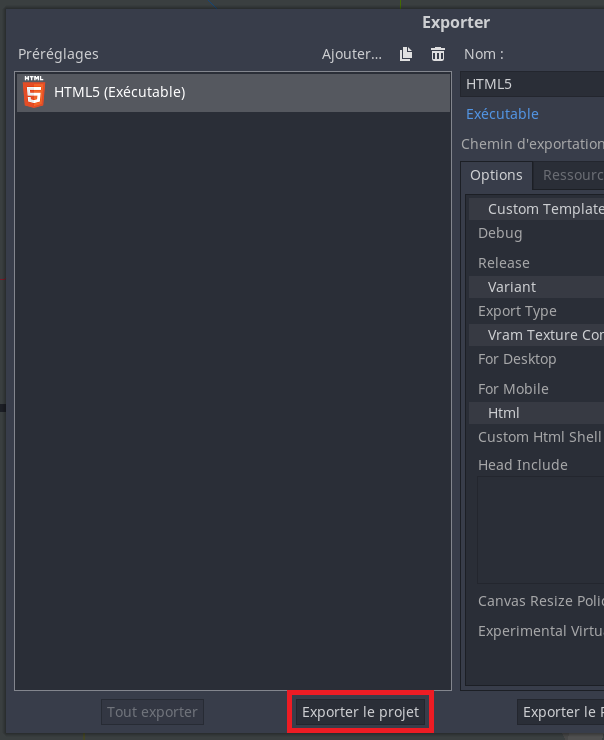
Faite bien attention à appeler la cible "index.html" (c'est pour l'import itch.io) et décocher la case debug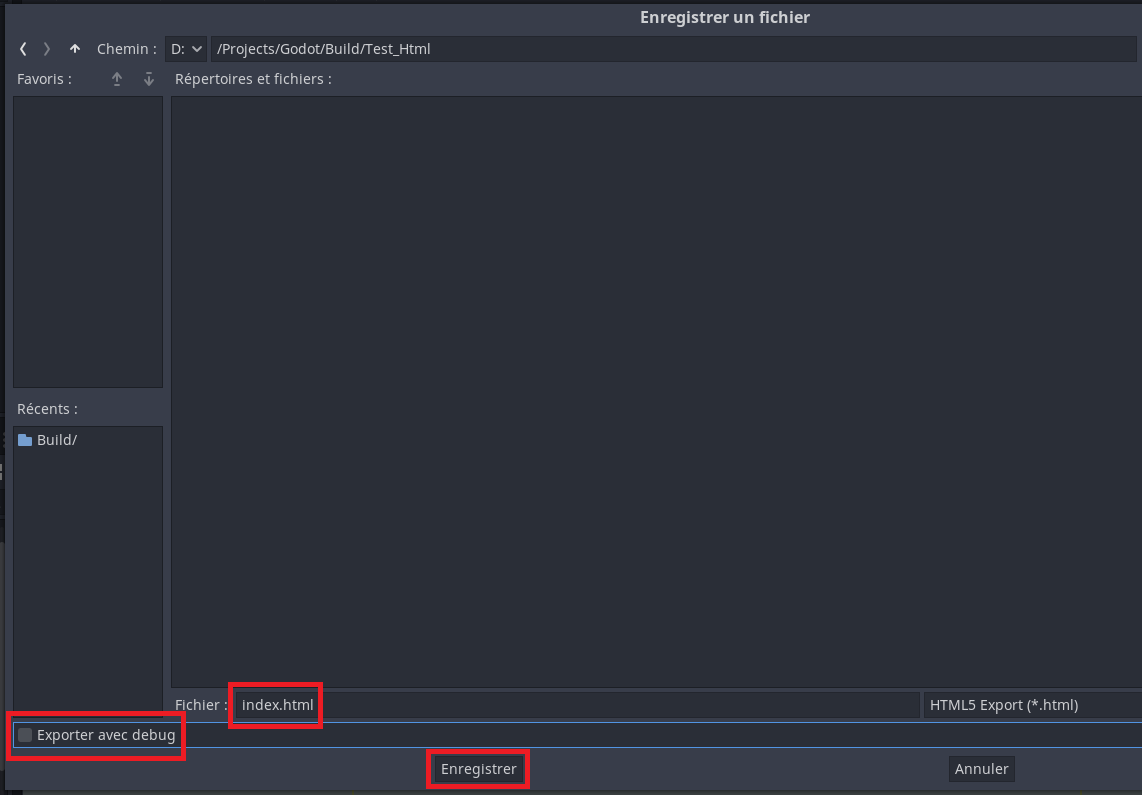
Créer une archive zip à partir des fichiers et non pas du dossier (L'import itch.io ne marche pas si c'est un dossier)
Suivez ensuite ces guides
https://itch.io/jam/vgl-game-jam-2021/topic/1726944/guide-soumettre-son-jeu-en-q...
https://itch.io/jam/vgl-game-jam-2021/topic/1734888/guide-import-version-web-sur...