This appears to either be a Unity project, or a Unity web application without the launcher. If a Windows executable or a full web app with launcher is created then I will be able to play through this and give a rating.
Slyonics
Creator of
Recent community posts
Is the sprite fade-in duration about 25 seconds in length? And if so, does changing your Windows region setting to English fix the issue? I suspect the issue is that the dialogue scripts have the character portraits fade in over 0.25 seconds (1/4 second) but in regions where a comma is used as a decimal separator this value gets parsed as 25 seconds. Thank you again for noticing this issue and giving feedback!
Thank you for playing and for pointing out the crashing bug when re-entering the classroom where the game intro begins. I've fixed that crash along with a few other minor issues and will upload a new build after the judging period ends. Can you give more details on the missing character sprites or post a screenshot of the issue?
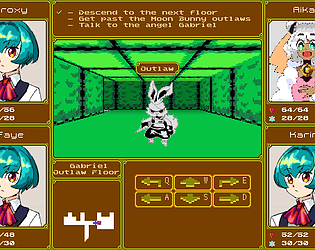
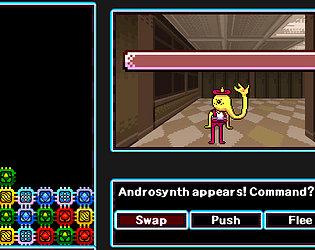
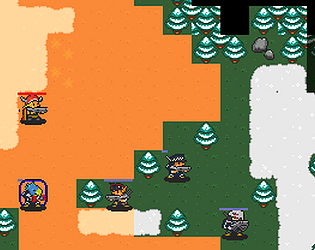
This jam entry was created with C# and the Monogame framework without using a commercial engine by mashing up the JRPG combat system from Robot Magic with the 1st person dungeon crawling view from Ponsona(which was also based on Robot Magic)
Thanks for sharing your play through! I think the core concept really is that difficult to engage with. People understood the concept pitch but actually explaining the mechanics needs more time than I was able to spare, unless the player is already well acquainted with RNG manipulations and Pokemon math formulas.
Fix for Launch Crash/Hang Bug
The version of this game submitted for the jam deadline will hang shortly after launch because it's trying to access a save folder that doesn't exist yet. You can manually create this save folder and then the game will launch without problems. You will need to manually create the folder at the following path where {username} is the name of your current Windows user account:
C:\Users\{username}\AppData\Local\Gachamon\SaveThanks for taking a look at my game! It's possible to change the controls by manually editing a settings file in your local AppData folder. You can find it here, just replace ${USER_NAME} with your current Windows user name and make sure that hidden files are visible in your Windows Explorer settings:
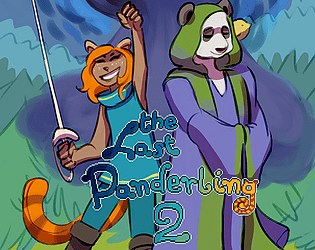
C:\Users\${USER_NAME}\AppData\Local\LastPanderling2/Settings.xml
When you open up this file in Notepad or another text editor, it should have a section like this:
<KeyboardBindings>
<Up>Up</Up>
<Right>Right</Right>
<Down>Down</Down>
<Left>Left</Left>
<Attack>Z</Attack>
<Interact>X</Interact>
<Dodge>C</Dodge>
<Confirm>Enter</Confirm>
<Cancel>Escape</Cancel>
<Menu>Escape</Menu>
</KeyboardBindings>
Just change the Up/Right/Down/Left values like so to use WASD movement:
<KeyboardBindings>
<Up>W</Up>
<Right>D</Right>
<Down>S</Down>
<Left>A</Left>
<Attack>Z</Attack>
<Interact>X</Interact>
<Dodge>C</Dodge>
<Confirm>Enter</Confirm>
<Cancel>Escape</Cancel>
<Menu>Escape</Menu>
</KeyboardBindings>
Thanks for the feedback! Currently enemies use the same hitbox for detecting hits from and against the player, and for large enemies this hitbox is a little smaller than their actual sprite. This is probably what makes their collision detection feel wonky, so I'll try giving large enemies a separate hitbox for detecting player attacks and make it match their sprite more closely.
Thanks for taking a look! I intended the difficulty level to be pretty accessible so let me know where you got stuck and I can patch in some more upgrade options to ease the difficulty curve. Also have you tried talking to the Moss Lion? If you grind moss balls you can get an upgrade to destroy non-boss enemies with a single hit.