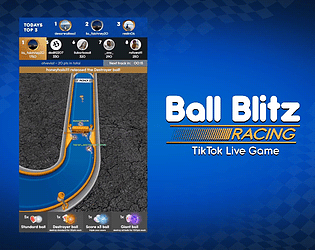
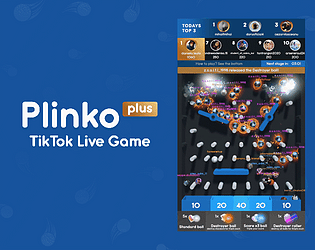
Thank you for purchasing! While there is no installation video, the installation steps are very simple and are detailed in the "Help Guide & Tips" document included with your purchase. If you need a translation, you can copy the text from the document and use Google Translate or a similar service.
LiveGameYouPlay
Creator of
Recent community posts
Hello!
Thank you for expressing interest in my game. I'm sorry to hear that you're experiencing difficulties purchasing.
As the developer, I don't have direct control over the purchasing process on itch.io. However, I can suggest is to reach out to itch.io's support team. They should be able to assist you further with this issue. Here is their support email support@itch.io
I’m sorry to hear you’re having trouble purchasing. As the issue seems to be with itch.io’s platform, I recommend reaching out to their support team for assistance. They should be able to help you resolve the problem.
You can contact them at support@itch.io
Thanks for your interest and I hope this gets resolved for you soon!
Thank you for your response and help! Unfortunately, as I mentioned in my original post, I have already posted in the payout support topic three times over the past 10 days without receiving any updates or acknowledgment. I hope this can be escalated further as this issue has been ongoing for quite some time. Once again, I appreciate your time and assistance.
Hello,
I’m reaching out here regarding a delayed payout (Payment ID: 196094). I submitted a support ticket (Ticket #308375) but haven’t received a response.
I’m aware of the dedicated topic for these issues, and I’ve posted there three times without receiving any acknowledgment or update, which is extremely frustrating, especially considering this involves my income.
I would appreciate it if moderators could escalate this issue to the appropriate team for further resolution.
This is now the fourth time I’ve encountered a delayed payout, and it seems to happen every other time despite no changes on my end. My tax information is listed as “Validated”, and nothing has changed regarding my payment settings or account info. Everything appears to be in order on my end.
I understand that technical issues can arise, but clear communication is critical, especially when it concerns payouts.
Thank you in advance for your time and assistance.
I’m following up again as I still haven’t received my delayed payout or any response from support.
Ticket ID: 308375
Payment ID: 196094
This is now the fourth time I've had a delayed payout, it seems to happen every other time, despite no changes on my end. I've already posted twice in this thread with no acknowledgment, and it's extremely frustrating to be left without any update.
I’ve seen that multiple other developers are experiencing the same issue, and I think it's fair to ask for some kind of official update from the Itch.io team.
I understand that issues can happen, but leaving creators in the dark, especially when it concerns our income, isn’t acceptable. A clear explanation or even a timeline would go a long way.
Please address this as soon as possible.
Hello,
I posted here 5 days ago regarding a payment delay (Ticket ID: 308375, Payment ID: 196094), but I still haven’t received any response from support or the payment itself.
As I previously mentioned, this is the 4th time I’ve experienced a delay, and it happens with every other payout, despite no changes to my payment or tax info.
I’d appreciate help resolving this issue or an update.
Thanks
Hello,
I’m reaching out here again regarding a pending payout (Payment ID: 190057), which has now been delayed for 18 days. I submitted a support ticket (Ticket #299804) but haven’t received a response yet.
This is the third time in about five months that I’ve experienced a delay with a payment. While the delays haven’t been consecutive, they’re happening with concerning frequency - roughly every other payout.
My tax information is listed as “Validated”, and nothing has changed regarding my payment settings or account info. Everything appears to be in order on my end.
I would greatly appreciate it if this could be escalated to the appropriate team.
I understand that occasional delays can occur, but I’ve started to notice a pattern that’s a bit concerning. I truly hope this won’t continue moving forward.
Thank you in advance for your time and assistance.
Hello! It shouldn't be an issue, as the developers on the main server (the server that most TikTok Live games connect to) haven't made any statements about it. There’s no reason why it should be.
Perhaps you've tried reconnecting too many times in a short period, causing your IP address to be temporarily blocked. The main server flags this as potential spam to prevent DDoS attacks, and it may "block" your IP temporarily. Try using a VPN (if you don't have one, free options like ProtonVPN work well) to test it out, or you can try connecting with a different internet provider (or mobile data). Alternatively, you could just wait a bit for the server to unblock your IP address.
If you made the game as large as possible, then it’s not an issue with the game itself (you can see on your monitor that the game is high resolution). In the game’s settings, under Visual, there are three quality settings. Even if you set it to “Low,” it shouldn’t be as low quality as you described.
It must be an issue with your settings in TikTok Live Studio. There are many tutorials online, including on YouTube, for setting up TikTok Live Studio. For example, you can check this one:
If you need any further assistance, feel free to reach out to me at livegameyouplay@gmail.com, not here, so we don’t overwhelm this message board. :)
Hi! Although this isn't specific to the game, but rather relates to streaming as a whole, here are some tips:
If the game window is small, the quality of the stream will be low because it renders a smaller window at a higher resolution. Please ensure to resize the game window to the largest possible size on your monitor, so that the streaming software (for example, TikTok Live Studio) can render a higher resolution for the stream.
Also, make sure your settings in the streaming software are set correctly.
The installation and connection process for streaming the game is straightforward and is shown directly within the game itself. Additionally, with your purchase, you’ll receive the 'Help Guide & Tips' document, which includes easy-to-follow instructions for setting up and connecting the game to your Live stream
If you need any further assistance, feel free to reach out to me at livegameyouplay@gmail.com.
As for streaming to TikTok, yes, you'll need some additional software:
- On PC, you can use TikTok Live Studio
- On Mac, OBS with a streaming service works great
- On Android, you can stream the game just like any other mobile game
Hello,
I'm reaching out because I haven’t received a response from support regarding my payout request (Support Ticket #284196), which has now been pending longer than expected.
Payout ID: 183452
I went through a manual review over a month ago due to an issue where others were reselling my games. Somehow, my account was flagged, even though I’ve been happily using your platform for over a year and a half. However, everything returned to normal after the review, so I’m unsure what might be causing the current delay. I haven’t made any changes to my account or projects that would explain the hold-up.
My tax information is still listed as “Validated,” and everything seems to be in order on my end.
I understand that delays can happen, but I’d really appreciate any help in getting this escalated to the appropriate team.
Thank you in advance for your time and assistance!
Hello! Thanks for the comment, I'm really glad you're enjoying the game!
Yes, you can definitely expect more TikTok Live games from me in the future. I'm currently finishing up a few other projects (outside of TikTok Live games), but ongoing support and updates for existing games are always a top priority.
If you have any suggestions or ideas for games you'd like to see, feel free to reach out to me at livegameyouplay@gmail.com — I'd love to hear from you!
Hello!
I'm reaching out here because I haven’t received any response from support for over a week regarding my payout issue (Support Ticket: #274392). I’ve seen other developers post here with success, so I’m hoping one of moderator might be able to forward this to the appropriate team.
I usually request payouts every 30 days or so, and they’re typically processed within 10 days. However, my last two payout requests have been stuck in "In Review" status - one for 25 days and the other for 10 days. I understand that processing can take up to 14 days, but I wanted to mention both for completeness.
For reference, my tax info status shows as "Validated", so I don’t believe the delay is related to that.
Here are the payout details:
- Payout ID: 177573 (25 days pending)
- Payout ID: 179452 (10 days pending)
Thank you in advance for your time and help. I wouldn’t normally post here, but I’m out of options and really need some assistance.
It seems that the main server for most custom TikTok Live games is currently down. Please stand by while the server developers work on a fix. Thank you for your patience!
UPDATE:
The server is now stabilized! Some hiccups may occur (though it is unlikely) for a few hours until the main server developers implement the full update. Thank you for being so patient! :)
It seems that the main server for most custom TikTok Live games is currently down. Please stand by while the server developers work on a fix. Thank you for your patience!
UPDATE:
The server is now stabilized! Some hiccups may occur (though it is unlikely) for a few hours until the main server developers implement the full update. Thank you for being so patient! :)
I'm glad you liked it and thank you for your feedback, I really appreciate it!
Both ideas sound great and I'll definitely consider them! Regarding the background, at the moment you can change the color palette for some parts, but not the background itself. I chose that shade so the balls would stand out more and the photos would be more visible. However, I'll think about adding more variety to it in the future.
The new update is live, so be sure to check it out.
Thanks again! :)
Hello! Thank you for your interest! I just realized that post edits don’t update the posting time – it only shows when the post was originally made. :D
I made an update 13 hours ago, and then about 2 hours ago some connection issues appeared. Now everything is stable and working, but I’m working on another update to take some precautions, just in case. Once it’s done, I’ll make another post here and, as always, in the devlog. :)
Due to some changes in the past couple of hours on the main server side, there are difficulties connecting. I’m currently working on an update that will be available very soon - stay tuned! :)
The update is now available. Make sure to redownload the latest version! :)
UPDATE: TikTok is changing things again, so I have to make another update. Stay tuned!
Just to note, sometimes it connects and sometimes it doesn't with the current published version of the game. The developers of the main server (the server where all TikTok Live custom games connect) are still working to resolve this inconsistency.
Everything is stable and working as usual. Make sure to download the latest version! :)
Due to some changes in the past couple of hours on the main server side, there are difficulties connecting. I’m currently working on an update that will be available very soon - stay tuned! :)
The update is now available. Make sure to redownload the latest version! :)
UPDATE: TikTok is changing things again, so I have to make another update. Stay tuned!
Just to note, sometimes it connects and sometimes it doesn't with the current published version of the game. The developers of the main server (the server where all TikTok Live custom games connect) are still working to resolve this inconsistency.
Everything is stable and working as usual. Make sure to download the latest version! :)
No problem at all!
Well, I'm not sure you can do exactly what you're asking because when you're using an Android device for streaming, everything is done on the Android itself, no PC is involved. However, if you want to add music to your stream while using Android, I recommend checking tutorials on the web or YouTube with terms like "How to add background music on TikTok Live mobile".
Hello! The "Your IP or Country might be blocked by TikTok" message from the server can sometimes be inaccurate. If the problem isn’t IP-related, it could be due to one of the following reasons:
- Sometimes the server doesn’t respond if your Live stream is age-limited and may display that message. To test this, try starting your stream without enabling the “Audience controls” in TikTok Live Studio. You’ll find this option at the bottom of the first screen when you press “Go LIVE.”
- Make sure you start your Live stream before connecting the game.
- When entering your username, please omit the “@” symbol as requested.
If the issue persists, it may indeed be IP-related. A solution is to use a VPN, as connecting from a different country, preferably the USA, should resolve this.
If you need further assistance, please contact me via livegameyouplay@gmail.com, I will gladly help! :)
Thank you for your feedback. I would like to point out a few things for better understanding:
- If a viewer participated during their watch (by sending gifts or likes), I think it's fair to count their plays, even if they left before their balls went to race. This enhances fairness and encourages more participation, making the overall game and Live look better and more engaging.
- Although this isn't specific to the game but rather relates to streaming as a whole, here are some tips: If you are streaming from the PC/Mac and the game window is small, the quality of the stream will be low because it renders a smaller window at a higher resolution. Please ensure you resize the game window to the largest possible size on your monitor, so that the streaming software (for example, TikTok Live Studio) can render a higher resolution for the stream. Also, make sure your settings in the streaming software are set correctly. If you are streaming from an Android device, it will likely have a high resolution (like any other mobile game), so the quality depends on other factors such as your internet connection, TikTok Live settings and similar considerations.
If you need further assistance, please contact me via livegameyouplay@gmail.com, I will gladly help! :)
Hello! After checking the main server's developer announcements, it seems that at the time you were writing, there were main server interruptions (that's why you received those messages and it sometimes worked while other times it didn't). This issue has since been fixed. I also tested it out and everything is fine now!
If you need any support, please contact me at livegameyouplay@gmail.com. I will gladly help! :)
Hello! As you may know, all TikTok Live games can be affected by restrictions and no one can guarantee 100% that it won't happen. However, several factors influence the likelihood of restrictions occurring. To help mitigate this issue, I have implemented features such as random/scrolling/turned-off "gift instructions", hiding players' names and more. Tips and suggestions for avoiding restrictions are available in the provided "Help Guide & Tips" document.
If you need further assistance or have any questions, feel free to reach out at livegameyouplay@gmail.com.
Hello! In the provided "Help Guide & Tips" document, there are detailed step-by-step instructions on how to install the app on an Android device. The installation procedure is the same as any other, involving unpacking the .zip file and installing the .apk. If you have difficulty understanding it in English, you can copy the text and use Google Translate or a similar app to translate it.
If you need further assistance, please contact me via livegameyouplay@gmail.com for faster support.
Hello! I'm not completely sure what you mean, but if you're asking whether you can use it in Ecuador, you should be able to. At the moment, only Russia, Belarus and China seem to be blocked by the main server that almost all custom TikTok Live games (including mine) connect to, due to the high number of DDoS attacks from those countries. However, users from those countries can use a VPN to bypass this.
Hello! Thank you for the suggestion, I’ll definitely consider it! In the meantime, you might want to check out the “Help Guide & Tips” document for some ideas to expand your audience. Suggestions include using “fake” players, lowering the required number of gifts, using a webcam/mic, adding music and more. If you have any additional suggestions, feel free to reach out at livegameyouplay@gmail.com. :)

