i was thinking about it - but i think for now the .exe output will probably just stick with exporting the rom + emulator + bat file - but yes, eventually i'll get around to a proper native export :)
hmmm i'll have to take a look, it might be capped at 3 chars, or do you have many hud items and it's getting squished? certainly, add a pushable block to your scene, then replace the sprites in the actor designer. unless your block is a global actor, or you used the tile editor to change the tile it uses globally, it should be pretty smooth sailing
You can design your own tiles, capture tiles, edit tiles, import tiles and search/import tiles from open game art, then use any of those to design your levels however you want. If you want to use the level generators, just pick the tiles you want to use and press a button
added a "pass wall" actor type - you can set it to be solid after X frames, after X frames after being pass through, or after X amount of passes. set the idle animation to the state you want it to look like when the user can pass through it, and set the walk (or any other) animation state for when it's solid, then set the animation in the actor config :)
hmmm, you might be able to place an actor in that spot, but set it to spawn later, then place a trigger in that spot with an 'on exit' script that spawns the actor? i wonder if i can make an actor type that's basically a "wall" that lets you go through it X amounts of time before it becomes solid... that might be handy for puzzle games, i think!
hey there - please feel free to join the discord, it's hard to keep track of things all over the place :D i've added in the group folders for imported tiles for the next release! oh, also, the reason the colors change is if you are working with a bunch of random sources that use a bunch of different palettes, and capped at 256 colors, it's trying to adjust the colors to the current palette, it's trying to find the closest match.
ok, i think i have a working solution for larger tile imports, stay tuned for the next release - in the meantime, the current system does totally work :)
currently it only supports 8x8 tiles, HOWEVER, it will import your tile spritesheet and slice it into 8x8 tiles for you - so you'd import them, then use the Designer tool for the actor, set the actor size to 16x16 and pick the 8x8 tiles that make up your 16x16 sprite (i know, it's a bit confusing, i may work on a better solution for this, but for now, that's how it's done)
I think EVENTUALLY it would be nice to add other exports like c64 and nes/SNES/genesis, but it'll take some time to get there for sure 😂
You can import images by clicking the file menu - import. You'll be asked for the file and then prompted what to do with it (new scene, new layer, as a palette, convert colors, etc)
oh ya, i remember doing stuff like that when i used to develop for ios waaaaaay back in the day... i'll definitely look into it! in the meantime, i *do* keep the web version up to date, it's totally usuable and can be installed as an 'app' using chrome (safari, i'm not so sure about)
innnnteresting! i'll definitely take a look - i added a few more export options, maybe something broke along the way - i am able to compile the sample game via windows and the web version without issue but i'm going to try and break it :D
my pleasure! interesting - like, you couldn't download from itch.io? a new version was released yesterday (0.1.9), maybe you tried downloading when i was updating it?
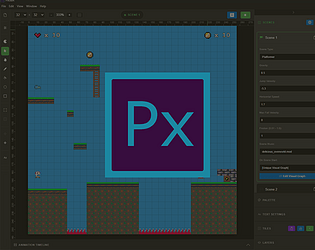
I noticed on some machines, the first launch of the installed app will just be a white screen. If that happens to you, close PxGBA and launch it again, that seems to fix it
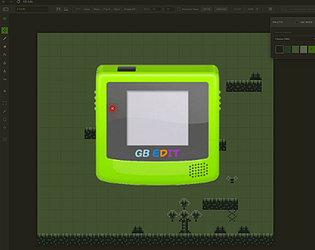
Hi Chris - been a MASSIVE fan of GB Studio since day one, such an amazing (and huge) project! I've been developing a cool design partner app for GB Studio and would love it if you could maybe give some feedback. It's early stages, but pretty feature rich, and exports GB Studio projects - I call it GB Edit - gbedit.dev - thanks in advance!