Indie game storeFree gamesFun gamesHorror games
Game developmentAssetsComics
SalesBundles
Jobs
TagsGame Engines

Jimmyking

32
Posts
11
Followers
1
Following
A member registered Oct 20, 2020 · View creator page →

Recent community posts

Custom Structure Mod for Casualties: Unknown (v505)

Custom Structures Logo

  • Adds up to 140 new custom structures to CU
  • A tool to implement your own custom structures,
  • With any object in-game!
  • Easy editing and sharing of structures

----------------

Hi! It's me again.

This is another approved mod, made before QoL: Unknown. Funnily enough, saves don't save custom structures correctly, but that'll be fixed in the next update. 

Anyhow, here's another mod which adds custom structures into the game. Enjoy the structures!

----------------

Installation:

Getting BepInEx:
  1. Install BepInEx from https://github.com/BepInEx/BepInEx/releases/download/v5.4.23.3/BepInEx_win_x64_5.4.23.3.zip
  2. Extract all files into your folder containing CasualtiesUnknown.exe. Replace all files when prompted
  3. Run the game once, then close the game
Installing the mod:
  1. Locate the Plugins folder at BepInEx/Plugins
  2. Install the mod at https://github.com/jimmyking9999999/CU-Custom-Structures/raw/refs/heads/main/CustomStructures.zip
  3. Extract the zip file into the plugins folder
Installing structures:
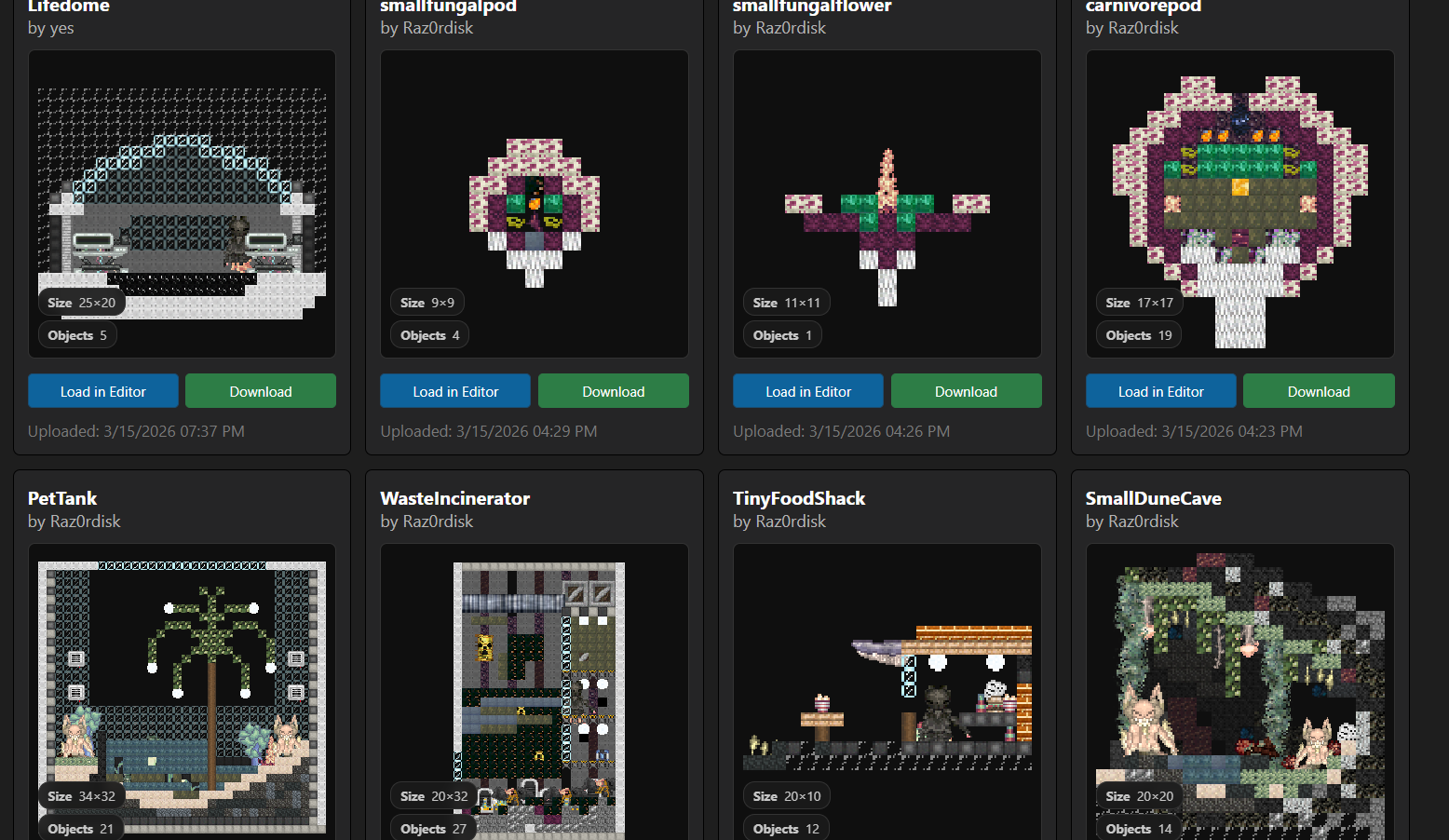
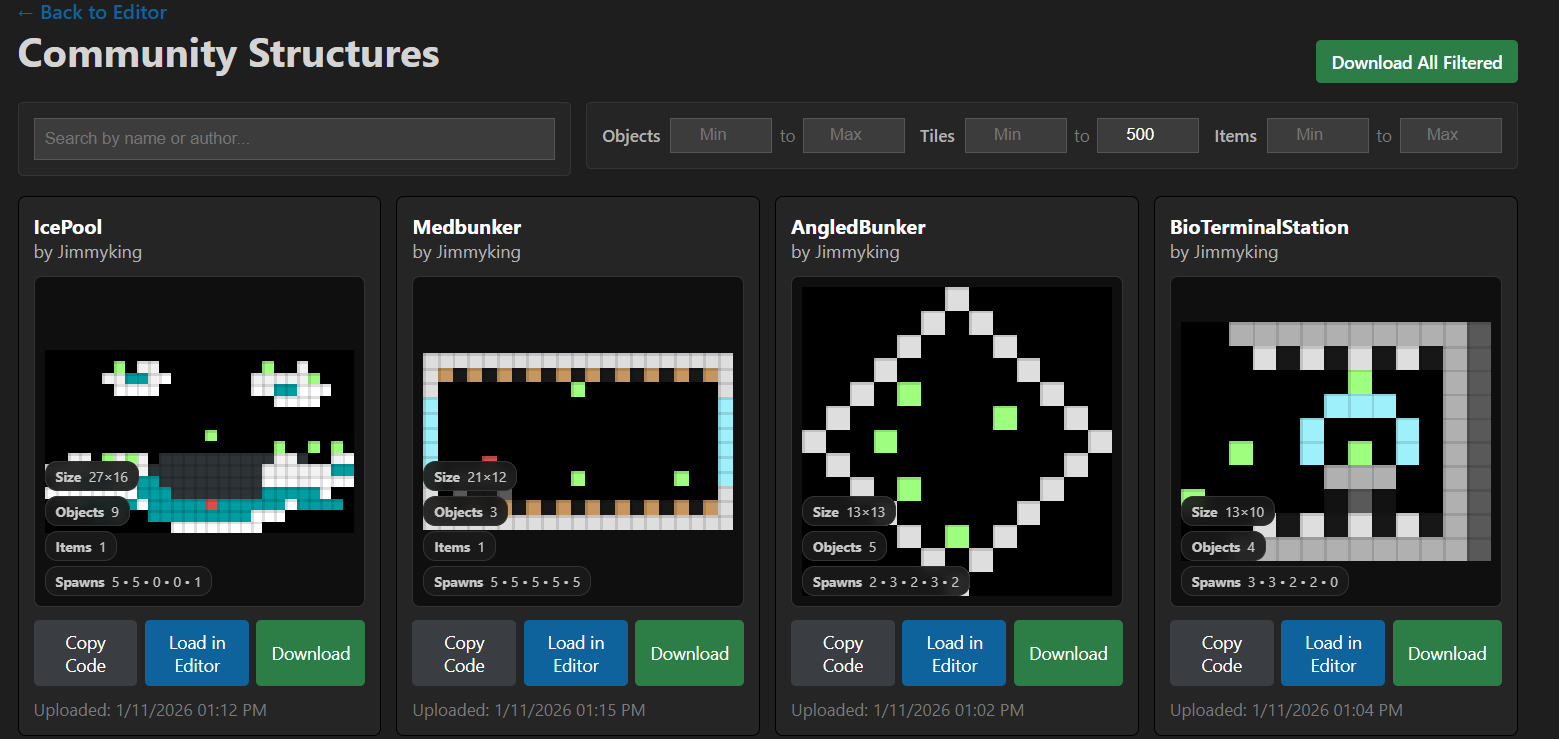
  1. Visit https://cu-structure-editor.web.app/structures.html and download any structure you wish
  2. Put the downloaded files into BepInEx/Plugins/Structures

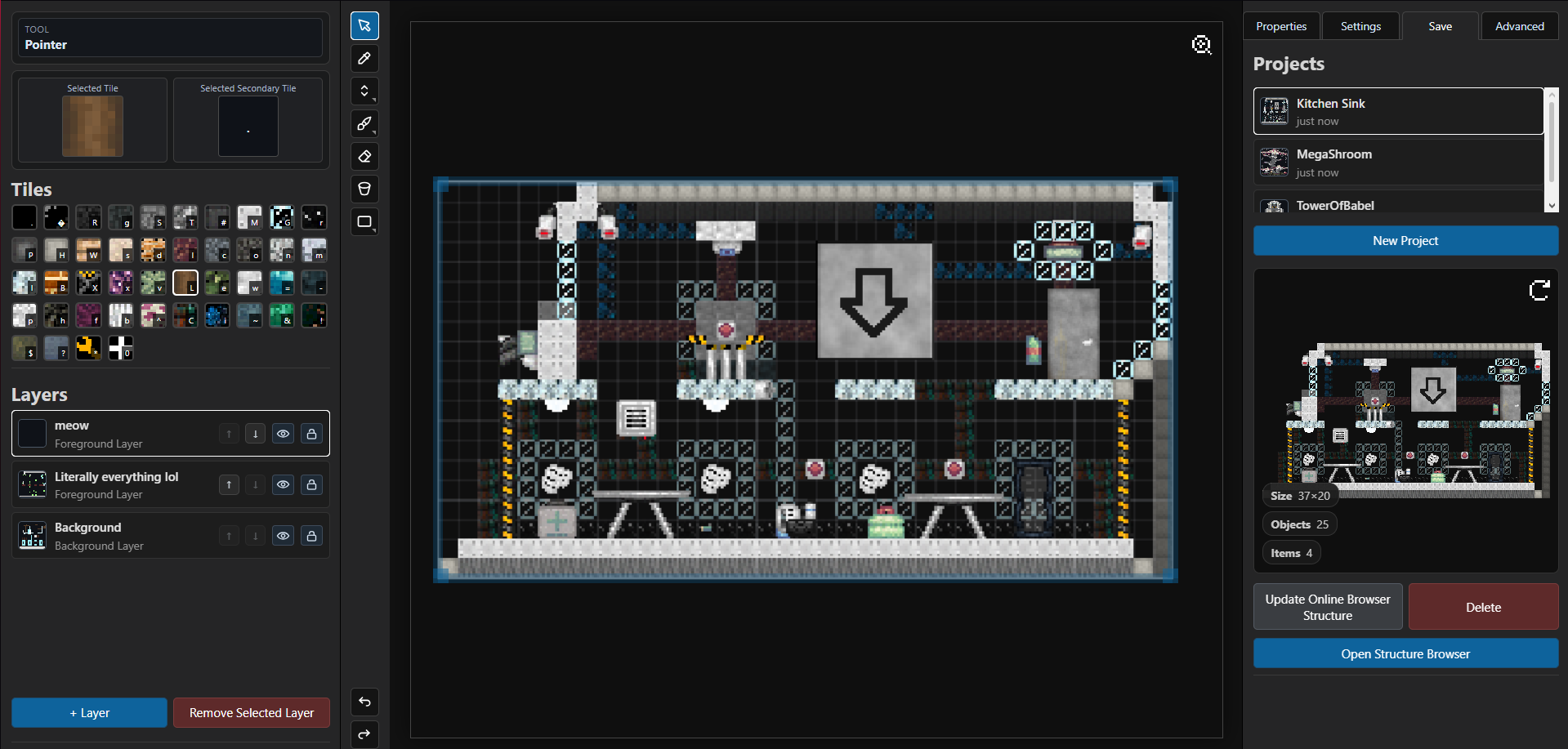
Custom Structure Webapp

----------------

Creating your own structures:

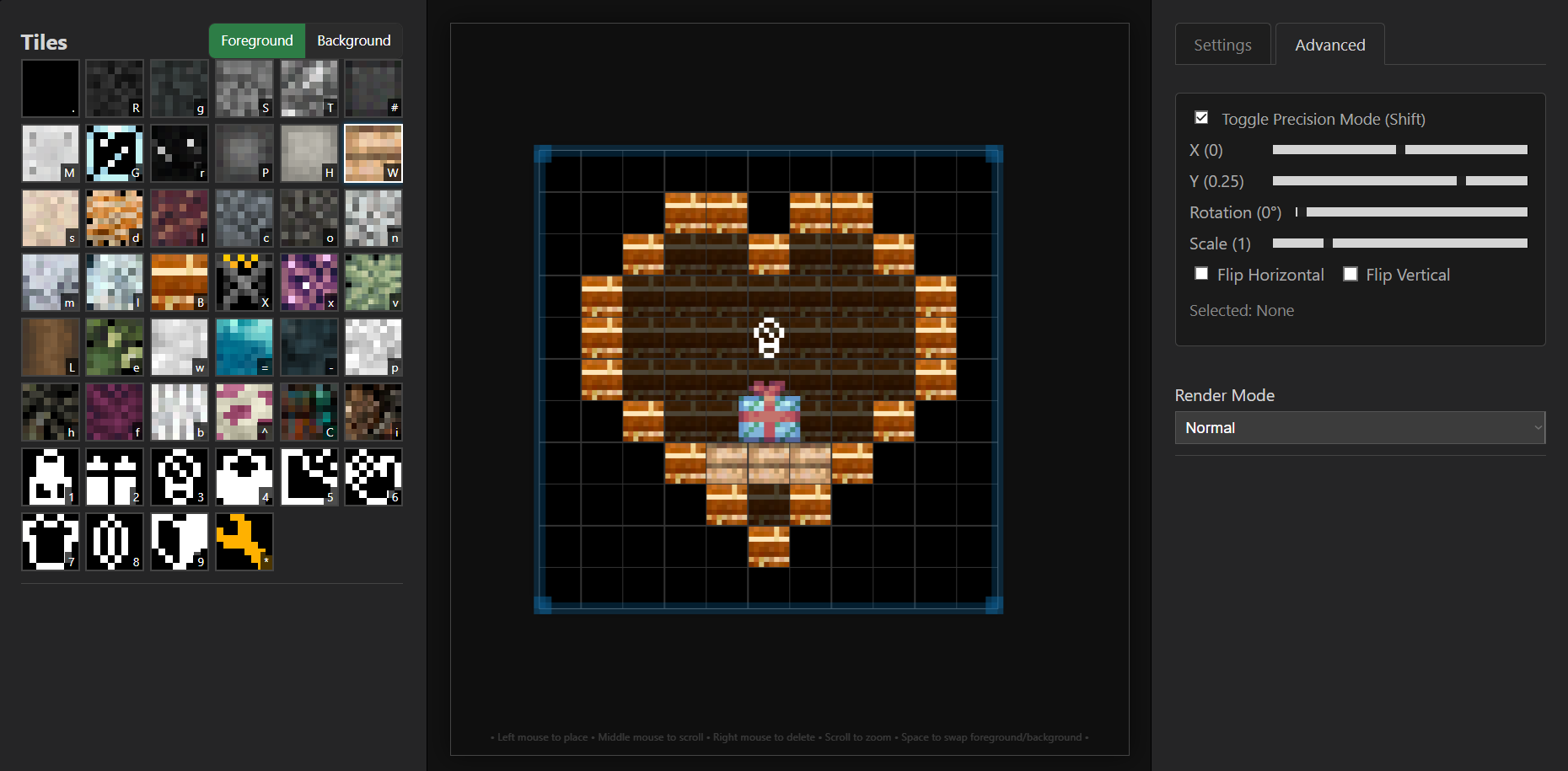
The Webtool is hosted at https://cu-structure-editor.web.app/

Keybinds:
  • Middle mouse button to pick block & pan
  • Shift⁩ to toggle Precision mode. Drag to adjust location.
  • Shift + Ctrl⁩ to rotate, ⁨Shift + Alt⁩ to scale
  • Space⁩ to toggle foreground/background mode
  • Ctrl + C / V⁩ to copy-paste

After creating or downloading a custom structure, simply move it into your ⁨BepInEx/Plugins/Structures⁩ folder to see it in-game!

Or, upload it onto the online structure browser by clicking on 'Upload' and giving it a name. Note that you cannot override or delete any content for safety reasons, so ensure you only put the final version out!

----------------

In-game Commands
  • structure {id} (spawns a custom structure)
  • locatestructure {id} (locates and teleports you to a custom structure)
  • togglemorestructures {true/false} (enable/disable the mod, until you run this command again)
  • reloadstructures (reloads all .txt files and refreshes changes)


For more info, check out the #art -> Custom Structures Mod discord thread, or the Github page.

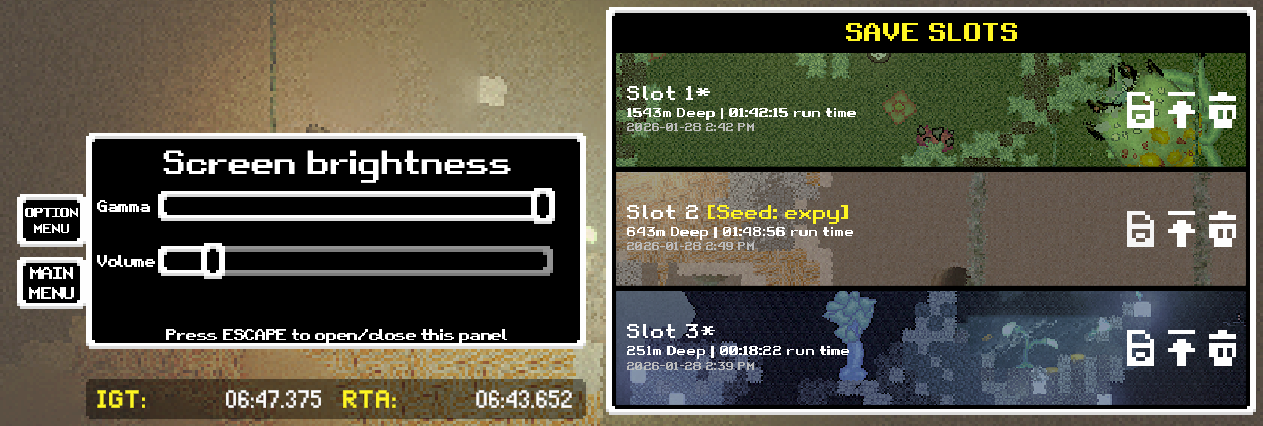
When you press ESC, there should be a save menu that saves your X and Y position. If you can't see that, you might have installed the mod wrong

This mod currently only works for version 5 pretest 5, and doesn't support version 4, or version 5 pretest 4.

Sorry about that!

If you're fine with modded C:U, you could try QoL:Unknown (https://itch.io/post/15369846) as it has both the aforementioned features :)


If not, you can type `timescale 0` into the console to pause, or simply alt + tab to another application. 

There is no base game feature to save mid-run whilst keeping progress though, you'll need the mod for that

If you're okay with using mods, QoL: Unknown allows for mid-layer saves that retain the world generation, traps, traders, etc... (https://itch.io/post/15369846)

Otherwise, vanilla has the `saveandquit` command which saves, but restarts the current layer from the start and regenerates the world on load. It also has the `continue` button when you reach the end of a layer, as well.

This is for the latest pretest version, or `ScavDemoV5PreTesting5.zip` on the download menu ^^

Linux Installation (Using Proton 9+):

1 - Install BepInEx normally as per the above instructions

2 - Manually create the BepInEx/Plugins folder if it does not exist 

3 - Download and move QoL Unknown.dll into said folder ^ 

4 - From steam, set your launch option to WINEDLLOVERRIDES="winhttp=n,b" %command% 

5 - Run the game!

Quality of Life Mod for Casualties: Unknown (v5.5)

QoL: Unknown Logo

Hey! Jimmyking here. You might know me from Discord (Jimmy_king), where I've made several mods for the game in the discord server. 

You may also know me from Gunsaw, where I've made the Level Editor+ mod, a online level browser, and a Custom Weapon Framework.

---

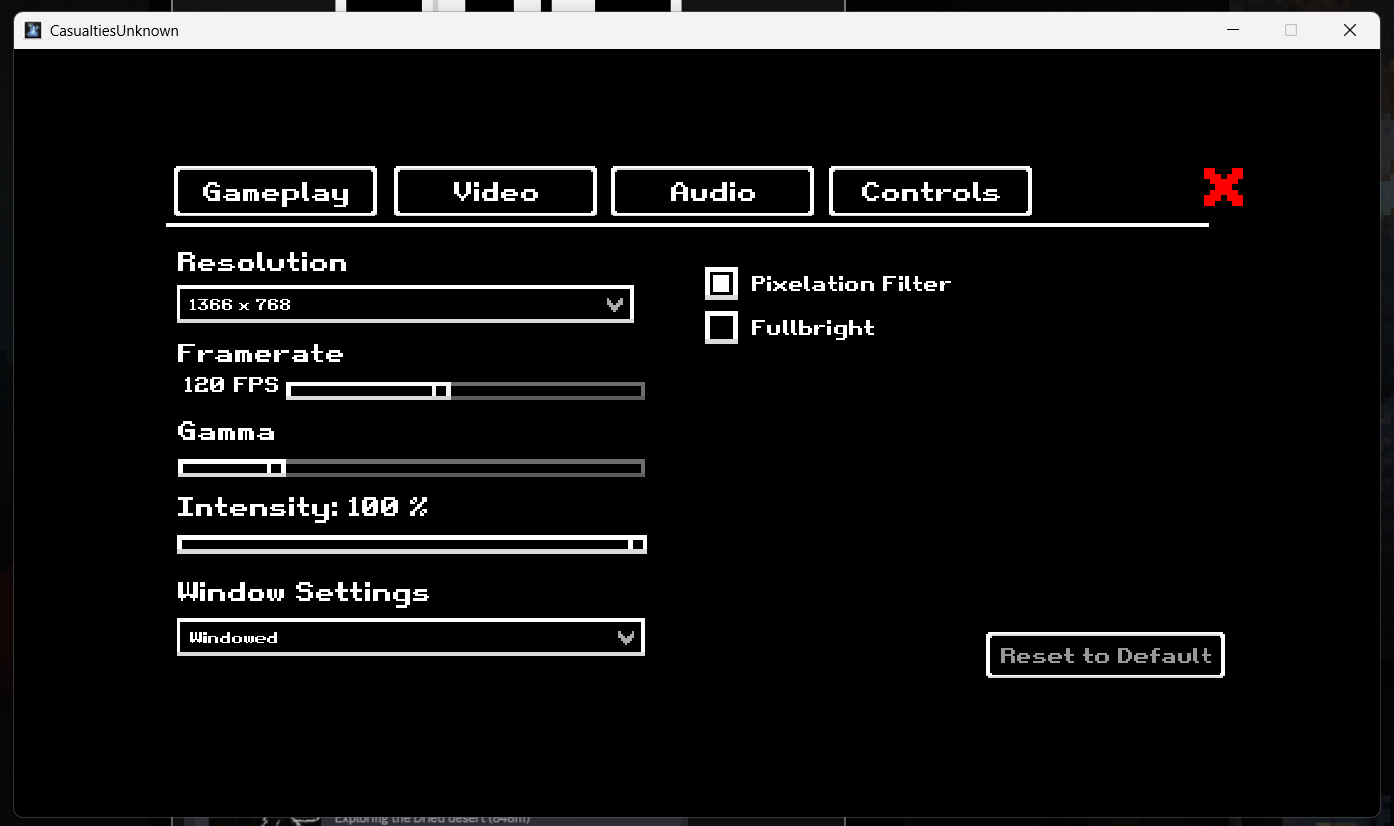
This is an mod I made which aims to help improve the Quality of Life in Casualties: Unknown, featuring mid-run saves, an enhanced options menu with keybinds and sliders for music/fullscreen/resolution support.


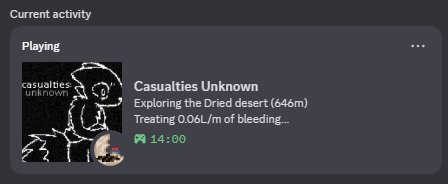
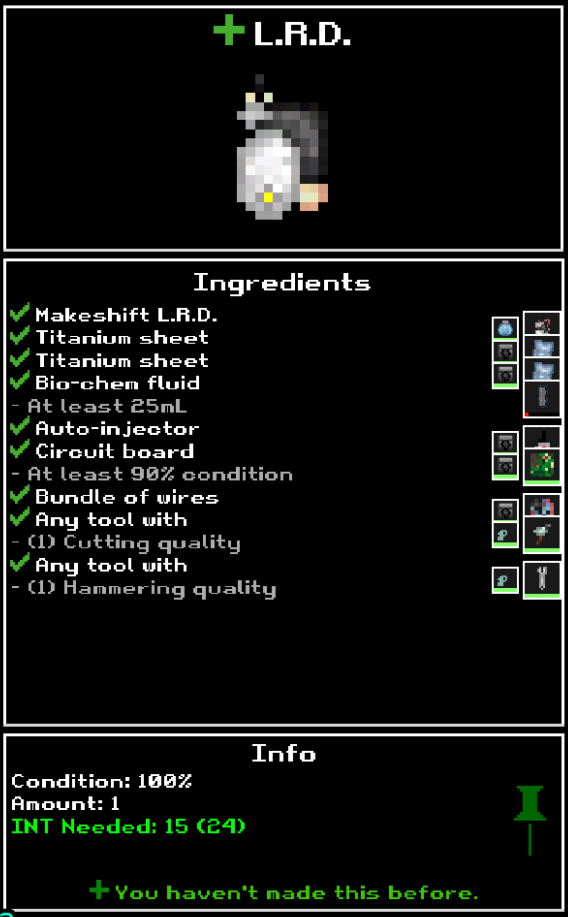
This mod also contains a Discord Rich Presence with your stats and depth, minor adjustments so that 1-tile water cannot push you, a crafting preview, scrolling for containers, controller support, seeded runs, and many, many other game optimizations and QoL features, too many to list here!

All of which is completely togglable through an in-game UI. If you want, you can choose to disable everything and have a fully vanilla experience.

This mod is non-destructive and will not delete any data when installing. That means that you can continue mid-run after installation with no issue!

For a full list of what this mod adds, check out the GitHub where this is hosted: https://github.com/jimmyking9999999/QoL-Unknown


- Mod Installation -

BepInEx: This is the mod loader of choice for this mod

1. Install BepInEx from https://github.com/BepInEx/BepInEx/releases/download/v5.4.23.4/BepInEx_win_x64_5...

2. Extract all files into your folder containing CasualtiesUnknown.exe. Replace all files when prompted

3. Run the game once, then close the game

Mod:

1. Locate the Plugins folder at `BepInEx/Plugins`

2. Install the mod at https://github.com/jimmyking9999999/QoL-Unknown/raw/refs/heads/main/QoL%20Unknow...

3. Move the installed .dll file into the plugins folder

Video Guide (Discord)

- Questions, Suggestions, Discussion? -

Ping me (Jimmy_king) in the Orsoniks #art thread for this mod! 

(1 edit)

V5 Pretest 5 Changes

Official changelogs:

  • mini seasonal addition for the holidays
  • manual amputation and a new minigame for low mood
  • more crafting QoL and items
  • new unhappiness fx
  • ropes and a new climbing system
  • reworked console
  • dune traders
  • text distortion on brain damage
  • new plushies
  • stunning spiders via throwing
  • starting emergency flashlight and some ropes in the first 2 layers, to make the early game easier
  • nerf to placeable blocks in favor of placing down ropes
  • time limit per-layer
  • several bugfixes
  • a lot of other smaller features and bits of polish

--

Non-stated changelogs, credit @drak0nz for compiling a list of these:

- New moodles for sadness, sadness sfx/vfx change (new shader and distortion for sound)

- MP3 reworked to allow custom songs and selection, gives happiness 

- Unchipped will have barotrauma LOS vision, can toggle in settings

- Bandaging shrapnel will hurt ⁠

- Material pouch will be craftable ⁠⁠

- Selfharm minigame ⁠

- Crafting recipes for burger, soup , lighter, nutrient bar craft fixed

- Titanium armor / tools / weapons / multitool 

- Radline on the hud ⁠(chipped)

- New icon showing your bleeding is healing 

- "Lemonade"


This is likely the last mechanics update for a while -- updates after v505 will be in favour of new layers

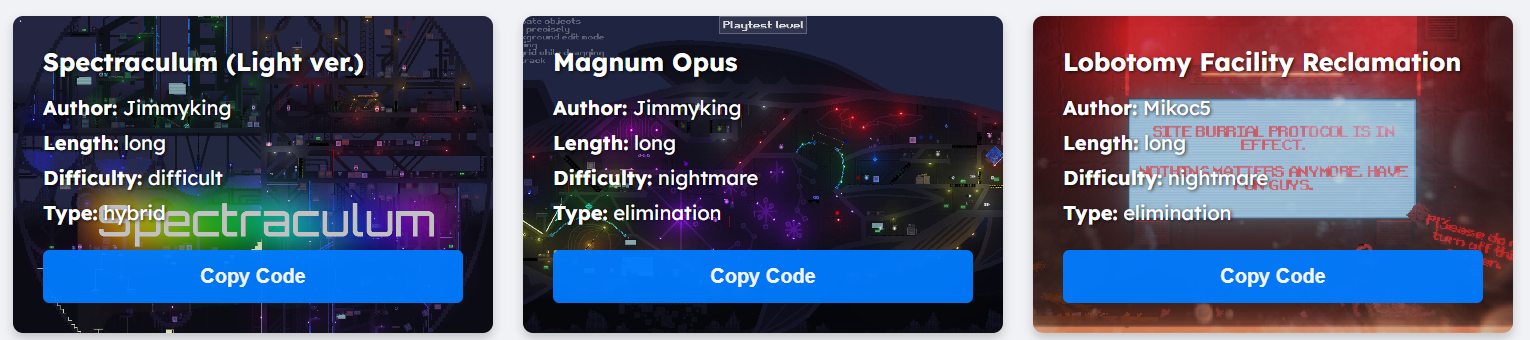
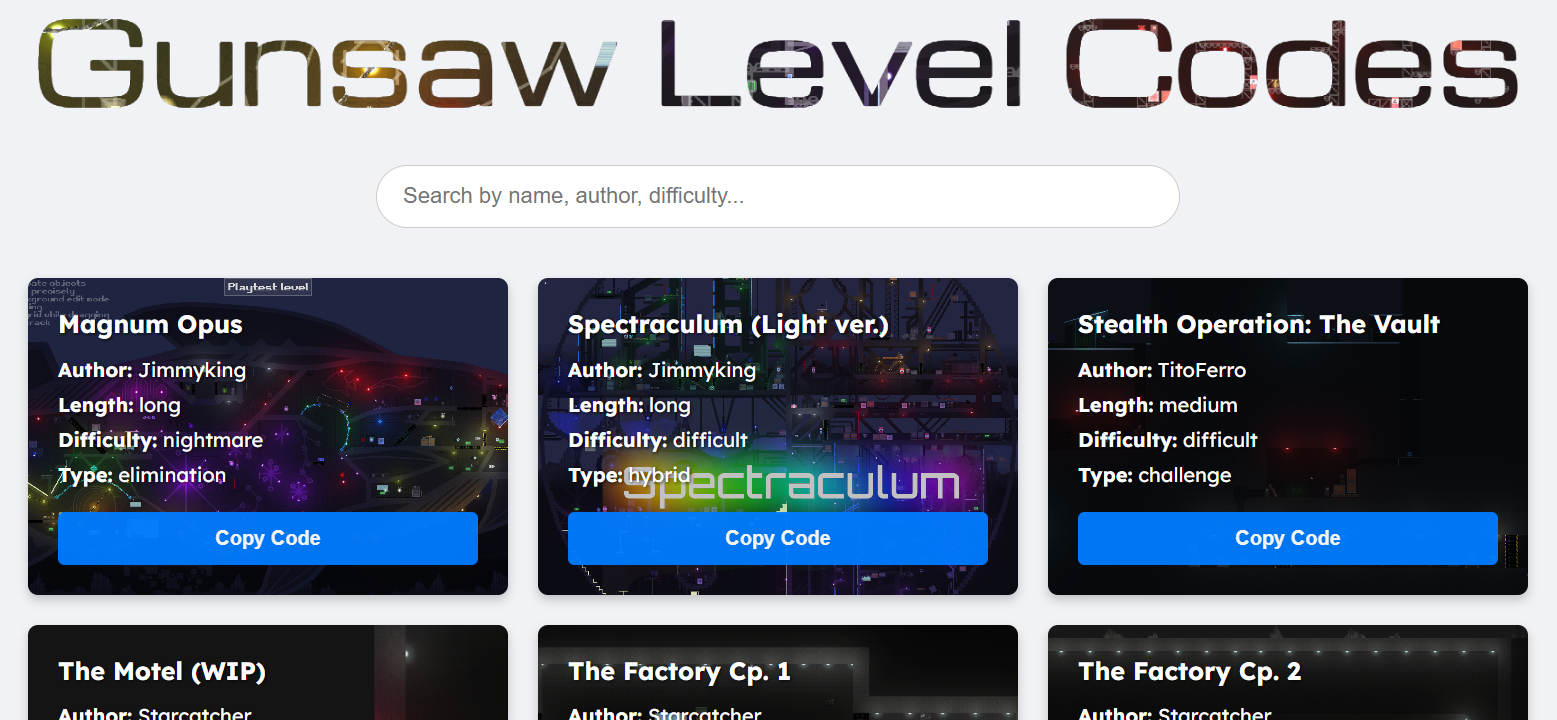
Friendly reminder that https://jimmyking9999999.github.io/gunsaw-level-editor-plus/ exists for custom levels

To play, copy a code from the website above ^, then go into level editor and click 'Load Level'
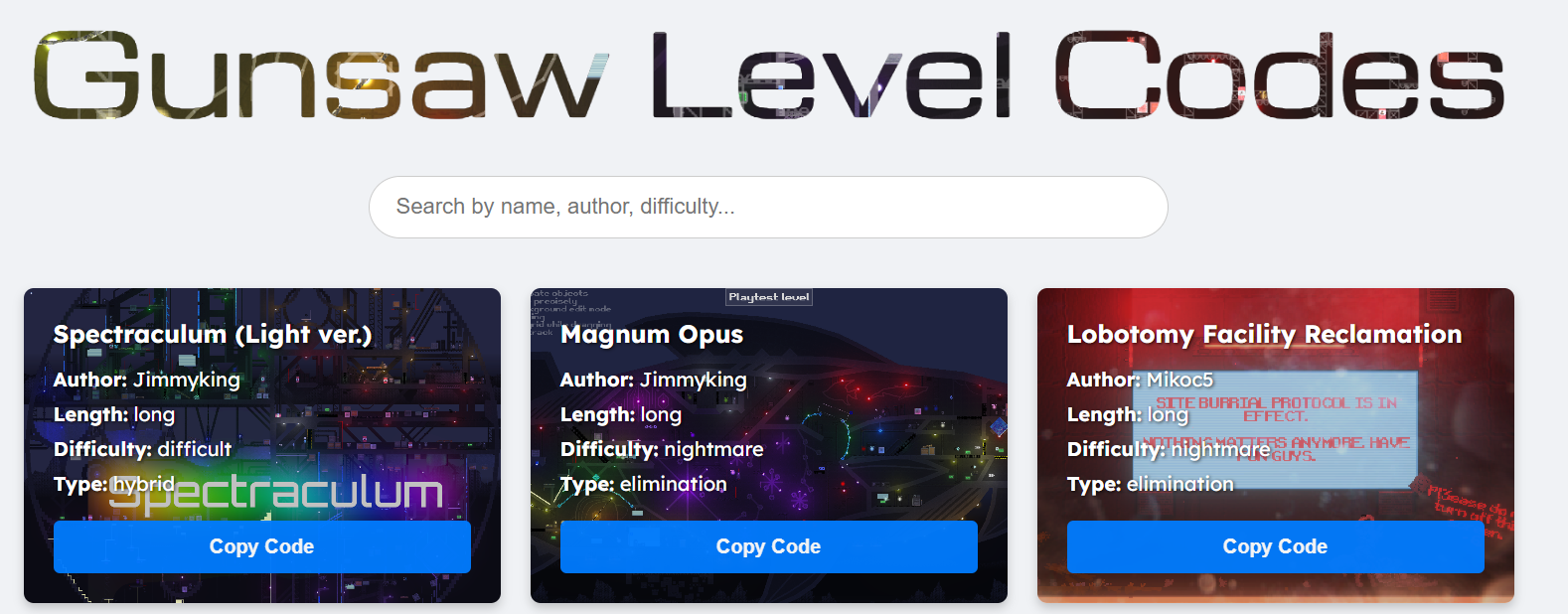
I update it from time to time, so you may see new levels appear every so often :)

If you'd like your own level on there, please send me a DM on Discord: Jimmy_king or make a PR on the Level Editor+ github ^^

Here you go!  https://streamable.com/bj7u84


Non-video format steps for most mods:

  1. Install BepInEx from https://github.com/BepInEx/BepInEx/releases/download/v5.4.23.3/BepInEx_win_x64_5.4.23.3.zip  (* Please download via googling 'BepInEx v5.4.23.3' ideally, this is for convenience)
  2. Extract all files into your folder containing Gunsaw.exe. Replace all files if needed
  3. Run the game once, then close the game

   4.  Inside the /BepInEx folder there'll be a `Plugins` folder. Open that

   5. Extract any files you'll get when installing mods in there! I.e. for my custom weapon framework mod, toss `GunsawCustomWeaponFramework.zip` in there and extract all :)


For Level Editor+

1. This one's simple! Just download the Assembly-CSharp.dll and replace the one in CasualtiesUnknownDemo\CasualtiesUnknown_Data\Managed

2. Voila :)

Been a while since I released the Custom Weapon Framework mod :)


Downloadhttps://github.com/jimmyking9999999/gunsaw-custom-weapon-framework

Webapp (Weapon creation)https://gunsaw-weapon-creator.web.app

Thread (General discussion)https://ptb.discord.com/channels/955738554129063947/1419840081258090597


Anyhow, v1.1.0 is how. Here are the changelogs

- Bleed! Damage ticks per second, changeable damage/duration
- Fixed VFX (Hopefully!)
- Fixed weapon scaling to be a bit smaller then normal
- Fixed empty weapon sprites not working
- Fixed reload sounds 
- Melee weapon SFX can be moved now with barrelpos x/y (You'll need to update all your melee weapons, sorry!)
- Updated the webapp
- Projectile weapons have limb damage, meaning they can decapitate or remove limbs
- More gore :)
- Pooled a bunch of other stuff, so slightly less lag
- Charged weapons. Adjust charge time. Might be a good idea to set weapon delay to 0
- More VFX, if you check the `Visual Effects` folder
- Projectiles can be animated (Use https://ezgif.com/split for gifs)
- Weapon updates, few new weapons to take a look at 
- AmmoUse. Ammo used per shot. Decimals will have a percentage % chance of using said ammo. (i.e. 0.5 AmmoUse has a 50% chance of consuming 1 ammo)
- Minor bugfixes (i.e. muzzleflash on melee weapons)
- Piercing projectiles. If your `Penetration` is > 0, projectiles will pierce
- Weapon pack selection system
- Added debug tools
- Added three packs from other players. If you ever make your own, I'll add it too ^^
(Note for current creators, I did take a bit of liberty and adjusted gun and barrel positions your custom weapons due to the change in sprite display)

Currently not possible. The best you can do is a layer of snow with a triggered 'Snow Setter' object

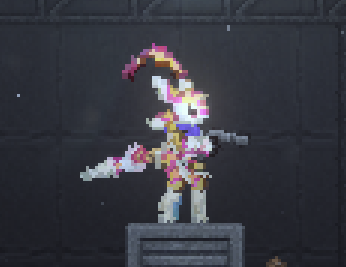
There is! Here's my cute avali character I made


Check out the Custom Character mod in the discord thread:
https://ptb.discord.com/channels/955738554129063947/1418477885425193030


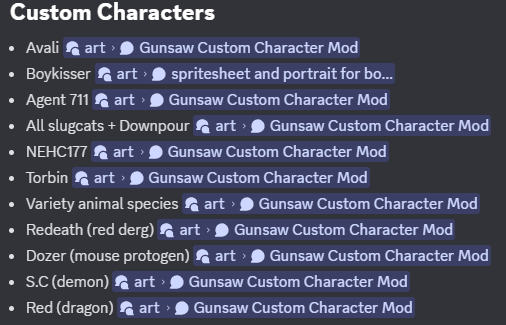
Here's the list of current custom characters :)

...I wanna make a dragon game!

Hi, the mod is a level editor enhancement mod meant for helping you to make levels, rather then content expansion. I haven't heard of anyone on discord struggling with installation, so that's a bit strange.

If you want to play custom levels by other people, you don't need the mod for that. Level Editor+ doesn't add any new content, haha :)

Check out here for an online collection of custom levels. To play,

1 - Copy a level code from the link above

2 - Head into the level editor

3 - Click 'Load from Clipboard'

4 - Click 'Playtest Level' 

Hi!

It's been a while since I've posted about my Custom Level Editor+ mod, but with v1.0.5 releasing, now's a good time as any to give an update.

Major Additions:

Multiplayer

-  Not quite the one you might be thinking of, haha. Adds collaborative servers to the level editor that update in real time for you and friends, for when you want to work on a level alongside 1-16 people

- To create or join a lobby, click on the 'Join collaboration' button, and input a room name

- This is hosted on my cloud servers, meaning there is no need to port forward or do anything apart from entering a name


Templates!

- Create a template via `Shift + T`. This will save it to your installation Location/Templates as a .json

- You can view, rename, delete and place templates in the Misc. menu. Furthermore, you can send and use other peoples' templates!


Online level database  

- List of all levels over 5kb, access here


Minor Changelogs:

- AltGridSnap now in lower increments with `-` and `+`

- Fixed keybinds working when editing text

- Fixed cycling objects (only in move mode)

- Default set to 0.25u altgridsnap to mimic base editor

- Fixed sizebypass

- Fixed scaling to 0 size

-  Zooming is centered on the mouse, rather then camera. This won't be much, but should feel a lot better to use

- First load times should be heavily reduced

- `Shift + Right Click` and drag to set target locations for doors and moving objects

- Level database now has tags, for difficulty, type, size, and other info

- Girders/asphalt scale fix (again again?!)

- GUIDs are changed to a custom implementation, which should improve first load times

- Various bugfixes (Clear all will not crash the game, online browser without internet will not crash the game)

- [Modded Only] Special trigger now has action 5. This spawns any object in-game upon ID update with the team field, i.e. `Enemies/VelvetEnemy`

- Shift + Arrow key increases scale, or the total size of an object

- Ctrl + Arrow keys rotate a object by 15 degrees 

Installation

  1. Find your Gunsaw folder.,
  2. For itch.io app users, this is ~\AppData\Roaming\itch\apps\gunsaw-demo,
  3. For manual web download, this is wherever you extracted the .zip file into,
  4. Go to the gunsaw-demo\Gunsaw_Data\Managed folder, and replace Assembly-CSharp.dll with the latest download (https://github.com/jimmyking9999999/gunsaw-level-editor-plus),
  5. Open gunsaw and head to the editor to create :)


More info: 

Check out the GitHub for more info about the mod :)

## ADDITIONS

- minigames for a bunch of things to make the game more interesting to interact with

- - bandaging

- - injecting

- - lockpicking crates open

- - opening drop capsules

- - removing shrapnel

- - correcting dislocations

- yapper now yaps when carrying too much

- elders give adrenaline now

- the plush now has a new function

- toggle unchipped command

- claw damage

- layer modifiers

## CHANGES

- light items now dont shine through containers

- earthquakes do not activate when you're asleep

- edited most drug sprites to be more unique between eachother

- halved the blueprint value

- tweaked the weight and values of a lot of items

- the LRD has 3 uses now and gives less opium

- the brain damage flash is different now

## FIXES

- radiation now doesnt show up in unchipped

- thornbacks no longer get stuck trying to bite the player sometimes hopefully

- having an arm dismembered now drops the held item

- thornbacks wake you up when nearby

- "yet hopeful" actually shows up now

- can't open the inventory when dead

- cant use items on dismembered limbs

- you cant miss the suicide shot anymore

- trader rep farming is harder

- quantum armor entanglement

- fixed >24 hour overflow

- generation screen no longer stretches when above 1x timescale

- fixed wearable text

- removed container overfilling

- text and images should no longer overlap on the into screen on different resolution

- traders shouldnt talk when dead

## REMOVALS

- plush no longer reduces trauma by a intangible amount

Yeah, you're definitely tired of me now

That being said, I have released a second Gunsaw mod, the Custom Weapon Framework (CWF) mod.

This mod aims to add custom weapon functionality into Gunsaw, where anyone can add weapons to via a web-based modular .txt file system.

Mod Contents:

- Custom projectile-based weapons

- Damage, speed, lifetime, knockback, crit multipliers

- Highly customizable projectile modifier scripts, including homing, fire, explosions, dynamic speed, ricochet, and specialized movement

- Custom melee weapons

- Highly customizable melee modifiers, such as hitlag, multi-hit combos, swing and impact animations, and aiming

- Custom hitscan-based weapons

- Bullet amounts, recoil, knockback, penetration, self-knockback multiplier, crit multiplier, laser and farsight

- Special flags and mechanics

- Burst fire, which shoot a burst per click

- Weapon silencers, which do not alert enemies upon firing

- Customizable visuals

- Customizable sprites for each weapon, projectile, visual effect, empty magazine weapon, magazine, etc..

- Custom VFX (on-hit, on-swing, line trails)

- Customizable sounds for shooting and reloading

- In-game integration

- Full enemy integration, with enemies randomly potentially spawning with custom weapons 

- Simple variables allow control of basic enemy behavior (distance, firerate)

- In-game crates may drop your weapon based on the `powerlevel`

Installation

Unlike my other Gunsaw Mod, Gunsaw Level Editor+, this mod requires a dedicated mod loader due to the much higher complexity. As such, it uses `BepInEx` in order to function

Setting up BepInEx:

1. Install BepInEx v.5.4.23.3

2. Extract the .zip into the game's directory, where your Gunsaw.exe is located. 

For itch.io web users, this is wherever you downloaded the game

For itch app users, this is in `~AppData\Roaming\itch\apps\gunsaw-demo`

3. Run Gunsaw.exe and quit. Afterwards, you should see a BepInEx folder. Inside of it should be 5 folders, one of which is `plugins`

4. Extract the mod's .zip file into the `plugins` folder

5. Launch the game, and enjoy the custom weapons!

Video tutorial: https://streamable.com/bj7u84


For additional info and resources, such as making your own weapon via the online weapon creator, visit the thread in the discord or check out the main Github page

Enjoy~ 

Hi! You're probably tired of seeing me here. 

That's why you should check out the website I created, to make it easier to find quality custom Gunsaw levels :>

Check it out at: https://jimmyking9999999.github.io/gunsaw-level-editor-plus

Wow. Took about an hour more to learn the level and 26 minutes for my X-rank run. Incredible level <3


Go for it! It's what custom levels are made for :)

Hi there! I currently maintain a custom level editor mod, as well as a level database at https://github.com/jimmyking9999999/gunsaw-level-editor-plus


If you send me some names of the three levels you've made and sent here, I can add them to the level repository :)


This is a wonderful level, loved playing it ^^

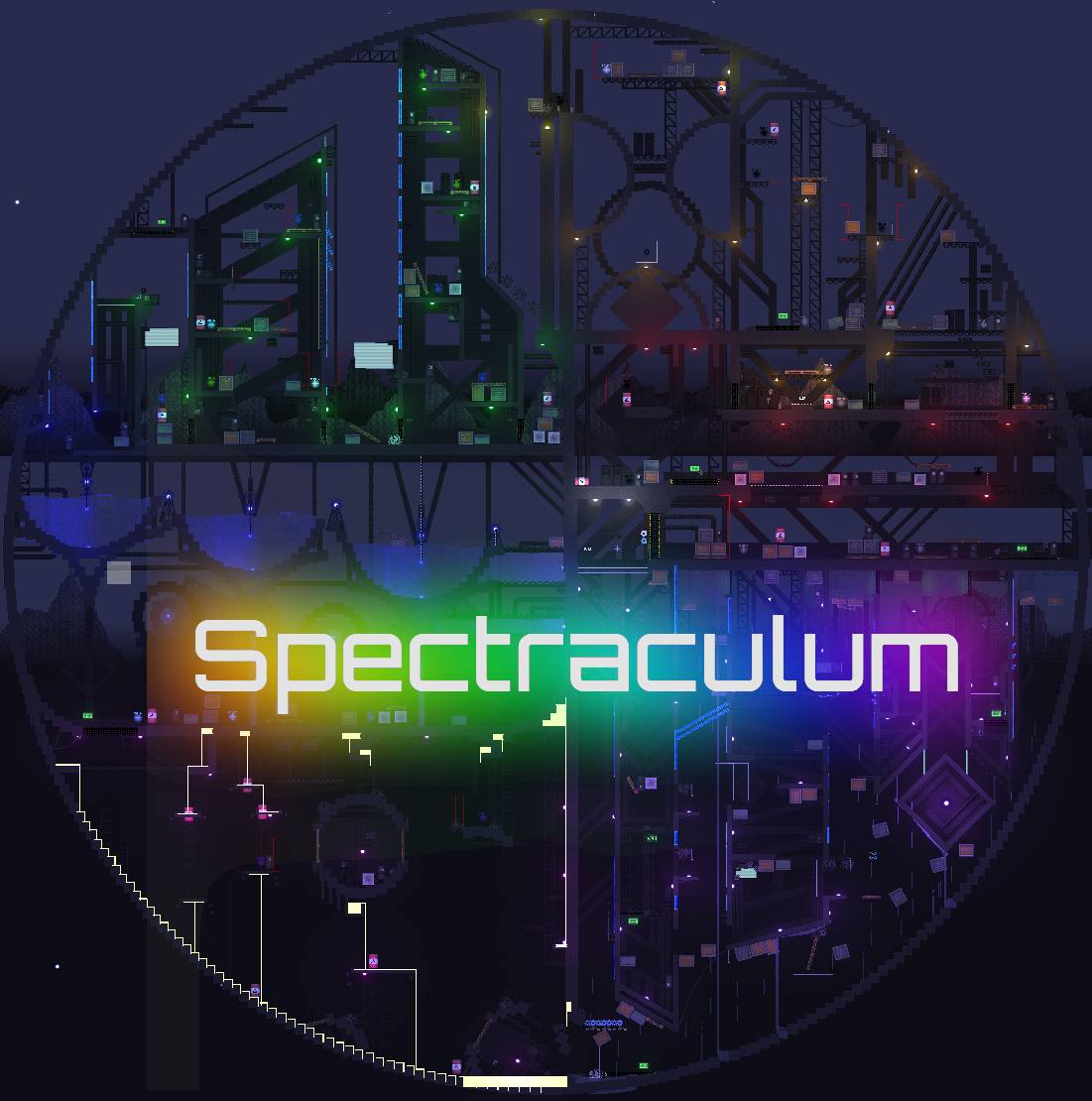
Custom Level  - Spectraculum (Light version) 

 Enjoy this portmaneau of a level with four sections :) 

- Explore a factory of doors, explosives, and rooms 

- Traverse through a city of skyscrapers, from the glassy windows to the aqueducts below 

- Carefully navigate through molten-hot streams of lava, moving through long-abandoned structures 

- At the end, trailblaze your way through the ruined inverted city, where it rains upwards 

Info: 

- This is the light version, meaning several hand-crafted pixel backgrounds will be absent from the level, to help with load times 

- Despite this, this will be 181kb in length.

- Expect a first load of 5-20 seconds, and retries to take 2-5 seconds

 - All sections and parkour are completable as an abomination with no levitation or gun recoil.

Long | Difficult | Hybrid 
Characters: Any. Time: 5-9 Mins 

Installation:

1. Copy the link from: https://github.com/jimmyking9999999/gunsaw-level-editor-plus/blob/main/Levels.js.... It is the second entry

2. In-game, head to the level editor and select 'Load Level'

3. Enjoy!


Alternatively, install Gunsaw Level Editor+ (https://github.com/jimmyking9999999/gunsaw-level-editor-plus/tree/main) to access it through the in-game online level browser with one click


- Jimmyking

Hi. Going to clear up some misconceptions here,

BoobRemover.cs only works with a 10% chance, on feminine characters. That is, every time a Velvet, Crystal, or Roza is spawned in the level, there is a 1 in 10 chance they will be affected by the script

If they are, they will have their top sprites changed slightly, and will instead use the `TRANS_CHARNAME` list of names. 

Both the original name list and trans name list can be found here: https://scavprototype.wiki.gg/wiki/Gunsaw


What this means is that 90% of the time, it'll use the normal feminine namelist, so you really don't have to bother with removing it

Via patching. The easiest way is to use BepInEx (https://sillycat.pet/GunsawModding)

(3 edits)

Consider making levels or playing custom levels other people have made ^^

Here's a list of 'em: https://github.com/jimmyking9999999/gunsaw-level-editor-plus/blob/main/Levels.js...

 You can automatically get them loaded in-game in one click using my mod, linked a few comments down if you want that instead :)

Hi, it's me again. 

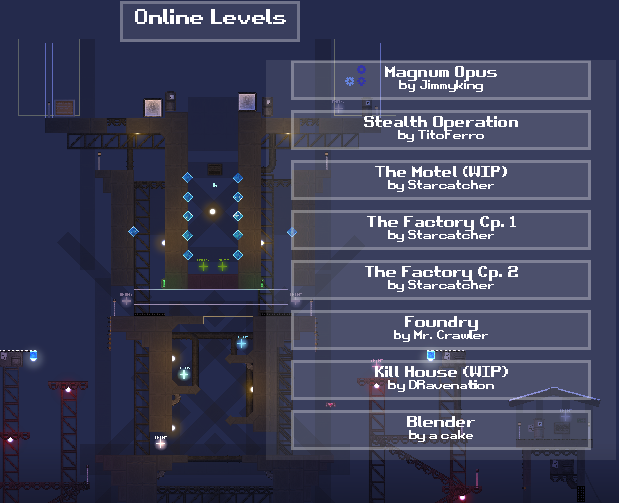
Just popping in here to tell you to that version 1.0.3 of the Gunsaw Level Editor+ features a handy 'Online Levels' button, allowing you to play through a repository of user-made levels with a single click


As always, the up-to-date version as well as download instructions are on my Github: https://github.com/jimmyking9999999/gunsaw-level-editor-plus

Now! It's allowed, so I've made a level editor mod that hopes to improve its functions.


The info about the mod is on my Github :)

Gunsaw Level Editor+ (Modded)

 Hello once again, itch.io folks! Gunsaw recently allowed modding due to being discontinued, and released a new incomplete level editor alongside that.  

 As such, I have combined the best of both worlds and made a mod that hopes to fully give functionality to the level editor  

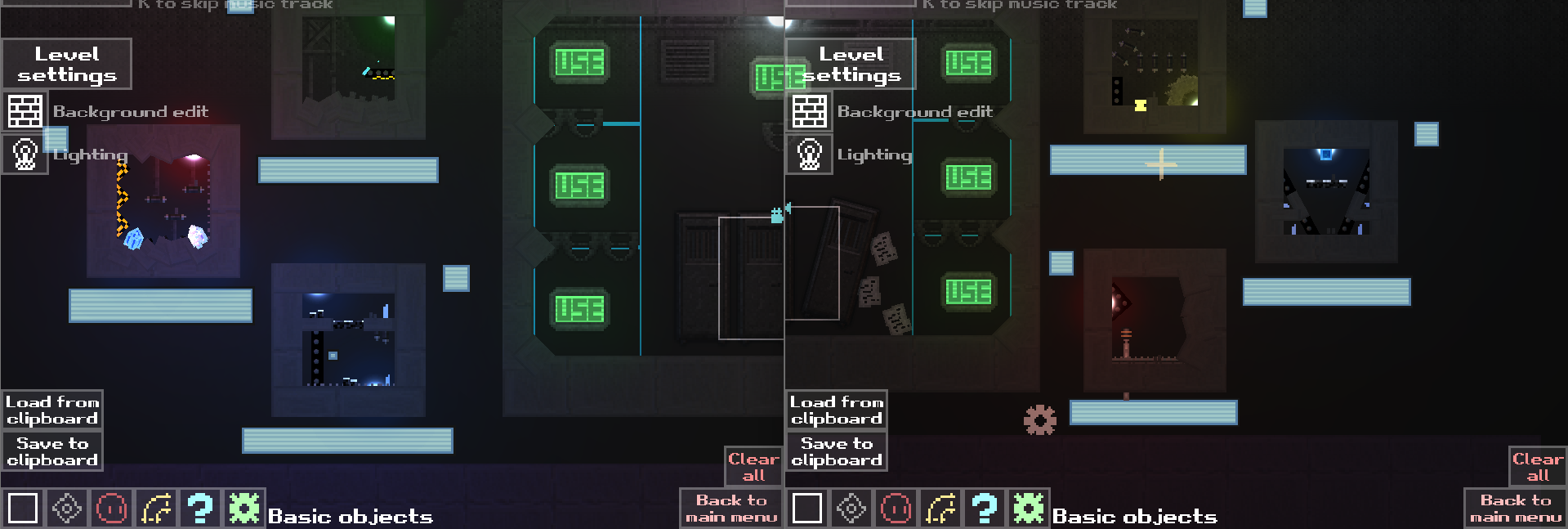
Example Usage: 

 Details for installation, changelogs, versions, and use are on my GitHub:  https://github.com/jimmyking9999999/gunsaw-level-editor-plus

(1 edit)

Hi! Please use the Github gist if possible. It's a single copy-paste from there :)

I can't upload files to Itch.io, and the raw text is too large

(1 edit)

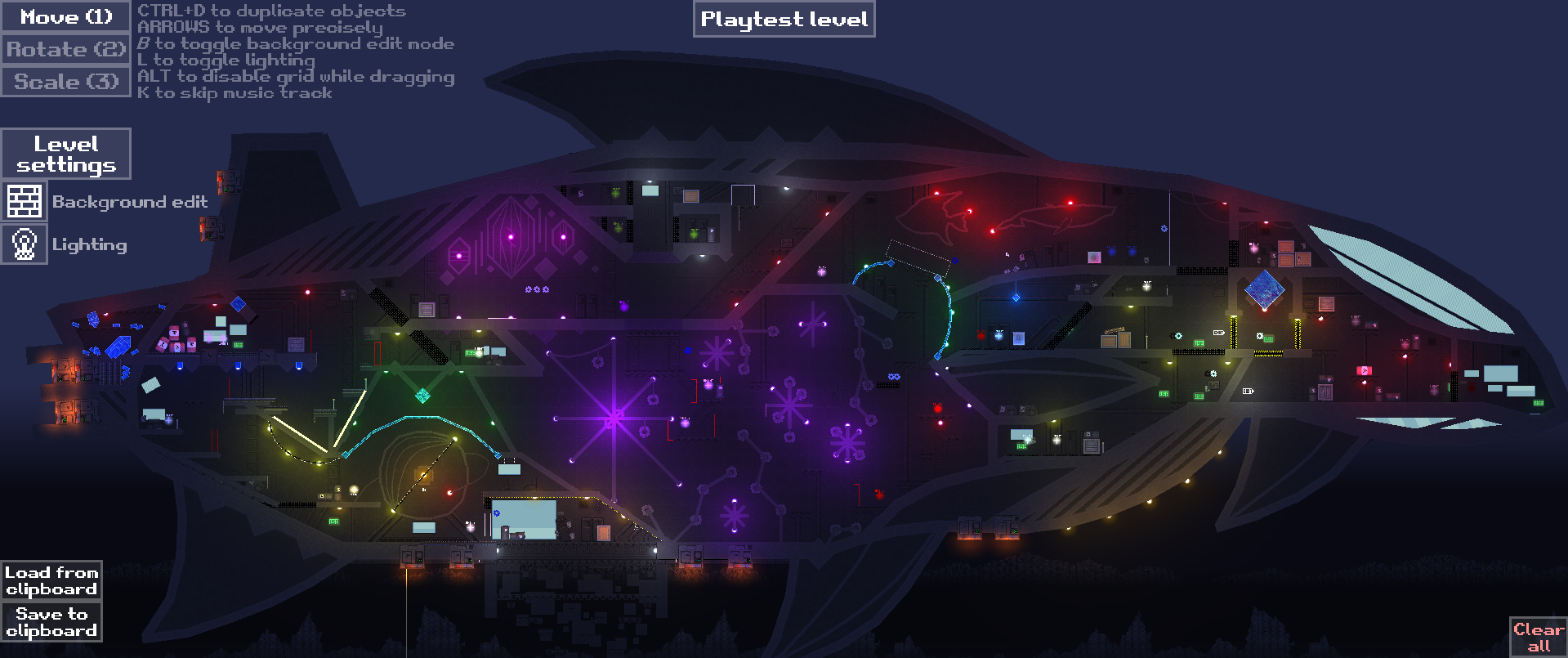
Hey all! I made the largest-ever Gunsaw Custom Level. It's shared on discord, but here's a post on Itch.io.

---

15.   Magnum Opus

---

Contractor. This will be my final request. 

We have a drilling setup deep underground, leading to the enemy's second largest underground hideout. Preliminary scouting has indicated that you will have to traverse through a gauntlet of enemies. 

Don't worry, you won't be alone. We've positioned allies at key locations to help you. However, they will not always be available. 

You will have to break into the enemy base, navigate through the dangerous buzzsaw-filled factory zone, escape through the thermal management system,  traverse through the uranium crystal mine, shut down the reactor, and head to the surface with our submarine. 

There, you must traverse a key enemy fortress, before hijacking the enemy starship. Navigate to the front, kill the enemy leader, and your mission will end.

Are you willing to pull off the biggest heist known on the Grey Planet?  -Y

---

Species: Any.               Press SPACE to start.             Level Length: 8-15 minutes.

---

Level Code:

https://gist.github.com/jimmyking9999999/9aa049a1d52d4b7ba4158baec67dec86
- Simply open the level editor, copy the above link, and click the 'Load from clipboard' button to load the level. 

- To play, click on 'Playtest Level'. Enjoy!

Discord Level Link / Discussion:

https://ptb.discord.com/channels/955738554129063947/1396997951003426907/14060133...

Funny story, this code was so big that Pastebin refused to upload it. That's why I had to use Github :>

--- 
Sidenote -- I have made custom Gunsaw level editor mods to help me create levels such as this one. Please join the discord and ask/ping me (Jimmy_king) for a thread invite to the mod thread if you wish to use the mods in your own levels :)