
Indie game storeFree gamesFun gamesHorror games
Game developmentAssetsComics
SalesBundles
Jobs
TagsGame Engines

iyad3d

11
Posts
1
Topics
24
Following
A member registered Jun 23, 2020 · View creator page →

Creator of

Recent community posts

4. If it was Browser Bookmarks (e.g., Chrome)

  • Immediate Undo: If you just deleted a bookmark in the Bookmark Manager, you might see a pop-up at the bottom of the screen with an "Undo" button. Click it quickly.
  • Restore from Backup (Chrome on Computer): Chrome automatically keeps a recent backup of your bookmarks.
    1. Make sure Chrome is closed.
    2. On Windows, navigate to: C:\Users\[Your Username]\AppData\Local\Google\Chrome\User Data\Default
    3. Find two files: Bookmarks and Bookmarks.bak.
    4. Rename the current Bookmarks file to something else (like Bookmarks.old).
    5. Rename Bookmarks.bak to just Bookmarks.
    6. Re-open Chrome, and your old bookmarks should be back.

I really hope one of these methods works for you!

3. If it was a Spreadsheet (like Excel or Google Sheets)

  • Google Sheets:
    1. Go to your Google Drive Trash (
    2. <a href="https://drive.google.com/drive/trash" _ngcontent-ng-c2465228618="" target="_blank" rel="noopener" externallink="" _nghost-ng-c1923187763="" jslog="197247;track:generic_click,impression,attention;BardVeMetadataKey:[[" r_3ce3414913c7ee16","c_02eb7a89ba7deac7",null,"rc_be60cbeddfd59150",null,null,"en",null,1,null,null,1,0]]"="" class="ng-star-inserted" data-hveid="0" decode-data-ved="1" data-ved="0CAAQ_4QMahcKEwiNuIPls_6SAxUAAAAAHQAAAAAQeg">drive.google.com/drive/trash</a>).
    3. Find your spreadsheet, right-click it, and choose "Restore".
    4. Alternatively, if you have the file open and made a mistake, go to File > Version history > See version history to restore an older version.
  • Microsoft Excel File on Your Computer:
    1. Immediately check your computer's Recycle Bin (Windows) or Trash (Mac). If the file is there, right-click it and select "Restore" or "Put Back".
    2. If you saved it on OneDrive or Dropbox, check the online recycle bin on their websites. They often keep deleted files for 30 days or more.
    3. If you just accidentally deleted the content inside an open file, press Ctrl+Z (Windows) or Cmd+Z (Mac) repeatedly to undo your last actions.


Google Keep:

  1. Open the Google Keep app or website.
  2. Tap the menu icon (three lines) in the top-left corner.
  3. Select "Trash" or "Bin".
  4. Tap on your deleted note and select the "Restore" option (usually an icon of a clock with an arrow).
  • Note: Items stay here for only 7 days.


2. If it was a Note-Taking App on Your Phone or Computer

Most note apps have a "trash" folder that holds deleted items for a set period before they are gone forever.

  • Apple Notes (iPhone/Mac):

    1. Open the Notes app.
    2. Go back to the main "Folders" screen.
    3. Look for a folder named "Recently Deleted".
    4. Tap it, find your note, open it, and select "Recover" to move it back to your main notes.

That sounds incredibly frustrating! Don't panic just yet—there's a very good chance you can get your list back. The method depends entirely on where you were keeping this collection.

Here are the recovery steps for the most common places people store such lists. Please look for the one that matches what you were using.

1. If it was an Amazon Wish List

  • Check Your Browsing History: This is often the easiest fix. Go to your Amazon browsing history. You will likely find many of the items you recently viewed and added to the list. You can simply re-add them to a new list from there.
  • Contact Customer Service: Believe it or not, Amazon customer support has been known to restore deleted wish lists on their end. Start a chat or a phone call with them and explain what happened.
  • Was it Shared?: If you had shared that wishlist with anyone else, ask them to send the link back to you. You can then save the items again.

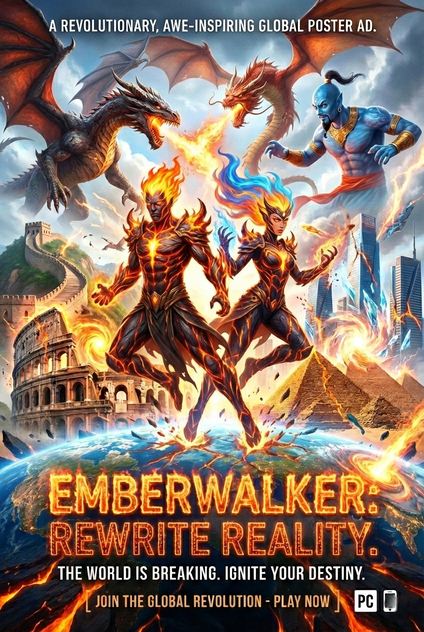
EmberWalker - Release Announcements - itch.io

EmberWalker - Release Announcements - itch.io


EmberWalker

The EmberWalker video presents the game in a short promotional style, but from the footage we can infer some core mechanics:

  • 🔥 Special abilities: The player controls a character who can walk through fire and summon powerful flame effects, suggesting an action game built around magical or elemental powers.
  • 🎮 Gameplay style: The focus seems to be on fast movement and using fire attacks against enemies or the environment, making it closer to fantasy-themed action/adventure games.
  • 🌌 Visual atmosphere: Dark environments combined with strong fire effects create a sense of awe and epic scale.
  • 🕹️ Overall experience: The video is very brief, but it hints that the game aims to impress players visually rather than reveal detailed storylines or level structures.

In short: EmberWalker looks like a fantasy action experience centered on fire as the main power, with heavy emphasis on visual effects to captivate the player.

Download For Android: EmberWalker by iyad3d

Vedio 1 \ EmberWalker

Vedio 2 \ EmberWalker2

Vedio 3 \ EmberWalker3

Apache

Smerch_Apache

CHRONICLES OF THE FALLEN REALM

AN ACTION RPG ADVENTURE