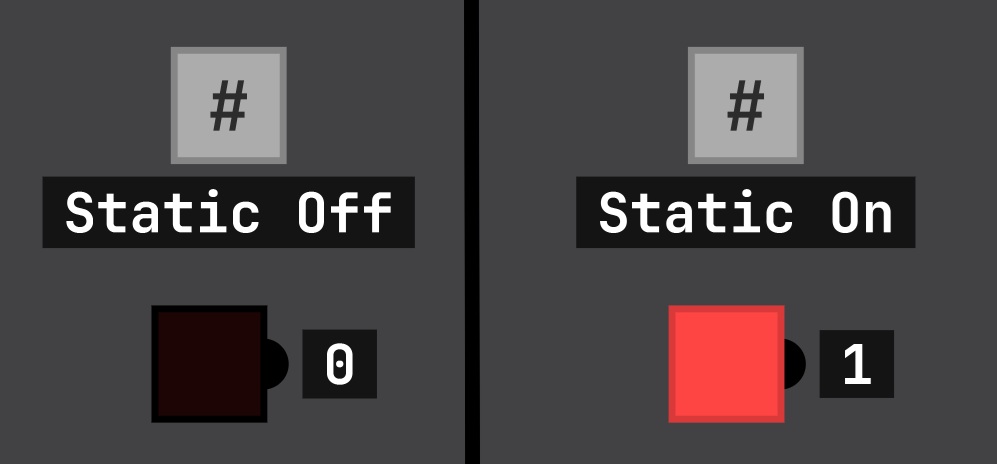
That is just a chip I made that doesn't have any inputs or outputs. You can create one by dragging a single NAND chip into the scene and clicking SAVE CHIP. Then, you can name the chip anything you want (for example: #) and color and resize it however you like (by then clicking CUSTOMIZE)
HMT
Recent community posts
You can find keybinds and tutorials on the unofficial DLS Docs, partner of the unofficial DLS Discord server
Hi, this is Sebastian's manager- no, I'm kidding.
His E-Mail is: sebastlague@gmail.com
You can check how to make a few basic gates in the (unofficial) DLS docs at https://henriheyer.de/dls/ (you may have to reload the page once)
I made a little documentation for Digital Logic Sim where I explain how to work with the NAND gate https://henriheyer.de/dls/?post=introductio
Here is a chip file from V1:
{
"Name": "NAND",
"Colour": "#655291",
"InputPins": [
{
"Name": "Pin",
"ID": 1320137264,
"PositionY": 1.94174767,
"ColourThemeName": "Red"
}
],
"OutputPins": [
{
"Name": "Pin",
"ID": 482374715,
"PositionY": 1.06796145,
"ColourThemeName": "Red"
}
],
"SubChips": [
{
"Name": "AND",
"ID": 1318026148,
"Points": [
{
"X": -3.89040542,
"Y": 0.825243
}
],
"Data": null
}
],
"Data": null
}
],
"Connections": [
{
"Source": {
"PinType": 4,
"SubChipID": 1318026148,
"PinID": 2
},
"Target": {
"PinType": 3,
"SubChipID": 670444639,
"PinID": 0
},
"WirePoints": [
{
"X": -3.34040546,
"Y": 0.825243
},
{
"X": -3.24335265,
"Y": 0.825243
},
{
"X": 0.0404410921,
"Y": 0.825243
},
{
"X": 0.008082807,
"Y": 1.06796145
}
],
"ColourThemeName": "Red"
}
],
"ColourThemeName": "Red"
}
],
"ColourThemeName": "Red"
}
]
}
And here is one from V2:
{
"Name": "AND",
"NameLocation": 0,
"ChipType": 0,
"Size": {
"x": 0.7,
"y": 0.5
},
"Colour": {
"r": 0.149019614,
"g": 0.4784314,
"b": 0.698039234,
"a": 1
},
"InputPins":[
{
"Name":"A",
"ID":86929491,
"Position":{
"x":-2.125,
"y":0.4375
},
"BitCount":1,
"Colour":0,
"ValueDisplayMode":0
}
],
"OutputPins":[
{
"Name":"OUT",
"ID":22298655,
"Position":{
"x":2.5,
"y":0.1875
},
"BitCount":1,
"Colour":0,
"ValueDisplayMode":0
}
],
"SubChips":[
{
"Name":"NAND",
"ID":1250621584,
"Label":"",
"Position":{
"x":-0.5,
"y":0.1875
},
"OutputPinColourInfo":[{"PinColour":0,"PinID":2}],
"InternalData":null
}
],
"Wires":[
{
"SourcePinAddress":{
"PinID":0,
"PinOwnerID":86929491
},
"TargetPinAddress":{
"PinID":0,
"PinOwnerID":1250621584
},
"ConnectionType":0,
"ConnectedWireIndex":-1,
"ConnectedWireSegmentIndex":-1,
"Points":[{"x":0.0,"y":0.0},{"x":-1.1875,"y":0.4375},{"x":-1.1875,"y":0.3125},{"x":0.0,"y":0.0}]
}
],
"Displays":[]
}
The link works for me but if you can't reach it, you could try this link : https://henriheyer.de/dls/?post=introduction
I've been seeing a lot of people unsure what to do with the NAND gate, so I decided to make a Documentation for Digital Logic Sim.
Currently, you can find it at https://henriheyer.de/dls/
If you have any suggestions, you can reply in this thread or send an E-Mail to contact@henriheyer.de
I appreciate any form of feedback, be it good or bad.
So, you know how, in the past few days, there have been ~632 people suggesting buttons for on chips?
Well how about little button bits that can be colored (like the `IN` pins and wires) and you can connect them to make a larger button surface.
-> You can make buttons with text on them by making a large button with colored elements :)
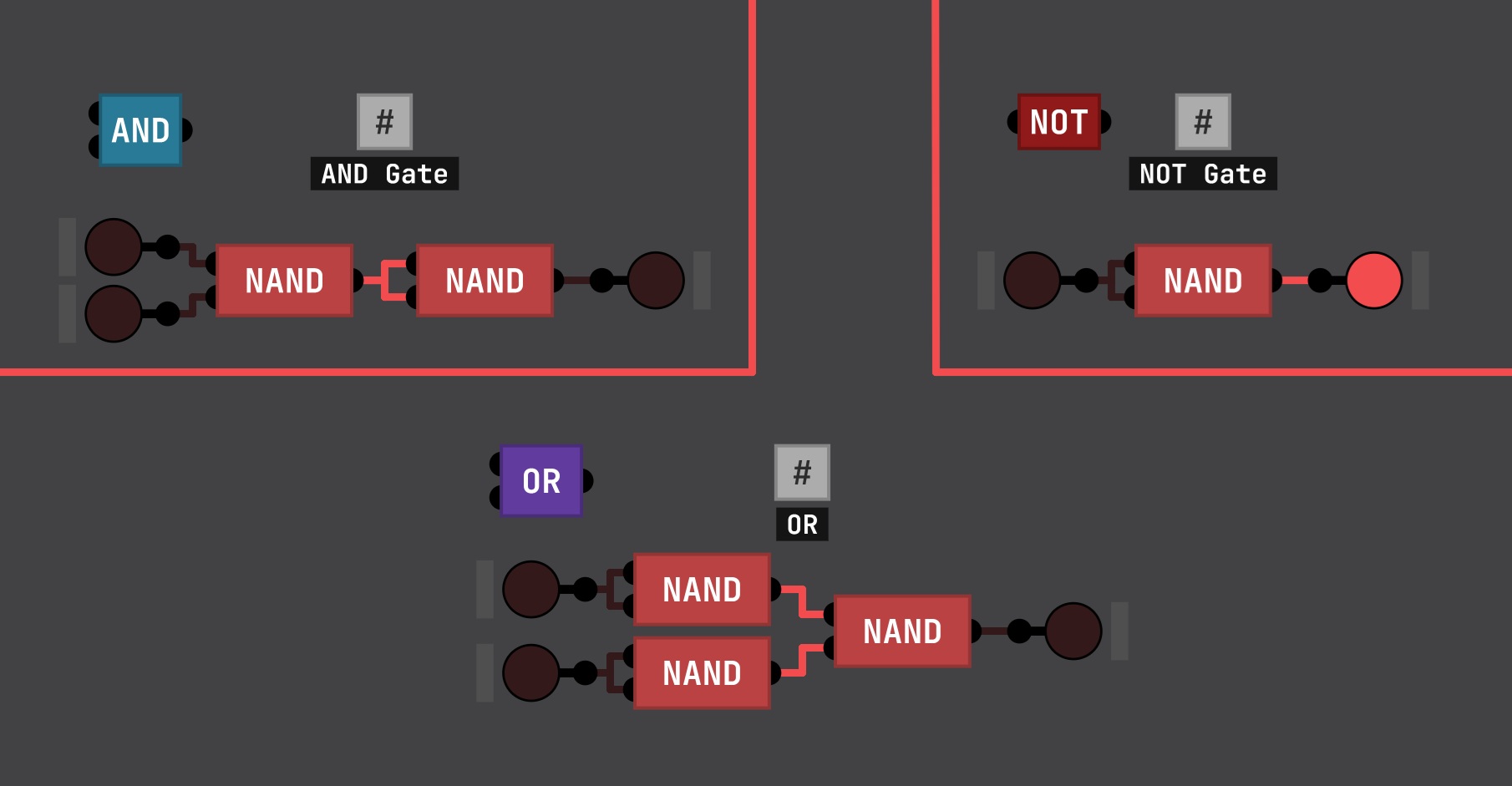
here is a simple diagram on how to make the AND, OR and NOT gates: https://itch.io/t/4764236/cant-find-the-and-not-and-or-gates-here-is-how-you-can...
Just add the following line to the Update function (around line 280) in the Project.cs file in Assets\Scripts\Game\Project :
KeyboardShortcuts.Update();
and modify the KeyboardShortcuts.cs file in Assets\Scripts\Game\Interaction\ to look like this:
using Seb.Helpers;
using UnityEngine;
namespace DLS.Game
{
public static class KeyboardShortcuts
{
public static void Update()
{
if (InputHelper.IsKeyDownThisFrame(KeyCode.RightControl))
{
ToggleSnapping();
Debug.Log("Executed Toggle function");
}
}
public static bool SnapToGrid;
// ---- Main Menu shortcuts
public static bool MainMenu_NewProjectShortcutTriggered => CtrlShortcutTriggered(KeyCode.N);
public static bool MainMenu_OpenProjectShortcutTriggered => CtrlShortcutTriggered(KeyCode.O);
public static bool MainMenu_SettingsShortcutTriggered => CtrlShortcutTriggered(KeyCode.S);
public static bool MainMenu_QuitShortcutTriggered => CtrlShortcutTriggered(KeyCode.Q);
// ---- Bottom Bar Menu shorcuts ----
public static bool SaveShortcutTriggered => CtrlShortcutTriggered(KeyCode.S);
public static bool LibraryShortcutTriggered => CtrlShortcutTriggered(KeyCode.L);
public static bool PreferencesShortcutTriggered => CtrlShortcutTriggered(KeyCode.P);
public static bool CreateNewChipShortcutTriggered => CtrlShortcutTriggered(KeyCode.N);
public static bool QuitToMainMenuShortcutTriggered => CtrlShortcutTriggered(KeyCode.Q);
public static bool SearchShortcutTriggered => CtrlShortcutTriggered(KeyCode.Space) || CtrlShortcutTriggered(KeyCode.F);
// ---- Misc shortcuts ----
//public static bool DuplicateShortcutTriggered => MultiModeHeld && InputHelper.IsKeyDownThisFrame(KeyCode.D);
public static bool DuplicateShortcutTriggered => CtrlShortcutTriggered(KeyCode.D);
public static bool ToggleGridShortcutTriggered => CtrlShortcutTriggered(KeyCode.G);
public static bool ResetCameraShortcutTriggered => CtrlShortcutTriggered(KeyCode.R);
// ---- Single key shortcuts ----
public static bool CancelShortcutTriggered => InputHelper.IsKeyDownThisFrame(KeyCode.Escape);
public static bool ConfirmShortcutTriggered => InputHelper.IsKeyDownThisFrame(KeyCode.Return);
public static bool DeleteShortcutTriggered => InputHelper.IsKeyDownThisFrame(KeyCode.Backspace) || InputHelper.IsKeyDownThisFrame(KeyCode.Delete);
public static bool SimNextStepShortcutTriggered => InputHelper.IsKeyDownThisFrame(KeyCode.Tab);
// ---- Dev shortcuts ----
public static bool OpenSaveDataFolderShortcutTriggered => InputHelper.IsKeyDownThisFrame(KeyCode.O) && InputHelper.CtrlIsHeld && InputHelper.ShiftIsHeld && InputHelper.AltIsHeld;
// ---- Modifiers ----
public static bool SnapModeHeld => SnapToGrid;
// In "Multi-mode", placed chips will be duplicated once placed to allow placing again; selecting a chip will add it to the current selection; etc.
public static bool MultiModeHeld => InputHelper.AltIsHeld || InputHelper.ShiftIsHeld;
public static bool StraightLineModeHeld => InputHelper.ShiftIsHeld;
public static bool StraightLineModeTriggered=> InputHelper.IsKeyDownThisFrame(KeyCode.LeftShift);
public static bool CameraActionKeyHeld => InputHelper.AltIsHeld;
public static bool TakeFirstFromCollectionModifierHeld => InputHelper.CtrlIsHeld || InputHelper.AltIsHeld || InputHelper.ShiftIsHeld;
// ---- Helpers ----
static bool CtrlShortcutTriggered(KeyCode key) => InputHelper.IsKeyDownThisFrame(key) && InputHelper.CtrlIsHeld && !(InputHelper.AltIsHeld || InputHelper.ShiftIsHeld);
static bool ShiftShortcutTriggered(KeyCode key) => InputHelper.IsKeyDownThisFrame(key) && InputHelper.ShiftIsHeld && !(InputHelper.AltIsHeld || InputHelper.CtrlIsHeld);
public static bool ToggleSnapping()
{
Debug.Log("Old value: " + SnapToGrid);
bool debugVar = SnapToGrid;
if (SnapToGrid == false)
{
SnapToGrid = true;
}
else
{
SnapToGrid = false;
}
Debug.Log("New value: " + SnapToGrid);
Debug.Log((SnapToGrid == debugVar) ? "Function unsuccessful" : "Function successful");
return SnapToGrid;
}
}
}