
On Sale: GamesAssetsToolsTabletopComics
Indie game storeFree gamesFun gamesHorror games
Game developmentAssetsComics
SalesBundles
Jobs
TagsGame Engines

DanTab

53
Posts
1
Following
A member registered Jun 21, 2024

Recent community posts
You're welcome ! Happy to help ..

Hi, how are you ? Are you developping the app more ? Because this one has not less to many existing apps out there. Do you plan to opensource it somewhere, on github or else ? Thanks for this app however.

Well, I hope one day a menu like, save, load could appear, meanwhile very promising indeed. Good continuation, man. I posted some screenshots on SDF Modeler discord. If you can you should look at it, as you wish.

Thanks man. Have a nice day.

Version 0.6 tested....and approved !!!

A BIG 馃憤 Thanks !

(2 edits)

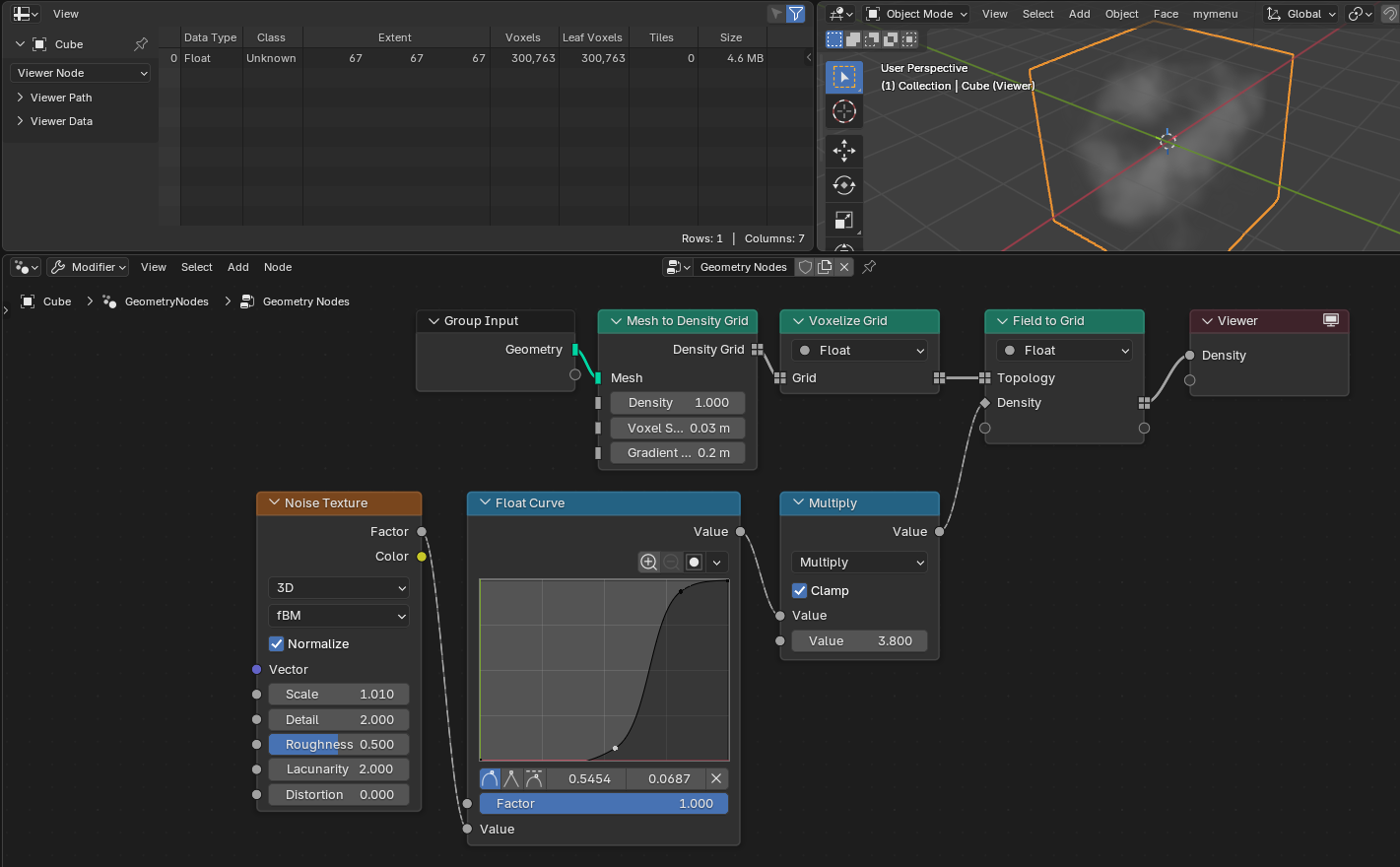
Ok, that's nice indeed!! Thanks for this effort I really appreciate that...This approach of primarly making things light to the computer and meshing afterwards, only if needed is the same direction that ConjureSDF took, but as blender evolves sometimes this limits outer strategies not taking that into account so these approaches to make SDF into blender disappeared. That's sad in a sense that a lot of efforts died with itself. Some other devs took a lot of features from blender itself and now they develop assets that incorporates geometry nodes and made usable and user-friendly interfaces for that purpose (SDF).And now the Grid Volumes nodes includes fields which can be now converted to grids,like I show upthere. And 27 very interesting and promising new volume nodes added which I'm testing now...(for smmothing and meshing, VDB based to name a few)

Are you willing to incorporate these type of things into your future works?

Have a nice day.

Yours, Dan. 

PS: Voxel remesher already exists in Blender and works nicely even on non manifold meshes. Did you try this ?
(1 edit)

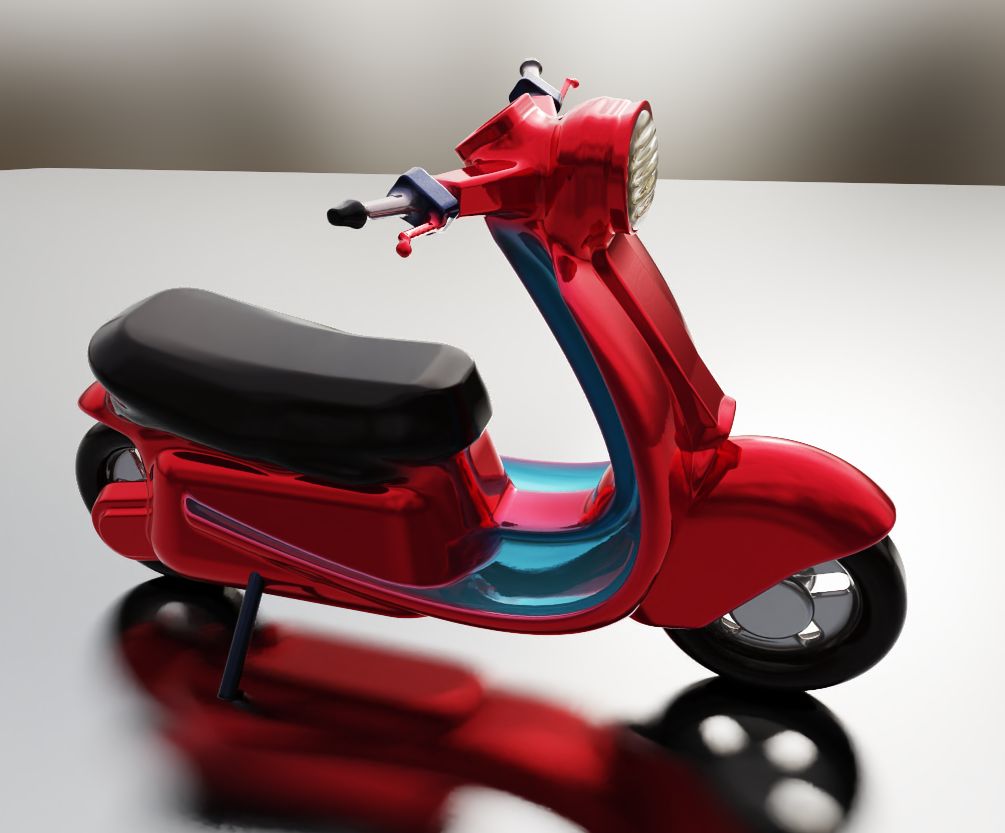
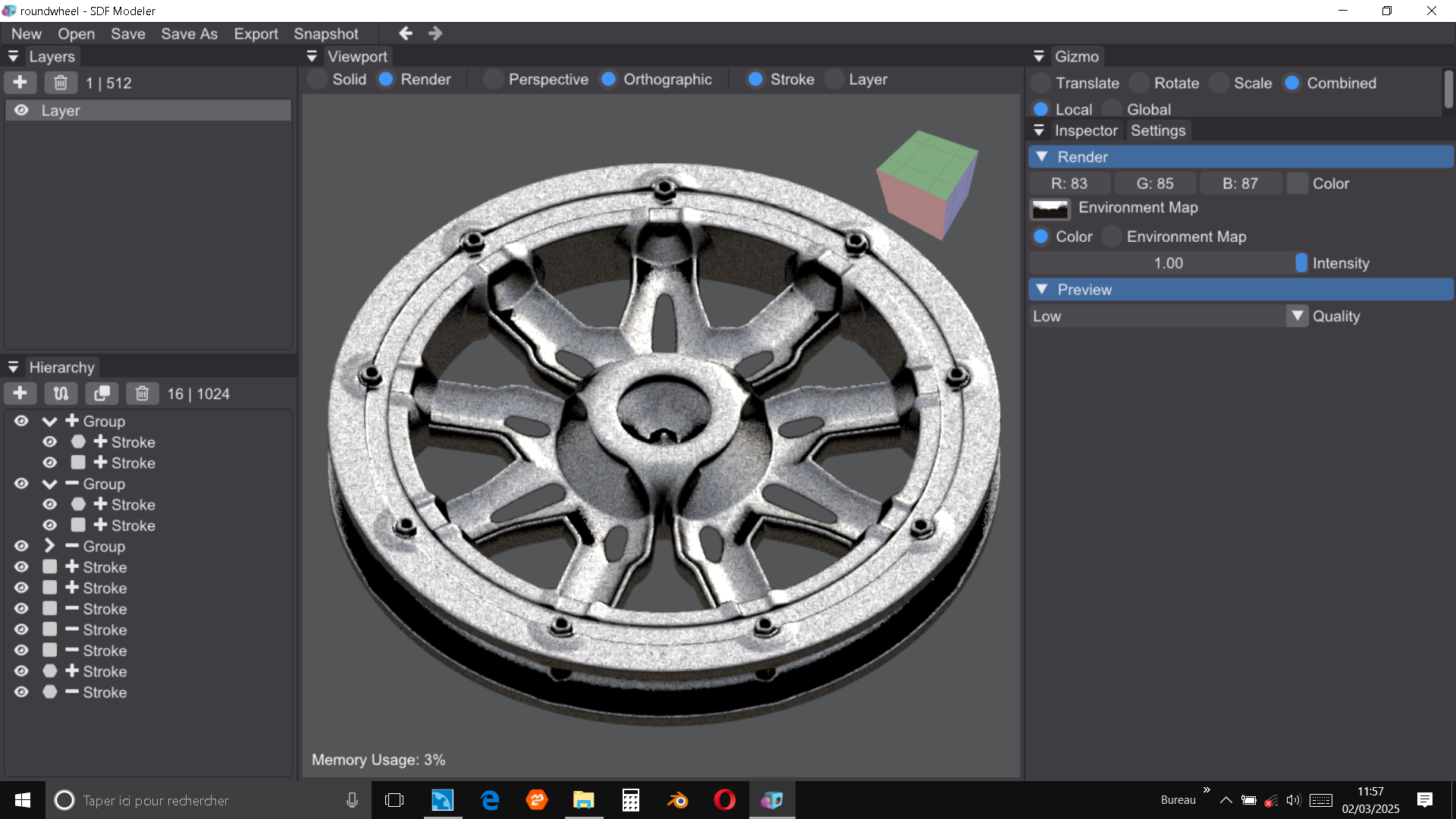
Seams interesting because fluid in vewport. Unfortunately a very important missing feature is the dependencies, pyOpenVDB and scikit-image that you should include in the addon, which limits the interest on it, disabling the polygonal aspect for me, crucial for 3d printing or else sculpting, naming a few of them. You could tell me I have to enable internet connection for this to update by itself, but i hate putting my PC in danger, except the poor one where I write text as I do now...Thanks a lot for your interest in making this available. This is very promising indeed! Have a nice day.

Sincerely yours, Dan. 

PS: Downloading these dependencies somewhere does not hurt me, and put it in a precise location, if I do not have to type any line of code, because i'm allergic to these manips myself ;))

Wow sooo nice to hear it !! That would be GREAT !  Can't wait to test it. 

Great days to you too馃憤

Sincerely Dan.

Hi Sascha.

Dan again 馃槈. Im using now a lot SDF Modeler now in conjunction to blender and found an easy way to texture more details with pictures and stencil painting above existing vertex colors, and as color attributes can now be preserved after voxel remeshing or quadriflow remeshing within blender itself, things gets more and more interesting now. I would like to express my gratitude for that.  

The only little very small limitation i should say is snapping rotations at increments of for instance 5 degrees to get perfect ortho orientations quickly. Instead of having to rotate on an axis, guessing the right acting axis, then entering...90, 45, 60, etc... afterwards in the corresponding column. In addition to the actual very appreciated reset rotation feature, that should be something huge for the user.

Thanks a lot Sascha for great works.

Have a nice day. Yours sincerely Dan.

Hi. You can find the keybindings already in the setting's tab already in the shortcuts in the bottom and edit them. Hope that helps....

Have a good day.馃嵃

(1 edit)

Hey, promising ! But challenging probably 馃槈

Thanks Sascha.

So, you mean?... Please excuse me for my ignorance in that matter---The viewport should be temporarily less reactive? Or exporting a 2d  black and white or grayscale render of an image in HDR format instead of png could take too long to render ? For sure this seems complex more than I can imagine. For instance I just know that in Blender the depth can be rendered in the viewport in eevee realtime using opengl or vulkan, but it's another story. This radically seems not to be based on the same basis, and even if im not a developper the idea was simply interesting in an artistic point of view .

Please let me know eventually what you think if you wish. However thanks for your explanations and for your time. Good evening.馃憤

Hi Sascha. I saw some requests about exporting formats, a big number of comments about classical triangulation export ones. But I was thinking... what about render image formats ? As I understand SDF Modeler is more about shaders isn't it ? As 3d in this case involves depth in some case I suppose, could  rendered image keep some information in a kind of "pass" maybe in a format that keeps it like HDR or more open one like EXR. I tried some apps using depth in relation with transforming 2d to 3d or mixing depths of 2 images in a 3d render even beeing polygonised afterwards... Are you planning to develop to render separeted "passes" in the future ? Or will you take another direction ? 

Thanks for your good (excellent should I say) job. Have a nice day.

Yours, Dan

Hi  Sasha.

Well, I've been testing the latest version this morning and wow! New amazing bridge feature and lot of good stuff going on. Such as spline tension, etc... And happily surprise to see a little ,  simple but so useful qol improvement : resetting the original position rotation and scale by the means of a button. So cool, thanks a lot ! Very fond of all that, good continuation !

Have a good day. Sincerely Dan.馃く馃憤

Thanks, man. 馃

(1 edit)

Hi all. This is a test after a week of using SDF Modeler in one hour... 

Could have been much longer using other software...

Hi, I had the same problem, but its easy to fix it in SDF Modeler itself: you simply go to layer panel, to select each one but in the inspector panel in the right view, you see layer name and just under the resolution with the arrow you can toggle between resolutions, by default it's 512*512*512, but you can lower these values like 128*128*128 or even lower, but evidently you will loose in quality, so be aware of it ! If you have different layers, each one can have its own resolution, so you can tweak different resolutions accordingly, if more  intricate details exists, do not go too low... if the shape looks simpler, you can get relatively low.

In the Blender side, applying a decimate modifier after this is sometimes not necessary, and the make normals outside works perfectly.

Hope it helps. Cheers. Dan 

It all depends on what you 
ultimately want. Obviously,
 if you want to avoid 
triangulation at all costs, 
you can use manual retopo.
 Or do automatic remeshing.
 But you lose the color 
attributes generated by the
 SDF. 
On the other hand, if you 
want to usefully limit the
 number of polys and keep
 the vertex color information
 while reducing the file
 size, there's no point in
 keeping billions of polygons
 that don't have a direct 
impact on the shape of the 
object. Sometimes triangulations 
are not your ennemy. These are 
two very different use cases.
IMHO...

Well I know how to solve your problem. In the layer resolution you can change this by lowering it. For instance it's 512 x512x512 by default.  But lowering these values and exporting in ply in different layers does the job. Hope that helps. Cheers.

Thanks for clarifing this topic. I had some intuition about this because some primitives behave differently from a SDF software from another. The "math" behind this seems to be different, even if the shape could be the same. I understand more now. Interesting !

Thanks again.馃憤

Hey there all, Hi Sasha,

As a complete noob in 3d formats other than polygonal ones, like traditional OBJ, .ma, .Ply,  blend files, etc, I was thinking about SDF modeling formats instead; 

As polygonal systems share some fundamental data, and can be then converted and shared between and into different software, similarly, is there any "basic SDF" format that could be shared and exported elsewhere ? I've seen some .json files that can be actually rendered somewhere, but could it be transferred to be used elsewhere (in different software using SDF) even if each one wants to keep its own format ?

If not, why ?

Probably my worst question ever, but that could be very useful in an artist point of view... Anyone could tell me I greatly appreciate that. Thanks in advance.

Yours sincerely. Dan

Just a little contribution for what you have done so far...馃憤

Hi, Sascha.

I've been posting my first real "tutorial"-ish on some features I found easy to use, there :

I must admit this is not the best of "art" but some introduction to modeling. It had to be the simplest as I could.

Perhaps someone could make it faster, more spectacular, but I hate timelapses, because it's cheating somehow 馃く..

Have a nice day.

Dan 

@metinseven, hi, I saw your blender artist thread about SDF apps, and you were searching for an app working on Mac...I found on itch.io something called Trash.bash . I can't say if it's in an really active state and for sure it's not as much as SDF Modeler is, but it exists, right? 

What do you think?

Wow, nice! You mean, picking the mirroring plane and moving it around ? That's a big idea !

Great ! 馃ぉ

Limitless until you have an internet connection... limitless until you allow others to benefit your hard works your art to give your author rights to these people for their own profits ....馃槶

Until you have to pay for your own work. But that's just my own thinking about what if simply downloading an app could not be possible anymore one day...some major software no more available. I dont want a future like this... and Im not the only one I hope!;

The only advantage imho (if it keeps the ability to be downloaded) is to be accessible to different platforms. 

Other than that I doubt...

Hi Sacha, 

Testing latest 0.51 version Im again pleased to use the latest features and noticed that's rejoining my modeling needs to make this tool uncredibly fast and extremely fun to use. The reference image import, the spline, circular and rectangular repeats etc...all of this is "magic" and I have a lot of fun using all of it. I heard about changing the mirroring plane orientation in the future. Or maybe choosing one of the regular XY,XZ,YZ . This could be cool, even if the actual tools already allow this in some way. Is that in your plans ?

What if posting renders in a gallery for those wanting to show what is possible to make in SDF Modeler now, could that be possible ?

Again Sacha, thanks for your hard works!!! Have a good day take care.

(1 edit)

Hi Sacha,

This is ABSOLUTELY HUGE ! SDF Modeler is becoming a very serious app with everything to get professional results. Now I understand why you choose to arrange things inside it in a logical way before adding a ton of features. This keeps it simple to use and intuitive in the same time. In comparison  to paid (and often very expensive )alternatives, for me it's so nice.Thanks a lot for allowing me to get this for free. I'm trying to share to friends as much as I can. 

Wishing you the best.

Yours sincerely. Dan.
WOW that's great !!! Super nice !

A big + Thanks..馃憤

Hi Sasha.

I tested a lot all the new features and thats looking great ! Im impressed by the infinite potential modeling abilities it gives for the user. I thought about some little toggles that could be very useful to add to get even more intuitive interaction : a reset 0 to position, a reset 1 to scale ( a sketch) , an ungroup button in some way ... Is it in your plans at some time ? 

I must say the linear/ rectangular array is very useful and saves me a lot of time, like all the features you introduced from the beginning. Thanks again for all your hard works!

Bye. Have a nice day! 

Dan

Hi, so cute little app ! I just wanted to know if you plan to add substractive shapes option to the primitives. That would be great. If the process uses SDF, this could be theoretically possible dont you think ?

Hi. Nice to see that an answer to my request is now in the last version 0.03 ! Thanks.馃憤

Totally agree. Cant wait to test it. At least I could explore the new features around before someone else ! 馃ぃ

If you solved this I can only imagine the complexity to tackle this in such a short time.

Bravo ! Have a nice weekend.

Yours sincerely.

Hi Sacha again. Well, I downloaded 0.4 last sunday, before you retired from your site. And I must admit I couldnt find major issues testing it, at my own risk of course...馃槈 And.. the only issue I found was only the position of new strokes after moving a layer was not zeroed. And thats it ! 

Otherwise all seems rock-solid. At this point, everything is WOW promising, indeed !!

A great LIKE !

Hi again. I wanted to ask if you plan to add new features to your amazing app, because the first one I would like to see is to change the triangulated mesh resolution..Could be nice, dont you think so ?

Thanks, and have a good day !

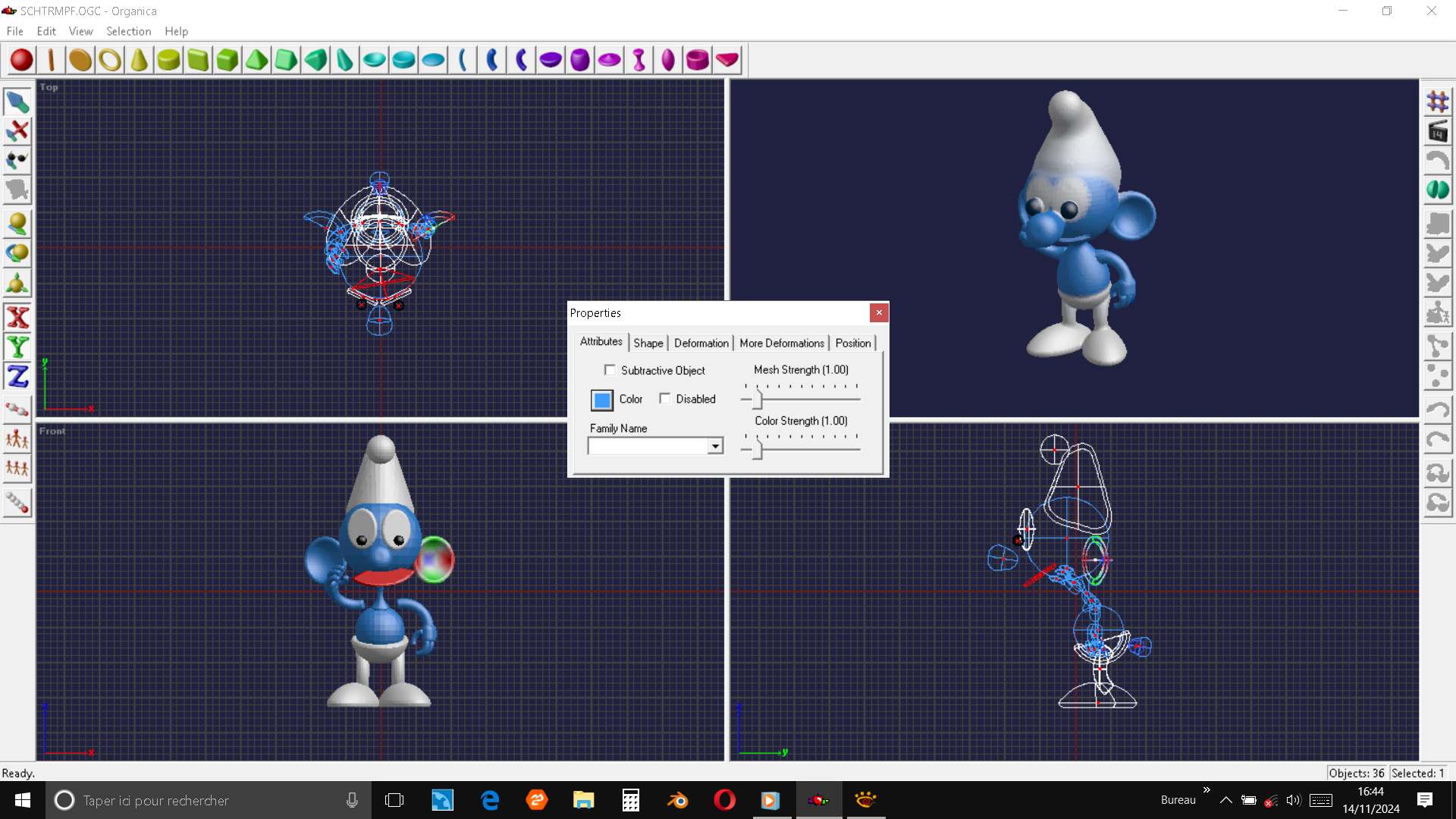
Wow, first im glad to know you heard about Organica, which was a very in advance tool over its time, because it had animation features, and triangulations with decimations, faces colors even ! And all this in 1997 ! But sadly disapeared not long after this. I can now discover a PC version, downloaded and used it recently to test these and... it works !

Second, im so happy you are thinking of making those features or abilities inside SDF modeler future ! 

Third, i couldnt think anyone appreciate it as a suggestion, and YOU did !

So, man, greatly appreciate all of this !! good continuation .... 

(2 edits)

Hi Sacha again...I remember in the old days of Amiga, there was a software named Organica by Impulse which used a sort of SDF / metaball like deformations and booleans like yours. I dont know exactly... but when using SDF Modeler it reminded me these that I tried for years to find somewhere else. I couldnt remember even the name of this old one. But I found it again in the Sofware Archive website ! And what is nice is the fact that it had the ability to extrapolate such forms building suites of primitives in extrapolation scaled and rotated on a curve between and makes profiled shapes on the base of only 2 or more. That looks amazing ! you just had to select the shapes un order and click Extrapolate... and done ! a profiled shape !
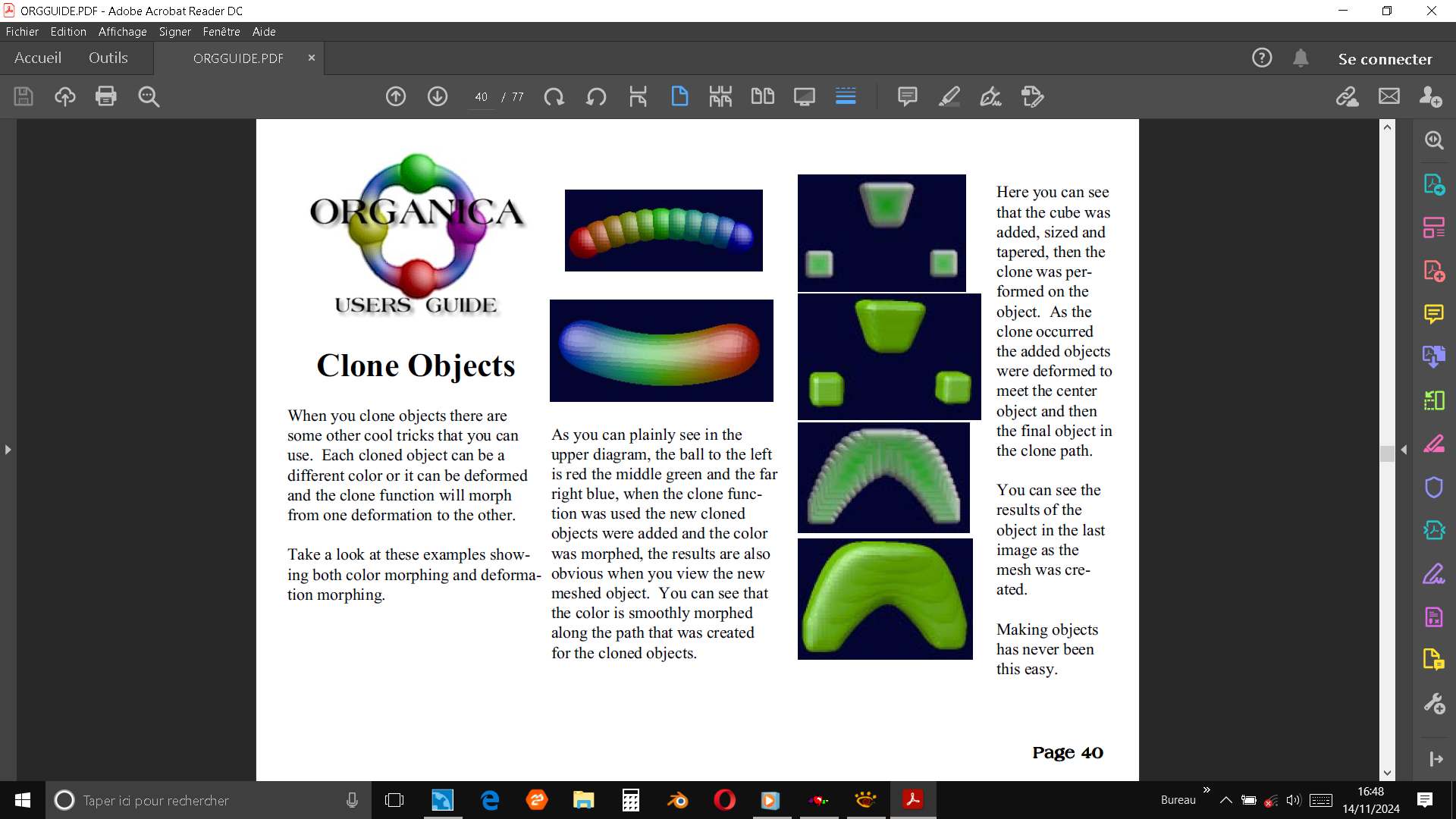
For sure i must admit this looks simple to a noob like me, but surely a challenge to code this type of thing, but could this be implemented, in the future ? 

Thanks a lot, as I said earlier, i can not put my hands out of it. 

Have a good day. Dan 

Yes, totally agree. I've tested the latest 0.33 and I completely understand why now. The new bevel/ rounded is again a very welcome feature ! I saw in the comments you were working on it, and you made that so fast. A great thanks !

Ok, for now I personaly found very few limitations in the features themselves. But if you say that some new reorganizations of the 3d scene must be done first, I trust you...perhaps on intersection of sketches or groups among sketches or layers, why not ?  If the interface does not get too crazy as I saw elsewhere. I wont tell where馃槒.

In an artist point of view the story is not how the tool is complex Imo, but how efficient you get. And SDF modeler is relatively complete already for most of  my workflow, I think...

But why not more? Ok馃憤

Have a good day.

Hi, Sacha..

I tried 0.3.2 version. This time transparent and refractive surfaces, ply export with colors, toggle perspective/ortho view... SDF Modeler gets better and better everyday ! Thanks again for your hard work. 馃憤 

(Perhaps linear or circular arrays, next ? Are they difficult to implement ? )

Good job man.

Ok I was wrong about the "bug". This happened when I tried to CTRL select on a mirrored image of a sketch. This was unselectable. Sorry about this. 

I was thinking about an option, rotating with step increments. For instance 5 or 10 degrees and the choice to disable snapping if needed.  Do you think its a good idea ? The "universal gizmo" is very useful. Thanks again.馃憤