

It's already submitted there, I'm waiting for review :) As for Gumroad, good point, I'll post it today.
A member registered Mar 15, 2016 · View creator page →
Creator of
Blender add-on for pixel perfect pixel art drawing and texture painting in 3D and 2D
Godot plugin for editing, managing and painting vertex colors and vertex normals of 3D meshes.


Prepare Brazilian Street Food, like Sugar Cane Juice and Pastel. Play with equipments from Brazil.
Simulation
Learn to create extensive user interfaces (UI) and dynamic data systems with Godot by building an Inventory Screen!
Follow Van Gogh letters and paintings in his Yellow House until his breakdown.
Visual Novel
Play in browser

A virtual museum about Autism in Adults. Explore traits of the Spectrum.
Adventure
Play in browser
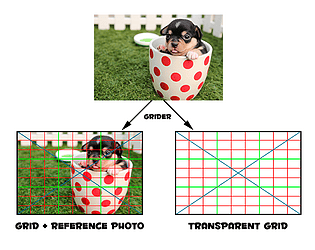
Create and export grids on top of reference images, a tool for artists and those learning how to draw
Recent community posts
Vertex Studio community · Posted in My "Split Vertices" Brush isn't splitting anything? Also, how to unlit with texture splatting?
Hey,
I'll answer by numbers, so it's easier to follow:
- It's not possible to change the normals of a plane (this is not a limitation of the tool, it's just how 3D works, because the normals are all the same on a plane. If you create a plane on Blender and set Shade Flat or Shade Smooth you can see it doesn't make a difference).
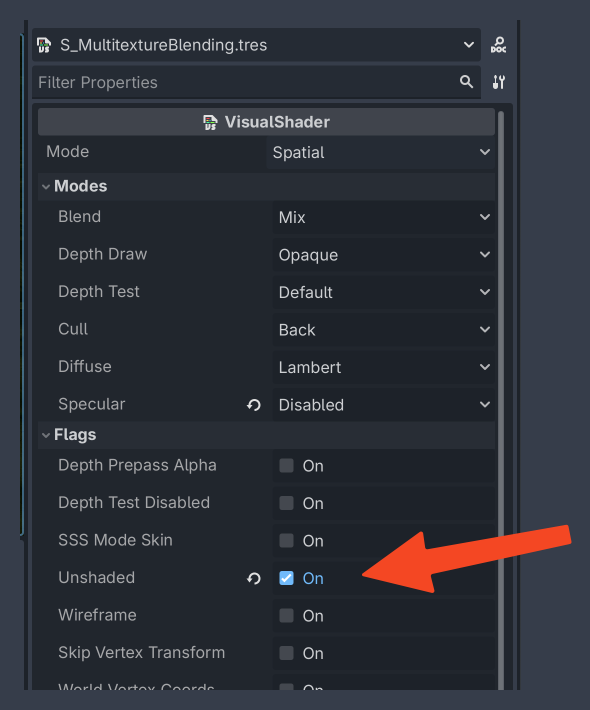
- "how to combine unlit and splat mapping here" - since you are painting in a custom material, you have to keep using "Original Material", otherwise you won't see your texture blending. In this case to have it unlit, you have to change the shader to Unlit. If you created the shader following the tutorial, it's a Visual Shader, so double click it and set to Unshaded:
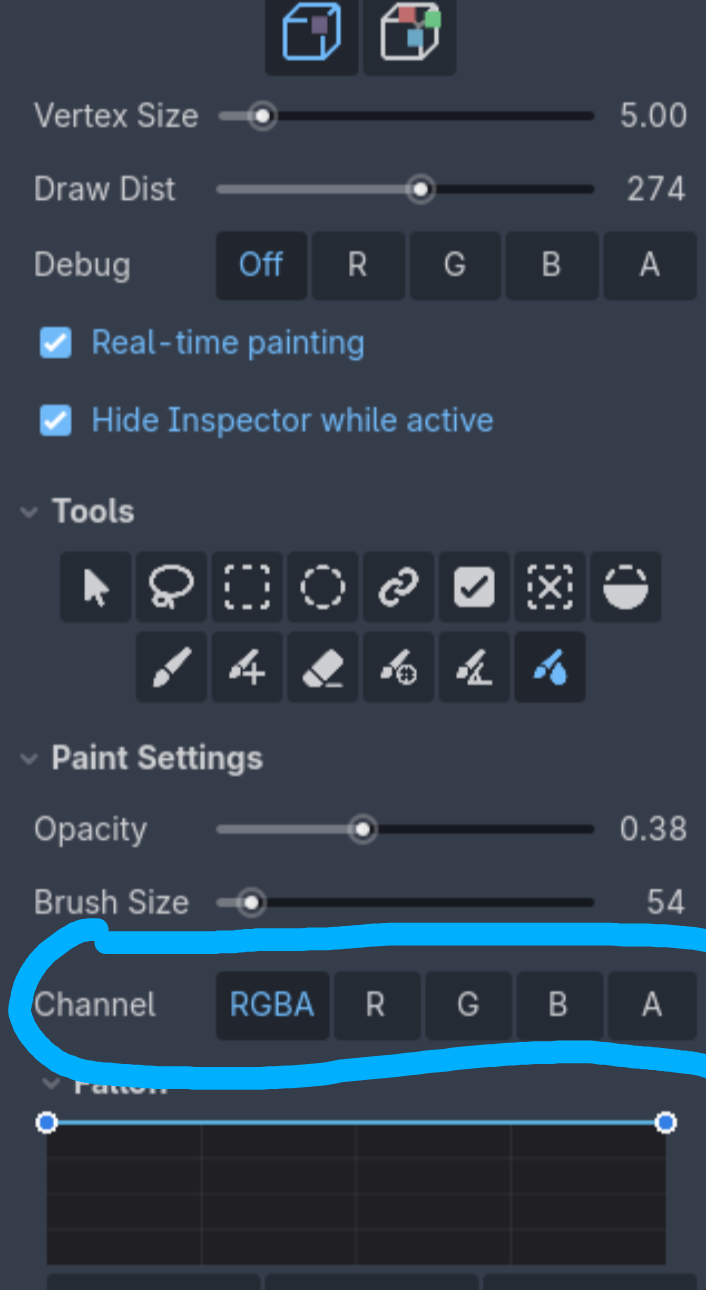
Triplanar is something that is defined by the material, thus it doesn't affect vertex coloring. It works the same way as if you didn't have triplanar mapping.
Example in Godot:
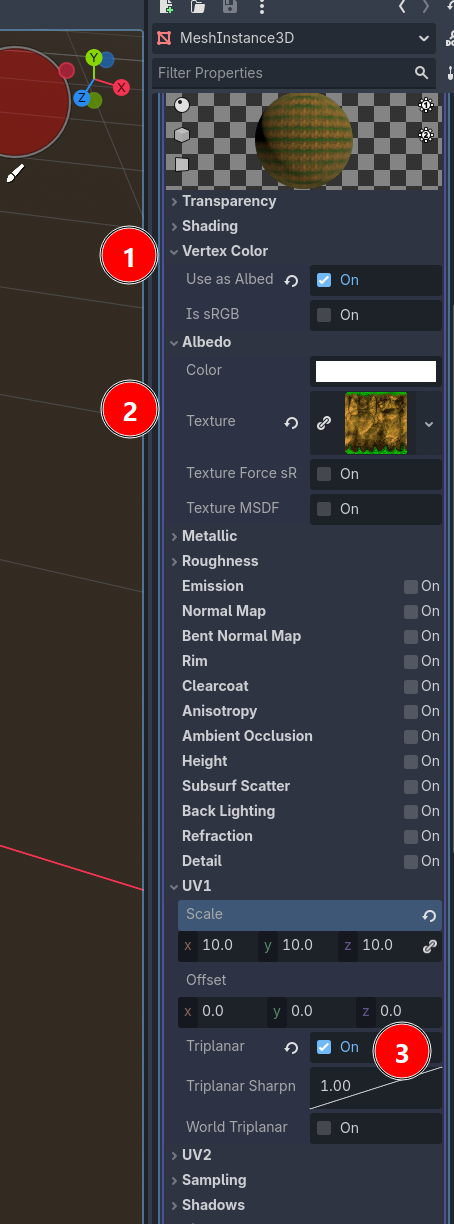
- Mesh with StandardMaterial3D, check "Vertex Color: Use as Albedo"
- Assign a texture
- Check Triplanar in UV1
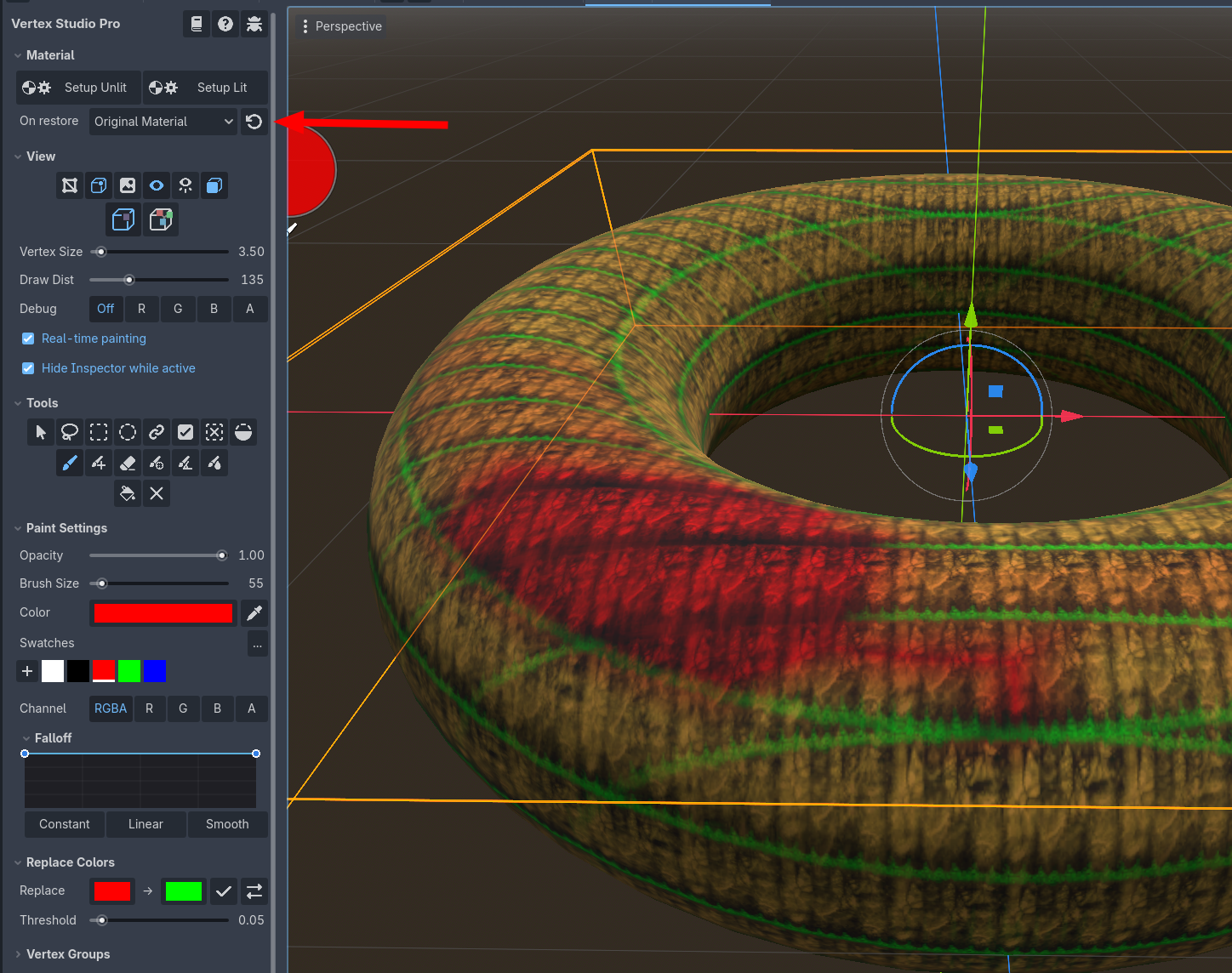
- Save and re-open the mesh scene if needed
- In Vertex Studio, click to restore the Original Material, painting work as normal, but to see the triplanar mapping you have to keep using your mesh's Original Material that has the "Triplanar" setting as on, as shown in the second screenshot below (you can click the arrow icon as many times as you want/need).
Oh I just realized I was being silly, of course the same Blender shader won't appear on PixelOver :)
What I am looking for in PixelOver is the possibility to set your own shader or custom material.
Glad to hear the next update is about materials!
Maybe the same options as the Godot's Standard 3D Material? I.e. Unshaded, etc.
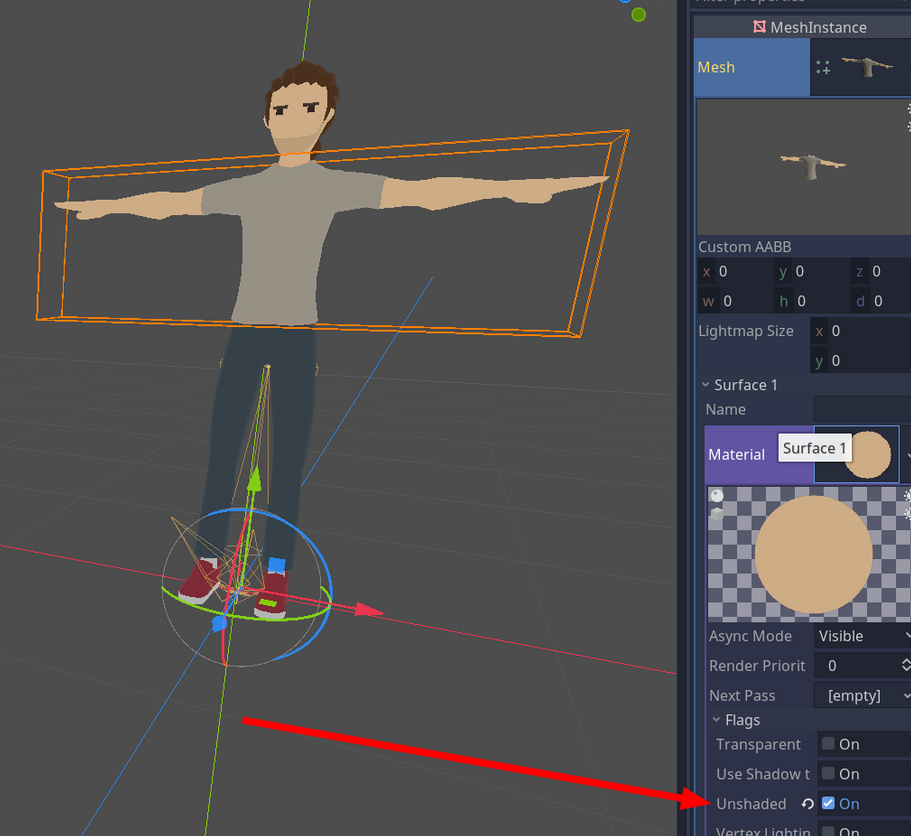
Considering a model with flat shading:
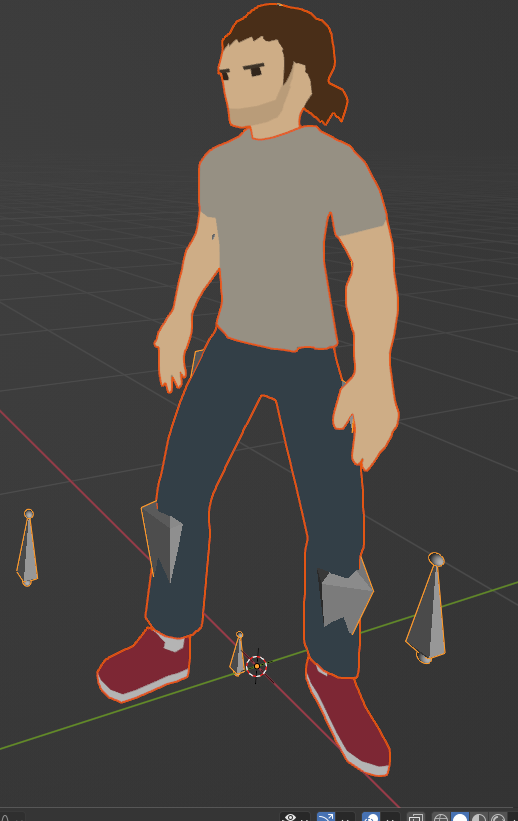
In PixelOver I tried:
- Disabled the Directional light
- Set ambient light to 1 and White
- Anti-aliasing disabled
But still I can't simulate the flat shading look, I always get a lot of "artifact" pixels:
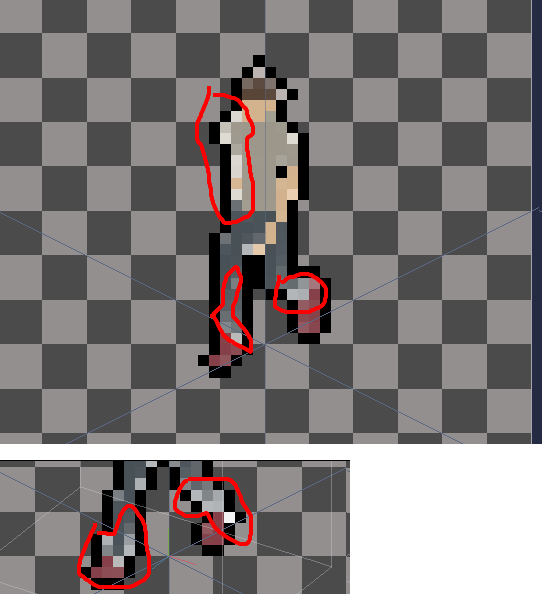
I tried an auto generated palette with 8 colors. But I still get a lot of "artifacts":
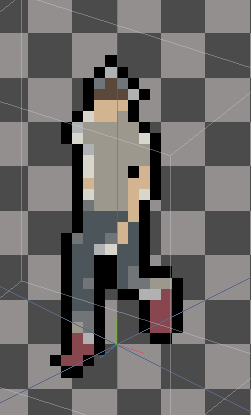
Question
- How can I have the pixels generated as flat as the 3D model?
- Any way that I can just write some GLSL for the canvas?
PS: thanks, great tool! I got it over Steam and I also covered it in my blog: https://alfredbaudisch.com/blog/gamedev/godot-engine/standalone-applications-mad...