Indie game storeFree gamesFun gamesHorror games
Game developmentAssetsComics
SalesBundles
Jobs
TagsGame Engines

Vertex Studio

Godot plugin for editing, managing and painting vertex colors and vertex normals of 3D meshes. · By Alfred Reinold Baudisch (Pardall)

triplanar mapping

A topic by Sysl created 9 days ago Views: 27 Replies: 3
Viewing posts 1 to 3

is it a system limitation, or can this be made to work with triplanar mapping?

Developer (3 edits)

Triplanar is something that is defined by the material, thus it doesn't affect vertex coloring. It works the same way as if you didn't have triplanar mapping.

Example in Godot:
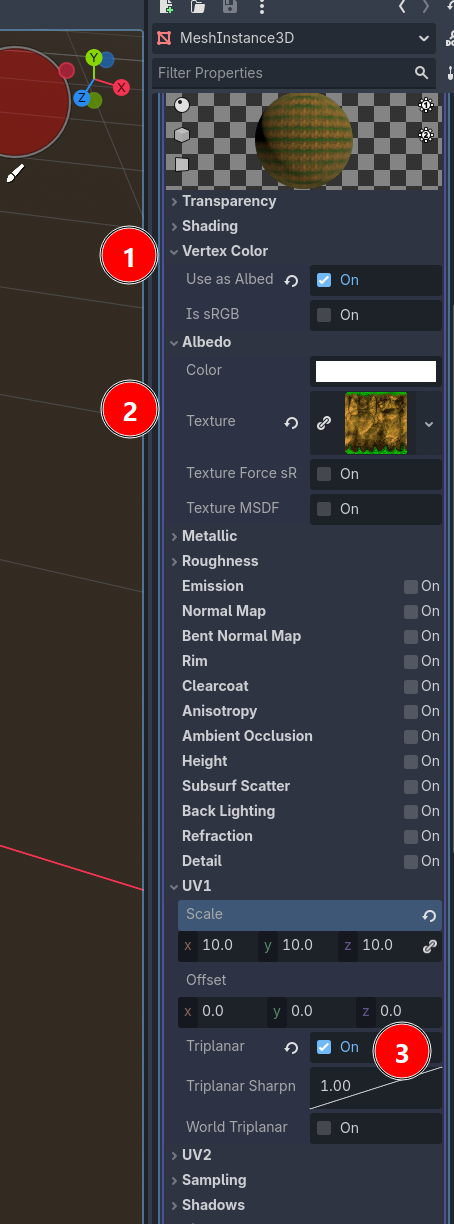
  • Mesh with StandardMaterial3D,  check "Vertex Color: Use as Albedo"
  • Assign a texture
  • Check Triplanar in UV1
  • Save and re-open the mesh scene if needed
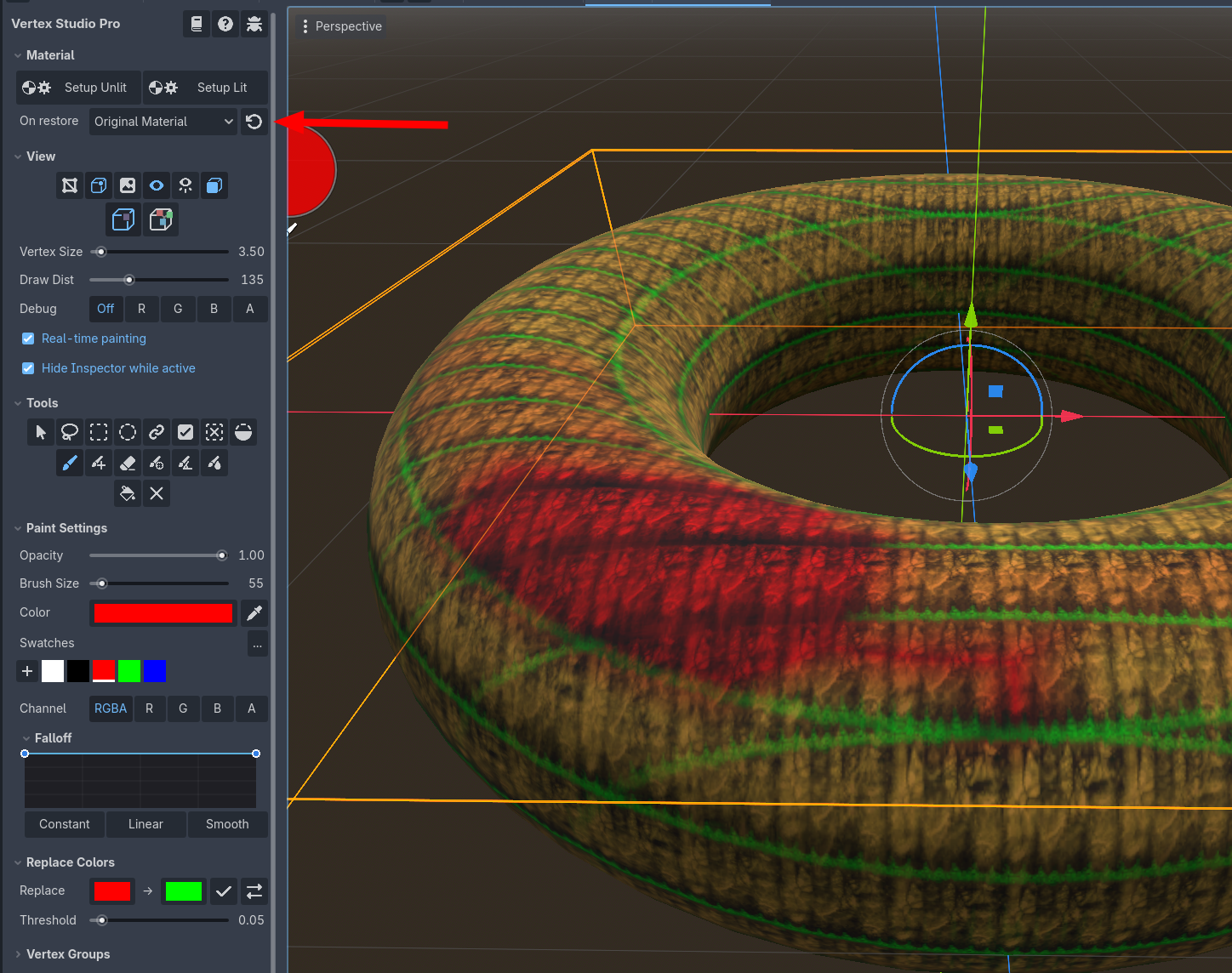
  • In Vertex Studio, click to restore the Original Material, painting work as normal, but to see the triplanar mapping you have to keep using your mesh's Original Material that has the "Triplanar" setting as on, as shown in the second screenshot below (you can click the arrow icon as many times as you want/need).


Developer

In any case, this gave me an idea, I'll support triplanar in the "Setup" materials as well. So if your mesh has triplanar mapping, then you can also use the Setup materials and they are going to pick up the triplanar flag :) This is going in the next update.

Thank you, yeah: This is what I was looking for when I asked the original question.