O mundo é muito pequeno mesmo, de todas as pessoas que poderiam interagir, com os milhões de projetos do Itch, logo esse match :)
Alfred Reinold Baudisch (Pardall)
Creator of
Recent community posts
I considered it, but I rely on the Godot editor viewport and I'd need to make a custom fork of Godot itself, which is actually something I might try in the future, in order to make a standalone Vertex Studio version experiment (so there would still be the Godot plug-in and a standalone version side by side) .
Thanks for answering, Matt! Yes, I'm hoping for a LTS.
Updating the codebase with incremental updates would be fine, the problem is the course itself (record and edit videos). A single video can take a whole week - imagine a full course, and then a week later a breaking change of Godot 4.whatever breaks 3 videos.
That's why I'm being careful, I also the course version for v4 to be long-lasting, just like the current version of the course is already definite for 3.5 and won't be deprecated.
I posted this via the course newsletter too, so I already have a few answers and opinions I got by email, I'll wait a week, and soon I'll have a decision that will be based on the average of the answers :)
Oh I just realized I was being silly, of course the same Blender shader won't appear on PixelOver :)
What I am looking for in PixelOver is the possibility to set your own shader or custom material.
Glad to hear the next update is about materials!
Maybe the same options as the Godot's Standard 3D Material? I.e. Unshaded, etc.
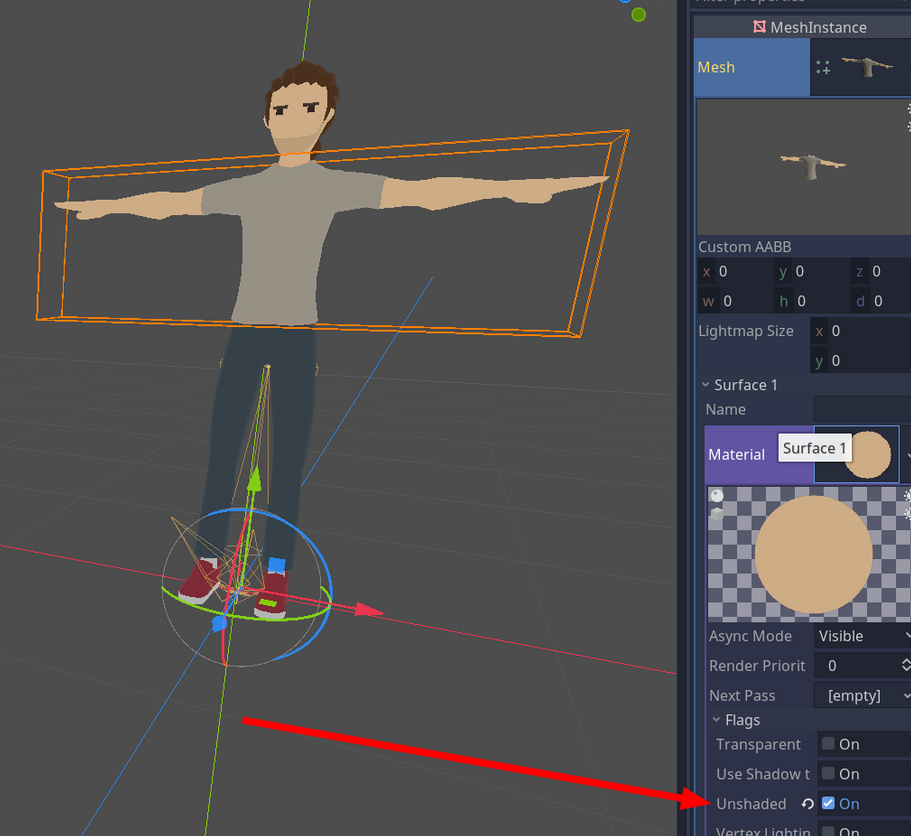
Considering a model with flat shading:
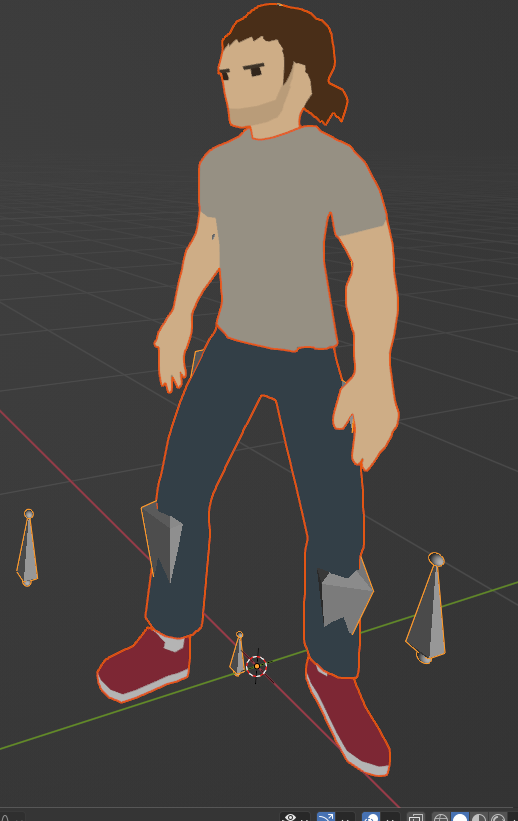
In PixelOver I tried:
- Disabled the Directional light
- Set ambient light to 1 and White
- Anti-aliasing disabled
But still I can't simulate the flat shading look, I always get a lot of "artifact" pixels:
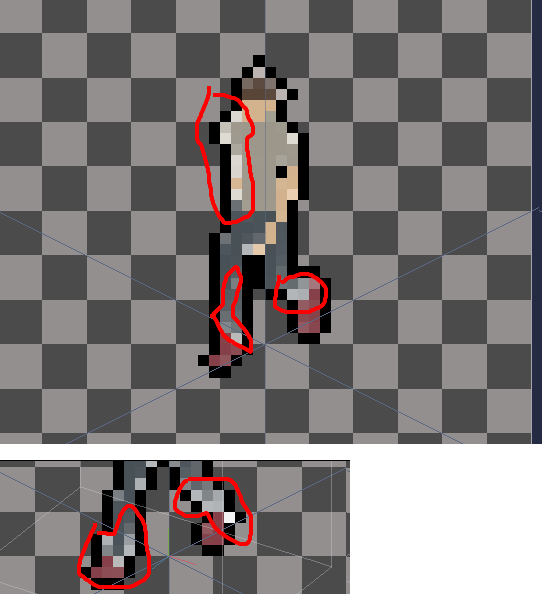
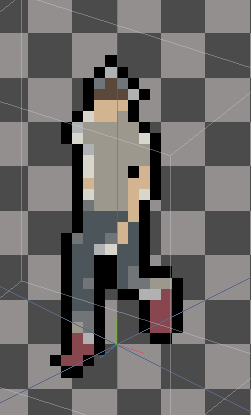
I tried an auto generated palette with 8 colors. But I still get a lot of "artifacts":
Question
- How can I have the pixels generated as flat as the 3D model?
- Any way that I can just write some GLSL for the canvas?
PS: thanks, great tool! I got it over Steam and I also covered it in my blog: https://alfredbaudisch.com/blog/gamedev/godot-engine/standalone-applications-mad...
Valeu! Preciso atualizar a lista de matérias, já sai em praticamente todos os grandes sites BR. Lista atualizada no rodapé daqui: https://linktr.ee/pardallgames
Do you have a bullet point list with all of the features in the tool? It's not clear by the video or by this page what you can do with it.
"a pixel art designing tool" seems too abstract to be honest.
Some of my questions:
- Does it have all the tools to do pixel art like Aseprite but with the focus on textures?
- Can I import photo textures and pixelate them?
- Can I import textures to use as stencils?
- Is there a Clone tool?
- Are there layer blending modes?
- Can I import submeshes?
- Is the process non-destructive?
- Can I export the Normal Maps as EXR or just PNG?
- Can I export both OpenGL and DX normal maps?
So on and so forth :) A bullet point with ALL the possibilities would clearly show what is the product.
UPDATE: I just found some answers in the website https://www.unionbytes.de/apps/ubpainter/
Impressive work for a LDJam game! I think this is the hardest category of game to tackle in a gamejam, there are so many variables to balance and tweak, and this is where I want to leave feedback: I think it progresses too fast, I couldn't follow the pace and rage quitted. But at the same time, as I said, I'm impressed - this is such a cool format. I think you should elaborate and make this a bigger game!
You can download the music in the game's repository: https://github.com/Miziziziz/LD50 (sfx -> lofiludum.ogg -> Download)
Thanks for playing and for the video! The wording was made on purpose to sometimes be taken literally, sometimes subjectively, but I enjoyed your take on the game!
I just want to say that most autistic people, prefer "I'm autistic", instead of "with autism/have autism" - commenting on this because in the end, you mentioned something about this specific wording.
Thanks again for the answer. Quite an interesting process, very different from what I thought.
Due to what you explained, I researched a bit and found out about Godot's "-colonly" and other extensions to deal with collision objects. That helps the workflow a lot! https://docs.godotengine.org/en/stable/getting_started/workflow/assets/importing...