

Can not play i am on arm64, version 11.2 works but not the latest one :(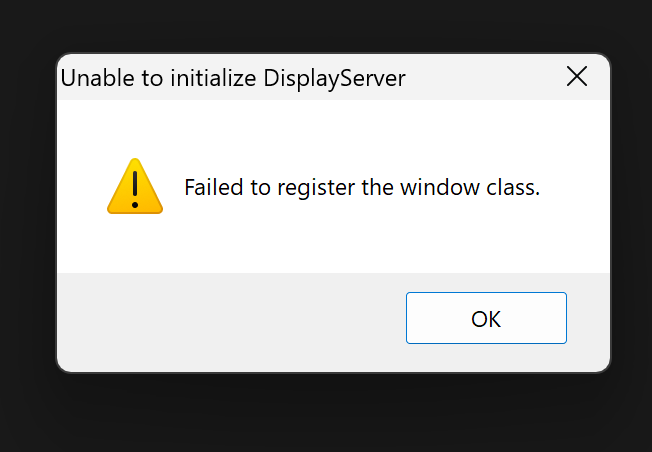
After being able to launch it, if you try to open it (without that flag) does it fail with the same "DisplayServer" error above?
Also, please try to launch the game from the terminal (open the file explorer, type cmd on the top bad) and then write
.\ModificationApp.exe --verbose
and tell me what the terminal says when it crashes
So yeah when I use the shortcut with --rendering-driver vulkan, everything works perfectly for me but when I run the original exe file I still get the get the same errorscreen from above. If I do it from the terminal I get this:
Godot Engine v4.7.1.stable.custom_build.6865c6bd7 (2026-09-26 00:55:48 UTC) - https://godotengine.org
ERROR: Could not initialize OpenGL.
at: (platform/windows/display_server_windows.cpp:8015)
ERROR: Unable to create DisplayServer, all display drivers failed.
Use "--headless" command line argument to run the engine in headless mode if this is desired (e.g. for continuous integration).
at: setup2 (main/main.cpp:3396)
WARNING: 3 ObjectDB instances were leaked at exit (run with `--verbose` for details).
at: cleanup (core/object/object.cpp:2536)
WorkerThreadPool: 8 threads, 2 max low-priority.
Godot Engine v4.7.1.stable.custom_build.6865c6bd7 (2026-09-26 00:55:48 UTC) - https://godotengine.org
TextServer: Added interface "Dummy"
TextServer: Added interface "ICU / HarfBuzz / Graphite (Built-in)"
ERROR: Could not initialize OpenGL.
at: (platform/windows/display_server_windows.cpp:8015)
ERROR: Unable to create DisplayServer, all display drivers failed.
Use "--headless" command line argument to run the engine in headless mode if this is desired (e.g. for continuous integration).
at: setup2 (main/main.cpp:3396)
WARNING: 3 ObjectDB instances were leaked at exit (run with `--verbose` for details).
at: cleanup (core/object/object.cpp:2536)
Leaked instance: NavigationServer2DManager:3154116775
Leaked instance: NavigationServer3DManager:3170893992
Leaked instance: AccessibilityServer:3321888945
Hint: Leaked instances typically happen when nodes are removed from the scene tree (with `remove_child()`) but not freed (with `free()` or `queue_free()`).
Orphan StringName: AudioStream (static: 0, total: 1)
Orphan StringName: AudioStreamRandomizer (static: 0, total: 6)
StringName: 2 unclaimed string names at exit.
I am not very tech savvy but I hope this is usefull to you.
Yes, I downloaded the updated version and I can now run the exe file without any errors. I also hadn't told you yet but I noticed that when I used the shortcut with
--rendering-driver vulkan, altough I could play the game, there were some errors during specific minigames but those errors are gone now too with the update. So whatever you did, it seems to me that it worked and solved everything.