

I have to go to bed due to work... HOWEVER I will try the <door> tag now and see. I place that in the event note right?
Well the bottom half of the mirror shows up but not the top.. even when I made the door tag for both top and bottom... its on a wall, so I'm wondering if I might need to rebuild the map as I'm new to this region ID level concept, but again, VERY happy with the idea.. I will try in depth tomorrow after work and get back with you. High Hopes!! You have breathed new inspiration .... If you're struck for time like myself I'd look into hiring someone to make one in-depth video on each feature of your plugins.. you have FANTASTIC Ideas just fleshing out the how for the consumer is needed.
Thank you.
Thanks for the feedback. Unfortunately, I cannot afford to hire someone to create a video tutorial on how to use my plugins; given the price I charge to bring these tools to the community, there isn't enough margin to cover that, especially considering the time spent on development and support. However, guidance is available in the documentation and the plugin's help section, and I am, of course, available to provide clarifications, answer questions, and promptly resolve any bugs or errors caused by the plugin. I must emphasize that a system of this complexity (a 3D system) requires an investment of time; several hours to understand how the tool and its dependencies (such as layer systems and region IDs) fit into your game, alongside testing and experimentation. It also requires a complete map overhaul, as 2D coordinates (x, y) may not accurately represent an object's position on a 3D plane (x, y, z). I have another tool called ISO 2.5D that is more robust than this one (UltraD) and includes a visual editor; it might be a better fit if this one seems too complex or user-unfriendly. Thanks again for your comment; please let me know if you run into any issues.
I copied the event from the demo on facade... using the SAME exact castle... and replaced mine in my project with that and it WORKS.. I'm comparing what I did and can't figure out how it was different, but just copying the event worked. So all I need now is to know if I can actually use this on the overworld tilesets in ANY way... and next I'm testing this with other facade images. is there besides being a .png, any other special requirements for images used as facades?
THANK YOU!
Hey, always use PNG images; since they support transparency, they fit perfectly onto the surface of the blocks. By default, all RPG Maker RTP images are already in this format; although the engine can work with JPGs, the native code primarily looks for the PNG extension when you use just the image name.
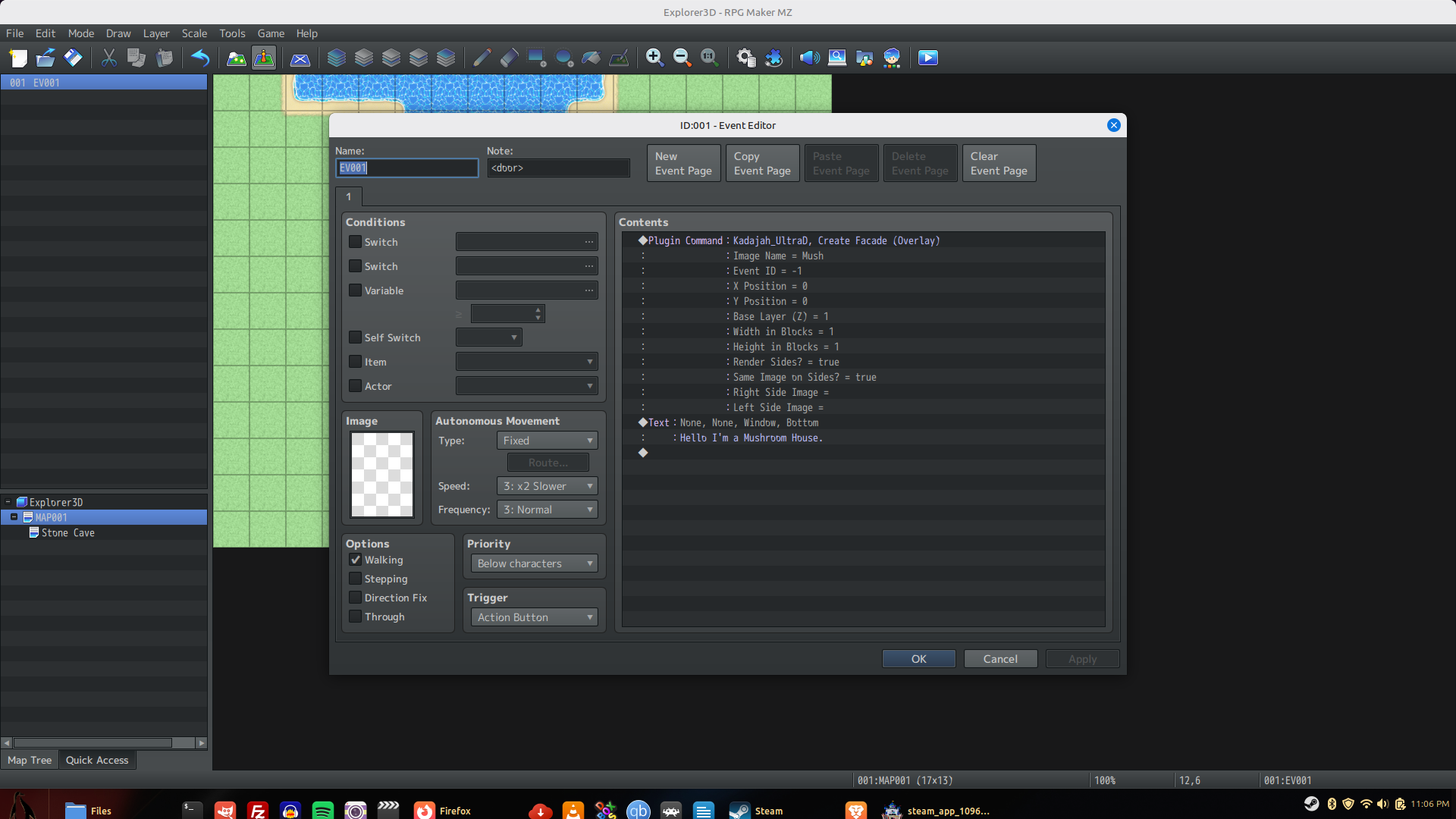 Okay so I made an event on the overworld map with no icon or anything, but it calls the create facade and I point it in the image folder to the file called mush... its a mushroom house and yeah it is png.. I set it up for all sides and same image on all sides.. but it never shows up. if I choose a map tile from the overworld THAT shows up and overrides the facade. does this not work in overworld?? I'm trying to make a mushroom house entrance.
As for steps, its just the tiles that represent steps from any tileset.. I chaned it to a flat floor tile and it was fine, but the steps should not change the passthrough just due to having the plugin on right?
Ill check back tomorrow. Thank you VERY much for all of your fantastic help
Change your event to a parallel trigger; if it isn't called, it won't display the graphic. Remember that it is good practice to add a self-switch so the event doesn't keep running endlessly.
The plugin command does not require the <door> tag; that tag is only meant to be applied to the event containing the sprite.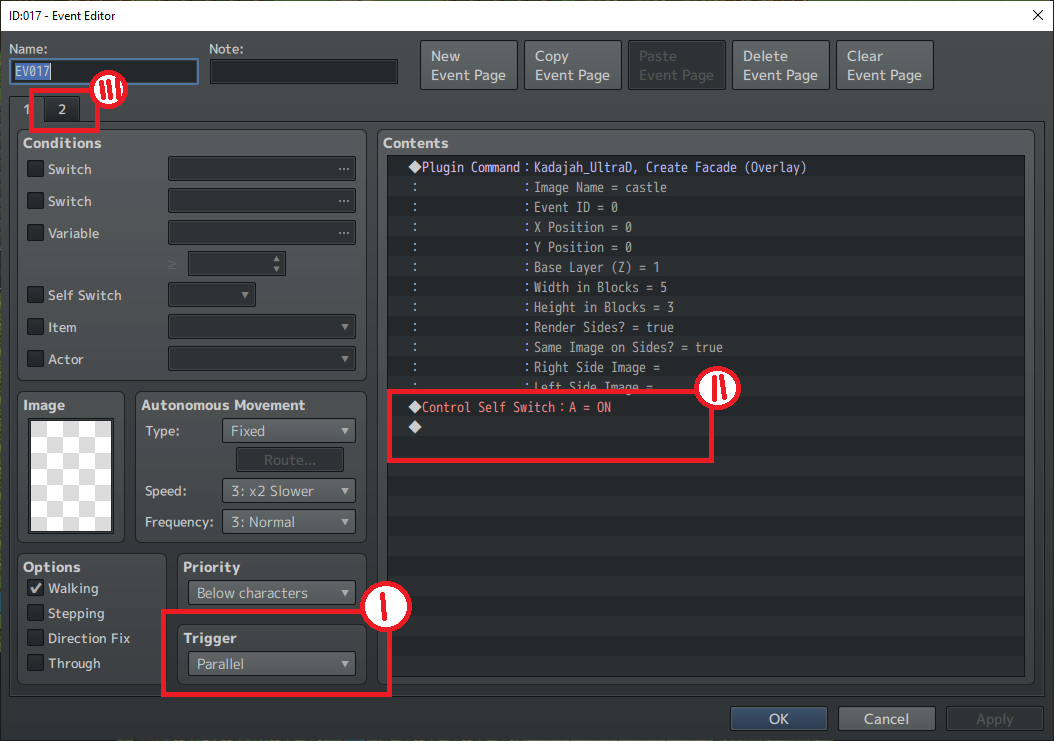
Ok.. work got called off. I got the DOOR to work with the tags. So I have to ask, can I not do facades in the overworld map specifically since there are no walls? IF so, when I do use the overworld tileset for the main map, is there a way to make the buildings pop up since I can't prop them up as a facade? I am NOW going to go into a standard map scene and attempt the facade placing it bottom center of the 3-black high situation in the instructions that I somehow missed last night.
d
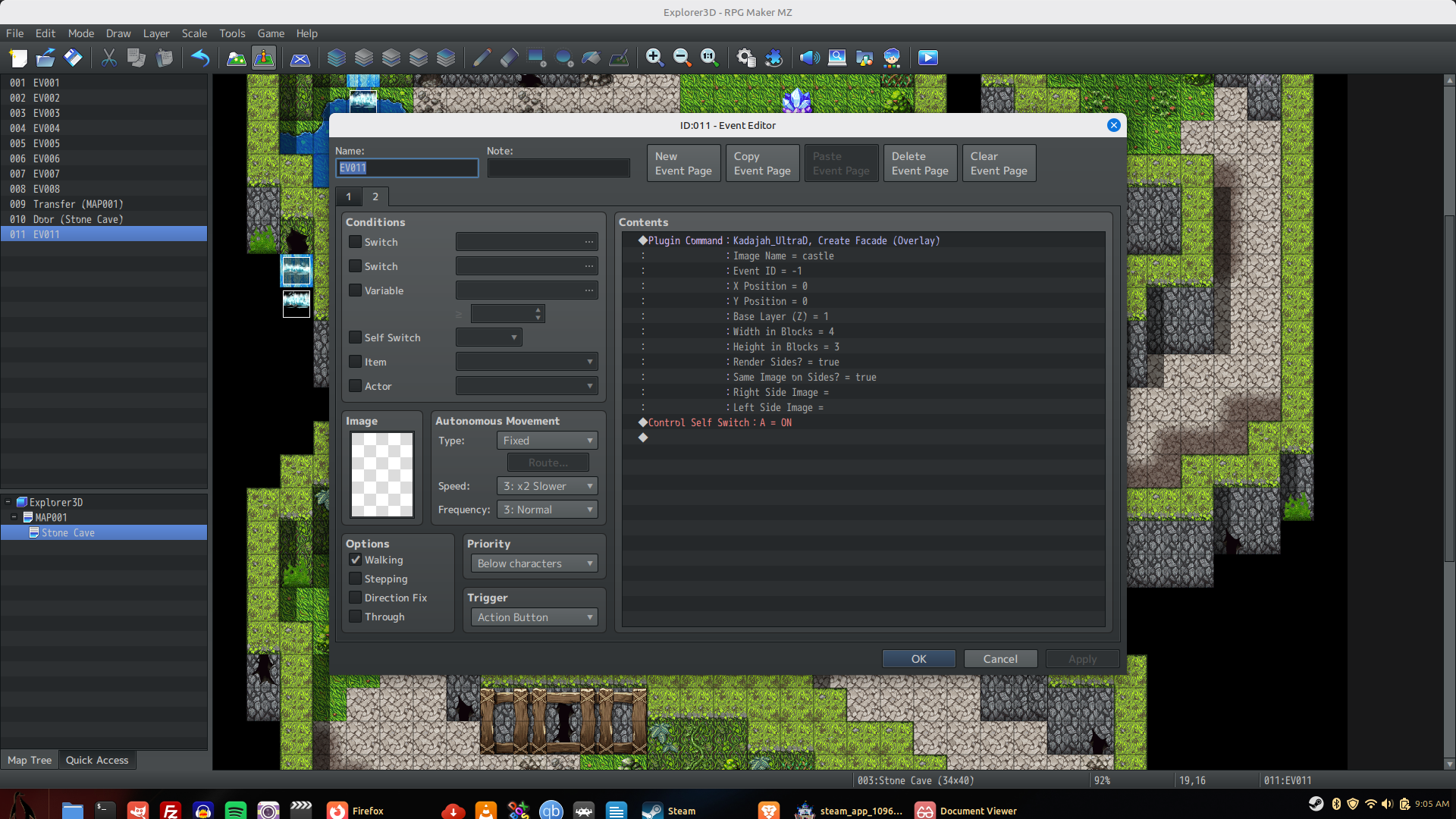
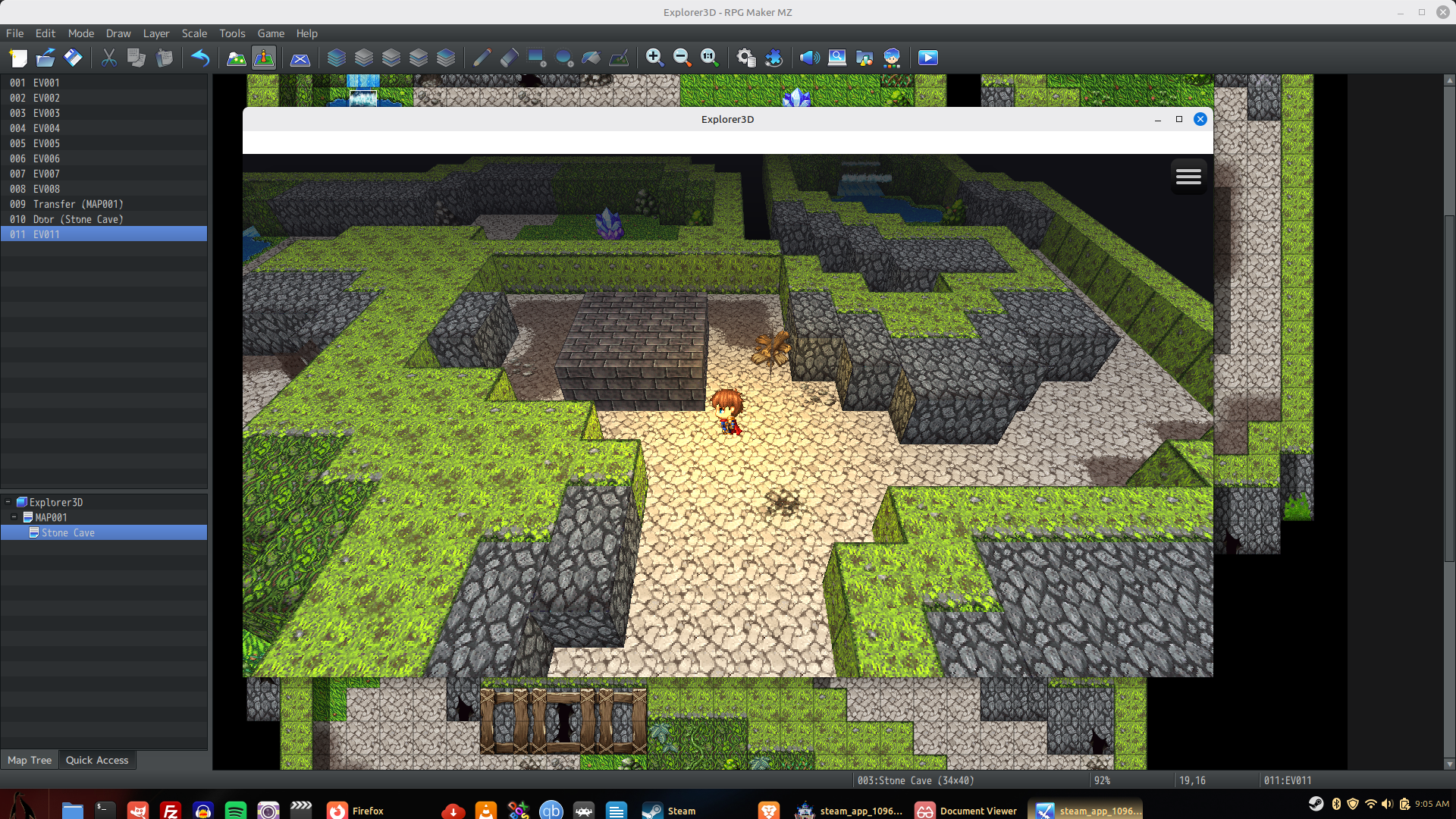 So this is how it shows up. I used the castle image because I know it works in the demo, and I used the ceiling blocks instead of walls, neither would work as you see, I made the 3 block high stack as suggested and made the facade as you see with castle, and it is parallel with a self switch, but for some odd reason it's not showing the facade.
 Well i tried the refresh script command, and if you leave the map with the facade in it and come back, that facade is now gone, even thought it was working IF I started the player on that same map. So I made an autorun with the script refresh and that froze it, I changed that to parallel and it did not refresh the facade upon re-entry at all. I'm going to work on this just a bit longer and probably need that other plugin I just need to clear some cash up is all. The few things I need to hold stable apparently wont work for what I want JUST YET on this one, but I'm nervous about the other plugin although I think you are certainly right.. I'm willing to retool it all for this 3D aspect and it will draw in more people I'm sure... I gotta check my budget and move something..