

Change your event to a parallel trigger; if it isn't called, it won't display the graphic. Remember that it is good practice to add a self-switch so the event doesn't keep running endlessly.
The plugin command does not require the <door> tag; that tag is only meant to be applied to the event containing the sprite.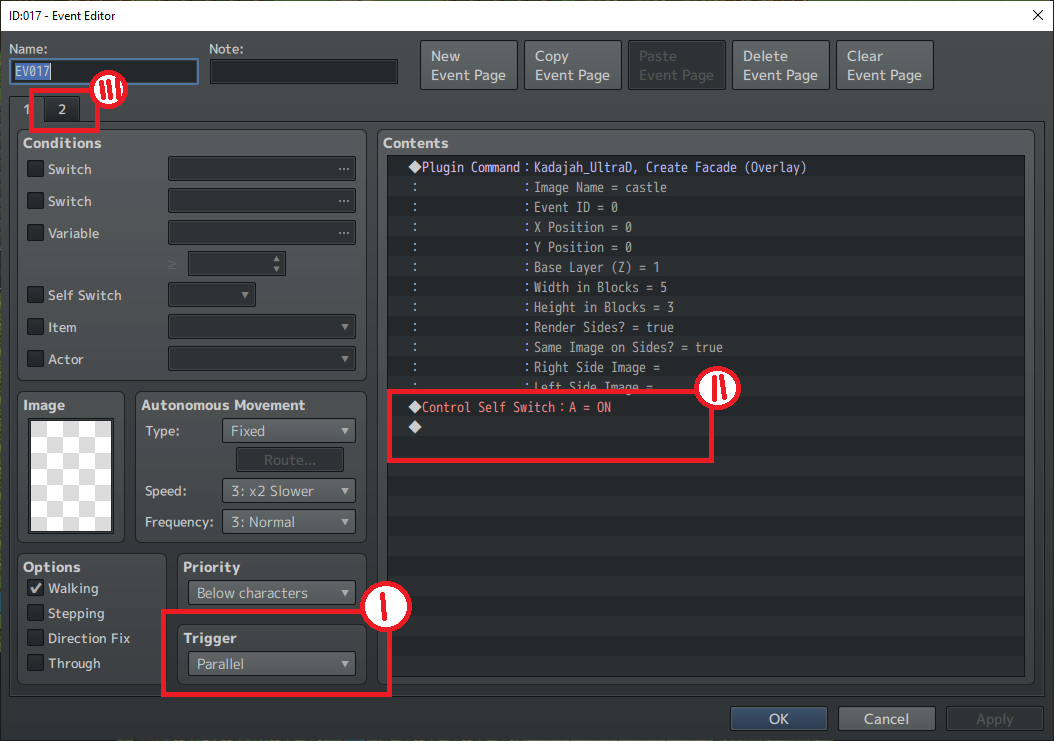
Ok.. work got called off. I got the DOOR to work with the tags. So I have to ask, can I not do facades in the overworld map specifically since there are no walls? IF so, when I do use the overworld tileset for the main map, is there a way to make the buildings pop up since I can't prop them up as a facade? I am NOW going to go into a standard map scene and attempt the facade placing it bottom center of the 3-black high situation in the instructions that I somehow missed last night.
d
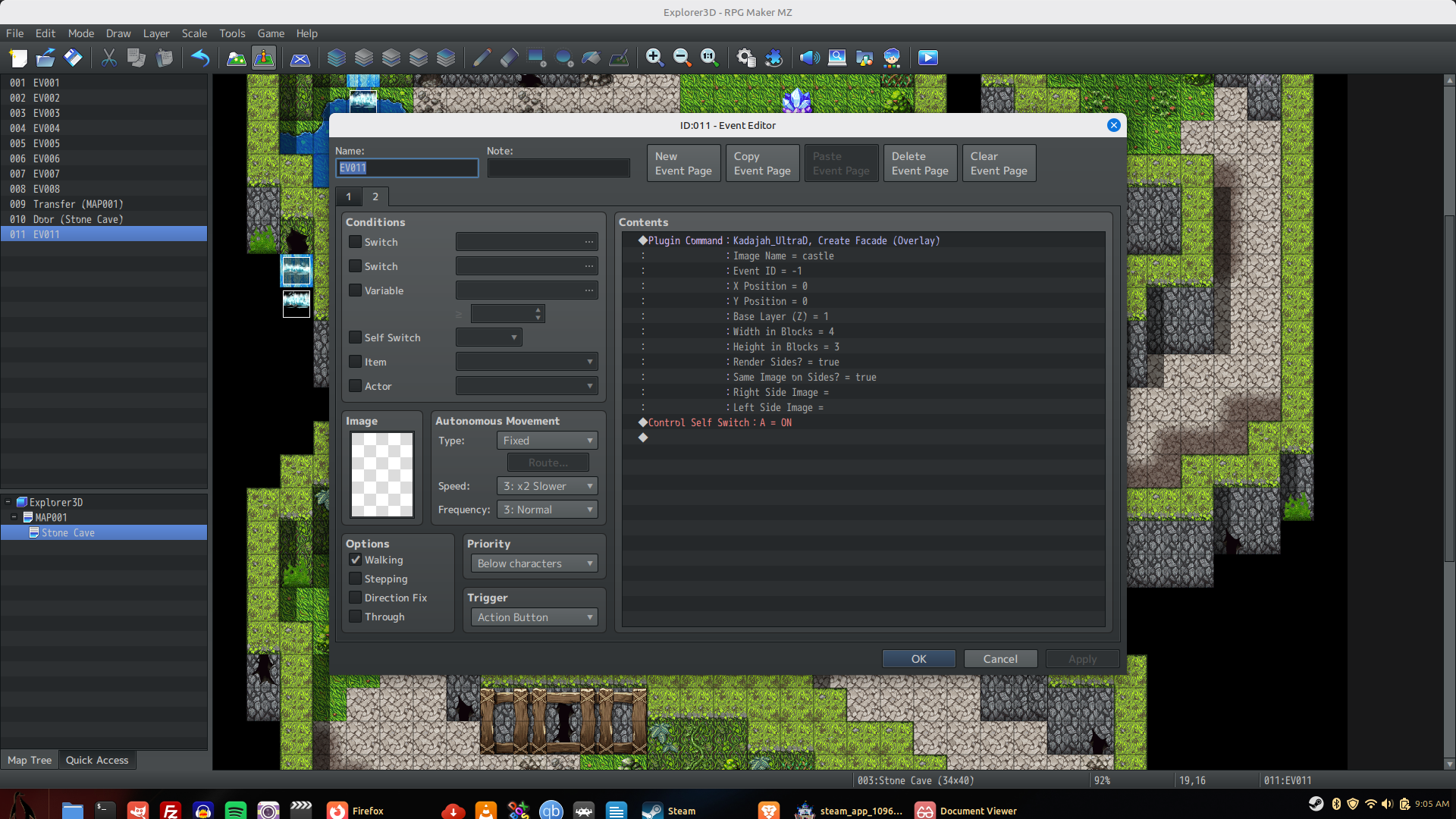
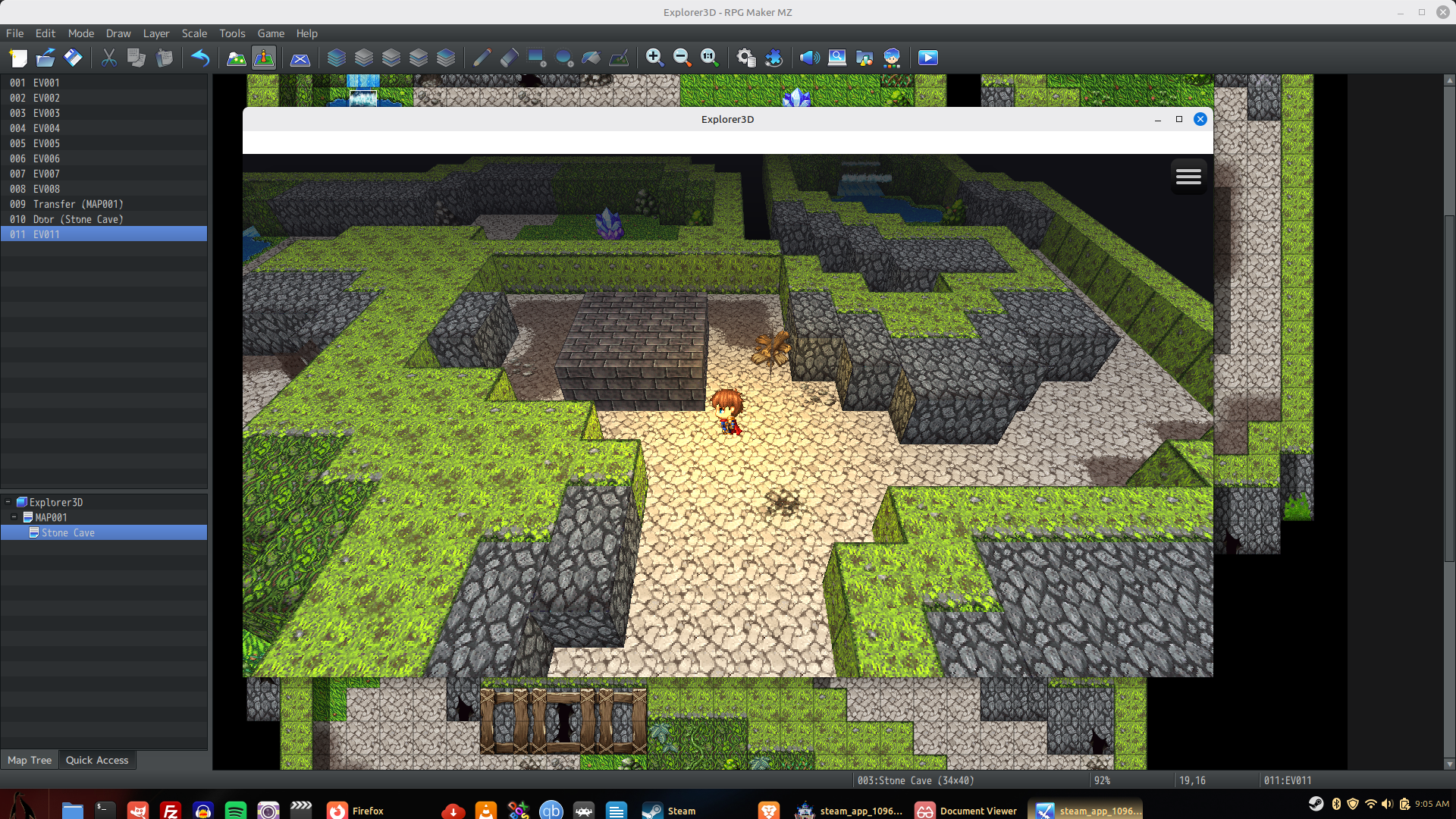 So this is how it shows up. I used the castle image because I know it works in the demo, and I used the ceiling blocks instead of walls, neither would work as you see, I made the 3 block high stack as suggested and made the facade as you see with castle, and it is parallel with a self switch, but for some odd reason it's not showing the facade.
 Well i tried the refresh script command, and if you leave the map with the facade in it and come back, that facade is now gone, even thought it was working IF I started the player on that same map. So I made an autorun with the script refresh and that froze it, I changed that to parallel and it did not refresh the facade upon re-entry at all. I'm going to work on this just a bit longer and probably need that other plugin I just need to clear some cash up is all. The few things I need to hold stable apparently wont work for what I want JUST YET on this one, but I'm nervous about the other plugin although I think you are certainly right.. I'm willing to retool it all for this 3D aspect and it will draw in more people I'm sure... I gotta check my budget and move something..