
Indie game storeFree gamesFun gamesHorror games
Game developmentAssetsComics
SalesBundles
Jobs
TagsGame Engines
(+1)

Ah... I'm getting a little... defeated haha...

For the past day I've been trying to get the core mechanic of the game to work and I'm afraid I'm just not knowledgeable enough on Godot's terminology quite yet to make sense of things. I've been doing my best to research the issues I run into and have been patching together tutorials to get things "working" so far, but with each action I try to implement I always run into some kind of error. I know it's to be expected as a total newbie but I'm afraid I'm gonna run out of time to make the jam. (Especially considering I've got work for the rest of the week.)

Right now I'm trying to set up a "repelling" effect through a knockback mechanic and I thought I had it all figured out but when I try to run the game it inevitably crashes with this error. 

"Invalid assignment of property or key 'y' with value of type 'int' on a base object of type 'bool'."
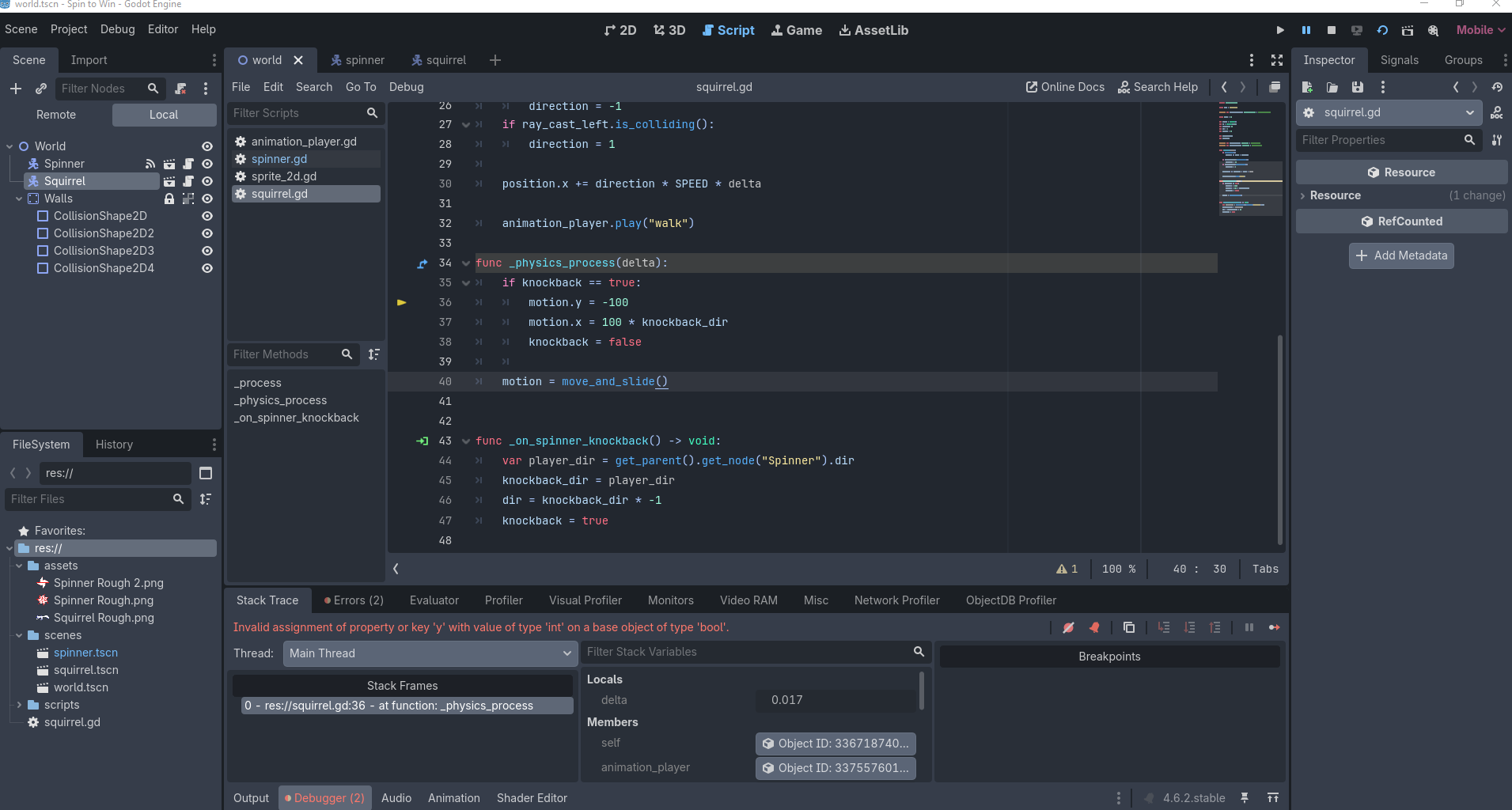
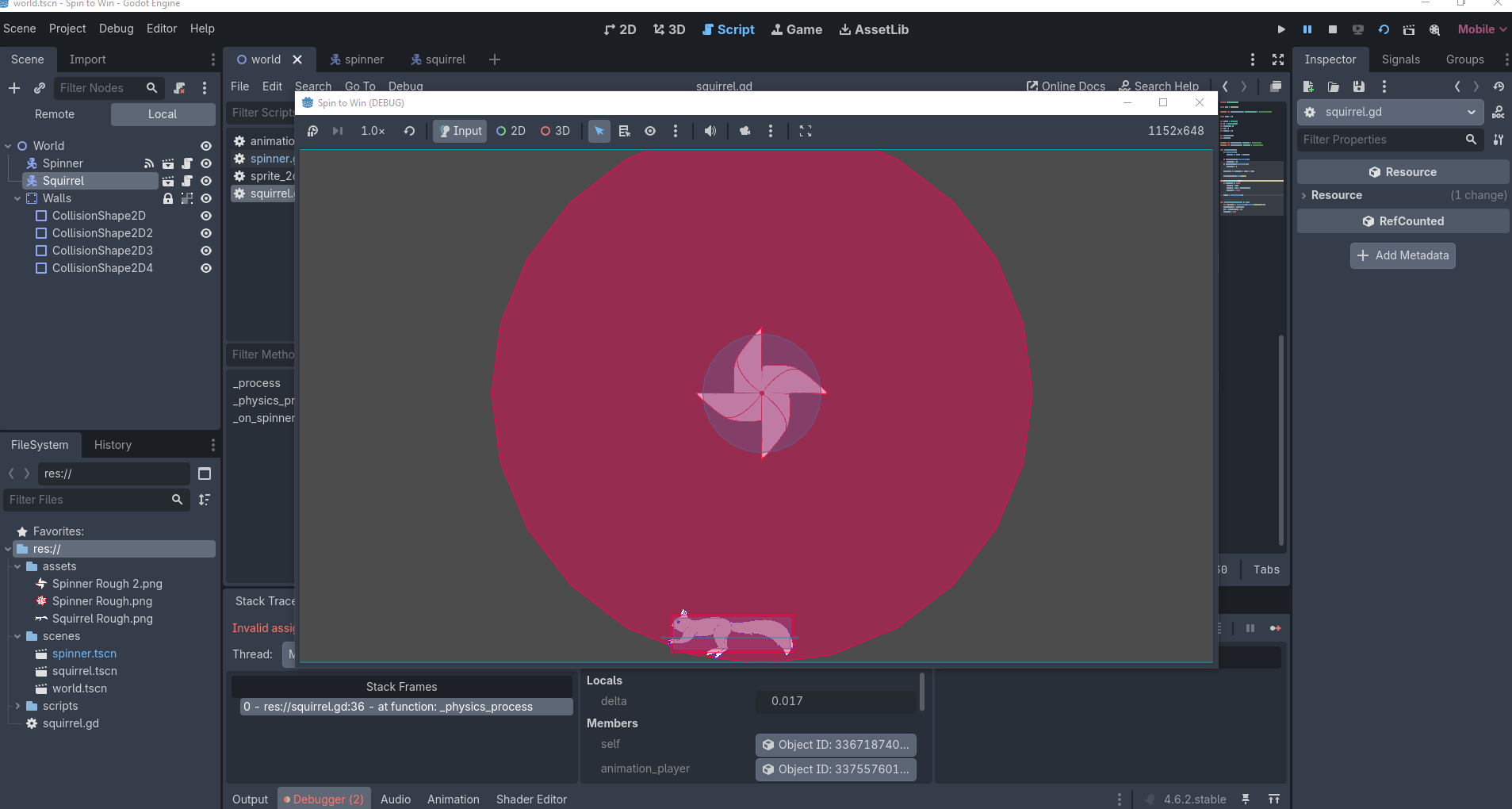
(Also I know this is bare bone when it comes to the assets. I just wanted to get the spin mechanic to work first before adding in art because art is my stronger suit and I figured I could get it done quicker. 😭)

How should I proceed guys? Is this something I can figure out within the time frame, or would I be better off trying to collab at this point? Or should I start writing a concession speech? Lol (Jk)

Thoughts appreciated. Thanks for reading! 💖

(1 edit)

It's hard to tell because I'm only seeing some of the code, but this is quite peculiar. You don't have a Boolean named "motion" do you?

if not, what other parts of the code are you changing/reading motion?

I'm not particularly sure? Boolean is a new term for me so I'm not familar. 😅

But here's all my code for the squirrel if that helps? (Realizing now I probably should've posted this last night, sorry)

extends CharacterBody2D
const NAME = "Squirrel"
@onready var animation_player: AnimationPlayer = $AnimationPlayer
const SPEED = 80
var motion = Vector2()
var UP = Vector2(0,-1)
var direction= -1
var dir = 1
var gravity = 20
var knockback_dir
var knockback
@onready var ray_cast_left: RayCast2D = $RayCastLeft
@onready var ray_cast_right: RayCast2D = $RayCastRight
func _process(delta):
if is_on_floor():
motion.x += SPEED * direction
if ray_cast_right.is_colliding():
direction = -1
if ray_cast_left.is_colliding():
direction = 1
position.x += direction * SPEED * delta
animation_player.play("walk")
func _physics_process(delta):
if knockback == true:
motion.y = -100
motion.x = 100 * knockback_dir
knockback = false
motion = move_and_slide()
func _on_spinner_knockback() -> void:
var player_dir = get_parent().get_node("Spinner").dir
knockback_dir = player_dir
dir = knockback_dir * -1
knockback = true

And here's my spinner which does the knockback (or is supposed to, haha)

extends CharacterBody2D
@export var animation_player: AnimationPlayer
@onready var spin_attack: Area2D = $"spin attack"
@onready var animation_player_2: AnimationPlayer = $AnimationPlayer2
signal knockback
var knockback_dir = Vector2()
var knockback_wait = 50
var dir = 1
func _input(event):
if Input.is_action_just_pressed("spin attack"):
animation_player_2.play("attack")
for body in $"spin attack".get_overlapping_bodies():
if knockback_wait <= 0 and body.get("NAME") == "Squirrel":
emit_signal("knockback")
knockback_wait = 50
knockback_wait -= 1
if event is InputEventMouseButton:
if event.button_index == MOUSE_BUTTON_LEFT and event.pressed:
animation_player.play("Spin")

(1 edit)

motion = move_and_slide( seems like it's not using a 2d vector but a bool. Stands for boolean which is a value that can be true or false. If motion is a boolean it doesn't have a value motion.y. This would cause motion.y = -100 to cause the error you see. You may need to use velocity.y = -100 instead of motion.y to fix it. 

I am not a Godot expert so please take this suggestion with a grain of salt.

Try cutting down on scope. The idea is good and could be implemented in a great way, but for now, try having just one type of enemy, and make the assets like art and music very basic. You could download assets online if you credit them.  When i got my game idea, i had a huge scope in mind but i had to cut down on a LOT of stuff. Just make the game really small for now, and you can expand on it in the future after the game jam if you want

Definitely am only working with one enemy for now (which is the squirrel). After work tonight I'm gonna focus solely on art and get that done so I'll have the next couple of days to hopefully figure out the coding. 

Thanks so much for the encouragement. It's really appreciated! 💖