It's too bad the issue is in Unity as that's not my forte (I play on Resonite).
Not sure if it helps, but when you export to FBX, did you set Path Mode to "Copy"?
I have no idea I checked them and there was no other groups with weights that shouldn't be but if im totally honest if this is not made for vr chat you should say that - your comment "Could it be that there's confusion with bones/vertex groups in Unity, where the harness wants to 'follow' another bone of similar name?"
that's your job to fix. not the customer
this will come off as aggressive but iv basically spent my money on an asset that is either not finished or miss-sold
Not so fast. You know I can't distribute the harness with the avatar model, everything set-up ready to go. So, unfortunately there's some DIY by the end-user.
And about being aggressive; You're frustrated. So am I, since I can't yet find a solution to this rather unique issue.
The harness is made for the 'out of the box' version of the avatar, which seems to be 1st for VRChat, and I got it working on Resonite. You're the first to come with me with this problem. You did mention you had some custom set up for the rest of the stuff you've got for the Viwi. I don't know what those are.
Another thing I came up against with the Viwi armature was that it had a bunch of animation/pose groups once brought to Blender, which only came to light once uploaded to Resonite. So this might be that as well? Perhaps Unity wants to play those poses on the harness? Or maybe I'm spit-balling at this point, but that's just something that came to me. If I recall, I solved the issue by removing the keyframes of each and everyone of those poses in Blender.
i understand that you cant include the avatar with the product but its very easy to create a prefab in unity with the asset setup so its drag and drop for any user. literally just create it on a viwi in unity- prefab the asset with all its parts setup - then right click and export package.... done
yes i have custom stuff for the viwi but it was still not working on the base one with no changes
i have no idea if there are any poses causing this issue but im very frustrated that even with blender and unity knowledge i cant get this to work as intended.
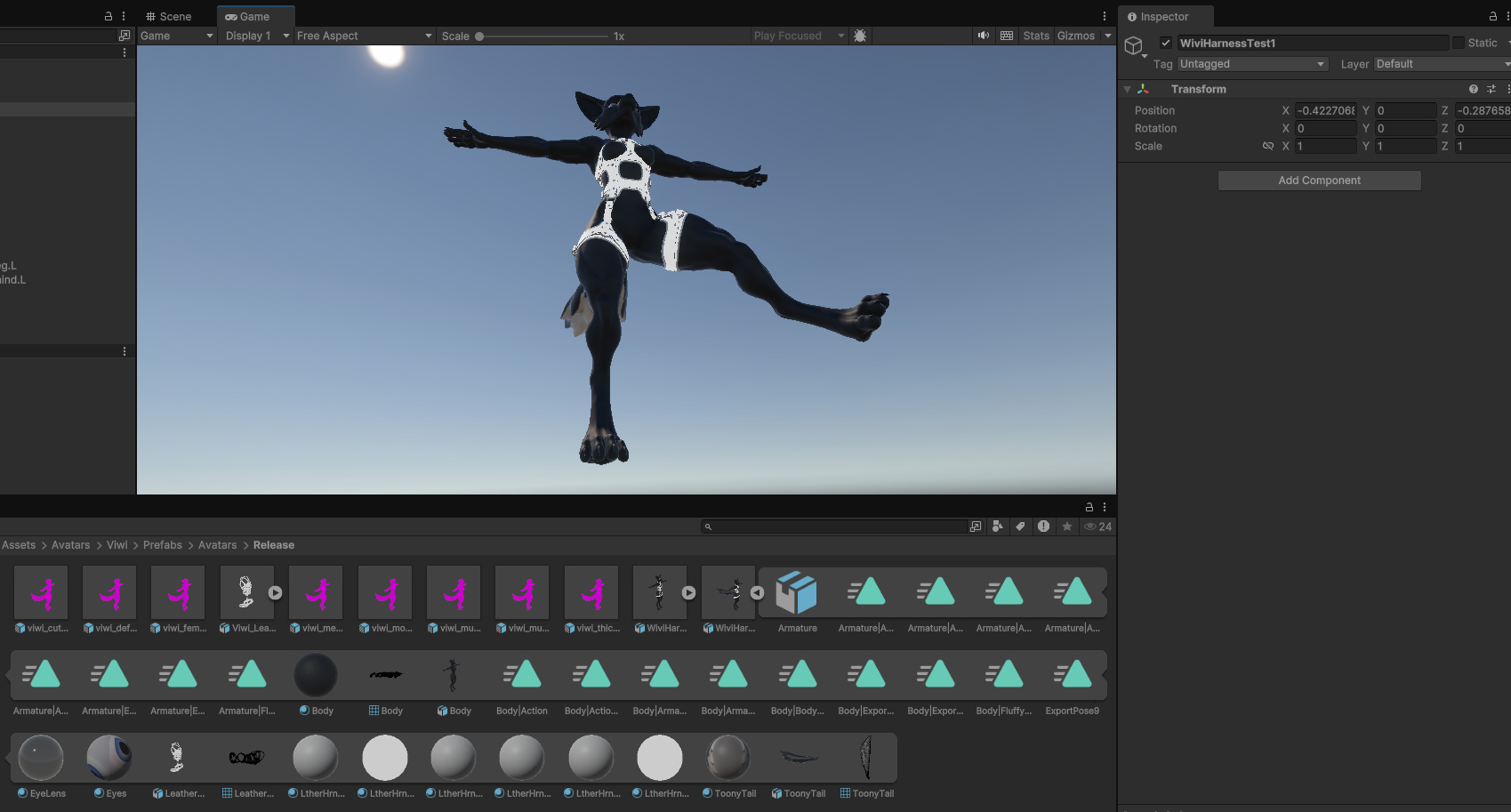
So, I opened the original out-of-the-box "viwi174_release_v1_1.blend", to which I appended the harness then to. Then assigned the harness to use the Viwi's original Armature, not the newely post-append Armature.001. Exported them as FBX and unchecked "Add Leaf Bones" just to be sure. Imported it to the unity package with the Viwi in it, dragged it to the scene and give the left leg a pose to see if the rigging holds and pressed Play: