Indie game storeFree gamesFun gamesHorror games
Game developmentAssetsComics
SalesBundles
Jobs
TagsGame Engines

❤️‍🔥 Moaning Mod - Moaning and Expressions for Jun by @IkariDev Sticky

A topic by IkariDev created 40 days ago Views: 62,450 Replies: 103
Viewing posts 1 to 35
(16 edits) (+14)(-1)

❤️‍🔥 Moaning Mod for MDRG

This is a Codemod. It requires MelonLoader to be installed.
This mod is not checked or approved by the developers, so use it at your own caution.
If you want to be certain, you can read the source code and build it yourself.
Thanks to Klah  for letting me post this.

I made this mod to bring more life to Jun in "My Dystopian Robot Girlfriend".
She now reacts with dynamic moans, breathing, and facial expressions based on her pleasure, lust, and sympathy stats.

What is MDRG Moaning Mod?

This mod adds audio and expression responses to intimate scenes.
Jun now reacts with moans instead of staying silent, making intimate moments feel more immersive.

Installation Tutorial by KlahTune (Very easy!):


Important Notes:

  • Prologue restriction: You must play through the prologue first. Moaning is disabled during the prologue. Right after the prologue, Jun may not moan as often as in my showcase video. Her reactions scale with how much she likes you and how attracted she is to you. She will moan more naturally as you progress.
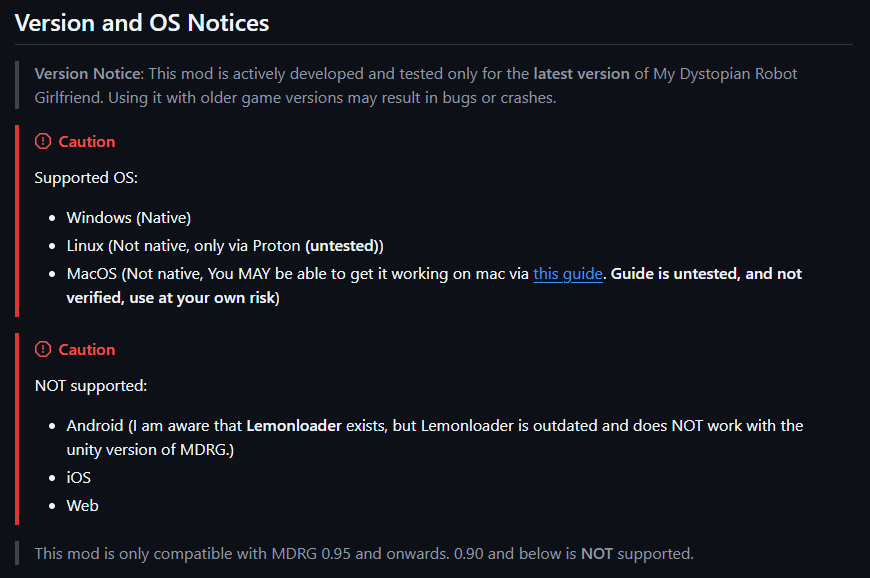
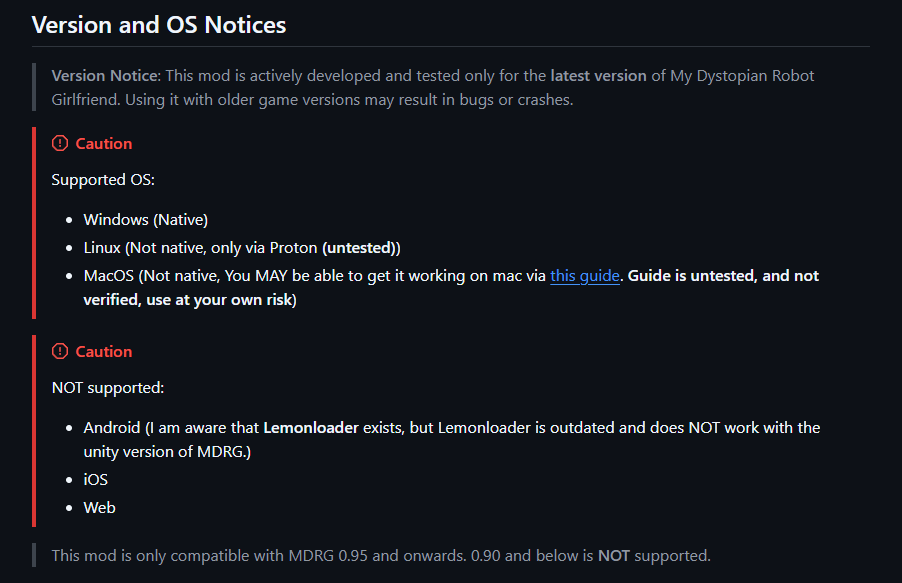
  • Supported platforms: Windows and Linux only. Not compatible with Android via LemonLoader or Mac.
  • Game version: This mod works only with MDRG version 0.95 and above. At the time of release, version 0.95 is available only to Patreons. Consider subscribing; it helps the devs. The public release of 0.95 will be on March 13th.

Features:

  • Pleasure-Based Responsiveness – Moans are triggered based on changes in pleasure. Higher pleasure makes Jun more reactive, while lower pleasure requires larger changes. Sensitivity adjusts automatically throughout the scene.
  • Moan Clustering – Moans build naturally into clusters. The first moan often leads to more, but each additional moan becomes less likely. Creates organic escalation instead of constant noise.
  • Intelligent Breathing – Breathing becomes more frequent during intense scenes. Light activity rarely triggers breathing, while heavy moaning produces natural breathing between sounds.
  • Dynamic Moan Frequency – Moan speed depends on in-game stats. Higher lust and sympathy make her respond more frequently. Lower stats produce slower, more spaced-out moans.
  • Dynamic Expressions – Sex moans adjust Jun’s facial expressions for more engaging scenes.
  • Audio Variety – The mod prevents the same sound from repeating constantly by cycling through clips. Previous sounds need time before they can play again.
  • Moan States – Different sounds for while-sex moans, cumming start (single startup moan), cumming ongoing, and cumming end (conclusion moan after cumming stops).
Bugs and Crashes:

If you have issues, report them here: https://github.com/IkariDevGIT/MDRGMoanMod/issues

Preview Video:

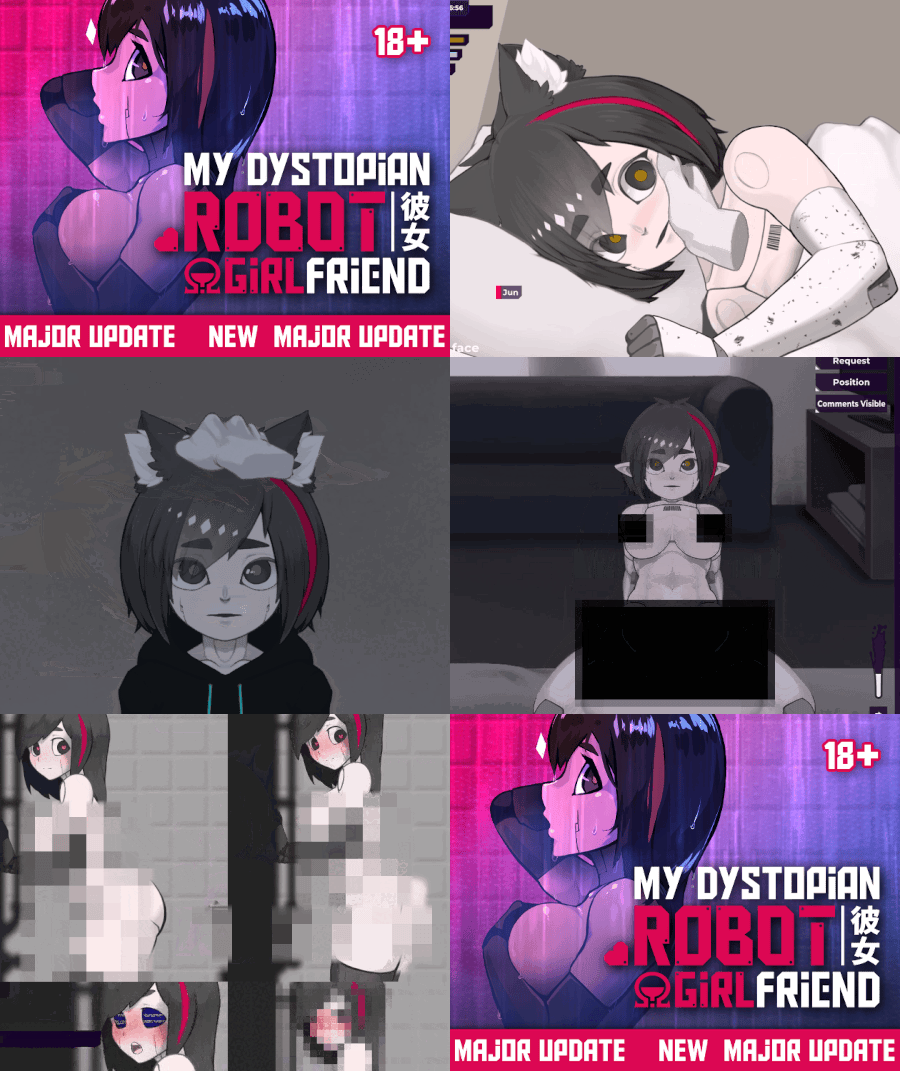
GIF preview of the moaning expressions and mouth (quality is low due to itch’s 3MB limit):
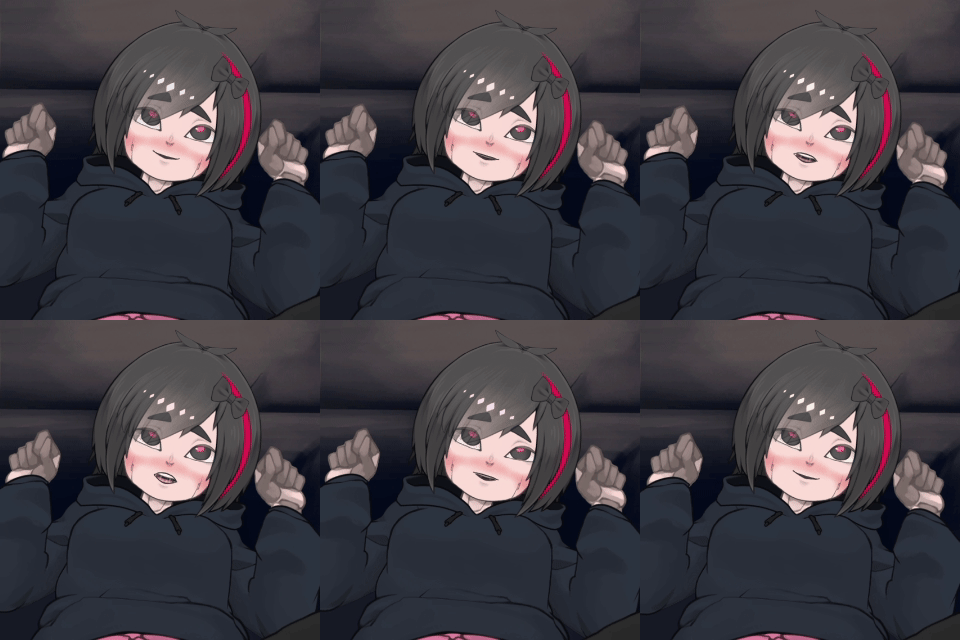

Preview video with sound: Watch here (NSFW)
Download and Releases & Installation Guide:

(+2)

I very much hope that the author can make a mod that can also be used on Android

(+6)

I am the author, the reason as to this mod not being on android are several:

1. The ingame mod support does not have what this mod needs such as loading files which this mod of course requires, because it needs to load the moans.

2. If when we think about mod support via how i currently do it (Via external C# modding), Lemonloader would be an option, but thats actually out of the option due to not supporting the Unity version the game uses, and not having been updated in 7 months. Melonloader only got support for the current unity version about 2 days ago!

(+4)

dude! your mod is so good from the preview! i cant wait to try this mod on the new version.

(+6)

Thanks! This mod was a lot of work. So i appriciate the praise :)

(+1)

the mod is ammmaaaziiing dude! i just try it first hand and i love it!

(+2)

Thanks!! I'm really happy to see people using and liking my mod!

(-4)

Cant you just use lemonloder

(+2)

No

(1 edit) (-1)

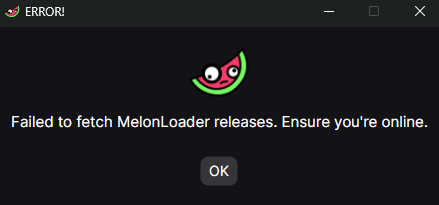
so me molon loader is worng idk what happend


This error usually indicates a connection issue when MelonLoader is trying to download required files.
It is not caused by the mod itself.

Possible causes:

  • Temporary internet connection issues
  • Firewall or antivirus blocking the download
  • ISP or regional restrictions
  • MelonLoader servers being temporarily unavailable

What you can try:

  • Check your internet connection and try again
  • Temporarily disable antivirus/firewall or add an exception
  • Run the installer as administrator
  • Try using a VPN if your region blocks certain connections
  • Wait and try again later in case the server is down

If the issue persists, you can also try downloading MelonLoader manually from the official source and installing it offline.

alright thanks!

(1 edit)

So what I gather here is that essentially for Android to be possible one of two things needs to happen at minimum..

LemonLoader updates it Unity version compatibility to be at least if not past what MDRG uses. 

Or

MelonLoader adds Android functionality. Which based on their wiki page they seem to have tested somewhat, but have concluded it's very limited. Though that testing might have been before updating to integration with a more recent very of Unity.

So I gather it's not strictly impossible. However there's clearly nothing you can do about the issue with the tools available.

I think my only concern about this sort of thing is that with a mod that handles such a significant function that the dev hasn't managed to address  themselves, they may simply decide since the mod exists they no longer need to bother. 

This works if i install it mid save?

(+2)(-1)

Yes.

Thank you!

(+1)(-6)

hey i tried following the github instructions but it doesnt work and keeps saying in the in-game mods folder that its red and says "default mod name"

(+5)(-1)

Then you didn't follow the instructions correctly, please revert your changes and retry, reading the instructions more carefully.

(+1)(-7)

I uninstalled it all and I did it down to the very word. I even extracted the Mod.zip into the games mode folder, i did not create a subfolder either. When I try and run the game, a window pops up with code before a few seconds red text shows saying melonloader failed to start and it closes on its own.

(6 edits) (+5)(-1)

To @Mango_man1221.

It looks like the issue comes from installing the mod through the in-game mod menu.
This mod cannot be installed using MDRG’s built-in system; it must be installed externally using "MelonLoader", as mentioned clearly by @IkariDev on both the thread and the GitHub page.

Below is the correct installation process directly from the developer’s GitHub, summarized for clarity:

Requirements

⚠️ Make sure the mod version matches your MDRG game version, as noted under Compatible MDRG Versions.

1. Install MelonLoader:

  1. Download MelonLoader from the link above.
  2. Open the installer → "Add game manually".
  3. Select "My Dystopian Robot Girlfriend.exe".
  4. Click on the game in the MelonLoader menu.
  5. DO NOT enable "nightly builds". Install the MelonLoader version "0.7.2".
  6. Press Install.

2. First Launch:

  • Run the game once after installing MelonLoader.
    This step is required — it will generate the correct folder structure.

3. Install the Mod:

  1. Go to your "MDRG game folder".
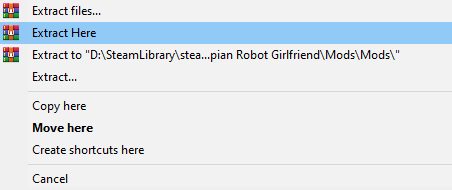
  2. Extract "Mods.zip" directly into the "/Mods/" folder.
  3. You should now have:
\(MDRG Game's folder)/Mods/MoanMod.dll and /Mods/MoanMod/... 

❌ Do not place the mod inside an extra subfolder such as /Mods/Mods/.

Expected Folder Structure:

Game Install Folder/
├── My Dystopian Robot Girlfriend.exe
├── (Other game files...)
└── Mods/
    ├── MoanMod.dll
    └── MoanMod/
        ├── cumming/
        │   ├── start/
        │   ├── while/
        │   └── end/
        ├── while/
        └── breath/

If MelonLoader is showing a startup error, it usually means:

  • The wrong game executable was selected
  • The installation paths aren’t correct
  • The mod version doesn’t match your MDRG version
(1 edit) (+1)(-3)

How to do the 

3. Install the Mod:

(3 edits) (+2)(-1)

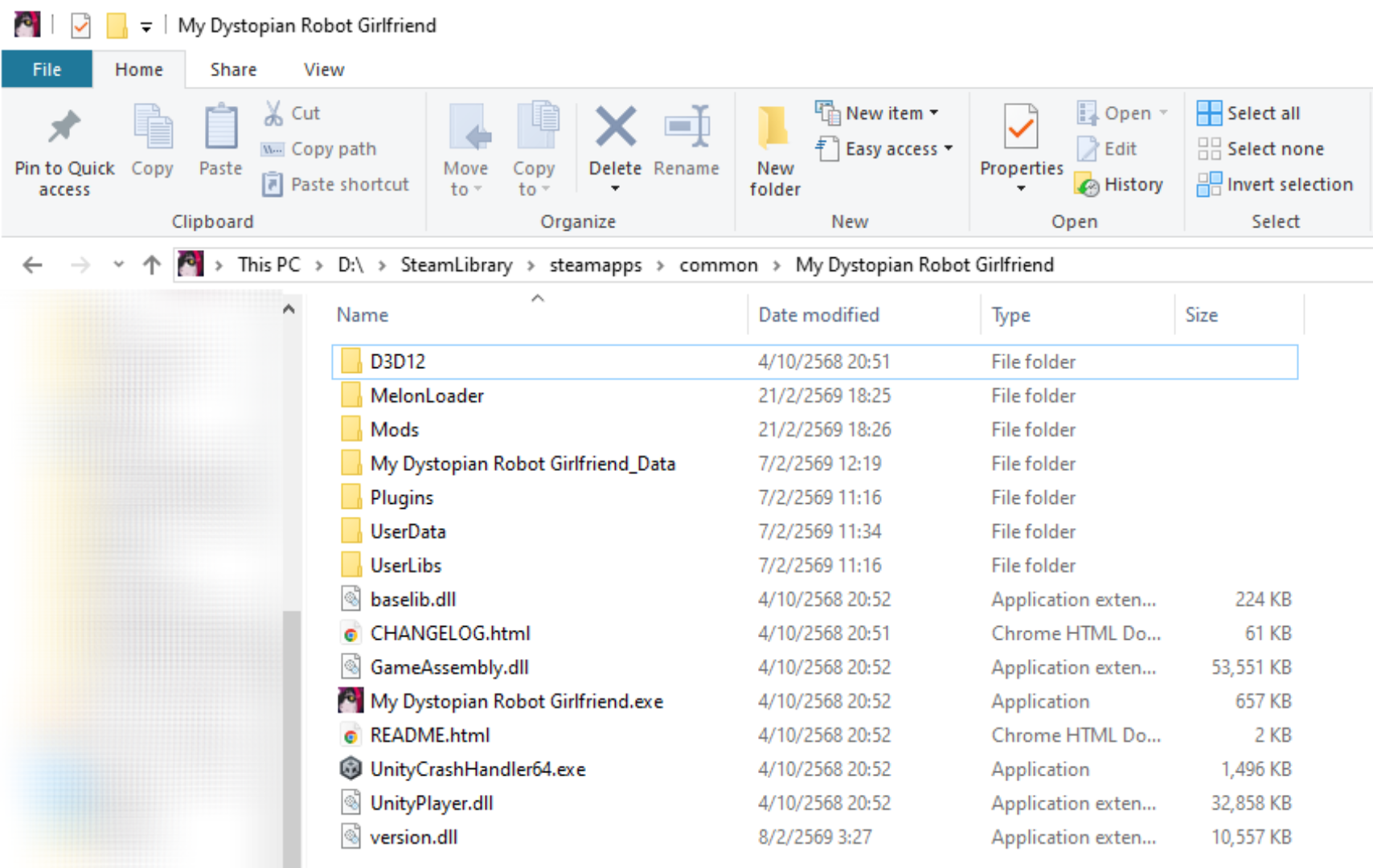
1. Go to your game folder:

For my case, I installed the game at:

D:\SteamLibrary\steamapps\common\My Dystopian Robot Girlfriend


2. Extract the Mod:

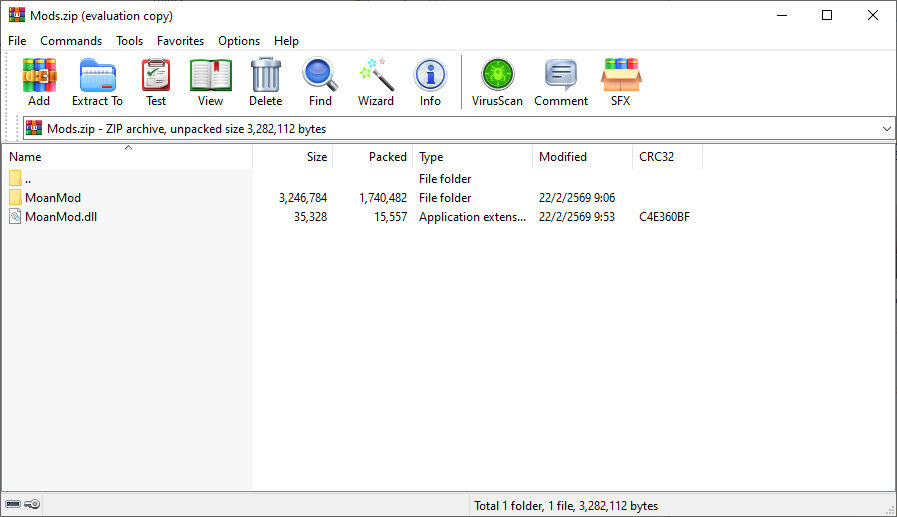
Extract the "Moaning Mod.zip file" into the "Mods" folder created by MelonLoader.

Inside the "Mod.zip" file, there should be:

  • 📁 MoanMod
  • 💿 MoanMod.dll


3. Done: The mod is installed.

(+2)

What to do if during installation MelonLoader With the checkbox enabled Nighttly builds When I launch the game, a command prompt appears and then the game closes.

(+1)

okay so the goobers forgot to mention that when you install the melonloader, you need to select nightly builds "0.7.3-ci.2445" which is currently 1 update behind the latest one.

(+3)

It's fixed in the install instructions now, thanks for the pointer.

(-2)

i don't understand, i did everything right yet it still says i have 0 mods loaded

(1 edit) (+1)

Watch this and follow the video:

(-4)

Yeah i did all of that, but Melon loader still doesn’t load the mod.

(+1)

(-2)

Have you considered making a version of this mod for mobile in the future, if possible that is? (I've read the other reply, still a lil curious if it's possible)

Deleted 24 days ago
(+3)

If you read the other reply, then my answer should be clear, no?

Yes. Sorry for the inconvinience.

Deleted 24 days ago
(+3)

Could be, don't know yet.

(+1)

if anyone is having troubles getting the mod to work as I have, just don't tick the nightly builds box and install. It works completely fine that way.

your my god

Deleted 23 days ago
(+3)

Thanks for the pointer, ive fixed the mod description.

I do everyone on the setup guide and i don't  have the sound sadness. QwQ

(+2)

Its fixed, please look at the mod installation again and retry. BIG sorry!

I think there is a loading issue when the game path includes non-English **file name**. If you followed every step correctly but still have problems loading it, please try renaming your folder with English characters.

我認為當你的遊戲路徑包含非英文的檔名,會有加載問題。如果你依照每個步驟做後還是有加載問題,請試著用英文重新命名你的資料夾,以確保路徑中的檔名全是英文。

NVM seems MelonLoader doesn't support

(+2)

Its fixed, please look at the mod installation again and retry. BIG sorry!

(+2)

Little update to people saying it's not working:

I've fixed the Installation instructions on the github and now it should work, please retry. If there is still anything not working please either make an Issue on github or report under this comment.

I'm not sure this is actually a bug, or if it's already known, but:  It's possible to make the bot moan at the very beginning of a frick session even if she not able to speak yet.  After a few moments (or maybe after you stop that first interaction?) she stops reacting and behaves as expected.  I discovered it by rubbing her clit as soon as the session started.

Otherwise, great mod!  A big improvement to an already great game!

(+2)

That should be normal if i understand you correctly.

Ok, just checking, wasn't sure where "the prologue" stops and moaning gets enabled.  Thanks!

I’ve managed to make LemonLoader work, finally, but it seems to segfault because of ‘Il2CppInterop’ right after “[23:43:33.761] [Il2CppInterop] Class::Init signatures have been exhausted, using a substitute!”

(+2)

If you want to recieve support from me please post your issue here https://github.com/IkariDevGIT/MDRGMoanMod/issues

Done, but I do not think you can help :/ If not I’ll just enjoy it using the windows version on proton :>

after talking to someone on their discord server, it seems that they cannot make the linux native version work?? so for now i’ll enjoy this great mod with proton :>

I want to preface this with this, this mod is amazing. Something that takes this game from amazing to... something amazinger.

I wanted to ask about what might be a bug issue though? I'm not sure hence why I'm asking here and not on the troubleshooting page. She seems to go long spans between moans, it kinda feels like the mod is locking up because it seems to happen no matter what her state is in. If I open a menu to take something off her, it'll trigger a batch moan then stall up again. I was wondering if this was normal behavior or not.

(+2)

That could be normal behaviour, how many days in the game are you? The mod adjusts how much she moans based on how attracted she is to you and how much she likes you.

do you have to unlock advanced ai?

(+1)

No, Jun does not need to be in the Advanced AI state for this mod to work.
The mod is active even at the very beginning of the game when Jun is still in the Shutdown state.
So you should be able to use the mod immediately after installing it, without needing to unlock Advanced AI first.

(+2)

Thats false klah, you need to get throuh the prologue, aka, getting advanced AI to make her moan.

(1 edit) (+1)

But... I just tested that out and the mod is working in the first stream...
I'll send you a screen record later. I'm editing the video for the Mod Installation Guide for Android right now.

(1 edit) (+1)

Here: https://files.catbox.moe/09345a.mp4

It was just a bug.
(1 edit)

Hello fantastic mod!

just one feature request/bug, the moaning always leaves jun with her mouth closed, so if you open hour mouth manually to have tongue out the first moan will then close it after. could be a fix, or even further feature with moaning as an option to getting it to stay open without manually doing it.

(+2)

I don't accept requests from here, please request it here: https://github.com/IkariDevGIT/MDRGMoanMod/issues

Hello, ive installed the loader and the newest ver of the mod but every time i go to do new game like its stated and the prologue clips end and your about to view inside the apartment the game just crashes and ive made sure not to do the nightly updates

(+2)

If you want support from me please properly make an issue here: https://github.com/IkariDevGIT/MDRGMoanMod/issues

Be sure to properly fill out all fields, else your issue will be closed as invalid.

(1 edit)

他沒有強制跳出遊戲,但卻這樣顯示是正確的嗎

Translation:
It didn’t force the game to close, but showing this message like this… is that normal?


(2 edits) (+2)

Make sure your game installation path does not contain non-Latin characters (for example Cyrillic, Chinese, Japanese, etc.). Install the game in a folder with only standard English letters (e.g. C:\Games\MDRG). Otherwise the mod may not work.

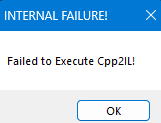
How do I fix this problem? I did everything according to the installation process.

That error ("Failed to Execute Cpp2IL") usually means MelonLoader failed during the IL2CPP setup process.

This is commonly caused by one of the following:

  • Incompatible MelonLoader version
  • Missing or corrupted files
  • Antivirus blocking the process
  • Incorrect installation path

You can try the following:

  • Make sure you are using a compatible version of MelonLoader (for 0.95.16, 0.7.2 or specific 0.7.3 nightly builds are recommended)
  • Reinstall MelonLoader cleanly
  • Delete leftover folders such as MelonLoader, Mods, and UserData before reinstalling
  • Make sure you selected the correct game .exe during installation
  • Temporarily disable antivirus or add the game folder as an exception
  • Run the game once after installation and wait — first launch may take longer

If you are not on Windows, this error can also happen due to lack of native support.

If the issue still persists, please provide your:

  • Game version
  • MelonLoader version
  • Operating system
(2 edits) (-2)

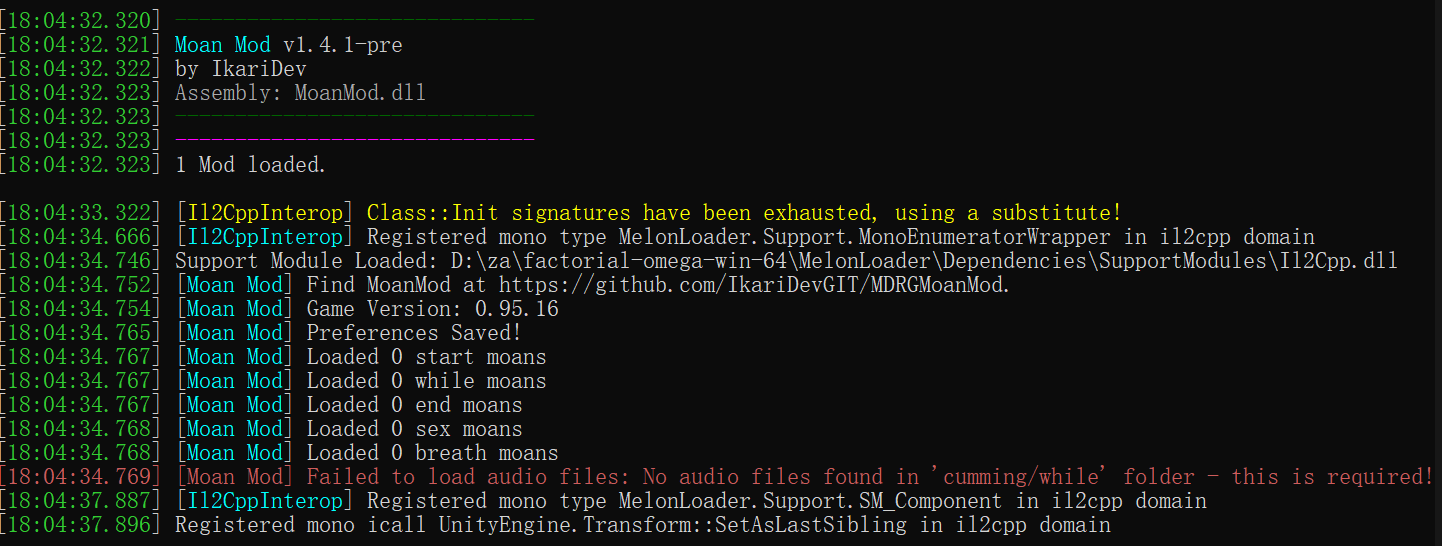
I WONDER WHY


(1 edit)

The issue is shown directly in your log.

“Failed to load audio files: No audio files found in ‘cumming/while’ folder – this is required!”

This means the mod itself is loaded correctly, but the required audio files are missing.

What went wrong:

You likely only installed the .dll file and did not include the audio folder/files that come with the mod.

How to fix it:

  • Re-download the mod from the official source
  • Make sure you extract all files, not just the .dll
  • Ensure the required audio folders (like cumming/while) are placed correctly inside the mod directory
  • Do not rename or move the folder structure — it must stay exactly as provided

Once the audio files are in the correct location, the mod should work properly.

Mod itself is amazing work i hope u can add them to washing too it would be awesome, creator made great expression in it

(+2)

Seems to be a bug, if anyone wants to chime in and validate whetever this is true please post here:
https://github.com/IkariDevGIT/MDRGMoanMod/issues/11

Of course id be thankful for any PRs too.

(-3)

i downloaded and installed it correctly, and it worked fine the first time apart from the game having a lag spike which i assumed was cuz i just installed the mod. However the second time i opened the game all my save files were gone :( And it hadnt crossed my mind to back up my save files before installing the mod :(

(+2)

The mod does not interact with saves, this is not a Moan mod bug.

(-3)

Could be caused by melon loader then

(+2)

Not really.

(-2)

Oh well, doesnt really matter anymore. Let bygones be bygones as they say. Its a great mod i have to commend you.

(-3)

why does it say there is no game in the selected directory

(+2)

You installed it wrong, follow the installation instructions correctly please.

(-3)

Android is hopeless.😭

(1 edit)

@IkariDev has already stated multiple times that this mod will not be ported to the Android version of the game.
Please understand that this is a final decision.
We kindly ask that you refrain from repeatedly asking about an Android version of this mod.
Thank you for your understanding.

Thank you for your

(-3)

when I downloaded the game, the file was downloaded as a zip instead of an exe

MDRG for PC always comes in the ".zip" file format.
Just unzip it into any Folder you want.
That is how you install this game.

(-2)

When I downloaded the mod the game stop recognizing my save files, they still exist but whatever I do I can't actually get them in the game, any help? 

(3 edits)

This is a known base game issue that can occur in rare cases.

It usually happens when the game is closed or interrupted while the loading process is still ongoing.
In that situation, the game may fail to properly load the existing save data and can end up overwriting it with a new empty save, which makes it appear as if your saves are gone.

However, your save files are often still recoverable.

💾 How to recover your save:

  1. Close the game completely
  2. Go to:
    C:\Users\%USERPROFILE%\AppData\LocalLow\IncontinentCell\My Dystopian Robot Girlfriend
  3. Open the Saves folder
  4. Look for a Backup folder inside it
  5. Find a file named something like:
    save.mdrg.backup 
  6. Copy that file into the main Saves folder
  7. Rename it to:
    save.mdrg 
  8. Launch the game again and load your save

If that does not work, you can also try restoring individual slot files (e.g. M1.mdrgslot) by replacing them after creating a new save slot in-game.

📝 Important:

This issue has been fixed in version 0.96, so for the next incoming update, this issue will never happen again.

Also, avoid closing the game while it is still loading to prevent save corruption.

(-3)

this mod can't work with version 0.95.16?

This mod is created for the game version 0.95.16.

(-2)

I followed all the instructions on GitHub, but this error keeps appearing. "Failed to initialize a .NET domain"
I also tried  to reinstall .net 

Watch this and follow the video:

(-2)

the error persists

That error ("Failed to initialize a .NET domain") usually means something is preventing MelonLoader from initializing properly.

Since the issue persists after following the guide, you can try the following:

  • Make sure you are using a compatible MelonLoader version (for 0.95.16, versions like 0.7.2 or specific 0.7.3 nightly builds are recommended)
  • Completely remove MelonLoader and reinstall it cleanly
  • Delete any leftover MelonLoader files/folders before reinstalling (such as MelonLoader, Mods, UserData, etc.)
  • Ensure you are installing it into the correct game directory
  • Temporarily disable antivirus or add the game folder as an exception
  • Make sure your system has the required .NET runtime installed (latest supported version)

If you are not on Windows (for example Linux or Mac), this error can also happen due to lack of native support.

If the issue still continues, please provide:

  • Your game version
  • Your MelonLoader version
  • Your operating system

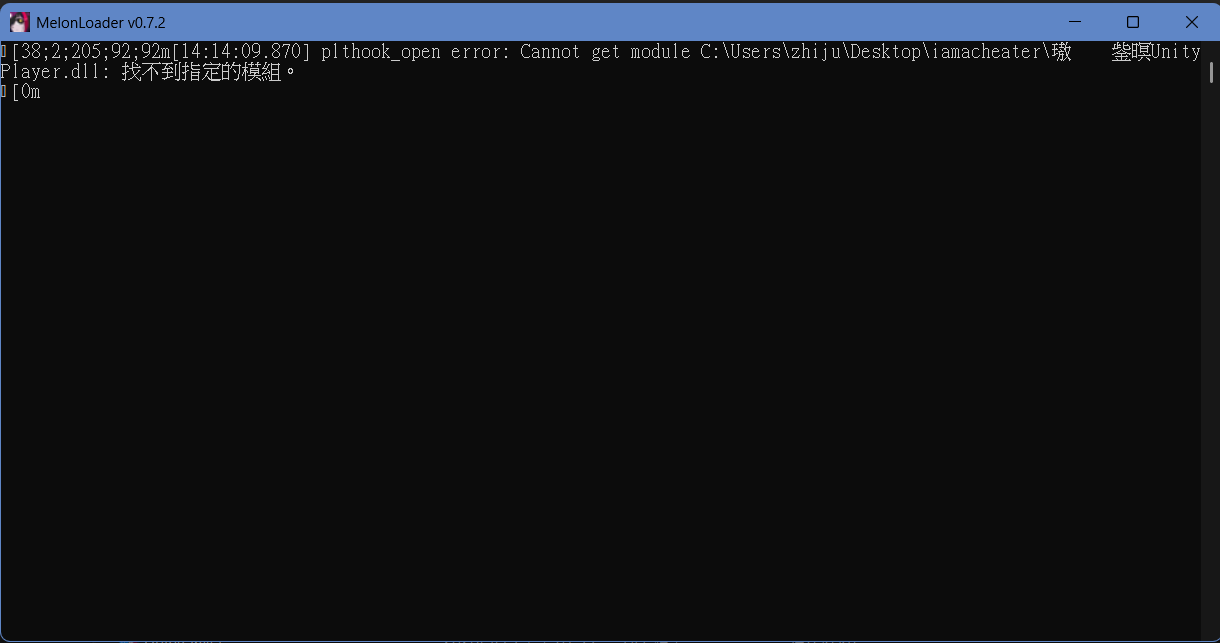
 my melon loader says this when i open the game: plthook_open error: Cannot get module 

That error usually means MelonLoader failed to hook into the game correctly.

This is commonly caused by one of the following:

  • Using an incompatible MelonLoader version
  • Game version mismatch
  • Missing or corrupted MelonLoader files
  • Antivirus blocking MelonLoader

Things you can try:

  • Make sure you are using a compatible version of MelonLoader (for 0.95.16, versions like 0.7.2 or certain 0.7.3 nightly builds are known to work)
  • Reinstall MelonLoader cleanly
  • Launch the game once after installing to generate files
  • Temporarily disable antivirus or add an exception
  • Make sure you are installing it to the correct game directory

If the issue persists, feel free to share more details about your setup.

Linux user here (Mint), and I can't seem to get the game to use MelonLoader even though it shows up in ldd. I don't get the terminal window that shows in the tutorial vid and the in-game mod menu is empty.

The mod will not appear in the in-game Mods menu, as it is an external mod loaded through MelonLoader, not the built-in mod system.

Regarding your issue:
The mod and MelonLoader are officially supported only on Windows (native).
On Linux, it is not natively supported and only works through Proton, and even then, it is considered untested.

If you are not seeing the MelonLoader console/terminal window at launch, it usually means MelonLoader is not loading correctly.

Things you can check:

  • Make sure you are running the game through Proton
  • Ensure MelonLoader is installed correctly into the game directory
  • Try launching the game once after installing MelonLoader to generate the required files
  • Check if Proton version compatibility may be affecting it

Since Linux support is not officially tested, behavior may vary depending on your setup.


Right, sorry. Must've missed that. Thanks

(2 edits)

This error usually happens when MelonLoader cannot connect to its servers, so it’s not able to download the required files.

Please check the following:

  • Make sure you are connected to the internet
  • Try disabling any VPN, firewall, or antivirus temporarily (they can block the connection)
  • Run the installer as Administrator
  • Try again later in case the server is temporarily unavailable

If the issue still persists, you can try downloading MelonLoader manually from its official source and installing it again.

(1 edit)

Eu ia por o mod mas..

Li que não tem pra mobile 😢 ...

(Quando vai ter por gentileza?)

Translation:
I went there because of the mod, but…

I read that it’s not available for mobile 😢…

(When will it be available, please?)

@IkariDev has already stated multiple times that this mod will not be ported to the Android version of the game.
Please understand that this is a final decision.
We kindly ask that you refrain from repeatedly asking about an Android version of this mod.
Thank you for your understanding.

Translation:
@IkariDev já afirmou várias vezes que este mod não será portado para a versão Android do jogo.
Por favor, entenda que esta é uma decisão final.
Pedimos gentilmente que evite perguntar repetidamente sobre uma versão Android deste mod.
Obrigado pela compreensão

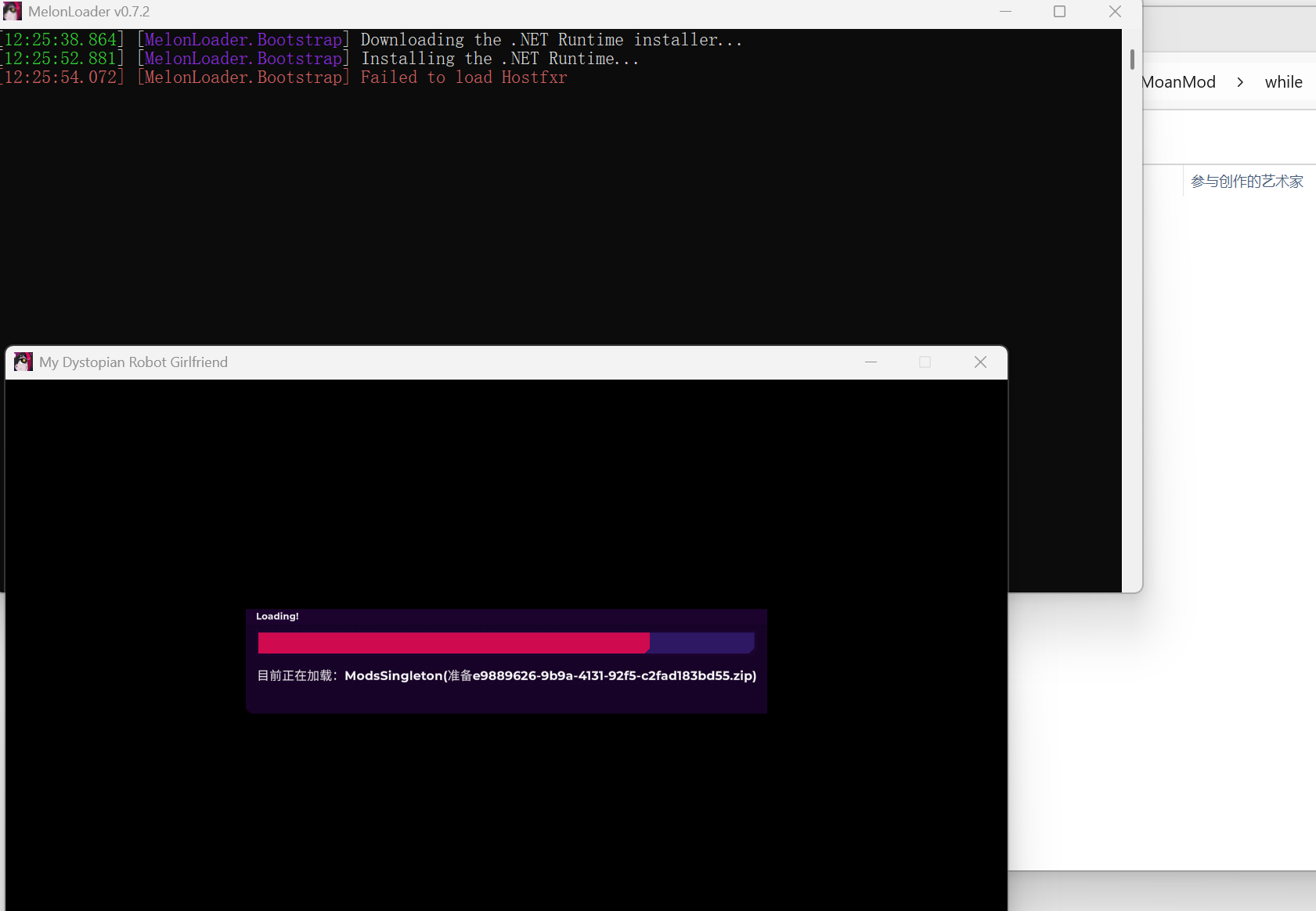
I would like to ask how to resolve this situation. I installed MelonLoader version 0.7.2 according to the video tutorial, and the game path is in pure English, but after launching the game for the first time, this situation occurred, and then the game window automatically popped up, and the mods did not take effect.

“Failed to load Hostfxr” = .NET runtime problem (not mod issue)

The error shown in your screenshot:

“Failed to load Hostfxr”

means that the required .NET runtime was not installed correctly, which is why MelonLoader is not working.

This is not caused by the mod itself.

Please try the following:

Also note:

  • If the MelonLoader console shows this error, mods will not load at all
  • The game may still launch, but MelonLoader will not function properly

If the issue still happens, please let me know your Windows version and whether you installed the x64 runtime.

Thank you. I downloaded the latest .NET Desktop Runtime using the link you sent, and it perfectly solved the problem. I had previously tried downloading version 6.0.36 x64 of the .NET Desktop Runtime, but it still didn't work — perhaps because that version was too old? Thank you very much; the issue has been resolved.

(1 edit)

Hi, I saw that this mod doesn't support Android, but I'm trying to figure out if an AI could solve the problem, but so far nothing. I wanted to ask if there's a possibility of an AI I know that you might not be able to solve this problem, or respond directly to the point, and yes, I know you still can't do that, which is why I asked If you think an AI is capable of solving this, which AI could solve it? Thank you for reading and for your patience.