

Linux user here (Mint), and I can't seem to get the game to use MelonLoader even though it shows up in ldd. I don't get the terminal window that shows in the tutorial vid and the in-game mod menu is empty.
The mod will not appear in the in-game Mods menu, as it is an external mod loaded through MelonLoader, not the built-in mod system.
Regarding your issue:
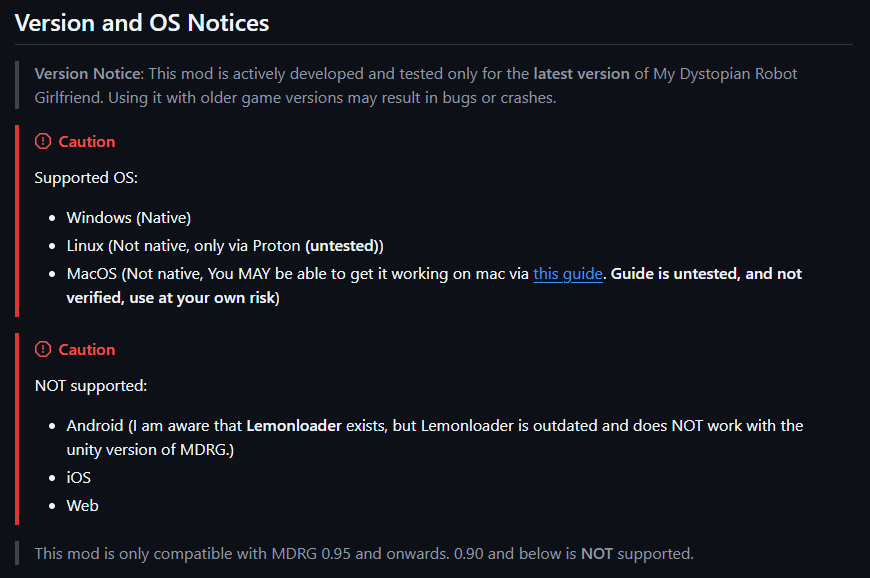
The mod and MelonLoader are officially supported only on Windows (native).
On Linux, it is not natively supported and only works through Proton, and even then, it is considered untested.
If you are not seeing the MelonLoader console/terminal window at launch, it usually means MelonLoader is not loading correctly.
Things you can check:
- Make sure you are running the game through Proton
- Ensure MelonLoader is installed correctly into the game directory
- Try launching the game once after installing MelonLoader to generate the required files
- Check if Proton version compatibility may be affecting it
Since Linux support is not officially tested, behavior may vary depending on your setup.
Another Linux user here (Pop!_OS). Did you manage to get this to work via Proton? I followed the tutorial for installing via Melon Loader, and everything seemed to go as intended except for that when I launch the game, I don't see any sort of terminal window for Melon Loader (like you described). I tried to follow some guide online for launching games via Proton, but I couldn't actually get the game to launch with this method.