Indie game storeFree gamesFun gamesHorror games
Game developmentAssetsComics
SalesBundles
Jobs
TagsGame Engines
(2 edits)

Hello,

Great to hear that OpenRouter is finally working for you!

From the screenshot it looks like the issue is related to the OCR language setting

Right now the OCR language is set to English, but the game/movie text you are trying to translate appears to be Chinese or Japanese.

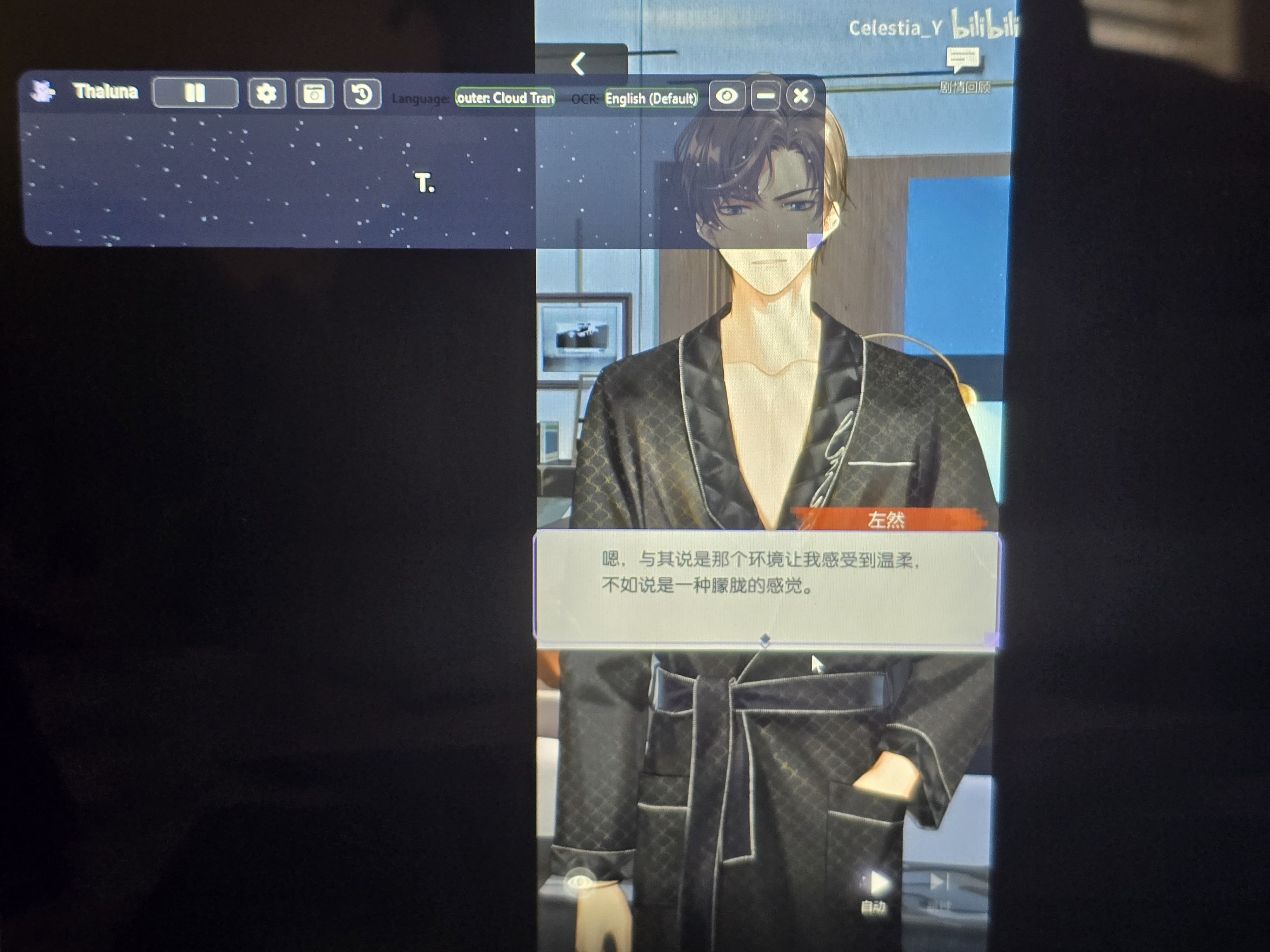
Because of this, the OCR cannot correctly read the characters, so the translator only receives small fragments like "R." instead of the full sentence.

Please try this:

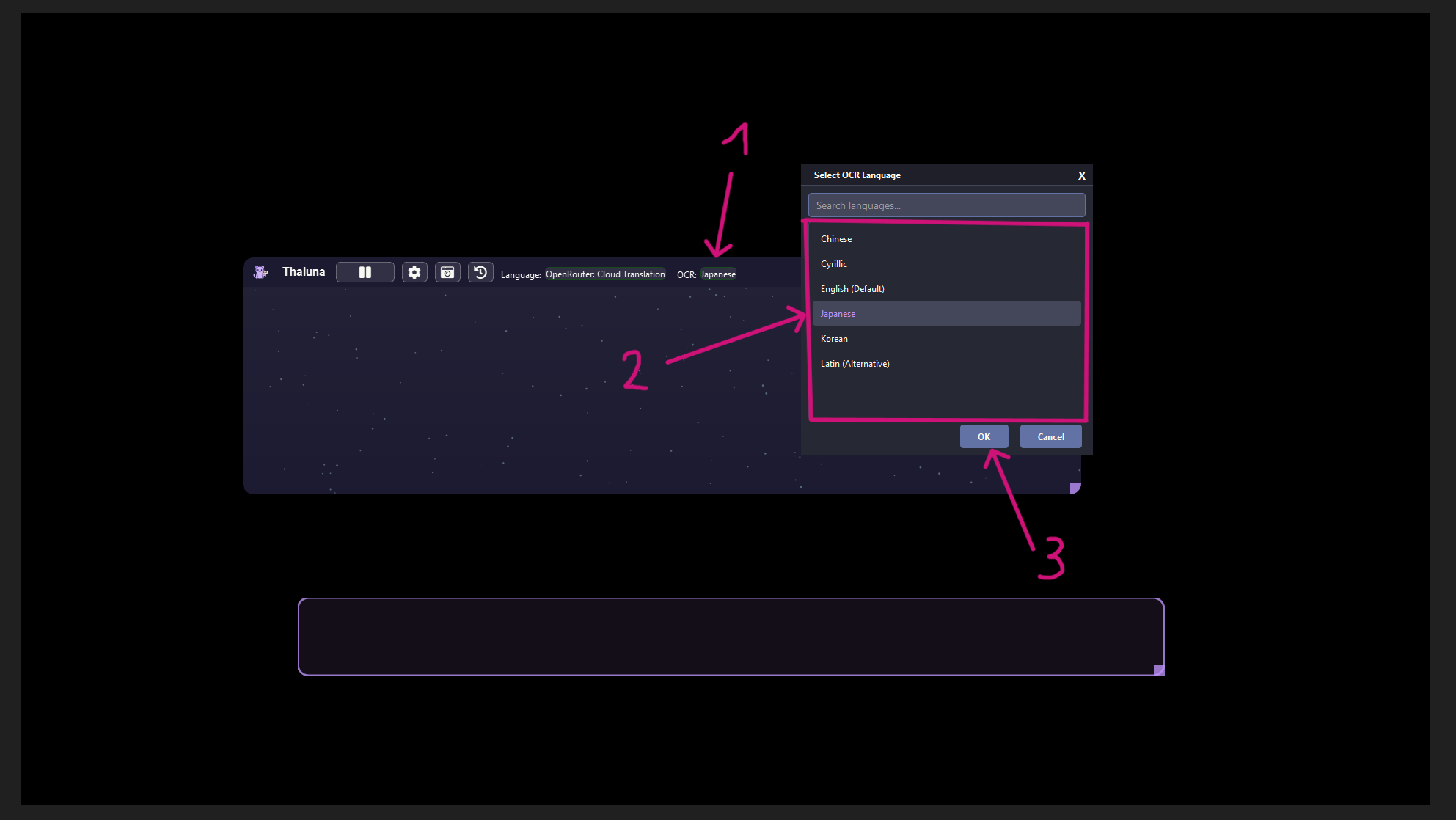
  1. Go to the OCR language setting

  2. Change it from English to the correct language (Chinese or Japanese depending on the game/movie)

  3. Save the settings and try again

Once the OCR language matches the game text, the full sentence should be detected and translated correctly.

Also, I noticed from the screenshot that you are still using an older version of Thaluna.

A newer version is available which includes fixes and some improvements. If you want, you can update it anytime by downloading the latest version from the Thaluna page.

Please note that some visual settings (like colors) may reset because they are stored in the config file, but your OpenRouter API key should remain saved since it is stored separately.
Hello! 


See I figured because I was like wait a minute, again thank u so so much for taking your time with me! I'm so sorry It took me so long to get things through with you 


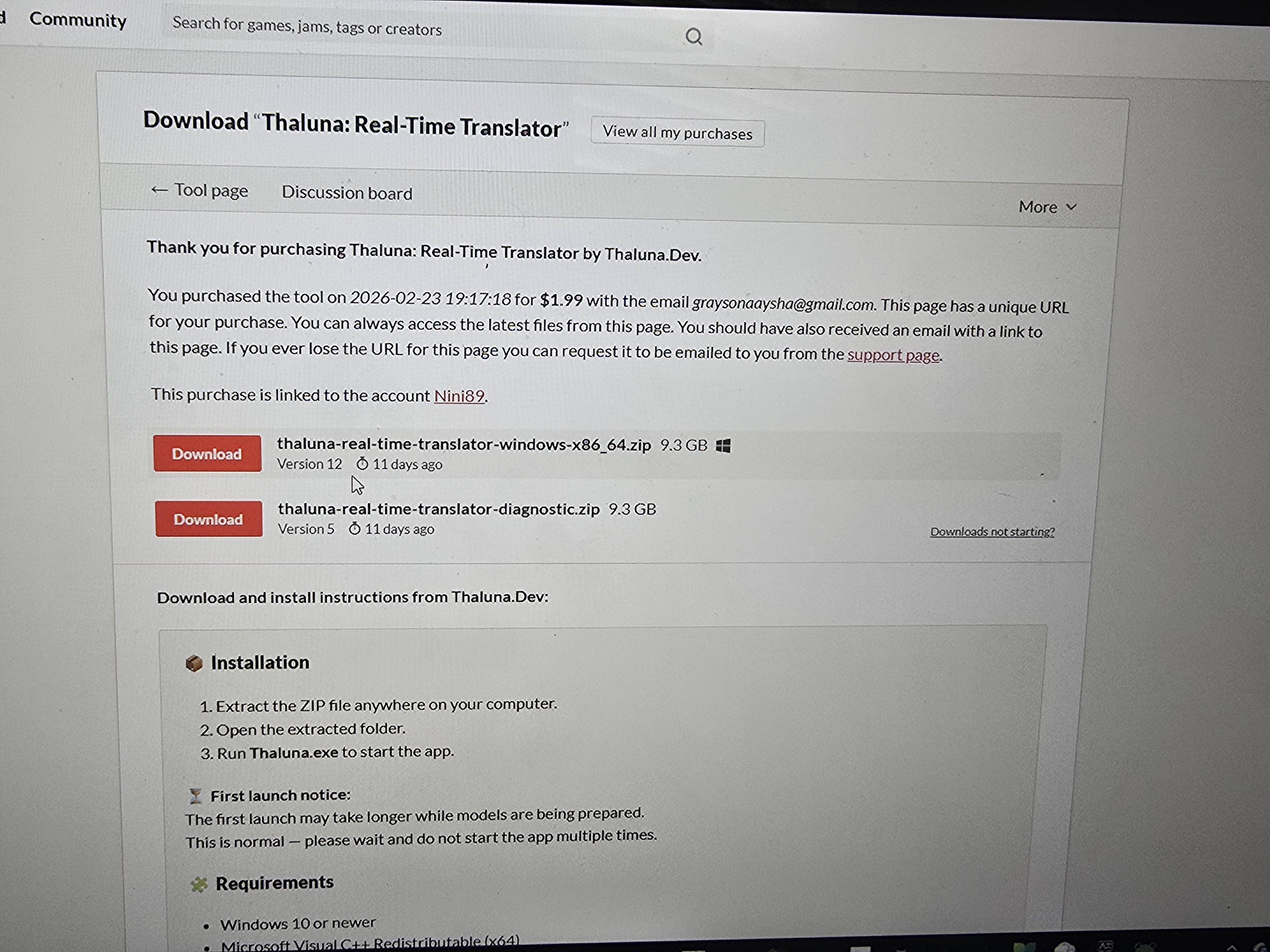
Speaking of update, Could you show me how? Do I download these on this blog? 

https://thalunadev.itch.io/thaluna-real-time-translator/devlog/1423169/-thaluna-v27-stability-improvements-backlog-gpu-fix-session-transcript-saving

Hello!

No problem at all, I'm glad it's working for you now.

To update Thaluna, just go to the main download page:

https://thalunadev.itch.io/thaluna-real-time-translator

Then simply download the Windows version again and replace your old Thaluna folder with the new one.

That's all you need to do to update.

Oooh I see


So I just do press the first one correct?


Yes, correct. Just download the first one (Windows x86_64)

Ooooh thank you thank you! 


Again Thank you so so much for helping me through the process of someone as slow as me! 🫶

You're welcome! I'm glad we got it working.

If you ever have questions about the settings, I also wrote a complete guide for Thaluna on the forum that explains the different options.

And if something isn't covered there, you can always post here again and I'll help when I can.

Ooh I just saw it as well! 


Of course! I'll definitely let u know 🫶

One more question for now 


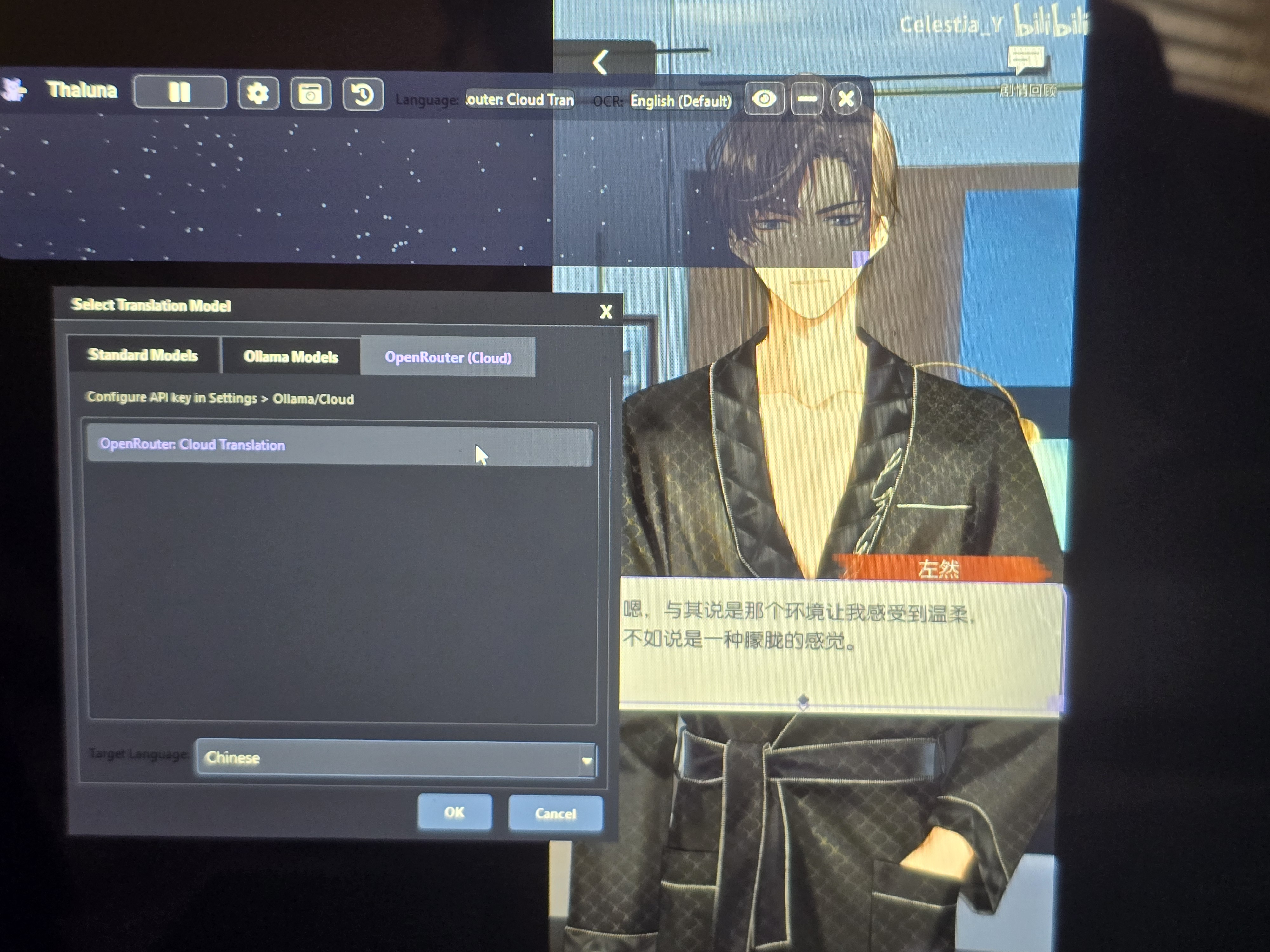
Even when I selected the language the vid is, it's still wouldn't translate how I want, is there a reason or did I do something wrong because im not sure 


(1 edit)

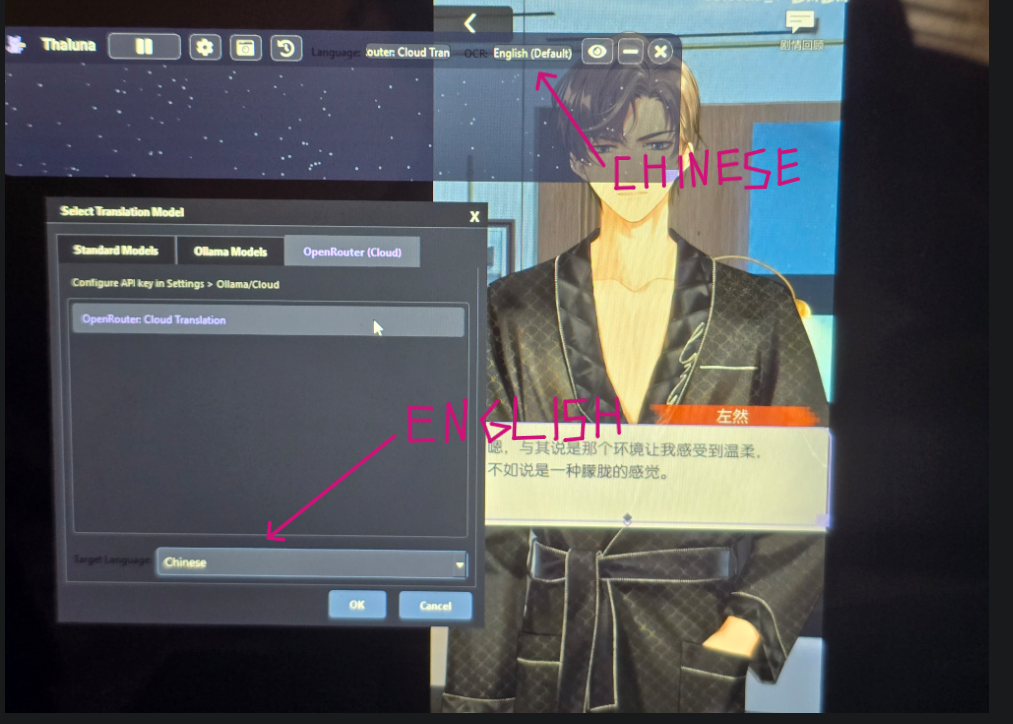
It looks like the language was set in the wrong place.

The Target Language is the language you want the text to be translated into.

The OCR Language is the language the text is originally written in.

In your case the video text is Chinese, so try this:

OCR Language → Chinese
Target Language → English

Right now it looks like Chinese is selected as the target language, which means the translator is trying to translate into Chinese instead of translating the Chinese text to English.

After changing the OCR language, restart the capture and it should work correctly.


This screenshot shows Japanese as an example, but in your case set it to Chinese.
The rule is the same.